Mills County Notice of Specially Manufactured Materials Form
Last validated October 29, 2026 by our Forms Development TeamFormatted for recording in Mills County, for property anywhere in the county: rural and unincorporated areas as well as Goldthwaite, Mullin, Priddy, Star.
- 3 documents included
- Immediate PDF download
- Formatting guarantee
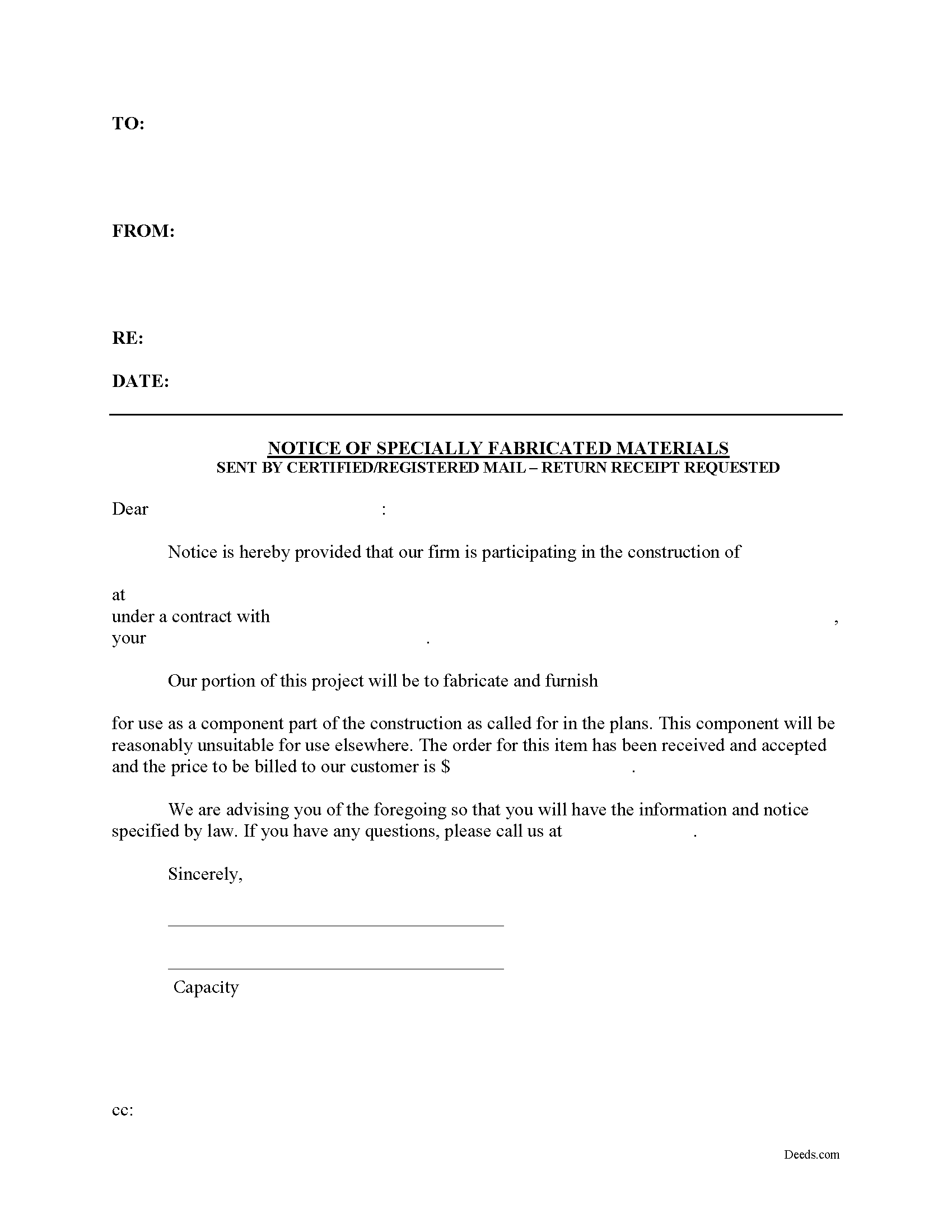
Mills County Notice of Specially Manufactured Materials Form
Fill in the blank Notice of Specially Manufactured Materials form formatted to comply with all Texas recording and content requirements.
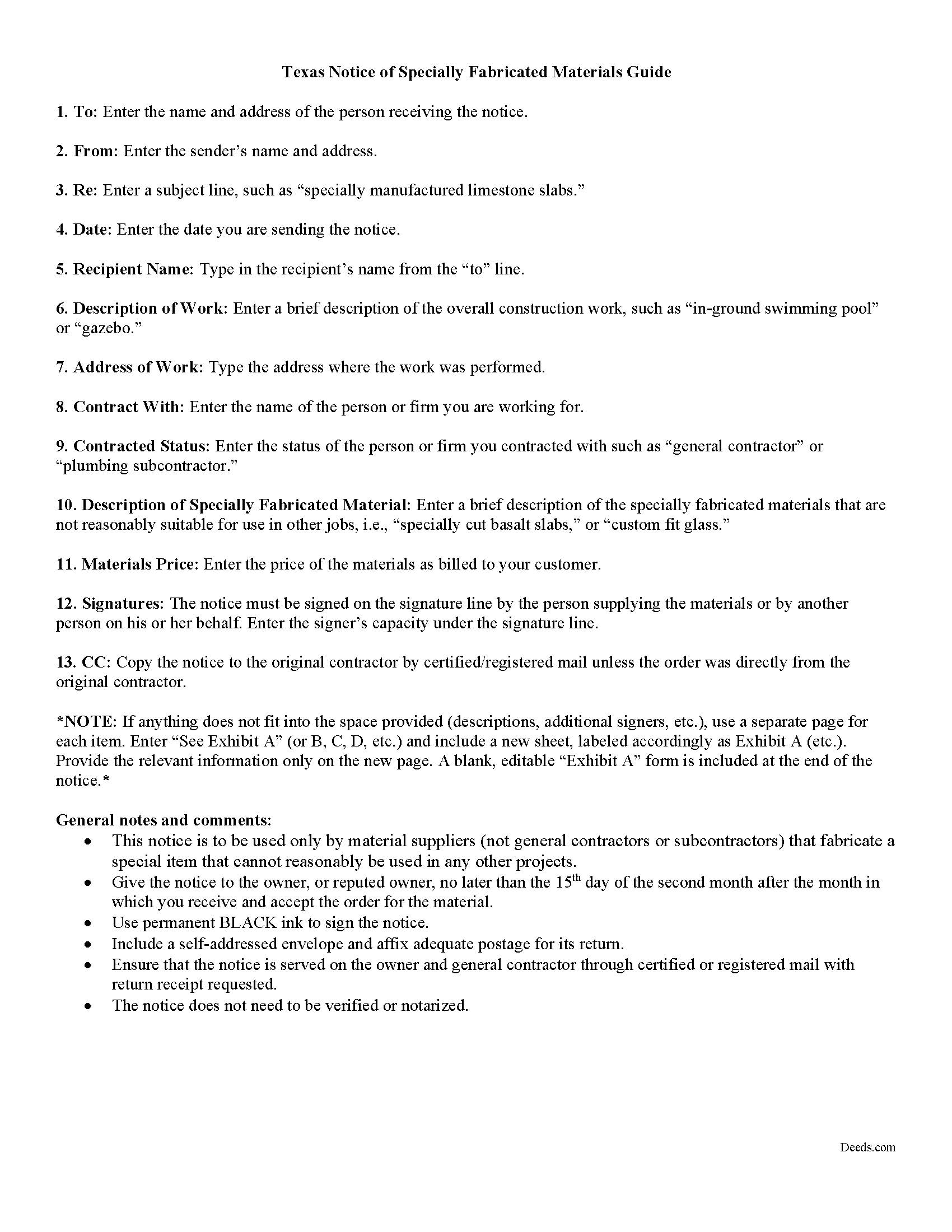
Mills County Notice of Specially Manufactured Materials Guide
Line by line guide explaining every blank on the form.
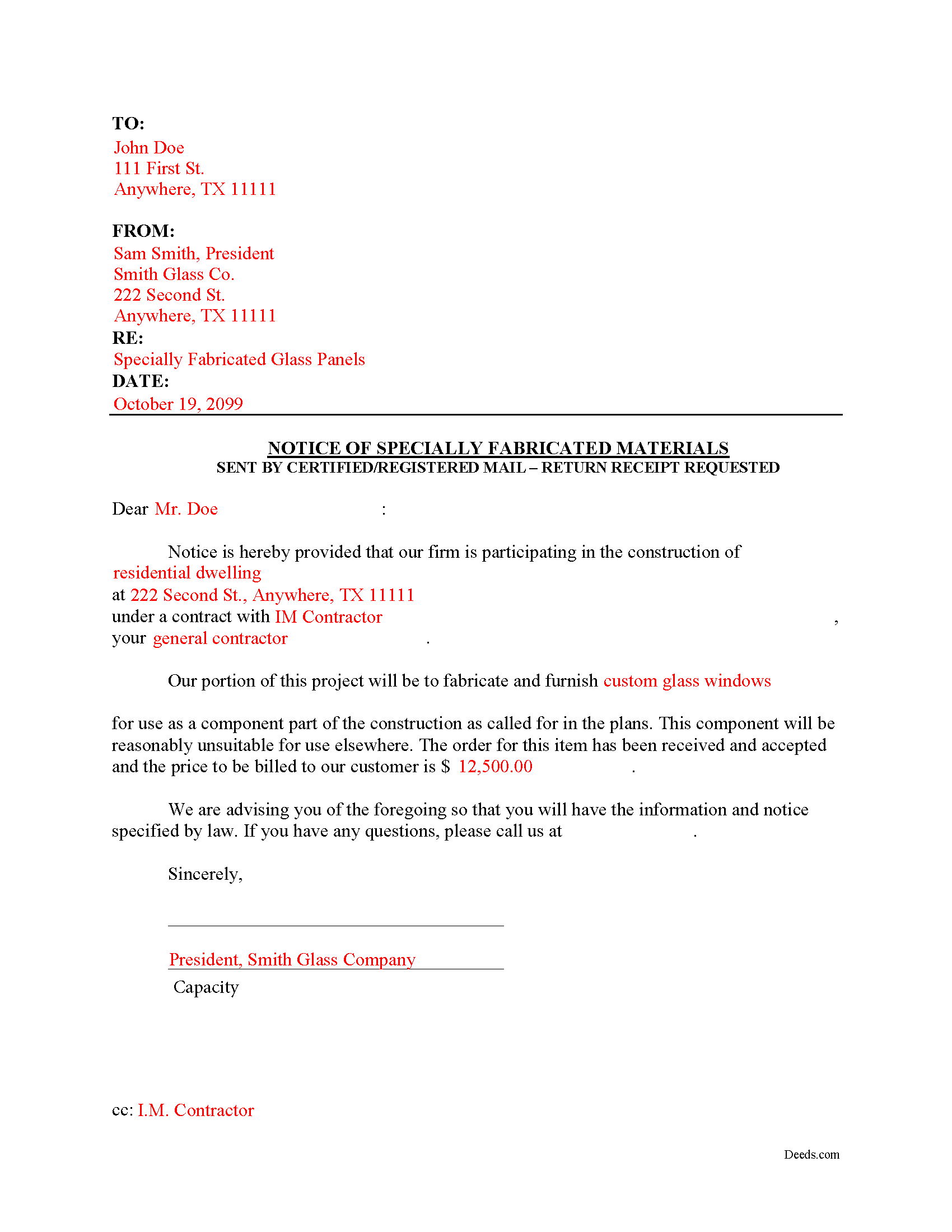
Mills County Completed Example of the Notice of Specially Manufactured Materials Document
Example of a properly completed form for reference.
All 3 documents above included • One-time purchase • No recurring fees
Immediate Download • Secure Checkout
Additional Texas and Mills County documents included at no extra charge:
Where to Record Your Documents
Mills County Clerk Office
Goldthwaite, Texas 76844
Hours: Monday - Friday 8:00am - 12:00 & 1:00 - 5:00pm / Recording until 4:30pm
Phone: (325) 648-2711
Recording Tips for Mills County:
- Bring your driver's license or state-issued photo ID
- Ensure all signatures are in blue or black ink
- Make copies of your documents before recording - keep originals safe
- Recorded documents become public record - avoid including SSNs
- Recording fees may differ from what's posted online - verify current rates
Cities and Jurisdictions in Mills County
Properties in any of these areas use Mills County forms:
- Goldthwaite
- Mullin
- Priddy
- Star
Hours, fees, requirements, and more for Mills County
How do I get my forms?
Forms are available for immediate download after payment. The Mills County forms will be in your account ready to download to your computer. An account is created for you during checkout if you don't have one. Forms are NOT emailed.
Are these forms guaranteed to be recordable in Mills County?
Yes. Our form blanks are guaranteed to meet or exceed the applicable formatting requirements used for recording in Mills County, including margin requirements, font requirements, and other layout standards. This guarantee applies to formatting, not to the legal sufficiency of information entered by the user or the suitability of a form for a particular transaction.
Can I reuse these forms?
Yes. You can reuse the forms for your personal use. For example, if you have multiple properties in Mills County you only need to order once.
What do I need to use these forms?
The forms are PDFs that you fill out on your computer. The free Adobe Acrobat Reader is recommended, and most PDF apps also work. You do NOT enter your property information online - you download the blank forms and complete them privately on your own computer.
Are there any recurring fees?
No. This is a one-time purchase. Nothing to cancel, no memberships, no recurring fees.
How much does it cost to record in Mills County?
Recording fees in Mills County vary. Contact the recorder's office at (325) 648-2711 for current fees.
Questions answered? Let's get started!
Construction projects often demand custom materials that are only suitable for that specific job, due to unique dimensions of the materials or other customized aspects as specified by the customer. These materials are not suitable for use in other projects, except as possible salvage or scrap with a greatly diminished value.
Suppliers of specially manufactured items that are not reasonably suitable for other jobs may serve the Notice of Specially Manufactured Items as set out at Sec. 53.058 of the Texas Property Code. This notice is not required, but under 53.023(2), a person who creates such job-specific materials is entitled to lien, even if the materials were never delivered to the job site.
These claimants must also serve the Notice of Contractual Retainage, along with either a Second Month Notice or a Third Month Notice, warning the contractor and owner about the outstanding debt.
The document identifies the parties and the project, describes the materials, and lists the relevant dates, fees, and payments, if any. The Notice of Specially Manufactured Materials is not recorded in a county public records office and does not need to be verified or notarized. Simply fill out the required fields and send it via U.S. certified or registered mail with a return receipt requested.
Texas lien laws are complex and require strict adherence. Each case involving specially manufactured items is unique, so contact an attorney for complex situations, with specific questions about the Notice of Specially Fabricated Materials, or any other issues related to mechanic's liens.
Important: Your property must be located in Mills County to use these forms. Documents should be recorded at the county recording office listed above.
This Notice of Specially Manufactured Materials meets all recording requirements specific to Mills County.
Our Promise
The documents you receive here are guaranteed to meet or exceed the applicable Mills County recording format requirements. If there is a rejection caused by our formatting, we will correct the issue or refund your payment. This guarantee applies to document formatting only and does not extend to information entered by the user, the selection of the form, or the legal effect of the completed document.
Save Time and Money
Get your Mills County Notice of Specially Manufactured Materials form done right the first time with Deeds.com Uniform Conveyancing Blanks. At Deeds.com, we understand that your time and money are valuable resources, and we don't want you to face a penalty fee or rejection imposed by a county recorder for submitting nonstandard documents. We constantly review and update our forms to meet rapidly changing state and county recording requirements for roughly 3,500 counties and local jurisdictions.
4.8 out of 5 - ( 4,839 Reviews )
Mark E. 4 out of 5 stars
This was easy to use and only contained one glaring error-where to send the completed form to finish the process. I’ve completed the form, does this mean I get the amended deed sent to me? I think not.
Your insights are invaluable to us and help us strive for better service. Thank you for taking the time to share your thoughts.
A. S. 3 out of 5 stars
First, I am glad that you gave a blank copy, an example copy, and a 'guide'. It made it much easier to do. Overall I was very happy with your products and organization... however, things got pretty confusing and I have a pretty 'serious' law background in Real Estate and Civil law. With that said, I spent about 10+ hours getting my work done, using the Deed of Trust and Promissory note from you and there were a few problems: First, it would be FANTASTIC if you actually aligned your guide to actually match the Deed or Promissory Note. What I mean is that if the Deed says 'section (E)' then your guide shouldn't be 'randomly' numbered as 1,2,3, for advice/instructions, but should EXACTLY match 'section (E)'. Some places you have to 'hunt' for what you are looking for, and if you did it based on my suggestion, you wouldn't need to 'hunt' and it would avoid confusion. 2nd: This one really 'hurt'... you had something called the 'Deed of Trust Master Form' yet you had basically no information on what it was or how to use it. The only information you had was a small section at the top of the 'Short Form Deed of Trust Guide'. Holy Cow, was that 'section' super confusing. I still don't know if I did it correctly, but your guide says only put a return address on it and leave the rest of the 16 or so page Deed of Trust beneath it blank... and then include your 'Deed of Trust' (I had to assume the short form deed that I had just created) as part of it. I had to assume that I had to print off the entire 17 page or so title page and blank deed. I also had to assume that the promissory note was supposed to be EXHIBIT A or B on the Short Form Deed. It would be great if someone would take a serious look at that short section in your 'Short Form Deed of Trust Guide' and realize that those of us using your products are seriously turning this into a county clerk to file and that most of us, probably already have a property that has an existing Deed... or at least can find one in the county records if necessary... and make sure that you make a distinction between the Deed for the property that already exists, versus the Deed of Trust and Promissory note that we are trying to file. Thanks.
Thank you for your feedback. We'll have staff review the document for clarity. Have a great day!
Tiffany W. 5 out of 5 stars
Exactly what I needed and with the help of ChatGPT who needs a damn lawyer for anything.
We’re glad to hear things went well. Thank you for the review.
Kenneth R. 5 out of 5 stars
Easy to use and saves money.
Thank you!
Roger W. 5 out of 5 stars
worked very good or me
Thank you Roger, have a great day!
Emery N. 5 out of 5 stars
Thank you for your service,,you have a very good site,,easy to use
Thank you for your feedback. We really appreciate it. Have a great day!
Zennell W. 5 out of 5 stars
Quick fast and easy transaction.
We are grateful for your feedback and looking forward to serving you again. Thank you!
Fedila A. 5 out of 5 stars
Thank you! I got the forms and saved them. Fast download and the price is given before ordering which is great. The only thing missing is the sample of the Cover Page. Thanks a lot!
We appreciate your business and value your feedback. Thank you. Have a wonderful day!
Robert T. 5 out of 5 stars
Perfect. Downloaded the forms with no issues, filled them out, had them notarized and recorded all in just a few hours (most of that time was spent at the recorder's office). Highly recommend.
Thank you for your feedback. We really appreciate it. Have a great day!
James A. 5 out of 5 stars
As advertised.
Thank you!
Rebecca M. 5 out of 5 stars
Haven't used yet but I will check it out tomorrow
Thank you!
Mary B. 5 out of 5 stars
Thank you for making these forms available at affordable prices and with lots of information.
Thank you for your positive words! We’re thrilled to hear about your experience.
Bonnie C. 5 out of 5 stars
User friendly an FAST to access and use! Highly recommended.
We appreciate your business and value your feedback. Thank you. Have a wonderful day!
Betty J W. 5 out of 5 stars
Was Totally Amazed, it was so easy to follow the example and I am 75 years old. I took my paper work in and it passed with flying colors. Thank-You So much saved me $665.00. BJW
Thank you!
Kevin & Kim S. 5 out of 5 stars
So very easy to use and we're so glad we could do everything from our home office.
We appreciate your business and value your feedback. Thank you. Have a wonderful day!