Walker County Preliminary Notice to Original Contractor Form
Last validated October 5, 2026 by our Forms Development TeamFormatted for recording in Walker County, for property anywhere in the county: rural and unincorporated areas as well as Dodge, Huntsville, New Waverly, Riverside.
- 3 documents included
- Immediate PDF download
- Formatting guarantee
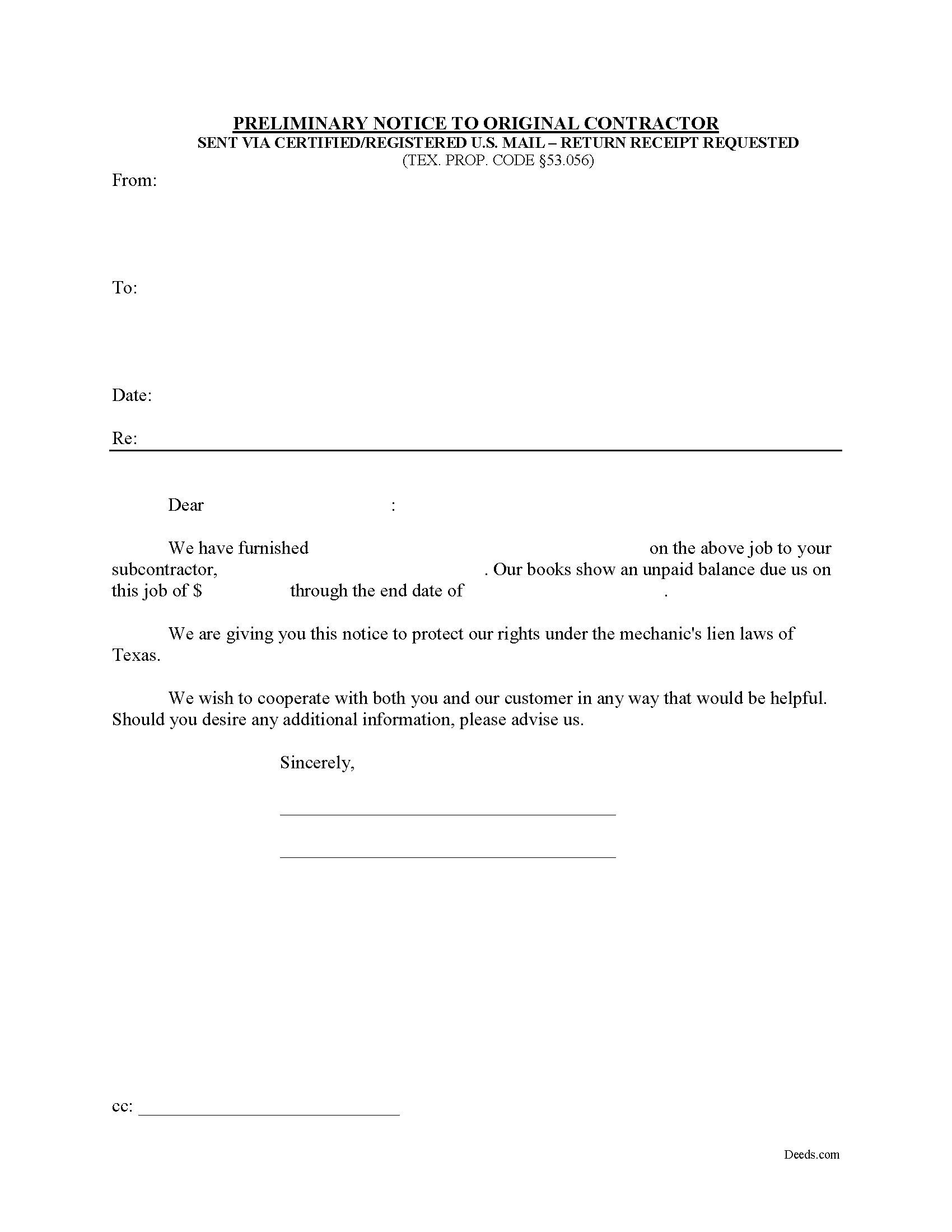
Walker County Preliminary Notice to Original Contractor Form
Fill in the blank Preliminary Notice to Original Contractor form formatted to comply with all Texas recording and content requirements.
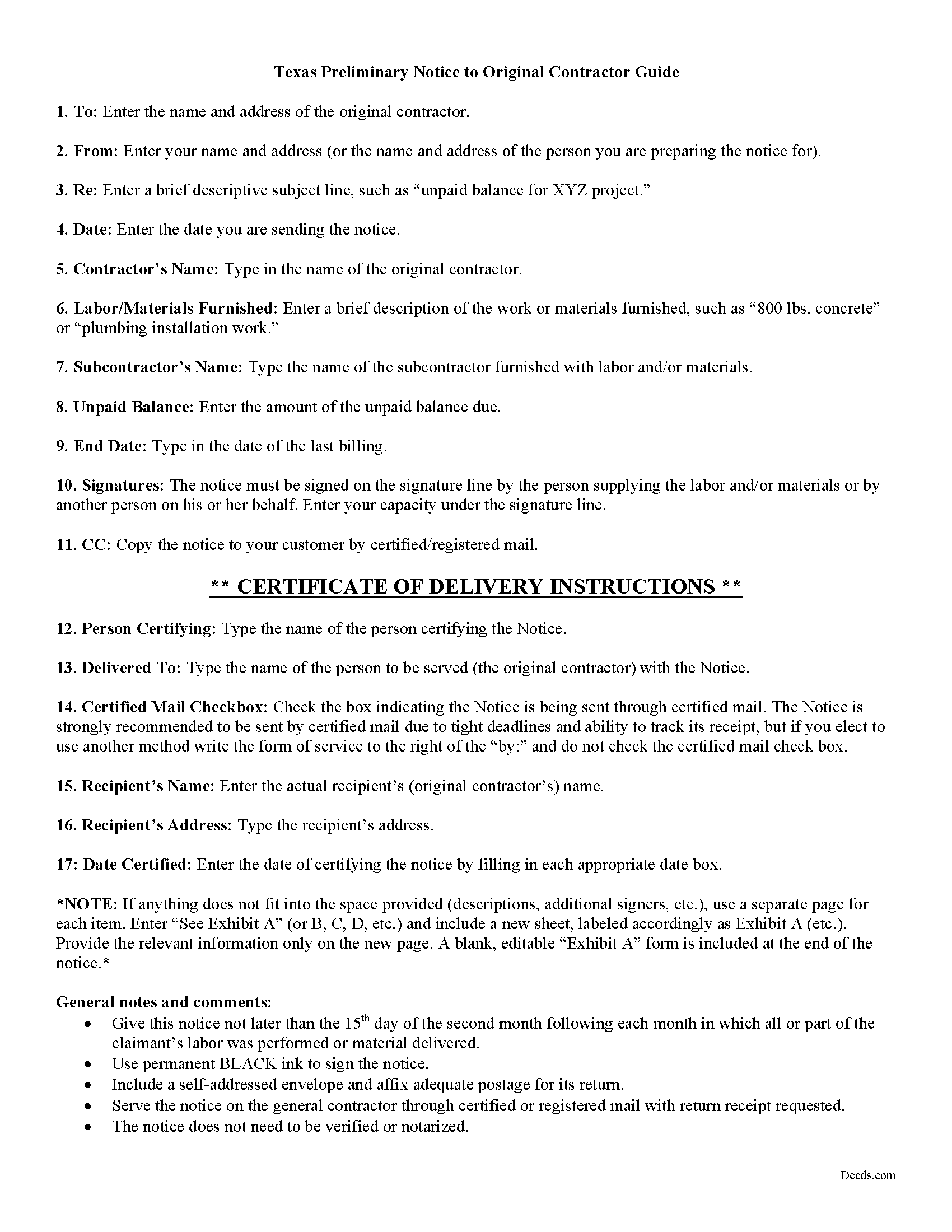
Walker County Preliminary Notice to Original Contractor Guide
Line by line guide explaining every blank on the form.
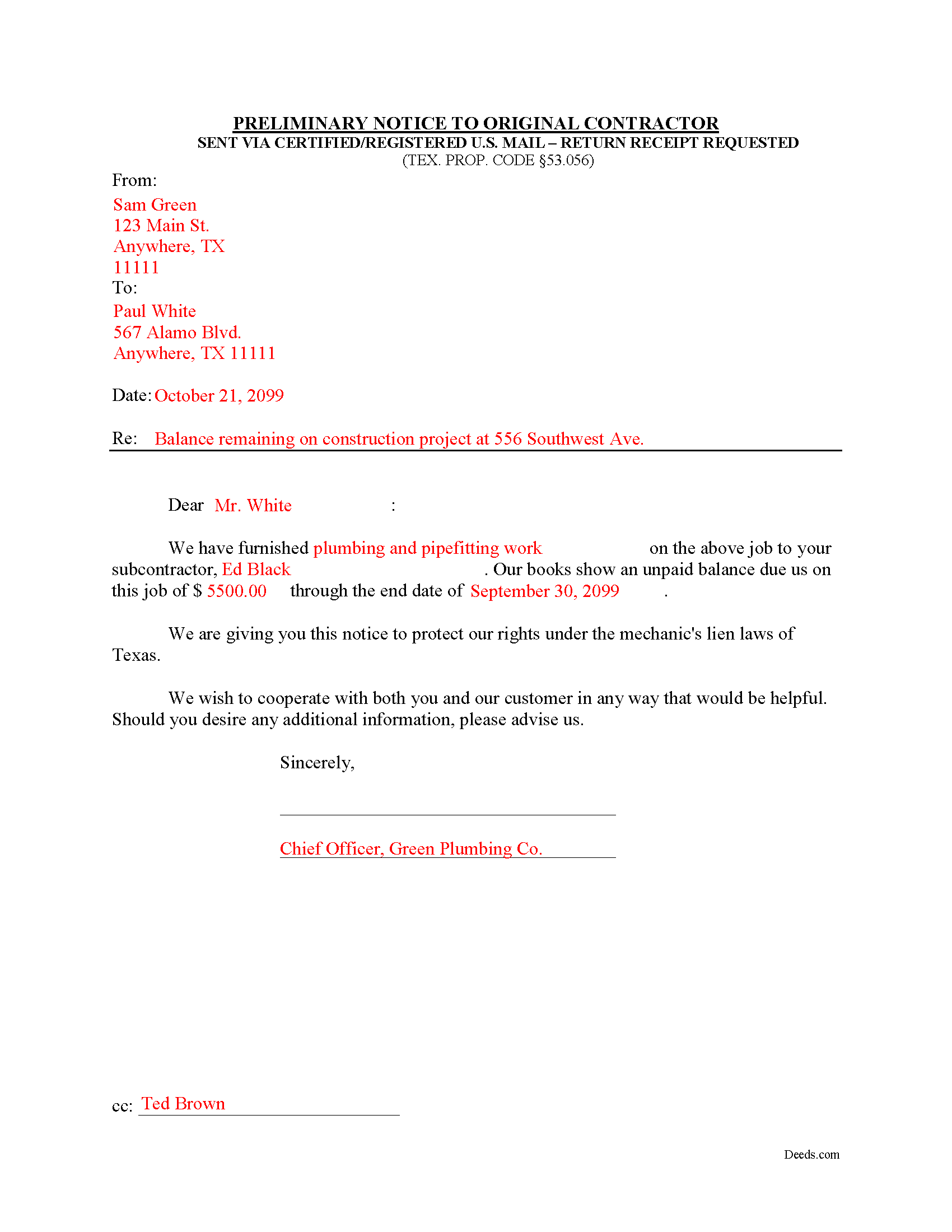
Walker County Completed Example of the Notice to Original Contractor Document
Example of a properly completed form for reference.
All 3 documents above included • One-time purchase • No recurring fees
Immediate Download • Secure Checkout
Additional Texas and Walker County documents included at no extra charge:
Where to Record Your Documents
County Clerk: Recording Division
Huntsville, Texas 77320
Hours: Monday - Friday 8:00am - 12:00 & 1:00 - 4:30pm
Phone: (936) 436-4903
Recording Tips for Walker County:
- Bring your driver's license or state-issued photo ID
- Ensure all signatures are in blue or black ink
- Ask about their eRecording option for future transactions
- Avoid the last business day of the month when possible
- Both spouses typically need to sign if property is jointly owned
Cities and Jurisdictions in Walker County
Properties in any of these areas use Walker County forms:
- Dodge
- Huntsville
- New Waverly
- Riverside
Hours, fees, requirements, and more for Walker County
How do I get my forms?
Forms are available for immediate download after payment. The Walker County forms will be in your account ready to download to your computer. An account is created for you during checkout if you don't have one. Forms are NOT emailed.
Are these forms guaranteed to be recordable in Walker County?
Yes. Our form blanks are guaranteed to meet or exceed the applicable formatting requirements used for recording in Walker County, including margin requirements, font requirements, and other layout standards. This guarantee applies to formatting, not to the legal sufficiency of information entered by the user or the suitability of a form for a particular transaction.
Can I reuse these forms?
Yes. You can reuse the forms for your personal use. For example, if you have multiple properties in Walker County you only need to order once.
What do I need to use these forms?
The forms are PDFs that you fill out on your computer. The free Adobe Acrobat Reader is recommended, and most PDF apps also work. You do NOT enter your property information online - you download the blank forms and complete them privately on your own computer.
Are there any recurring fees?
No. This is a one-time purchase. Nothing to cancel, no memberships, no recurring fees.
How much does it cost to record in Walker County?
Recording fees in Walker County vary. Contact the recorder's office at (936) 436-4903 for current fees.
Questions answered? Let's get started!
Texas Second Month Notice
According to Texas lien law, all claimants other than the original contractor must provide preliminary notice to establish a claim for a valid mechanic's lien. TEX. PROP. CODE 53.056. Use the preliminary notice form under 53.056(b) when lien claim arises from a debt incurred by a subcontractor.
A mechanic's lien is an encumbrance on an owner's title, used to guarantee payment to builders, contractors, and construction businesses which build or repair structures, by using the property where the work was completed as a form of collateral. Suppliers of materials and subcontractors may also claim a mechanic's lien. The lien ensures that the workmen are paid before anyone else if the property subject to the lien is eventually foreclosed upon.
The law states that before filing and recording a mechanic's lien, the claimant must give written notice of the unpaid balance to the original contractor. Texas requires prelien notice to be served on the owner and other interested parties. Prelien notices serve two purposes: to protect the interests of subcontractors and suppliers, and to give property owners a defense against having to pay twice for parts of the same project.
Deliver the notice to the original contractor no later than the 15th day of the second month following each month in which all or part of the claimant's labor was performed or material delivered. Id. This is also known as a "Second Month Notice." It identifies the parties, dates, materials/services, and amount due. For reference, include an invoice or statement to clarify billing details.
Send it by registered or certified mail, addressed to the original contractor at his or her last known business or residence address. TEX. PROP. CODE 53.056(e).
Remember that each case is unique and the mechanic's lien law in Texas can be complicated and unforgiving of mistakes. Therefore, contact an attorney for complex situations or with specific questions about the preliminary notice to the original contractor or about any other issues related to liens.
Important: Your property must be located in Walker County to use these forms. Documents should be recorded at the county recording office listed above.
This Preliminary Notice to Original Contractor meets all recording requirements specific to Walker County.
Our Promise
The documents you receive here are guaranteed to meet or exceed the applicable Walker County recording format requirements. If there is a rejection caused by our formatting, we will correct the issue or refund your payment. This guarantee applies to document formatting only and does not extend to information entered by the user, the selection of the form, or the legal effect of the completed document.
Save Time and Money
Get your Walker County Preliminary Notice to Original Contractor form done right the first time with Deeds.com Uniform Conveyancing Blanks. At Deeds.com, we understand that your time and money are valuable resources, and we don't want you to face a penalty fee or rejection imposed by a county recorder for submitting nonstandard documents. We constantly review and update our forms to meet rapidly changing state and county recording requirements for roughly 3,500 counties and local jurisdictions.
4.8 out of 5 - ( 4,831 Reviews )
SheRon F. 5 out of 5 stars
It was a quick and easy process and deeds.com was very helpful and dealt with a very stressful situation, painless.
We appreciate your business and value your feedback. Thank you. Have a wonderful day!
Aaron L. 2 out of 5 stars
Might be adequate if I was desperate. Formatting screams amateur hour -- not a legal issue but likely to invite closer scrutiny when filed. Instructions were supposed to be county-specific but directed me to call the recorder to ask them how to fill out part of the form. Not planning to use the form and would not purchase it again. I could probably do better by uploading some examples and the original mortgage from the Recorder's website into Claude along with the transaction-specific information and asking Claude to prepare a more professional release.
Aaron, we’re sorry the form and instructions did not meet your expectations. Your order has been canceled and your payment refunded. We appreciate your feedback and wish you the best with preparing the release in the way that works best for your situation.
Daniel N. 5 out of 5 stars
Deeds.com provided the document template and instructions I needed, right when I needed them. I was able to navigate through an unfamiliar process with exactly the support I needed at an affordable and fair price. Thank you!
We appreciate your business and value your feedback. Thank you. Have a wonderful day!
Jianxing L. 5 out of 5 stars
My case was a deed recording. The process was extremely smooth and carried out by the agents professionally and efficiently. I was greeted and guided to the right windows and the whole process took about 5 minutes, I was so impressed and appreciated the service our county agents provided. The process and the folks handled it really deserve a solid 5 star rating.
Thank you for taking a moment to share your thoughts.
James B. 5 out of 5 stars
Your website is very easy to use. No problem downloading the forms.
Thank you!
Thomas G. 5 out of 5 stars
fast and easy
Thank you!
Melody P. 5 out of 5 stars
Thanks again for such great service!
Thank you!
Donald P. 5 out of 5 stars
I wish the quick claim dead would have had letterhead that said, State South Carolina.
Thank you for your feedback. We really appreciate it. Have a great day!
Meg R. 5 out of 5 stars
Good system fairly easy to use
Thank you!
Mayte S. 5 out of 5 stars
I am pleasantly suprised at the service. Fair rates and speedy process. No complaints! Happy to use this service again and recommend to anyone. Thank you very much for all your help!
Thank you!
Cindy N. 5 out of 5 stars
Our home was in only my husband’s name and as we are getting older, it was time to add my name to the Deed to avoid potential issues in the future. Our experience with Deeds.com was wonderful. The website is user friendly, instructions written in layman’s terms, straightforward and easy to follow. Very reasonably priced. I highly recommend using Deeds.com.
Thank you for the kind words Cindy. We appreciate you. Have an amazing day!
Joan H. 5 out of 5 stars
I am happy I can record this this way.
Thank you!
Iva R. 5 out of 5 stars
Great service. Fast, got everything done (form, recording) done in a couple of hours, lightning speed in the real estate world. Thanks!
Thank you for your feedback. We really appreciate it. Have a great day!
Valarie H. 5 out of 5 stars
Thank you for offering this service. We were getting several different answers on how to solve our problem, and all of them involved getting an attorney. You saved us a ton of money and using your document made everything super easy...no attorney needed! Thank you!
Thank you for your feedback. We really appreciate it. Have a great day!
Stephen D. 5 out of 5 stars
Very good hope to use in the future.
Thank you for your feedback. We really appreciate it. Have a great day!