Goliad County Quitclaim Deed (Divorce) Form
Last validated October 20, 2026 by our Forms Development TeamFormatted for recording in Goliad County, for property anywhere in the county: rural and unincorporated areas as well as Berclair, Fannin, Goliad, Weesatche.
- 3 documents included
- Immediate PDF download
- Formatting guarantee
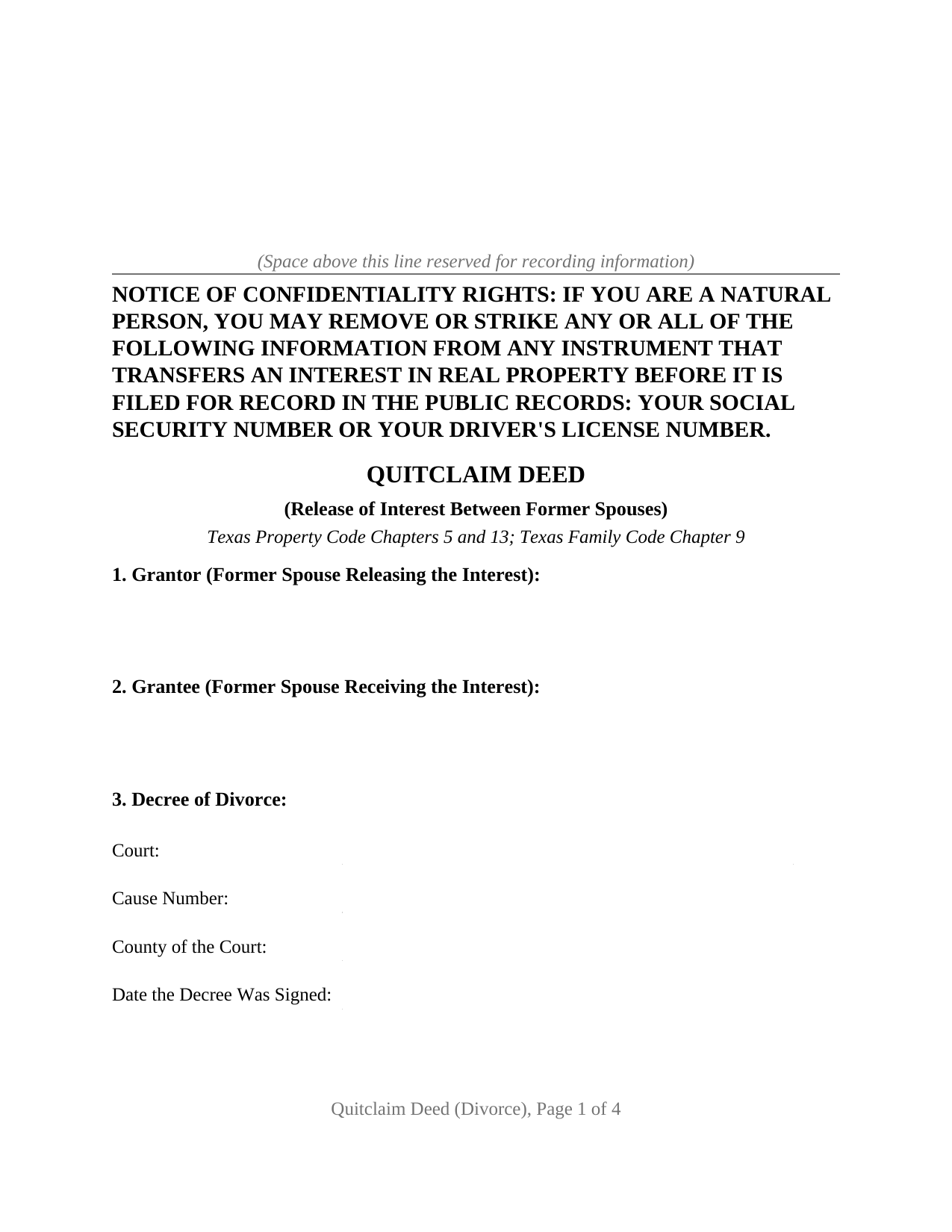
Goliad County Quitclaim Deed (Divorce) Form
Fill in the blank Quitclaim Deed (Divorce) form formatted to comply with all Texas recording and content requirements.
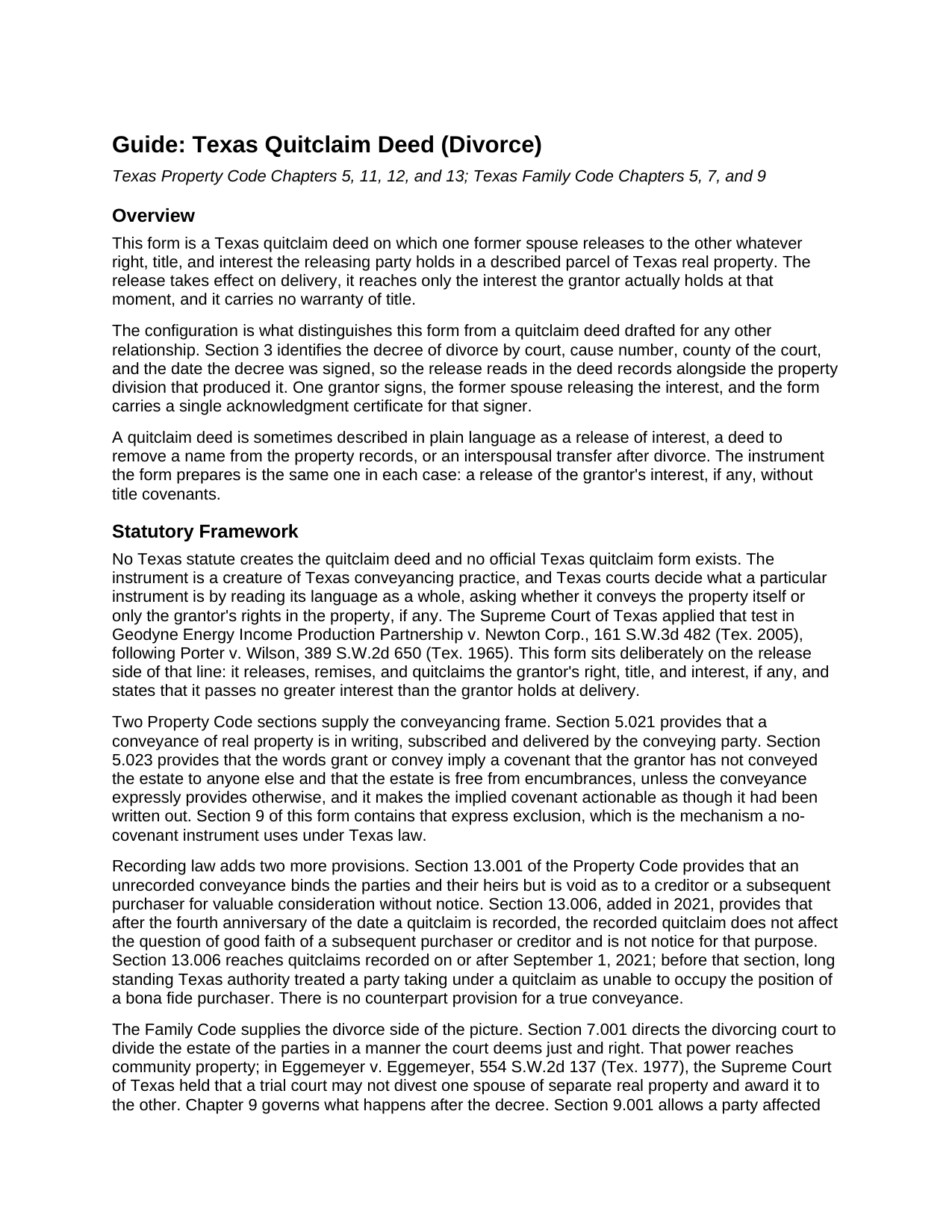
Goliad County Quitclaim Deed (Divorce) Guide
Line by line guide explaining every blank on the Quitclaim Deed (Divorce) form.
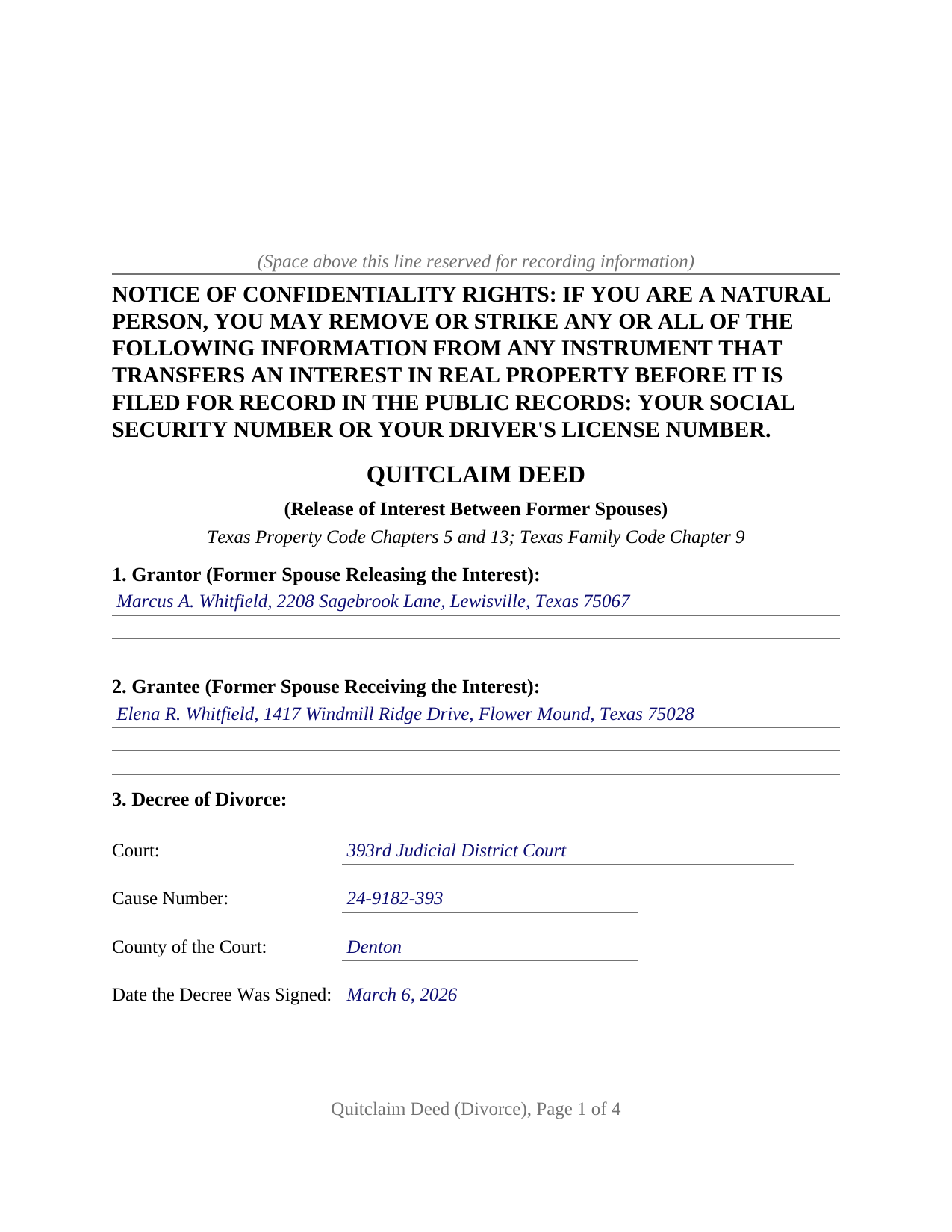
Goliad County Completed Example of the Quitclaim Deed (Divorce) Document
Example of a properly completed Texas Quitclaim Deed (Divorce) document for reference.
All 3 documents above included • One-time purchase • No recurring fees
Immediate Download • Secure Checkout
Additional Texas and Goliad County documents included at no extra charge:
Where to Record Your Documents
Goliad County Clerk
Goliad, Texas 77963
Hours: Monday - Friday 8:00am - 12:00 & 1:00 - 5:00pm
Phone: (361) 645-3294
Recording Tips for Goliad County:
- Bring your driver's license or state-issued photo ID
- Ensure all signatures are in blue or black ink
- Leave recording info boxes blank - the office fills these
- Make copies of your documents before recording - keep originals safe
- Recorded documents become public record - avoid including SSNs
Cities and Jurisdictions in Goliad County
Properties in any of these areas use Goliad County forms:
- Berclair
- Fannin
- Goliad
- Weesatche
Hours, fees, requirements, and more for Goliad County
How do I get my forms?
Forms are available for immediate download after payment. The Goliad County forms will be in your account ready to download to your computer. An account is created for you during checkout if you don't have one. Forms are NOT emailed.
Are these forms guaranteed to be recordable in Goliad County?
Yes. Our form blanks are guaranteed to meet or exceed the applicable formatting requirements used for recording in Goliad County, including margin requirements, font requirements, and other layout standards. This guarantee applies to formatting, not to the legal sufficiency of information entered by the user or the suitability of a form for a particular transaction.
Can I reuse these forms?
Yes. You can reuse the forms for your personal use. For example, if you have multiple properties in Goliad County you only need to order once.
What do I need to use these forms?
The forms are PDFs that you fill out on your computer. The free Adobe Acrobat Reader is recommended, and most PDF apps also work. You do NOT enter your property information online - you download the blank forms and complete them privately on your own computer.
Are there any recurring fees?
No. This is a one-time purchase. Nothing to cancel, no memberships, no recurring fees.
How much does it cost to record in Goliad County?
Recording fees in Goliad County vary. Contact the recorder's office at (361) 645-3294 for current fees.
Questions answered? Let's get started!
Section 3 of this Texas quitclaim deed asks four things about a decree of divorce: the court that rendered it, the cause number, the county of that court, and the date the decree was signed. Those four lines are what set this version of the form apart. Everything after them releases whatever interest one former spouse holds in a described parcel to the other, on a single signature line, with no warranty of title attached to what passes.
Four lines that put the release beside the decree
A divorce court divides the marital estate. It does not update the index kept by the county clerk, and Texas leaves two routes for closing that gap. A certified copy of a decree drafted with the necessary terms may be filed in the real property records, which puts the decree's contents into public view. Alternatively, the former spouse being divested signs a deed, and the record changes without the decree ever being filed. This form takes the second route and names the decree on its own face, so an examiner reading the release years later finds the court, cause number, and date without hunting for them. The operative section adds that the deed neither modifies the decree nor enlarges any right it awards.
What a release reaches after a decree, and what it leaves alone
No statute creates the quitclaim deed in Texas. Courts read an instrument's own words and ask whether the language passes the land itself or only the signer's rights in it. This form sits squarely on the release side: it releases, remises, and quitclaims the grantor's right, title, and interest, if any, and it expressly excludes the covenants that Property Code Section 5.023 would otherwise imply from words of grant. Nothing greater than the interest held at delivery passes, and after acquired title stays behind. Family Code Section 7.001 gives a divorcing court power to divide the community estate, while Texas case law keeps separate real property outside that power, so a release covers exactly what the signer actually owned.
Debt is untouched. A release of an interest in land leaves the note and the deed of trust where they were, so a former spouse who signed a mortgage stays liable on it and the lien keeps burdening the parcel. Refinancing, assumption, or a lender release reach a loan; a deed does not.
One grantor, one grantee, one certificate
The form recites exactly two people, the same two the decree names: the former spouse releasing the interest and the former spouse receiving it. One signature block appears, with one acknowledgment certificate, because a quitclaim operates on the granting side alone and the receiving party signs nothing. No joining spouse block appears either. Family Code Section 5.001 conditions a homestead conveyance on the joinder of both spouses, and the decree recited in Section 3 has ended the marriage between the two parties on this deed, so that section supplies no joinder between them. Two arrangements present this configuration in the Texas records: a decree awarding the residence to one former spouse while the other signs a release, and a jointly titled parcel the decree left undivided, held afterward as a tenancy in common, that the parties settle between themselves. Sections 7 and 8 carry the vesting instrument and the exceptions the release is subject to.
Filing it, and the four year clock a quitclaim starts
Filing happens with the clerk of the county holding the land, which need not be the county of the divorce court. Formatting standards sit in Local Government Code Section 191.007, and a page outside them draws a doubled fee rather than a refusal. Since December 4, 2025, an individual handing an instrument across the counter presents photo identification, copied at no charge and kept confidential. One rule belongs to this instrument alone: under Property Code Section 13.006, a quitclaim filed on or after September 1, 2021 stops bearing on the good faith of a later purchaser or creditor once four years have run from the date of filing, so the filing date starts a clock a title examiner reads much later.
Included with the purchase are the fillable deed, a completed example worked through a Denton County release following a 2026 decree, and a plain language guide that walks from the decree lines to the clerk's counter, section by section. The materials are informational and are not legal advice.
Important: Your property must be located in Goliad County to use these forms. Documents should be recorded at the county recording office listed above.
This Quitclaim Deed (Divorce) meets all recording requirements specific to Goliad County.
Our Promise
The documents you receive here are guaranteed to meet or exceed the applicable Goliad County recording format requirements. If there is a rejection caused by our formatting, we will correct the issue or refund your payment. This guarantee applies to document formatting only and does not extend to information entered by the user, the selection of the form, or the legal effect of the completed document.
Save Time and Money
Get your Goliad County Quitclaim Deed (Divorce) form done right the first time with Deeds.com Uniform Conveyancing Blanks. At Deeds.com, we understand that your time and money are valuable resources, and we don't want you to face a penalty fee or rejection imposed by a county recorder for submitting nonstandard documents. We constantly review and update our forms to meet rapidly changing state and county recording requirements for roughly 3,500 counties and local jurisdictions.
4.8 out of 5 - ( 4,836 Reviews )
Michael W. 5 out of 5 stars
Excellent product. I am so happy I found Deeds.com!
Thank you for your feedback. We really appreciate it. Have a great day!
Loren H. 5 out of 5 stars
I really appreciate your forms according to South Dakota laws and statues. Your forms allow me to effectively do estate planning without extensive legal expenses. The "Revocable Transfer of Death Deed" is perfect to protect against extensive probate problems for seniors in retirement. Thank you and May God Bless.
We appreciate your business and value your feedback. Thank you. Have a wonderful day!
Gail W. 5 out of 5 stars
Easy to use!!
Thank you!
Dr. Rev. Cheryl T. 5 out of 5 stars
five stars thanks so m,uch so easy to use and save. Good Job... Peace & many Blessings Sincerely, dr. Rev. Cheryl israel tibbrine
Thank you for your feedback. We really appreciate it. Have a great day!
Karen W. 5 out of 5 stars
Great experience. Easy.
We appreciate your business and value your feedback. Thank you. Have a wonderful day!
Sandra G. 4 out of 5 stars
We were referred to the site by banking friend. It does take time to read through and figure out what a person needs, form-wise, to accomplish the goal. Once that was decided, check out and the download was very easy. What a great savings in cost and time.
Thank you Sandra, glad we could help. Also, please thank your friend for us. Have a wonderful day.
Thomas B. 5 out of 5 stars
Spent several weeks searching the net for warranty deeds. For the money and correctness, IMHO, Deeds.com is far and away the best.
Thank you for your feedback. We really appreciate it. Have a great day!
Carla F. 5 out of 5 stars
Forms were easily accessible along with guides. Great resource. Thank you.
We appreciate your business and value your feedback. Thank you. Have a wonderful day!
Ruth K. 5 out of 5 stars
this is the only site that helped me out
Thank you!
Janet M. 5 out of 5 stars
This site is amazing! What a time saver from driving somewhere and standing around waiting.
Thank you!
Lutz P. 5 out of 5 stars
Your forms are great but I couldn’t use them with my computer and acrobats reader didn’t work. And then my thermal printer would only print 1/3 size pages with no way to fix it. I ordered a new color printer and we’ll see what happens.
Thank you, Lutz. We're glad you like the forms, and we're sorry getting them working turned into such a hassle. That shrunken page is typical of thermal printers: most use narrow receipt or label paper, so a full page gets scaled down to fit, and no setting can change that. Thermal paper also fades over time, which you don't want on a document you're recording, so the new printer is the right call. When it arrives, print on plain white paper with “Actual size” selected in the print settings so the page comes out full size with its margins intact. If Acrobat Reader gives you trouble again, save the form to your computer first and open the saved file in Acrobat Reader rather than in your web browser. Still stuck? Contact our support team and we'll walk you through it.
Joyce S. 5 out of 5 stars
Download very easy. Forms are just what I need. Thanks
Thank you for your feedback. We really appreciate it. Have a great day!
Pamela J. 5 out of 5 stars
The form was short, and explainable.. so that is my feed back on that...but we have not received anything back to actually see if we filled the form out correctly. So I definitely can not say if I'm satisfied with it or not until I know that it is approved. I would recommend Coos County web site for Forms to people. Thank you.
Thank you for your feedback. We really appreciate it. Have a great day!
Paul W. 5 out of 5 stars
Exceptionally easy site to navigate. Forms and related documents downloaded quickly and were helpful in completing the forms, which have already been filed with the County Registrar of Deeds. Many thanks for an extremely useful site!
We appreciate your business and value your feedback. Thank you. Have a wonderful day!
Jo G. 5 out of 5 stars
The form was easy enough to purchase but I ended up not needing it. No fault of Deeds.com, but it was of no value to me.
Thank you for your feedback. We really appreciate it. Have a great day!