Red River County Quitclaim Deed (Divorce) Form
Last validated November 20, 2026 by our Forms Development TeamFormatted for recording in Red River County, for property anywhere in the county: rural and unincorporated areas as well as Annona, Avery, Bagwell, Bogata, Clarksville, Detroit.
- 3 documents included
- Immediate PDF download
- Formatting guarantee
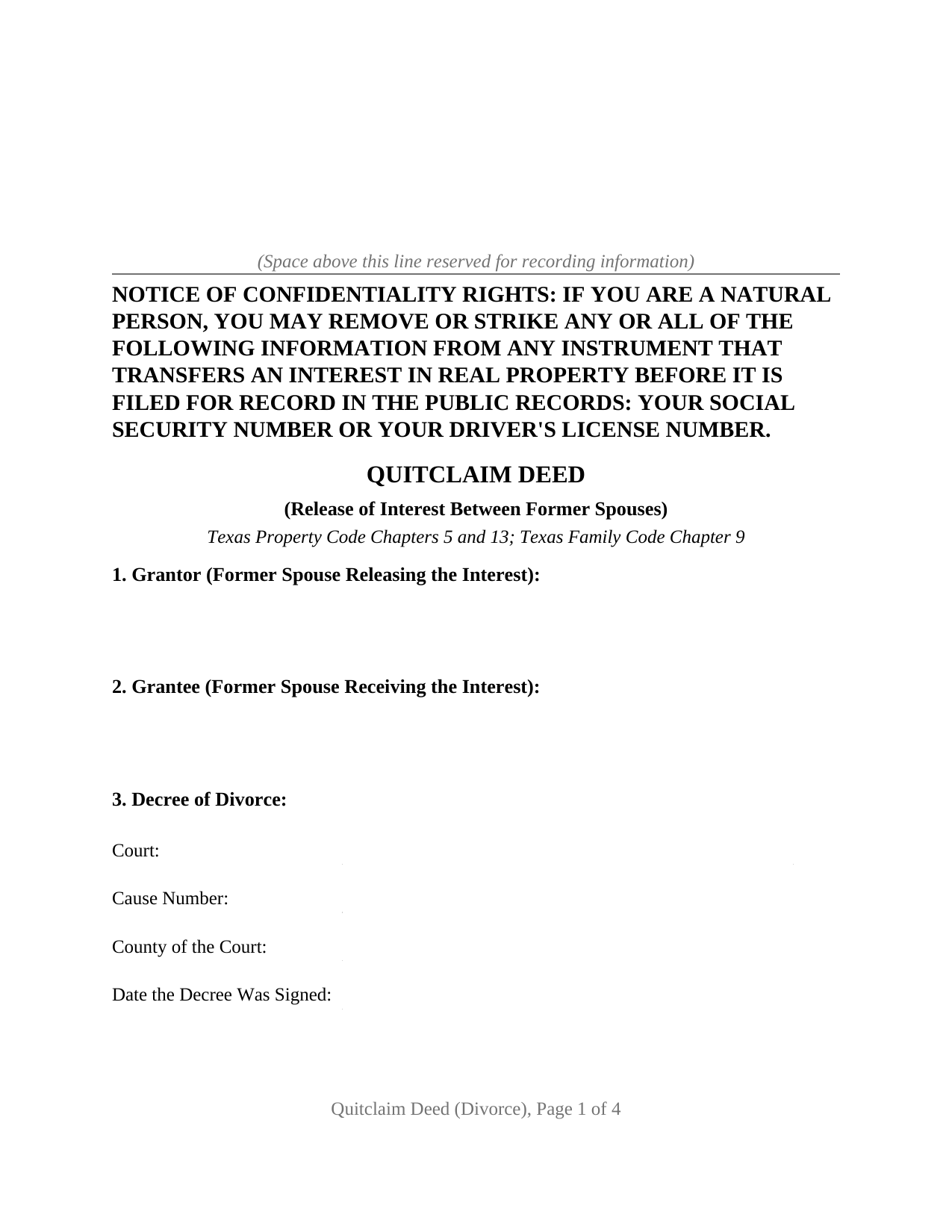
Red River County Quitclaim Deed (Divorce) Form
Fill in the blank Quitclaim Deed (Divorce) form formatted to comply with all Texas recording and content requirements.
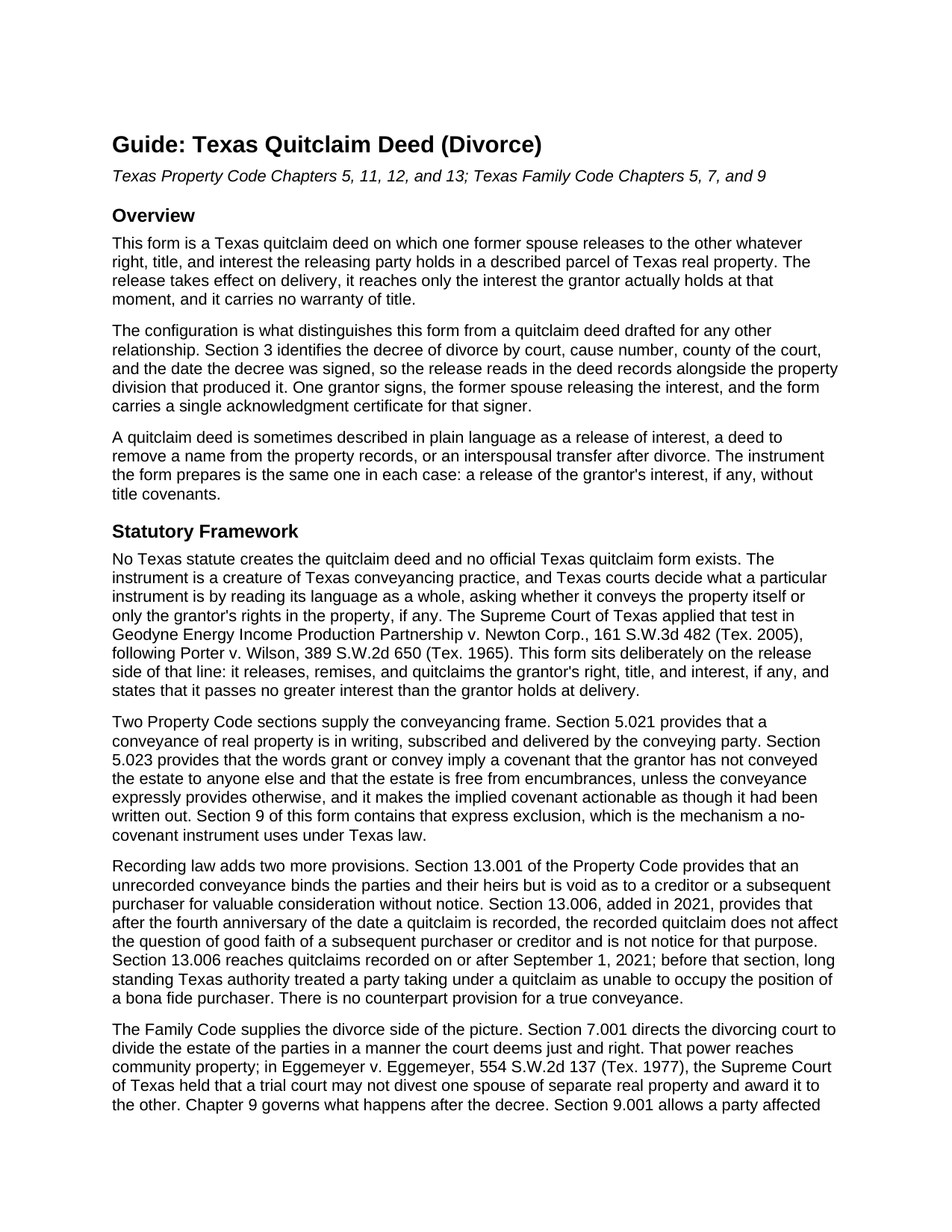
Red River County Quitclaim Deed (Divorce) Guide
Line by line guide explaining every blank on the Quitclaim Deed (Divorce) form.
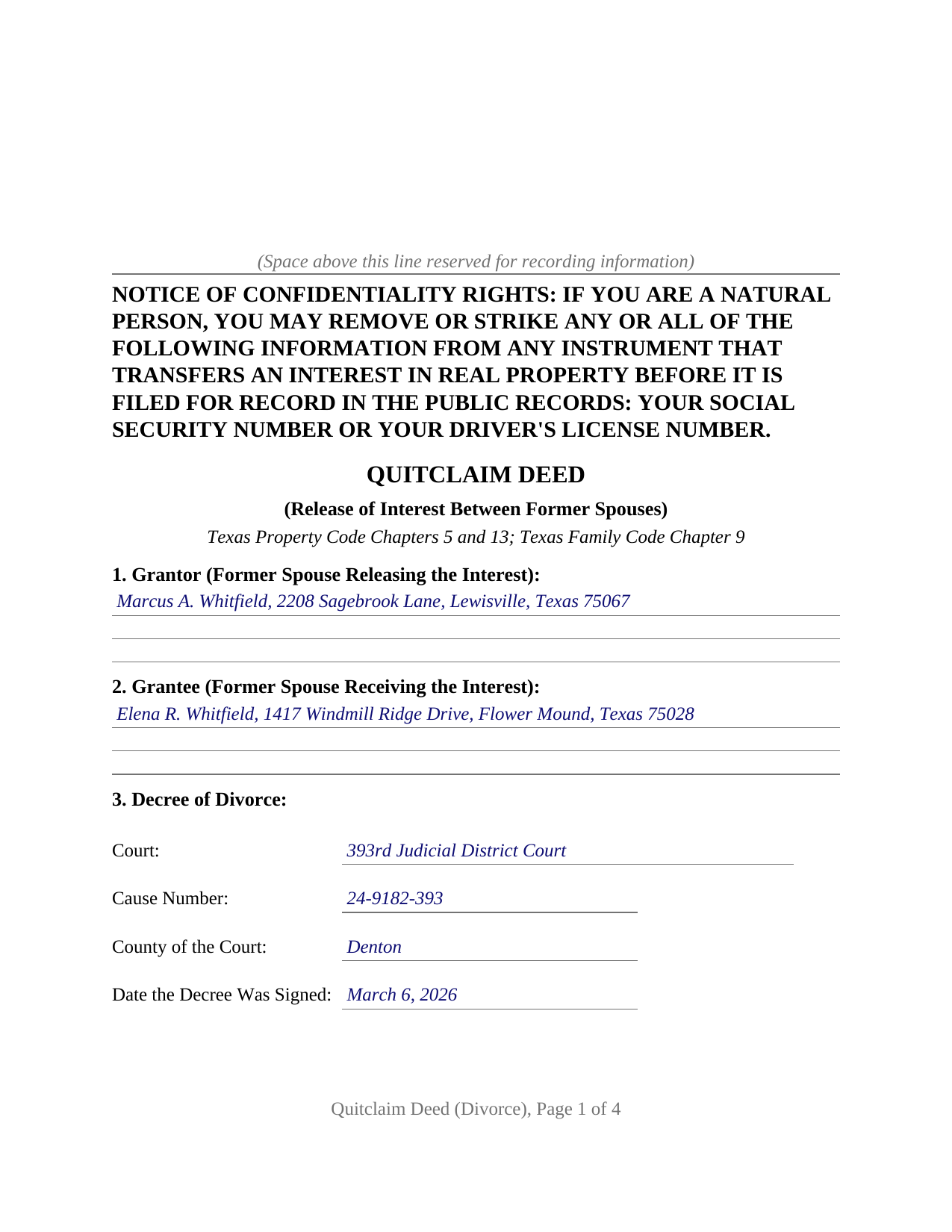
Red River County Completed Example of the Quitclaim Deed (Divorce) Document
Example of a properly completed Texas Quitclaim Deed (Divorce) document for reference.
All 3 documents above included • One-time purchase • No recurring fees
Immediate Download • Secure Checkout
Additional Texas and Red River County documents included at no extra charge:
Where to Record Your Documents
Red River County Clerk
Clarksville, Texas 75426
Hours: Monday - Thursday 8:00am - 5:00pm
Phone: (903) 427-2401
Recording Tips for Red River County:
- Bring your driver's license or state-issued photo ID
- Ensure all signatures are in blue or black ink
- Double-check legal descriptions match your existing deed
- Verify all names are spelled correctly before recording
- White-out or correction fluid may cause rejection
Cities and Jurisdictions in Red River County
Properties in any of these areas use Red River County forms:
- Annona
- Avery
- Bagwell
- Bogata
- Clarksville
- Detroit
Hours, fees, requirements, and more for Red River County
How do I get my forms?
Forms are available for immediate download after payment. The Red River County forms will be in your account ready to download to your computer. An account is created for you during checkout if you don't have one. Forms are NOT emailed.
Are these forms guaranteed to be recordable in Red River County?
Yes. Our form blanks are guaranteed to meet or exceed the applicable formatting requirements used for recording in Red River County, including margin requirements, font requirements, and other layout standards. This guarantee applies to formatting, not to the legal sufficiency of information entered by the user or the suitability of a form for a particular transaction.
Can I reuse these forms?
Yes. You can reuse the forms for your personal use. For example, if you have multiple properties in Red River County you only need to order once.
What do I need to use these forms?
The forms are PDFs that you fill out on your computer. The free Adobe Acrobat Reader is recommended, and most PDF apps also work. You do NOT enter your property information online - you download the blank forms and complete them privately on your own computer.
Are there any recurring fees?
No. This is a one-time purchase. Nothing to cancel, no memberships, no recurring fees.
How much does it cost to record in Red River County?
Recording fees in Red River County vary. Contact the recorder's office at (903) 427-2401 for current fees.
Questions answered? Let's get started!
Section 3 of this Texas quitclaim deed asks four things about a decree of divorce: the court that rendered it, the cause number, the county of that court, and the date the decree was signed. Those four lines are what set this version of the form apart. Everything after them releases whatever interest one former spouse holds in a described parcel to the other, on a single signature line, with no warranty of title attached to what passes.
Four lines that put the release beside the decree
A divorce court divides the marital estate. It does not update the index kept by the county clerk, and Texas leaves two routes for closing that gap. A certified copy of a decree drafted with the necessary terms may be filed in the real property records, which puts the decree's contents into public view. Alternatively, the former spouse being divested signs a deed, and the record changes without the decree ever being filed. This form takes the second route and names the decree on its own face, so an examiner reading the release years later finds the court, cause number, and date without hunting for them. The operative section adds that the deed neither modifies the decree nor enlarges any right it awards.
What a release reaches after a decree, and what it leaves alone
No statute creates the quitclaim deed in Texas. Courts read an instrument's own words and ask whether the language passes the land itself or only the signer's rights in it. This form sits squarely on the release side: it releases, remises, and quitclaims the grantor's right, title, and interest, if any, and it expressly excludes the covenants that Property Code Section 5.023 would otherwise imply from words of grant. Nothing greater than the interest held at delivery passes, and after acquired title stays behind. Family Code Section 7.001 gives a divorcing court power to divide the community estate, while Texas case law keeps separate real property outside that power, so a release covers exactly what the signer actually owned.
Debt is untouched. A release of an interest in land leaves the note and the deed of trust where they were, so a former spouse who signed a mortgage stays liable on it and the lien keeps burdening the parcel. Refinancing, assumption, or a lender release reach a loan; a deed does not.
One grantor, one grantee, one certificate
The form recites exactly two people, the same two the decree names: the former spouse releasing the interest and the former spouse receiving it. One signature block appears, with one acknowledgment certificate, because a quitclaim operates on the granting side alone and the receiving party signs nothing. No joining spouse block appears either. Family Code Section 5.001 conditions a homestead conveyance on the joinder of both spouses, and the decree recited in Section 3 has ended the marriage between the two parties on this deed, so that section supplies no joinder between them. Two arrangements present this configuration in the Texas records: a decree awarding the residence to one former spouse while the other signs a release, and a jointly titled parcel the decree left undivided, held afterward as a tenancy in common, that the parties settle between themselves. Sections 7 and 8 carry the vesting instrument and the exceptions the release is subject to.
Filing it, and the four year clock a quitclaim starts
Filing happens with the clerk of the county holding the land, which need not be the county of the divorce court. Formatting standards sit in Local Government Code Section 191.007, and a page outside them draws a doubled fee rather than a refusal. Since December 4, 2025, an individual handing an instrument across the counter presents photo identification, copied at no charge and kept confidential. One rule belongs to this instrument alone: under Property Code Section 13.006, a quitclaim filed on or after September 1, 2021 stops bearing on the good faith of a later purchaser or creditor once four years have run from the date of filing, so the filing date starts a clock a title examiner reads much later.
Included with the purchase are the fillable deed, a completed example worked through a Denton County release following a 2026 decree, and a plain language guide that walks from the decree lines to the clerk's counter, section by section. The materials are informational and are not legal advice.
Important: Your property must be located in Red River County to use these forms. Documents should be recorded at the county recording office listed above.
This Quitclaim Deed (Divorce) meets all recording requirements specific to Red River County.
Our Promise
The documents you receive here are guaranteed to meet or exceed the applicable Red River County recording format requirements. If there is a rejection caused by our formatting, we will correct the issue or refund your payment. This guarantee applies to document formatting only and does not extend to information entered by the user, the selection of the form, or the legal effect of the completed document.
Save Time and Money
Get your Red River County Quitclaim Deed (Divorce) form done right the first time with Deeds.com Uniform Conveyancing Blanks. At Deeds.com, we understand that your time and money are valuable resources, and we don't want you to face a penalty fee or rejection imposed by a county recorder for submitting nonstandard documents. We constantly review and update our forms to meet rapidly changing state and county recording requirements for roughly 3,500 counties and local jurisdictions.
4.8 out of 5 - ( 4,863 Reviews )
Linda A. 5 out of 5 stars
This was perfect for providing the necessary forms. Easy to enter needed information. I would recommend this for legal documents.
We appreciate your business and value your feedback. Thank you. Have a wonderful day!
Amy L B. 5 out of 5 stars
easy to download forms and help is there if you need it!
Thank you, Amy! We appreciate your kind words and are glad you found the forms easy to download. Our team is always here if you ever need assistance. Thanks for choosing us!
Daniel S. 5 out of 5 stars
Great way of getting the right documents for each state and county.
We appreciate your business and value your feedback. Thank you. Have a wonderful day!
Jacqueline B. 5 out of 5 stars
The service was very clear and direct. I was able to get everything I need right now. Your website is set up well. Thank you
Thank you for your feedback. We really appreciate it. Have a great day!
Sharon S. 5 out of 5 stars
very satisfied...
Thank you!
Nancy S. 5 out of 5 stars
Outstanding forms, thanks for making this easy.
Thank you!
Sherry C. 5 out of 5 stars
The experience was great. It was so easy to get my document recorded and it was done the same day!
Thank you!
Julie G. 5 out of 5 stars
Great online tool to get your deeds recorded without having to go downtown! Will be using deeds.com for all our future recordings!
Thank you!
Lesley B. 5 out of 5 stars
It was so quick and easy to access.. Thank you!!
Thank you for your feedback. We really appreciate it. Have a great day!
Berle B. 5 out of 5 stars
I am very impressed with Deeds.com. They provided the form with instructions that I needed. Also, they provided an example form that was filled out which really helped me with the process. The price seemed high, but in comparison to other sites it is very reasonable. Thank you Deeds, I would recommend you to anyone need your services. Berle Bigelow
Thank you, Berle. Glad the completed example did its job. We appreciate the recommendation.
Mary D. B. 5 out of 5 stars
BIG THANK YOU EXCELLENT WEBSITE
Thank you!
Jennifer E. 5 out of 5 stars
Very fast Process to get this to ROD
We are grateful for your feedback and looking forward to serving you again. Thank you!
David S. 5 out of 5 stars
It was as I suspected. Very useful.
Thank you for your feedback. We really appreciate it. Have a great day!
Don B. 5 out of 5 stars
This was my first experience with Deeds. Web site instructions are detailed and easy to understand. This was a smooth process. Highly recommend to anyone.
Thank you for your feedback. We really appreciate it. Have a great day!
Eva L. 5 out of 5 stars
So far so good! I haven't had an opportunity to populate the forms but they seem to be very easy to do. The sample deed serves very well. Ordering the forms were very easy, I was impressed with the ease of doing so.
Thank you!