Nolan County Release of Collateral Assignment of Leases and Rents Form
Last validated September 28, 2026 by our Forms Development TeamFormatted for recording in Nolan County, for property anywhere in the county: rural and unincorporated areas as well as Blackwell, Maryneal, Nolan, Roscoe, Sweetwater.
- 3 documents included
- Immediate PDF download
- Formatting guarantee
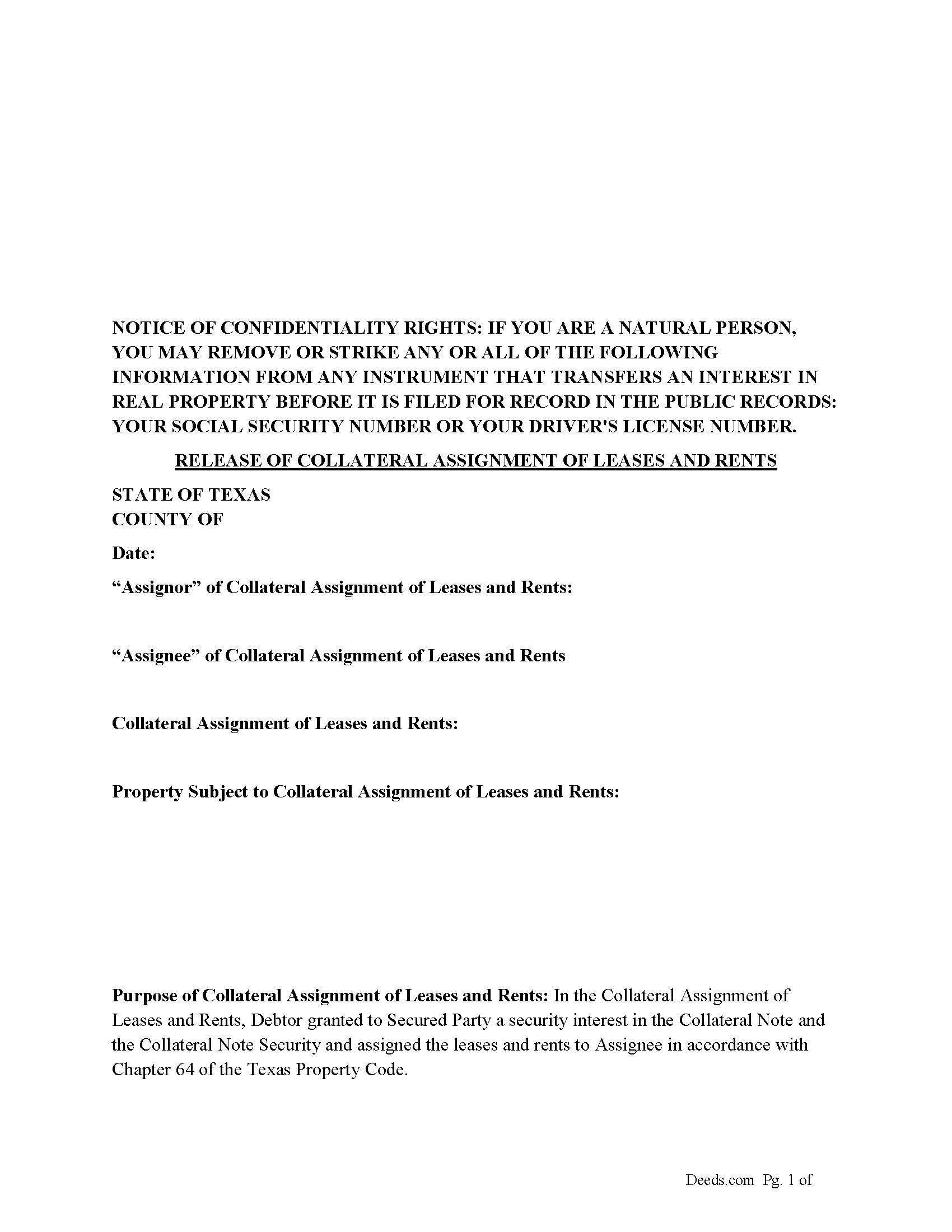
Nolan County Release of Collateral Assignment of Leases and Rents Form
Fill in the blank form formatted to comply with all recording and content requirements.
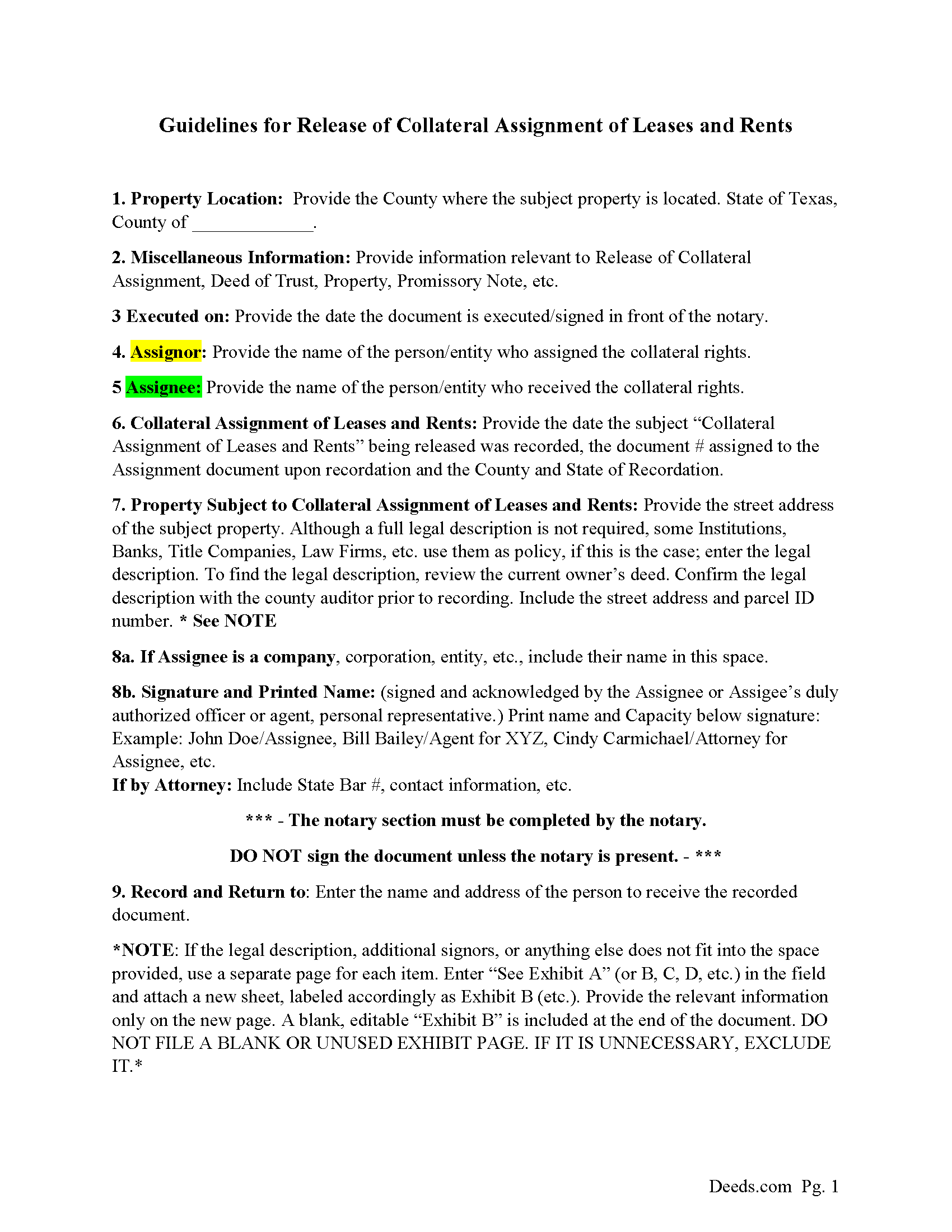
Nolan County Release Guidelines
Line by line guide explaining every blank on the form.
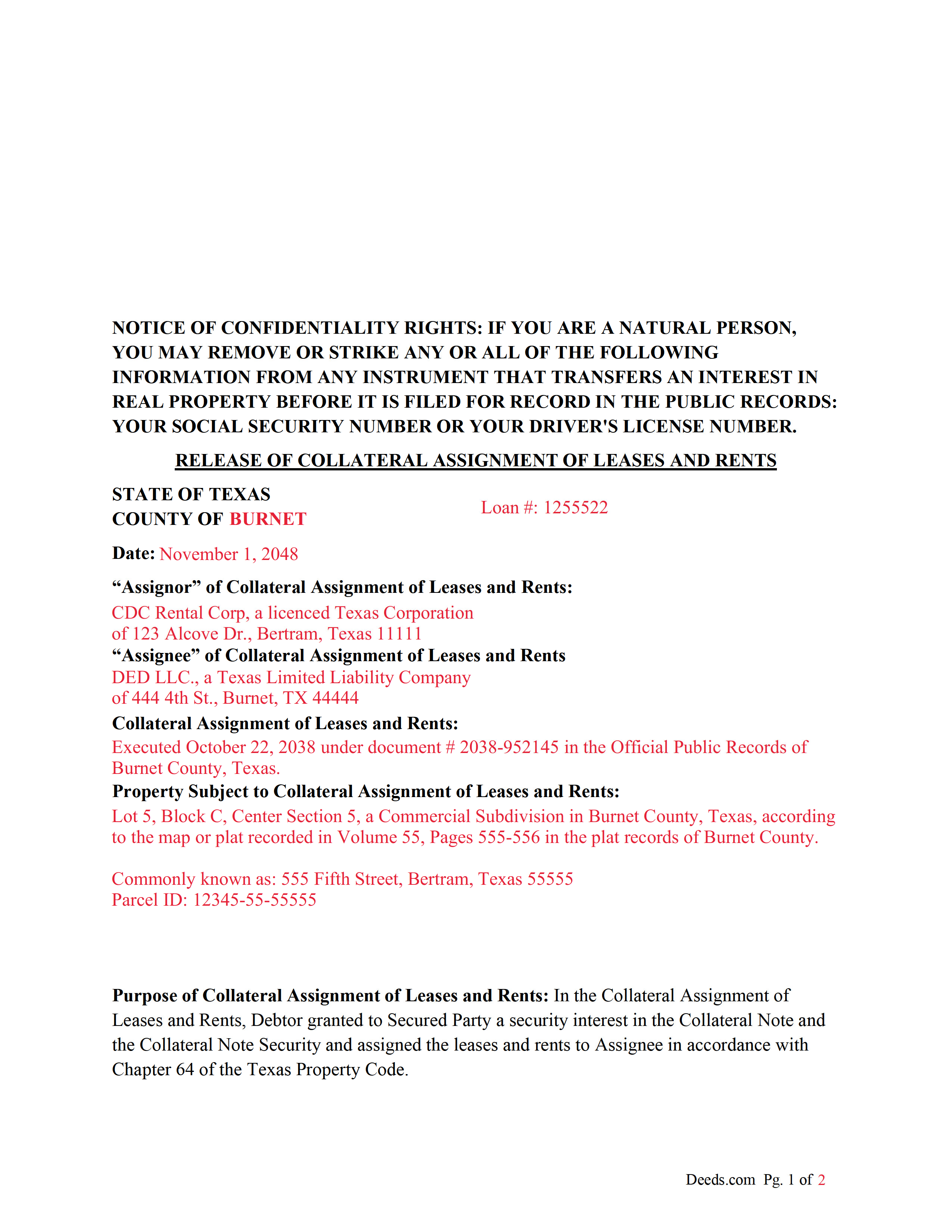
Nolan County Completed Example of a Release of Collateral Assignment of Leases and Rents Document
Example of a properly completed form for reference.
All 3 documents above included • One-time purchase • No recurring fees
Immediate Download • Secure Checkout
Additional Texas and Nolan County documents included at no extra charge:
Where to Record Your Documents
Nolan County Clerk
Sweetwater, Texas 79556
Hours: Monday - Friday 8:30am - 5:00pm
Phone: (325) 235-2462
Recording Tips for Nolan County:
- Bring your driver's license or state-issued photo ID
- Ensure all signatures are in blue or black ink
- Ask about their eRecording option for future transactions
- Avoid the last business day of the month when possible
- Both spouses typically need to sign if property is jointly owned
Cities and Jurisdictions in Nolan County
Properties in any of these areas use Nolan County forms:
- Blackwell
- Maryneal
- Nolan
- Roscoe
- Sweetwater
Hours, fees, requirements, and more for Nolan County
How do I get my forms?
Forms are available for immediate download after payment. The Nolan County forms will be in your account ready to download to your computer. An account is created for you during checkout if you don't have one. Forms are NOT emailed.
Are these forms guaranteed to be recordable in Nolan County?
Yes. Our form blanks are guaranteed to meet or exceed the applicable formatting requirements used for recording in Nolan County, including margin requirements, font requirements, and other layout standards. This guarantee applies to formatting, not to the legal sufficiency of information entered by the user or the suitability of a form for a particular transaction.
Can I reuse these forms?
Yes. You can reuse the forms for your personal use. For example, if you have multiple properties in Nolan County you only need to order once.
What do I need to use these forms?
The forms are PDFs that you fill out on your computer. The free Adobe Acrobat Reader is recommended, and most PDF apps also work. You do NOT enter your property information online - you download the blank forms and complete them privately on your own computer.
Are there any recurring fees?
No. This is a one-time purchase. Nothing to cancel, no memberships, no recurring fees.
How much does it cost to record in Nolan County?
Recording fees in Nolan County vary. Contact the recorder's office at (325) 235-2462 for current fees.
Questions answered? Let's get started!
Use this form to release a previously recorded "Collateral Assignment of Leases and Rents", when the debt secured by the "Collateral Assignment of Lease and Rents" is satisfied.
For use in Texas only.
Important: Your property must be located in Nolan County to use these forms. Documents should be recorded at the county recording office listed above.
This Release of Collateral Assignment of Leases and Rents meets all recording requirements specific to Nolan County.
Our Promise
The documents you receive here are guaranteed to meet or exceed the applicable Nolan County recording format requirements. If there is a rejection caused by our formatting, we will correct the issue or refund your payment. This guarantee applies to document formatting only and does not extend to information entered by the user, the selection of the form, or the legal effect of the completed document.
Save Time and Money
Get your Nolan County Release of Collateral Assignment of Leases and Rents form done right the first time with Deeds.com Uniform Conveyancing Blanks. At Deeds.com, we understand that your time and money are valuable resources, and we don't want you to face a penalty fee or rejection imposed by a county recorder for submitting nonstandard documents. We constantly review and update our forms to meet rapidly changing state and county recording requirements for roughly 3,500 counties and local jurisdictions.
4.8 out of 5 - ( 4,864 Reviews )
Roberta U. 5 out of 5 stars
Thanks for the quick reply Will use in future. Thanksgivings
Thank you!
janitza g. 5 out of 5 stars
It was easy!!! The example for completing a quickclaim deed form was very helpful!!
Thank you!
Tonya B. 5 out of 5 stars
Easy and fast. I will definitely use this service again.
Thank you for your feedback. We really appreciate it. Have a great day!
Carl T. 5 out of 5 stars
Great site with good information and pricing. Let me know when you are able to record documents in California.
Thank you for your feedback. We really appreciate it. Have a great day!
LEVELL H. 5 out of 5 stars
I was very pleased with the ease in use of the forms. I suggest making sure the sample copy is totally aligned with the exact same parts. I was a little confused about the portion "Subject to.." It was easy to make corrections, additions, etc because the page remained open, and I didn't have to re=open the forms continuously.
Thank you!
Sara R. 5 out of 5 stars
Worked well for me to create a deed for a house I inherited. It was very thorough and easy to use. I have no experience with the law so I just googled terms I didn't understand and was fine. I also called land records a lot and ended up not needing a lot of the material included, but it was still good to have it.
We appreciate your business and value your feedback. Thank you. Have a wonderful day!
Robert B. 5 out of 5 stars
Excellent, easy to operate, saved $$$ by doing this TOD deed myself. WILL BUY AGAIN!!
Thank you Robert. Have a fantastic day!
Regina S. 4 out of 5 stars
Delivered as promised but the explanation of how to complete the form is very basic. I'd like to see a few broader explanations such as if the spouse isn't the affiant, etc.
Thank you, Regina. We’re glad the forms were delivered as promised, and we appreciate the suggestion. We’ll keep that feedback in mind as we continue improving our guides and examples.
Thomas S. 5 out of 5 stars
Very nice.
Thank you!
Kristina H. 5 out of 5 stars
Everything I needed to complete my release of lien was easy to obtain from Deed.com - and the example and instructions were helpful as well. The website is simple and efficient. Thanks!
We appreciate your business and value your feedback. Thank you. Have a wonderful day!
Amber H. 3 out of 5 stars
after typing in the information, the printing is not in alignment - looks disorganized on the page and hard to read
Thank you for your feedback. We will flag the document for review.
Linda M. 5 out of 5 stars
The form I purchased along with the instructions and completed sample were easy to use. I downloaded them on my iPad. I had to also download the free adobe reader app from the App Store. I had no problem getting the beneficiary deed recorded at the recorder’s office. I am pleased with my purchase.
Thanks so much for the kind words, Linda! Glad the sample and instructions made the process smooth, and that tip about the Adobe Reader app for iPad is genuinely helpful for other customers too. Congrats on getting the deed recorded!
Joe S. 5 out of 5 stars
My first experience with deeds.com was excellent. My task was handled promptly and efficiently. Count on me as a repeat customer.
We appreciate your business and value your feedback. Thank you. Have a wonderful day!
Pam G. 5 out of 5 stars
Loved the ease of use, the very helpful instructions, and samples to go along with the documents I needed to create.
Your feedback is valuable to us and helps us improve. Thank you for sharing your thoughts!
Laura L. 5 out of 5 stars
The website looks good and probably like it is easy to use, but I needed a deed in lieu and couldn't fine one.
Thank you for your feedback. We really appreciate it. Have a great day!