Fort Bend County Release of Lien Form
Last validated September 24, 2026 by our Forms Development TeamFormatted for recording in Fort Bend County, for property anywhere in the county: rural and unincorporated areas as well as Beasley, Fresno, Fulshear, Guy, Houston, Katy, Kendleton, Missouri City and 8 more.
- 3 documents included
- Immediate PDF download
- Formatting guarantee

Fort Bend County Release of Lien Form
Fill in the blank Release of Lien form formatted to comply with all Texas recording and content requirements.
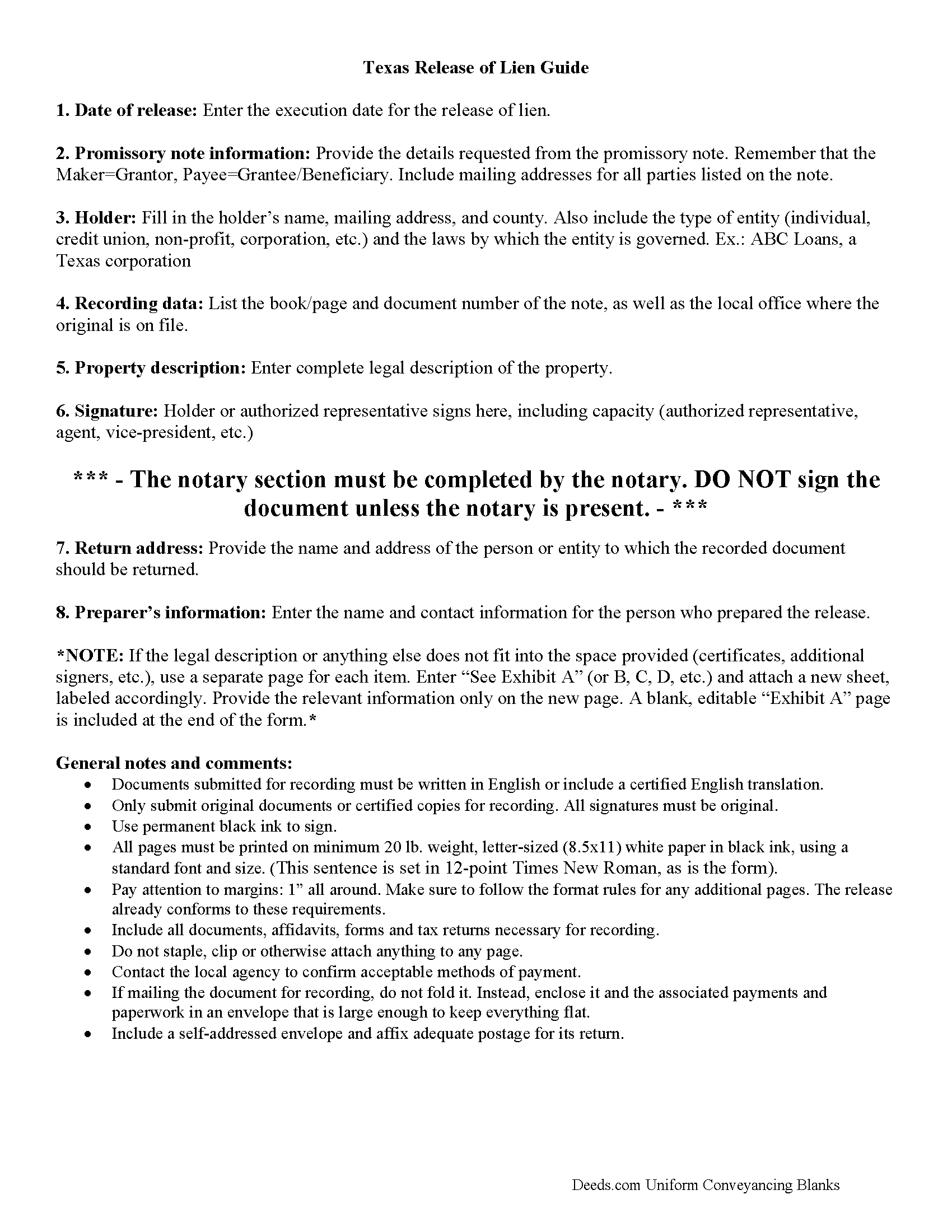
Fort Bend County Release of Lien Guide
Line by line guide explaining every blank on the form.
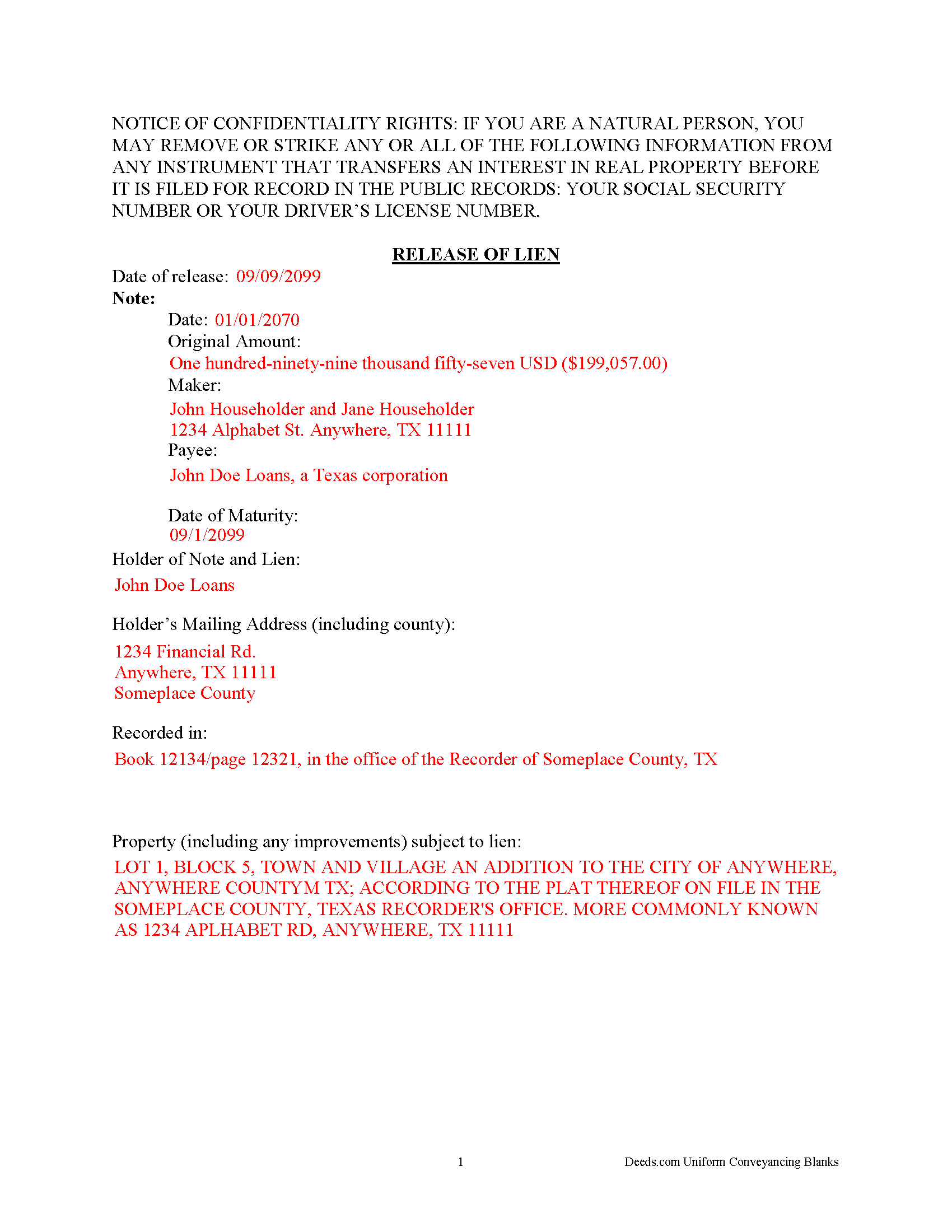
Fort Bend County Completed Example of the Release of Lien Document
Example of a properly completed form for reference.
All 3 documents above included • One-time purchase • No recurring fees
Immediate Download • Secure Checkout
Additional Texas and Fort Bend County documents included at no extra charge:
Where to Record Your Documents
East Annex Office
Missouri City, Texas 77489
Hours: Monday - Friday 8:00am - 11:45 & 1:00 - 4:00pm
Phone: (281) 341-8652 or 341-8685 (automated)
County Clerk - Main Office
Richmond, Texas 77469
Hours: Mon & Thu 8:00am - 5:00pm; Tue, Wed & Fri 8:00am - 4:00pm
Phone: (281) 341-8652 or 341-8685 (automated)
North Annex Office
Katy, Texas 77494
Hours: Monday - Friday 8:00am - 11:45 & 1:00 - 4:00pm
Phone: (281) 341-8652 or 341-8685 (automated)
Recording Tips for Fort Bend County:
- Bring your driver's license or state-issued photo ID
- Ensure all signatures are in blue or black ink
- Bring extra funds - fees can vary by document type and page count
- Check margin requirements - usually 1-2 inches at top
- Leave recording info boxes blank - the office fills these
Cities and Jurisdictions in Fort Bend County
Properties in any of these areas use Fort Bend County forms:
- Beasley
- Fresno
- Fulshear
- Guy
- Houston
- Katy
- Kendleton
- Missouri City
- Needville
- Orchard
- Richmond
- Rosenberg
- Simonton
- Stafford
- Sugar Land
- Thompsons
Hours, fees, requirements, and more for Fort Bend County
How do I get my forms?
Forms are available for immediate download after payment. The Fort Bend County forms will be in your account ready to download to your computer. An account is created for you during checkout if you don't have one. Forms are NOT emailed.
Are these forms guaranteed to be recordable in Fort Bend County?
Yes. Our form blanks are guaranteed to meet or exceed the applicable formatting requirements used for recording in Fort Bend County, including margin requirements, font requirements, and other layout standards. This guarantee applies to formatting, not to the legal sufficiency of information entered by the user or the suitability of a form for a particular transaction.
Can I reuse these forms?
Yes. You can reuse the forms for your personal use. For example, if you have multiple properties in Fort Bend County you only need to order once.
What do I need to use these forms?
The forms are PDFs that you fill out on your computer. The free Adobe Acrobat Reader is recommended, and most PDF apps also work. You do NOT enter your property information online - you download the blank forms and complete them privately on your own computer.
Are there any recurring fees?
No. This is a one-time purchase. Nothing to cancel, no memberships, no recurring fees.
How much does it cost to record in Fort Bend County?
Recording fees in Fort Bend County vary. Contact the recorder's office at (281) 341-8652 or 341-8685 (automated) for current fees.
Questions answered? Let's get started!
After completing payments on the promissory note connected to a deed of trust, the lender completes this release of lien form. Promptly recording this document in the same county as the original deed of trust and promissory note serves to unencumber (free up) the title to the related real property. There is no need for any words of conveyance because the property rights were transferred when the borrower and lender signed the deed of trust.
Important: Your property must be located in Fort Bend County to use these forms. Documents should be recorded at the county recording office listed above.
This Release of Lien meets all recording requirements specific to Fort Bend County.
Our Promise
The documents you receive here are guaranteed to meet or exceed the applicable Fort Bend County recording format requirements. If there is a rejection caused by our formatting, we will correct the issue or refund your payment. This guarantee applies to document formatting only and does not extend to information entered by the user, the selection of the form, or the legal effect of the completed document.
Save Time and Money
Get your Fort Bend County Release of Lien form done right the first time with Deeds.com Uniform Conveyancing Blanks. At Deeds.com, we understand that your time and money are valuable resources, and we don't want you to face a penalty fee or rejection imposed by a county recorder for submitting nonstandard documents. We constantly review and update our forms to meet rapidly changing state and county recording requirements for roughly 3,500 counties and local jurisdictions.
4.8 out of 5 - ( 4,836 Reviews )
Holly K. 5 out of 5 stars
This is the simplest way to record a deed ever. Just uploaded the deed and the professionals at deed.com did the rest. Within 8 hours, I had my recorded deed back. The price is fantastic. It would have cost me more in gas to drive to the county where I had to record the deed.
We appreciate your business and value your feedback. Thank you. Have a wonderful day!
chris a. 5 out of 5 stars
It was easy to complete the deed but on the third page I only need one signature in stead of 3 I need to delete 2 or put n//a in those blocks I will continue to use your services and have recommended it to others
Thank you for your feedback. We really appreciate it. Have a great day!
Lori G. 5 out of 5 stars
thank you for all your help and patience. I would highly recommend Deeds.com to everyone. Sincerely, Lori G.
Thank you!
Ashley D. 5 out of 5 stars
Was able to print my documents immediately. Documents included deed form, a guide, a sample document, etc. Very helpful!
Thank you for your feedback. We really appreciate it. Have a great day!
Barbara M. 5 out of 5 stars
We love this service - so easy to use and quick. It is the second time we have used Deeds.com, in two different states. Wonderful service!
Thank you for your feedback. We really appreciate it. Have a great day!
Vertina B. 5 out of 5 stars
The website is well established and easy to use. I got everything I was supposed to get. I had no problem downloading the forms. All of the forms printed well.
We appreciate your business and value your feedback. Thank you. Have a wonderful day!
Alan S. 5 out of 5 stars
Quick, easy, and accurate. And if there's ever a problem, the resolution is also quick, easy, and accurate. The service is hard to beat.
Thank you for your feedback. We really appreciate it. Have a great day!
Diane D. 5 out of 5 stars
. I purchased 3 different items yesterday. Truthfully, it was a bit annoying, I could not figure out how to put them in a cart and had to do 3 transactions. I'm in the process of reviewing my purchases. Thank you! .
Thank you for your feedback. We really appreciate it. Have a great day!
Tamyra M. 5 out of 5 stars
Easy instructions.
Thanks for your feedback. We’re glad we could help.
Kolette S. 3 out of 5 stars
The forms are nice; however, they do not display the "th" after the day or the second digit of the year. You can type them in, but they will not print out. I just left them blank and will handwrite.
Thank you for your feedback. We really appreciate it. Have a great day!
Linda M. 5 out of 5 stars
The form I purchased along with the instructions and completed sample were easy to use. I downloaded them on my iPad. I had to also download the free adobe reader app from the App Store. I had no problem getting the beneficiary deed recorded at the recorder’s office. I am pleased with my purchase.
Thanks so much for the kind words, Linda! Glad the sample and instructions made the process smooth, and that tip about the Adobe Reader app for iPad is genuinely helpful for other customers too. Congrats on getting the deed recorded!
Bobby T. 5 out of 5 stars
Great!! Helps me out
Thank you!
Delba O. 5 out of 5 stars
This was the easiest process ever. Thank you for making this so easy. No hassle, just upload your docs, pay the invoice and done. It didn't even take 2 business days to get my deed recorded. If I ever need to record anything I will definitely use your services again.
We appreciate your business and value your feedback. Thank you. Have a wonderful day!
Sandra N. 5 out of 5 stars
Very quick and painless process!
We appreciate your business and value your feedback. Thank you. Have a wonderful day!
yasin a. 5 out of 5 stars
good service
Thank you!