Comanche County Revocation of Transfer on Death Deed (Individual) Form
Last validated November 18, 2026 by our Forms Development TeamFormatted for recording in Comanche County, for property anywhere in the county: rural and unincorporated areas as well as Comanche, De Leon, Energy, Gustine, Proctor, Sidney.
- 3 documents included
- Immediate PDF download
- Formatting guarantee
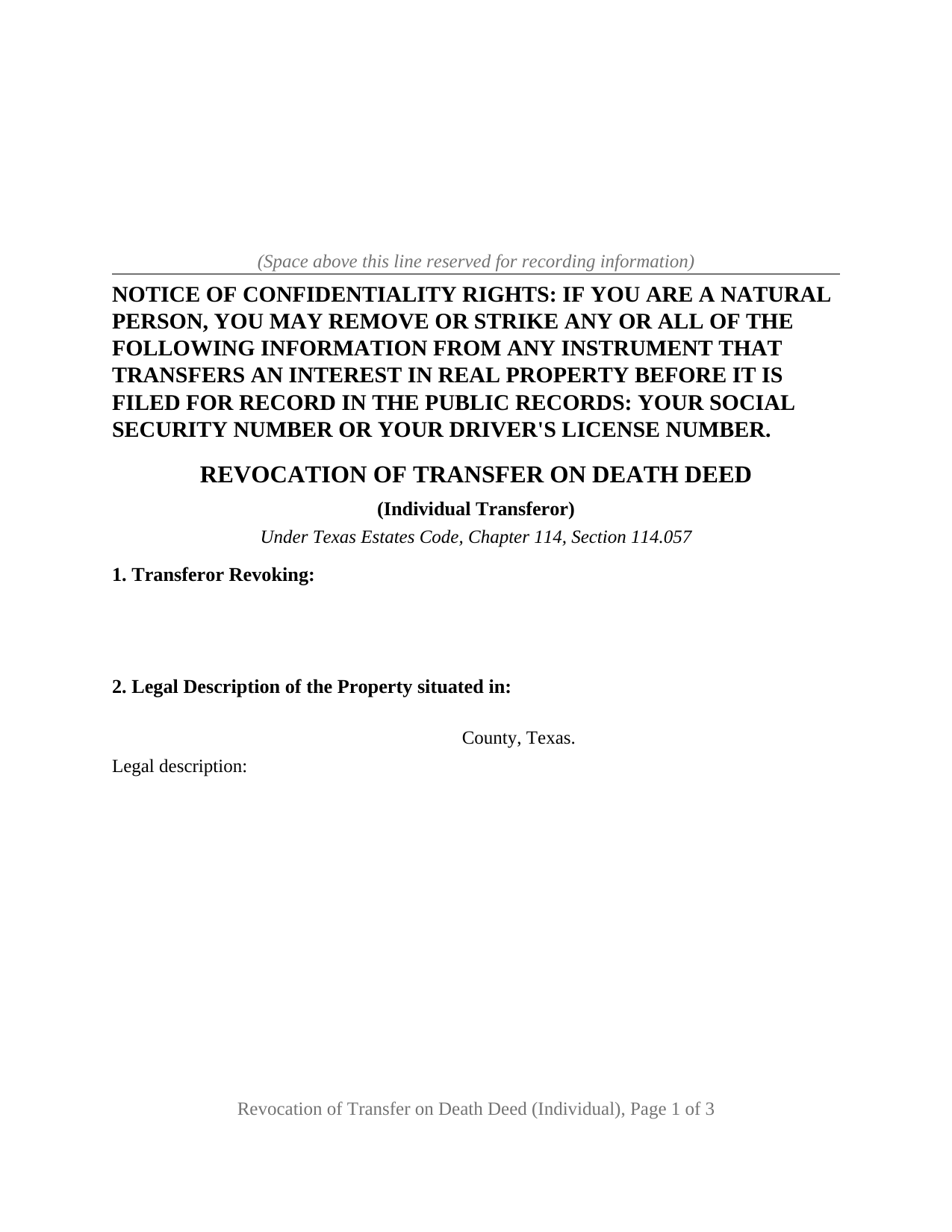
Comanche County Revocation of Transfer on Death Deed (Individual) Form
Fill in the blank Revocation of Transfer on Death Deed (Individual) form formatted to comply with all Texas recording and content requirements.
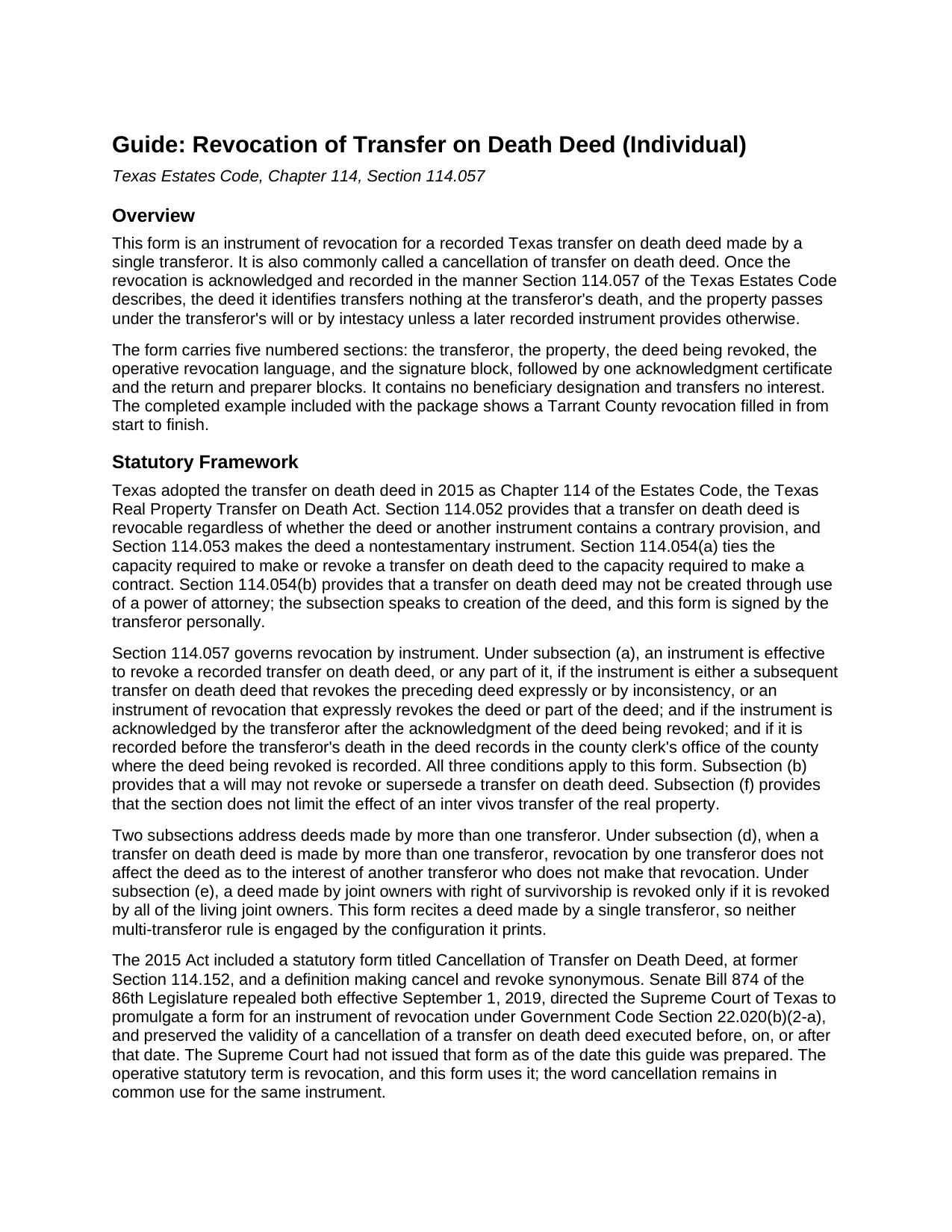
Comanche County Revocation of Transfer on Death Deed (Individual) Guide
Line by line guide explaining every blank on the Revocation of Transfer on Death Deed (Individual) form.
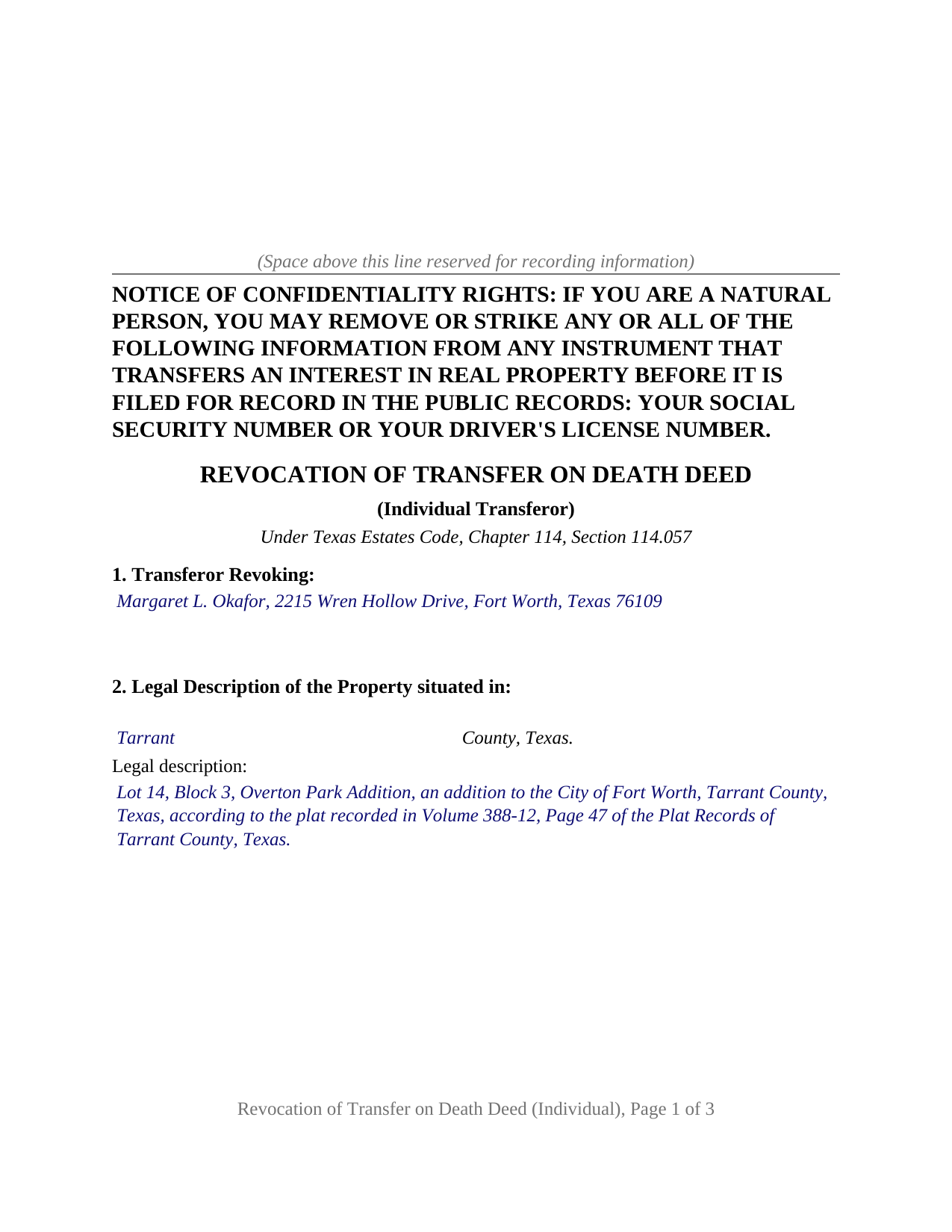
Comanche County Completed Example of the Revocation of Transfer on Death Deed (Individual) Document
Example of a properly completed Texas Revocation of Transfer on Death Deed (Individual) document for reference.
All 3 documents above included • One-time purchase • No recurring fees
Immediate Download • Secure Checkout
Additional Texas and Comanche County documents included at no extra charge:
Where to Record Your Documents
Comanche County Clerk
Comanche, Texas 76442
Hours: Monday - Friday 8:30am - 5:00pm
Phone: 325-356-2655
Recording Tips for Comanche County:
- Bring your driver's license or state-issued photo ID
- Ensure all signatures are in blue or black ink
- Check that your notary's commission hasn't expired
- Documents must be on 8.5 x 11 inch white paper
- Double-check legal descriptions match your existing deed
Cities and Jurisdictions in Comanche County
Properties in any of these areas use Comanche County forms:
- Comanche
- De Leon
- Energy
- Gustine
- Proctor
- Sidney
Hours, fees, requirements, and more for Comanche County
How do I get my forms?
Forms are available for immediate download after payment. The Comanche County forms will be in your account ready to download to your computer. An account is created for you during checkout if you don't have one. Forms are NOT emailed.
Are these forms guaranteed to be recordable in Comanche County?
Yes. Our form blanks are guaranteed to meet or exceed the applicable formatting requirements used for recording in Comanche County, including margin requirements, font requirements, and other layout standards. This guarantee applies to formatting, not to the legal sufficiency of information entered by the user or the suitability of a form for a particular transaction.
Can I reuse these forms?
Yes. You can reuse the forms for your personal use. For example, if you have multiple properties in Comanche County you only need to order once.
What do I need to use these forms?
The forms are PDFs that you fill out on your computer. The free Adobe Acrobat Reader is recommended, and most PDF apps also work. You do NOT enter your property information online - you download the blank forms and complete them privately on your own computer.
Are there any recurring fees?
No. This is a one-time purchase. Nothing to cancel, no memberships, no recurring fees.
How much does it cost to record in Comanche County?
Recording fees in Comanche County vary. Contact the recorder's office at 325-356-2655 for current fees.
Questions answered? Let's get started!
When one Texas property owner recorded a transfer on death deed alone, that same owner alone can take it back, and the instrument that does it is short: one transferor, one signature, one acknowledgment certificate. This form prepares that instrument of revocation under Section 114.057 of the Texas Estates Code for a TOD deed that one person signed by themselves. The document is known to many as a cancellation of transfer on death deed, the title the repealed 2015 statutory form carried.
The acknowledgment date is the clock
Section 114.057 does not ask whether the revocation was signed after the deed. It asks whether the revocation was acknowledged after the acknowledgment of the deed being revoked, so the form's third section collects the date of the deed as signed and acknowledged beside its recording date and instrument number. The second condition is recording: the revocation operates only if it reaches the deed records of the county where the original deed is recorded before the transferor dies. The form prints both conditions in capital letters above the signature line, because a signed revocation found in a drawer after death changes nothing.
One transferor, revoking the whole deed
The form recites exactly one transferor and identifies that person as the sole transferor under the deed being revoked. It revokes the deed in its entirety, every beneficiary and every alternate, rather than editing a single designation; the statute allows an instrument to revoke part of a deed, but a partial revocation depends on drafting this form does not supply. The operative paragraph recites the capacity standard of Section 114.054, the capacity required to make a contract, and states that the transferor acts personally. One signature block and one acknowledgment certificate, in the natural person short form of Civil Practice and Remedies Code Section 121.008, follow.
An owner whose named beneficiary has died, an owner who has moved the property into a different estate plan, and an owner who has changed course about who takes the home all present the single-transferor pattern this instrument recites. The form is not set up as a revocation by joint owners with right of survivorship, where the statute makes every living owner's joinder the condition, nor as a revocation by one of two spouses who signed a community property deed together, where one spouse's revocation reaches only that spouse's interest. Those deeds carry two transferors; this instrument recites one, and asks for no marital status.
What a will cannot do, and what a new deed can
Section 114.057(b) provides that a will may not revoke or supersede a transfer on death deed, so a later will that leaves the home to someone else loses to the recorded beneficiary deed. Two recorded instruments qualify instead. A later transfer on death deed revokes an earlier one to the extent the two are inconsistent, and an instrument of revocation like this one clears the designation without naming a replacement, so that after recording the property passes under the owner's will or by intestacy unless a new deed is recorded before death. Divorce travels its own route under Section 114.057(c): a final decree revokes the deed as to a former spouse once notice of the judgment is recorded before the transferor's death, and reaches no other beneficiary.
Drawn for the Texas county clerk
Texas attaches a double filing fee to a nonconforming page rather than refusing it, so the form is drawn inside Local Government Code Section 191.007 from the start: letter size, 12 point body text well above the 8 point minimum, an identifying heading at the top of page one, and a reserved band for the clerk's file stamp. The Property Code Section 11.008 notice of confidentiality rights heads the first page in bold capitals, and because a revocation names no grantee, the grantee address rule that raises the fee on an ordinary deed has nothing to attach to. An instructions page at the front of the PDF, removed before recording, covers how an entry that outgrows its box continues on a recorded exhibit page, and the guide describes the in-person photo identification step Senate Bill 16 added at the recording counter in December 2025.
The package contains the revocation as a fillable PDF, a completed example showing a Tarrant County transferor revoking a 2024 deed, and a plain language guide to each numbered section, the acknowledgment, and recording. The form, the example, and the guide describe the instrument and its statutes in general terms and are not legal advice.
Important: Your property must be located in Comanche County to use these forms. Documents should be recorded at the county recording office listed above.
This Revocation of Transfer on Death Deed (Individual) meets all recording requirements specific to Comanche County.
Our Promise
The documents you receive here are guaranteed to meet or exceed the applicable Comanche County recording format requirements. If there is a rejection caused by our formatting, we will correct the issue or refund your payment. This guarantee applies to document formatting only and does not extend to information entered by the user, the selection of the form, or the legal effect of the completed document.
Save Time and Money
Get your Comanche County Revocation of Transfer on Death Deed (Individual) form done right the first time with Deeds.com Uniform Conveyancing Blanks. At Deeds.com, we understand that your time and money are valuable resources, and we don't want you to face a penalty fee or rejection imposed by a county recorder for submitting nonstandard documents. We constantly review and update our forms to meet rapidly changing state and county recording requirements for roughly 3,500 counties and local jurisdictions.
4.8 out of 5 - ( 4,867 Reviews )
Tyler B. 5 out of 5 stars
Great!
Thank you!
Felice T. 5 out of 5 stars
Very easy to use and responsive.
Thank you for your feedback. We really appreciate it. Have a great day!
Dakota H. 5 out of 5 stars
Brilliant idea. Beats working with an attorney who charges $250+ per hour. Thanks.
Thank you!
Ray L. 5 out of 5 stars
Thank you, I am very satisfied with the process and will provide a final review after the documents are completed and accepted by the state.
Thank you for your feedback. We really appreciate it. Have a great day!
David D. 5 out of 5 stars
Very easy to us & thanks for all the info to fill out the form.
We appreciate your business and value your feedback. Thank you. Have a wonderful day!
Bverly C. 5 out of 5 stars
I got the form and guide just fine, but the "completed example" showed up as another blank form.
Thank you for your feedback. We really appreciate it. Have a great day!
Thomas D. 2 out of 5 stars
The documents themselves are fine and the information provided with them is helpful. I find the actual processing of the documents, however, to be difficult particularly once the document has been saved. First, I note that the box for the date only allows entry of the last 2 digits of the year. Unfortunately, my download only allows me to enter one of the 2 digits required. When I delete it repeatedly, it eventually allows both digits to be entered but puts them in extremely small text and in superscrypt. I have not found a solution to this problem and am not sure the deed can even be recorded with this problem. Another problem is that if you try to revise the document after you have saved it the curser goes to the end of the line after each key entry. This means that there basically is no way to efficiently save the document for reworking later since you will have to delete everything you have entered in the text box unless you only need to make a single keystroke change or are willing to replace the curser after each entry. Try that with a long property description! Please note that I am using a Mac to prepare my documents and perhaps this is part of an "incompatibility problem". However, I didn't see a disclaimer regarding Mac use and so would expect the documents to perform correctly. Overall, I give the program a "2 star" rating because I am experiencing significant difficulties in entering dates in the documents even before saving them and because saving your work for later revision appears to be basically unworkable.
Thank you for your feedback Thomas, we appreciate you being specific about the issues you encountered. Adobe and Mac have a fairly long history of issues working together.
Roy T. 5 out of 5 stars
Thank you for an easy to use system. I was able to find all the information I needed.
We appreciate your business and value your feedback. Thank you. Have a wonderful day!
Mark G. 5 out of 5 stars
I was very impressed on what I needed to get the Deed I requested. Everything was there and I got it all printed out with no problems.
Glad to hear everything came together smoothly. We appreciate you taking the time to share this.
Heidi S. 5 out of 5 stars
I do not enjoy the process of not knowing how something works. When I get to a new website I cringe inside. When I find one that works I am pleased to have function. Thank you for making it easy for a lay person
Thank you for your feedback. We really appreciate it. Have a great day!
Gertrude F. 3 out of 5 stars
I like that DEEDS.com has a variety of forms tht I may need. However, I was disappointed that I am not able to save the PDF forms after I fill in the spaces. If I need to edit anything, I have to go back to the blank form and redo the whole thing. Perhap I am doing something wrong.
Thank you!
Mary S. 5 out of 5 stars
Really, really great. Instructions are so helpful.
We appreciate your business and value your feedback. Thank you. Have a wonderful day!
Daniel S. 5 out of 5 stars
Fast. Easy. More than I expected. Hope it all works with MD bureaucrats.
Thank you for your feedback. We really appreciate it. Have a great day!
Robert T. 5 out of 5 stars
Thanks to Deeds.com, our law office was able to get the deed of trust filed without having to run around town wasting gas and they were very efficient and quick with getting it done in a timely manner.
We appreciate your business and value your feedback. Thank you. Have a wonderful day!
Karla L. 5 out of 5 stars
Perfect! Recorded my completed deed today with no problems.
Thank you!