Titus County Revocation of Transfer on Death Deed (Individual) Form
Last validated October 15, 2026 by our Forms Development TeamFormatted for recording in Titus County, for property anywhere in the county: rural and unincorporated areas as well as Cookville, Mount Pleasant, Winfield.
- 3 documents included
- Immediate PDF download
- Formatting guarantee
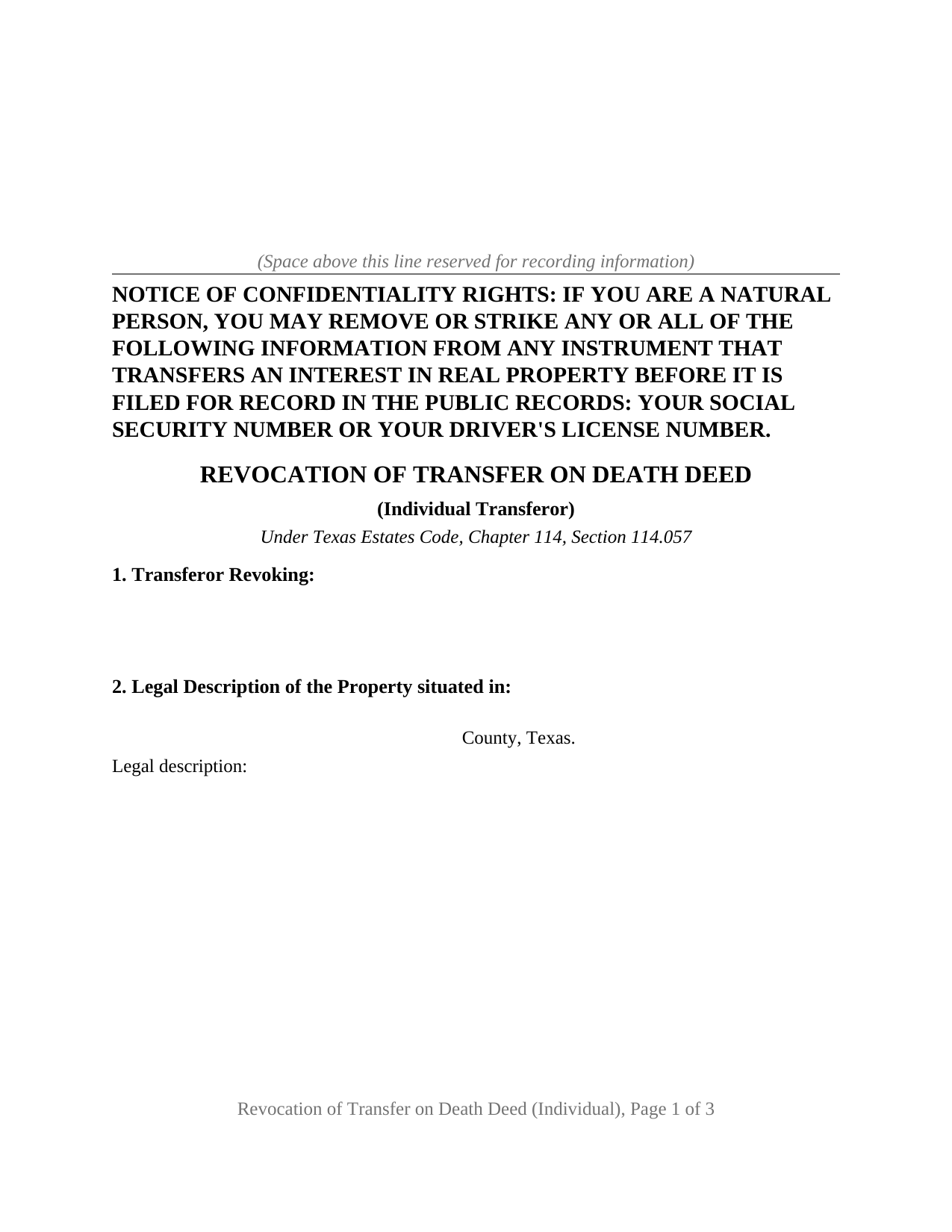
Titus County Revocation of Transfer on Death Deed (Individual) Form
Fill in the blank Revocation of Transfer on Death Deed (Individual) form formatted to comply with all Texas recording and content requirements.
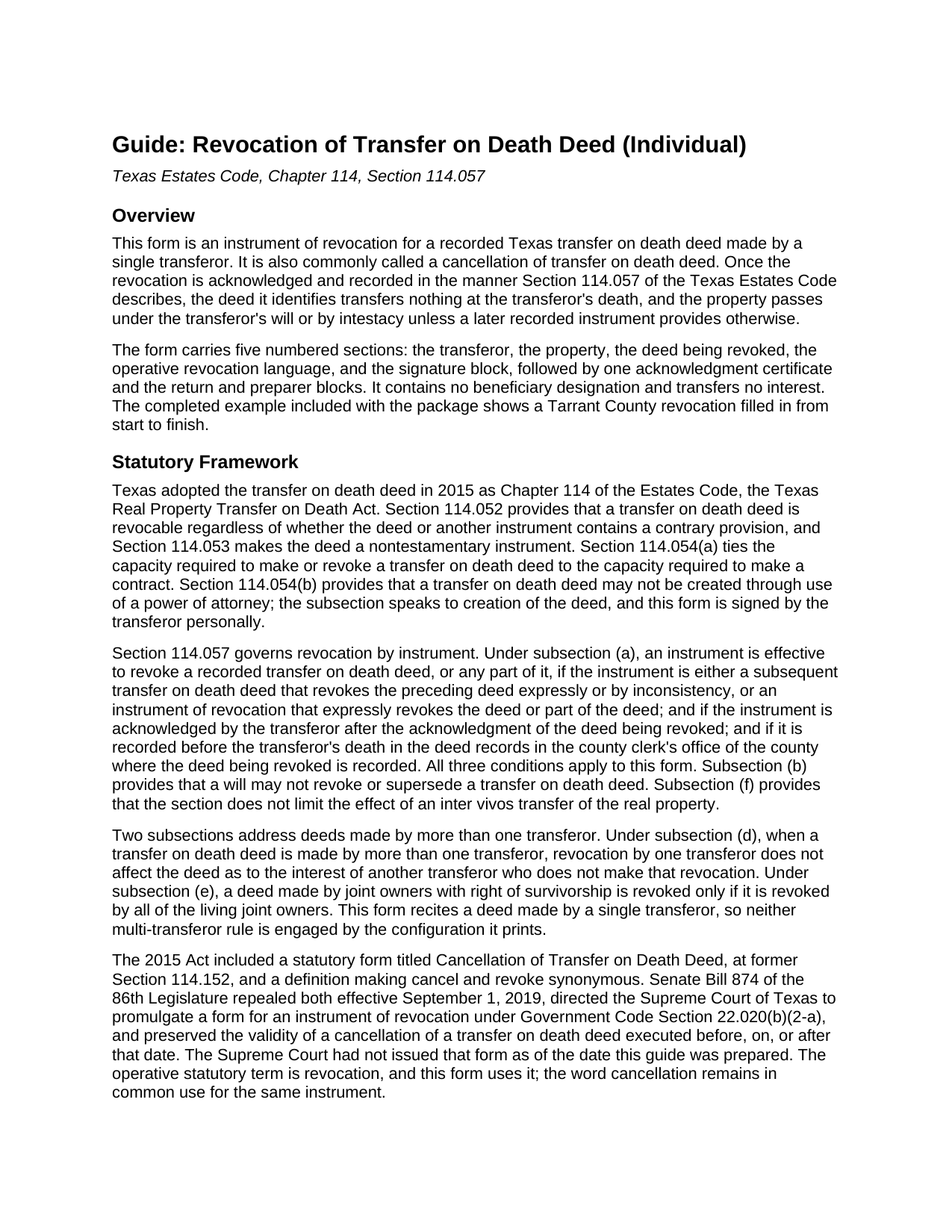
Titus County Revocation of Transfer on Death Deed (Individual) Guide
Line by line guide explaining every blank on the Revocation of Transfer on Death Deed (Individual) form.
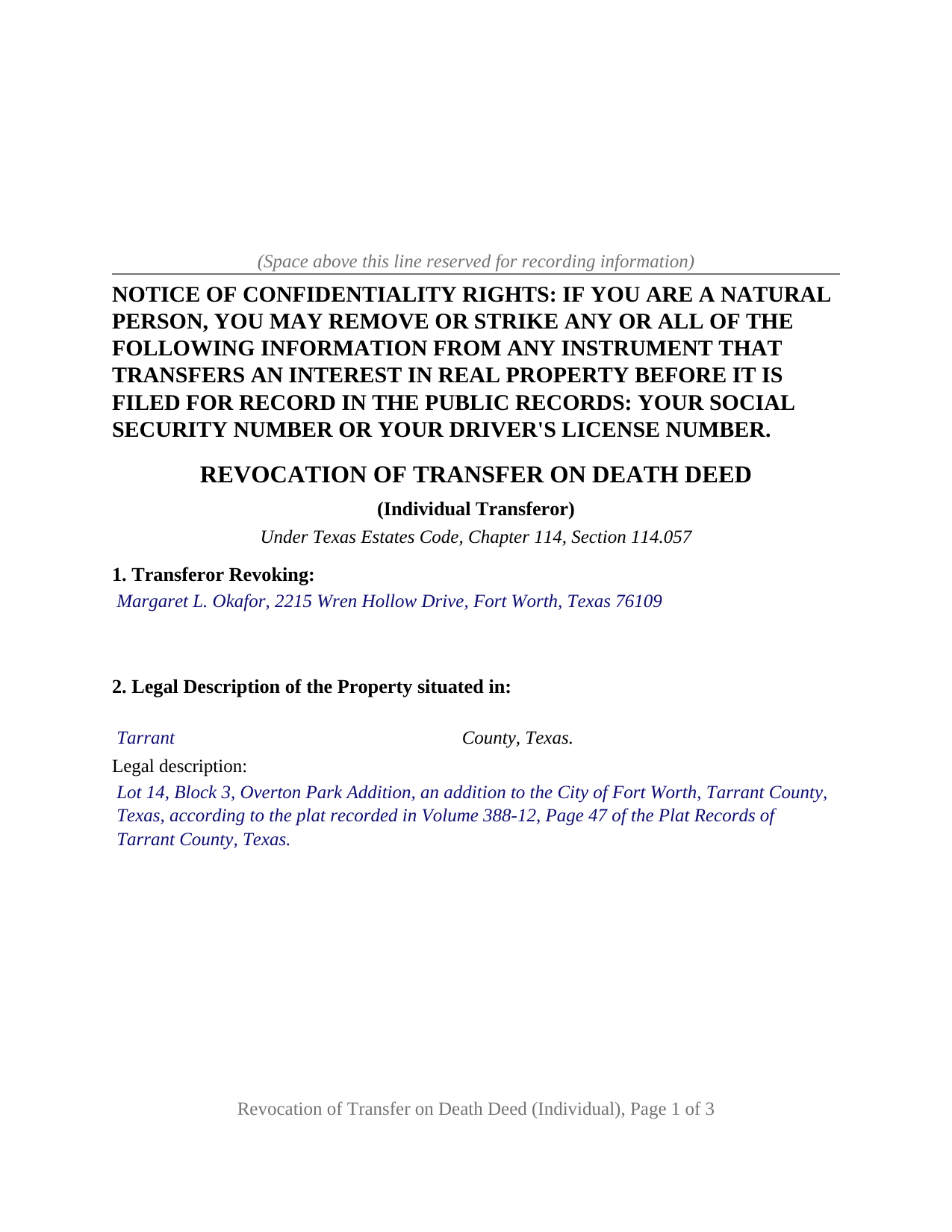
Titus County Completed Example of the Revocation of Transfer on Death Deed (Individual) Document
Example of a properly completed Texas Revocation of Transfer on Death Deed (Individual) document for reference.
All 3 documents above included • One-time purchase • No recurring fees
Immediate Download • Secure Checkout
Additional Texas and Titus County documents included at no extra charge:
Where to Record Your Documents
Titus County Clerk
Mt. Pleasant, Texas 75455
Hours: 8:00 to 4:45 Monday through Friday (Open through Lunch)
Phone: (903) 577-6796
Recording Tips for Titus County:
- Bring your driver's license or state-issued photo ID
- Ensure all signatures are in blue or black ink
- Double-check legal descriptions match your existing deed
- Verify all names are spelled correctly before recording
- White-out or correction fluid may cause rejection
Cities and Jurisdictions in Titus County
Properties in any of these areas use Titus County forms:
- Cookville
- Mount Pleasant
- Winfield
Hours, fees, requirements, and more for Titus County
How do I get my forms?
Forms are available for immediate download after payment. The Titus County forms will be in your account ready to download to your computer. An account is created for you during checkout if you don't have one. Forms are NOT emailed.
Are these forms guaranteed to be recordable in Titus County?
Yes. Our form blanks are guaranteed to meet or exceed the applicable formatting requirements used for recording in Titus County, including margin requirements, font requirements, and other layout standards. This guarantee applies to formatting, not to the legal sufficiency of information entered by the user or the suitability of a form for a particular transaction.
Can I reuse these forms?
Yes. You can reuse the forms for your personal use. For example, if you have multiple properties in Titus County you only need to order once.
What do I need to use these forms?
The forms are PDFs that you fill out on your computer. The free Adobe Acrobat Reader is recommended, and most PDF apps also work. You do NOT enter your property information online - you download the blank forms and complete them privately on your own computer.
Are there any recurring fees?
No. This is a one-time purchase. Nothing to cancel, no memberships, no recurring fees.
How much does it cost to record in Titus County?
Recording fees in Titus County vary. Contact the recorder's office at (903) 577-6796 for current fees.
Questions answered? Let's get started!
When one Texas property owner recorded a transfer on death deed alone, that same owner alone can take it back, and the instrument that does it is short: one transferor, one signature, one acknowledgment certificate. This form prepares that instrument of revocation under Section 114.057 of the Texas Estates Code for a TOD deed that one person signed by themselves. The document is known to many as a cancellation of transfer on death deed, the title the repealed 2015 statutory form carried.
The acknowledgment date is the clock
Section 114.057 does not ask whether the revocation was signed after the deed. It asks whether the revocation was acknowledged after the acknowledgment of the deed being revoked, so the form's third section collects the date of the deed as signed and acknowledged beside its recording date and instrument number. The second condition is recording: the revocation operates only if it reaches the deed records of the county where the original deed is recorded before the transferor dies. The form prints both conditions in capital letters above the signature line, because a signed revocation found in a drawer after death changes nothing.
One transferor, revoking the whole deed
The form recites exactly one transferor and identifies that person as the sole transferor under the deed being revoked. It revokes the deed in its entirety, every beneficiary and every alternate, rather than editing a single designation; the statute allows an instrument to revoke part of a deed, but a partial revocation depends on drafting this form does not supply. The operative paragraph recites the capacity standard of Section 114.054, the capacity required to make a contract, and states that the transferor acts personally. One signature block and one acknowledgment certificate, in the natural person short form of Civil Practice and Remedies Code Section 121.008, follow.
An owner whose named beneficiary has died, an owner who has moved the property into a different estate plan, and an owner who has changed course about who takes the home all present the single-transferor pattern this instrument recites. The form is not set up as a revocation by joint owners with right of survivorship, where the statute makes every living owner's joinder the condition, nor as a revocation by one of two spouses who signed a community property deed together, where one spouse's revocation reaches only that spouse's interest. Those deeds carry two transferors; this instrument recites one, and asks for no marital status.
What a will cannot do, and what a new deed can
Section 114.057(b) provides that a will may not revoke or supersede a transfer on death deed, so a later will that leaves the home to someone else loses to the recorded beneficiary deed. Two recorded instruments qualify instead. A later transfer on death deed revokes an earlier one to the extent the two are inconsistent, and an instrument of revocation like this one clears the designation without naming a replacement, so that after recording the property passes under the owner's will or by intestacy unless a new deed is recorded before death. Divorce travels its own route under Section 114.057(c): a final decree revokes the deed as to a former spouse once notice of the judgment is recorded before the transferor's death, and reaches no other beneficiary.
Drawn for the Texas county clerk
Texas attaches a double filing fee to a nonconforming page rather than refusing it, so the form is drawn inside Local Government Code Section 191.007 from the start: letter size, 12 point body text well above the 8 point minimum, an identifying heading at the top of page one, and a reserved band for the clerk's file stamp. The Property Code Section 11.008 notice of confidentiality rights heads the first page in bold capitals, and because a revocation names no grantee, the grantee address rule that raises the fee on an ordinary deed has nothing to attach to. An instructions page at the front of the PDF, removed before recording, covers how an entry that outgrows its box continues on a recorded exhibit page, and the guide describes the in-person photo identification step Senate Bill 16 added at the recording counter in December 2025.
The package contains the revocation as a fillable PDF, a completed example showing a Tarrant County transferor revoking a 2024 deed, and a plain language guide to each numbered section, the acknowledgment, and recording. The form, the example, and the guide describe the instrument and its statutes in general terms and are not legal advice.
Important: Your property must be located in Titus County to use these forms. Documents should be recorded at the county recording office listed above.
This Revocation of Transfer on Death Deed (Individual) meets all recording requirements specific to Titus County.
Our Promise
The documents you receive here are guaranteed to meet or exceed the applicable Titus County recording format requirements. If there is a rejection caused by our formatting, we will correct the issue or refund your payment. This guarantee applies to document formatting only and does not extend to information entered by the user, the selection of the form, or the legal effect of the completed document.
Save Time and Money
Get your Titus County Revocation of Transfer on Death Deed (Individual) form done right the first time with Deeds.com Uniform Conveyancing Blanks. At Deeds.com, we understand that your time and money are valuable resources, and we don't want you to face a penalty fee or rejection imposed by a county recorder for submitting nonstandard documents. We constantly review and update our forms to meet rapidly changing state and county recording requirements for roughly 3,500 counties and local jurisdictions.
4.8 out of 5 - ( 4,831 Reviews )
Teri B. 5 out of 5 stars
Glad to have all of the helpful extra information, even though they don't answer all questions for all situations. So, I accessed public records and asked questions at the auditor's office. Also, on my Mac computer, filling out the actual deed form is a challenge because the screen jumps to the last page everytime I try to type a few letters or hit the return key, so I'm rollling back up to the first 2 pages after most keystrokes. A bit annoying. Overall, happy to have these form options are available! There is really no need to wait and pay for an attorney when all the information needed is available via public records. Fill in the blanks!
Thanks so much for the feedback Teri. There are known issues between Adobe and Mac, we try to work around them as much as possible. Have a wonderful day!
Imari E. 5 out of 5 stars
QUICK SERVICE
Thank you!
Robin G. 5 out of 5 stars
Very user friendly. I was totally amazed. Thank you so much.
We are delighted to have been of service. Thank you for the positive review!
Dale S. 5 out of 5 stars
I used the Affidavit of Death form provided by Deeds.com. The form and directions were easy to follow. I took the form to the county clerk's office for filing after getting it notarized. They accepted the form with no issues. A task that many people go to a lawyer complete was completed easily by me in less than an hour.
Thanks, Dale! Glad it worked exactly as it should — clear form, smooth filing, no issues at the clerk's office. That's the goal every time.
Barry C. 5 out of 5 stars
prompt, complete and efficient process --- kudos to you
Thank you so much Barry. Have a great day!
Charles S. 5 out of 5 stars
very happy with guidance and responses - thank you - not finished yet but confident
We are sincerely grateful for your feedback and are committed to providing the highest quality service. Thank you for your trust in us.
sheila B. 5 out of 5 stars
awesome
Thank you!
Angela L. 5 out of 5 stars
AWESOME!
Thank you!
Sean M. 5 out of 5 stars
This was exactly what I needed. For $25-$30 it gave me the formatted document I needed and made it so easy to input the info. I wouldn't recommend it to someone who has no clue what they're doing, but for somebody who knows all the info and just needs a formatted page to input it onto, this is perfect.
We appreciate your business and value your feedback. Thank you. Have a wonderful day!
Anabel H. 5 out of 5 stars
Everything went smoothly, quickly and efficiently.
We appreciate your business and value your feedback. Thank you. Have a wonderful day!
Alan S. 5 out of 5 stars
Very easy. Worked well. Will be glad to use the service again.
We appreciate your business and value your feedback. Thank you. Have a wonderful day!
Caroline W. 5 out of 5 stars
They didn't have what I needed, but they were very quick in responding to let me know and where I needed to go to receive the desired information.
Thank you for your feedback Caroline.
Julius D. 5 out of 5 stars
Worked great....WV accepted this document and made the whole process easy...thanks
We appreciate your business and value your feedback. Thank you. Have a wonderful day!
Barbara G. 5 out of 5 stars
Easy to use. I especially am thankful for the guide.
Your feedback is greatly appreciated. Thank you for taking the time to share your experience!
Elizabeth N. 5 out of 5 stars
I love how easy it is to understand and complete.
We appreciate your business and value your feedback. Thank you. Have a wonderful day!