Cass County Special Warranty Deed (Individual Grantor) Form
Last validated September 11, 2026 by our Forms Development TeamFormatted for recording in Cass County, for property anywhere in the county: rural and unincorporated areas as well as Atlanta, Avinger, Bivins, Bloomburg, Douglassville, Hughes Springs, Kildare, Linden and 3 more.
- 3 documents included
- Immediate PDF download
- Formatting guarantee
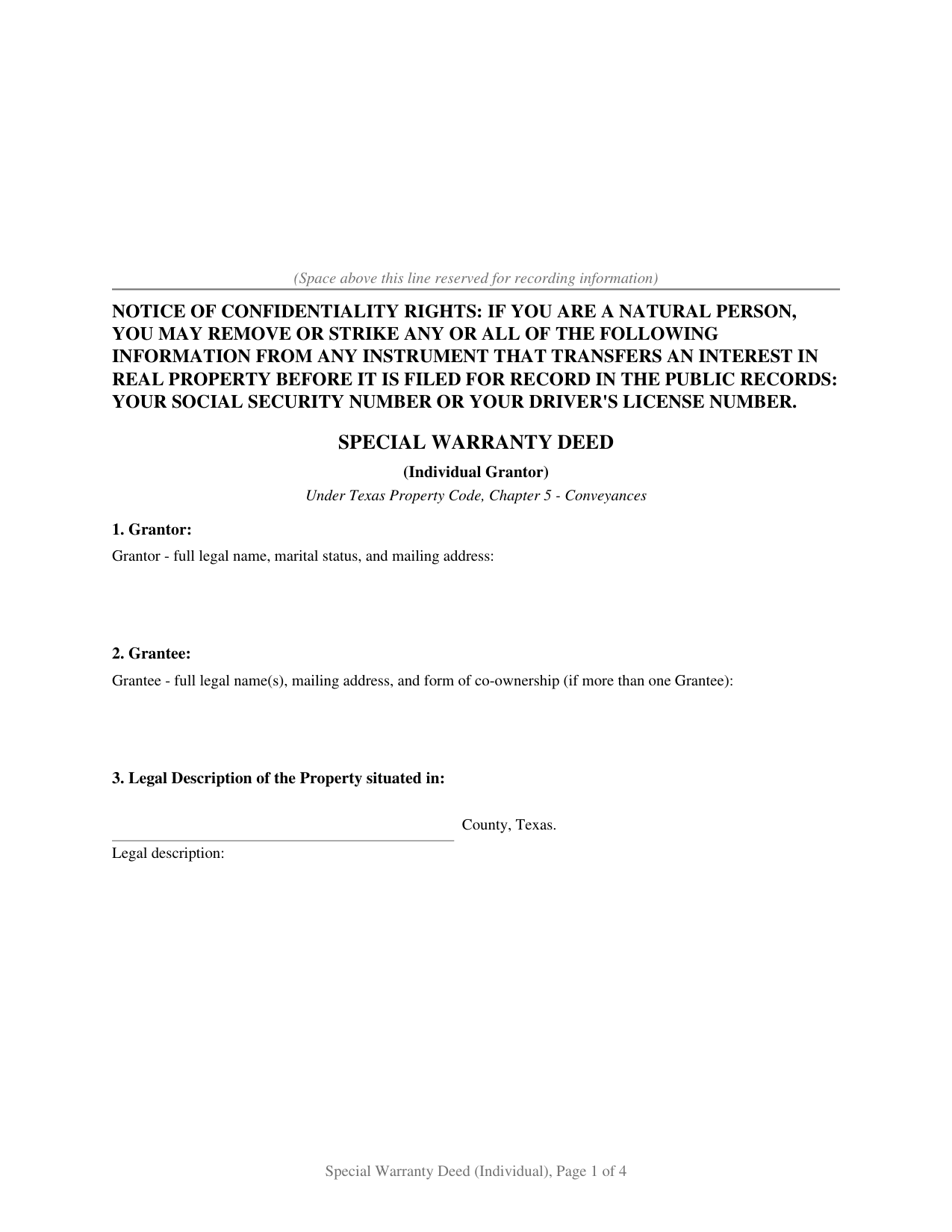
Cass County Special Warranty Deed (Individual Grantor) Form
Fill in the blank Special Warranty Deed (Individual Grantor) form formatted to comply with all Texas recording and content requirements.
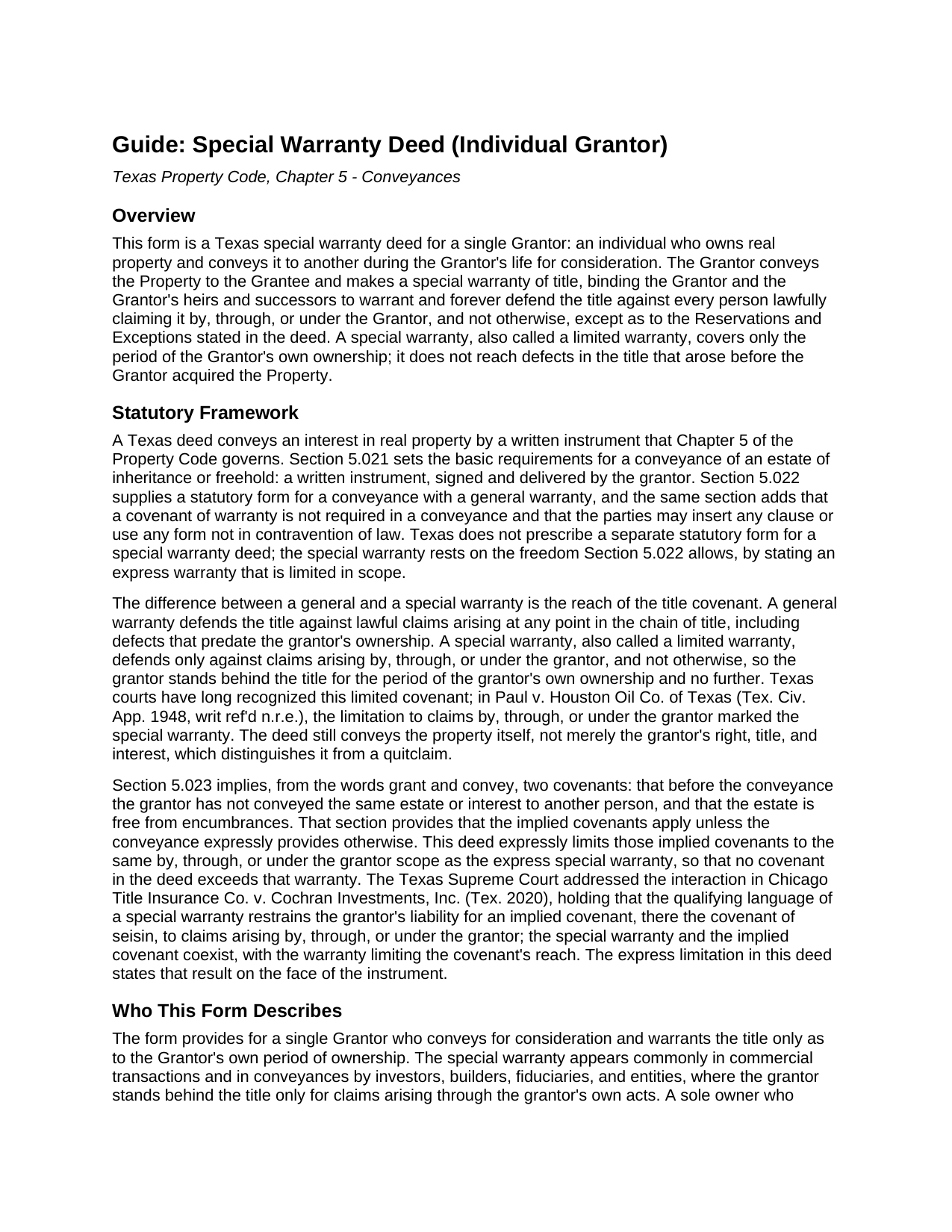
Cass County Special Warranty Deed (Individual Grantor) Guide
Line by line guide explaining every blank on the Special Warranty Deed (Individual Grantor) form.
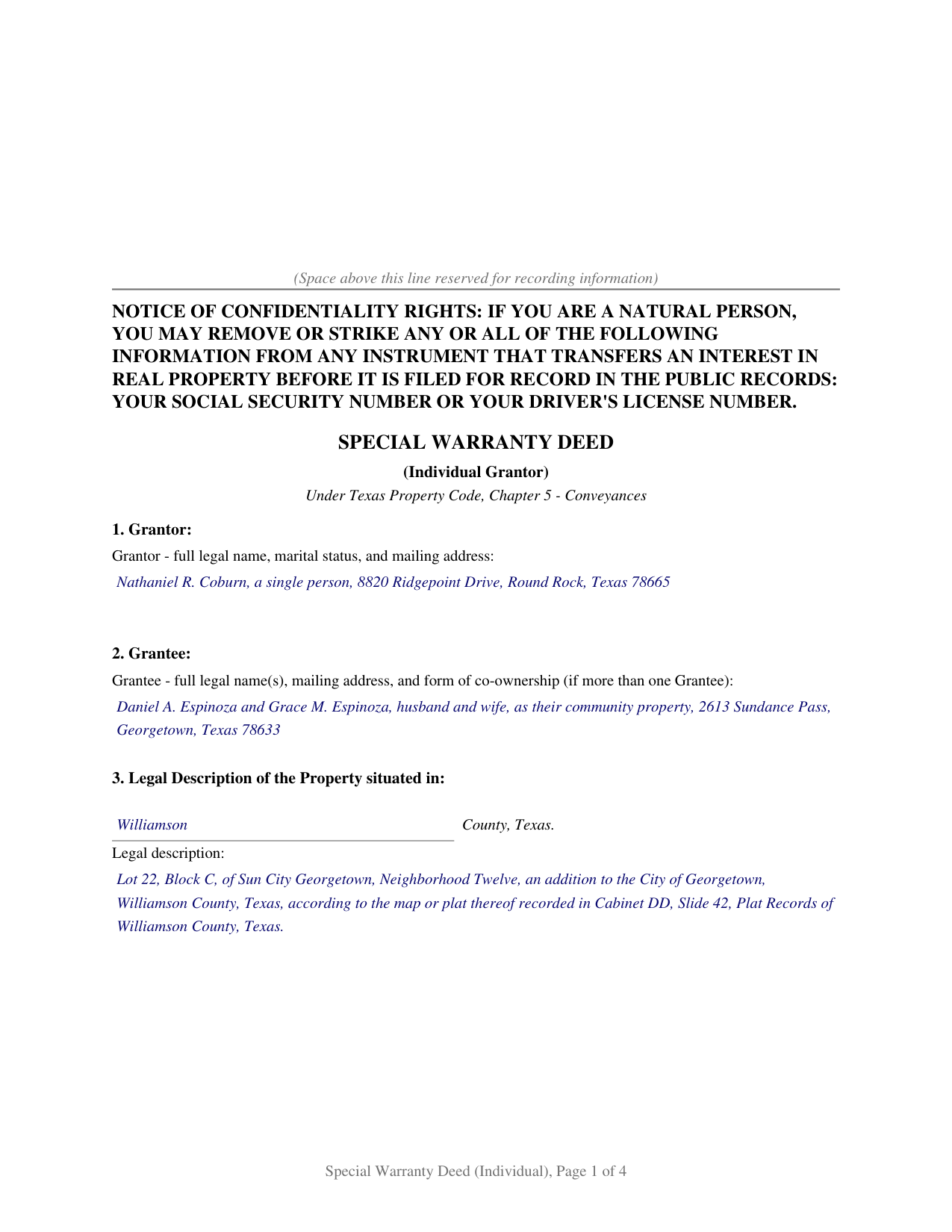
Cass County Completed Example of the Special Warranty Deed (Individual Grantor) Document
Example of a properly completed Texas Special Warranty Deed (Individual Grantor) document for reference.
All 3 documents above included • One-time purchase • No recurring fees
Immediate Download • Secure Checkout
Additional Texas and Cass County documents included at no extra charge:
Where to Record Your Documents
Cass County Clerk
Linden, Texas 75563
Hours: Mon-Thu 8:00 to 12:00, 1:00 to 4:30; Fri 8:00 to 3:30
Phone: (903) 756-5071
Recording Tips for Cass County:
- Bring your driver's license or state-issued photo ID
- Ensure all signatures are in blue or black ink
- Recording fees may differ from what's posted online - verify current rates
- Request a receipt showing your recording numbers
- Ask about accepted payment methods when you call ahead
Cities and Jurisdictions in Cass County
Properties in any of these areas use Cass County forms:
- Atlanta
- Avinger
- Bivins
- Bloomburg
- Douglassville
- Hughes Springs
- Kildare
- Linden
- Marietta
- Mc Leod
- Queen City
Hours, fees, requirements, and more for Cass County
How do I get my forms?
Forms are available for immediate download after payment. The Cass County forms will be in your account ready to download to your computer. An account is created for you during checkout if you don't have one. Forms are NOT emailed.
Are these forms guaranteed to be recordable in Cass County?
Yes. Our form blanks are guaranteed to meet or exceed the applicable formatting requirements used for recording in Cass County, including margin requirements, font requirements, and other layout standards. This guarantee applies to formatting, not to the legal sufficiency of information entered by the user or the suitability of a form for a particular transaction.
Can I reuse these forms?
Yes. You can reuse the forms for your personal use. For example, if you have multiple properties in Cass County you only need to order once.
What do I need to use these forms?
The forms are PDFs that you fill out on your computer. The free Adobe Acrobat Reader is recommended, and most PDF apps also work. You do NOT enter your property information online - you download the blank forms and complete them privately on your own computer.
Are there any recurring fees?
No. This is a one-time purchase. Nothing to cancel, no memberships, no recurring fees.
How much does it cost to record in Cass County?
Recording fees in Cass County vary. Contact the recorder's office at (903) 756-5071 for current fees.
Questions answered? Let's get started!
The Texas special warranty deed conveys real estate while the owner stands behind the title only for the owner's own period of ownership. The Grantor conveys the property to the grantee and warrants the title against every person lawfully claiming it by, through, or under the Grantor, and not otherwise, except as to the reservations and exceptions stated in the deed. That qualifying language defines the special warranty, also called a limited warranty: the Grantor does not defend against title defects that arose before acquiring the property. This package prepares the deed for a single Grantor, with a fillable form, a completed example, and a section by section guide.
General warranty compared with special warranty
The difference between the two warranty deeds is the reach of the title covenant, not the conveyance itself. A general warranty defends against lawful claims arising at any point in the chain of title, including defects predating the Grantor's ownership; a special warranty defends only against claims arising through the Grantor's own acts. Texas Property Code Section 5.022 supplies a statutory form for a general warranty and provides that a covenant of warranty is not required and that parties may use any clause not in contravention of law; the special warranty rests on that freedom. The deed expressly limits the covenants implied under Section 5.023 to the same by, through, or under the Grantor scope, a limitation the Texas Supreme Court recognized in Chicago Title Insurance Co. v. Cochran Investments, Inc. (Tex. 2020).
What the form covers
The deed is organized into numbered sections that track the order of a recorded Texas conveyance:
- A Grantor block and a grantee block, with marital status and the form of co-ownership where it applies
- The legal description of the property and its street address
- The source of title, identifying the recorded instrument by which the Grantor holds
- Reservations and exceptions, which carve matters out of both the conveyance and the warranty
- The consideration recital and the operative conveyance and special warranty language
- A conspicuous statement that the warranty is special only and that the grantee takes subject to all other matters affecting title
Signing and recording
The Grantor signs the deed before a notary public, who completes the acknowledgment certificate. Where the property is the homestead of a married Grantor, the Grantor's spouse joins under Texas Family Code Section 5.001 by signing the second block to convey the homestead interest; where the property is not homestead or the Grantor is unmarried, that block stays blank. The deed is then recorded with the county clerk of the county where the property is located. The confidentiality notice required by Property Code Section 11.008 appears at the top of the first page, and Senate Bill 16 added a photo identification requirement at the recording counter for instruments filed in person on or after December 4, 2025.
What the package includes
The package contains a blank fillable deed, a completed example, and a guide that explains each section, the governing statutes, and the recording process. The guide also describes the Texas General Warranty Deed forms for a broader warranty and the Texas Deed Without Warranty and Texas Quitclaim Deed for conveyances with no warranty. The materials are informational and are not legal advice.
Important: Your property must be located in Cass County to use these forms. Documents should be recorded at the county recording office listed above.
This Special Warranty Deed (Individual Grantor) meets all recording requirements specific to Cass County.
Our Promise
The documents you receive here are guaranteed to meet or exceed the applicable Cass County recording format requirements. If there is a rejection caused by our formatting, we will correct the issue or refund your payment. This guarantee applies to document formatting only and does not extend to information entered by the user, the selection of the form, or the legal effect of the completed document.
Save Time and Money
Get your Cass County Special Warranty Deed (Individual Grantor) form done right the first time with Deeds.com Uniform Conveyancing Blanks. At Deeds.com, we understand that your time and money are valuable resources, and we don't want you to face a penalty fee or rejection imposed by a county recorder for submitting nonstandard documents. We constantly review and update our forms to meet rapidly changing state and county recording requirements for roughly 3,500 counties and local jurisdictions.
4.8 out of 5 - ( 4,804 Reviews )
David K. 5 out of 5 stars
My 1st trip to your site. I give it a full 5-star rating! Thank you. I'll be back.
Thank you for your feedback. We really appreciate it. Have a great day!
Malissa B. 5 out of 5 stars
Fast response and quick delivery love it!
It was a pleasure serving you. Thank you for the positive feedback!
Claudia H. 5 out of 5 stars
***** Have not used this option before. Found it easy to use and understand. Cost was reasonable and options on recording helpful. Would use again in a heartbeat.
We appreciate your business and value your feedback. Thank you. Have a wonderful day!
Fred B. 5 out of 5 stars
Great service and all seems to be what I was looking for
Thank you Fred, have a great day!
Darlene D. 5 out of 5 stars
A little confusing to try to save your docouments and how to process them but once figured out easy to do.
Thank you!
Jennifer S. 5 out of 5 stars
Fabulous
Thank you!
William G M. 5 out of 5 stars
This site is very easy to use.
Thank you!
Marsha D. 5 out of 5 stars
Outstanding product and so easy to use! Highly recommend this product. We successfully used the Virginia deeds. Thank you.
Thank you!
Susan M. 5 out of 5 stars
Loved my experience with deeds.com! Easy and simple to fill in the form, plus the extra instructions were helpful! I will use them again!
Thank you for your feedback. We really appreciate it. Have a great day!
Devra R. 5 out of 5 stars
A refreshingly easy service to use. They offer auxiliary forms as a courtesy. Theres no "gotcha" capitalism. You pay the reasonable fee and the needed forms are accessible instantly to download. I've used it twice so far and it worked perfectly!
We appreciate your business and value your feedback. Thank you. Have a wonderful day!
DAVID K. 5 out of 5 stars
Good so far could use more examples for each section of info. needed. ex. (parcel and alt.ID info where to find and etc. #2 more examples. If it was not for the red print examples helping to fill the form out I could have downloaded free forms, the examples are what made me choose your form !
We appreciate your business and value your feedback. Thank you. Have a wonderful day!
John L B. 5 out of 5 stars
I ordered the Deed package for my state of NJ and the county I needed to prepare the documents. I was able to complete everything that is required to close on an investment property. Fast easy with step by step instructions no matter your situation. Definitely will recommend to family & friends. Save $ instead of paying others to do the same thing you can do yourself.
Thank you for your feedback. We really appreciate it. Have a great day!
Deborah G. 5 out of 5 stars
Great website and very easy to use
Thank you for your feedback Deborah, we really appreciate it. Have a great day!
Craig H. 5 out of 5 stars
Awesome service! It was so quick and easy.
Thank you for your feedback. We really appreciate it. Have a great day!
Charles C. 5 out of 5 stars
Using an I pad and cannot type on form that was downloaded. I do not have a computer Charles
Thank you for your feedback Charles. You might want to make sure you have the Adobe app on your Ipad: https://itunes.apple.com/us/app/adobe-fill-sign/id950099951?mt=8