San Augustine County Special Warranty Deed (Individual Grantor) Form
Last validated October 15, 2026 by our Forms Development TeamFormatted for recording in San Augustine County, for property anywhere in the county: rural and unincorporated areas as well as Broaddus, San Augustine.
- 3 documents included
- Immediate PDF download
- Formatting guarantee
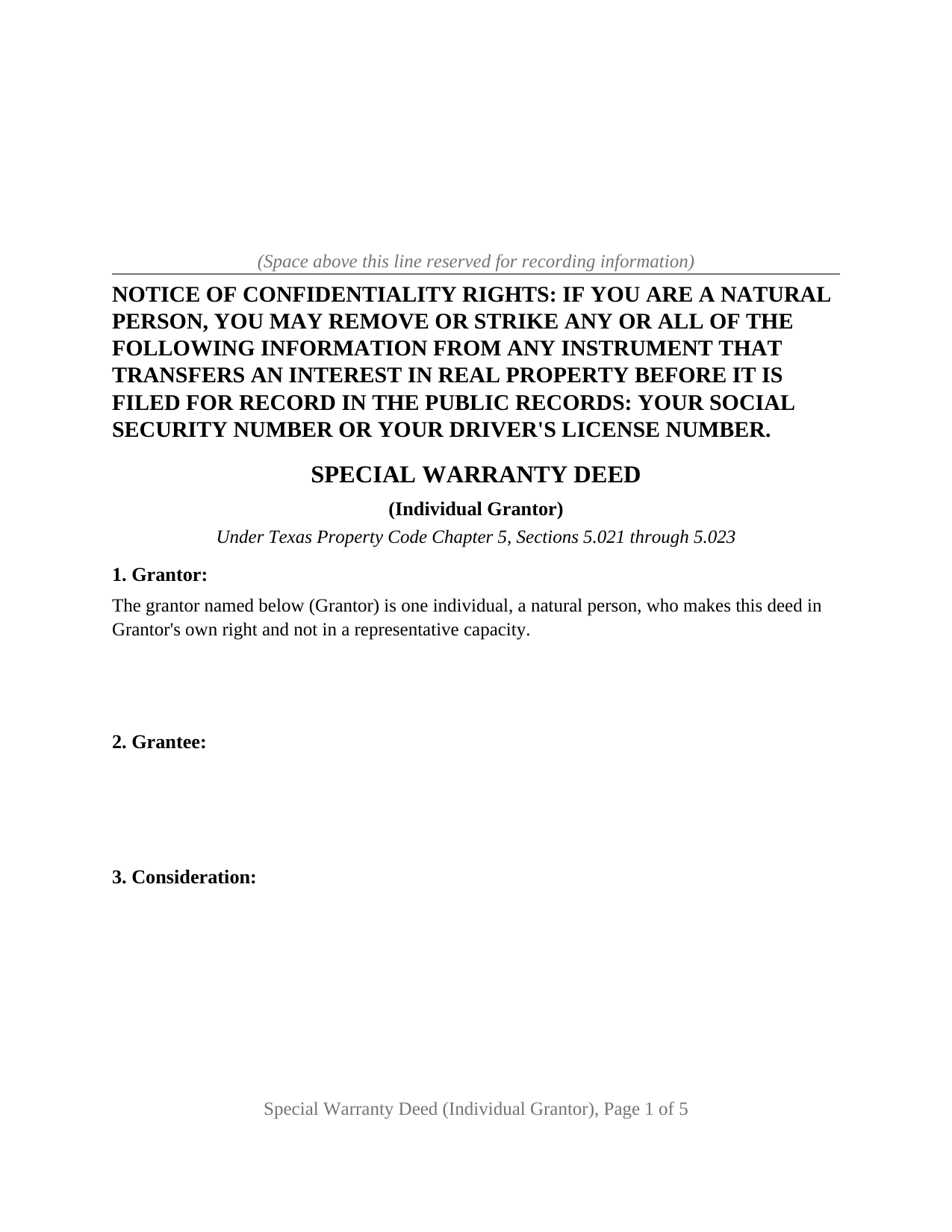
San Augustine County Special Warranty Deed (Individual Grantor) Form
Fill in the blank Special Warranty Deed (Individual Grantor) form formatted to comply with all Texas recording and content requirements.
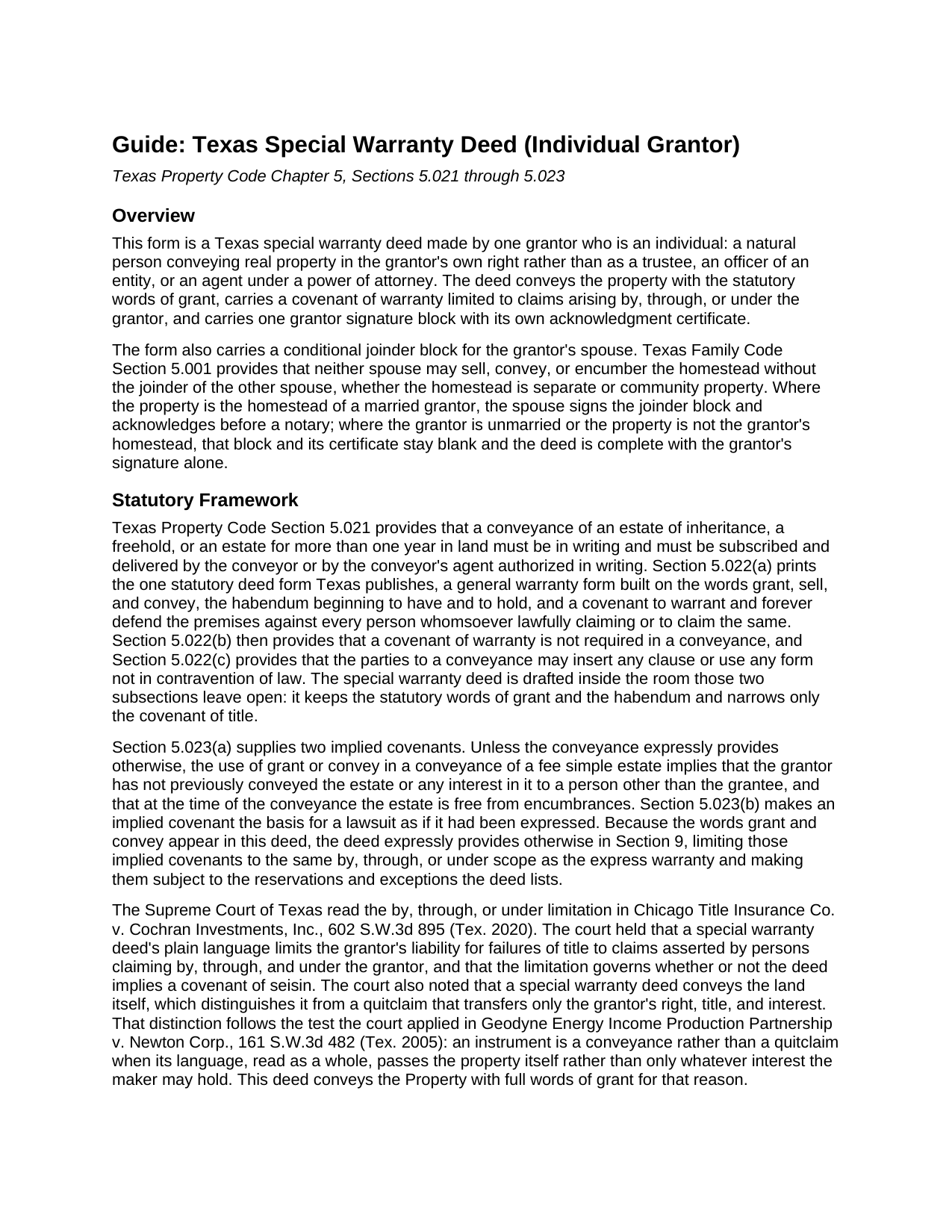
San Augustine County Special Warranty Deed (Individual Grantor) Guide
Line by line guide explaining every blank on the Special Warranty Deed (Individual Grantor) form.
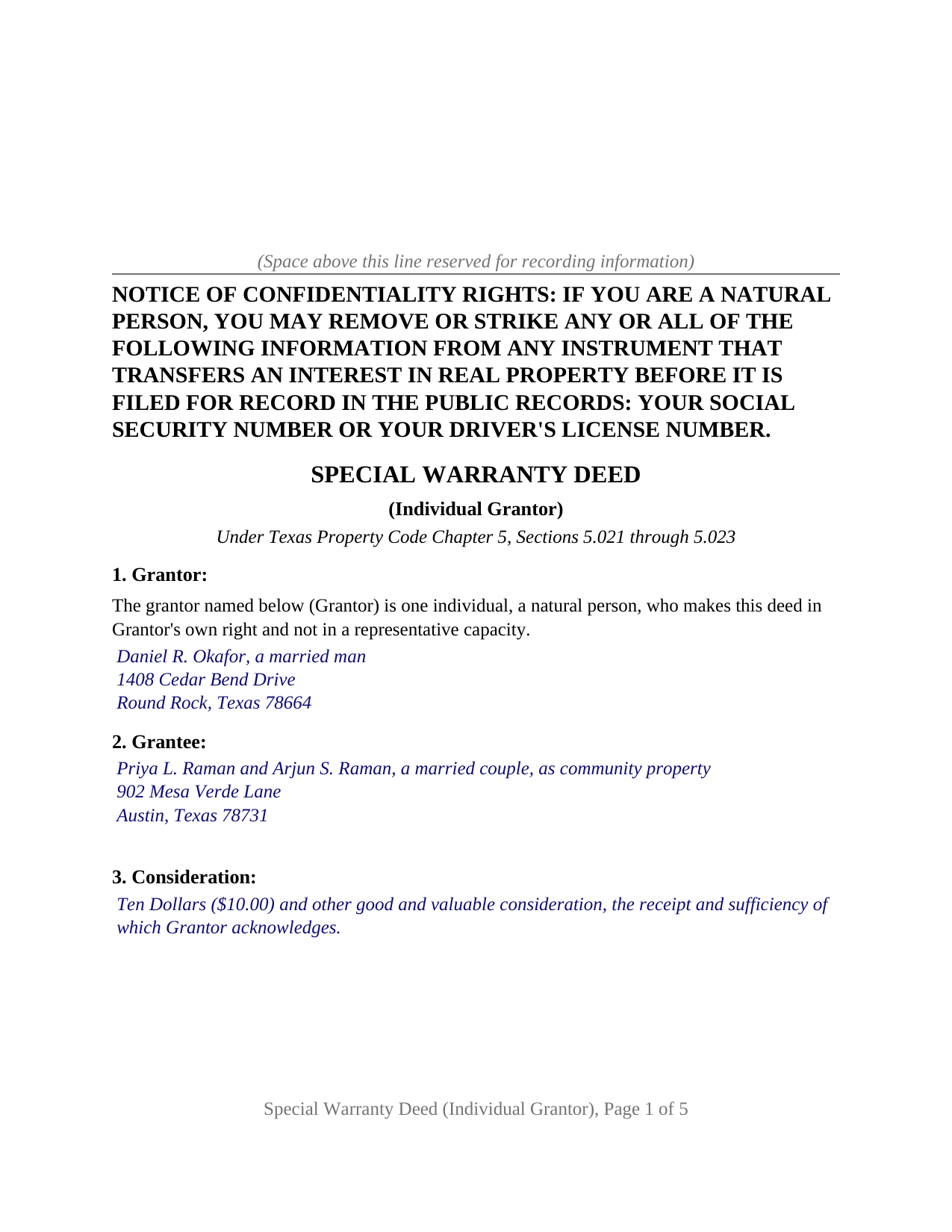
San Augustine County Completed Example of the Special Warranty Deed (Individual Grantor) Document
Example of a properly completed Texas Special Warranty Deed (Individual Grantor) document for reference.
All 3 documents above included • One-time purchase • No recurring fees
Immediate Download • Secure Checkout
Additional Texas and San Augustine County documents included at no extra charge:
Where to Record Your Documents
San Augustine County Clerk
San Augustine, Texas 75972
Hours: Mon - Thu 8:00am - 4:00pm, Fri 8:00am - 3:00pm
Phone: (936) 275-2452
Recording Tips for San Augustine County:
- Bring your driver's license or state-issued photo ID
- Ensure all signatures are in blue or black ink
- Ask for certified copies if you need them for other transactions
- Ask if they accept credit cards - many offices are cash/check only
- Check that your notary's commission hasn't expired
Cities and Jurisdictions in San Augustine County
Properties in any of these areas use San Augustine County forms:
- Broaddus
- San Augustine
Hours, fees, requirements, and more for San Augustine County
How do I get my forms?
Forms are available for immediate download after payment. The San Augustine County forms will be in your account ready to download to your computer. An account is created for you during checkout if you don't have one. Forms are NOT emailed.
Are these forms guaranteed to be recordable in San Augustine County?
Yes. Our form blanks are guaranteed to meet or exceed the applicable formatting requirements used for recording in San Augustine County, including margin requirements, font requirements, and other layout standards. This guarantee applies to formatting, not to the legal sufficiency of information entered by the user or the suitability of a form for a particular transaction.
Can I reuse these forms?
Yes. You can reuse the forms for your personal use. For example, if you have multiple properties in San Augustine County you only need to order once.
What do I need to use these forms?
The forms are PDFs that you fill out on your computer. The free Adobe Acrobat Reader is recommended, and most PDF apps also work. You do NOT enter your property information online - you download the blank forms and complete them privately on your own computer.
Are there any recurring fees?
No. This is a one-time purchase. Nothing to cancel, no memberships, no recurring fees.
How much does it cost to record in San Augustine County?
Recording fees in San Augustine County vary. Contact the recorder's office at (936) 275-2452 for current fees.
Questions answered? Let's get started!
A Texas special warranty deed for one individual grantor carries a single grantor signature line: one natural person, named in Section 1 as making the deed in the grantor's own right and not in a representative capacity, conveys the property and signs before one notary. The second signature block on the form belongs to nobody unless the property is the grantor's homestead and the grantor is married; then Texas Family Code Section 5.001 brings the grantor's spouse to the deed.
One grantor, one signature, one certificate
The form recites exactly one grantor. Section 1 prints the configuration as deed text and leaves a three line blank for the name, any status wording the transaction carries, and the mailing address. No marital status and no form of existing ownership is preprinted, and no second grantor block exists on the instrument. The grantee section is open the same way: one or more grantees, the mailing address of each, and whatever co-ownership designation two grantees take under, written in rather than selected, since Texas survivorship between co-owners takes a signed writing under Estates Code Chapter 111 or 112. A sole owner, a cotenant conveying an undivided interest, and a spouse conveying separate property each present the single grantor pattern the deed recites. An entity, a trustee, two record owners conveying together, and an agent under a power of attorney each present a different pattern, and this form is not set up as any of them.
The joinder block that stays blank until a homestead is conveyed
Family Code Section 5.001 provides that whether the homestead is separate or community property, neither spouse may sell, convey, or encumber it without the joinder of the other spouse. For a single grantor that rule has one live case: a married person conveying a homestead held in that person's own name. Section 10 of the deed answers it. The spouse named in the JOINING SPOUSE block joins in the execution of the deed and in the conveyance to satisfy Section 5.001, makes no covenant or warranty of title, and is not a grantor. Where the grantor is unmarried, or the property is not the grantor's homestead, Section 10 states that it does not apply and the joinder block and its certificate remain unsigned. The spouse's certificate is a separate short form acknowledgment under Civil Practice and Remedies Code Section 121.008, the form's layout rather than a statutory requirement.
A warranty that stops at the grantor's own tenure
Property Code Section 5.022 prints a general warranty form and then provides that a covenant of warranty is not required and that the parties may use any form not in contravention of law. This deed keeps the statutory words of grant, GRANTS, SELLS, AND CONVEYS, and the habendum, so the instrument passes the property itself and reads as a conveyance rather than a quitclaim. The covenant is where it narrows: the grantor warrants and forever defends the property against every person lawfully claiming it, when the claim is by, through, or under the grantor, but not otherwise. In Chicago Title Insurance Co. v. Cochran Investments, Inc., 602 S.W.3d 895 (Tex. 2020), the court held that those words limit the grantor's liability for a failure of title to claims traced through the grantor. Section 9 then does what Section 5.023 invites: the statute implies covenants of prior non-conveyance and freedom from encumbrances wherever a deed says grant or convey, unless the conveyance expressly provides otherwise, and the deed expressly limits those implied covenants to the same scope.
What the clerk sees
The deed records with the county clerk of the county named in Section 4. The first page opens with the notice of confidentiality rights of Property Code Section 11.008 in 12 point capitals, followed by the identifying heading Local Government Code Section 191.007 asks for. A person who walks the deed into the clerk's office on or after December 4, 2025 shows photo identification under the 2025 deed fraud legislation. Texas imposes no transfer tax, so the deed and any exhibit page are the whole filing.
The download includes the blank deed as a fillable PDF, a completed example on a Williamson County fact pattern in which a married grantor conveys a homestead and the spouse joins, and a plain language guide covering every numbered section, the forms of co-ownership two grantees may take, the joinder formalities, and recording. The materials are informational and are not legal advice.
Important: Your property must be located in San Augustine County to use these forms. Documents should be recorded at the county recording office listed above.
This Special Warranty Deed (Individual Grantor) meets all recording requirements specific to San Augustine County.
Our Promise
The documents you receive here are guaranteed to meet or exceed the applicable San Augustine County recording format requirements. If there is a rejection caused by our formatting, we will correct the issue or refund your payment. This guarantee applies to document formatting only and does not extend to information entered by the user, the selection of the form, or the legal effect of the completed document.
Save Time and Money
Get your San Augustine County Special Warranty Deed (Individual Grantor) form done right the first time with Deeds.com Uniform Conveyancing Blanks. At Deeds.com, we understand that your time and money are valuable resources, and we don't want you to face a penalty fee or rejection imposed by a county recorder for submitting nonstandard documents. We constantly review and update our forms to meet rapidly changing state and county recording requirements for roughly 3,500 counties and local jurisdictions.
4.8 out of 5 - ( 4,844 Reviews )
Raymundo M. 5 out of 5 stars
Very fast and smooth process, thank you for your quick answers and follow up.
Thank you for your feedback. We really appreciate it. Have a great day!
James G. 1 out of 5 stars
This was very hard to follow, and the form looked horrible.
Sorry to hear that James. Some documents can certainly be more difficult than others. Your order and payment has been canceled. We do hope that you find something more suitable to your needs and aesthetic requirements elsewhere.
Allan y. 5 out of 5 stars
I liked the guide and example to follow to fill out the form. Very helpful!!
Thank you!
Kate J. 5 out of 5 stars
Easy to use.
Thank you!
JUDITH G. 5 out of 5 stars
So far, so good! I appreciate a no-hassle website.
Thank you!
Victor K. 3 out of 5 stars
The form I needed was correct and paginated as required. It was accepted w/o penalties. I was not happy about the information which I found way too scant. One sample form does not cover enough possibilities, more would be helpful. The instruction page is a bit better but sometimes it is not clear enough - sometimes it is not clear what the numbered items in the form correspond to. There is no guidance about the process and it would take very little to provide it. Example about "description", say where to find. There is a bunch of "free forms" attached but no guide on which are needed and when. Example: at the counter I was given a paper "conveyance" form and asked to fill it - I did not know it was needed and what it did and so I had not d
Thank you for your feedback. We really appreciate it. Have a great day!
William B. 5 out of 5 stars
Fastest online reply of nearly anything on the planet. Very impressed!!
Thank you!
Jo Ann P. 3 out of 5 stars
Was hoping I would be sent copies on paper so I can fill them out without a desk computer
We appreciate your feedback. Our forms are delivered instantly as digital files, so customers can download and print as many copies as they need. This way, you have the flexibility to complete them by hand if you prefer.
Barbara K. 5 out of 5 stars
Found what I needed quickly, easy website to maneuver. Like having a sample to look at along with instructions.
Thank you for your feedback. We really appreciate it. Have a great day!
Vickie W. 5 out of 5 stars
Very easy to download and appreciated the other information and affidavits.
We appreciate your business and value your feedback. Thank you. Have a wonderful day!
Kimberly H. 5 out of 5 stars
Very fast and easy to use!
Thank you Kimberly. Have a fantastic day.
Rebecca B. 5 out of 5 stars
I found the form I need and while they couldn't file it via the e-recording way I had a great experience. Fingers crossed all goes well when I go in to record. Thanks!
Thank you for your feedback. We really appreciate it. Have a great day!
April C. 5 out of 5 stars
Great service fast and patience great team their staff kvh was very great part of team .I need it filed the same day . I will recommend them to others
Thank you for your feedback. We really appreciate it. Have a great day!
Kathy O. 5 out of 5 stars
I was so happy to be able to print the Quit Claim Deed form and learn about other forms. Very pleased with this service! Took the stress out of preparing needed deeds for notirization for our Trust. Very grateful. Thank you. Kathy
We appreciate your business and value your feedback. Thank you. Have a wonderful day!
Tracey P. 5 out of 5 stars
As always, amazing forms and information. A must have for anyone doing it themselves. Everything is available to make it happen but if you need a lot of hand holding you might want to look into a more full service option.
Thank you for your feedback. We really appreciate it. Have a great day!