Cottle County Transfer on Death Deed (One Tenant in Common, Own Interest, Individual Beneficiaries) Form
Last validated November 11, 2026 by our Forms Development TeamFormatted for recording in Cottle County, for property anywhere in the county: rural and unincorporated areas as well as Cee Vee, Paducah.
- 3 documents included
- Immediate PDF download
- Formatting guarantee
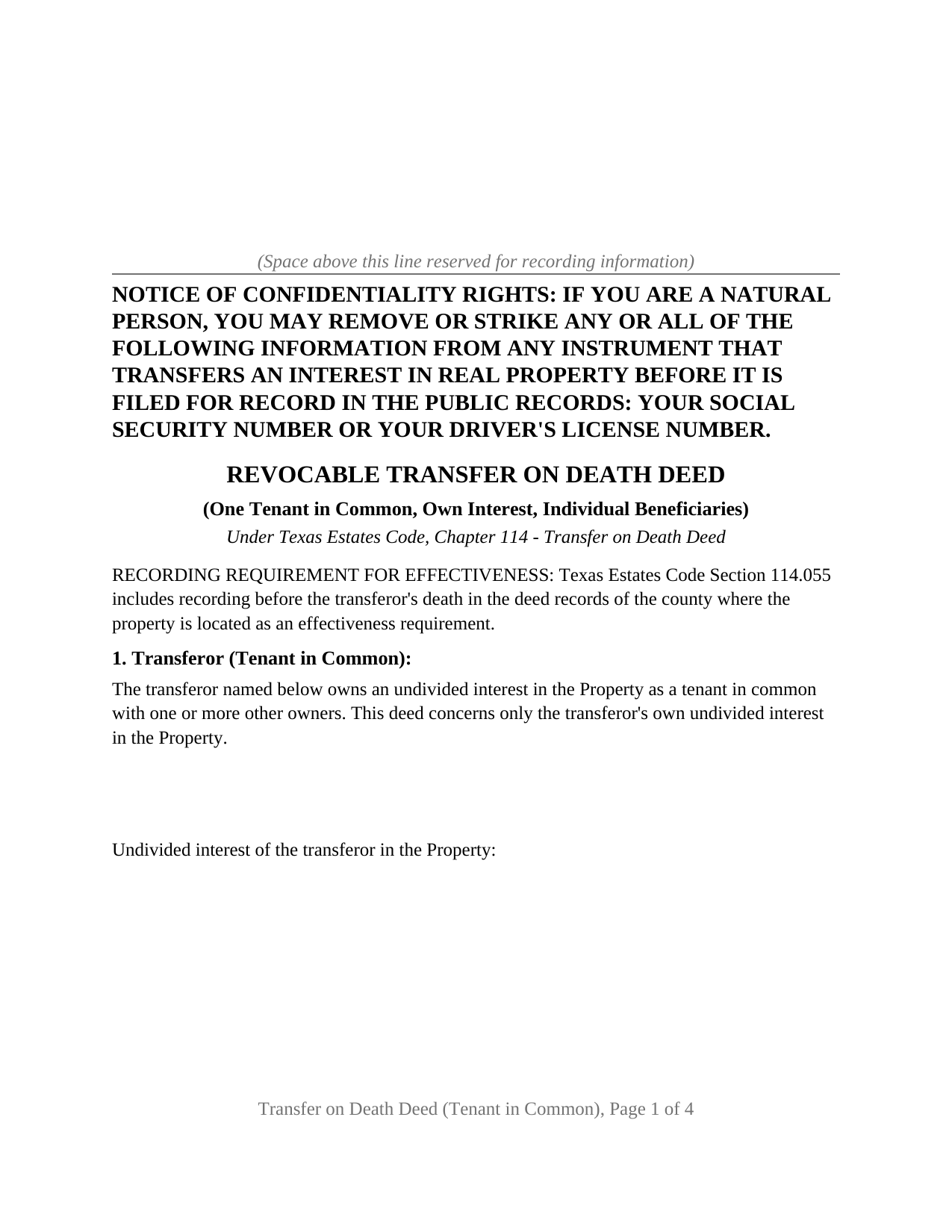
Cottle County Transfer on Death Deed (One Tenant in Common, Own Interest, Individual Beneficiaries) Form
Fill in the blank Transfer on Death Deed (One Tenant in Common, Own Interest, Individual Beneficiaries) form formatted to comply with all Texas recording and content requirements.
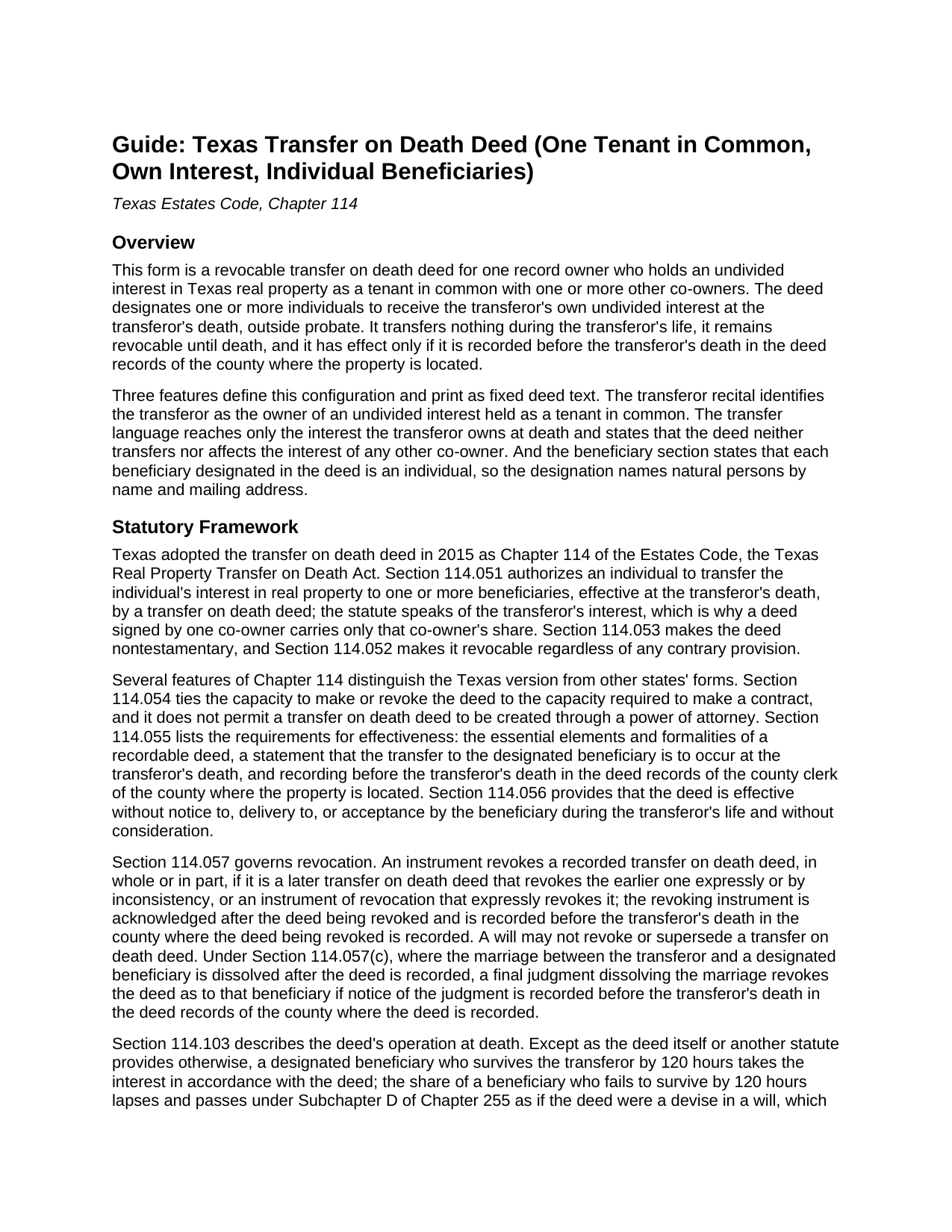
Cottle County Transfer on Death Deed (One Tenant in Common, Own Interest, Individual Beneficiaries) Guide
Line by line guide explaining every blank on the Transfer on Death Deed (One Tenant in Common, Own Interest, Individual Beneficiaries) form.
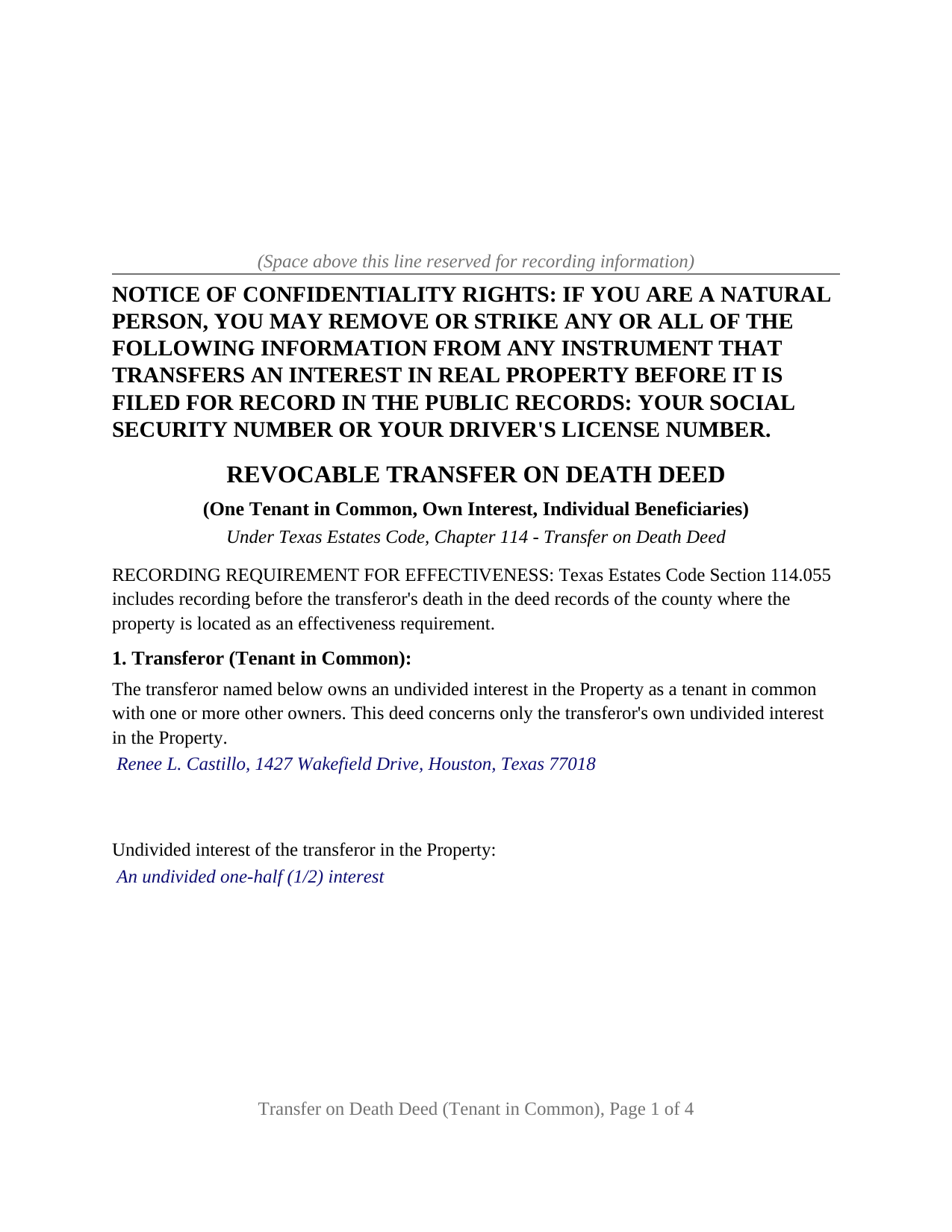
Cottle County Completed Example of the Transfer on Death Deed (One Tenant in Common, Own Interest, Individual Beneficiaries) Document
Example of a properly completed Texas Transfer on Death Deed (One Tenant in Common, Own Interest, Individual Beneficiaries) document for reference.
All 3 documents above included • One-time purchase • No recurring fees
Immediate Download • Secure Checkout
Additional Texas and Cottle County documents included at no extra charge:
Where to Record Your Documents
Cottle County Clerk
Paducah, Texas 79248-0717
Hours: Monday - Thursday 9:00am - 5:00pm
Phone: (806) 492-3823
Recording Tips for Cottle County:
- Bring your driver's license or state-issued photo ID
- Ensure all signatures are in blue or black ink
- Double-check legal descriptions match your existing deed
- Verify all names are spelled correctly before recording
- White-out or correction fluid may cause rejection
Cities and Jurisdictions in Cottle County
Properties in any of these areas use Cottle County forms:
- Cee Vee
- Paducah
Hours, fees, requirements, and more for Cottle County
How do I get my forms?
Forms are available for immediate download after payment. The Cottle County forms will be in your account ready to download to your computer. An account is created for you during checkout if you don't have one. Forms are NOT emailed.
Are these forms guaranteed to be recordable in Cottle County?
Yes. Our form blanks are guaranteed to meet or exceed the applicable formatting requirements used for recording in Cottle County, including margin requirements, font requirements, and other layout standards. This guarantee applies to formatting, not to the legal sufficiency of information entered by the user or the suitability of a form for a particular transaction.
Can I reuse these forms?
Yes. You can reuse the forms for your personal use. For example, if you have multiple properties in Cottle County you only need to order once.
What do I need to use these forms?
The forms are PDFs that you fill out on your computer. The free Adobe Acrobat Reader is recommended, and most PDF apps also work. You do NOT enter your property information online - you download the blank forms and complete them privately on your own computer.
Are there any recurring fees?
No. This is a one-time purchase. Nothing to cancel, no memberships, no recurring fees.
How much does it cost to record in Cottle County?
Recording fees in Cottle County vary. Contact the recorder's office at (806) 492-3823 for current fees.
Questions answered? Let's get started!
A Texas transfer on death deed signed by one tenant in common carries only that owner's undivided share. This form prepares that deed under Chapter 114 of the Texas Estates Code for one transferor who holds a fractional interest alongside one or more co-owners, naming individual beneficiaries for the transferor's share and leaving every other co-owner's interest exactly where it was.
A deed that carries one share and leaves the rest untouched
Section 114.051 authorizes an individual to transfer the individual's interest in real property by a transfer on death deed, and this form is built around that phrase. The transferor recital identifies the signer as the owner of an undivided interest held as a tenant in common, a blank records the fraction the vesting instrument states, and the operative section transfers, at the transferor's death, the undivided interest the transferor then owns, and no other co-owner's interest. The legal description identifies the whole parcel; the fraction identifies the share. A beneficiary who takes under the deed steps into the transferor's place as a tenant in common with the remaining co-owners. A Texas beneficiary deed or TOD deed is this same Chapter 114 instrument under another name.
Why a tenant in common signs alone and revokes alone
Section 114.002(3) defines a joint owner with right of survivorship for Chapter 114 and expressly excludes a tenant in common from the term. The joint owner rules that postpone a deed to the last surviving owner's death and require every living joint owner to join a revocation do not reach this deed. It operates at the transferor's own death, the other co-owners neither sign nor consent, and the transferor alone may revoke it under Section 114.057 by a later recorded transfer on death deed or by an instrument of revocation, a separate instrument recorded on its own and not included in this package. Where two co-owners each designate a beneficiary, each signs a separate deed. Heirs whose deed of distribution vested undivided fractional interests with no survivorship agreement, co-owners who bought together under a deed silent on survivorship, and a purchaser who acquired one co-owner's fraction present the tenant in common pattern this deed recites.
Individual beneficiaries, named one by one
The beneficiary section states as fixed deed text that each beneficiary designated in the deed is an individual, and the blanks take natural persons by full legal name and mailing address, with optional alternates for the case in which no primary beneficiary takes. Chapter 114 reads the word beneficiary broadly enough to include a trust or an entity; this configuration fixes the designation to individuals. Under Section 114.103 a beneficiary takes by surviving the transferor by 120 hours, concurrent beneficiaries take equal and undivided shares with no right of survivorship among them, and the share of a beneficiary who fails to survive lapses and passes under the anti-lapse rules of Chapter 255, which redirect a lapsed share to the descendants of a beneficiary who was a descendant of the transferor or of the transferor's parent.
One signature, one certificate, recorded before death
The form carries one signature block and one acknowledgment certificate in the short form of Civil Practice and Remedies Code Section 121.008; acknowledgment has been the sole signing formality since the 2019 amendments removed the witness alternative. Recording before the transferor's death in the county where the property is located is an effectiveness requirement under Section 114.055, and the deed says so on its face above the first blank. A married transferor signs alone, because a deed that transfers nothing during life is not the sale, conveyance, or encumbrance of a homestead that Family Code Section 5.001 requires both spouses to join.
The deed is formatted for the Texas county clerk: letter size within Local Government Code Section 191.007, the Property Code Section 11.008 confidentiality notice in 12 point boldfaced capitals at the top of page one, and a reserved recording band. A non-recorded instructions page at the front describes the exhibit convention for an entry that outgrows its space.
The package includes the fillable transfer on death deed as a PDF, a completed example filled in for a realistic Harris County fact pattern in which one of two siblings designates her children to take her undivided one-half interest, and a plain language guide that walks through each numbered section, signing, and recording. This description and the guide describe the form and the governing statutes in general terms; they are not legal advice.
Important: Your property must be located in Cottle County to use these forms. Documents should be recorded at the county recording office listed above.
This Transfer on Death Deed (One Tenant in Common, Own Interest, Individual Beneficiaries) meets all recording requirements specific to Cottle County.
Our Promise
The documents you receive here are guaranteed to meet or exceed the applicable Cottle County recording format requirements. If there is a rejection caused by our formatting, we will correct the issue or refund your payment. This guarantee applies to document formatting only and does not extend to information entered by the user, the selection of the form, or the legal effect of the completed document.
Save Time and Money
Get your Cottle County Transfer on Death Deed (One Tenant in Common, Own Interest, Individual Beneficiaries) form done right the first time with Deeds.com Uniform Conveyancing Blanks. At Deeds.com, we understand that your time and money are valuable resources, and we don't want you to face a penalty fee or rejection imposed by a county recorder for submitting nonstandard documents. We constantly review and update our forms to meet rapidly changing state and county recording requirements for roughly 3,500 counties and local jurisdictions.
4.8 out of 5 - ( 4,864 Reviews )
Karen J. 5 out of 5 stars
Excellent and easy to download and use. Love the example page and was so easy to fill out and use immediately. Thank you
Thank you for your feedback Karen. We really appreciate it. Enjoy your day!
Fay J. 3 out of 5 stars
instead of the rep giving me instructions on how to summit the documents,with 3 pages, he or she told me i had all night to figure it out!!! wow...because of that i rate the service very poorly...fast to get it done but very poor customer service...so...i give them a 2.5 rating.
Thank you for your feedback, have a wonderful day Fay.
Ronene T. 5 out of 5 stars
I cannot believe how fast your service is! Thank you!
Thank you!
Emery N. 5 out of 5 stars
Thank you for your service,,you have a very good site,,easy to use
Thank you for your feedback. We really appreciate it. Have a great day!
Thomas D. 2 out of 5 stars
The documents themselves are fine and the information provided with them is helpful. I find the actual processing of the documents, however, to be difficult particularly once the document has been saved. First, I note that the box for the date only allows entry of the last 2 digits of the year. Unfortunately, my download only allows me to enter one of the 2 digits required. When I delete it repeatedly, it eventually allows both digits to be entered but puts them in extremely small text and in superscrypt. I have not found a solution to this problem and am not sure the deed can even be recorded with this problem. Another problem is that if you try to revise the document after you have saved it the curser goes to the end of the line after each key entry. This means that there basically is no way to efficiently save the document for reworking later since you will have to delete everything you have entered in the text box unless you only need to make a single keystroke change or are willing to replace the curser after each entry. Try that with a long property description! Please note that I am using a Mac to prepare my documents and perhaps this is part of an "incompatibility problem". However, I didn't see a disclaimer regarding Mac use and so would expect the documents to perform correctly. Overall, I give the program a "2 star" rating because I am experiencing significant difficulties in entering dates in the documents even before saving them and because saving your work for later revision appears to be basically unworkable.
Thank you for your feedback Thomas, we appreciate you being specific about the issues you encountered. Adobe and Mac have a fairly long history of issues working together.
REBECCA E. 5 out of 5 stars
Very easy process from you so far, thanks! i don't hav a computer, only an apple iphone, so on a day very soon i'll need to go to my Fayetteville library to download and complete the forms. thanks for any suggestions/advice you may have...
We appreciate your business and value your feedback. Thank you. Have a wonderful day!
Marjorie D. 5 out of 5 stars
Makes recording fast and easy. Great service!
Knowing our customers are happy is our top priority. Thank you for the wonderful feedback!
Kevin R. 5 out of 5 stars
So far so good. Had an issue and customer service responded very fast by email.
Thank you for your feedback. We really appreciate it. Have a great day!
Daniel D. 5 out of 5 stars
Easier than I expected. I followed the downloaded examples step by step, and before I knew it, the form was completed correctly and good to go. Thank you, Daniel D.
We appreciate your business and value your feedback. Thank you. Have a wonderful day!
Earle T. 5 out of 5 stars
This is an excellent service. And very easy to use.
We appreciate your business and value your feedback. Thank you. Have a wonderful day!
Ondina S. 5 out of 5 stars
Am very happy with the wealth of forms that were available with my purchase! This site is an awesome resource which I plan to use in the future.
We appreciate your business and value your feedback. Thank you. Have a wonderful day!
Scott A. 2 out of 5 stars
The information and instructions provided is thorough and great. But, the fill-in-the-blanks form does not work well and is very frustrating. The font size of the information I was adding on each individual line varies and is determined by the number of characters entered on that individual line. So the font size is different on each line. And the number of lines is fixed making it impossible to fill in the full legal name of the trust I needed to fill out the form for. My needs are somewhat unusual, but the form should have been designed to be flexible enough to handle it. A blank paper form would have been more useful.
Thank you for your feedback. We really appreciate it. Have a great day!
Lindsay B. 4 out of 5 stars
The form was easy to fill out. The only problem I had was on the Notary page I live in a different state than the property and I couldn't change the name of the state or county where the notary had to sign.
Thanks Lindsay, we appreciate your feedback.
curtice c. 5 out of 5 stars
I bought the Transfer on Death Deed documents. Great product and the accompanying example and guides were great.
Thank you for your feedback. We really appreciate it. Have a great day!
Tamara H. 5 out of 5 stars
Absolutely awesome! Quick, easy and efficient. I will definitely be using again!
Thank you Tamara. We really appreciate you taking the time to leave your comments. Have an amazing day!