Iron County Notice of Claim Form
Last validated October 7, 2026 by our Forms Development TeamFormatted for recording in Iron County, for property anywhere in the county: rural and unincorporated areas as well as Beryl, Brian Head, Cedar City, Kanarraville, Modena, Newcastle, Paragonah, Parowan and 1 more.
- 3 documents included
- Immediate PDF download
- Formatting guarantee
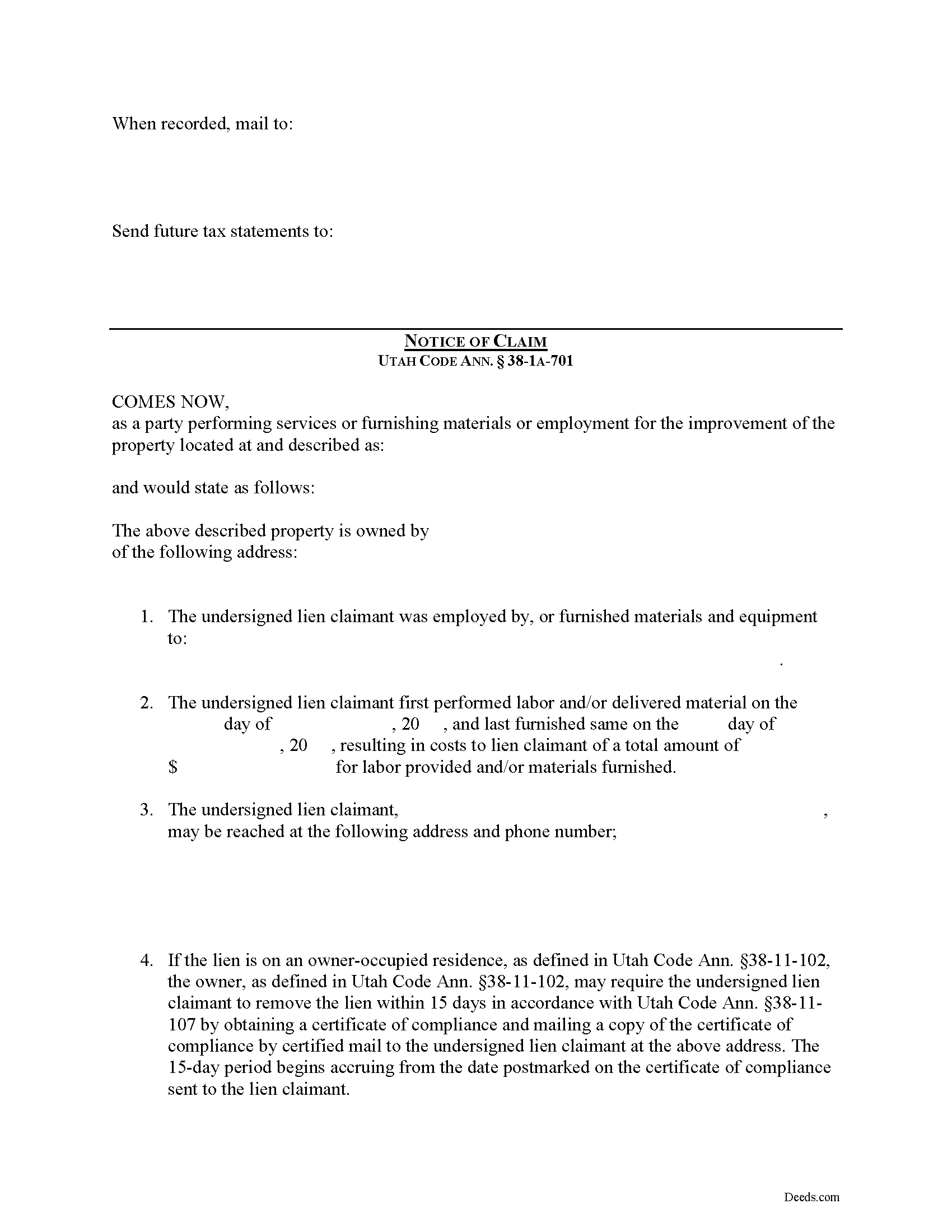
Iron County Notice of Claim Form
Fill in the blank Notice of Claim form formatted to comply with all Utah recording and content requirements.
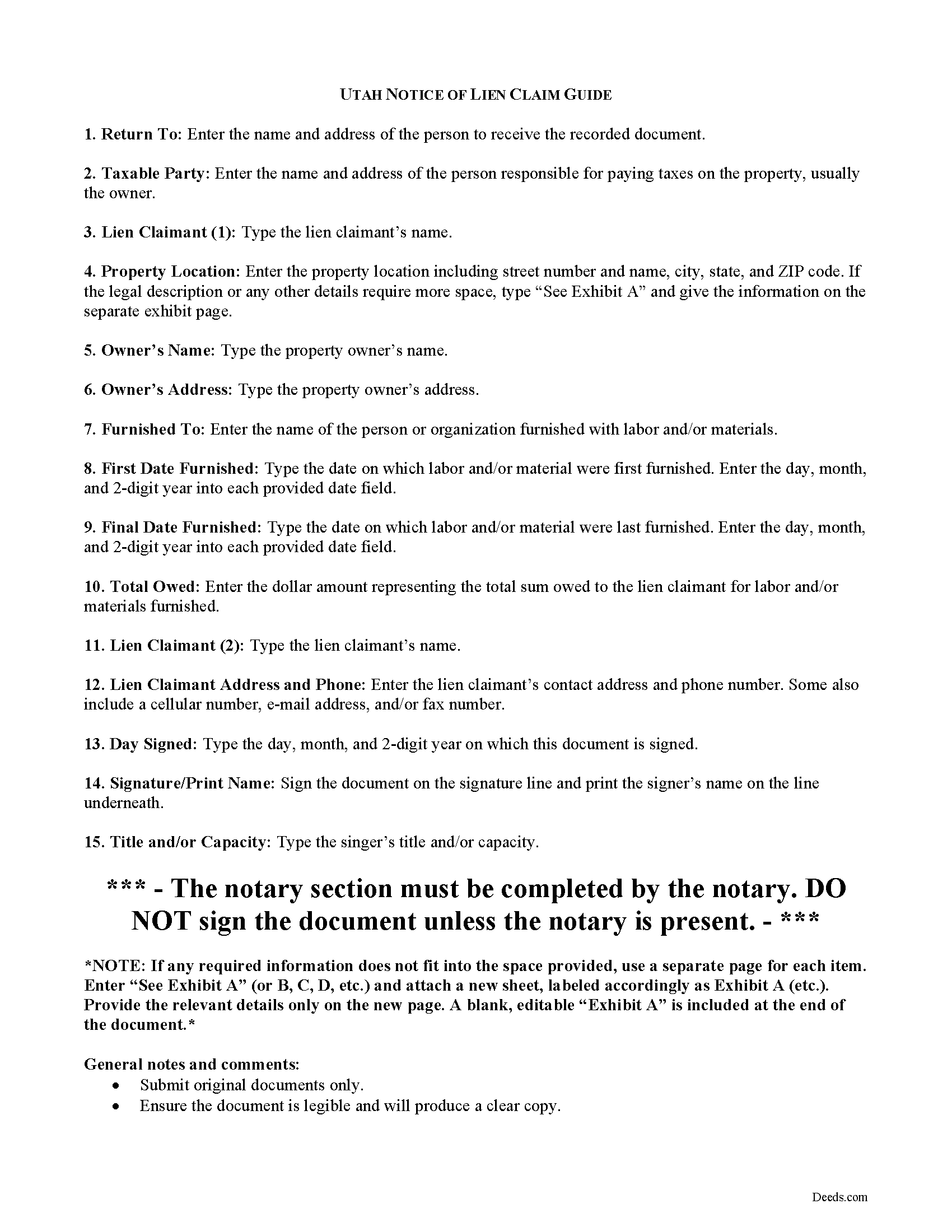
Iron County Notice of Claim Guide
Line by line guide explaining every blank on the form.
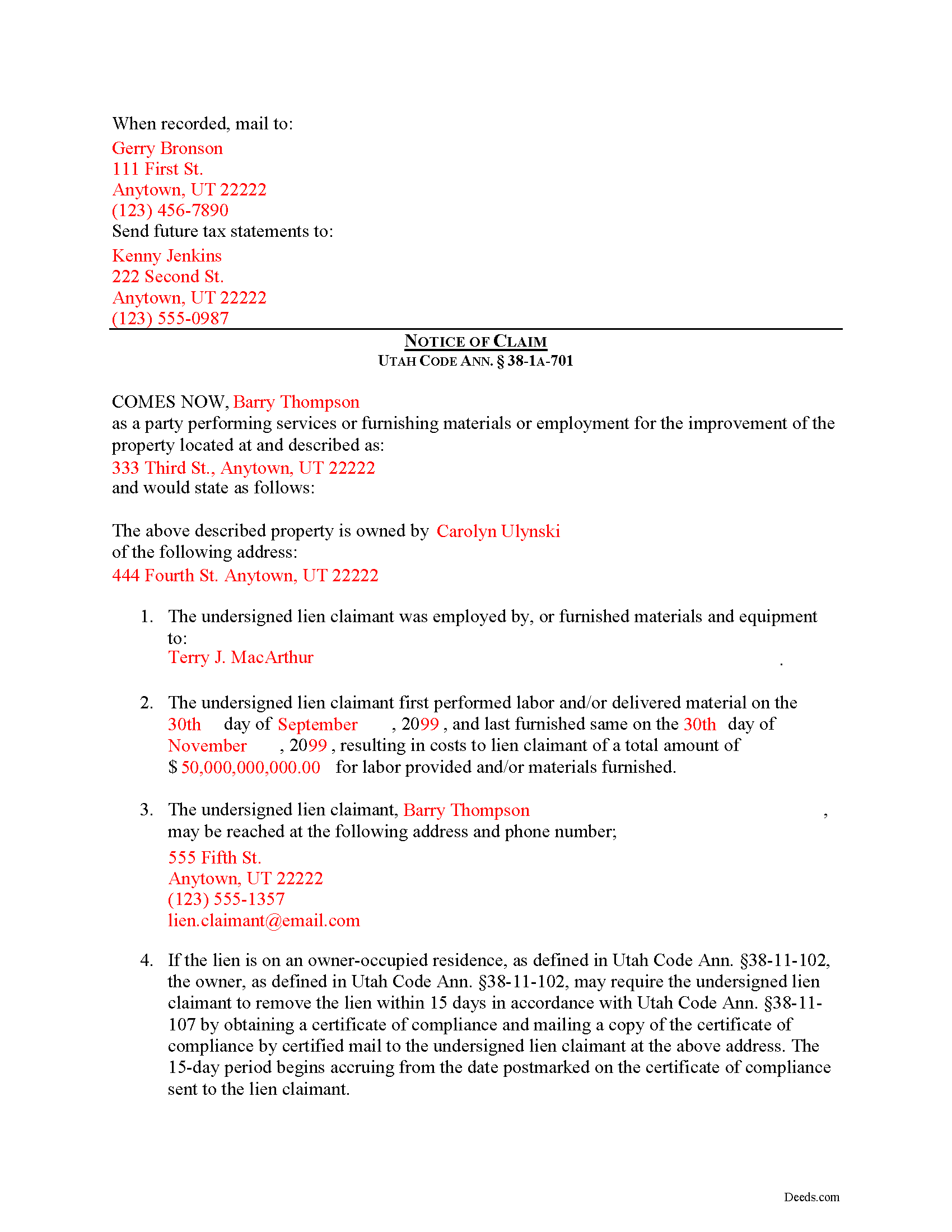
Iron County Completed Example of the Notice of Claim Document
Example of a properly completed form for reference.
All 3 documents above included • One-time purchase • No recurring fees
Immediate Download • Secure Checkout
Additional Utah and Iron County documents included at no extra charge:
Where to Record Your Documents
Iron County Recorder
Parowan, Utah 84761
Hours: 8:00 to 5:00 M-F
Phone: (435) 477-8350
Recording Tips for Iron County:
- Bring your driver's license or state-issued photo ID
- Ensure all signatures are in blue or black ink
- Make copies of your documents before recording - keep originals safe
- Recorded documents become public record - avoid including SSNs
- Recording fees may differ from what's posted online - verify current rates
Cities and Jurisdictions in Iron County
Properties in any of these areas use Iron County forms:
- Beryl
- Brian Head
- Cedar City
- Kanarraville
- Modena
- Newcastle
- Paragonah
- Parowan
- Summit
Hours, fees, requirements, and more for Iron County
How do I get my forms?
Forms are available for immediate download after payment. The Iron County forms will be in your account ready to download to your computer. An account is created for you during checkout if you don't have one. Forms are NOT emailed.
Are these forms guaranteed to be recordable in Iron County?
Yes. Our form blanks are guaranteed to meet or exceed the applicable formatting requirements used for recording in Iron County, including margin requirements, font requirements, and other layout standards. This guarantee applies to formatting, not to the legal sufficiency of information entered by the user or the suitability of a form for a particular transaction.
Can I reuse these forms?
Yes. You can reuse the forms for your personal use. For example, if you have multiple properties in Iron County you only need to order once.
What do I need to use these forms?
The forms are PDFs that you fill out on your computer. The free Adobe Acrobat Reader is recommended, and most PDF apps also work. You do NOT enter your property information online - you download the blank forms and complete them privately on your own computer.
Are there any recurring fees?
No. This is a one-time purchase. Nothing to cancel, no memberships, no recurring fees.
How much does it cost to record in Iron County?
Recording fees in Iron County vary. Contact the recorder's office at (435) 477-8350 for current fees.
Questions answered? Let's get started!
Claiming a Construction Lien in Utah
In Utah, mechanic's liens are governed under Title 38, Chapter 1A of the Utah Code.
Construction liens, also known as mechanic's liens, are used the put a block or burden on an owner's title when construction work or materials delivery has taken place on the owner's property and the person or company providing the work or materials is not paid according to the contract. In Utah, a construction lien means a lien for construction work. Utah Code Ann. 38-1A-102(8). Construction work means labor, service, material, or equipment provided for the purpose and during the process of constructing, altering, or repairing an improvement; and includes scheduling, estimating, staking, supervising, managing, materials testing, inspection, observation, and quality control or assurance involved in constructing, altering, or repairing an improvement. 38-1A-102(11).
To enforce a preconstruction lien or construction lien in Utah, a claimant shall file an action to enforce the lien within 180 days after the day on which the claimant files: (i) a notice of preconstruction lien, for a preconstruction lien; or (ii) a notice of construction lien, for a construction lien. Utah Code Ann. 38-1A-701(2)(a). Each notice must be filed with the county recorder in the county where the property is located. However, if an owner files for protection under the bankruptcy laws of the United States before the expiration of the 180-day period, the lien must be filed within 90 days after the automatic stay under the bankruptcy proceeding is lifted or expires. 38-1A-701(2)(b).
A claimant shall file for record with each applicable county recorder a notice of the pendency of the action. Utah Code Ann. 38-1A-701(3)(a)(i). If a claimant fails to file for record a notice of the pendency of the action, the preconstruction lien or construction lien, as applicable, is void, except as to persons who have been made parties to the action and persons having actual knowledge of the commencement of the action. 38-1A-701(3)(a)(ii). The burden of proof is upon the claimant and those claiming under the claimant to show actual knowledge. 38-1A-701(3)(b). A preconstruction lien or construction lien is automatically and immediately void if an action to enforce the lien is not filed within the time required. 38-1A-701(4)(a).
If a claimant files an action to enforce a preconstruction or construction lien involving a residence, the claimant must, when serving the complaint to the owner, include: (i) instructions relating to the owner's rights under Title 38, Chapter 11, Residence Lien Restriction and Lien Recovery Fund Act; and (ii) a form to enable the owner of the residence to specify the grounds upon which the owner may exercise those available rights. Utah Code Ann. 38-1A-701(6)(a). If a claimant fails to provide the instructions and form as required, the claimant is barred from maintaining or enforcing the preconstruction or construction lien upon the residence. 38-1A-701(6)(c).
This article is provided for informational purposes only and should not be relied upon as a substitute for advice from an attorney. Please contact a Utah attorney with questions about filing a notice of claim, or with any other issues regarding construction liens.
Important: Your property must be located in Iron County to use these forms. Documents should be recorded at the county recording office listed above.
This Notice of Claim meets all recording requirements specific to Iron County.
Our Promise
The documents you receive here are guaranteed to meet or exceed the applicable Iron County recording format requirements. If there is a rejection caused by our formatting, we will correct the issue or refund your payment. This guarantee applies to document formatting only and does not extend to information entered by the user, the selection of the form, or the legal effect of the completed document.
Save Time and Money
Get your Iron County Notice of Claim form done right the first time with Deeds.com Uniform Conveyancing Blanks. At Deeds.com, we understand that your time and money are valuable resources, and we don't want you to face a penalty fee or rejection imposed by a county recorder for submitting nonstandard documents. We constantly review and update our forms to meet rapidly changing state and county recording requirements for roughly 3,500 counties and local jurisdictions.
4.8 out of 5 - ( 4,830 Reviews )
Micael J. 5 out of 5 stars
Easy to follow and fill out forms online.
Thank you for your feedback. We really appreciate it. Have a great day!
Russell R. 5 out of 5 stars
This a seamless way to get a beneficiary deed recorded. Everything was easier than I imagined including the visit to the county. The website and downloads work well and I have no complaints.
Thank you for your kind words and for choosing us.
Diana L. 5 out of 5 stars
Easy to use but need to go through the courthouse to do what I need to do.
Thank you!
Robert S. 5 out of 5 stars
Documents available immediately as advertised. Was easy to understand the guide and complete the deed form for notarization and filing for recording.
Thank you!
Doris P. 4 out of 5 stars
Easy to understand and fill out Beneficiary Deed, but when I tried to download finished form, it disappeared! Luckily I had printed it first and had to fill out again.
Thank you!
Haydee P. 5 out of 5 stars
Thanks for advertising the forms and sharing to the public for easy access. I have been looking for a lawyer to process the papers but did not realize that I can do it myself until I googled the information. I found your website. Thanks again
Thank you for your feedback. We really appreciate it. Have a great day!
Earnest K. 4 out of 5 stars
I used the "personal representative's deed." There were a few errors, after I went to record it at the county recorder's office. For #7, it should've stated "The estate of Joe Schmoe, hereby grants Mr. Personal Representative....." instead of, "I Mr. Personal Representative, as personal representative, hereby grant to personal representative...." The person at the recorder's office said you cannot state "you are granting property to yourself." Just fix that, and everything else is fine.
Your insights are invaluable to us and help us strive for better service. Thank you for taking the time to share your thoughts.
David W. 5 out of 5 stars
The forms were exactly the ones required by that New Jersey county, and were very easy to fill out. I would use this site again, and highly recommend it.
We appreciate your business and value your feedback. Thank you. Have a wonderful day!
John T. 5 out of 5 stars
I have not completed the submission of documents yet but the initial sign up and documents were easily done and trouble free. Will update with results soon
Thank you!
Jamie P. 5 out of 5 stars
Got it next business day in the morning. Saved me phone call and perhaps a trip to courthouse. Very pleased.
Your satisfaction with our services is of utmost importance to us. Thank you for letting us know how we did!
Ryan E. 5 out of 5 stars
Great customer service. I was surprised by the attention to detail that went into reviewing my documents and value provided by deeds.com. Definitely recommend.
Thank you for your feedback. We really appreciate it. Have a great day!
Jill S. 5 out of 5 stars
This was highly convenient and successful.
Glad to hear we could help Jill, thanks for the kind words!!
Sandra W. 5 out of 5 stars
I think this is going to be a very resourceful website, really have not had a chance to fully navigate yet. I look forward to accessing more.
Thank you!
Claudia H. 5 out of 5 stars
***** Have not used this option before. Found it easy to use and understand. Cost was reasonable and options on recording helpful. Would use again in a heartbeat.
We appreciate your business and value your feedback. Thank you. Have a wonderful day!
Peter R. 5 out of 5 stars
Great site makes this procedure easy to do,thanks
Thank you!