Rutland County Assignment of Mortgage Form
Last validated September 18, 2026 by our Forms Development TeamFormatted for recording in Rutland County, for property anywhere in the county: rural and unincorporated areas as well as Belmont, Benson, Bomoseen, Brandon, Castleton, Center Rutland, Chittenden, Cuttingsville and 21 more.
- 3 documents included
- Immediate PDF download
- Formatting guarantee
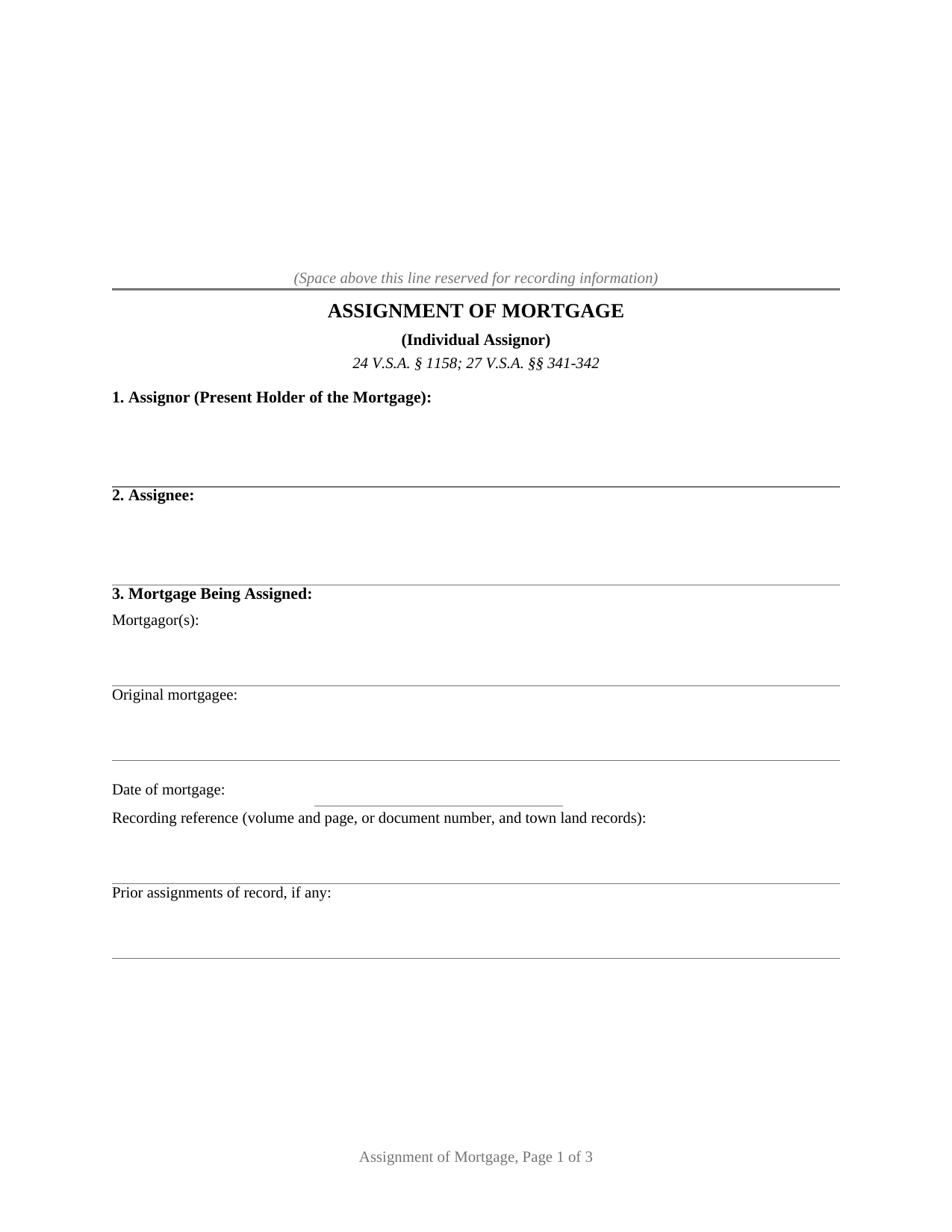
Rutland County Assignment of Mortgage Form
Fill in the blank Assignment of Mortgage form formatted to comply with all Vermont recording and content requirements.
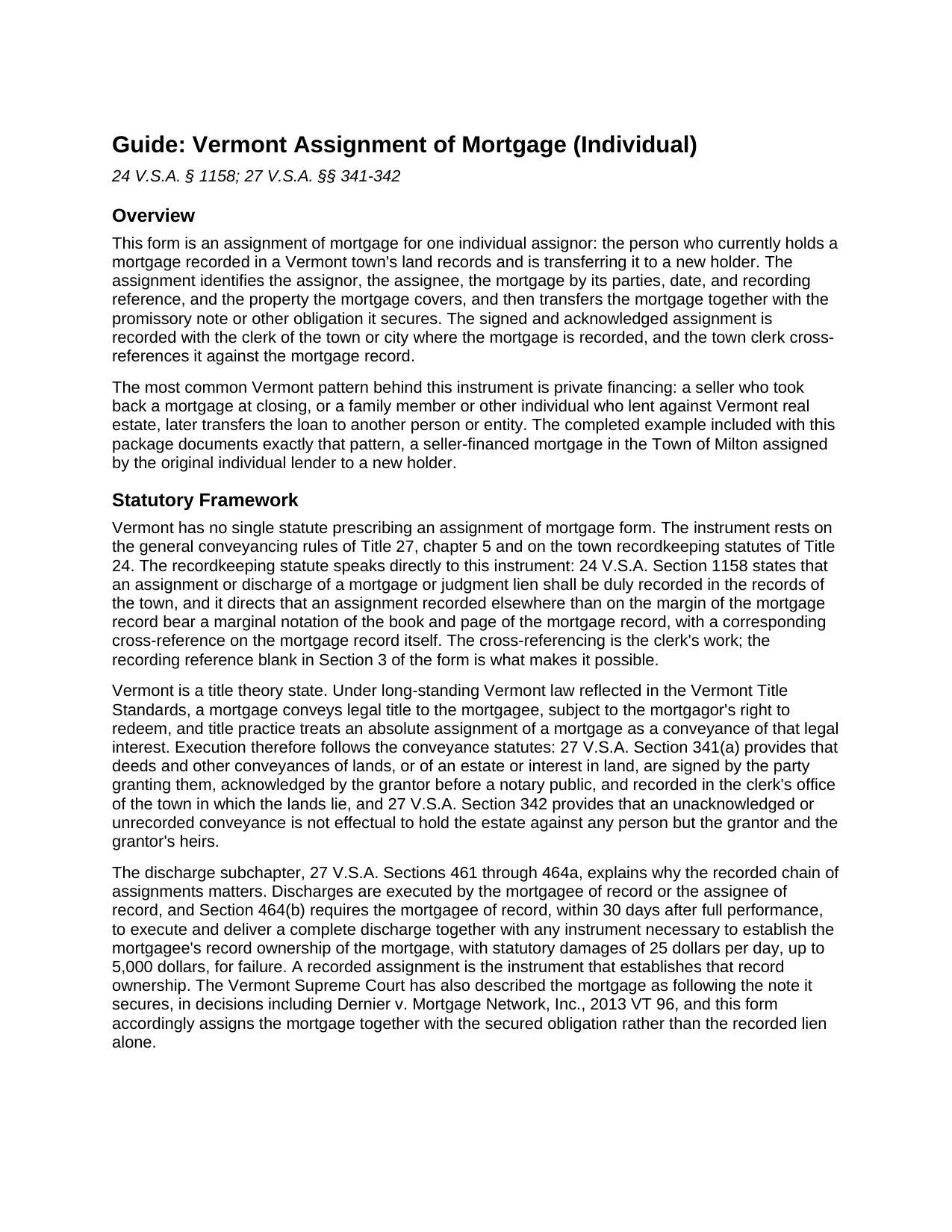
Rutland County Assignment of Mortgage Guide
Line by line guide explaining every blank on the Assignment of Mortgage form.
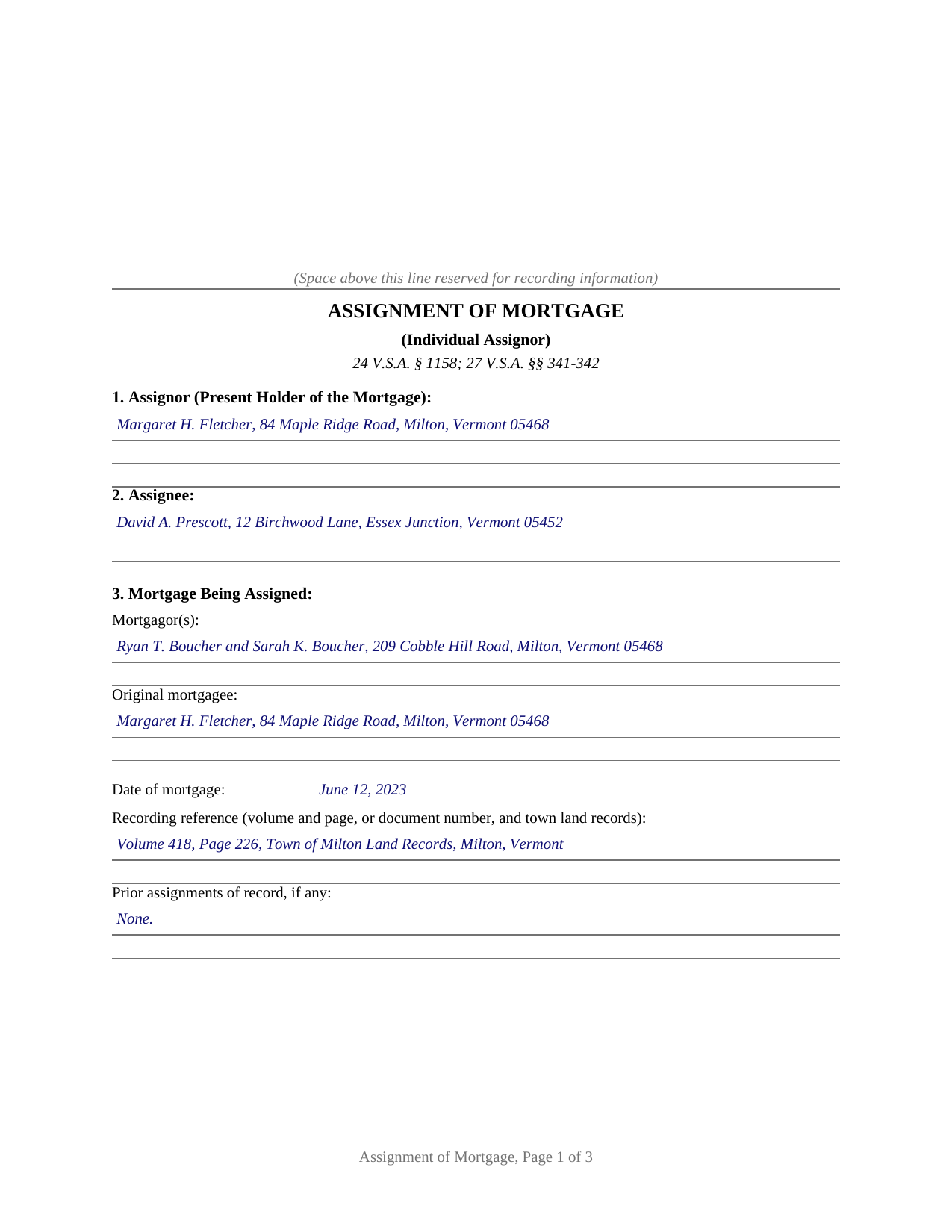
Rutland County Completed Example of the Assignment of Mortgage Document
Example of a properly completed Vermont Assignment of Mortgage document for reference.
All 3 documents above included • One-time purchase • No recurring fees
Immediate Download • Secure Checkout
Additional Vermont and Rutland County documents included at no extra charge:
Where to Record Your Documents
Town Clerk of Benson
Benson, Vermont 05731
Hours: Mo, Tu, Th, Fr 9:00 to 3:00 & We 3:00 to 7:00
Phone: (802) 537-2611
Town Clerk of Brandon
Brandon, Vermont 05733
Hours: Mo-Fr 8:00 to 4:00
Phone: (802) 247-3635
Town Clerk of Castleton
Castleton, Vermont 05735
Hours: Mo-We 9:00 to 4:30; Th 10:00 to 5:30 (closed 12:30-1:00); Fr 9:00 to 1:00
Phone: (802) 468-2212
Town Clerk of Chittenden
Rutland, Vermont 05737
Hours: Mo-Th 9:00 to 4:00
Phone: (802) 483-6647 x1
Town Clerk of Clarendon
Clarendon, Vermont 05759
Hours: Mo-Th 10am to 4pm
Phone: (802) 775-4274
Town Clerk of Danby
Danby, Vermont 05739
Hours: Mo-Th 9am to 12pm & 1pm to 4pm
Phone: (802) 293-5136
Town Clerk of Fair Haven
Fair Haven, Vermont 05743
Hours: Mo-Th 8:00 to 4:00; We until 7:00; Fr 8:00 to 12:00
Phone: (802) 265-3610 x4
Town Clerk of Hubbardton
Castleton, Vermont 05735
Hours: Mo, We, Fr 9am to 2pm; call on other days
Phone: (802) 273-2951
Town Clerk of Ira
Ira, Vermont 05777
Hours: Tu 3:00 to 7:00 & Fr 8:30 to 2:30; or by appt
Phone: (802) 235-2745
Town Clerk of Killington
Killington, Vermont 05751
Hours: Mo-Fr 9:00 to 3:00
Phone: (802) 422-3243
Town Clerk of Mendon
Mendon, Vermont 05701
Hours: Mo, Tu, Th 8:00 to 5:00
Phone: (802) 775-1662 x1
Town Clerk of Middletown Springs
Middletown Springs, Vermont 05757-1232
Hours: Mo, Tu 9:00 to 12:00 & 1:00 to 4:00, Fr 1:00 to 4:00, Sa 9:00 to 12:00
Phone: (802) 235-2220
Town Clerk of Mount Holly
Mount Holly, Vermont 05758
Hours: Mo-Th 8:30 to 4:00
Phone: (802) 259-2391
Town Clerk of Mount Tabor
Mt. Tabor, Vermont 05739
Hours: Tu & We 9am to noon or by appt
Phone: (802) 293-5282 or 293-5020 (home)
Town Clerk of Pawlet
Pawlet, Vermont 05761-0128
Hours: Mo, We 8:30 to 3:30; Tu 11:00 to 6:00; Th 9:00 to noon
Phone: (802) 325-3309 x1
Town Clerk of Pittsfield
Pittsfield, Vermont 05762
Hours: Tu 12pm to 6pm; We, Th 9am to 3pm
Phone: (802) 746-8170
Town Clerk of Pittsford
Pittsford, Vermont 05763-0010
Hours: Mo-We 8:00 to 4:30; Th 8:00 to 6:00; Fr 8:00 to 3:00
Phone: (802) 483-6500 x11, 12 & 13
Town Clerk of Poultney
Poultney, Vermont 05764
Hours: Mo-Fr 8:30 to 12:30 & 1:30 to 4:00
Phone: (802) 287-5761
Town Clerk of Proctor
Proctor, Vermont 05765
Hours: Mo-Fr 8:00 to 4:00
Phone: (802) 459-3333
City of Rutland: Clerk
Rutland, Vermont 05702
Hours: Mo-Fr 8:30 to 5:00 (phone); 9:00 to 4:45 (vault)
Phone: (802) 773-1800 x5
Town of Rutland: Clerk
Ctr Rutland, Vermont 05736
Hours: Mo-Fr 8:00 to 4:30
Phone: (802) 773-2528
Town Clerk of Shrewsbury
Shrewsbury, Vermont 05738
Hours: Mo-Th 9:00 to 3:00
Phone: (802) 492-3511
Town Clerk of Sudbury
Sudbury, Vermont 05733
Hours: Mo 9:00 to 4:00; We 7:00 to 9:00; Fr 9:00 to 3:00
Phone: (802) 623-7296
Town Clerk of Tinmouth
Tinmouth, Vermont 05773
Hours: Mo & Th 8:00 to 12:00 & 1:00 to 5:00; most Sats 9:00 to noon; and by appt
Phone: (802) 446-2498
Town Clerk of Wallingford
Wallingford, Vermont 05773
Hours: Mo-Th 8:00 to 4:30; Fr 8:00 to 12:00
Phone: (802) 446-2336
Town Clerk of Wells
Wells, Vermont 05774
Hours: Mo-Th 7:30 to 3:30
Phone: (802) 645-0486 x10
Town Clerk of West Haven
West Haven, Vermont 05743
Hours: Mo & We 1:00 to 3:30
Phone: (802) 265-4880
Town Clerk of West Rutland
West Rutland, Vermont 05777
Hours: Mo-Th 9:00 to 3:00; Friday by appointment
Phone: (802) 438-2204
Recording Tips for Rutland County:
- Bring your driver's license or state-issued photo ID
- Ensure all signatures are in blue or black ink
- Leave recording info boxes blank - the office fills these
- Make copies of your documents before recording - keep originals safe
- Recorded documents become public record - avoid including SSNs
Cities and Jurisdictions in Rutland County
Properties in any of these areas use Rutland County forms:
- Belmont
- Benson
- Bomoseen
- Brandon
- Castleton
- Center Rutland
- Chittenden
- Cuttingsville
- Danby
- East Poultney
- East Wallingford
- Fair Haven
- Florence
- Forest Dale
- Hydeville
- Killington
- Middletown Springs
- Mount Holly
- North Clarendon
- Pawlet
- Pittsfield
- Pittsford
- Poultney
- Proctor
- Rutland
- Wallingford
- Wells
- West Pawlet
- West Rutland
Hours, fees, requirements, and more for Rutland County
How do I get my forms?
Forms are available for immediate download after payment. The Rutland County forms will be in your account ready to download to your computer. An account is created for you during checkout if you don't have one. Forms are NOT emailed.
Are these forms guaranteed to be recordable in Rutland County?
Yes. Our form blanks are guaranteed to meet or exceed the applicable formatting requirements used for recording in Rutland County, including margin requirements, font requirements, and other layout standards. This guarantee applies to formatting, not to the legal sufficiency of information entered by the user or the suitability of a form for a particular transaction.
Can I reuse these forms?
Yes. You can reuse the forms for your personal use. For example, if you have multiple properties in Rutland County you only need to order once.
What do I need to use these forms?
The forms are PDFs that you fill out on your computer. The free Adobe Acrobat Reader is recommended, and most PDF apps also work. You do NOT enter your property information online - you download the blank forms and complete them privately on your own computer.
Are there any recurring fees?
No. This is a one-time purchase. Nothing to cancel, no memberships, no recurring fees.
How much does it cost to record in Rutland County?
Recording fees in Rutland County vary. Contact the recorder's office at (802) 537-2611 for current fees.
Questions answered? Let's get started!
One individual lender holds the mortgage of record, and one signature moves it. This Vermont assignment of mortgage is set up for a single individual assignor: the natural person named as mortgagee on a mortgage recorded in a Vermont town's land records, or as the current holder under a recorded chain of assignments, transferring that mortgage and the note it secures to a new holder.
One individual holder of record
The form recites one assignor acting in an individual capacity, carries one signature line, and closes with a single acknowledgment certificate completed by the notary. Its operative clause makes an absolute assignment: for value received, the assignor grants, assigns, transfers, and sets over the identified mortgage together with the promissory note or other obligation it secures and all sums due or to become due under it. A seller who financed a buyer and took back a mortgage at closing, a family lender secured by Vermont real estate, and an individual who purchased a private note and mortgage present the pattern this form recites. A bank, company, or trustee assigning a mortgage signs through an officer or fiduciary with a representative acknowledgment, a configuration this form is not set up as; the form's signature block and certificate are individual.
A mortgage that moves like a deed
Vermont is a title theory state, where a mortgage conveys legal title to the mortgagee subject to the borrower's right to redeem, so Vermont title practice treats an outright mortgage assignment as a conveyance of an interest in land. The form follows the conveyance formalities of 27 V.S.A. Section 341(a): the assignor signs, acknowledges before a notary public, and records the instrument in the town clerk's office. Under 27 V.S.A. Section 342, an unacknowledged or unrecorded conveyance is not effectual against anyone but the grantor and the grantor's heirs, which is why the acknowledgment certificate and the recording step carry as much weight here as they do on a deed.
Recorded by town and cross-referenced to the mortgage
Vermont records land instruments through its town and city clerks rather than a county recorder, and the assignment is recorded where the mortgage is recorded. 24 V.S.A. Section 1158 directs that an assignment of a mortgage be duly recorded in the records of the town and that the record carry a marginal cross-reference tying the assignment to the book and page of the mortgage it transfers. The form's mortgage-identification section collects exactly what that notation needs: the mortgagors, the original mortgagee, the mortgage date, the volume and page or document number in the town land records, and any prior assignments of record. The statewide recording fee is 15 dollars per page under 32 V.S.A. Section 1671, and no Vermont property transfer tax return accompanies a mortgage assignment; the Department of Taxes treats assignments and discharges as outside the return-filing category that applies to deeds transferring title.
The record chain behind every payoff
The recorded assignment is what places the new holder in the mortgage's chain of title, and that chain does real work at payoff. Under 27 V.S.A. Section 464(b), the mortgagee of record must execute and deliver a complete discharge within 30 days after the loan is paid, together with any instrument necessary to establish record ownership of the mortgage, on pain of statutory damages. An assignment left unrecorded leaves the assignor as the record holder, the person the discharge statutes and any future closing point at; recording promptly keeps the town record aligned with who actually owns the loan. The guide included with the form walks through the discharge framework, the recording mechanics, and every blank on the instrument.
What the package prepares
The package contains the blank assignment as a fillable PDF, a completed example showing the entire instrument filled in for a realistic Chittenden County fact pattern, and a plain-language guide covering each section, the signing formalities, and the town recording process. The materials describe Vermont law and the form in general terms and are not legal advice; a Vermont attorney can apply these rules to a specific loan or title.
Important: Your property must be located in Rutland County to use these forms. Documents should be recorded at the county recording office listed above.
This Assignment of Mortgage meets all recording requirements specific to Rutland County.
Our Promise
The documents you receive here are guaranteed to meet or exceed the applicable Rutland County recording format requirements. If there is a rejection caused by our formatting, we will correct the issue or refund your payment. This guarantee applies to document formatting only and does not extend to information entered by the user, the selection of the form, or the legal effect of the completed document.
Save Time and Money
Get your Rutland County Assignment of Mortgage form done right the first time with Deeds.com Uniform Conveyancing Blanks. At Deeds.com, we understand that your time and money are valuable resources, and we don't want you to face a penalty fee or rejection imposed by a county recorder for submitting nonstandard documents. We constantly review and update our forms to meet rapidly changing state and county recording requirements for roughly 3,500 counties and local jurisdictions.
4.8 out of 5 - ( 4,820 Reviews )
David L. 5 out of 5 stars
Deeds.com makes recording quick and easier than driving a half an hour each way and needing to leave home! The fees are reasonable for the convenience, and while Covid is closing doors. Dave
Thank you!
BARRY D. 5 out of 5 stars
Could not have been easier. Instructions were clear. Guidelines and example were clearly written. Erecording worked fast and let me skip a dreaded trip downtown to be ignored by government employees who hate their jobs.
Thank you for your positive words! We’re thrilled to hear about your experience.
Clint J. 5 out of 5 stars
Deeds.com is a great way for people that are unfamiliar with legal documents to get things done. Thank you
We appreciate your business and value your feedback. Thank you. Have a wonderful day!
Roy Y. 5 out of 5 stars
I paid for and received the form for a Quit Claim Deed. Hoping it is the form I need to complete my transaction. Thank you for making it possible to obtain the form I was in need of.
Thank you for your feedback Roy. We appreciate it!
spencer d. 5 out of 5 stars
Great and quick service!
Thank you!
Bradley B. 5 out of 5 stars
This was a good way to find the owners of land located in the middle of some that I owned. The experience was fairly easy and the cost reasonable.
Thank you!
Connie J L. 5 out of 5 stars
Fast and easy to use. Easy to print.
Thank you!
Johnny H. 5 out of 5 stars
The format presented is exactly what is needed to produce a perfect listing in the registry of The Maricopa County Office of the Recorder. Thanks for an effective solution to a very important document.
Thank you!
Robin M. 5 out of 5 stars
Thank you for your services...Attny office quoted a very large fee for the "TOD DEED" process, so this is very helpful that I am able to take care of this myself. If I would have researched your link sooner, I could have saved my Dad a lot of money for the "SURVIVORSHIP DEED". Thanks again & have a wonderful day:)
Thank you for your feedback. We really appreciate it. Have a great day!
Marianne F. 5 out of 5 stars
This serve was very fast and efficient. I was very pleased at how quickly I received my recorded document.
We appreciate your business and value your feedback. Thank you. Have a wonderful day!
Alexis R. 5 out of 5 stars
Excellent service and reasonable fees. Highly recommend this company.
We appreciate your business and value your feedback. Thank you. Have a wonderful day!
Ann H. 5 out of 5 stars
Excellent program, easy to access and download.
Thank you!
Karen O. 5 out of 5 stars
I often think I am smarter than I am. Thankfully there are people that know what they are doing so I can focus on my business and the big picture without worrying about the little things.
Thank you!
Debbie C. 5 out of 5 stars
Wonderful forms and service.
Thank you for your feedback. We really appreciate it. Have a great day!
Tonni L. 5 out of 5 stars
Quick and easy with great instructions and accurate documents. I plan to make this site a part of our financial planning. Highly recommend. Saved big by this DIY process. TL
Thank you for your feedback. We really appreciate it. Have a great day!