Pulaski County Conditional Lien Waiver on Partial Payment Form
Last validated October 5, 2026 by our Forms Development TeamFormatted for recording in Pulaski County, for property anywhere in the county or independent city: rural and unincorporated areas as well as Belspring, Draper, Dublin, Hiwassee, New River, Newbern, Parrott, Pulaski.
- 3 documents included
- Immediate PDF download
- Formatting guarantee
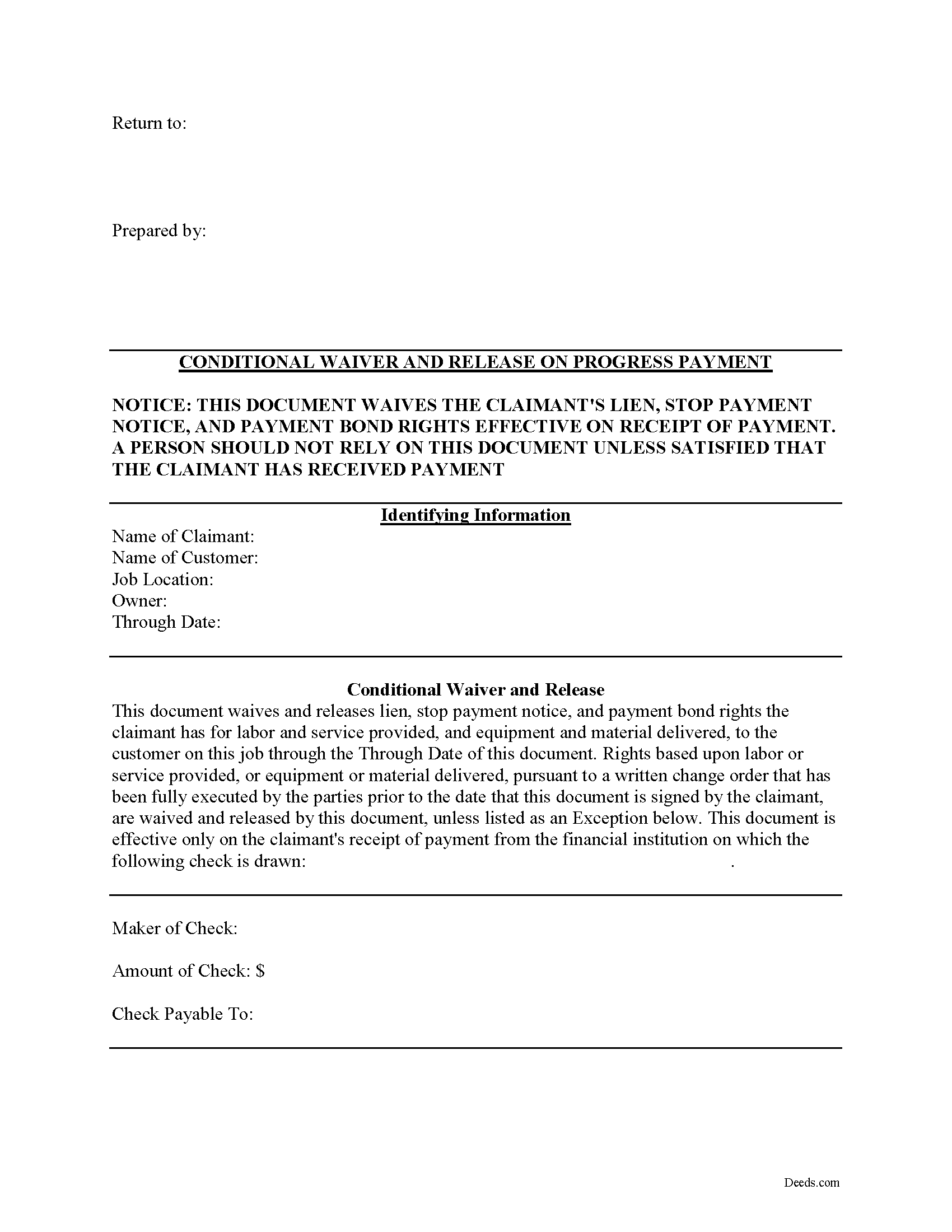
Pulaski County Conditional Lien Waiver on Partial Payment Form
Fill in the blank Conditional Lien Waiver on Partial Payment form formatted to comply with all Virginia recording and content requirements.
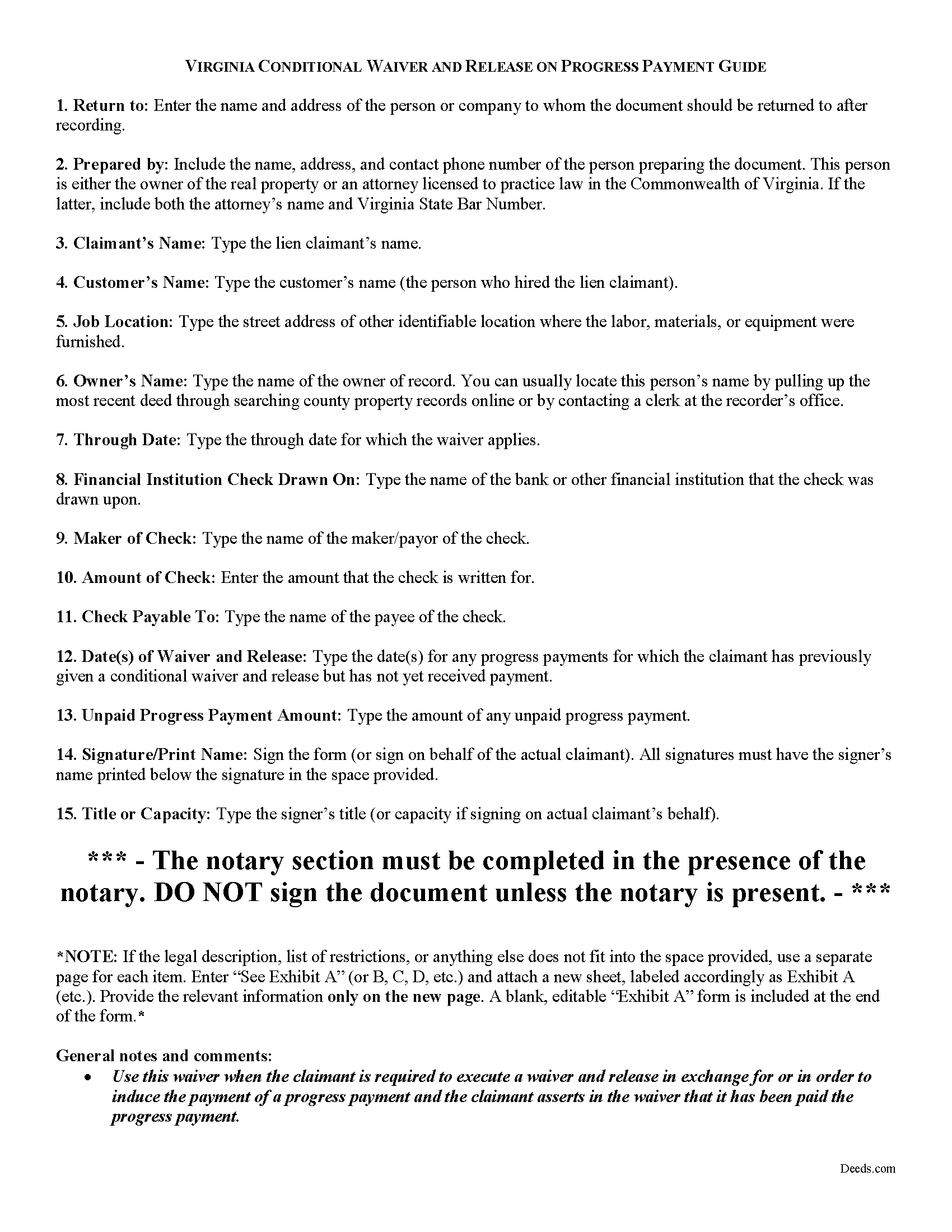
Pulaski County Conditional Lien Waiver on Partial Payment Guide
Line by line guide explaining every blank on the form.
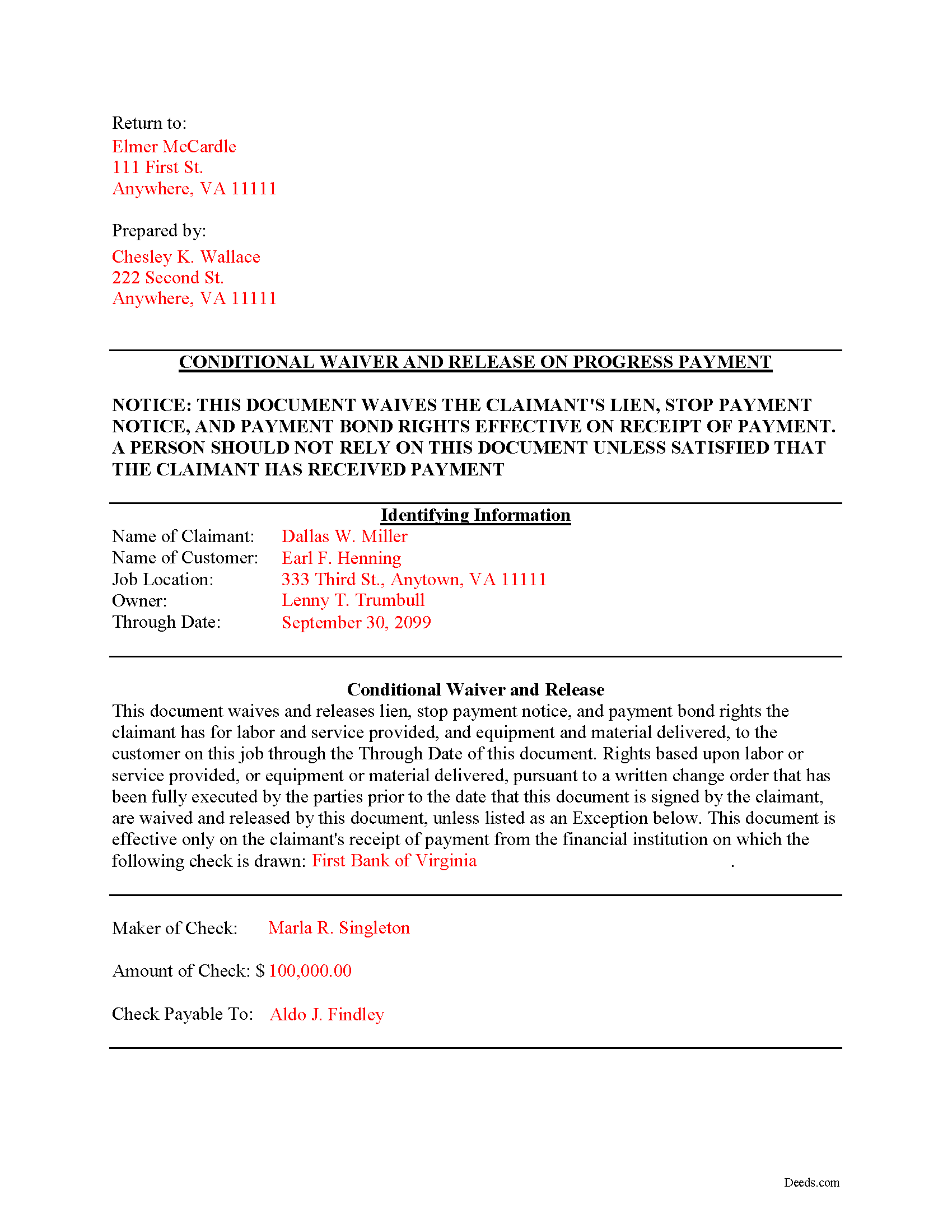
Pulaski County Completed Example of the Conditional Lien Waiver on Partial Payment Document
Example of a properly completed form for reference.
All 3 documents above included • One-time purchase • No recurring fees
Immediate Download • Secure Checkout
Additional Virginia and Pulaski County documents included at no extra charge:
Where to Record Your Documents
Pulaski Circuit Court Clerk
Pulaski, Virginia 24301
Hours: 8:30 to 4:30 M-F
Phone: (540) 980-7825
Recording Tips for Pulaski County:
- Bring your driver's license or state-issued photo ID
- Ensure all signatures are in blue or black ink
- Ask about their eRecording option for future transactions
- Avoid the last business day of the month when possible
- Both spouses typically need to sign if property is jointly owned
Cities and Jurisdictions in Pulaski County
Properties in any of these areas use Pulaski County forms:
- Belspring
- Draper
- Dublin
- Hiwassee
- New River
- Newbern
- Parrott
- Pulaski
Hours, fees, requirements, and more for Pulaski County
How do I get my forms?
Forms are available for immediate download after payment. The Pulaski County forms will be in your account ready to download to your computer. An account is created for you during checkout if you don't have one. Forms are NOT emailed.
Are these forms guaranteed to be recordable in Pulaski County?
Yes. Our form blanks are guaranteed to meet or exceed the applicable formatting requirements used for recording in Pulaski County, including margin requirements, font requirements, and other layout standards. This guarantee applies to formatting, not to the legal sufficiency of information entered by the user or the suitability of a form for a particular transaction.
Can I reuse these forms?
Yes. You can reuse the forms for your personal use. For example, if you have multiple properties in Pulaski County you only need to order once.
What do I need to use these forms?
The forms are PDFs that you fill out on your computer. The free Adobe Acrobat Reader is recommended, and most PDF apps also work. You do NOT enter your property information online - you download the blank forms and complete them privately on your own computer.
Are there any recurring fees?
No. This is a one-time purchase. Nothing to cancel, no memberships, no recurring fees.
How much does it cost to record in Pulaski County?
Recording fees in Pulaski County vary. Contact the recorder's office at (540) 980-7825 for current fees.
Questions answered? Let's get started!
Lien waivers are quid-pro-quo arrangements between contractors and owners, intended to induce payment from an owner in return for the contractor waiving some or all available mechanic's lien rights.
In Virginia, any right to file or enforce any mechanics' lien may be waived in whole or in part at any time by any person entitled to such lien, except that a subcontractor, lower-tier subcontractor, or material supplier may not waive or diminish his lien rights in a contract in advance of furnishing any labor, services, or materials. Va. Code 43-3(C).
Waivers fall under two broad categories of "conditional" and "unconditional," and there are two subcategories of waivers for a "partial" or "final" payment. Each type comes with benefits and risks, so take care to use the correct form for the situation.
A conditional waiver depends on the actual receipt of payment, so use it when a party pays by check, but the recipient is not sure that it will clear. Therefore, if the bank returns the check unpaid, it is still possible to claim a lien down the line. This type of waiver offers greater protection to the contractor.
Use a partial payment waiver to acknowledge a payment on account. Think of it as a receipt that shows the owner has at least paid up to that amount.
So, a conditional waiver on partial payment releases the claimant's lien rights, to an agreed-upon point, on the condition that the check clears at the bank.
When used properly, waivers are advantageous for both a contractor and owner, and can facilitate the flow of business and encourage prompt payment without any unnecessary delays.
This article is provided for informational purposes only and should not be relied upon a substitute for the advice of an attorney. Please contact a lawyer with any questions about Virginia lien waivers.
Important: Your property must be located in Pulaski County to use these forms. Documents should be recorded at the county or independent city recording office listed above.
This Conditional Lien Waiver on Partial Payment meets all recording requirements specific to Pulaski County.
Our Promise
The documents you receive here are guaranteed to meet or exceed the applicable Pulaski County recording format requirements. If there is a rejection caused by our formatting, we will correct the issue or refund your payment. This guarantee applies to document formatting only and does not extend to information entered by the user, the selection of the form, or the legal effect of the completed document.
Save Time and Money
Get your Pulaski County Conditional Lien Waiver on Partial Payment form done right the first time with Deeds.com Uniform Conveyancing Blanks. At Deeds.com, we understand that your time and money are valuable resources, and we don't want you to face a penalty fee or rejection imposed by a county recorder for submitting nonstandard documents. We constantly review and update our forms to meet rapidly changing state and county recording requirements for roughly 3,500 counties and local jurisdictions.
4.8 out of 5 - ( 4,829 Reviews )
Elizabeth J. 5 out of 5 stars
It is very good and I would use the site again.
We appreciate your business and value your feedback. Thank you. Have a wonderful day!
GERALD P. 5 out of 5 stars
Product is as advertised. Most beneficial is including detailed instructions and examples. Most other options did not include instructions.
Thank you for your feedback. We really appreciate it. Have a great day!
Gladys F. 5 out of 5 stars
The process was very friendly and easy to use. I appreciated the status updates as well as clear instructions on what was needed to get the file ready for recording.
Thank you!
Meg R. 5 out of 5 stars
Good system fairly easy to use
Thank you!
Michael L. G. 5 out of 5 stars
Thank you, Deed.com provided the needed forms to change county and state information after the passing of my father, saved me a trip to law office, especially after the lawyers would not return my calls, so I would recommend you check Deed.com for information, saved my family money for lawyer fees, would use Deed.com again. Mike
Thank you for your feedback. We really appreciate it. Have a great day!
Diane P. 5 out of 5 stars
Form was very easy to use and was processed/ recorded with no issue. Thank you it saved me from having to contact an attorney.
We appreciate your business and value your feedback. Thank you. Have a wonderful day!
Roy B. 5 out of 5 stars
Great way to get forms needed and fill them out then we only need to record them!
Thank you!
John C N. 5 out of 5 stars
Just the website I needed. Very detailed and efficient.
Thank you for taking the time to provide your feedback John, we really appreciate it. Have an amazing day!
tim g. 5 out of 5 stars
that is what I was looking for thanks
Thanks Tim, glad we could help.
Sara R. 5 out of 5 stars
Worked well for me to create a deed for a house I inherited. It was very thorough and easy to use. I have no experience with the law so I just googled terms I didn't understand and was fine. I also called land records a lot and ended up not needing a lot of the material included, but it was still good to have it.
We appreciate your business and value your feedback. Thank you. Have a wonderful day!
Lisa W. 5 out of 5 stars
Great E-Service Provider!
Thank you!
James R. 5 out of 5 stars
This site is a blessing in disguise-/>
Thank you!
SANTTINA W. 5 out of 5 stars
IT WAS SO VERY HELPFUL AND EASY TO DO WILL RETUN TO THE SITE AGAIN.
Thank you for your feedback. We really appreciate it. Have a great day!
Judith F. 5 out of 5 stars
The form I needed was perfect!
Thank you!
Jayar L. 5 out of 5 stars
I just completed my first deed filing and I’m very happy with the experience. The deeds staff was extremely supportive and helpful in guiding me through the learning curve of being my first filing without legal assistance. They saved me a ton in legal fees.
Thank you for the kind words Jayar. Glad we were able to help.