Hopewell City Correction Deed Form
Last validated October 30, 2026 by our Forms Development TeamFormatted for recording in Hopewell City, for property anywhere in the county or independent city: rural and unincorporated areas as well as Hopewell.
- 3 documents included
- Immediate PDF download
- Formatting guarantee
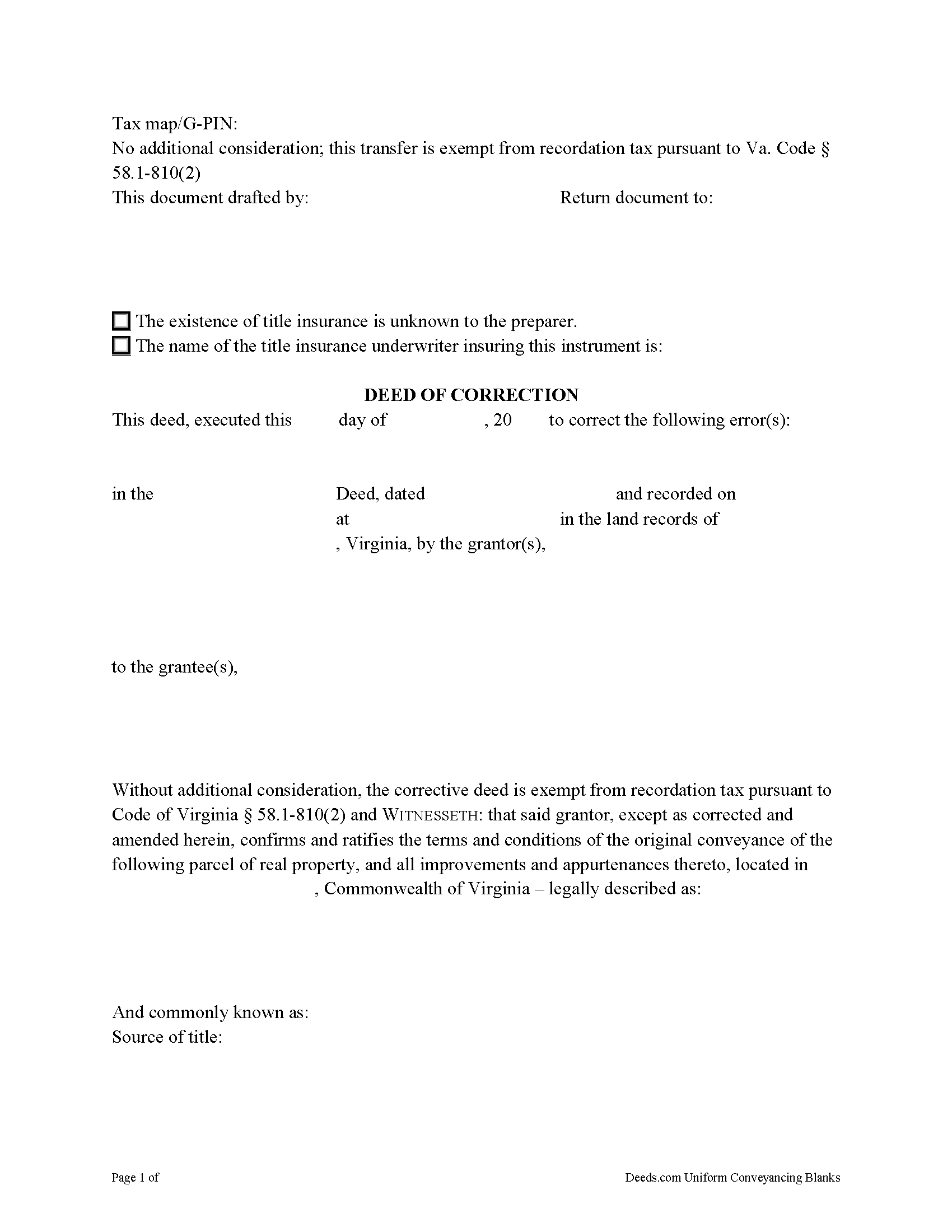
Hopewell City Correction Deed Form
Fill in the blank form formatted to comply with all recording and content requirements.
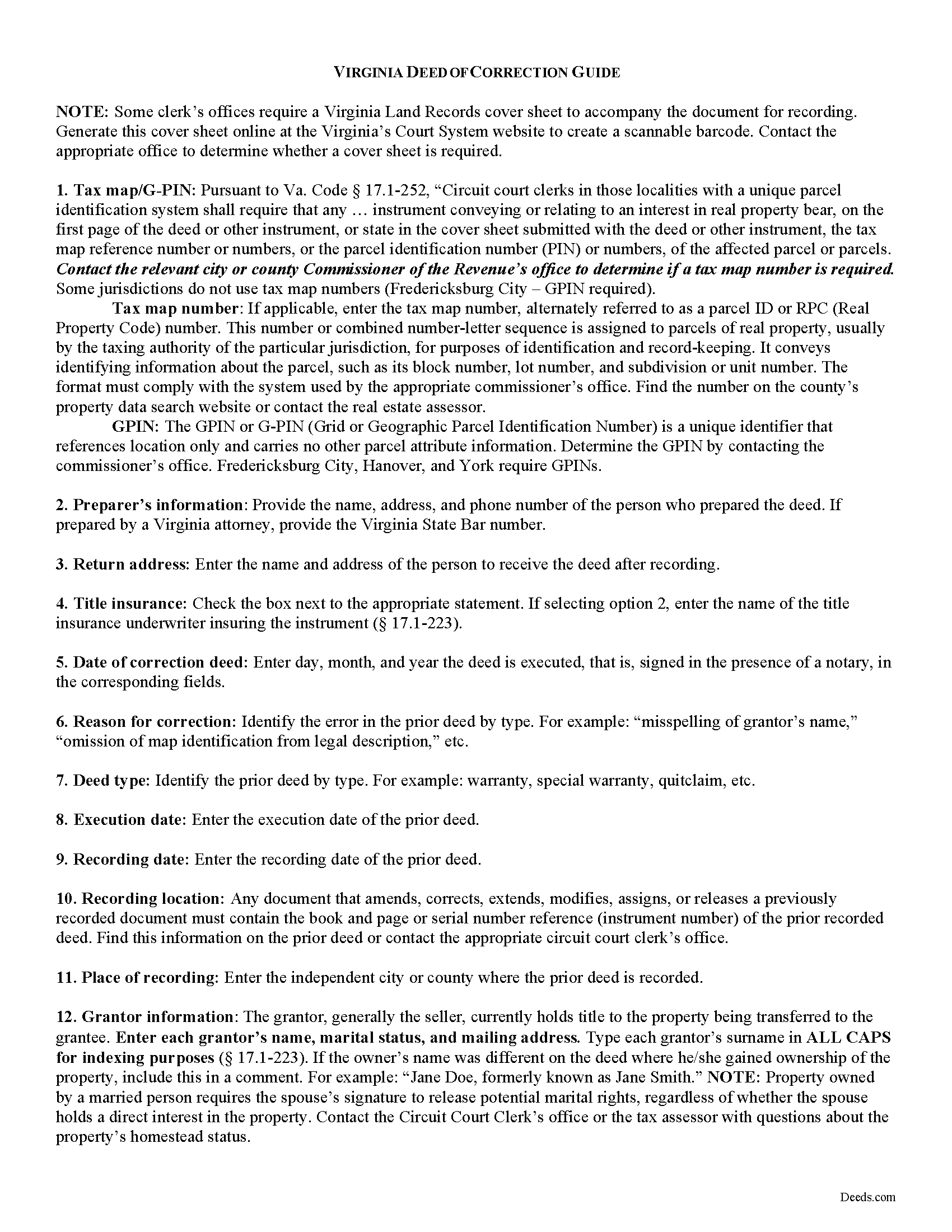
Hopewell City Correction Deed Guide
Line by line guide explaining every blank on the form.
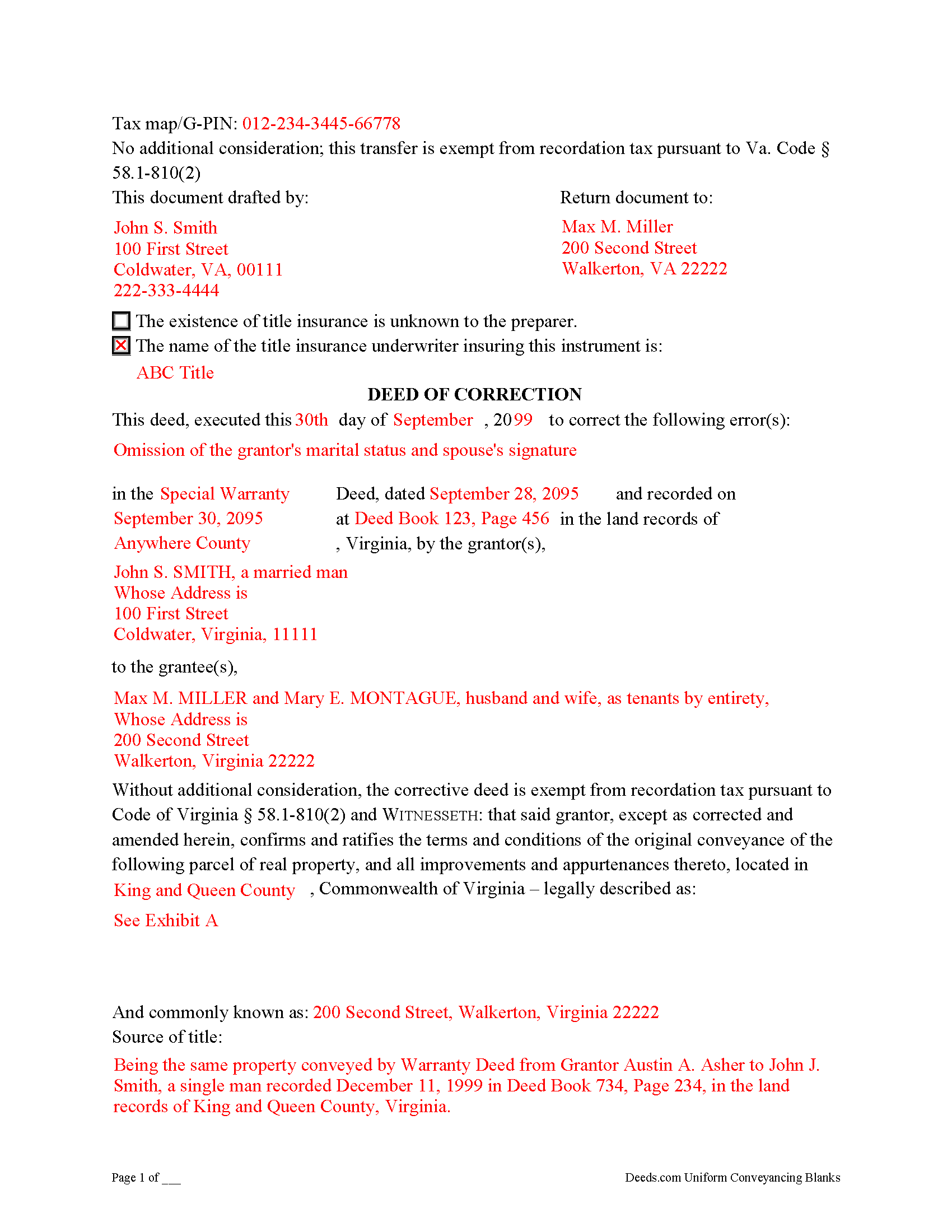
Hopewell City Completed Example of the Correction Deed Document
Example of a properly completed form for reference.
All 3 documents above included • One-time purchase • No recurring fees
Immediate Download • Secure Checkout
Additional Virginia and Hopewell City documents included at no extra charge:
Where to Record Your Documents
Clerk of the Circuit Court
Hopewell, Virginia 23860-2715
Hours: 8:30 to 4:00 M-F
Phone: (804) 541-2239
Recording Tips for Hopewell City:
- Bring your driver's license or state-issued photo ID
- Ensure all signatures are in blue or black ink
- Bring extra funds - fees can vary by document type and page count
- Check margin requirements - usually 1-2 inches at top
- Leave recording info boxes blank - the office fills these
Cities and Jurisdictions in Hopewell City
Properties in any of these areas use Hopewell City forms:
- Hopewell
Hours, fees, requirements, and more for Hopewell City
How do I get my forms?
Forms are available for immediate download after payment. The Hopewell City forms will be in your account ready to download to your computer. An account is created for you during checkout if you don't have one. Forms are NOT emailed.
Are these forms guaranteed to be recordable in Hopewell City?
Yes. Our form blanks are guaranteed to meet or exceed the applicable formatting requirements used for recording in Hopewell City, including margin requirements, font requirements, and other layout standards. This guarantee applies to formatting, not to the legal sufficiency of information entered by the user or the suitability of a form for a particular transaction.
Can I reuse these forms?
Yes. You can reuse the forms for your personal use. For example, if you have multiple properties in Hopewell City you only need to order once.
What do I need to use these forms?
The forms are PDFs that you fill out on your computer. The free Adobe Acrobat Reader is recommended, and most PDF apps also work. You do NOT enter your property information online - you download the blank forms and complete them privately on your own computer.
Are there any recurring fees?
No. This is a one-time purchase. Nothing to cancel, no memberships, no recurring fees.
How much does it cost to record in Hopewell City?
Recording fees in Hopewell City vary. Contact the recorder's office at (804) 541-2239 for current fees.
Questions answered? Let's get started!
Use a deed of correction from the original grantor to amend an error in a previously recorded deed in Virginia.
Errors in a previously recorded deed in Virginia may be cured by a deed of correction from the grantor to the grantee of the original deed. The new document identifies the error by type, the prior deed by date and recording number, and inserts the correct information; otherwise it duplicates the format of the original deed. The deed requires no consideration statement and is exempt from transfer tax. State the exemption on the face of the deed and refer to the relevant Virginia Code.
A deed of correction is most often used for minor mistakes such as misspelled names or variation in name by which the record title holder acquired title and a name by which he holder conveyed title. It can also be used for obvious errors in the property description. For example: errors transcribing courses and distances; errors incorporating a recorded plat or deed reference; errors in listing a lot number or designation; omitted exhibits that supply the legal description of the property.
Correction deeds can help to clarify the manner in which title to the property is held by the same, initially named grantee, but they cannot be used to change the grantee or to add or omit a grantee. Also, do not use a corrective deed to change a greater estate to a lesser estate, for example to transfer ownership to an heir while reserving a right to remain on the property for the remainder of the original grantee's life. In Virginia, the relation back principle is generally applied so that a correction deed is considered to relate back to the date of the first deed which it purports to correct.
(Virginia CD Package includes form, guidelines, and completed example)
Important: Your property must be located in Hopewell City to use these forms. Documents should be recorded at the county or independent city recording office listed above.
This Correction Deed meets all recording requirements specific to Hopewell City.
Our Promise
The documents you receive here are guaranteed to meet or exceed the applicable Hopewell City recording format requirements. If there is a rejection caused by our formatting, we will correct the issue or refund your payment. This guarantee applies to document formatting only and does not extend to information entered by the user, the selection of the form, or the legal effect of the completed document.
Save Time and Money
Get your Hopewell City Correction Deed form done right the first time with Deeds.com Uniform Conveyancing Blanks. At Deeds.com, we understand that your time and money are valuable resources, and we don't want you to face a penalty fee or rejection imposed by a county recorder for submitting nonstandard documents. We constantly review and update our forms to meet rapidly changing state and county recording requirements for roughly 3,500 counties and local jurisdictions.
4.8 out of 5 - ( 4,853 Reviews )
Joyce M. 5 out of 5 stars
Great website, but not helpful in locating my deed dated 1747.
Thank you for your feedback. We really appreciate it. Have a great day!
Rosie R. 5 out of 5 stars
LOVE THIS!! I am a REALTORand from time to time I have had to take documents for filing. I'm so glad I invested some time online researching eFiling services. The first few search results that populated required an expensive annual or monthly subscription. Luckily I continued to scroll and found Deeds.com. No annual or monthly subscription required. Just pay per use. I uploaded a ROL late one night and Deed.com had it eFiled the very next morning!!! They keep you updated throughout the process via email notifications which you click on the link provided in the email that directs you to your online portal to view the status and once your documents have been filed you can immediately download the filed of record documents including the receipt from the county in which the documents were filed. SO SIMPLE, CONVENIENT, & QUICK-THANK YOU DEEDS.com!!!
We appreciate your business and value your feedback. Thank you. Have a wonderful day!
Jill M. 5 out of 5 stars
This service gave me the information and guide I needed to file a Quitclaim Deed. I went through the process with no problems at all.
Thank you Jill, we appreciate your feedback.
Charles B. 5 out of 5 stars
Excellent andeasy to navigate website for non-lawyers. Needed some forms for a specific county in a specific state, and Deeds.com took me right there, where I downloaded the forms and a guide on how to fill them out.
We appreciate your business and value your feedback. Thank you. Have a wonderful day!
John v. 5 out of 5 stars
I don't have any experience with real estate legal forms and these were fairly easy to understand. The guide helped a bunch and the information provided on the site filled in any gaps. Overall I would definitely use again.
We appreciate your business and value your feedback. Thank you. Have a wonderful day!
janice b. 5 out of 5 stars
This is a very helpful site when you don't know exactly what to do. Very clear in explaining the wording on deeds. Thank you it made a big difference knowing the right way to do things.
Thank you for your feedback. We really appreciate it. Have a great day!
Dina O. 5 out of 5 stars
easy to use and efficient i like that they give you an example to compare your work to
We are motivated by your feedback to continue delivering excellence. Thank you!
Kevin M. 5 out of 5 stars
Maricopa County Recorders office directed to use Deeds.com for all forms, etc. Easily found the Warranty Deed form, instructions & sample form I was looking for.
Thank you!
Connie J L. 5 out of 5 stars
Fast and easy to use. Easy to print.
Thank you!
Toni M. 5 out of 5 stars
I liked having the forms. Some may need to know they can look at the legal Description from online county records, then type up in Word document line by line, the degree sign in Word program is achieved by using alt and 248 on number pad. Then on the form page one write SEE Exibit A and title your Word program description as Exibit A. Goes without saying the legal description should be looked over many times and it is easier to do so if you format your Word the same lineage as the legal description online which is usually not text which is why you have to retype it.
Thank you for your feedback. We really appreciate it. Have a great day!
Lisa G. 5 out of 5 stars
Rec'd downloads for quitclaim deed process in Florida. Recorded with the clerk of courts today and the form was done perfectly--she had no changes to make. Well worth the money--thanks
Glad to hear Lisa, we appreciate you taking the time to leave your feedback.
Michael D. 5 out of 5 stars
Your Guide is very good but does not explain precisely where one can find the Instrument Number for the originally filed Claim of Lien.
Thank you for your feedback. We really appreciate it. Have a great day!
Phyllis B. 5 out of 5 stars
I saved a ton of money doing it on my own versus through legal counsel. When I took it to the auditor/recorder today, there was absolutely no problems.
Thank you for your feedback. We really appreciate it. Have a great day!
walter m. 3 out of 5 stars
directions and getting to forms, printing good, but I wish it could be more simply and clearly presented. We'll see how it finally works out
Thank you for your feedback. We really appreciate it. Have a great day!
Christine L. 5 out of 5 stars
User friendly!
Thank you!