Wythe County Correction Deed Form
Last validated October 7, 2026 by our Forms Development TeamFormatted for recording in Wythe County, for property anywhere in the county or independent city: rural and unincorporated areas as well as Austinville, Barren Springs, Cripple Creek, Crockett, Ivanhoe, Max Meadows, Rural Retreat, Speedwell and 1 more.
- 3 documents included
- Immediate PDF download
- Formatting guarantee
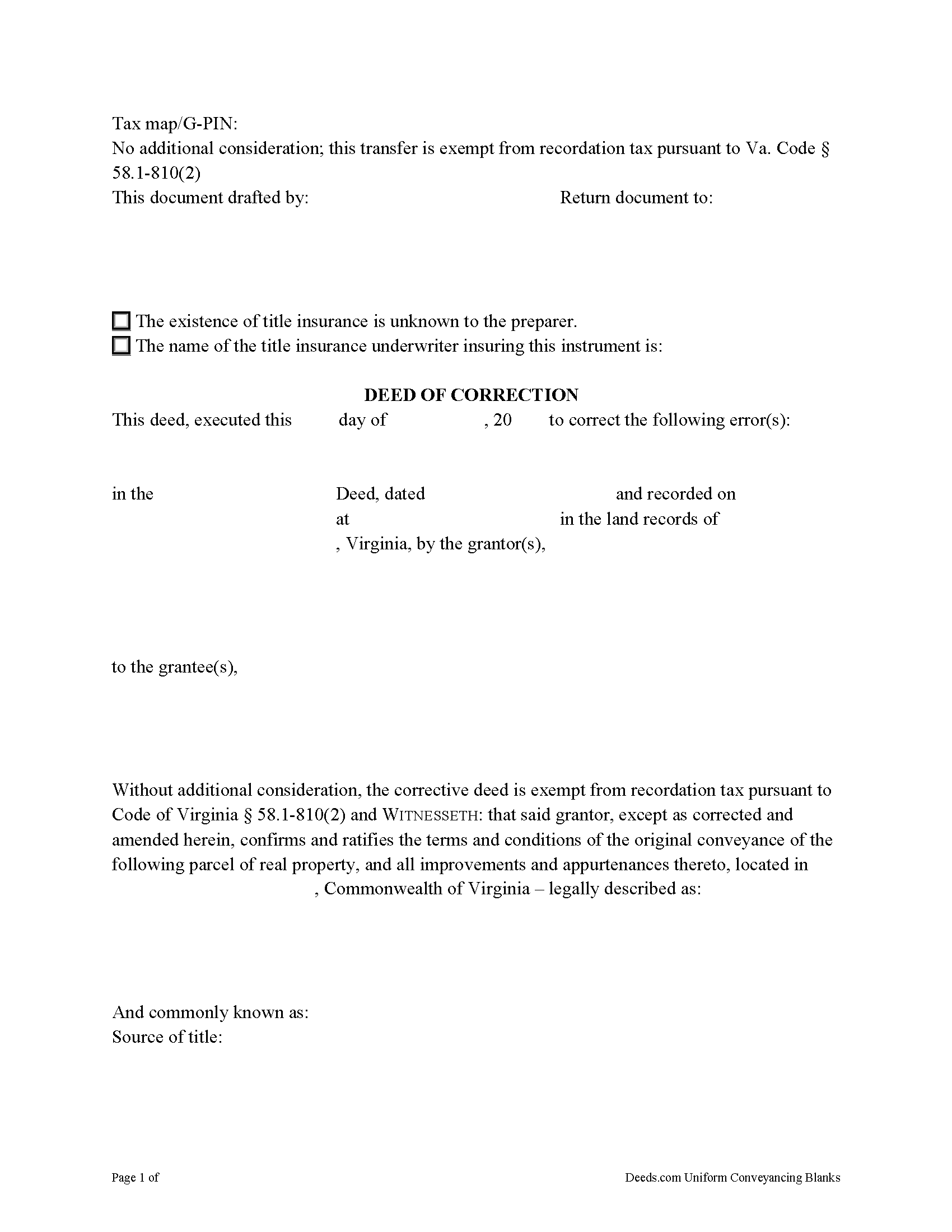
Wythe County Correction Deed Form
Fill in the blank form formatted to comply with all recording and content requirements.
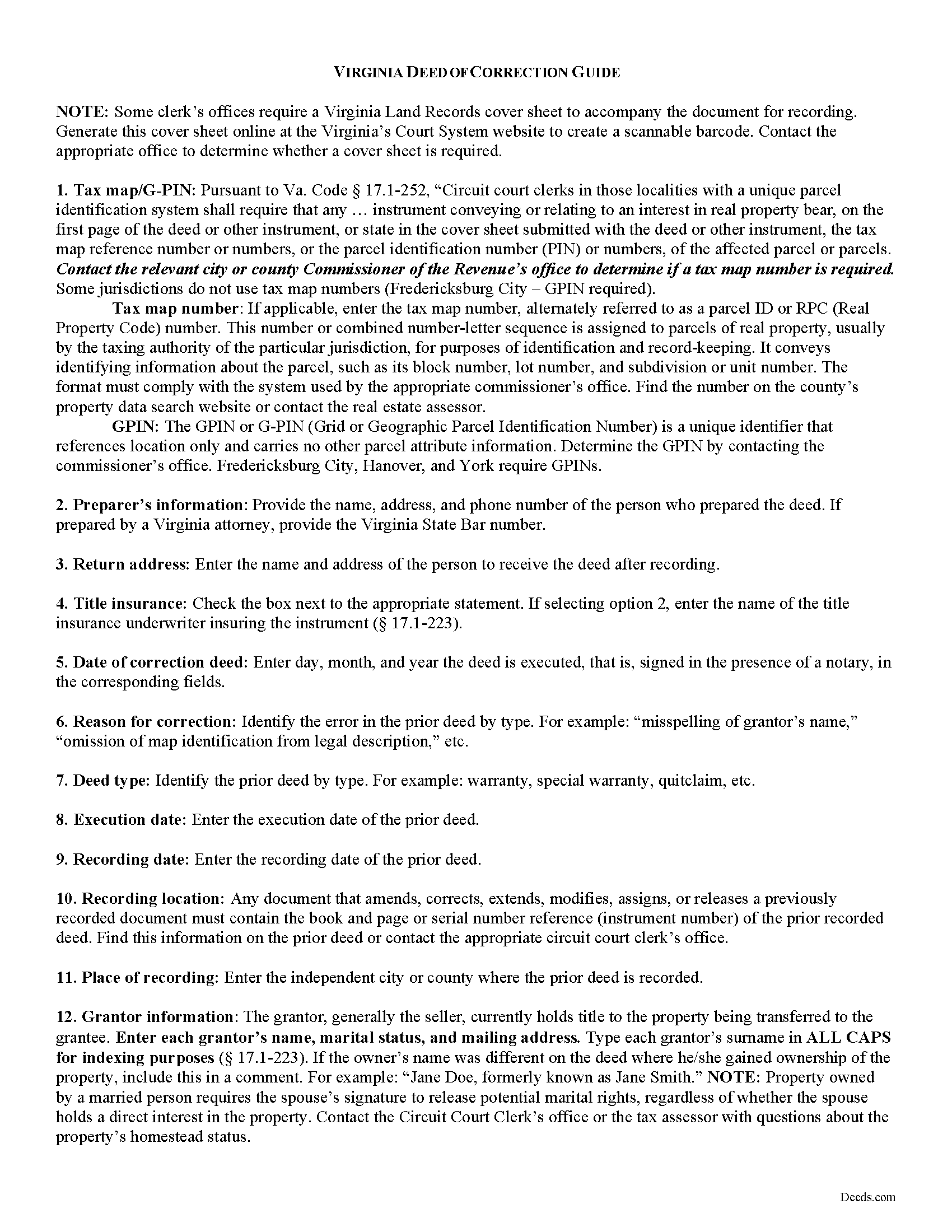
Wythe County Correction Deed Guide
Line by line guide explaining every blank on the form.
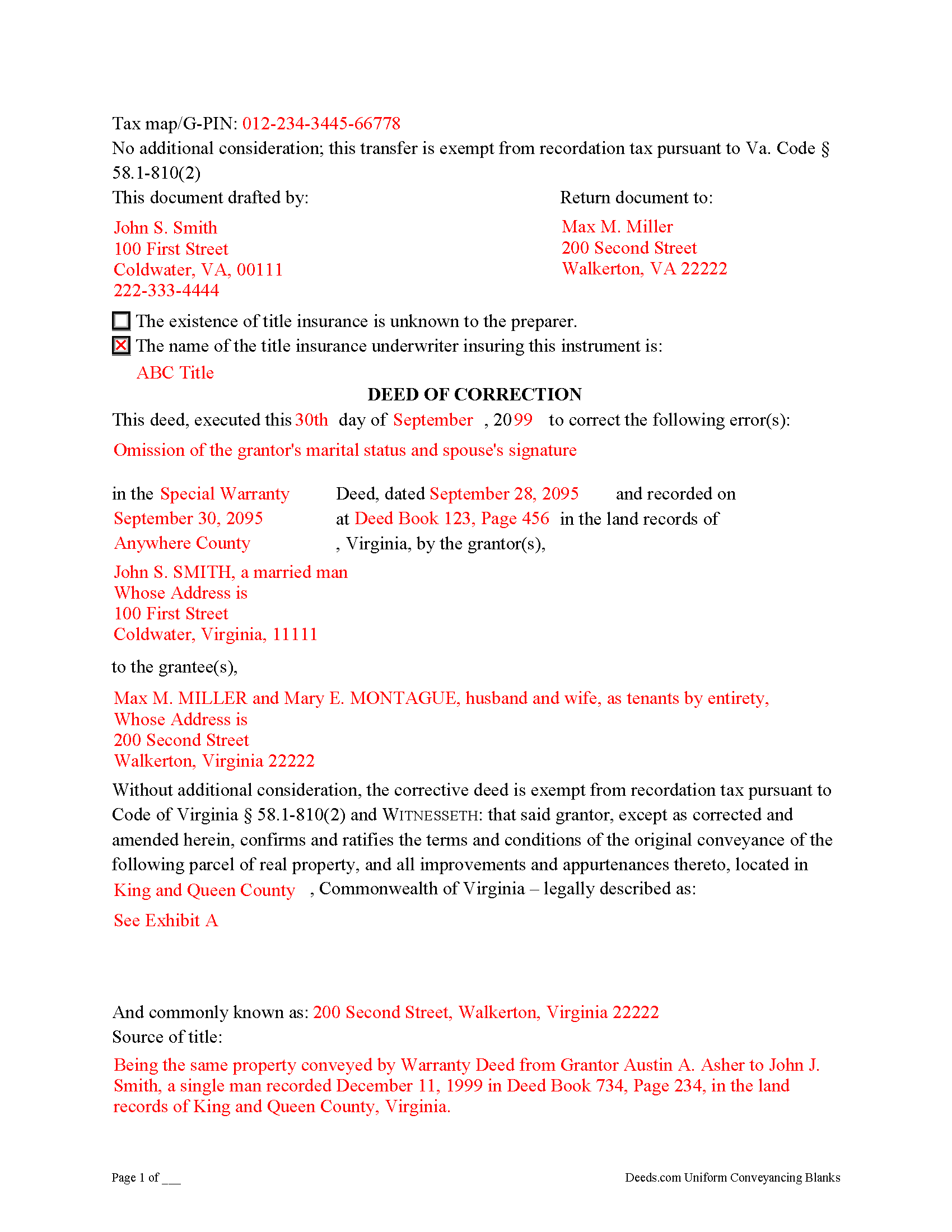
Wythe County Completed Example of the Correction Deed Document
Example of a properly completed form for reference.
All 3 documents above included • One-time purchase • No recurring fees
Immediate Download • Secure Checkout
Additional Virginia and Wythe County documents included at no extra charge:
Where to Record Your Documents
Wythe Clerk of Circuit Court
Wytheville, Virginia 24382
Hours: 8:30 to 5:00 M-F
Phone: (276) 223-6050
Recording Tips for Wythe County:
- Bring your driver's license or state-issued photo ID
- Ensure all signatures are in blue or black ink
- Request a receipt showing your recording numbers
- Ask about accepted payment methods when you call ahead
- Ask for certified copies if you need them for other transactions
Cities and Jurisdictions in Wythe County
Properties in any of these areas use Wythe County forms:
- Austinville
- Barren Springs
- Cripple Creek
- Crockett
- Ivanhoe
- Max Meadows
- Rural Retreat
- Speedwell
- Wytheville
Hours, fees, requirements, and more for Wythe County
How do I get my forms?
Forms are available for immediate download after payment. The Wythe County forms will be in your account ready to download to your computer. An account is created for you during checkout if you don't have one. Forms are NOT emailed.
Are these forms guaranteed to be recordable in Wythe County?
Yes. Our form blanks are guaranteed to meet or exceed the applicable formatting requirements used for recording in Wythe County, including margin requirements, font requirements, and other layout standards. This guarantee applies to formatting, not to the legal sufficiency of information entered by the user or the suitability of a form for a particular transaction.
Can I reuse these forms?
Yes. You can reuse the forms for your personal use. For example, if you have multiple properties in Wythe County you only need to order once.
What do I need to use these forms?
The forms are PDFs that you fill out on your computer. The free Adobe Acrobat Reader is recommended, and most PDF apps also work. You do NOT enter your property information online - you download the blank forms and complete them privately on your own computer.
Are there any recurring fees?
No. This is a one-time purchase. Nothing to cancel, no memberships, no recurring fees.
How much does it cost to record in Wythe County?
Recording fees in Wythe County vary. Contact the recorder's office at (276) 223-6050 for current fees.
Questions answered? Let's get started!
Use a deed of correction from the original grantor to amend an error in a previously recorded deed in Virginia.
Errors in a previously recorded deed in Virginia may be cured by a deed of correction from the grantor to the grantee of the original deed. The new document identifies the error by type, the prior deed by date and recording number, and inserts the correct information; otherwise it duplicates the format of the original deed. The deed requires no consideration statement and is exempt from transfer tax. State the exemption on the face of the deed and refer to the relevant Virginia Code.
A deed of correction is most often used for minor mistakes such as misspelled names or variation in name by which the record title holder acquired title and a name by which he holder conveyed title. It can also be used for obvious errors in the property description. For example: errors transcribing courses and distances; errors incorporating a recorded plat or deed reference; errors in listing a lot number or designation; omitted exhibits that supply the legal description of the property.
Correction deeds can help to clarify the manner in which title to the property is held by the same, initially named grantee, but they cannot be used to change the grantee or to add or omit a grantee. Also, do not use a corrective deed to change a greater estate to a lesser estate, for example to transfer ownership to an heir while reserving a right to remain on the property for the remainder of the original grantee's life. In Virginia, the relation back principle is generally applied so that a correction deed is considered to relate back to the date of the first deed which it purports to correct.
(Virginia CD Package includes form, guidelines, and completed example)
Important: Your property must be located in Wythe County to use these forms. Documents should be recorded at the county or independent city recording office listed above.
This Correction Deed meets all recording requirements specific to Wythe County.
Our Promise
The documents you receive here are guaranteed to meet or exceed the applicable Wythe County recording format requirements. If there is a rejection caused by our formatting, we will correct the issue or refund your payment. This guarantee applies to document formatting only and does not extend to information entered by the user, the selection of the form, or the legal effect of the completed document.
Save Time and Money
Get your Wythe County Correction Deed form done right the first time with Deeds.com Uniform Conveyancing Blanks. At Deeds.com, we understand that your time and money are valuable resources, and we don't want you to face a penalty fee or rejection imposed by a county recorder for submitting nonstandard documents. We constantly review and update our forms to meet rapidly changing state and county recording requirements for roughly 3,500 counties and local jurisdictions.
4.8 out of 5 - ( 4,836 Reviews )
Shelby D. 1 out of 5 stars
Not very helpful since I am married and the example provided is for single person. Nevada homestead requires spouse to sign off on quit claim deed but no guidance provided as to where this acknowledgment is placed on template form. There should be example for married person as well. Had to use another service. Waste of $21.
Thank you for your feedback. We really appreciate it. Have a great day!
Charlotte B. 5 out of 5 stars
I was very impressed with this service. It's a very important tool to be able to get the documents filed properly. I was not able to understand how to fill in the blanks on line.
Thank you for your feedback. We really appreciate it. Have a great day!
Margaret M. 4 out of 5 stars
Quick and easy, but the 2MB file limit ended up causing some big headaches. Had I known the limit could be easily increased, it would have saved me a lot of time and trouble.
We appreciate your business and value your feedback. Thank you. Have a wonderful day!
jerry k. 5 out of 5 stars
very easy to download, works great
Thank you for your feedback. We really appreciate it. Have a great day!
Wilma M. 5 out of 5 stars
Amazingly easy. Thank you
Thank you!
Mark W. 5 out of 5 stars
Great form and easy to complete. Sending a sample and instructions was very helpful. Thank you!
We appreciate your business and value your feedback. Thank you. Have a wonderful day!
Kyle E. 5 out of 5 stars
Works great thank you for saving us driving time!!
We appreciate your business and value your feedback. Thank you. Have a wonderful day!
Jason James H. 5 out of 5 stars
Th forms were correct, exactly what I needed.
Thanks Jason, we appreciate the feedback.
Anita H. 5 out of 5 stars
Easy way to get forms that I needed. Would buy again from you if needed.
Thank you for your positive words! We’re thrilled to hear about your experience.
Teresa F. 5 out of 5 stars
Great! Received documents to download immediately and was able to do the needed with the information and instructions. Thank you
Thank you!
Dean P. 5 out of 5 stars
Very fast, efficient, and convenient - thanks Deeds.com! I would recommend this service to everyone needing to record documents, especially out-of-state customers such as myself.
Thank you for your feedback. We really appreciate it. Have a great day!
yvonne e. 1 out of 5 stars
Poor communication. Confusing charges. (Waiting for explanation) overall, not thrilled and at this point would not recommend.
Sorry to hear of your confusion. We've gone ahead and canceled your order. We do hope that you find something more suitable to your needs elsewhere. Have a wonderful day.
Hanna M. 5 out of 5 stars
Very helpful information! Thank you for your service!
Thank you!
CAROLYN H. 5 out of 5 stars
Thanks. Was simple and easy to use.
Thank you!
Leroy B. 5 out of 5 stars
I have a Timeshare in Florida and started looking to sell it. Just finally downloaded this site, it looks fairly simple. I will start getting more serious soon. Looking forward to working with Deeds.com.
Thank you!