Williamsburg City Corrective Affidavit Form
Last validated September 24, 2026 by our Forms Development TeamFormatted for recording in Williamsburg City, for property anywhere in the county or independent city: rural and unincorporated areas as well as Williamsburg.
- 3 documents included
- Immediate PDF download
- Formatting guarantee
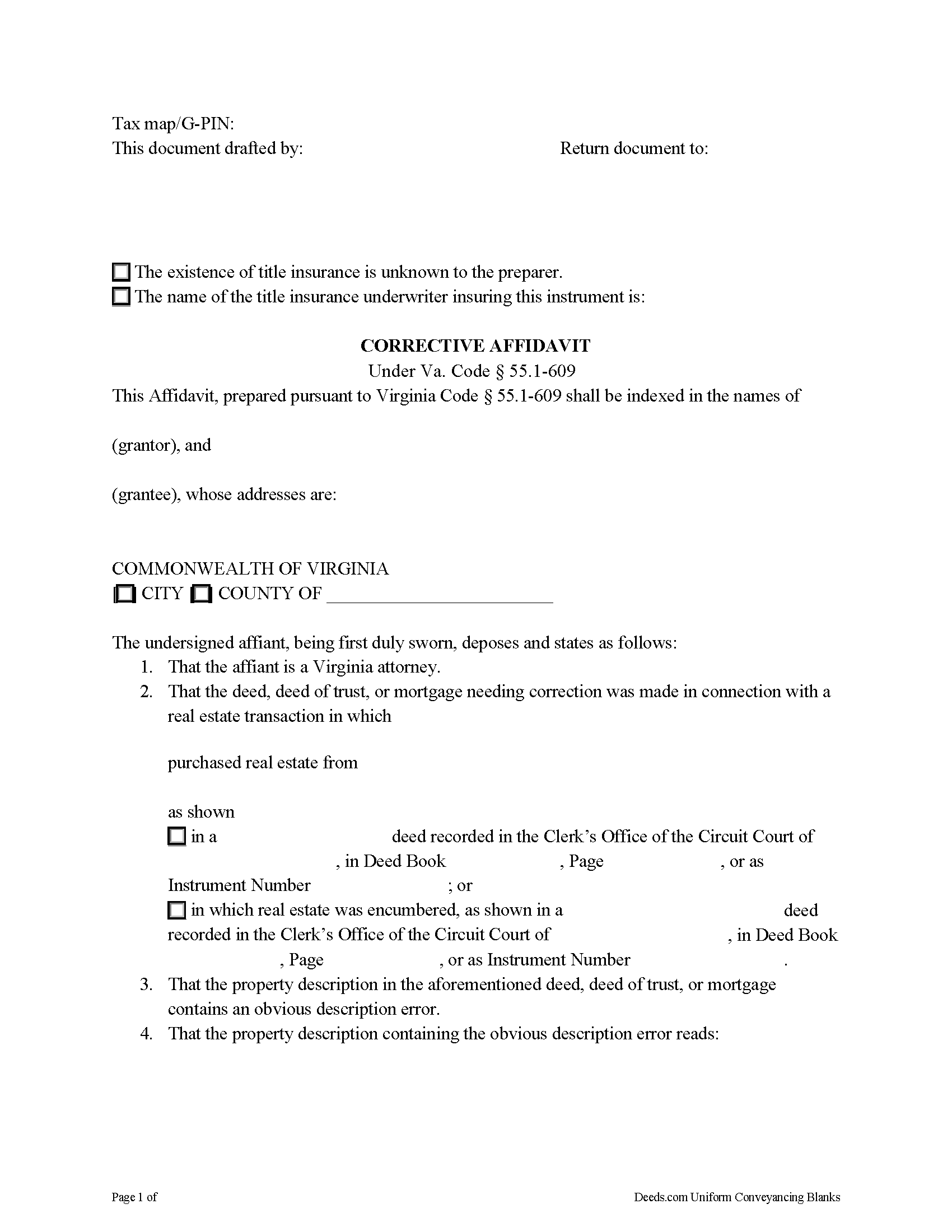
Williamsburg City Corrective Affidavit Form
Fill in the blank form formatted to comply with all recording and content requirements.
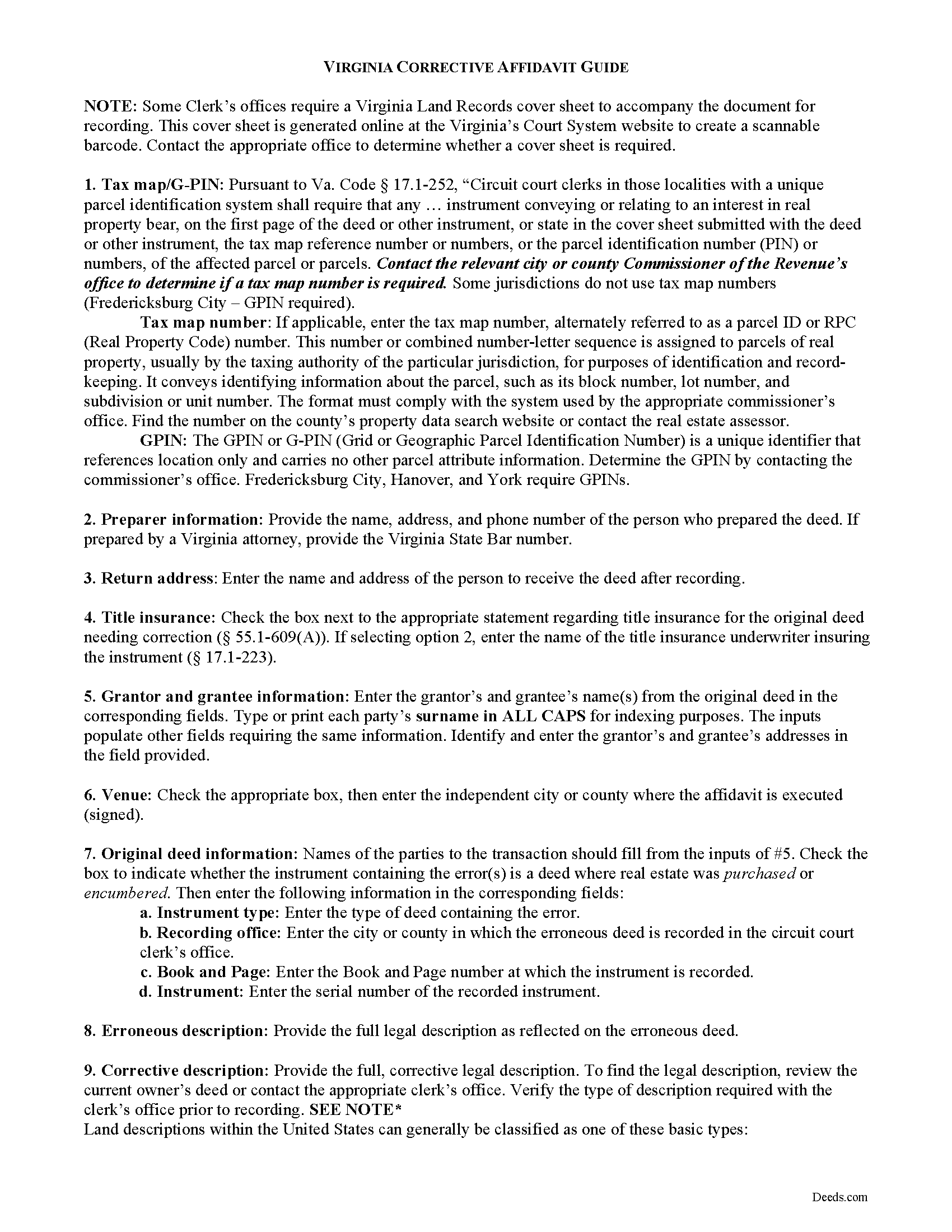
Williamsburg City Corrective Affidavit Guide
Line by line guide explaining every blank on the form.
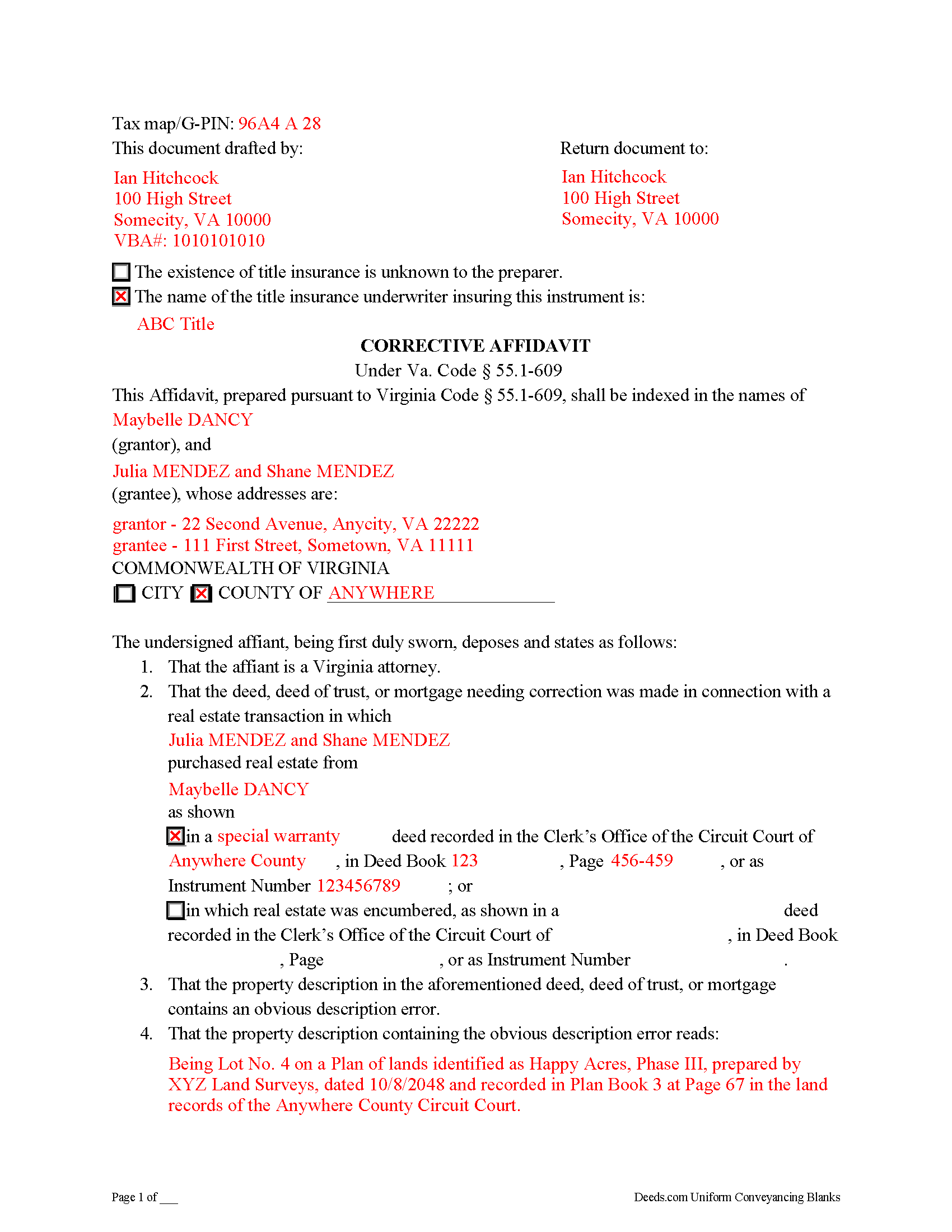
Williamsburg City Completed Example of the Corrective Affidavit Document
Example of a properly completed form for reference.
All 3 documents above included • One-time purchase • No recurring fees
Immediate Download • Secure Checkout
Additional Virginia and Williamsburg City documents included at no extra charge:
Where to Record Your Documents
Williamsburg Circuit Court Clerk
Williamsburg, Virginia 23188-8213
Hours: 8:30 to 4:30 M-F / Recording until 4:00
Phone: (757) 564-2242
Recording Tips for Williamsburg City:
- Bring your driver's license or state-issued photo ID
- Ensure all signatures are in blue or black ink
- Avoid the last business day of the month when possible
- Both spouses typically need to sign if property is jointly owned
- Bring extra funds - fees can vary by document type and page count
Cities and Jurisdictions in Williamsburg City
Properties in any of these areas use Williamsburg City forms:
- Williamsburg
Hours, fees, requirements, and more for Williamsburg City
How do I get my forms?
Forms are available for immediate download after payment. The Williamsburg City forms will be in your account ready to download to your computer. An account is created for you during checkout if you don't have one. Forms are NOT emailed.
Are these forms guaranteed to be recordable in Williamsburg City?
Yes. Our form blanks are guaranteed to meet or exceed the applicable formatting requirements used for recording in Williamsburg City, including margin requirements, font requirements, and other layout standards. This guarantee applies to formatting, not to the legal sufficiency of information entered by the user or the suitability of a form for a particular transaction.
Can I reuse these forms?
Yes. You can reuse the forms for your personal use. For example, if you have multiple properties in Williamsburg City you only need to order once.
What do I need to use these forms?
The forms are PDFs that you fill out on your computer. The free Adobe Acrobat Reader is recommended, and most PDF apps also work. You do NOT enter your property information online - you download the blank forms and complete them privately on your own computer.
Are there any recurring fees?
No. This is a one-time purchase. Nothing to cancel, no memberships, no recurring fees.
How much does it cost to record in Williamsburg City?
Recording fees in Williamsburg City vary. Contact the recorder's office at (757) 564-2242 for current fees.
Questions answered? Let's get started!
A corrective affidavit under Va. Code Section 55.1-609 is a statutory form for correcting an obvious description error in a recorded deed, deed of trust, or mortgage. Note that the affidavit must be executed by an attorney licensed by the Virginia State Bar.
The statutes classify an "obvious description error" as an error transcribing courses and distances; an error incorporating a recorded plat or deed reference; an error in lot number or designation; or an omitted exhibit supplying the legal description of the subject parcel.
The contents of a statutory corrective affidavit include the original grantor's and grantee's names and the place where the original deed was recorded. It includes both the property description containing the error and the corrected property description. The affidavit is signed by a Virginia attorney and notarized.
Prior to recording the affidavit, the attorney delivers a copy to all parties to the deed, deed of trust, or mortgage containing the error and to the title insurance company, if applicable, and gives notice of intent to record the affidavit. If no objection is received within 30 days of receipt of notice, the attorney may record the affidavit. The affidavit should include a copy of the notice sent to the parties and a statement that no objection was received.
In addition to meeting the requirements set forth at 55.1-609, the affidavit must comply with recording standards for documents in the Commonwealth of Virginia. Record the affidavit in the Circuit Court Clerk's office of the county or independent city where the parcel described within the affidavit is situated.
This is a form for an attorney's use only. Contact a Virginia attorney if you think you need this form, or to address your specific situation.
(Virginia CA Package includes form, guidelines, and completed example)
Important: Your property must be located in Williamsburg City to use these forms. Documents should be recorded at the county or independent city recording office listed above.
This Corrective Affidavit meets all recording requirements specific to Williamsburg City.
Our Promise
The documents you receive here are guaranteed to meet or exceed the applicable Williamsburg City recording format requirements. If there is a rejection caused by our formatting, we will correct the issue or refund your payment. This guarantee applies to document formatting only and does not extend to information entered by the user, the selection of the form, or the legal effect of the completed document.
Save Time and Money
Get your Williamsburg City Corrective Affidavit form done right the first time with Deeds.com Uniform Conveyancing Blanks. At Deeds.com, we understand that your time and money are valuable resources, and we don't want you to face a penalty fee or rejection imposed by a county recorder for submitting nonstandard documents. We constantly review and update our forms to meet rapidly changing state and county recording requirements for roughly 3,500 counties and local jurisdictions.
4.8 out of 5 - ( 4,829 Reviews )
Juanita G. 5 out of 5 stars
Easy and efficient service. The communication is on point. Thank you!
Thank you for your positive words! We’re thrilled to hear about your experience.
Vicki A. 5 out of 5 stars
Very fast and easy to use.
We appreciate your business and value your feedback. Thank you. Have a wonderful day!
Catherine E. 5 out of 5 stars
I was referred to your company, but when i tried to process the recording of a deed to a property in City of Philadelphia my service was rejected. I appreciated the feedback i received from one of your representatives who instructed me in the right process for recording a deed in philadelphia. Thank you for all your help. The deed that needed to be recorded was overnighted yesterday. Stay safe and mask up
Thank you!
Beatrice V. 5 out of 5 stars
I was in despair as I needed to file two (2) very important documents with the County. Due to Covid the office was closed and my only recourse was to E-Fie with a service provider. I was fortunate enough to hear about Deeds.com. They were specific, courteous, patient and most of all productive. My documents will take awhile for the final filing but that is because the County happens to have a slow turn around time. Otherwise, I am now relieved that this part is over. Thank you Deeds.com. You are awesome.
Thank you for the kinds words Beatrice.
Diane G. 3 out of 5 stars
easy to use
Thank you!
Janet J. 5 out of 5 stars
The download process was quick and efficient. Here's hoping the printing process will be as easy. Appreciate this access to forms so much.
Thank you for your feedback. We really appreciate it. Have a great day!
Margo W. 5 out of 5 stars
Very easy to understand and complete the process. This is the third attempt to download a Quit Claim Deed and the only one we had success with. Thank you.
Thank you for your feedback. We really appreciate it. Have a great day!
Sara M. 5 out of 5 stars
This makes work so much easier now that I don't have to drive to each county to record. Thank you.
It was a pleasure serving you. Thank you for the positive feedback!
Patricia A. 5 out of 5 stars
This service was a godsend since I am currently disabled.
We appreciate your business and value your feedback. Thank you. Have a wonderful day!
Guy G. 5 out of 5 stars
Deeds.com was easy to use and their easement deed was exactly what I was looking for. I knew I didn't need to spend hundreds of dollars talking to an attorney.
We appreciate your business and value your feedback. Thank you. Have a wonderful day!
Kimberly M. 5 out of 5 stars
Love Deeds.com. So easy to work with and quick as well.
Thank you again for your kind words! Have a fantastic day!
Katherine Y. 5 out of 5 stars
It was easy to use the form. The notary said it contained the most recent language which is also helpful.
Thanks Katherine!
Tim P. 5 out of 5 stars
Super easy and they filed my paperwork the same day
Thank you for your feedback. We really appreciate it. Have a great day!
Denise L. 5 out of 5 stars
Using the Gift Deed form from Deeds.com, along with the example and instructions thy provided, saved me at least $200 in legal fees and saved me time as well!
We appreciate your business and value your feedback. Thank you. Have a wonderful day!
Cecilia C. 5 out of 5 stars
So very easy to follow & the cost of the packet was reasonable.
We appreciate your business and value your feedback. Thank you. Have a wonderful day!