Salem County Mechanics Lien Preliminary Notice Form
Last validated October 12, 2026 by our Forms Development TeamFormatted for recording in Salem County, for property anywhere in the county or independent city: rural and unincorporated areas as well as Roanoke, Salem.
- 3 documents included
- Immediate PDF download
- Formatting guarantee
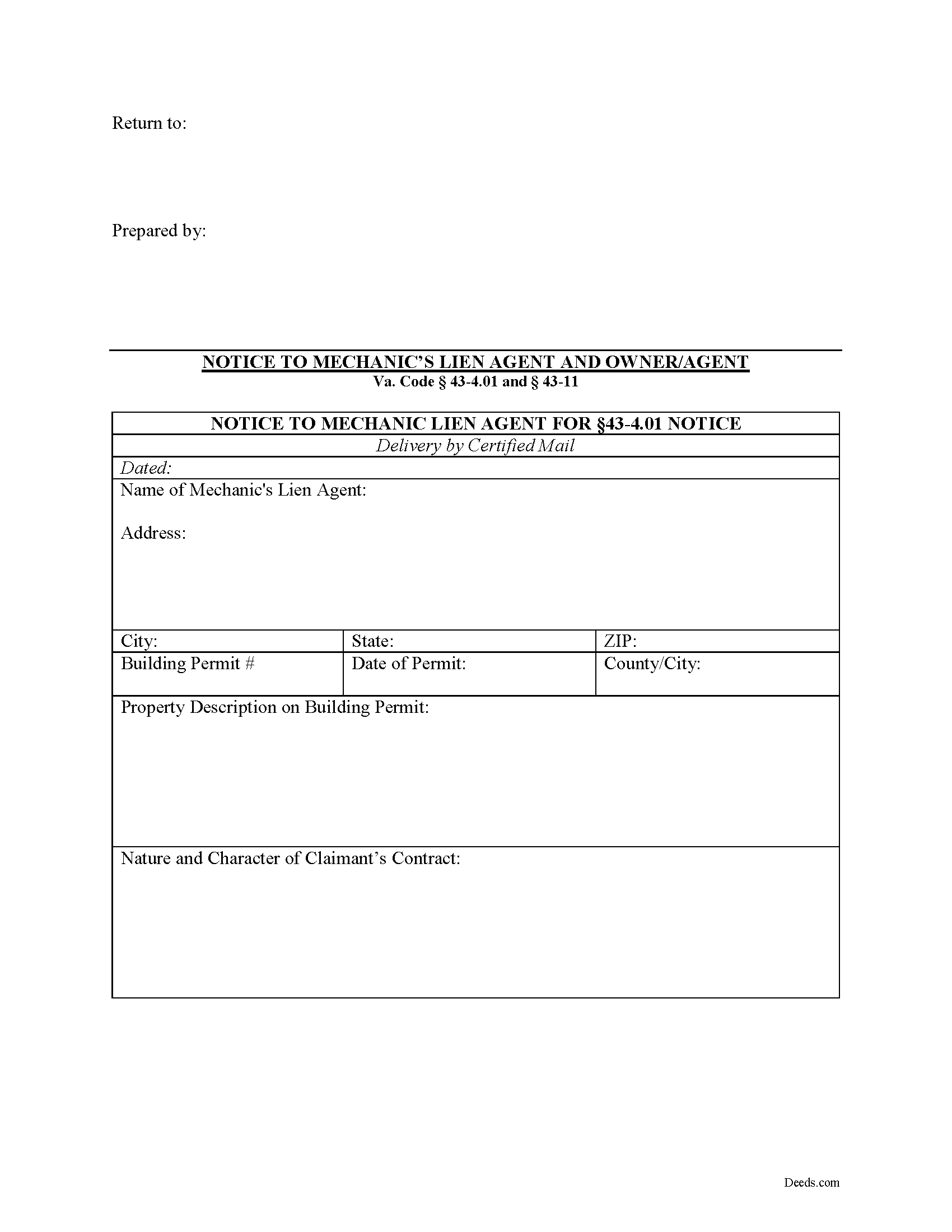
Salem County Preliminary Notice to Owner Form
Fill in the blank form formatted to comply with all recording and content requirements.
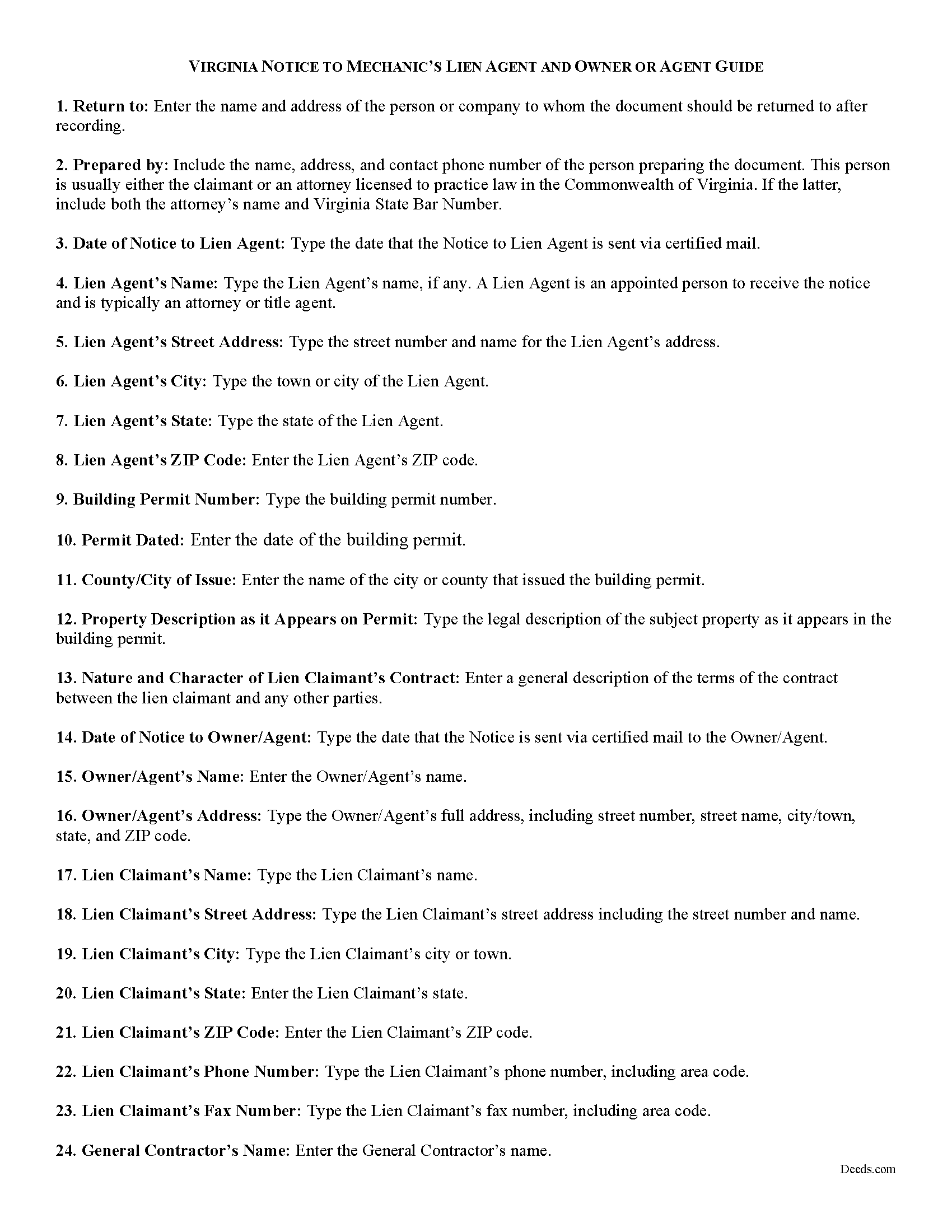
Salem County Preliminary Notice to Owner Guide
Line by line guide explaining every blank on the form.
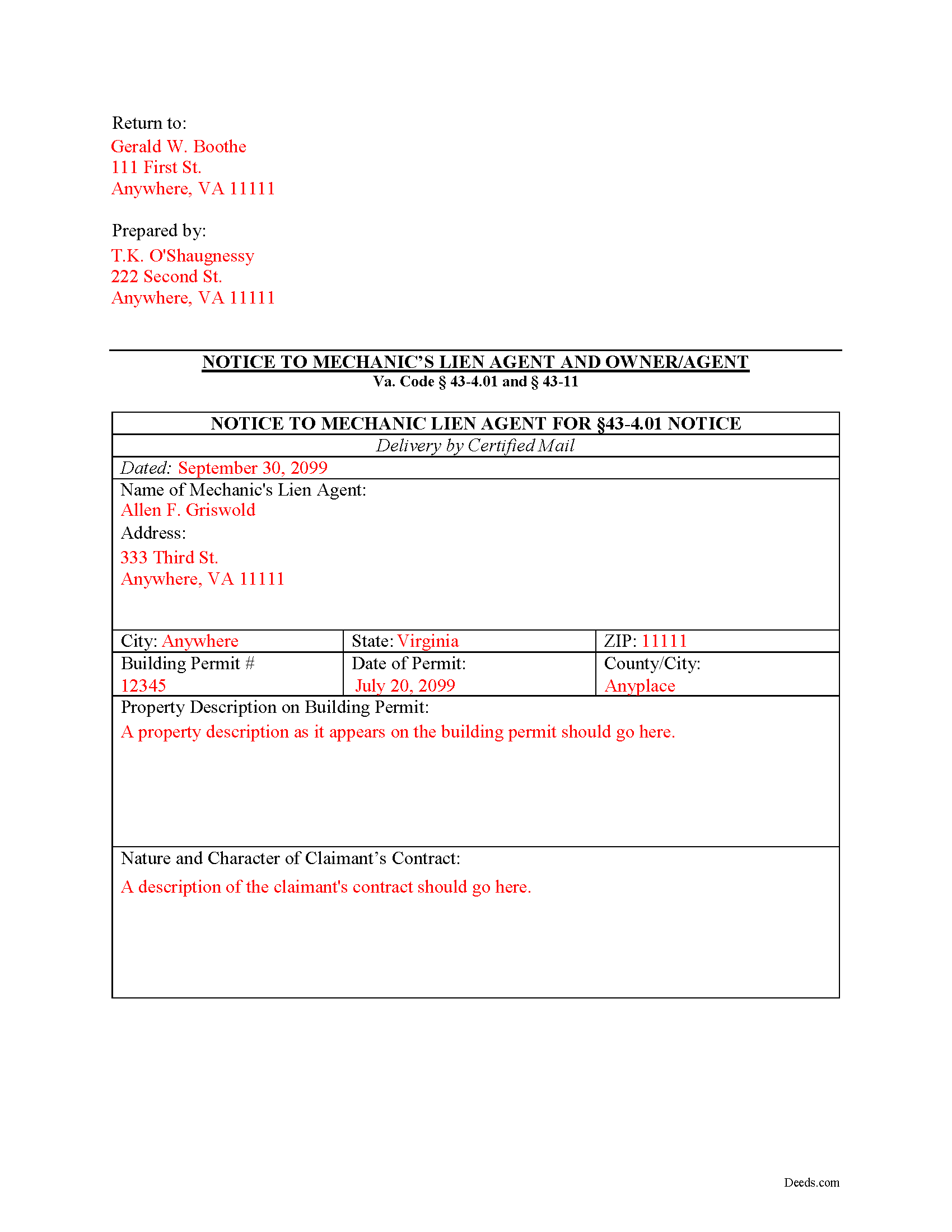
Salem County Completed Example of the Preliminary Notice to Owner Document
Example of a properly completed form for reference.
All 3 documents above included • One-time purchase • No recurring fees
Immediate Download • Secure Checkout
Additional Virginia and Salem County documents included at no extra charge:
Where to Record Your Documents
City of Salem Circuit Court Clerk
Salem, Virginia 24153-7933
Hours: 8:30 to 4:30 M-F
Phone: (540) 375-3067
Recording Tips for Salem County:
- Bring your driver's license or state-issued photo ID
- Ensure all signatures are in blue or black ink
- Bring extra funds - fees can vary by document type and page count
- Check margin requirements - usually 1-2 inches at top
- Leave recording info boxes blank - the office fills these
Cities and Jurisdictions in Salem County
Properties in any of these areas use Salem County forms:
- Roanoke
- Salem
Hours, fees, requirements, and more for Salem County
How do I get my forms?
Forms are available for immediate download after payment. The Salem County forms will be in your account ready to download to your computer. An account is created for you during checkout if you don't have one. Forms are NOT emailed.
Are these forms guaranteed to be recordable in Salem County?
Yes. Our form blanks are guaranteed to meet or exceed the applicable formatting requirements used for recording in Salem County, including margin requirements, font requirements, and other layout standards. This guarantee applies to formatting, not to the legal sufficiency of information entered by the user or the suitability of a form for a particular transaction.
Can I reuse these forms?
Yes. You can reuse the forms for your personal use. For example, if you have multiple properties in Salem County you only need to order once.
What do I need to use these forms?
The forms are PDFs that you fill out on your computer. The free Adobe Acrobat Reader is recommended, and most PDF apps also work. You do NOT enter your property information online - you download the blank forms and complete them privately on your own computer.
Are there any recurring fees?
No. This is a one-time purchase. Nothing to cancel, no memberships, no recurring fees.
How much does it cost to record in Salem County?
Recording fees in Salem County vary. Contact the recorder's office at (540) 375-3067 for current fees.
Questions answered? Let's get started!
Preliminary Notice in Virginia
Mechanic's liens require strict procedural compliance. To successfully claim a mechanic's lien, the claimant must first provide all entitled parties with the appropriate form of preliminary notice. This is because a mechanic's lien creates an encumbrance, or block on the owner's title, and therefore, the owner and other parties potentially affected by that must receive notice of the process. In Virginia, the form of required notice is served on a party known as a "Lien Agent" as well as on the property owner. A Lien Agent is an appointed individual, usually an attorney or title agent. This Notice to Lien Agent and/or Owner/Agent contains a separate form for notifying each party (or one and not the other).
To draft a Notice to Lien Agent or Owner/Agent, first you will need a copy of the building permit. The building permit for any one- or two-family residential dwelling unit issued pursuant to the Uniform Statewide Building Code must also be conspicuously and continuously posted on the property for which the permit is issued until all the work is completed on the property. Va. Code 43-4.01(A). Ensure that the permit is posted on the property before any labor is performed or any material furnished on the property. Id.
If the building permit contains the name, mailing address, and telephone number of the mechanics' lien agent, any person entitled to claim a lien may use that information to notify the agent named on the permit or amended permit that he seeks payment for labor performed or material furnished. Va. Code 43-4.01(B). This notice should be sent by registered or certified mail or by physical delivery. Id. The Notice must contain the following: (1) the name, mailing address, and telephone number of the person sending such notice, (2) the person's license or certificate number issued by the Board for Contractors, if any, and the date such license or certificate was issued and the date such license or certificate expires, (3) the building permit number on the building permit, (4) a description of the property as shown on the building permit, and (5) a statement that the person filing such notice seeks payment for labor performed or material furnished. Id.
Failure to serve the Notice on a residential project within the required time, can forfeit a claimant's right to a lien. No person other than a person claiming a lien may claim a lien under this title with respect to a one or two family residential dwelling unit if that person fails to notify any mechanics' lien agent identified on the building permit within 30 days of the first date labor was performed or materials furnished to or for the building or structure or within 30 days of the date such a permit is issued, if such labor or materials are first performed or furnished by such person prior to the issuance of a building permit. Va. Code 43-4.01(C).
To send notice to an Owner/Agent, any subcontractor or person who furnishes labor or material to the general contractor or subcontractor should direct their preliminary notice in writing to the owner or his agent or the general contractor, in a form that states the nature and character of his contract and the probable amount of his claim. Va. Code 43-11(1). The form is almost identical to the 43-4.01, but with some minor differences and is located on the same form after the notice to the lien agent portion.
This article is provided for informational purposes only and should not be relied upon as a substitute for the advice of an attorney. Please contact a Virginia lawyer with any questions about the notice to mechanic's lien agent.
Important: Your property must be located in Salem County to use these forms. Documents should be recorded at the county or independent city recording office listed above.
This Mechanics Lien Preliminary Notice meets all recording requirements specific to Salem County.
Our Promise
The documents you receive here are guaranteed to meet or exceed the applicable Salem County recording format requirements. If there is a rejection caused by our formatting, we will correct the issue or refund your payment. This guarantee applies to document formatting only and does not extend to information entered by the user, the selection of the form, or the legal effect of the completed document.
Save Time and Money
Get your Salem County Mechanics Lien Preliminary Notice form done right the first time with Deeds.com Uniform Conveyancing Blanks. At Deeds.com, we understand that your time and money are valuable resources, and we don't want you to face a penalty fee or rejection imposed by a county recorder for submitting nonstandard documents. We constantly review and update our forms to meet rapidly changing state and county recording requirements for roughly 3,500 counties and local jurisdictions.
4.8 out of 5 - ( 4,825 Reviews )
CECIL E C. 5 out of 5 stars
You made it easy to attain the documents I needed. The cost was very reasonable...thanks
Thank you for your feedback Cecil, we really appreciate it.
Mark G. 5 out of 5 stars
I would recommend this product for little effort needed to complete any action you might require.
We appreciate your business and value your feedback. Thank you. Have a wonderful day!
Helen M. 5 out of 5 stars
All forms were exactly what I needed. Thank you Immediate, smoothly downloaded and printed.
We appreciate your business and value your feedback. Thank you. Have a wonderful day!
ALFRED B. 5 out of 5 stars
I was counting on deeds.com to help me with a closing I was working on. I stumbled with the instructions but when I recovered there were no problems. The instructions were helpful and the deeds etc. were just what I needed. I give deeds five stars. I am 76 years old and when the application asks for the user's name I always think they want my name. WRONG. I am trying to learn computer speak.
Thank you Alfred, have an amazing day!
Loretta W. 5 out of 5 stars
Thank you for your excellent service
We appreciate your business and value your feedback. Thank you. Have a wonderful day!
Connie E. 5 out of 5 stars
Great service! Easy to download and view. Florida should have the Revocable Transfer on Death (TOD)deed, that many other States have. That's the one I really wanted. This one will do in the meantime.
We appreciate your business and value your feedback. Thank you. Have a wonderful day!
DIANA S. 5 out of 5 stars
Five star rating. I requested a copy of the deed to my house and it arrived very quickly and for a fraction of the cost that it would have cost me on other sites. Great company. Will do business again. Five stars.
Thank you!
Brenda K R. 5 out of 5 stars
Hello, I like how easy the form is to follow. I'm unsure however of how to proceed as what I am trying to do is have my name added to the deed so in event of death I have ownership.
Thank you for your feedback. We really appreciate it. Have a great day!
Paul B. 5 out of 5 stars
Very efficient and easy to use process
Paul, we’re glad to hear you had a smooth and efficient experience! Making things easy for our customers is always our goal.
Raymond N. 4 out of 5 stars
The process of obtaining the forms that I wanted was very easy and the cost reasonable. The site is easy to follow and explains everything. Thank you for being here.
We appreciate your business and value your feedback. Thank you. Have a wonderful day!
Lew B. 3 out of 5 stars
The forms look great, but I received an Error message when downloading.
We are sincerely grateful for your feedback and are committed to providing the highest quality service. Thank you for your trust in us.
Cheryl D. 5 out of 5 stars
How easy was this. I was pleasantly surprised by the speed and price. Saved me several days of snail mail :) thanks deeds.com!
We appreciate your business and value your feedback. Thank you. Have a wonderful day!
Armstrong K. 5 out of 5 stars
Very smooth and speedy process. Thank you.
Thank you!
Brennan H. 5 out of 5 stars
I had worked for a couple of months sending things back and forth to the county and still had no success. I decided to use deeds.com and it was all done in a few hours. Such a relief! While I find this to be wrong and the county should work with property owners as well as they work with third parties, I was still grateful for this service.
Thank you for your feedback. We really appreciate it. Have a great day!
DOUGLAS H. 5 out of 5 stars
Just as promised My quitclaim deed went through the county recorders office with no problem.
Thank you for your feedback. We really appreciate it. Have a great day!