Grant County Correction Deed Form
Last validated October 22, 2026 by our Forms Development TeamFormatted for recording in Grant County, for property anywhere in the county: rural and unincorporated areas as well as Beverly, Coulee City, Electric City, Ephrata, George, Grand Coulee, Hartline, Marlin and 8 more.
- 3 documents included
- Immediate PDF download
- Formatting guarantee
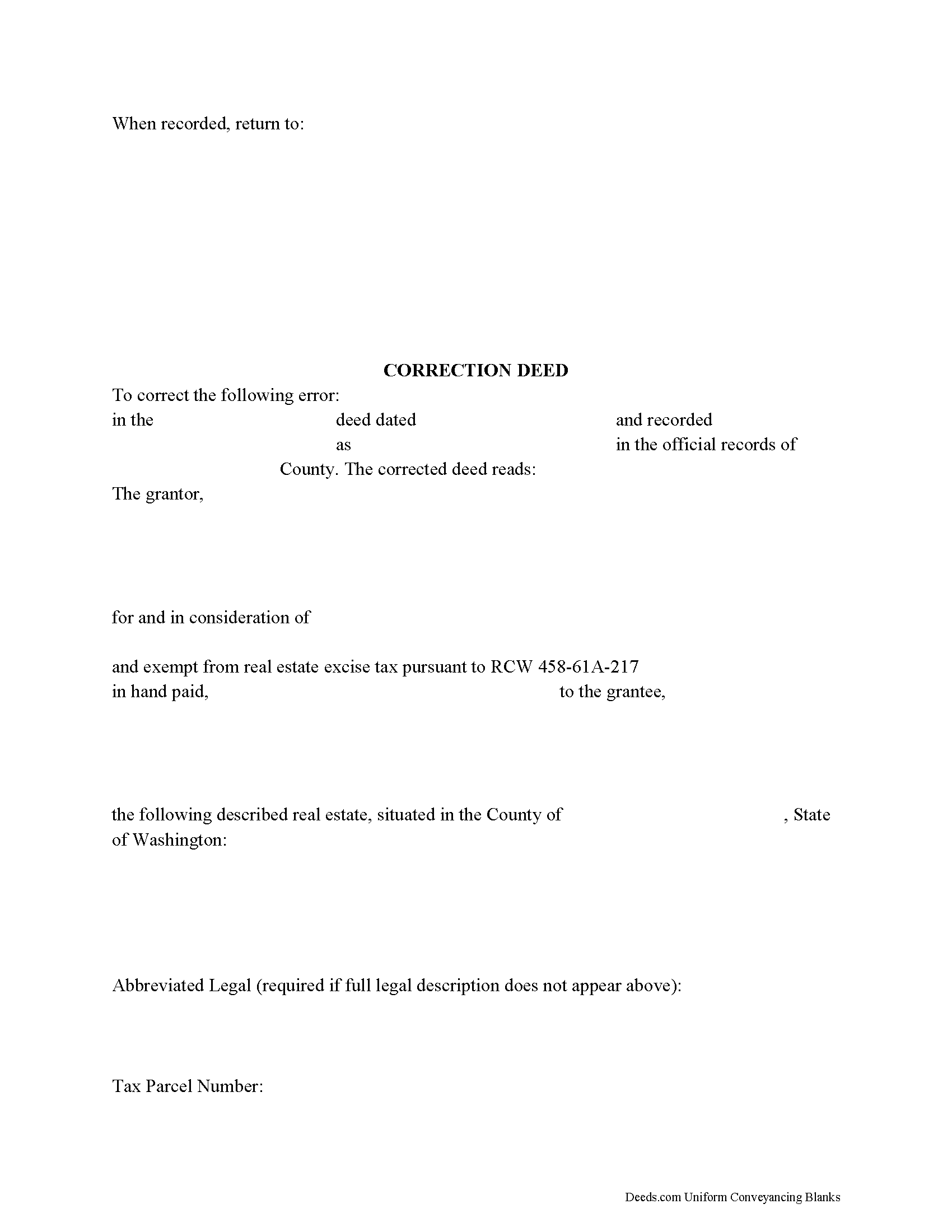
Grant County Correction Deed Form
Fill in the blank form formatted to comply with all recording and content requirements.
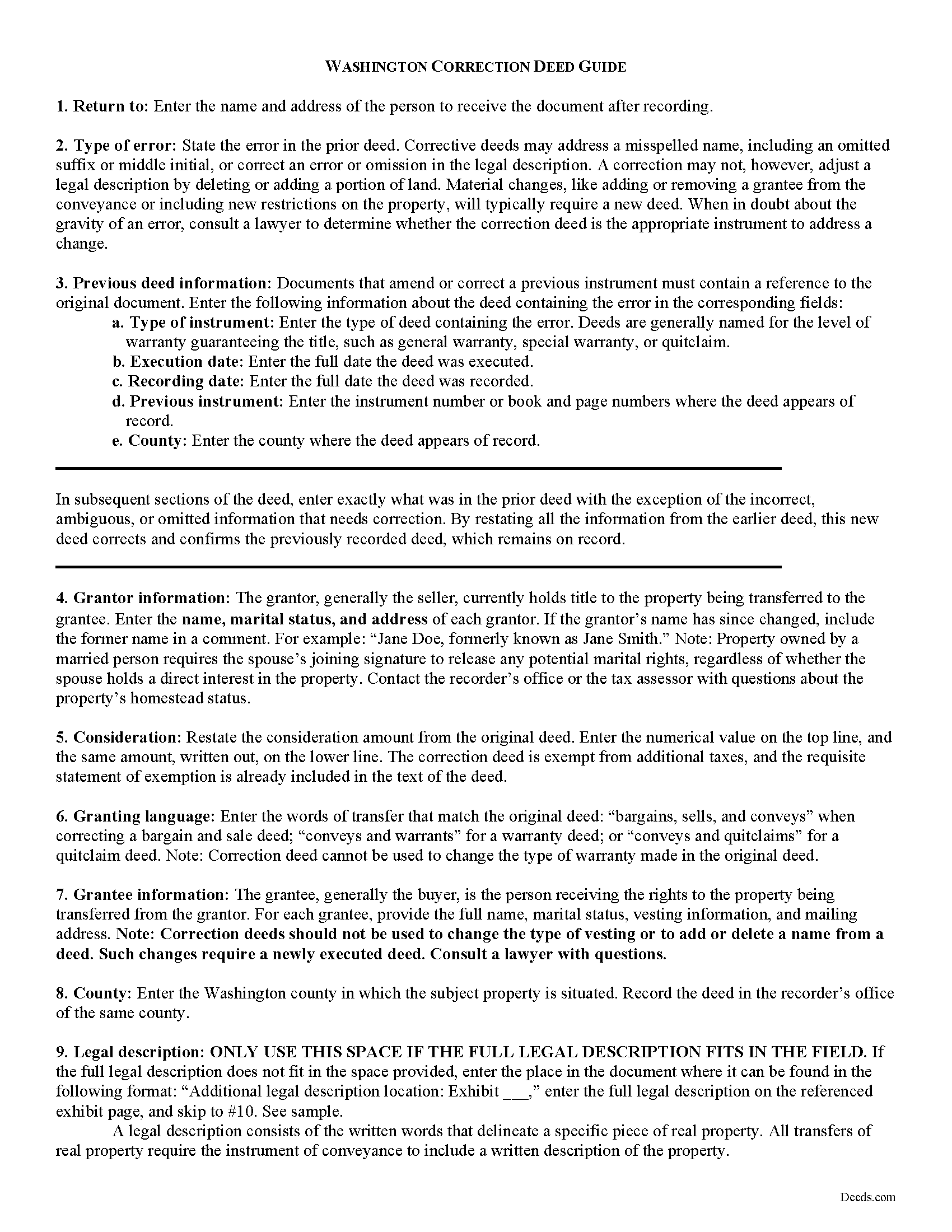
Grant County Correction Deed Guide
Line by line guide explaining every blank on the form.
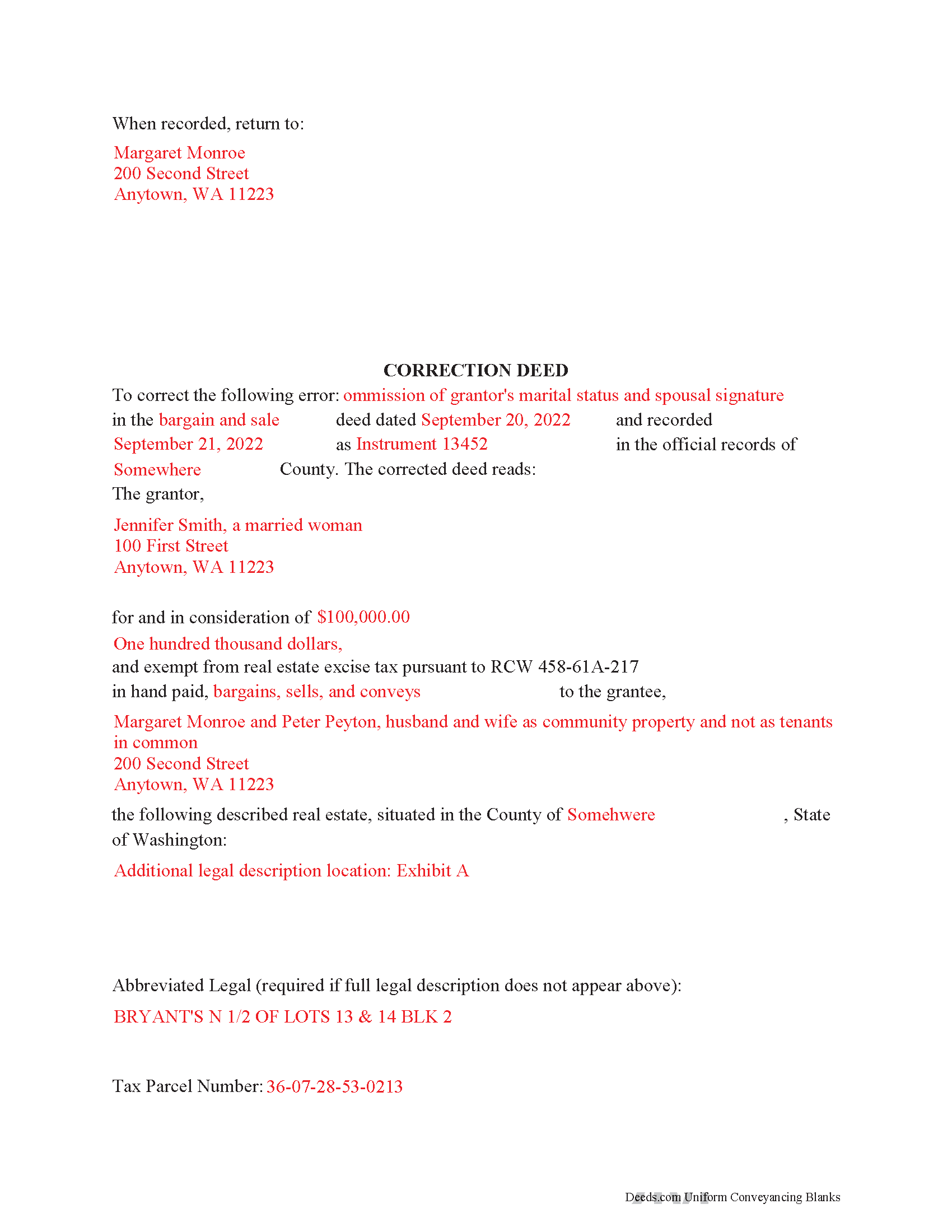
Grant County Completed Example of the Correction Deed Document
Example of a properly completed form for reference.
All 3 documents above included • One-time purchase • No recurring fees
Immediate Download • Secure Checkout
Additional Washington and Grant County documents included at no extra charge:
Where to Record Your Documents
Grant County Auditor: Recording
Ephrata, Washington 98823
Hours: Monday through Friday 8:00am to 4:00pm
Phone: (509) 754-2011 ext 2732/2736
Recording Tips for Grant County:
- Bring your driver's license or state-issued photo ID
- Ensure all signatures are in blue or black ink
- Recording fees may differ from what's posted online - verify current rates
- Request a receipt showing your recording numbers
- Ask about accepted payment methods when you call ahead
Cities and Jurisdictions in Grant County
Properties in any of these areas use Grant County forms:
- Beverly
- Coulee City
- Electric City
- Ephrata
- George
- Grand Coulee
- Hartline
- Marlin
- Mattawa
- Moses Lake
- Quincy
- Royal City
- Soap Lake
- Stratford
- Warden
- Wilson Creek
Hours, fees, requirements, and more for Grant County
How do I get my forms?
Forms are available for immediate download after payment. The Grant County forms will be in your account ready to download to your computer. An account is created for you during checkout if you don't have one. Forms are NOT emailed.
Are these forms guaranteed to be recordable in Grant County?
Yes. Our form blanks are guaranteed to meet or exceed the applicable formatting requirements used for recording in Grant County, including margin requirements, font requirements, and other layout standards. This guarantee applies to formatting, not to the legal sufficiency of information entered by the user or the suitability of a form for a particular transaction.
Can I reuse these forms?
Yes. You can reuse the forms for your personal use. For example, if you have multiple properties in Grant County you only need to order once.
What do I need to use these forms?
The forms are PDFs that you fill out on your computer. The free Adobe Acrobat Reader is recommended, and most PDF apps also work. You do NOT enter your property information online - you download the blank forms and complete them privately on your own computer.
Are there any recurring fees?
No. This is a one-time purchase. Nothing to cancel, no memberships, no recurring fees.
How much does it cost to record in Grant County?
Recording fees in Grant County vary. Contact the recorder's office at (509) 754-2011 ext 2732/2736 for current fees.
Questions answered? Let's get started!
Use the corrective deed to correct an error in a previously recorded bargain and sale, warranty, or quitclaim deed in Washington State.
Once a deed has been recorded, it cannot be changed and remains part of the public record. It is possible, however, to amend that record by adding a newly executed deed. The method used depends upon the reasons for changing. For corrections of minor errors or omissions, a new correction deed or re-recording of the original deed will suffice. For larger errors or to include/omit a name from the existing deed, a standard conveyance, such as a warranty or quitclaim deed, may be more appropriate.
When re-recording the existing deed, use a cover sheet to reference the prior recording number, the reason for re-recording and the corrected information. The cover sheet, which is often provided by the county, must contain the following information: return address, document title or titles, reference numbers to other documents (here: the prior deed), names of grantors and grantees, entire or abbreviated legal description, assessor's property tax parcel number or account number.
A cleaner option for amending an error is the correction deed, especially in light of Washington State's strict legibility requirements and zero tolerance for any information spilling onto the margins of the document. By restating all the information from the earlier deed, this new deed of correction will reference and confirm the previously recorded deed, which remains on record. After identifying the type of error and identifying the earlier deed, enter exactly what was in that deed with the exception of the false, ambiguous or omitted information that needs to be corrected.
In both correction scenarios, submit a new excise tax affidavit, which must state the prior excise tax recording number. When filling out the affidavit, use exemption code WAC 458-61A-217, which also calls for "the recorded document number for the prior transaction" and an explanation for the re-recording.
(Washington CD Package includes form, guidelines, and completed example)
Important: Your property must be located in Grant County to use these forms. Documents should be recorded at the county recording office listed above.
This Correction Deed meets all recording requirements specific to Grant County.
Our Promise
The documents you receive here are guaranteed to meet or exceed the applicable Grant County recording format requirements. If there is a rejection caused by our formatting, we will correct the issue or refund your payment. This guarantee applies to document formatting only and does not extend to information entered by the user, the selection of the form, or the legal effect of the completed document.
Save Time and Money
Get your Grant County Correction Deed form done right the first time with Deeds.com Uniform Conveyancing Blanks. At Deeds.com, we understand that your time and money are valuable resources, and we don't want you to face a penalty fee or rejection imposed by a county recorder for submitting nonstandard documents. We constantly review and update our forms to meet rapidly changing state and county recording requirements for roughly 3,500 counties and local jurisdictions.
4.8 out of 5 - ( 4,832 Reviews )
Darrell G. 5 out of 5 stars
Very easy to work with.
Thank you!
Rafael R. 5 out of 5 stars
This was my first time using Deed.com. It was easier than I expected. The service is more convenient than filing documents in person or by mail. The response from Deeds.com upon the submission of my order was almost instantaneous.
We appreciate your business and value your feedback. Thank you. Have a wonderful day!
A R M. 5 out of 5 stars
Great so far. Just downloaded all the documents, and they seem to be easy to save and are fillable. A R M
Thank you for your feedback. We really appreciate it. Have a great day!
Tim T. 5 out of 5 stars
Straightforward and handy. Spacing of the spaces I filled out was not pretty, but it all worked.
We are motivated by your feedback to continue delivering excellence. Thank you!
Loren H. 5 out of 5 stars
I really appreciate your forms according to South Dakota laws and statues. Your forms allow me to effectively do estate planning without extensive legal expenses. The "Revocable Transfer of Death Deed" is perfect to protect against extensive probate problems for seniors in retirement. Thank you and May God Bless.
We appreciate your business and value your feedback. Thank you. Have a wonderful day!
Nawal F. 5 out of 5 stars
Friendly user
Thank you!
John H. 5 out of 5 stars
I haven't begun yet, but this looks like what I need.
Thank you!
Diane C. 5 out of 5 stars
Hey, great job! Love these forms. They make the process really easy.
Great to hear Diane, have a fantastic day!
Carol H. 5 out of 5 stars
Easy to understand, quick access, inexpensive, and I took it to my registrar's office and he said the warranty deed was good to go. Thanks for saving me a bundle in lawyer's fees.
We appreciate your business and value your feedback. Thank you. Have a wonderful day!
Laurence G. 5 out of 5 stars
Easy to use, inexpensive, very helpful
Thank you!
Daniel S. 5 out of 5 stars
Fast. Easy. More than I expected. Hope it all works with MD bureaucrats.
Thank you for your feedback. We really appreciate it. Have a great day!
Paul R. 5 out of 5 stars
So far, so good. Great looking site.
Thank you!
Karin H. 5 out of 5 stars
Awesome same-day service!
We appreciate your business and value your feedback. Thank you. Have a wonderful day!
raymond w. 5 out of 5 stars
answeed many questions I had.
Thank you!
Sue C. 5 out of 5 stars
Very helpful. Easy to use. Able to avoid the cost of having an attorney prepare the document I needed.
Your appreciative words mean the world to us. Thank you and we look forward to serving you again!