Douglas County Transfer on Death Affidavit Form
Last validated October 27, 2026 by our Forms Development TeamFormatted for recording in Douglas County, for property anywhere in the county: rural and unincorporated areas as well as Bridgeport, East Wenatchee, Mansfield, Orondo, Palisades, Rock Island, Waterville.
- 3 documents included
- Immediate PDF download
- Formatting guarantee
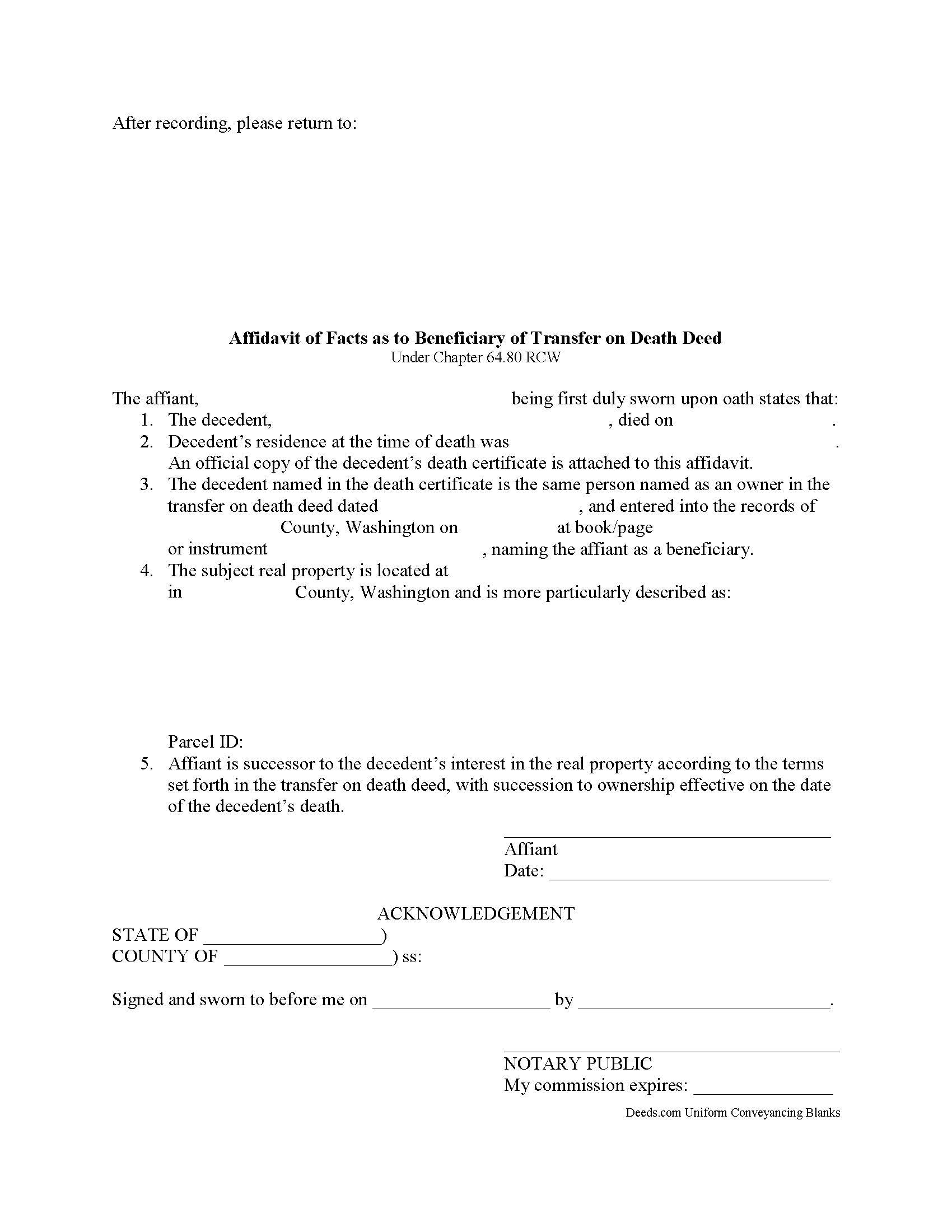
Douglas County Transfer on Death Affidavit Form
Fill in the blank form formatted to comply with all recording and content requirements.
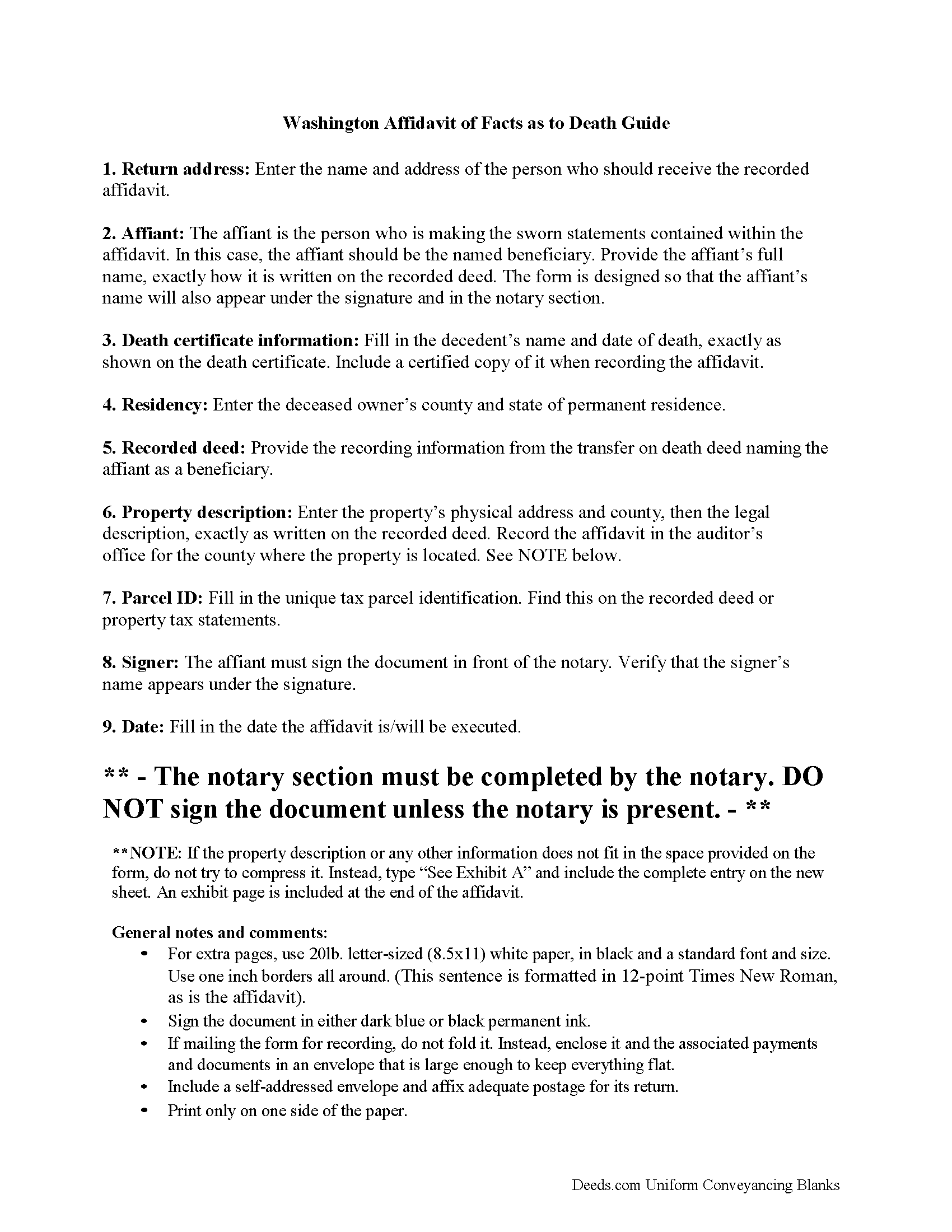
Douglas County Transfer on Death Affidavit Guide
Line by line guide explaining every blank on the form.
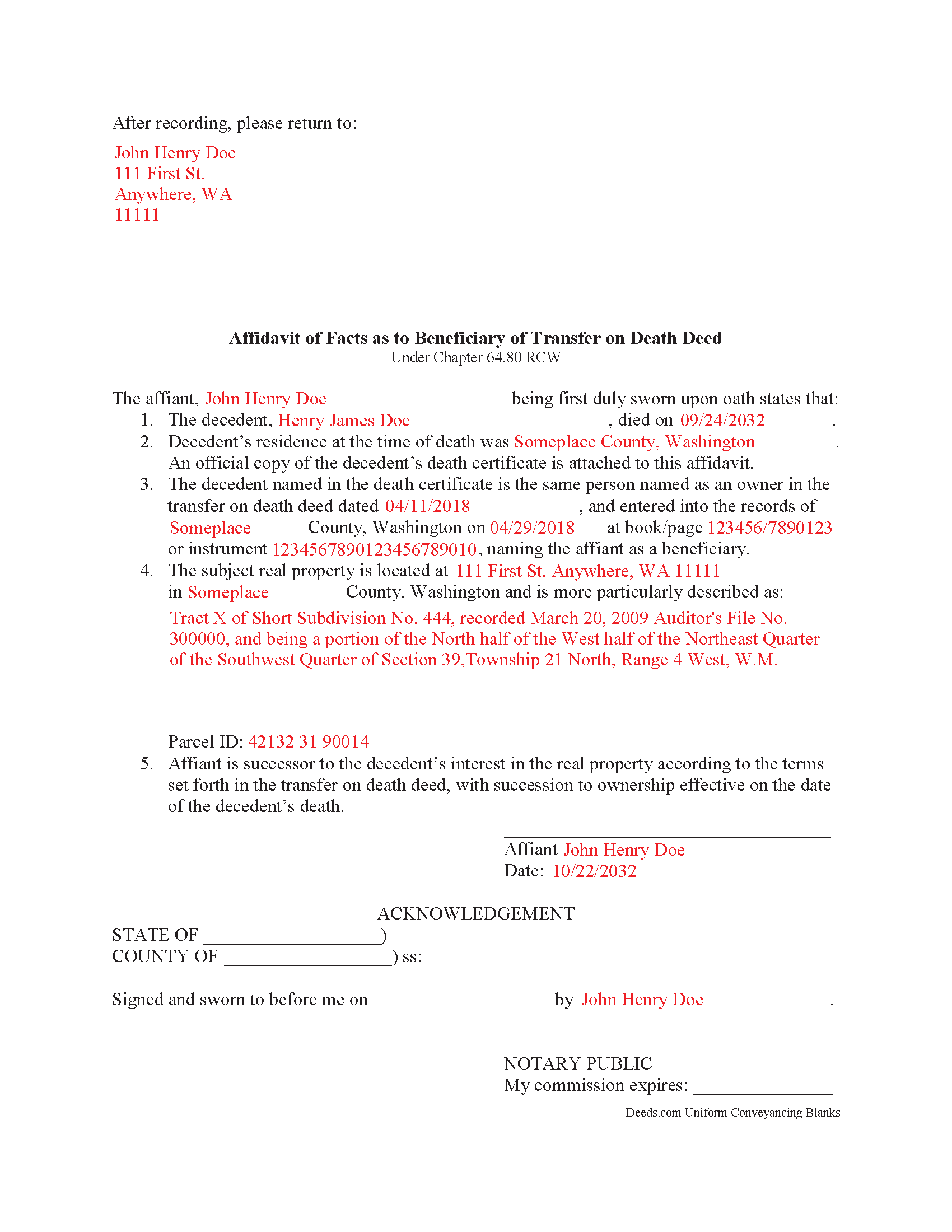
Douglas County Completed Example of the Transfer on Death Affidavit Document
Example of a properly completed form for reference.
All 3 documents above included • One-time purchase • No recurring fees
Immediate Download • Secure Checkout
Additional Washington and Douglas County documents included at no extra charge:
Where to Record Your Documents
Douglas County Recorder
Waterville , Washington 98858-0456
Hours: Monday through Friday 8:30am - 4:30pm / Recording until 4:00pm
Phone: (509) 745-8527
Recording Tips for Douglas County:
- Bring your driver's license or state-issued photo ID
- Ensure all signatures are in blue or black ink
- Double-check legal descriptions match your existing deed
- Verify all names are spelled correctly before recording
- White-out or correction fluid may cause rejection
Cities and Jurisdictions in Douglas County
Properties in any of these areas use Douglas County forms:
- Bridgeport
- East Wenatchee
- Mansfield
- Orondo
- Palisades
- Rock Island
- Waterville
Hours, fees, requirements, and more for Douglas County
How do I get my forms?
Forms are available for immediate download after payment. The Douglas County forms will be in your account ready to download to your computer. An account is created for you during checkout if you don't have one. Forms are NOT emailed.
Are these forms guaranteed to be recordable in Douglas County?
Yes. Our form blanks are guaranteed to meet or exceed the applicable formatting requirements used for recording in Douglas County, including margin requirements, font requirements, and other layout standards. This guarantee applies to formatting, not to the legal sufficiency of information entered by the user or the suitability of a form for a particular transaction.
Can I reuse these forms?
Yes. You can reuse the forms for your personal use. For example, if you have multiple properties in Douglas County you only need to order once.
What do I need to use these forms?
The forms are PDFs that you fill out on your computer. The free Adobe Acrobat Reader is recommended, and most PDF apps also work. You do NOT enter your property information online - you download the blank forms and complete them privately on your own computer.
Are there any recurring fees?
No. This is a one-time purchase. Nothing to cancel, no memberships, no recurring fees.
How much does it cost to record in Douglas County?
Recording fees in Douglas County vary. Contact the recorder's office at (509) 745-8527 for current fees.
Questions answered? Let's get started!
Transferring a Washington Real Estate Title to a Transfer on Death Beneficiary
The Revised Statutes of Washington set out the rules for transfer on death deeds at Chapter 64.80. Property transferred in this way is not passed in a will; instead, the named beneficiary's share is conveyed as a function of law, but not until after the property owner dies.
To perfect the title, RCW 82.45.197(7) discusses recording a certified copy of the owner's death certificate. Otherwise, the deceased owner's name would remain on the title. This inaccuracy can create confusion during a title search and slow down the transfer process. In addition, outdated information might interfere with property tax billing, possibly leading to fees and/or penalties.
By executing and recording an affidavit of facts as to death to accompany the death certificate the beneficiary can clarify the intended outcome of the transfer. This action keeps property records up-to-date, verifies interests and rights to the title, and ensures smoother transfers in the future.
Each circumstance is unique, so please contact an attorney with questions or for complex situations.
(Washington TODA Package includes form, guidelines, and completed example)
Important: Your property must be located in Douglas County to use these forms. Documents should be recorded at the county recording office listed above.
This Transfer on Death Affidavit meets all recording requirements specific to Douglas County.
Our Promise
The documents you receive here are guaranteed to meet or exceed the applicable Douglas County recording format requirements. If there is a rejection caused by our formatting, we will correct the issue or refund your payment. This guarantee applies to document formatting only and does not extend to information entered by the user, the selection of the form, or the legal effect of the completed document.
Save Time and Money
Get your Douglas County Transfer on Death Affidavit form done right the first time with Deeds.com Uniform Conveyancing Blanks. At Deeds.com, we understand that your time and money are valuable resources, and we don't want you to face a penalty fee or rejection imposed by a county recorder for submitting nonstandard documents. We constantly review and update our forms to meet rapidly changing state and county recording requirements for roughly 3,500 counties and local jurisdictions.
4.8 out of 5 - ( 4,845 Reviews )
David C. 5 out of 5 stars
I found it pretty easy to navigate, all worked well. Need a better example of excise tax. Lastly, your link in the email to get to this page doesn't work :)
We appreciate your business and value your feedback. Thank you. Have a wonderful day!
Dennis M. 5 out of 5 stars
Very quick and easy to use. Deeds.com saved me a lot of money!
Thank you!
Shawn S. 5 out of 5 stars
Listen, I love your services. It's been such a convenience utilizing it.
We appreciate your business and value your feedback. Thank you. Have a wonderful day!
Myron L. 3 out of 5 stars
The forms were not identical to the county's version but it met my needs.
Thank you!
Rocio G. 5 out of 5 stars
Better than in person service, I recommend this service 100%.
We appreciate your business and value your feedback. Thank you. Have a wonderful day!
Julie P. 5 out of 5 stars
Quick & easy to use. Spoke a lawyer and saved hundreds by doing it myself.
Thank you for your feedback Julie, we appreciate you.
Lori W. 5 out of 5 stars
Great resource! Nice to have these forms and information available. No problems at the recorder, in fact it was the recorder that referred me to deeds.com they like their forms so much.
Thank you for your feedback. We really appreciate it. Have a great day!
James G. 5 out of 5 stars
Deed.com had some hard to find mineral interest deeds for Oklahoma.I'm an attorney in Texas with no Ok experience. The examples on Deed.com were very useful and saved me lots of time. James G.
We appreciate your business and value your feedback. Thank you. Have a wonderful day!
Spencer A. 5 out of 5 stars
Deeds.com made it so easy to file my paper work with the county. It saved me half a days travel and cost me about a tank of gas. This service was well worth the saved travel time and energy. I would highly recommend this service to other individuals. The other companies I spoke with only service law firms, title companies & banks etc. Thanks deed.com, I'll be back and will refer all my friends too.
Thank you so much Spencer, we really appreciate your feedback!
Christopher M. 5 out of 5 stars
This was so painless and fast!
Thank you Christopher, that means a lot to us.
Juan M. 5 out of 5 stars
Very happy
We appreciate your business and value your feedback. Thank you. Have a wonderful day!
Michael H. 5 out of 5 stars
Very responsive and thorough. Glad to have found such a great company for our recording needs.
Thank you!
Jeanette S. 5 out of 5 stars
Your site was easy to figure out after a few mistakes on my part. Messages were returned quickly. Very convenient for our recording of documents. I will recommend using this method for recording in future. Thank you for working fast in our recording.
Thank you for your feedback. We really appreciate it. Have a great day!
SHERRI B. 5 out of 5 stars
World class forms and service. Downloaded and prepared the deed in minutes. Used the recording service (digital), so convenient.
Thank you for the kind words Sherri. Have an amazing day!
Kelli W. 5 out of 5 stars
Fantastic documents! Easy to complete, looked great after I filled them in and printed them. No problems with the notary or recorder (recorder clerk actually said they see deeds.com documents all the time and they love em cause it makes their job easier). Highly recommend!!
Thank you for your feedback. We really appreciate it. Have a great day!