Tyler County Certification of Trust Form
Last validated October 19, 2026 by our Forms Development TeamFormatted for recording in Tyler County, for property anywhere in the county: rural and unincorporated areas as well as Alma, Friendly, Middlebourne, Shirley, Sistersville.
- 3 documents included
- Immediate PDF download
- Formatting guarantee
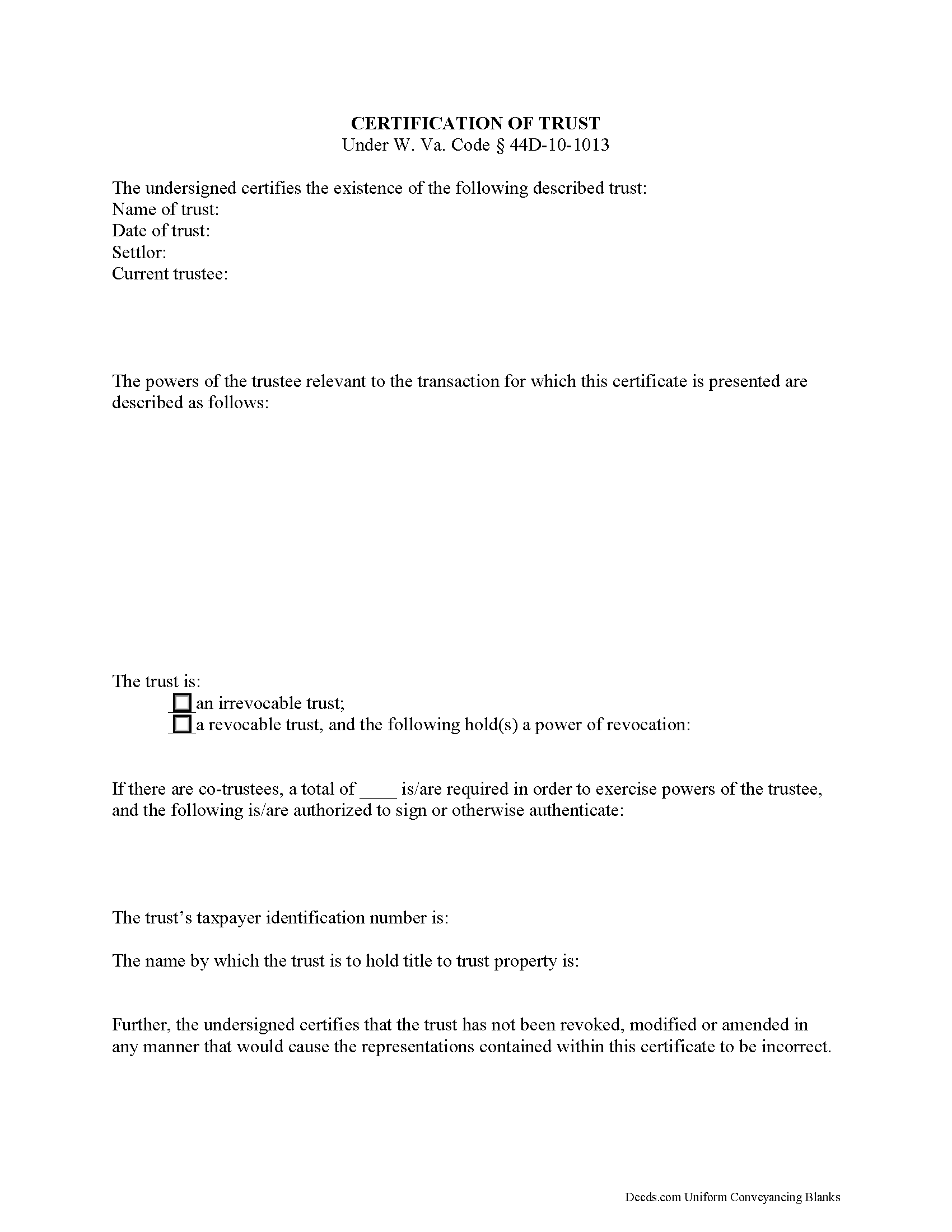
Tyler County Certificate of Trust Form
Fill in the blank form formatted to comply with all recording and content requirements.
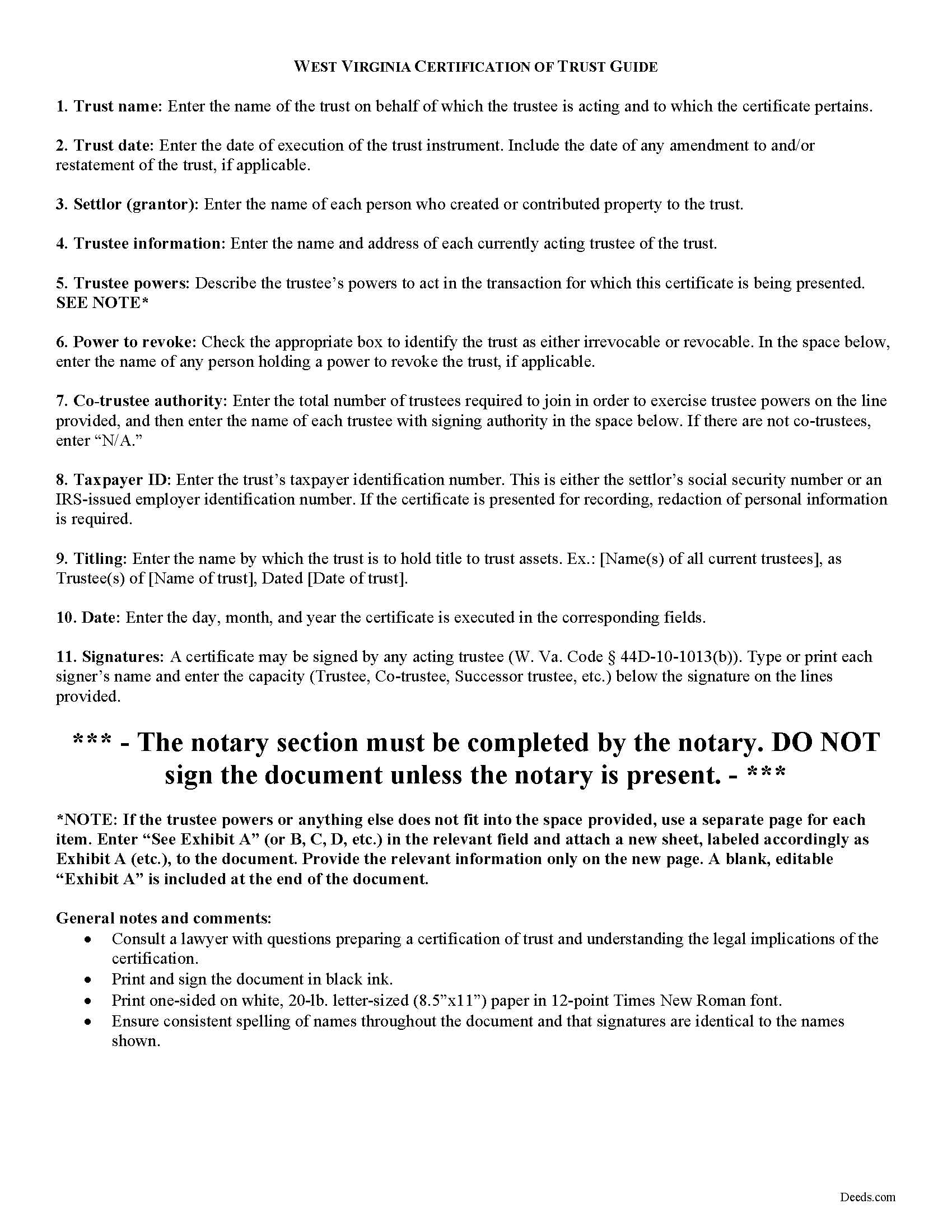
Tyler County Certificate of Trust Guide
Line by line guide explaining every blank on the form.
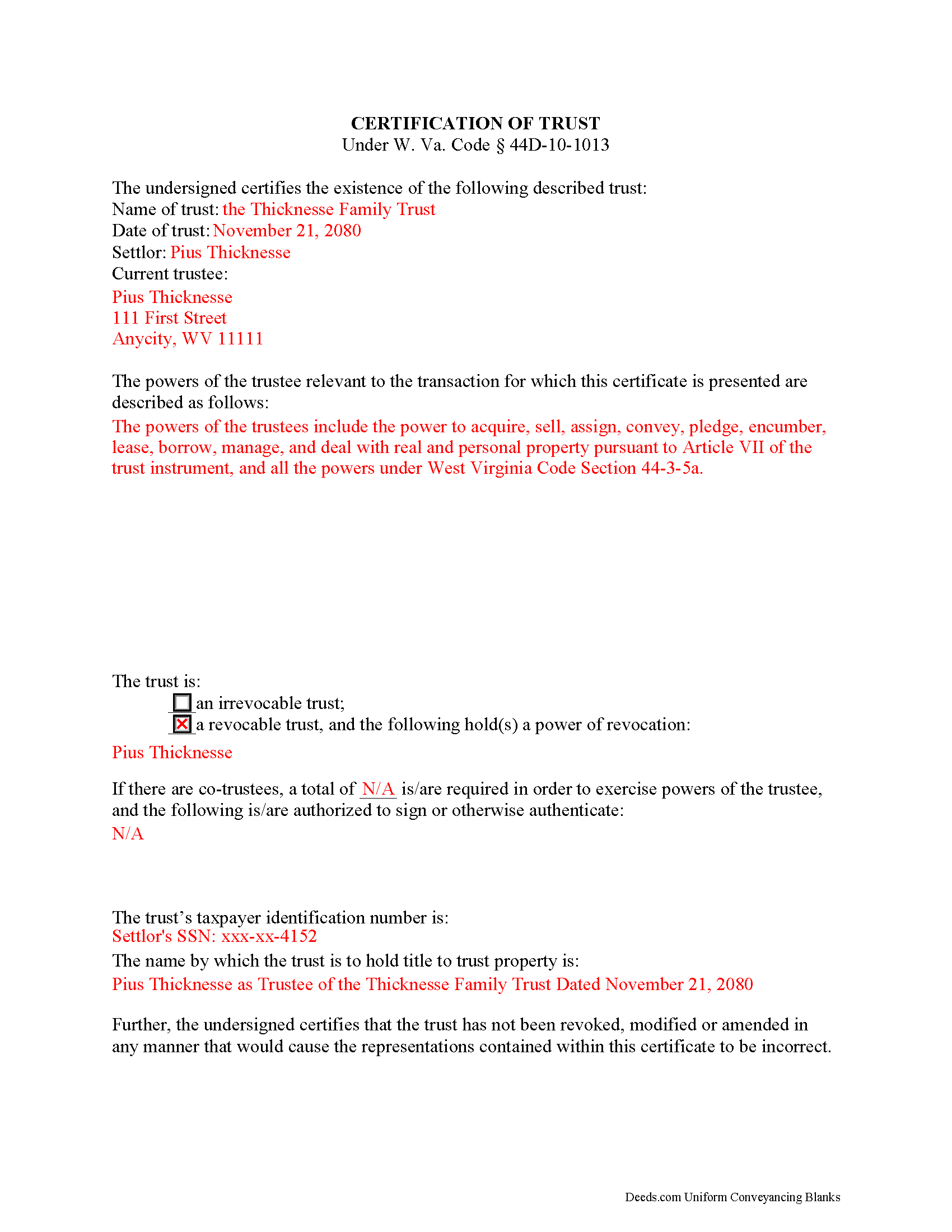
Tyler County Completed Example of the Certificate of Trust Document
Example of a properly completed form for reference.
All 3 documents above included • One-time purchase • No recurring fees
Immediate Download • Secure Checkout
Additional West Virginia and Tyler County documents included at no extra charge:
Where to Record Your Documents
Tyler County Clerk
Middlebourne, West Virginia 26149
Hours: 8:00 to 4:00 M-F
Phone: (304) 758-2102 or 758-2041
Recording Tips for Tyler County:
- Bring your driver's license or state-issued photo ID
- Ensure all signatures are in blue or black ink
- Ask about their eRecording option for future transactions
- Avoid the last business day of the month when possible
- Both spouses typically need to sign if property is jointly owned
Cities and Jurisdictions in Tyler County
Properties in any of these areas use Tyler County forms:
- Alma
- Friendly
- Middlebourne
- Shirley
- Sistersville
Hours, fees, requirements, and more for Tyler County
How do I get my forms?
Forms are available for immediate download after payment. The Tyler County forms will be in your account ready to download to your computer. An account is created for you during checkout if you don't have one. Forms are NOT emailed.
Are these forms guaranteed to be recordable in Tyler County?
Yes. Our form blanks are guaranteed to meet or exceed the applicable formatting requirements used for recording in Tyler County, including margin requirements, font requirements, and other layout standards. This guarantee applies to formatting, not to the legal sufficiency of information entered by the user or the suitability of a form for a particular transaction.
Can I reuse these forms?
Yes. You can reuse the forms for your personal use. For example, if you have multiple properties in Tyler County you only need to order once.
What do I need to use these forms?
The forms are PDFs that you fill out on your computer. The free Adobe Acrobat Reader is recommended, and most PDF apps also work. You do NOT enter your property information online - you download the blank forms and complete them privately on your own computer.
Are there any recurring fees?
No. This is a one-time purchase. Nothing to cancel, no memberships, no recurring fees.
How much does it cost to record in Tyler County?
Recording fees in Tyler County vary. Contact the recorder's office at (304) 758-2102 or 758-2041 for current fees.
Questions answered? Let's get started!
The certification of trust is part of the Uniform Trust Code, codified in West Virginia at 44D-10-1013, and provides protection for parties doing business with trustees. The document "need not contain the dispositive terms of a trust" ( 44D-10-1013(d)) and, in West Virginia, is generally not recorded with land records. Rather, the certification is presented to third parties such as banks or other financial institutions doing business with a trustee.
Executed by any trustee, the certificate contains only the pertinent information required for the business at hand and is a basic summary of the trust instrument. It states that the trust exists and that it has not been revoked or modified in a way that would invalidate the information presented within. In addition, it requires the name of each settlor and acting trustee; the trustee's relevant powers; the name of anyone having a power to revoke the trust; the trust's taxpayer identification number; and the name by which the trust vests title to property. The form also details the signing authority of co-trustees, if applicable.
Each situation is unique, so contact an attorney with questions about the certification of trust or any other issue relating to trusts in West Virginia.
(West Virginia COT Package includes form, guidelines, and completed example)
Important: Your property must be located in Tyler County to use these forms. Documents should be recorded at the county recording office listed above.
This Certification of Trust meets all recording requirements specific to Tyler County.
Our Promise
The documents you receive here are guaranteed to meet or exceed the applicable Tyler County recording format requirements. If there is a rejection caused by our formatting, we will correct the issue or refund your payment. This guarantee applies to document formatting only and does not extend to information entered by the user, the selection of the form, or the legal effect of the completed document.
Save Time and Money
Get your Tyler County Certification of Trust form done right the first time with Deeds.com Uniform Conveyancing Blanks. At Deeds.com, we understand that your time and money are valuable resources, and we don't want you to face a penalty fee or rejection imposed by a county recorder for submitting nonstandard documents. We constantly review and update our forms to meet rapidly changing state and county recording requirements for roughly 3,500 counties and local jurisdictions.
4.8 out of 5 - ( 4,837 Reviews )
Julie G. 5 out of 5 stars
Such a great site!! Everyone is so helpful! Thanks again! Julie
We appreciate your business and value your feedback. Thank you. Have a wonderful day!
Cedric W. 5 out of 5 stars
This process was very easy to go through, from beginning to end. It was fast, precise and got the job done without me having to leave my computer. If opportunities arise, I will definitely use deeds.com again.
Thank you for your feedback. We really appreciate it. Have a great day!
Jan David F. 1 out of 5 stars
Your data doesn't go deep enough in time to be useful to me. I needed deeds from 1911 to 1966.
Thank you for your feedback Jan. It does look like staff canceled your order after discussing your needs with you.
Alexandra M. 5 out of 5 stars
Needed a Limited Power of Attorney form for a real estate transaction in another state. Proper form came up immediately and was fairly easy to complete. I think the sample completed form should have been more completely explained in layman's language instead of legalese (such as person granting permission instead of grantor or something like your name and address and the person who will be signing on your behalf) but since the form was one price no matter how many ways it was printed out, it was fine. I just filled it out several ways and had it notarized and sent it to my sister. Whichever combination is appropriate she and the lawyer will have. I found the site easy to navigate
We appreciate your business and value your feedback. Thank you. Have a wonderful day!
Richard H. 1 out of 5 stars
It was a waste of time. I asked a question via your chat service. I received an acknowledgement that you received the question, that you might or might not answer it, and don't bother to reply to you email, as no one would read it. Confirming my belief that customer service is an oxymoron for most companies. (I doubt this review will ever appear on the site, or anyuhere else.)
Thank you!
Anthony C. 5 out of 5 stars
I am filing a Personal Representative Deed. Haven't used the forms yet but the package sent is comprehensive and appears easy to follow. A bit help to someone who has never done this.
We appreciate your business and value your feedback. Thank you. Have a wonderful day!
Brenda R. 5 out of 5 stars
Excellent!! Site VERY easy/simple to navigate.
Happy we could assist. Thank you for sharing your experience.
Ronald S. 5 out of 5 stars
fantastic forms, great service!
Thank you for your feedback. We really appreciate it. Have a great day!
STANLEY K. 5 out of 5 stars
I AM DELIGHTED TO BE PARTY TO DEEDS.COM. THE PROCESS IS DOWN-TO-EARTH AND VERY USER FRIENDLY. I MUST SAY THAT JUST THE SAVINGS IN TRAVEL TIME AND MONEY IS IN ITSELF VERY REFRESHING. THIS ON LINE PROCESS IS SO CONVENIENT FOR MY OVERALL EFFORT AND OF COURSE FOR OUR CLIENTS AS WELL. I GOT BACKED UP IN RECORDING WHEN THE VIRUS BEGAN RAGING AND PERSONAL VISITS TO LAND RECORDS BECAME A THING OF THE PAST.I FOUND THE SITE WITH A SUGGESTION FROM DC LAND RECORDS' ASSISTANT BY PHONE. I ONLY WISH I'D KNOWN ABOUT THIS AWESOME SERVICE BEFORE 2020. HATS OFF TO DEEDS.COM!
Thank you for your feedback. We really appreciate it. Have a great day!
Marites T. 5 out of 5 stars
Extremely helpful team of professionals who are patient when you need to get things filed correctly. Very small price for the comfort of knowing your DOCUMENTS are FILED with you local Recorder's Office. Some of the filings, if they are correctly formatted are already uploaded and official within a few hours. Here's the ALTERNATIVE you may encounter. For Example: King County Recorder's Office moved which means most filings are backed up 7-10 days if you DROP your filing in a BOX with your CHECK or MAIL IT. Neither is a great option, since they have no WALK IN HOURS.
We appreciate your business and value your feedback. Thank you. Have a wonderful day!
Doris P. 4 out of 5 stars
Easy to understand and fill out Beneficiary Deed, but when I tried to download finished form, it disappeared! Luckily I had printed it first and had to fill out again.
Thank you!
Dave W. 5 out of 5 stars
Hello, The instructions were clear and easy to navigate. Thanks, Dr. Dave Wayne
We appreciate your business and value your feedback. Thank you. Have a wonderful day!
Dana Y. 5 out of 5 stars
Purchased and used the quitclaim form. I have no complaints with any aspect. The forms, instructions, and example all came together to make the process very easy.
Thank you Dana. Have a great day!
Virginia S. 5 out of 5 stars
Very easy to use. Had my Transfer of Death Designation Affidavit done in no time and filed with the Recorder's Office the next day.
Thank you for your feedback. We really appreciate it. Have a great day!
Kirk G. 5 out of 5 stars
Excellent! I will be back!
Thank you!