Upshur County Correction Deed Form
Last validated October 6, 2026 by our Forms Development TeamFormatted for recording in Upshur County, for property anywhere in the county: rural and unincorporated areas as well as Adrian, Buckhannon, Cleveland, French Creek, Frenchton, Kanawha Head, Lorentz, Rock Cave and 2 more.
- 3 documents included
- Immediate PDF download
- Formatting guarantee
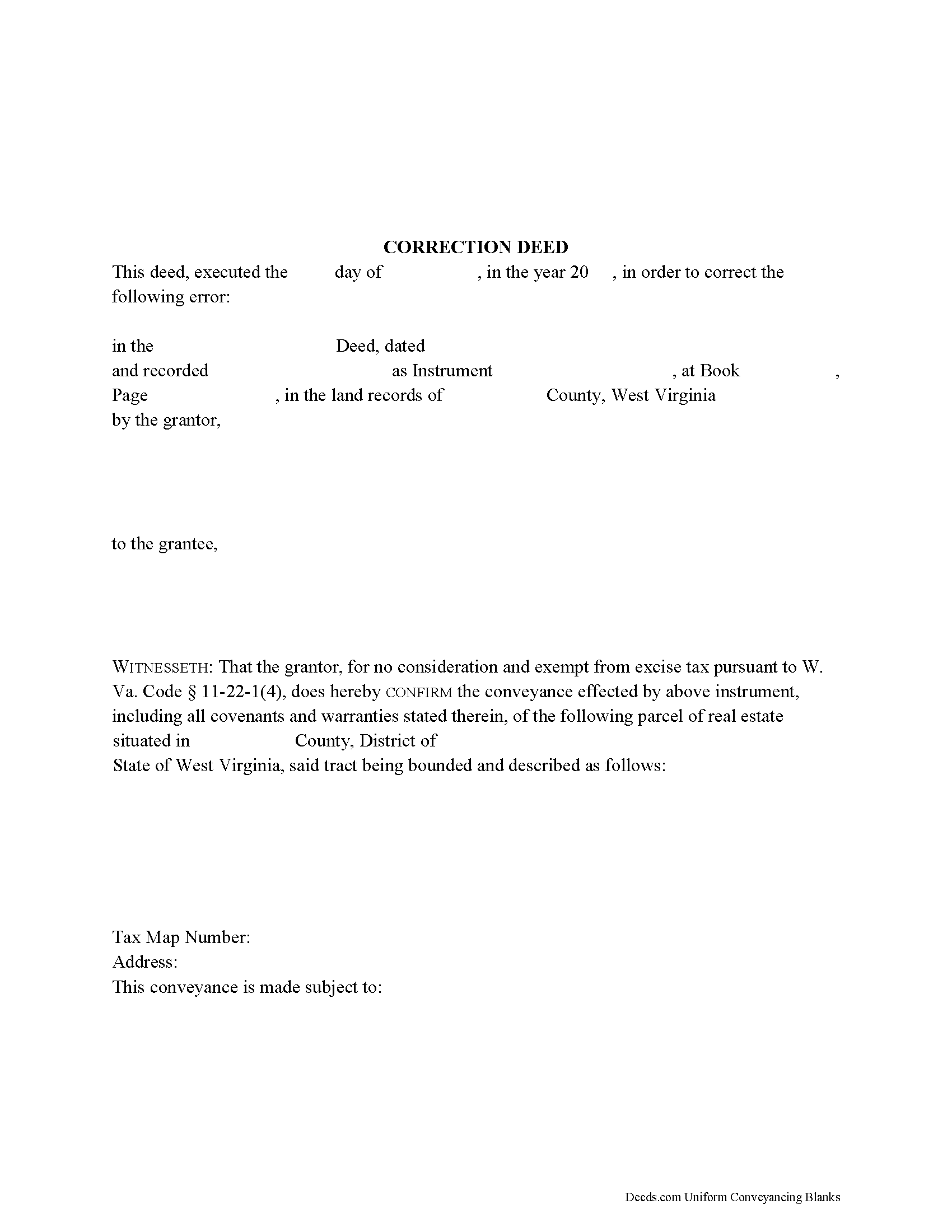
Upshur County Correction Deed Form
Fill in the blank form formatted to comply with all recording and content requirements.
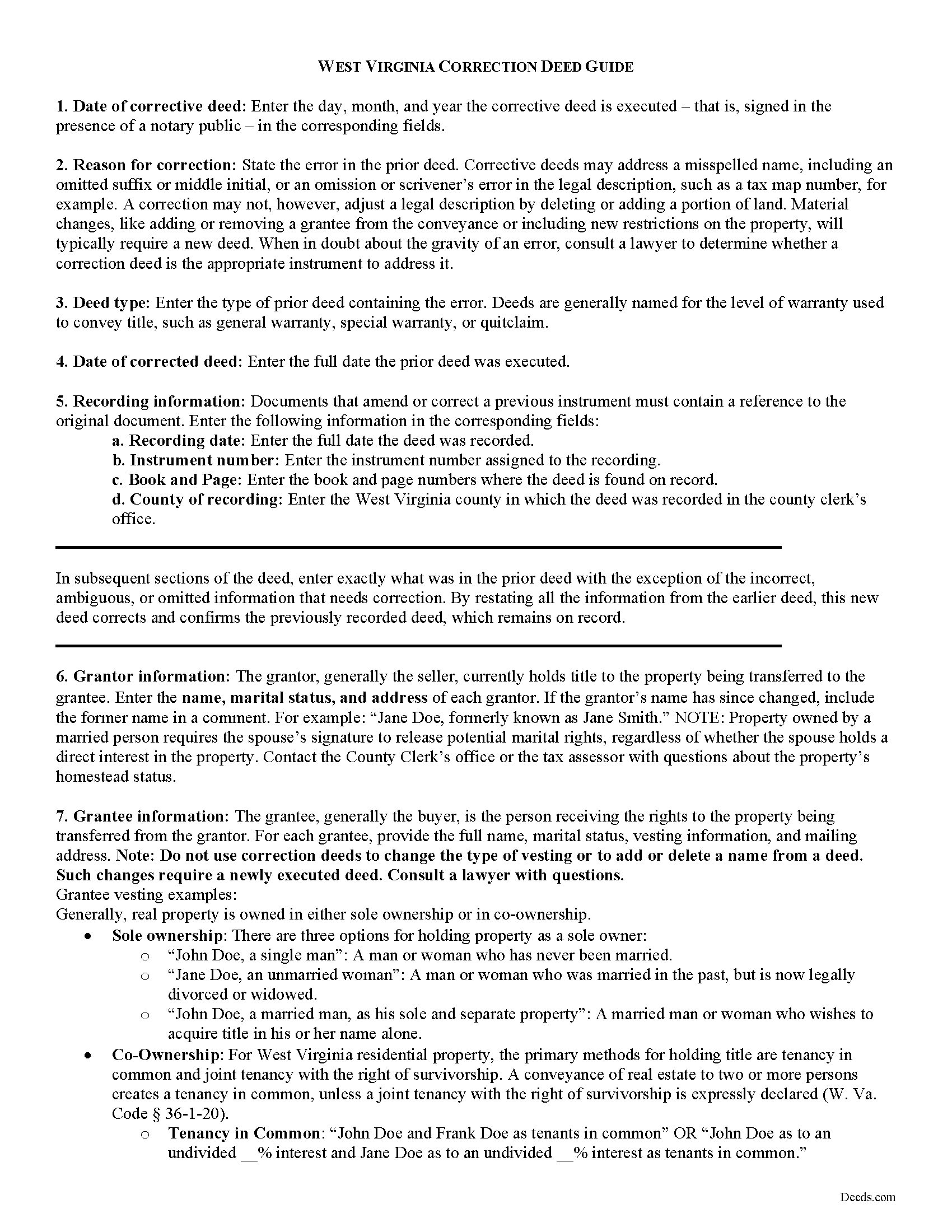
Upshur County Correction Deed Guide
Line by line guide explaining every blank on the form.
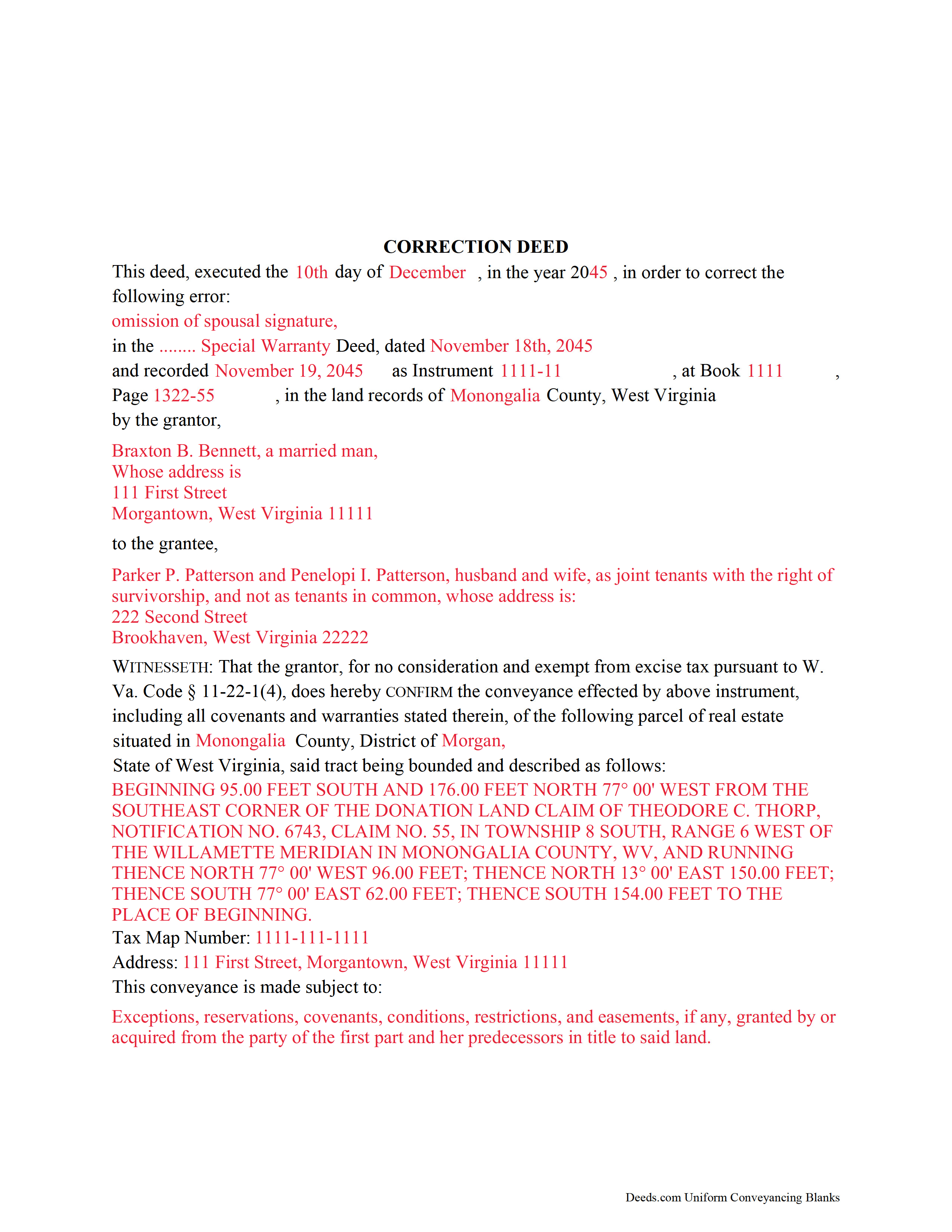
Upshur County Completed Example of the Correction Deed Document
Example of a properly completed form for reference.
All 3 documents above included • One-time purchase • No recurring fees
Immediate Download • Secure Checkout
Additional West Virginia and Upshur County documents included at no extra charge:
Where to Record Your Documents
Upshur County Clerk
Buckhannon, West Virginia 26201
Hours: 8:00 to 4:30 M-F
Phone: (304) 472-1068
Recording Tips for Upshur County:
- Bring your driver's license or state-issued photo ID
- Ensure all signatures are in blue or black ink
- Recording fees may differ from what's posted online - verify current rates
- Request a receipt showing your recording numbers
- Ask about accepted payment methods when you call ahead
Cities and Jurisdictions in Upshur County
Properties in any of these areas use Upshur County forms:
- Adrian
- Buckhannon
- Cleveland
- French Creek
- Frenchton
- Kanawha Head
- Lorentz
- Rock Cave
- Selbyville
- Tallmansville
Hours, fees, requirements, and more for Upshur County
How do I get my forms?
Forms are available for immediate download after payment. The Upshur County forms will be in your account ready to download to your computer. An account is created for you during checkout if you don't have one. Forms are NOT emailed.
Are these forms guaranteed to be recordable in Upshur County?
Yes. Our form blanks are guaranteed to meet or exceed the applicable formatting requirements used for recording in Upshur County, including margin requirements, font requirements, and other layout standards. This guarantee applies to formatting, not to the legal sufficiency of information entered by the user or the suitability of a form for a particular transaction.
Can I reuse these forms?
Yes. You can reuse the forms for your personal use. For example, if you have multiple properties in Upshur County you only need to order once.
What do I need to use these forms?
The forms are PDFs that you fill out on your computer. The free Adobe Acrobat Reader is recommended, and most PDF apps also work. You do NOT enter your property information online - you download the blank forms and complete them privately on your own computer.
Are there any recurring fees?
No. This is a one-time purchase. Nothing to cancel, no memberships, no recurring fees.
How much does it cost to record in Upshur County?
Recording fees in Upshur County vary. Contact the recorder's office at (304) 472-1068 for current fees.
Questions answered? Let's get started!
Use the correction deed to amend a previously recorded warranty, special warranty, or quitclaim deed.
A correction deed explains and corrects an error in a prior instrument. As such, it passes no title, but confirms the conveyance effected by the previously recorded document. It must be executed from the original grantor to the original grantee, and it must be recorded in order to be legally valid.
The correction deed should reference the prior conveyance by type of error, date of execution, date of recording, as well as by recording number and location. Beyond that, it restates the information given in the prior deed, thus serving as its confirmation. The original instrument remains on record as well.
Deeds of correction are most appropriate for minor errors and omissions in the original deed, such as misspelled names, omission of marital status, or typos in the legal description. If an error has the potential to cloud the title and affect its future transfer, recording a correction deed will help.
More substantial changes, such as adding a name to the title or adding/subtracting a portion of land to the legal description of the property, usually require a new deed of conveyance instead of a correction deed. When in doubt, seek legal counsel to determine which instrument is most appropriate for a case that involves a material change.
(West Virginia CD Package includes form, guidelines, and completed example)
Important: Your property must be located in Upshur County to use these forms. Documents should be recorded at the county recording office listed above.
This Correction Deed meets all recording requirements specific to Upshur County.
Our Promise
The documents you receive here are guaranteed to meet or exceed the applicable Upshur County recording format requirements. If there is a rejection caused by our formatting, we will correct the issue or refund your payment. This guarantee applies to document formatting only and does not extend to information entered by the user, the selection of the form, or the legal effect of the completed document.
Save Time and Money
Get your Upshur County Correction Deed form done right the first time with Deeds.com Uniform Conveyancing Blanks. At Deeds.com, we understand that your time and money are valuable resources, and we don't want you to face a penalty fee or rejection imposed by a county recorder for submitting nonstandard documents. We constantly review and update our forms to meet rapidly changing state and county recording requirements for roughly 3,500 counties and local jurisdictions.
4.8 out of 5 - ( 4,828 Reviews )
ELIZABETH A P. 5 out of 5 stars
THE FORMS WERE GOOD, EASY TO UNDERSTAND. NICE TO BE ABLE TO DOWNLOAD THEM INSTANTLY. LIKED THAT I DID NOT HAVE TO JOIN ANYTHING WITH ONGOING FEES.
Thank you Elizabeth, have a great day!
sheila m. 5 out of 5 stars
Very happy with the forms. Ease of use and price were points for high marks.
We appreciate your business and value your feedback. Thank you. Have a wonderful day!
William W. 5 out of 5 stars
No fuss-No muss. Very easy!
Thank you!
David S. 5 out of 5 stars
The form was just what I needed for the Circuit Court and Land Records office. The additional information provided was very helpful as well.
We appreciate your business and value your feedback. Thank you. Have a wonderful day!
Victor K. 3 out of 5 stars
The form I needed was correct and paginated as required. It was accepted w/o penalties. I was not happy about the information which I found way too scant. One sample form does not cover enough possibilities, more would be helpful. The instruction page is a bit better but sometimes it is not clear enough - sometimes it is not clear what the numbered items in the form correspond to. There is no guidance about the process and it would take very little to provide it. Example about "description", say where to find. There is a bunch of "free forms" attached but no guide on which are needed and when. Example: at the counter I was given a paper "conveyance" form and asked to fill it - I did not know it was needed and what it did and so I had not d
Thank you for your feedback. We really appreciate it. Have a great day!
GARY S. 5 out of 5 stars
The forms were just what i needed and for the county i needed thankyou so much
Thank you!
Shawn B. 5 out of 5 stars
Very convenient and easy to use. The quick response time was very much appreciated!
We appreciate your business and value your feedback. Thank you. Have a wonderful day!
Richard H. 1 out of 5 stars
It was a waste of time. I asked a question via your chat service. I received an acknowledgement that you received the question, that you might or might not answer it, and don't bother to reply to you email, as no one would read it. Confirming my belief that customer service is an oxymoron for most companies. (I doubt this review will ever appear on the site, or anyuhere else.)
Thank you!
James B. 5 out of 5 stars
All required forms readily available at fair price. Easy to create account. Immediately acquired documents upon order.
We appreciate your business and value your feedback. Thank you. Have a wonderful day!
Douglas A. 5 out of 5 stars
So far so good once we got the initial problems worked out.
Thank you!
CINDY P. 5 out of 5 stars
Such any easy process! Thank you!
Thank you Cindy, we appreciate your feedback.
roger m. 5 out of 5 stars
super clean interface i thank you very much
Thank you!
Teresa M. 5 out of 5 stars
Very easy and quick. Report gave me the info I needed to know. Will use again if I need to.
We appreciate your business and value your feedback. Thank you. Have a wonderful day!
Lori C. 5 out of 5 stars
It just a little disconcerting that I was not able to preview any of the forms prior to purchasing them. Thank goodness they were the correct forms I needed. I would suggest being able to at least make the picture of the forms a little larger or give the capability to zoom in.
Thank you!
Joyce S. 5 out of 5 stars
Download very easy. Forms are just what I need. Thanks
Thank you for your feedback. We really appreciate it. Have a great day!