Upshur County Trustee Deed Form
Last validated October 19, 2026 by our Forms Development TeamFormatted for recording in Upshur County, for property anywhere in the county: rural and unincorporated areas as well as Adrian, Buckhannon, Cleveland, French Creek, Frenchton, Kanawha Head, Lorentz, Rock Cave and 2 more.
- 3 documents included
- Immediate PDF download
- Formatting guarantee
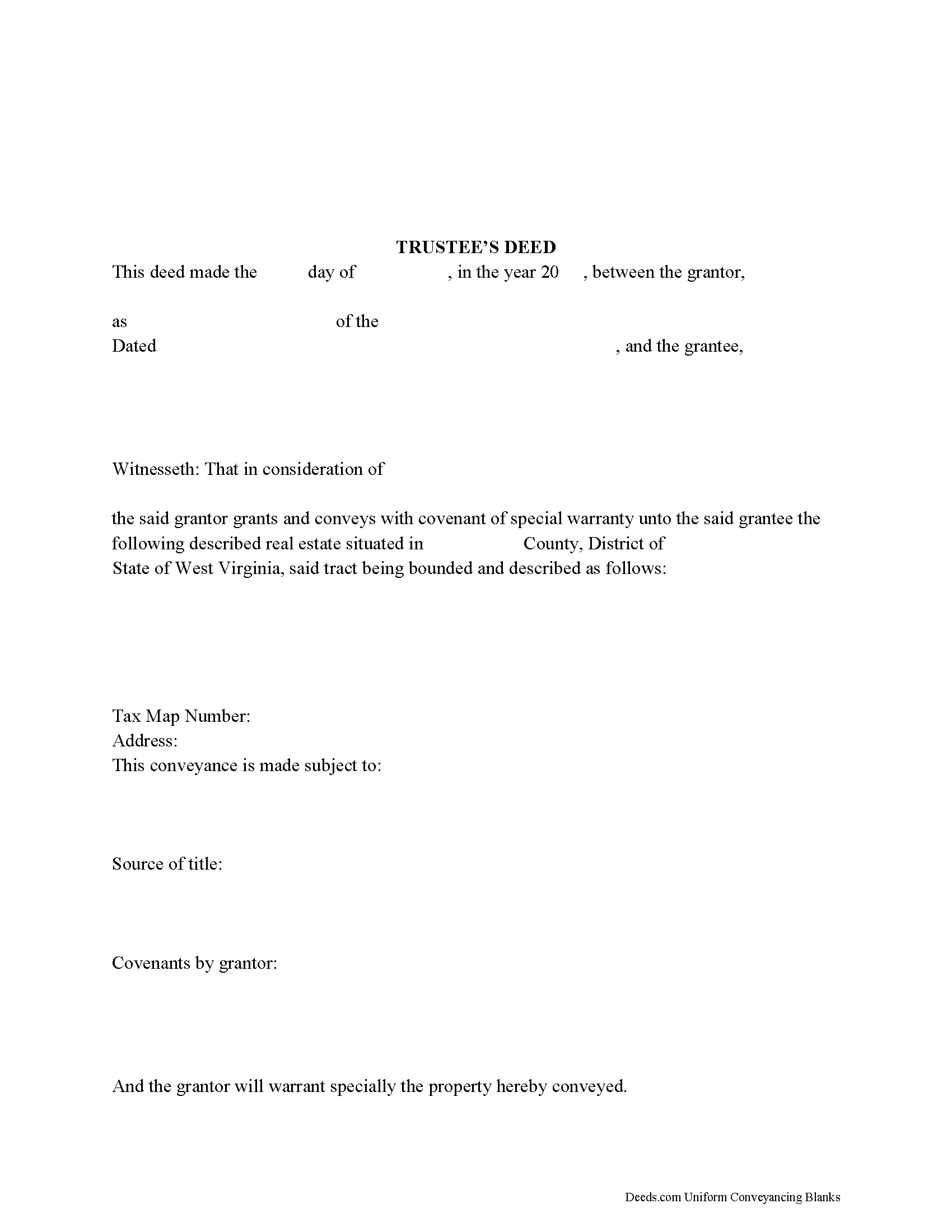
Upshur County Trustee Deed Form
Fill in the blank form formatted to comply with all recording and content requirements.
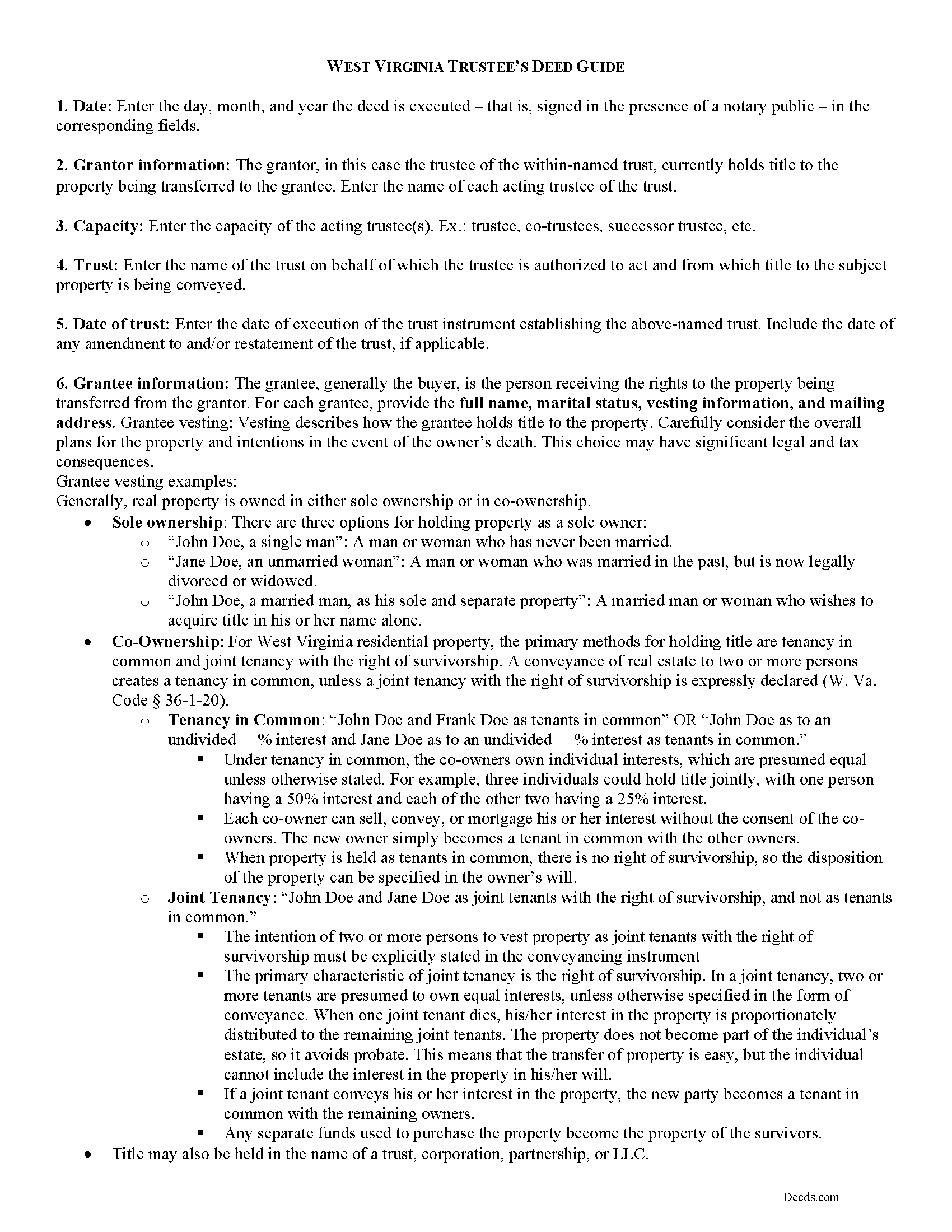
Upshur County Trustee Deed Guide
Line by line guide explaining every blank on the form.
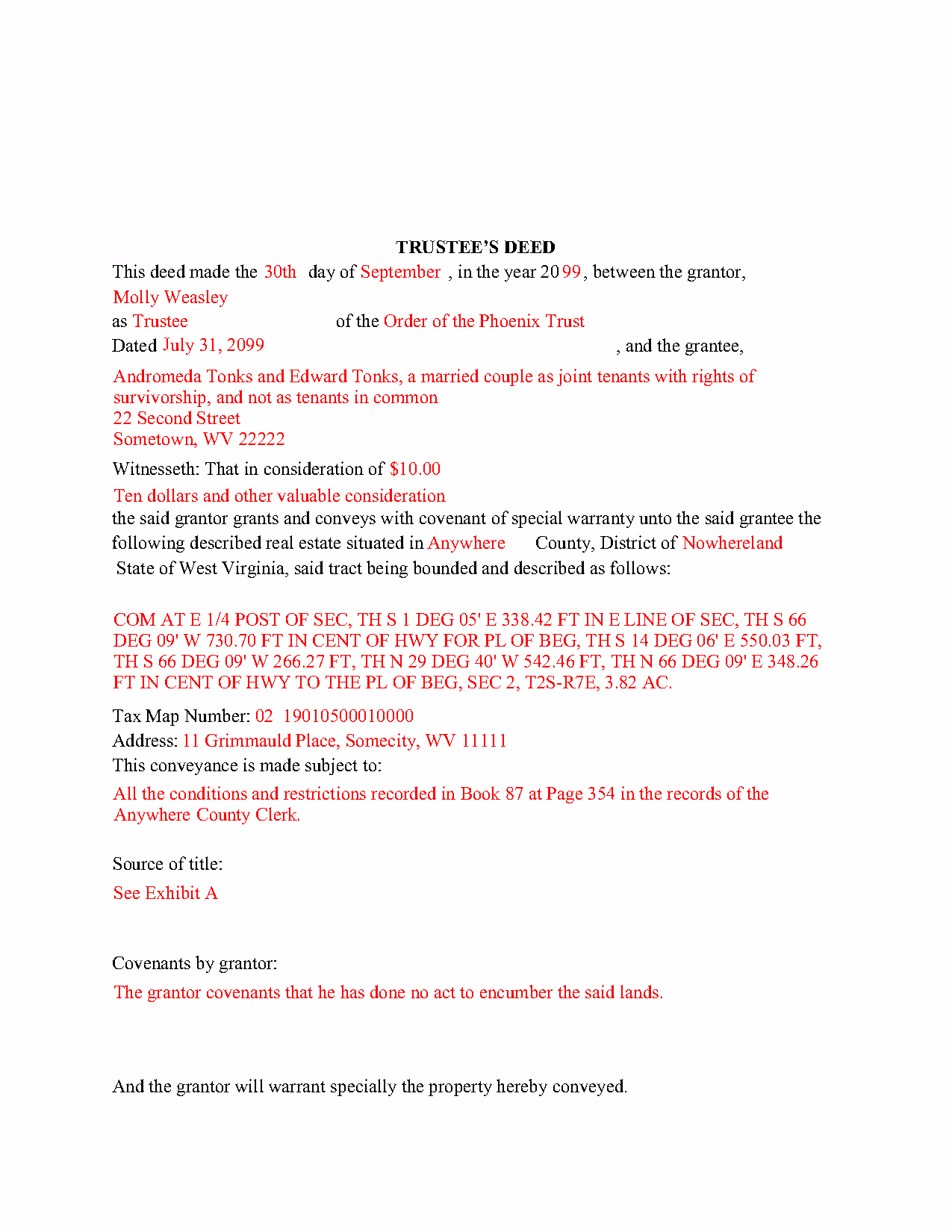
Upshur County Completed Example of the Trustee Deed Document
Example of a properly completed form for reference.
All 3 documents above included • One-time purchase • No recurring fees
Immediate Download • Secure Checkout
Additional West Virginia and Upshur County documents included at no extra charge:
Where to Record Your Documents
Upshur County Clerk
Buckhannon, West Virginia 26201
Hours: 8:00 to 4:30 M-F
Phone: (304) 472-1068
Recording Tips for Upshur County:
- Bring your driver's license or state-issued photo ID
- Ensure all signatures are in blue or black ink
- Recorded documents become public record - avoid including SSNs
- Recording fees may differ from what's posted online - verify current rates
- Request a receipt showing your recording numbers
Cities and Jurisdictions in Upshur County
Properties in any of these areas use Upshur County forms:
- Adrian
- Buckhannon
- Cleveland
- French Creek
- Frenchton
- Kanawha Head
- Lorentz
- Rock Cave
- Selbyville
- Tallmansville
Hours, fees, requirements, and more for Upshur County
How do I get my forms?
Forms are available for immediate download after payment. The Upshur County forms will be in your account ready to download to your computer. An account is created for you during checkout if you don't have one. Forms are NOT emailed.
Are these forms guaranteed to be recordable in Upshur County?
Yes. Our form blanks are guaranteed to meet or exceed the applicable formatting requirements used for recording in Upshur County, including margin requirements, font requirements, and other layout standards. This guarantee applies to formatting, not to the legal sufficiency of information entered by the user or the suitability of a form for a particular transaction.
Can I reuse these forms?
Yes. You can reuse the forms for your personal use. For example, if you have multiple properties in Upshur County you only need to order once.
What do I need to use these forms?
The forms are PDFs that you fill out on your computer. The free Adobe Acrobat Reader is recommended, and most PDF apps also work. You do NOT enter your property information online - you download the blank forms and complete them privately on your own computer.
Are there any recurring fees?
No. This is a one-time purchase. Nothing to cancel, no memberships, no recurring fees.
How much does it cost to record in Upshur County?
Recording fees in Upshur County vary. Contact the recorder's office at (304) 472-1068 for current fees.
Questions answered? Let's get started!
In a living trust arrangement, a settlor transfers property to another person (the trustee) for the benefit of a third (the beneficiary). The settlor establishes the trust by executing a document referred to as the trust instrument and by contributing assets to the trust. The trust instrument, generally unrecorded, contains the settlor's estate plans and dictates how the trust will be administered. In many living trust arrangements, the settlor serves as the trustee during his lifetime, and designates a successor to take over trustee duties upon his death or incapacitation.
When real property is transferred into trust, the settlor executes a deed naming the trustee as the grantee. The trustee then holds legal title to the property as the administrator of the trust. In order to convey the interest in the property from the trust, the trustee executes a trustee's deed.
The trustee's deed takes its name from the role of the executing party. In most states, deeds are differentiated and named after the type of warranty the grantor makes. In West Virginia, however, no distinction is made between different types of deeds (W. Va. Code 36-3-4).
The statutory form for deeds in West Virginia is codified at W. Va. Code 36-3-5. This general statutory deed can then be modified to include covenants (found at 36-4) made by the grantor. The trustee's deed typically includes a special warranty covenant, ensuring that the grantor "will forever warrant and defend" the grantee's title "against the claims and demands of the grantor and all persons claiming by, through, or under him" ( 36-4-3). The more limited warranty is fitting for individuals acting in a representative capacity, as their knowledge of the standing of title is naturally limited to the scope of their office.
A deed executed by the trustee must name the trust and the date of trust in addition to the currently acting trustees (when real property is correctly titled into the trust, the vesting statement includes this information). The deed should meet all requisites of conveyances affecting interest in real property, including the name, address, and vesting information of the grantee, a statement of consideration made for the transfer, a properly formatted legal description of the subject property, and the necessary signatures made in the presence of a notary public. Deeds are recorded in the office of the county clerk wherein the property is situated.
Because the transaction pertains to real property, a memorandum of trust under 36-1-4a may need to be recorded. Consult a lawyer regarding trustee's deeds in West Virginia to address your unique situation.
(West Virginia TD Package includes form, guidelines, and completed example)
Important: Your property must be located in Upshur County to use these forms. Documents should be recorded at the county recording office listed above.
This Trustee Deed meets all recording requirements specific to Upshur County.
Our Promise
The documents you receive here are guaranteed to meet or exceed the applicable Upshur County recording format requirements. If there is a rejection caused by our formatting, we will correct the issue or refund your payment. This guarantee applies to document formatting only and does not extend to information entered by the user, the selection of the form, or the legal effect of the completed document.
Save Time and Money
Get your Upshur County Trustee Deed form done right the first time with Deeds.com Uniform Conveyancing Blanks. At Deeds.com, we understand that your time and money are valuable resources, and we don't want you to face a penalty fee or rejection imposed by a county recorder for submitting nonstandard documents. We constantly review and update our forms to meet rapidly changing state and county recording requirements for roughly 3,500 counties and local jurisdictions.
4.8 out of 5 - ( 4,831 Reviews )
Maria-Luisa: M. 5 out of 5 stars
So far so good!
Thank you!
DAVID K. 5 out of 5 stars
You are definitely the place to go for forms and other things which I need to solve my problems. Thanks for your help.
Thank you!
Daniel L. 4 out of 5 stars
You could make instructions clearer on the download process and when download is complete. You could also group things together for 1 or 2 "big" downloads.
Thank you for your feedback. We really appreciate it. Have a great day!
Sara Beth M B. 5 out of 5 stars
great service!!!!! wish this service was listed on the Washoe County Recorder website so people who aren't companies could find it.
Thank you for your feedback. We really appreciate it. Have a great day!
Anita B. 5 out of 5 stars
Service was fast and complete. Would use again.
Thank you!
Shirley T. 4 out of 5 stars
Quit Claim deed for North Carolina did not include all of the information I needed (two separate notary sections), but I was able to re-create another notary section in Word, and then insert it in the appropriate place after printing both documents. Otherwise, the document worked as described.
Thank you for your feedback. We really appreciate it. Have a great day!
Craig J. 5 out of 5 stars
Package downloaded without any problems. Help sheet was fair. Maybe they could cross reference the help number on the help sheet to the form better - somehow. Overall, I was pleased. I was able to download, fill in the blanks and do what edits I thought it needed with ease. Cost was very reasonable. I'll give it a 5.
Thank you for your feedback. We really appreciate it. Have a great day!
Sheri S. 5 out of 5 stars
So happy to have found this site. It’s just what I was looking for.
We are grateful for your feedback and looking forward to serving you again. Thank you!
ROBIN C. 5 out of 5 stars
The process was very easy but I did not realize before I paid to get this form , that I could have gotten it free from Tulsa county clerks office. Other than that, it was fine.
Thank you for the honest feedback, Robin, and we're glad the process was easy for you. You're right that the Tulsa County Clerk publishes a free transfer on death deed form, and we'd never want anyone to feel they overpaid. Our version isn't that same blank, though: it adds an alternate beneficiary designation so the property still passes as you intend if your first choice doesn't survive you, it's built to handle one or two owners, and it comes with a plain-language guide and a completed example. We appreciate your business.
Robert B. 5 out of 5 stars
The forms were easy to download and fill.
Thank you!
Giuseppina M. 5 out of 5 stars
Love to work with your company
It was a pleasure serving you. Thank you for the positive feedback!
Sharon M. 5 out of 5 stars
I will be going through title, so didn't order deed, but I think your website is wonderful. It's great to offer online services, such a great time saving for me with my work. Thank you, Sharon M.
Thank you for taking the time to leave your feedback Sharon, we really appreciate it. Have a fantastic day!
Desiree T. 5 out of 5 stars
In a world where "immediate satisfaction" takes too long, Deeds provided exceptionally satisfying service. Answered all of my questions quickly, and had my document recorded within one day. Thank you so much!
We appreciate your business and value your feedback. Thank you. Have a wonderful day!
John G. 5 out of 5 stars
Applied for my Notice of Commencement to be recorded and it went very smoothly and fast. Will use again if a need irises. Thank You
Thank you for your feedback John, glad we could help.
Mark G. 5 out of 5 stars
I would recommend this product for little effort needed to complete any action you might require.
We appreciate your business and value your feedback. Thank you. Have a wonderful day!