Pendleton County Trustee Deed Form
Last validated November 6, 2026 by our Forms Development TeamFormatted for recording in Pendleton County, for property anywhere in the county: rural and unincorporated areas as well as Brandywine, Circleville, Franklin, Onego, Riverton, Seneca Rocks, Sugar Grove, Upper Tract.
- 3 documents included
- Immediate PDF download
- Formatting guarantee
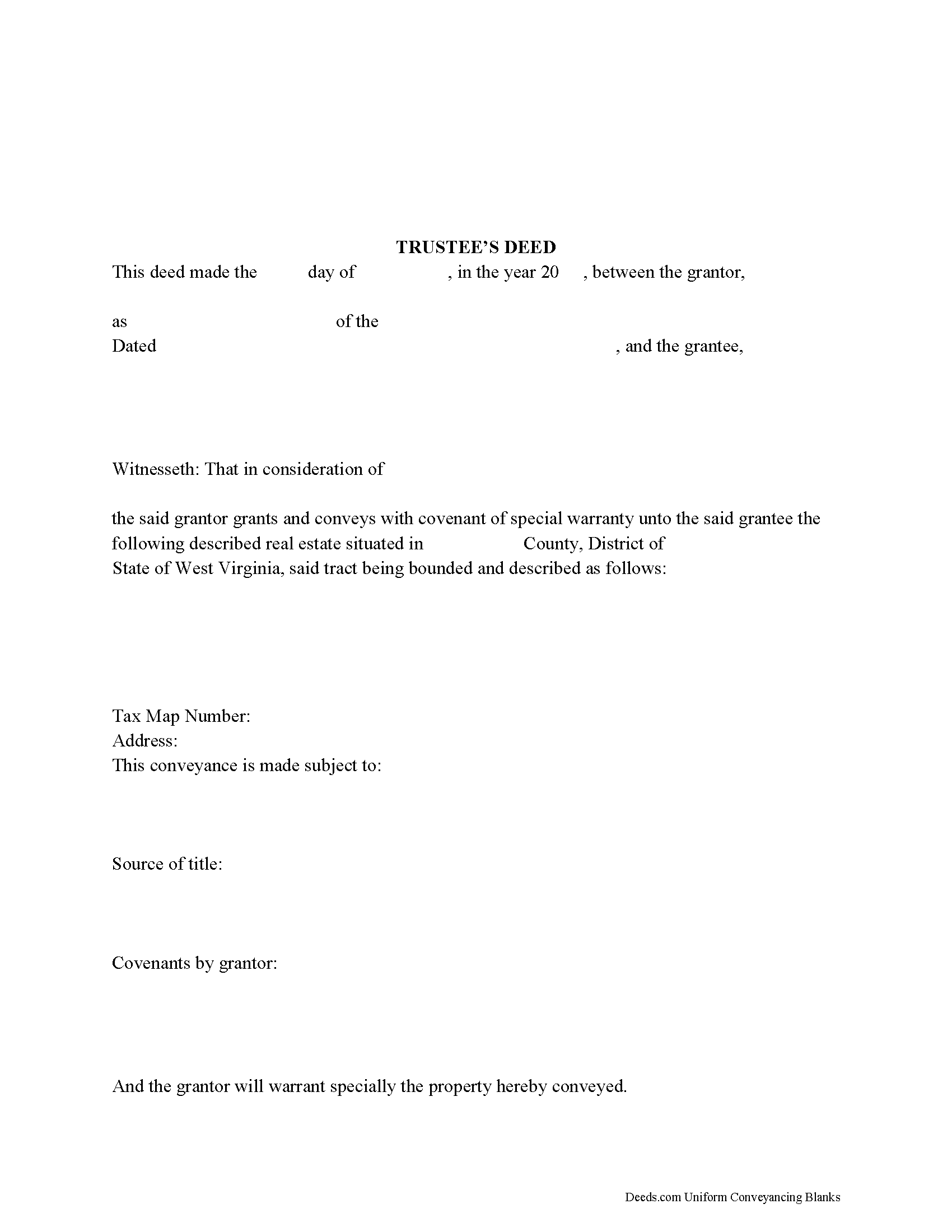
Pendleton County Trustee Deed Form
Fill in the blank form formatted to comply with all recording and content requirements.
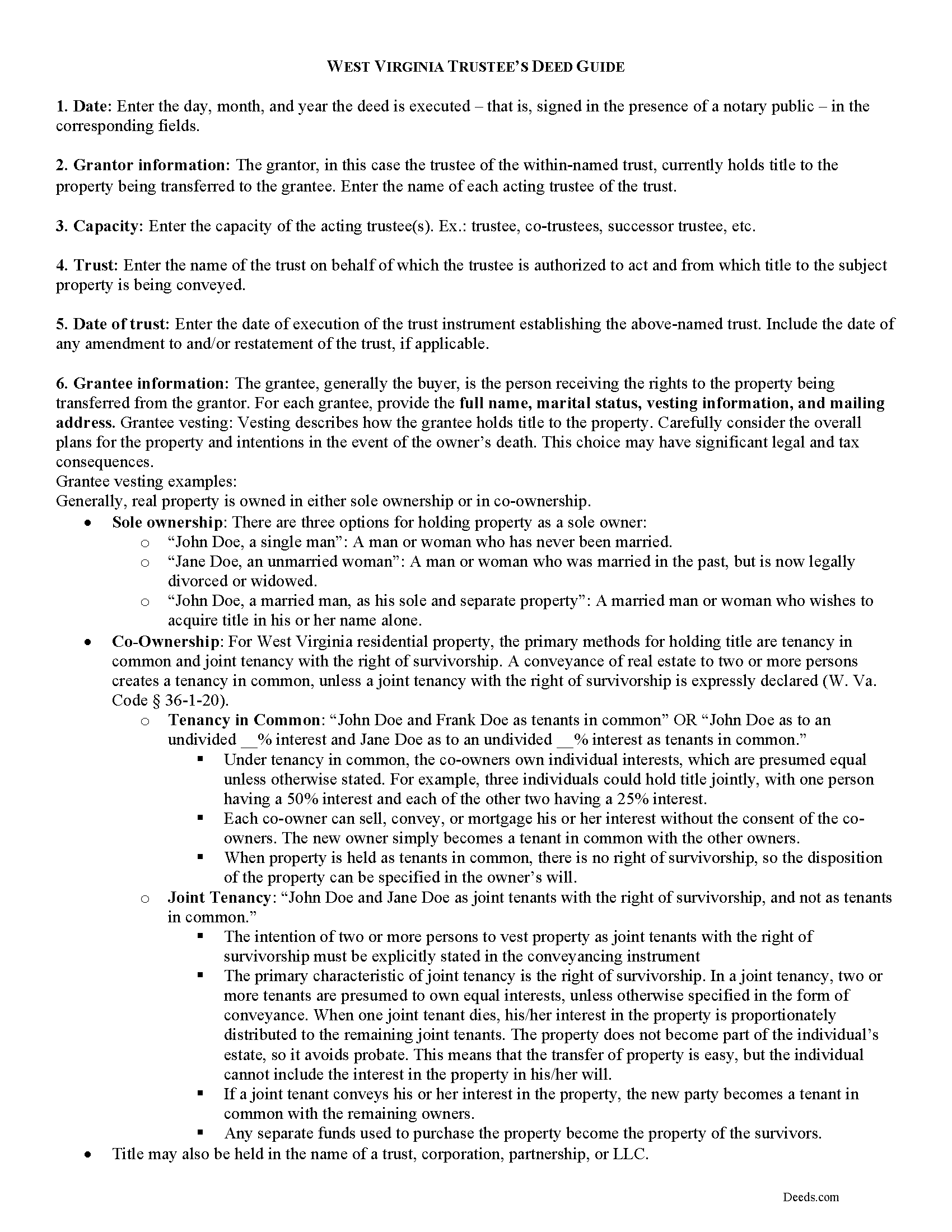
Pendleton County Trustee Deed Guide
Line by line guide explaining every blank on the form.
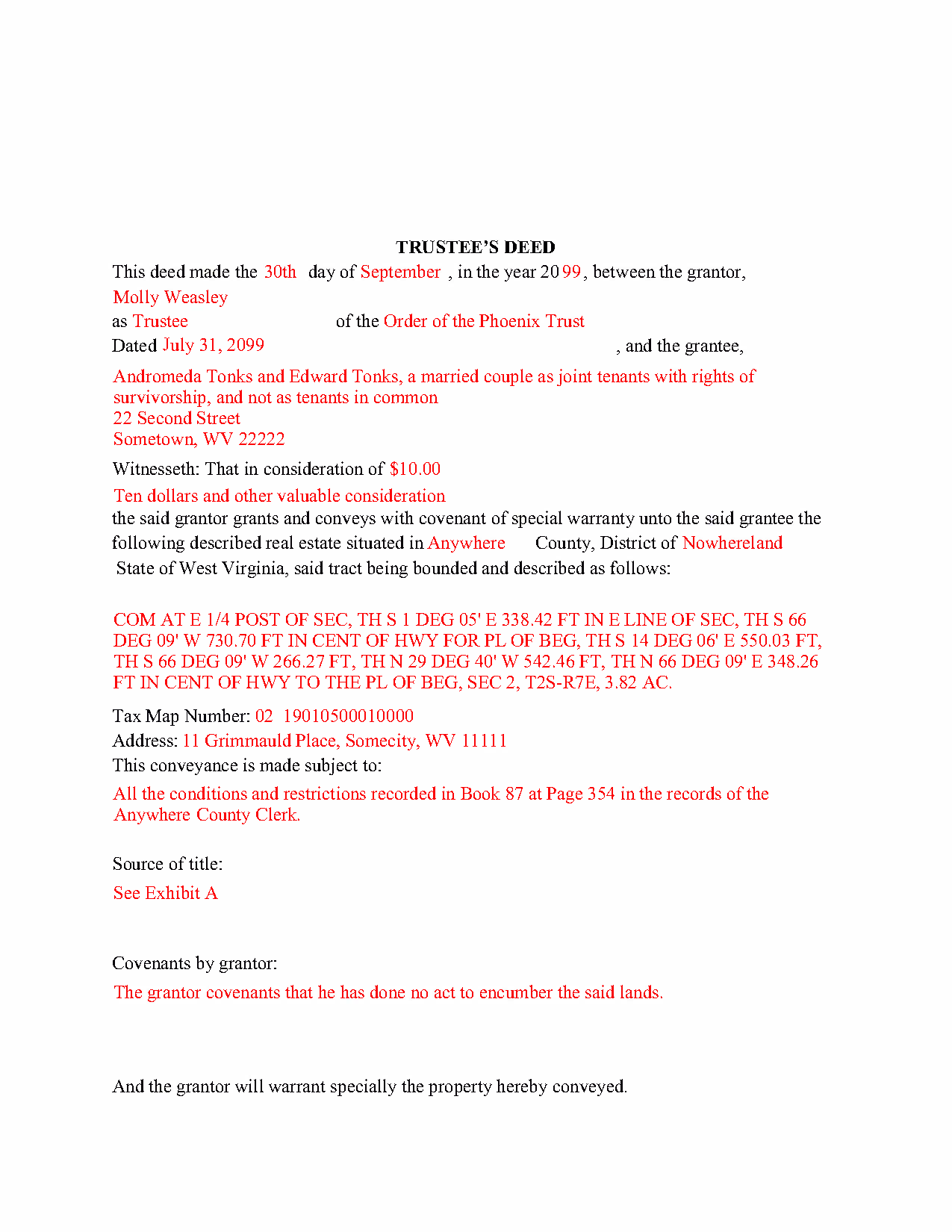
Pendleton County Completed Example of the Trustee Deed Document
Example of a properly completed form for reference.
All 3 documents above included • One-time purchase • No recurring fees
Immediate Download • Secure Checkout
Additional West Virginia and Pendleton County documents included at no extra charge:
Where to Record Your Documents
Pendleton County Clerk
Franklin, West Virginia 26807
Hours: Monday - Friday 8:00 am - 4:30 pm
Phone: (304) 358-2505
Recording Tips for Pendleton County:
- Bring your driver's license or state-issued photo ID
- Ensure all signatures are in blue or black ink
- Avoid the last business day of the month when possible
- Both spouses typically need to sign if property is jointly owned
- Bring extra funds - fees can vary by document type and page count
Cities and Jurisdictions in Pendleton County
Properties in any of these areas use Pendleton County forms:
- Brandywine
- Circleville
- Franklin
- Onego
- Riverton
- Seneca Rocks
- Sugar Grove
- Upper Tract
Hours, fees, requirements, and more for Pendleton County
How do I get my forms?
Forms are available for immediate download after payment. The Pendleton County forms will be in your account ready to download to your computer. An account is created for you during checkout if you don't have one. Forms are NOT emailed.
Are these forms guaranteed to be recordable in Pendleton County?
Yes. Our form blanks are guaranteed to meet or exceed the applicable formatting requirements used for recording in Pendleton County, including margin requirements, font requirements, and other layout standards. This guarantee applies to formatting, not to the legal sufficiency of information entered by the user or the suitability of a form for a particular transaction.
Can I reuse these forms?
Yes. You can reuse the forms for your personal use. For example, if you have multiple properties in Pendleton County you only need to order once.
What do I need to use these forms?
The forms are PDFs that you fill out on your computer. The free Adobe Acrobat Reader is recommended, and most PDF apps also work. You do NOT enter your property information online - you download the blank forms and complete them privately on your own computer.
Are there any recurring fees?
No. This is a one-time purchase. Nothing to cancel, no memberships, no recurring fees.
How much does it cost to record in Pendleton County?
Recording fees in Pendleton County vary. Contact the recorder's office at (304) 358-2505 for current fees.
Questions answered? Let's get started!
In a living trust arrangement, a settlor transfers property to another person (the trustee) for the benefit of a third (the beneficiary). The settlor establishes the trust by executing a document referred to as the trust instrument and by contributing assets to the trust. The trust instrument, generally unrecorded, contains the settlor's estate plans and dictates how the trust will be administered. In many living trust arrangements, the settlor serves as the trustee during his lifetime, and designates a successor to take over trustee duties upon his death or incapacitation.
When real property is transferred into trust, the settlor executes a deed naming the trustee as the grantee. The trustee then holds legal title to the property as the administrator of the trust. In order to convey the interest in the property from the trust, the trustee executes a trustee's deed.
The trustee's deed takes its name from the role of the executing party. In most states, deeds are differentiated and named after the type of warranty the grantor makes. In West Virginia, however, no distinction is made between different types of deeds (W. Va. Code 36-3-4).
The statutory form for deeds in West Virginia is codified at W. Va. Code 36-3-5. This general statutory deed can then be modified to include covenants (found at 36-4) made by the grantor. The trustee's deed typically includes a special warranty covenant, ensuring that the grantor "will forever warrant and defend" the grantee's title "against the claims and demands of the grantor and all persons claiming by, through, or under him" ( 36-4-3). The more limited warranty is fitting for individuals acting in a representative capacity, as their knowledge of the standing of title is naturally limited to the scope of their office.
A deed executed by the trustee must name the trust and the date of trust in addition to the currently acting trustees (when real property is correctly titled into the trust, the vesting statement includes this information). The deed should meet all requisites of conveyances affecting interest in real property, including the name, address, and vesting information of the grantee, a statement of consideration made for the transfer, a properly formatted legal description of the subject property, and the necessary signatures made in the presence of a notary public. Deeds are recorded in the office of the county clerk wherein the property is situated.
Because the transaction pertains to real property, a memorandum of trust under 36-1-4a may need to be recorded. Consult a lawyer regarding trustee's deeds in West Virginia to address your unique situation.
(West Virginia TD Package includes form, guidelines, and completed example)
Important: Your property must be located in Pendleton County to use these forms. Documents should be recorded at the county recording office listed above.
This Trustee Deed meets all recording requirements specific to Pendleton County.
Our Promise
The documents you receive here are guaranteed to meet or exceed the applicable Pendleton County recording format requirements. If there is a rejection caused by our formatting, we will correct the issue or refund your payment. This guarantee applies to document formatting only and does not extend to information entered by the user, the selection of the form, or the legal effect of the completed document.
Save Time and Money
Get your Pendleton County Trustee Deed form done right the first time with Deeds.com Uniform Conveyancing Blanks. At Deeds.com, we understand that your time and money are valuable resources, and we don't want you to face a penalty fee or rejection imposed by a county recorder for submitting nonstandard documents. We constantly review and update our forms to meet rapidly changing state and county recording requirements for roughly 3,500 counties and local jurisdictions.
4.8 out of 5 - ( 4,847 Reviews )
Judith G. 5 out of 5 stars
Thank you, it was easy and fast. The clerks office filed without question.
Thank you Judith, have a fantastic day!
Evelyn A. 5 out of 5 stars
Was easy to use. Just didnt find what i needed
Thank you for your feedback. We really appreciate it. Have a great day!
Nancy O. 5 out of 5 stars
Outstanding forms and service. Liked that the main deed forms were PDF so I could fill them out on my laptop, in my own time, instead of some online Q/A auto populate system. Guide was helpful, as was the completed sample. Used the erecording service to file the deed, amazing.
Thank you for your wonderful review Nancy! Our team takes pride in providing helpful resources, and we are pleased that the guide and completed sample were beneficial to you throughout the process. Making the deed filing journey smoother for our users is always our top priority.
Heather A. 5 out of 5 stars
quick response to e-mail. the forms are easy to use, fully explained.
Thank you for your feedback Heather, glad we could help.
Renu A. 5 out of 5 stars
The service was very reliable and they even helped with filling out the paperwork properly. Very quick turn around and efficient!
Thank you!
Bennie W. 5 out of 5 stars
I used the Quitclaim form. The form was easy to complete without using the example or guide. $21 was a fair price compared to paying a lawyer.
Thank you for your feedback. We really appreciate it. Have a great day!
sean m. 5 out of 5 stars
Wow everything I need in one place... what a concept. thanks Deeds.com for the deeds, the guides and the transfer certificate all included for a great price
We appreciate your business and value your feedback. Thank you. Have a wonderful day!
Robert S. 5 out of 5 stars
My Quick claim formsi downloaded had not come through so I contacted customer service and they provided me with the instructions on how to retrieve my forms, A plus service.
We are delighted to have been of service. Thank you for the positive review!
Jason B. 5 out of 5 stars
You saved me $275.00 perfect! Thank you!!
We appreciate your business and value your feedback. Thank you. Have a wonderful day!
Raymond L. 5 out of 5 stars
Delivered as promised. Highly recommend!
Great to hear — thank you for taking the time to write a review.
Robin G. 5 out of 5 stars
Very responsive and helpful.
Thank you!
srikanth n. 1 out of 5 stars
why not word format??
Good question. There are many reasons, we'll touch on a few. For the end user (you) Adobe Reader is free, Word is not. PDF is the portable document standard, Word is a decent word processor. A portable document format (PDF) maintains document formatting such as margins and font size which is very important to legal documents, Word does not. Have a wonderful day.
Susan S. 4 out of 5 stars
Great forms, easy to understand and use (the guide helped a lot). Recorded with no issues. Will be back when needed.
We appreciate your business and value your feedback. Thank you. Have a wonderful day!
Veronica T. 5 out of 5 stars
Great Service! Thank you
We appreciate your business and value your feedback. Thank you. Have a wonderful day!
Thomas D. 2 out of 5 stars
The documents themselves are fine and the information provided with them is helpful. I find the actual processing of the documents, however, to be difficult particularly once the document has been saved. First, I note that the box for the date only allows entry of the last 2 digits of the year. Unfortunately, my download only allows me to enter one of the 2 digits required. When I delete it repeatedly, it eventually allows both digits to be entered but puts them in extremely small text and in superscrypt. I have not found a solution to this problem and am not sure the deed can even be recorded with this problem. Another problem is that if you try to revise the document after you have saved it the curser goes to the end of the line after each key entry. This means that there basically is no way to efficiently save the document for reworking later since you will have to delete everything you have entered in the text box unless you only need to make a single keystroke change or are willing to replace the curser after each entry. Try that with a long property description! Please note that I am using a Mac to prepare my documents and perhaps this is part of an "incompatibility problem". However, I didn't see a disclaimer regarding Mac use and so would expect the documents to perform correctly. Overall, I give the program a "2 star" rating because I am experiencing significant difficulties in entering dates in the documents even before saving them and because saving your work for later revision appears to be basically unworkable.
Thank you for your feedback Thomas, we appreciate you being specific about the issues you encountered. Adobe and Mac have a fairly long history of issues working together.