Pendleton County Certification of Trust Form
Last validated October 19, 2026 by our Forms Development TeamFormatted for recording in Pendleton County, for property anywhere in the county: rural and unincorporated areas as well as Brandywine, Circleville, Franklin, Onego, Riverton, Seneca Rocks, Sugar Grove, Upper Tract.
- 3 documents included
- Immediate PDF download
- Formatting guarantee
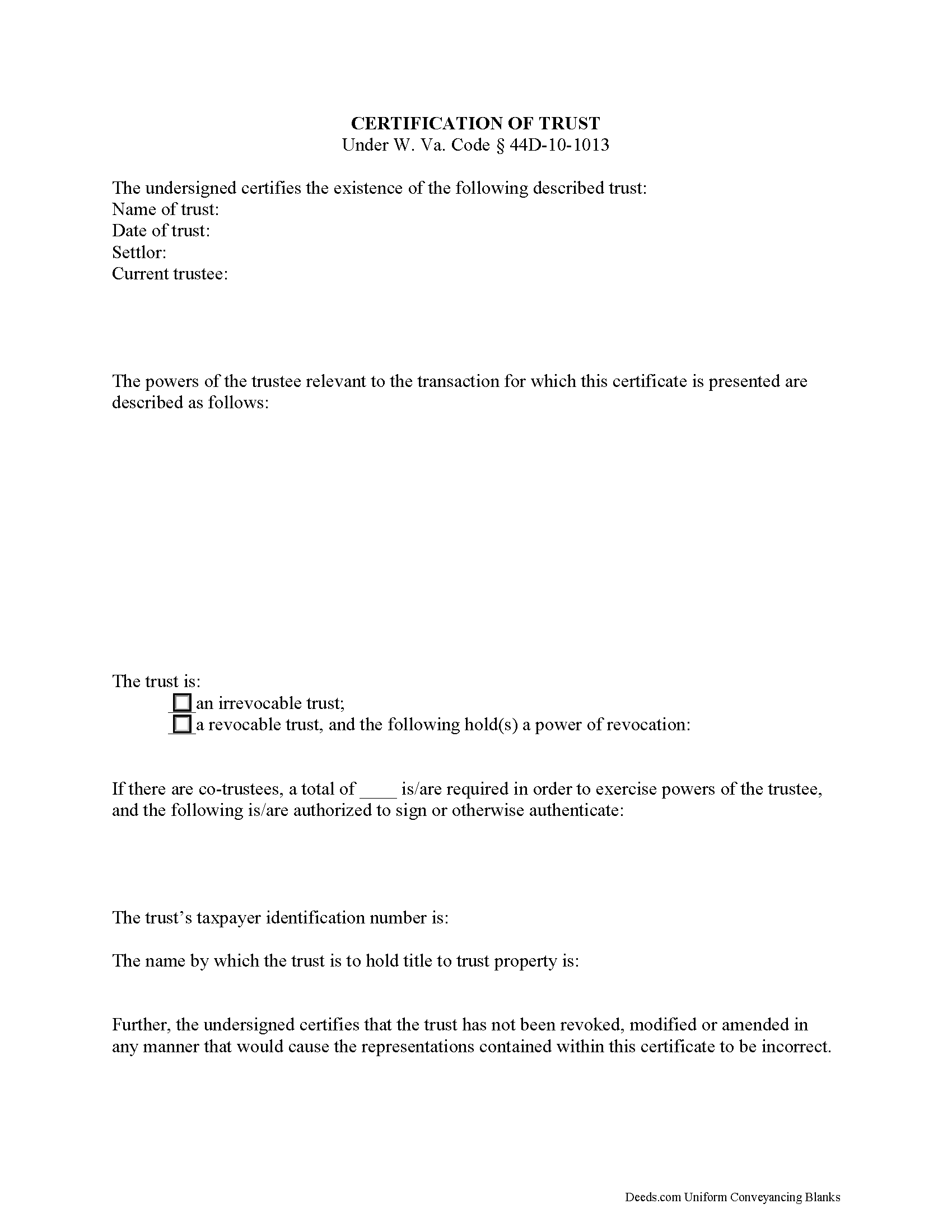
Pendleton County Certificate of Trust Form
Fill in the blank form formatted to comply with all recording and content requirements.
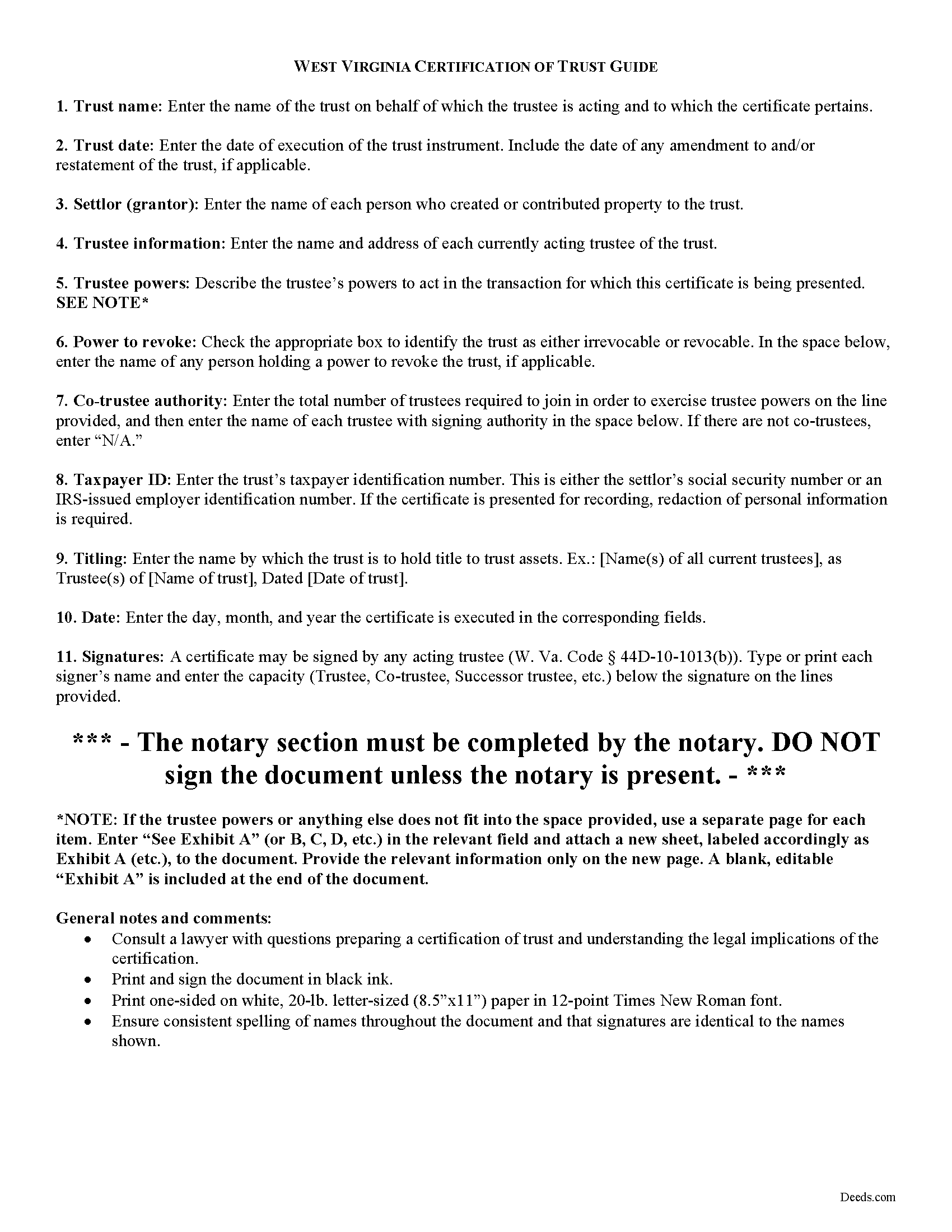
Pendleton County Certificate of Trust Guide
Line by line guide explaining every blank on the form.
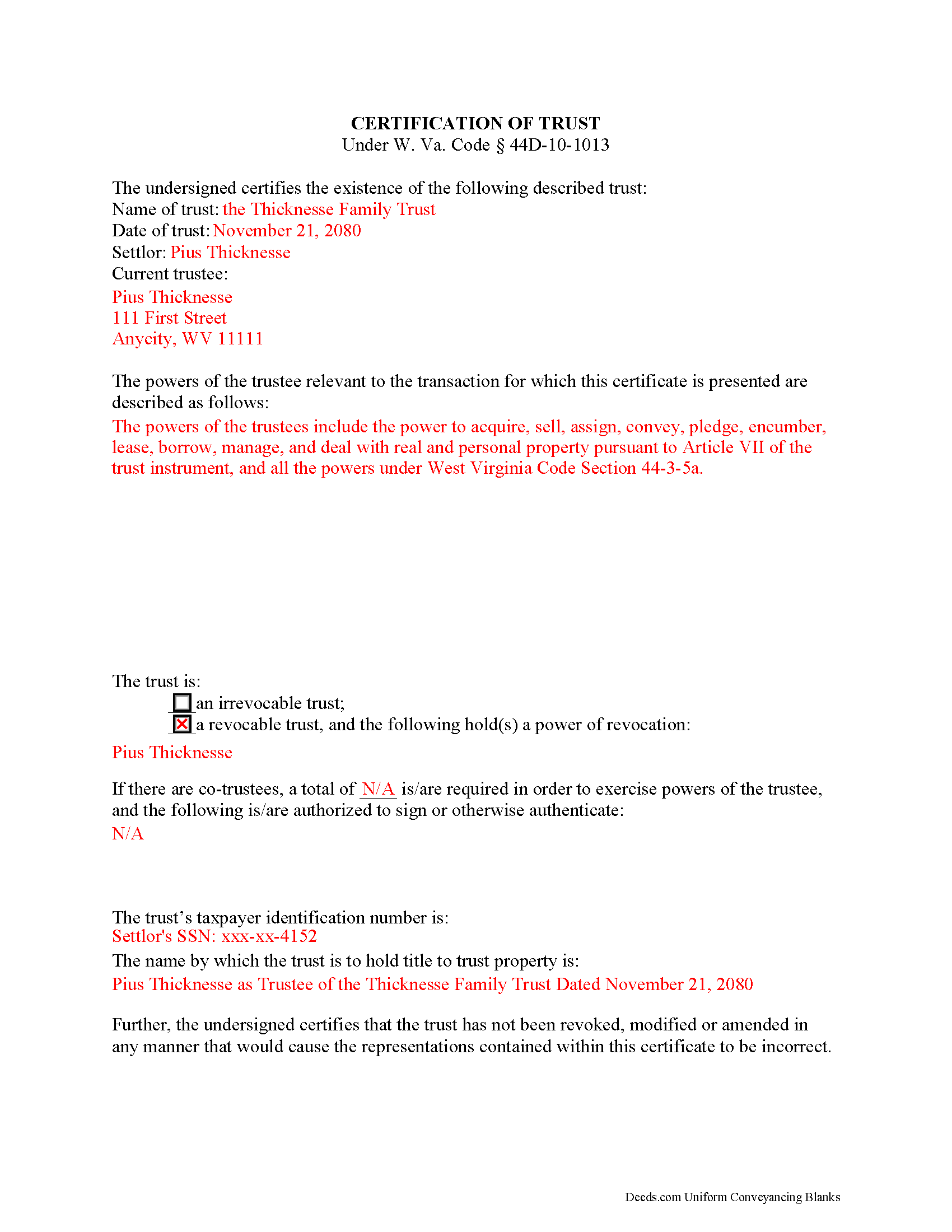
Pendleton County Completed Example of the Certificate of Trust Document
Example of a properly completed form for reference.
All 3 documents above included • One-time purchase • No recurring fees
Immediate Download • Secure Checkout
Additional West Virginia and Pendleton County documents included at no extra charge:
Where to Record Your Documents
Pendleton County Clerk
Franklin, West Virginia 26807
Hours: Monday - Friday 8:00 am - 4:30 pm
Phone: (304) 358-2505
Recording Tips for Pendleton County:
- Bring your driver's license or state-issued photo ID
- Ensure all signatures are in blue or black ink
- Verify all names are spelled correctly before recording
- White-out or correction fluid may cause rejection
- Ask about their eRecording option for future transactions
Cities and Jurisdictions in Pendleton County
Properties in any of these areas use Pendleton County forms:
- Brandywine
- Circleville
- Franklin
- Onego
- Riverton
- Seneca Rocks
- Sugar Grove
- Upper Tract
Hours, fees, requirements, and more for Pendleton County
How do I get my forms?
Forms are available for immediate download after payment. The Pendleton County forms will be in your account ready to download to your computer. An account is created for you during checkout if you don't have one. Forms are NOT emailed.
Are these forms guaranteed to be recordable in Pendleton County?
Yes. Our form blanks are guaranteed to meet or exceed the applicable formatting requirements used for recording in Pendleton County, including margin requirements, font requirements, and other layout standards. This guarantee applies to formatting, not to the legal sufficiency of information entered by the user or the suitability of a form for a particular transaction.
Can I reuse these forms?
Yes. You can reuse the forms for your personal use. For example, if you have multiple properties in Pendleton County you only need to order once.
What do I need to use these forms?
The forms are PDFs that you fill out on your computer. The free Adobe Acrobat Reader is recommended, and most PDF apps also work. You do NOT enter your property information online - you download the blank forms and complete them privately on your own computer.
Are there any recurring fees?
No. This is a one-time purchase. Nothing to cancel, no memberships, no recurring fees.
How much does it cost to record in Pendleton County?
Recording fees in Pendleton County vary. Contact the recorder's office at (304) 358-2505 for current fees.
Questions answered? Let's get started!
The certification of trust is part of the Uniform Trust Code, codified in West Virginia at 44D-10-1013, and provides protection for parties doing business with trustees. The document "need not contain the dispositive terms of a trust" ( 44D-10-1013(d)) and, in West Virginia, is generally not recorded with land records. Rather, the certification is presented to third parties such as banks or other financial institutions doing business with a trustee.
Executed by any trustee, the certificate contains only the pertinent information required for the business at hand and is a basic summary of the trust instrument. It states that the trust exists and that it has not been revoked or modified in a way that would invalidate the information presented within. In addition, it requires the name of each settlor and acting trustee; the trustee's relevant powers; the name of anyone having a power to revoke the trust; the trust's taxpayer identification number; and the name by which the trust vests title to property. The form also details the signing authority of co-trustees, if applicable.
Each situation is unique, so contact an attorney with questions about the certification of trust or any other issue relating to trusts in West Virginia.
(West Virginia COT Package includes form, guidelines, and completed example)
Important: Your property must be located in Pendleton County to use these forms. Documents should be recorded at the county recording office listed above.
This Certification of Trust meets all recording requirements specific to Pendleton County.
Our Promise
The documents you receive here are guaranteed to meet or exceed the applicable Pendleton County recording format requirements. If there is a rejection caused by our formatting, we will correct the issue or refund your payment. This guarantee applies to document formatting only and does not extend to information entered by the user, the selection of the form, or the legal effect of the completed document.
Save Time and Money
Get your Pendleton County Certification of Trust form done right the first time with Deeds.com Uniform Conveyancing Blanks. At Deeds.com, we understand that your time and money are valuable resources, and we don't want you to face a penalty fee or rejection imposed by a county recorder for submitting nonstandard documents. We constantly review and update our forms to meet rapidly changing state and county recording requirements for roughly 3,500 counties and local jurisdictions.
4.8 out of 5 - ( 4,845 Reviews )
Dean S. 5 out of 5 stars
Couldn't be happier, great documents, easy to understand and complete.
We appreciate your business and value your feedback. Thank you. Have a wonderful day!
Christine G. 5 out of 5 stars
. Easy to use.
Thank you for your feedback. We really appreciate it. Have a great day!
Toni M. 5 out of 5 stars
I liked having the forms. Some may need to know they can look at the legal Description from online county records, then type up in Word document line by line, the degree sign in Word program is achieved by using alt and 248 on number pad. Then on the form page one write SEE Exibit A and title your Word program description as Exibit A. Goes without saying the legal description should be looked over many times and it is easier to do so if you format your Word the same lineage as the legal description online which is usually not text which is why you have to retype it.
Thank you for your feedback. We really appreciate it. Have a great day!
Stephanie S. 5 out of 5 stars
I received my information almost immediately. I read a few more things on the website and then refreshed and it was there! SO much easier than having to go to the office myself - thanks!!
Thank you!
brian t. 5 out of 5 stars
The docs were precise and accurate for my specific needs. I greatly appreciated the accompanying forms and instructional guidance to help make the use of the forms direct and easy to complete. Equally important, I was not suckered in to get a great price for the docs I needed only to be led to expensive subscriptions or additional fees. Very impressive and professional site.
Thank you for your feedback. We really appreciate it. Have a great day!
Camesha Y. 5 out of 5 stars
Was working with a notary client that need to do a deed. We got on this site, ordered the blank forms, he filled them out and we printed them so he could sign. Really clean forms, easy to understand and complete in a hurry. I will be letting all my clients know about this site.
That's terrific Camesha, glad to hear. Have a great day!
Debra C. 5 out of 5 stars
Excellent service. Love the site.
Thank you for your feedback. We really appreciate it. Have a great day!
Dee S. 5 out of 5 stars
This was easy and much cheaper than getting a lawyer. Thanks! - From alabama
We appreciate your business and value your feedback. Thank you. Have a wonderful day!
Jacqui G. 5 out of 5 stars
Excellent system and serviced!
Thank you!
Scott W. 5 out of 5 stars
World class forms and service! Wish I had known about this site years ago, woulda saved me lots of headaches. Thank you.
Thanks for the kinds words Scott, have an amazing day!
George L. W. 5 out of 5 stars
Where have you been all my life?
Thank you!
Lois S. 5 out of 5 stars
This website made it easy to quickly research what was recorded/released on the title of my home.
Thank you for your feedback. We really appreciate it. Have a great day!
Cheryl C. 4 out of 5 stars
my only problem is the cost of the form I downloaded. A bit cheaper would be nice
Thank you for your feedback. We really appreciate it. Have a great day!
Noah B. 4 out of 5 stars
Website is basic, but get's the job done. Communication was prompt and efficient. Would use again. Thank You!
Thank you!
Biinah B. 5 out of 5 stars
Wished I had known about this site earlier. Just what we needed. Get tool to get lip to date legal help.
Thank you for your feedback. We really appreciate it. Have a great day!