Portage County Assignment of Mortgage Form
Last validated October 19, 2026 by our Forms Development TeamFormatted for recording in Portage County, for property anywhere in the county: rural and unincorporated areas as well as Almond, Amherst, Amherst Junction, Bancroft, Custer, Junction City, Nelsonville, Plover and 2 more.
- 6 documents included
- Immediate PDF download
- Formatting guarantee
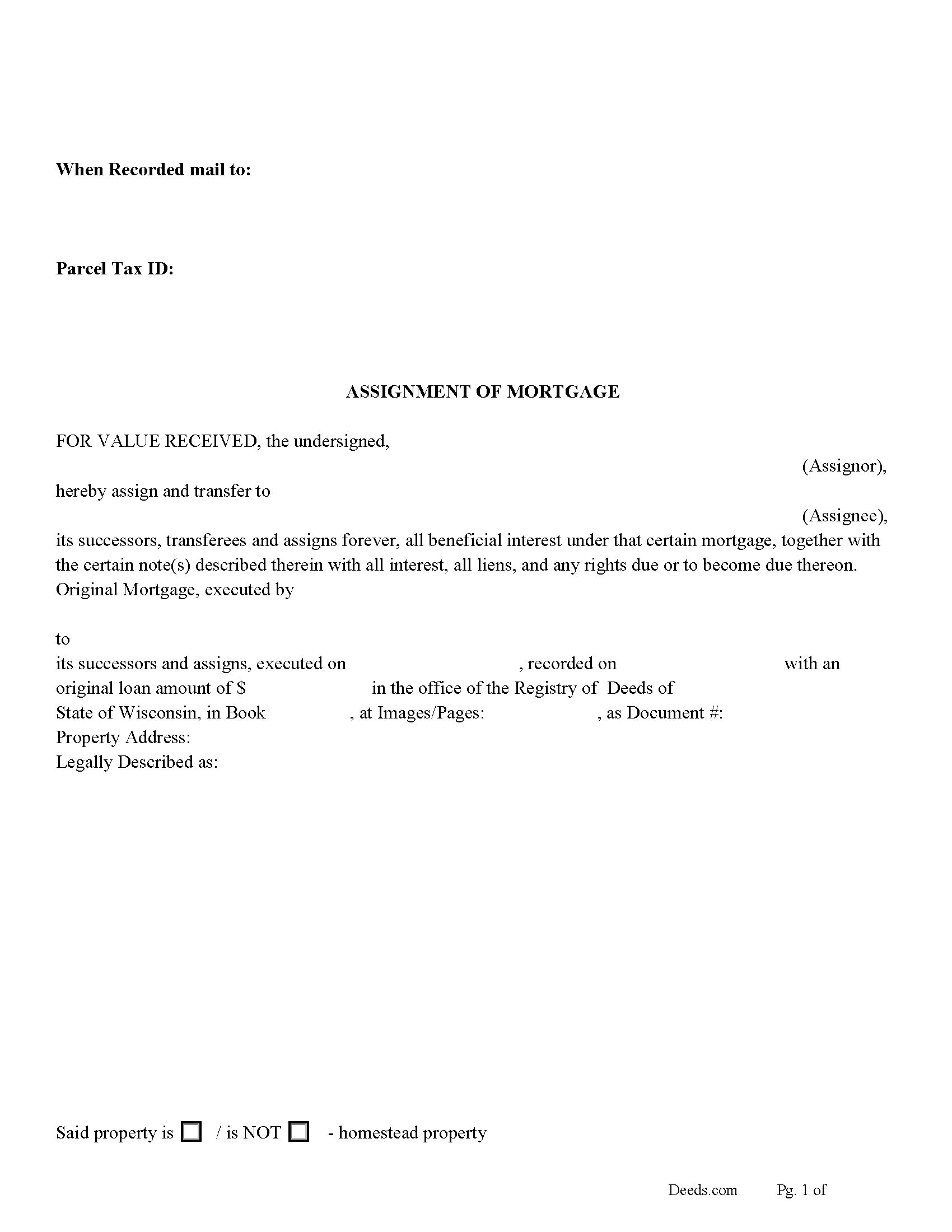
Portage County Assignment of Mortgage Form
Fill in the blank form formatted to comply with all recording and content requirements.
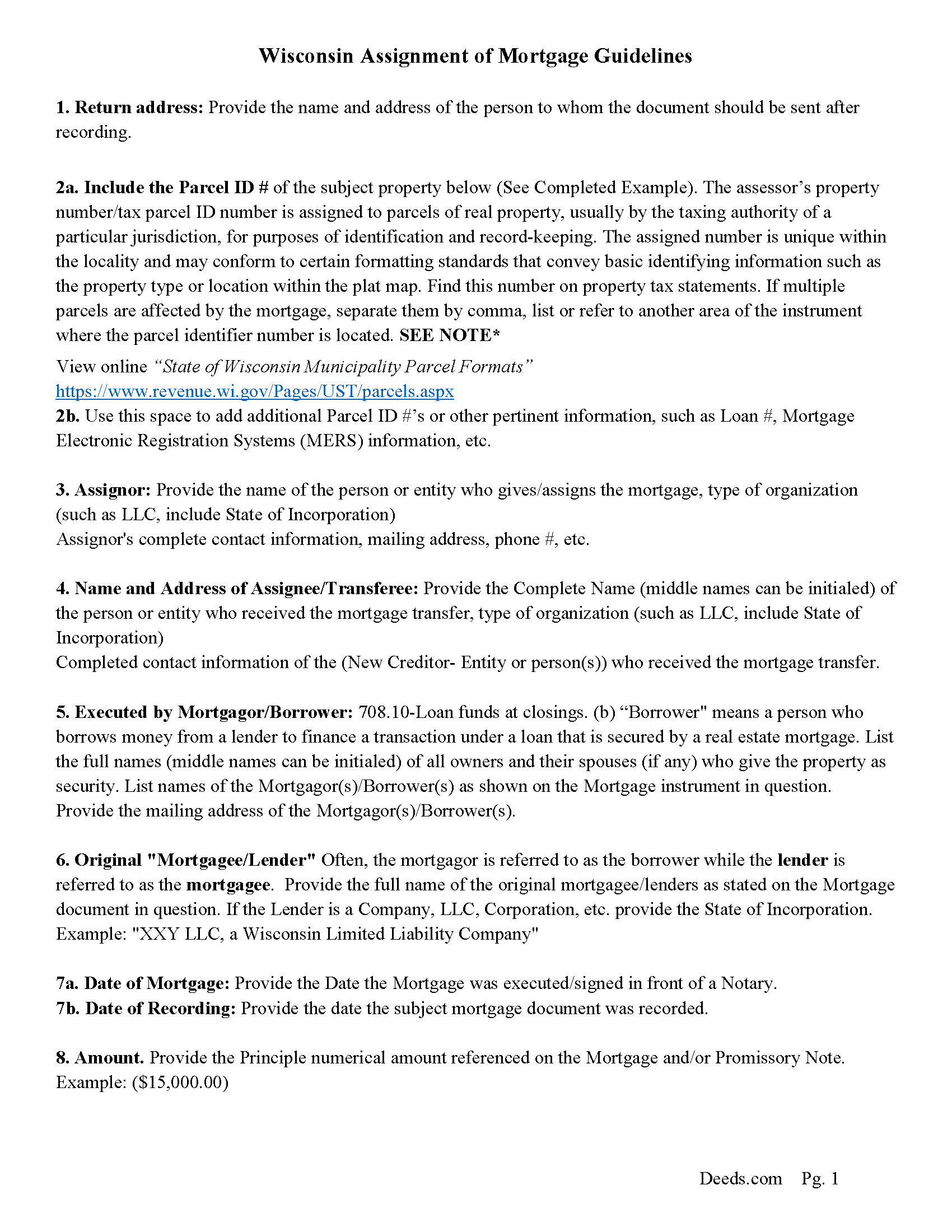
Portage County Assignment of Mortgage Guidelines
Line by line guide explaining every blank on the form.
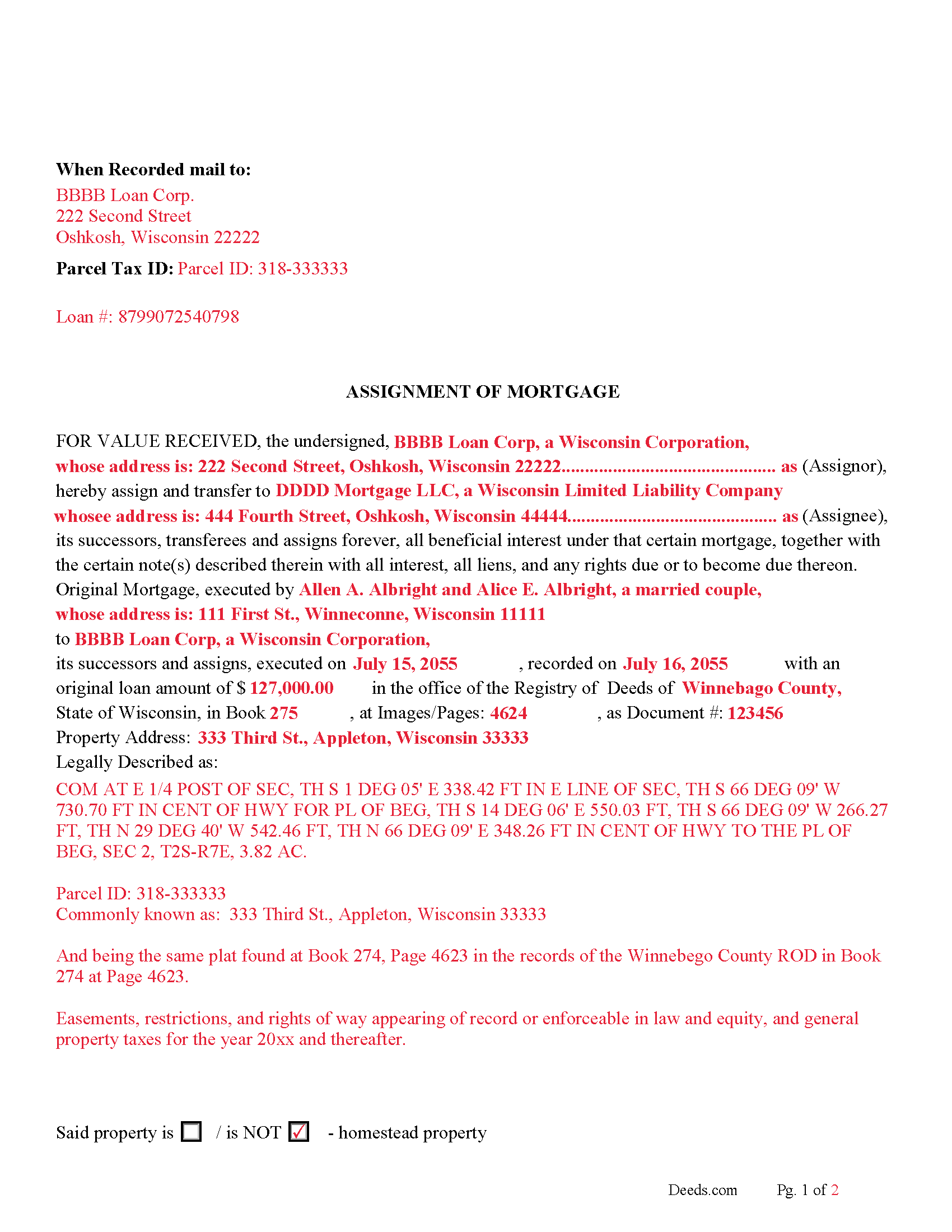
Portage County Completed Example of the Assignment of Mortgage Document
Line by line guide explaining every blank on the form.
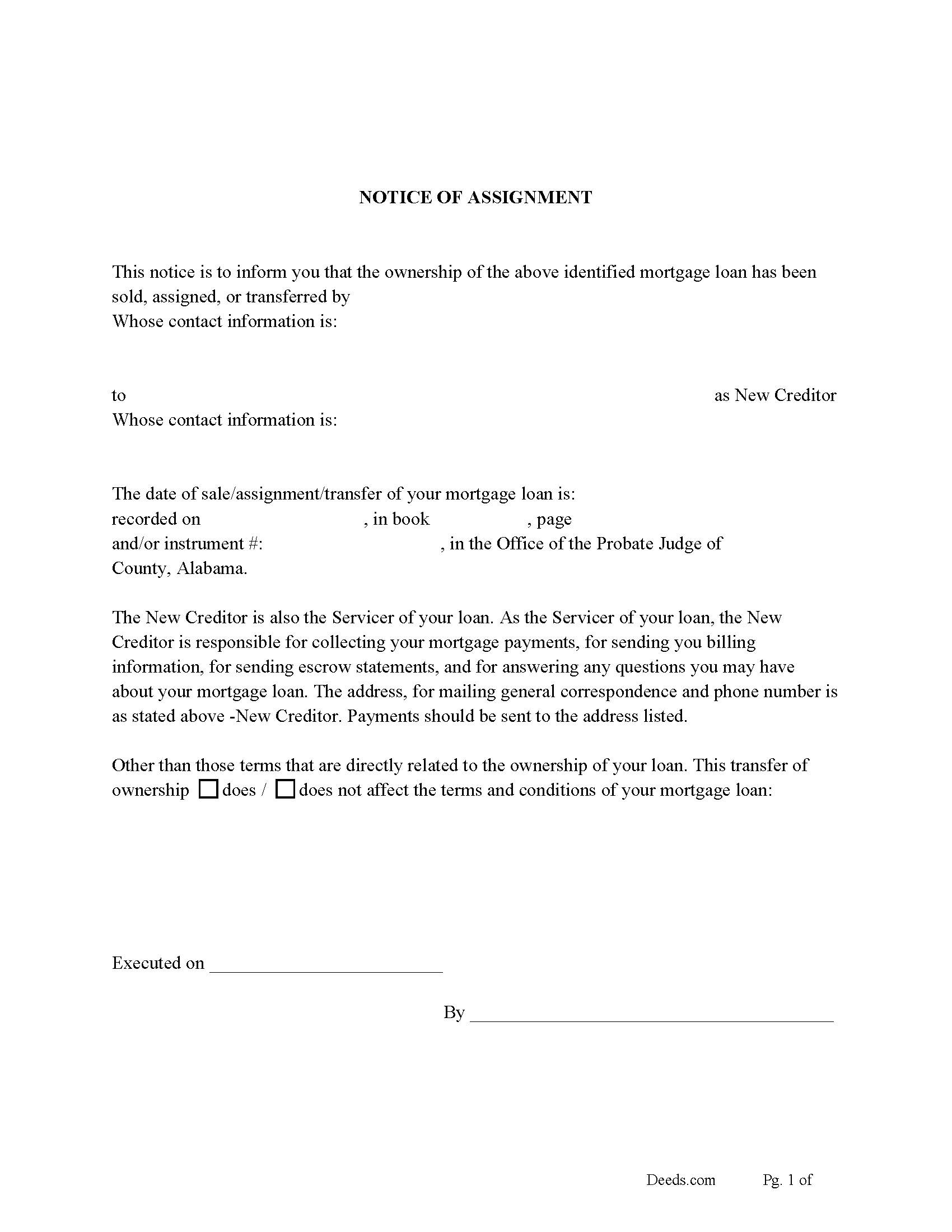
Portage County Notice of Assignment of Mortgage Form
Fill in the blank form formatted to comply with content requirements.
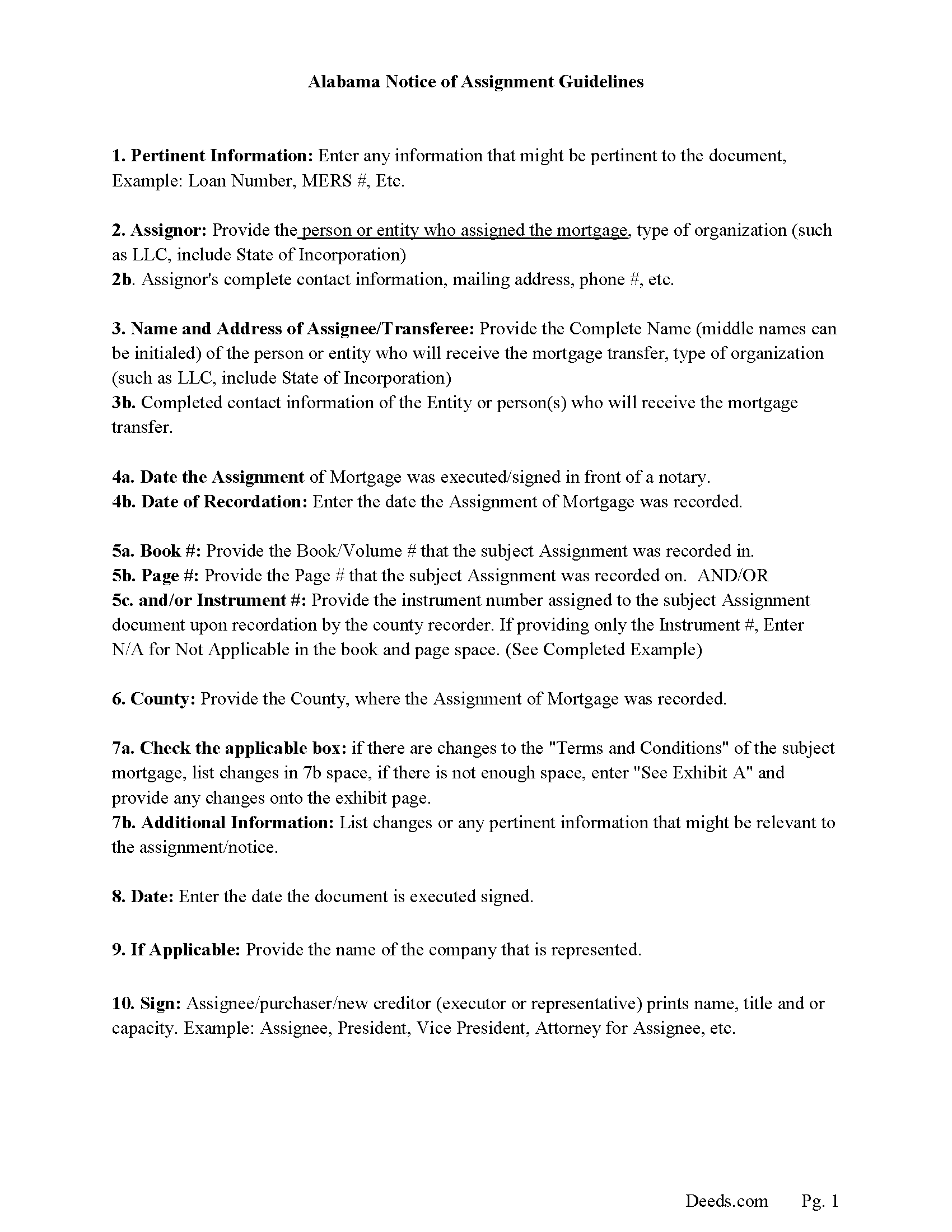
Portage County Notice of Assignment Guidelines
Line by line guide explaining every blank on the form.
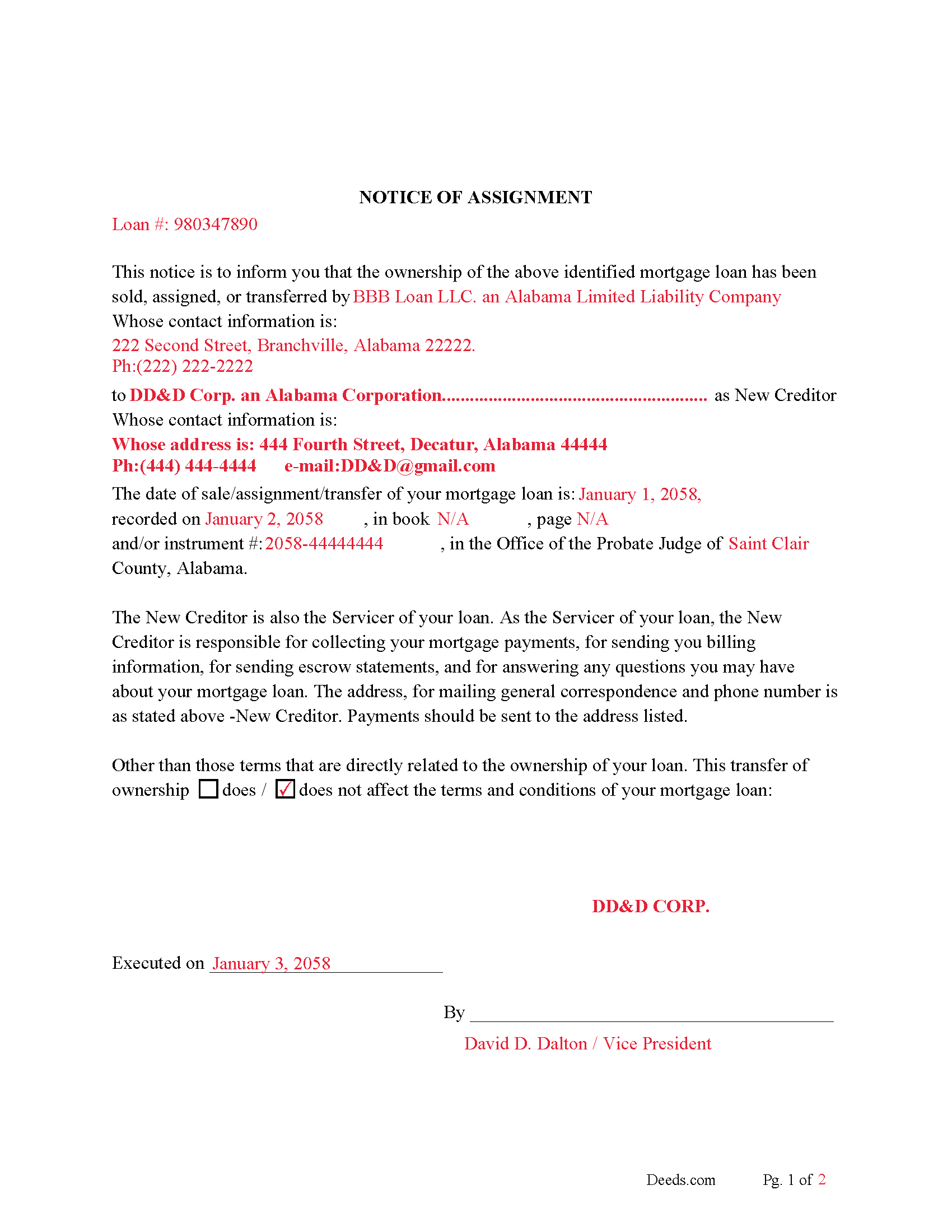
Portage County Notice of Assignment-Completed Example
Example of a properly completed form for reference.
All 6 documents above included • One-time purchase • No recurring fees
Immediate Download • Secure Checkout
Additional Wisconsin and Portage County documents included at no extra charge:
Where to Record Your Documents
Portage County Register of Deeds
Stevens Point, Wisconsin 54481
Hours: 7:30 to 4:30 M-F
Phone: (715) 346-1428
Recording Tips for Portage County:
- Bring your driver's license or state-issued photo ID
- Ensure all signatures are in blue or black ink
- Bring extra funds - fees can vary by document type and page count
- Check margin requirements - usually 1-2 inches at top
- Leave recording info boxes blank - the office fills these
Cities and Jurisdictions in Portage County
Properties in any of these areas use Portage County forms:
- Almond
- Amherst
- Amherst Junction
- Bancroft
- Custer
- Junction City
- Nelsonville
- Plover
- Rosholt
- Stevens Point
Hours, fees, requirements, and more for Portage County
How do I get my forms?
Forms are available for immediate download after payment. The Portage County forms will be in your account ready to download to your computer. An account is created for you during checkout if you don't have one. Forms are NOT emailed.
Are these forms guaranteed to be recordable in Portage County?
Yes. Our form blanks are guaranteed to meet or exceed the applicable formatting requirements used for recording in Portage County, including margin requirements, font requirements, and other layout standards. This guarantee applies to formatting, not to the legal sufficiency of information entered by the user or the suitability of a form for a particular transaction.
Can I reuse these forms?
Yes. You can reuse the forms for your personal use. For example, if you have multiple properties in Portage County you only need to order once.
What do I need to use these forms?
The forms are PDFs that you fill out on your computer. The free Adobe Acrobat Reader is recommended, and most PDF apps also work. You do NOT enter your property information online - you download the blank forms and complete them privately on your own computer.
Are there any recurring fees?
No. This is a one-time purchase. Nothing to cancel, no memberships, no recurring fees.
How much does it cost to record in Portage County?
Recording fees in Portage County vary. Contact the recorder's office at (715) 346-1428 for current fees.
Questions answered? Let's get started!
Use this form to transfer/assign a previously recorded mortgage, frequently used when an existing mortgage has been sold. In this form the current holder/assignor of the mortgage assigns it to another party/assignee. To protect lien rights this form is recorded in the Wisconsin Registry of Deeds in the County where the property is located.
Current Borrowers must be notified of the assignment. Notification consists of contact information of the new creditor, recording dates, Wisconsin recording numbers, changes in loan, etc. Included are "Notice of Assignment of Mortgage" forms.
The Truth and lending act requires that borrowers be notified when their mortgage debt has been sold, transferred, or assigned to a new creditor. Generally, within 30 days to avoid up to $2,000.00 in statutory damages, plus reasonable attorney's fees. Systematic violations can reach up $500,000.00.
Section 404 of the Act amends Section 131 of "Truth in Lending Act" to add a new subsection (g) which provides that, in addition to other disclosures required by the TILA, not later than 30 days after the date on which a mortgage loan is sold or otherwise transferred or assigned to a third party, the creditor that is the new owner or assignee of the debt shall notify the borrower in writing of the transfer. The notice must include the identity, address and telephone number of the new creditor; the date of the transfer; how to reach an agent or party having authority to act on behalf of the new creditor; the location of the place where transfer of ownership of the debt is recorded; and any other relevant information regarding the new creditor.
(Wisconsin AOM Package includes form, guidelines, and completed example)For use in Wisconsin only.
Important: Your property must be located in Portage County to use these forms. Documents should be recorded at the county recording office listed above.
This Assignment of Mortgage meets all recording requirements specific to Portage County.
Our Promise
The documents you receive here are guaranteed to meet or exceed the applicable Portage County recording format requirements. If there is a rejection caused by our formatting, we will correct the issue or refund your payment. This guarantee applies to document formatting only and does not extend to information entered by the user, the selection of the form, or the legal effect of the completed document.
Save Time and Money
Get your Portage County Assignment of Mortgage form done right the first time with Deeds.com Uniform Conveyancing Blanks. At Deeds.com, we understand that your time and money are valuable resources, and we don't want you to face a penalty fee or rejection imposed by a county recorder for submitting nonstandard documents. We constantly review and update our forms to meet rapidly changing state and county recording requirements for roughly 3,500 counties and local jurisdictions.
4.8 out of 5 - ( 4,836 Reviews )
Lisa G. 5 out of 5 stars
Rec'd downloads for quitclaim deed process in Florida. Recorded with the clerk of courts today and the form was done perfectly--she had no changes to make. Well worth the money--thanks
Glad to hear Lisa, we appreciate you taking the time to leave your feedback.
KIMTIEN L. 5 out of 5 stars
VERY GOOD INFORMATION ESPECIALLY FOR ME WHO IS IN CALIFORNIA AND OWN PROPERTY IN FLORIDA.
We appreciate your business and value your feedback. Thank you. Have a wonderful day!
Judy K. 5 out of 5 stars
Your customer service is superb. I ordered the wrong form, and you were so quick to resolve my problem. I will be using your site again.
We appreciate your business and value your feedback. Thank you. Have a wonderful day!
Stephen M. 5 out of 5 stars
The process to record took five minutes of my time, and within 45 minutes, my document was recorded! Simple, efficient and affordable! Thanks!
Thank you for your feedback. We really appreciate it. Have a great day!
Dennis F. 4 out of 5 stars
The release of mortgage form was OK, and accepted at the recorder's office, but there were some problems. Many of the fields to type in were too small to accept the data, and I could not find a way to change the field size or use a smaller font. Otherwise I was satisfied.
Your feedback is a crucial part of our dedication to ongoing improvement. Thank you for your insightful comments.
Petre A. 5 out of 5 stars
Easy @ useful
Thank you!
James N. 2 out of 5 stars
The purchasing process was very slick and my credit card was charged IMMEDIATELY. The deliver went well as the link was provided immediately. However I asked a question via the "Contact Us" link and days later I get a survey but no reply. I may have been directed to the wrong forms via my County and I wanted to confirm that...but still no answer. What would that deserve as a rating???
Also, your history on our site shows no messages sent via our contact us page.
Ann K. 5 out of 5 stars
I ordered a Quit Claim Deed for my county. Once I read the detailed instructions and filled it out I submitted it to the local Register of Deeds and it was filed on the spot while I waited! Thank you, you made a difficult and expensive task easy (for a laymen with no knowledge) at little expense. Highly recommend your site!!!
Thank you for your feedback. We really appreciate it. Have a great day!
Shabaz W. 5 out of 5 stars
Very convenient
Thank you!
ROBERT W. 5 out of 5 stars
Very good service .I recommend it if you need your documentation on a weekend or when offices are closed.Very fast service
We appreciate your business and value your feedback. Thank you. Have a wonderful day!
ROBERT L. 5 out of 5 stars
I got a blank, a sample and detailed instructions, I'm happy. If the recorder's office had a form as they like to see, with your name as they like to see, and the property name as they like to see, no one would ever pay a lawyer for this but a little time to look up the exact names and this package you're all set. I recommend this because, while it isn't difficult, making a mistake could be very bad so getting the details right for a particular county is well worth the cost.
We appreciate your business and value your feedback. Thank you. Have a wonderful day!
Keith C. 1 out of 5 stars
not worth anything to me as i could never get notary info on form to print along with other info
Sorry to hear that Keith. We have processed a refund for your order.
Elizabeth W. 5 out of 5 stars
would have been smart to give each pdf a name instead of unintelligible numbers...
Thank you for your feedback. We really appreciate it. Have a great day!
Kimberly H. 5 out of 5 stars
Very fast and easy to use!
Thank you Kimberly. Have a fantastic day.
Lori M. 5 out of 5 stars
So easy to use. The directions are very clear.
Thank you!