Juneau County Certificate of Trust (Individual Trustee) Form
Last validated November 20, 2026 by our Forms Development TeamFormatted for recording in Juneau County, for property anywhere in the county: rural and unincorporated areas as well as Camp Douglas, Elroy, Hustler, Lyndon Station, Mather, Mauston, Necedah, New Lisbon and 2 more.
- 3 documents included
- Immediate PDF download
- Formatting guarantee
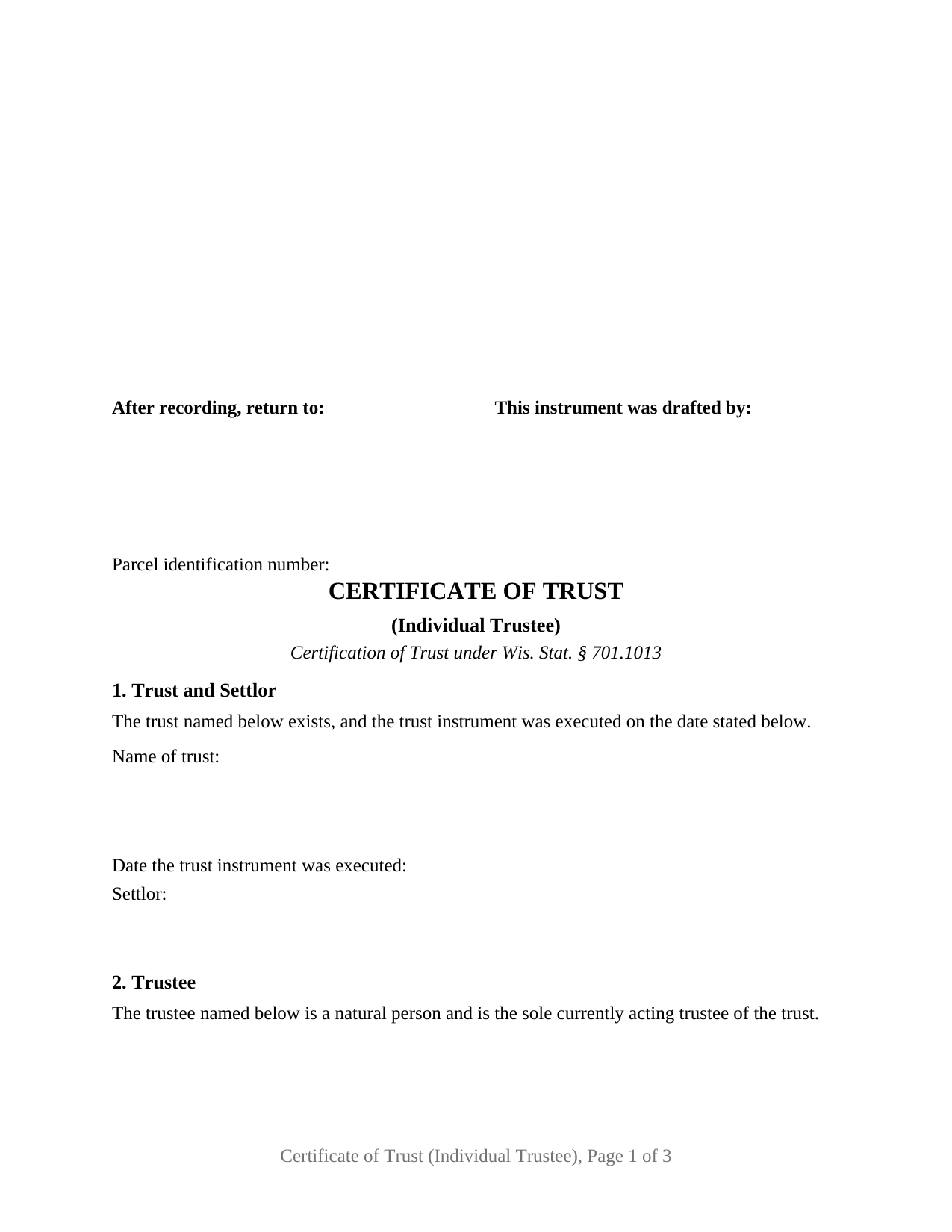
Juneau County Certificate of Trust (Individual Trustee) Form
Fill in the blank Certificate of Trust (Individual Trustee) form formatted to comply with all Wisconsin recording and content requirements.
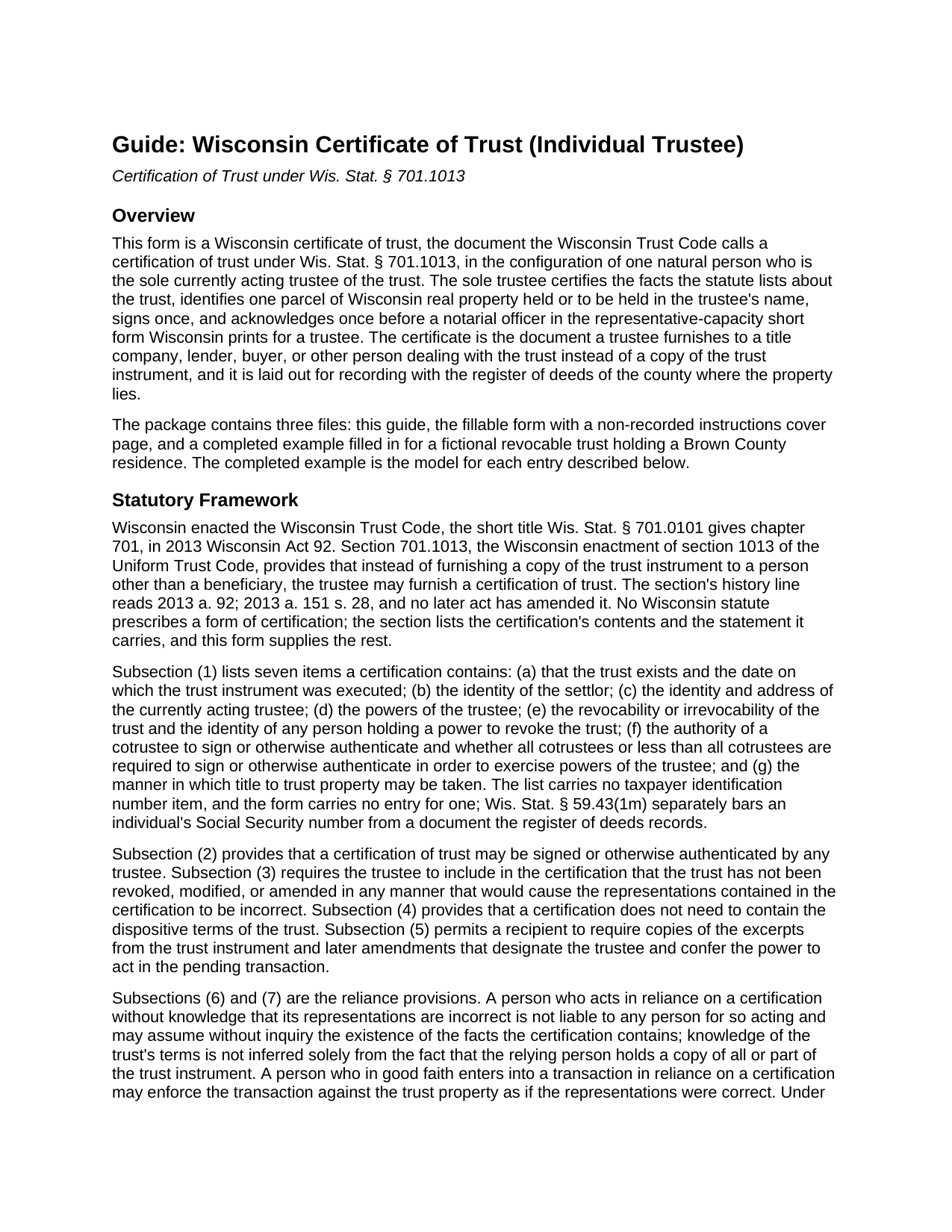
Juneau County Certificate of Trust (Individual Trustee) Guide
Line by line guide explaining every blank on the Certificate of Trust (Individual Trustee) form.
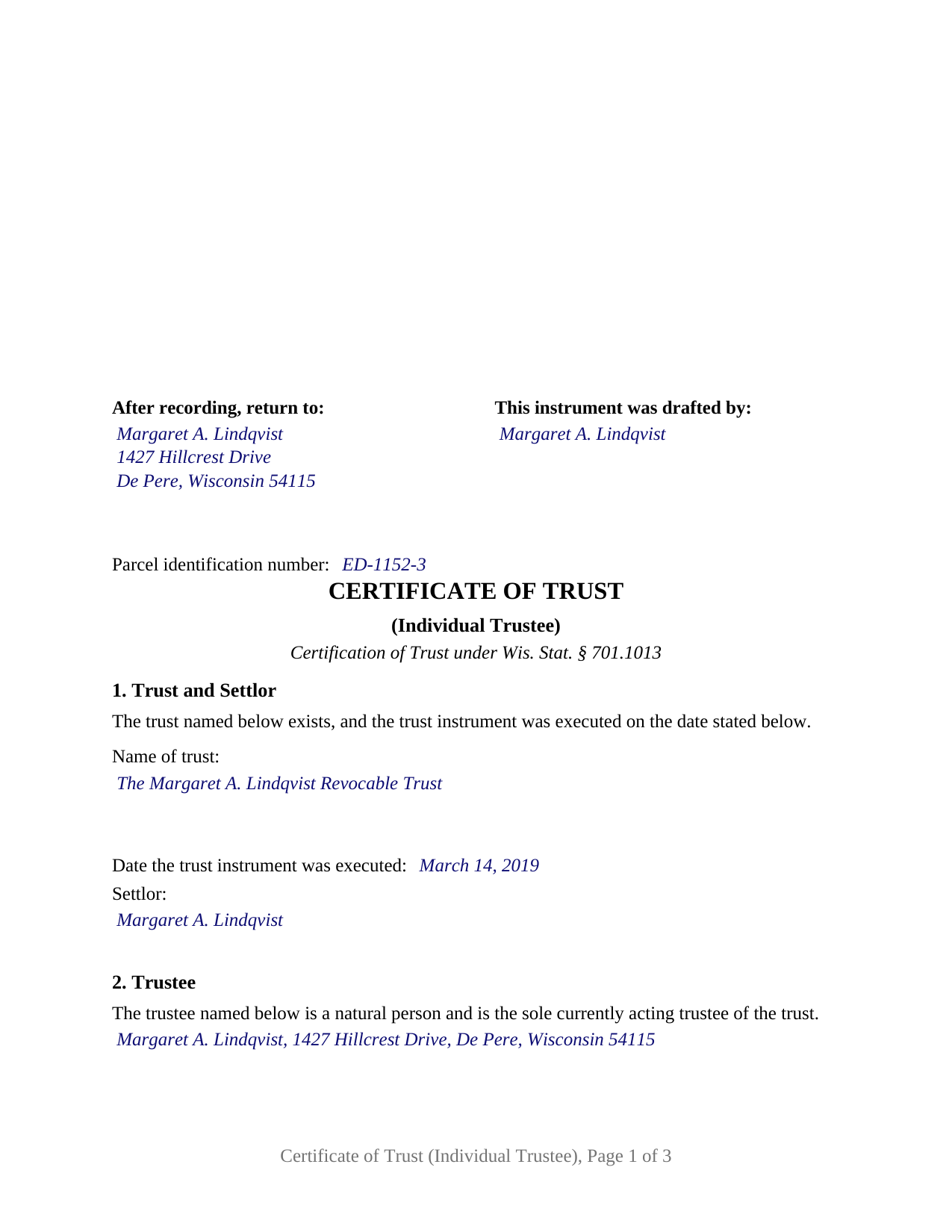
Juneau County Completed Example of the Certificate of Trust (Individual Trustee) Document
Example of a properly completed Wisconsin Certificate of Trust (Individual Trustee) document for reference.
All 3 documents above included • One-time purchase • No recurring fees
Immediate Download • Secure Checkout
Additional Wisconsin and Juneau County documents included at no extra charge:
Where to Record Your Documents
Juneau County Register of Deeds
Mauston, Wisconsin 53948
Hours: Monday - Friday 8:00am to 4:30pm / Recording Cut Off at 3:30pm
Phone: (608) 847-9325
Recording Tips for Juneau County:
- Bring your driver's license or state-issued photo ID
- Ensure all signatures are in blue or black ink
- Check margin requirements - usually 1-2 inches at top
- Leave recording info boxes blank - the office fills these
- Make copies of your documents before recording - keep originals safe
Cities and Jurisdictions in Juneau County
Properties in any of these areas use Juneau County forms:
- Camp Douglas
- Elroy
- Hustler
- Lyndon Station
- Mather
- Mauston
- Necedah
- New Lisbon
- Union Center
- Wonewoc
Hours, fees, requirements, and more for Juneau County
How do I get my forms?
Forms are available for immediate download after payment. The Juneau County forms will be in your account ready to download to your computer. An account is created for you during checkout if you don't have one. Forms are NOT emailed.
Are these forms guaranteed to be recordable in Juneau County?
Yes. Our form blanks are guaranteed to meet or exceed the applicable formatting requirements used for recording in Juneau County, including margin requirements, font requirements, and other layout standards. This guarantee applies to formatting, not to the legal sufficiency of information entered by the user or the suitability of a form for a particular transaction.
Can I reuse these forms?
Yes. You can reuse the forms for your personal use. For example, if you have multiple properties in Juneau County you only need to order once.
What do I need to use these forms?
The forms are PDFs that you fill out on your computer. The free Adobe Acrobat Reader is recommended, and most PDF apps also work. You do NOT enter your property information online - you download the blank forms and complete them privately on your own computer.
Are there any recurring fees?
No. This is a one-time purchase. Nothing to cancel, no memberships, no recurring fees.
How much does it cost to record in Juneau County?
Recording fees in Juneau County vary. Contact the recorder's office at (608) 847-9325 for current fees.
Questions answered? Let's get started!
This Wisconsin certificate of trust is drawn for one trustee who serves alone: a natural person who is the sole currently acting trustee of a trust certifies the facts about the trust that Wis. Stat. § 701.1013 lists, identifies one parcel of Wisconsin real property, signs once, and acknowledges once. The form prints that configuration as fixed text, so the trustee's own words and the certificate the notarial officer completes both read as a certification by a single trustee acting in that capacity.
One trustee, one signature, one certificate
The form carries exactly one signature block, headed TRUSTEE, and exactly one acknowledgment certificate. Section 2 recites, in fixed text, that the trustee named there is a natural person and is the sole currently acting trustee of the trust, and the three-line entry under that sentence takes the trustee's name and mailing address, the identity and address item of § 701.1013(1)(c). Nothing on the form offers a second trustee a place to sign, and no line is marked for use if applicable. The acknowledgment certificate is printed in the representative-capacity short form of Wis. Stat. § 140.16(2), with the words as trustee of fixed ahead of an entry for the name of the trust, so the officer's certificate states the capacity in which the trustee acknowledged rather than treating the trustee as an individual signing for herself or himself.
The cotrustee item answered in fixed text
Section 701.1013(1)(f) asks a certification to state the authority of a cotrustee to sign and whether all cotrustees or less than all are required in order to exercise the powers of the trustee. On a form built for cotrustees that is a blank the trustees fill from the trust instrument. On this form it is Section 5, a fixed paragraph with no entries: the trustee named in Section 2 is the sole currently acting trustee, no cotrustee is serving, and the signature or other authentication of the sole trustee alone is sufficient to exercise the powers of the trustee. That paragraph is what distinguishes the sole-trustee certification on its face. A successor trustee named in the trust instrument but not yet serving does not change the recital, because the recital speaks to the trustee currently acting.
What the sole trustee certifies
The remaining items of § 701.1013(1) are factual entries in the statute's order. Section 1 opens with the fixed sentence that the trust exists and that its instrument was executed on the date stated, then takes the trust's name, that date, and the settlor. Section 3 takes the powers of the trustee as the trust instrument confers them. Section 4 takes the revocability or irrevocability of the trust as a written entry, never a box, together with the person who holds a power to revoke. Section 6 takes the manner in which title to trust property may be taken, which in the completed example reads as the trustee's name, as trustee of the named trust, with the trust's date. Section 7 then identifies the property by Wisconsin county, legal description, street address, and the register of deeds document number of the instrument vesting title in the trustee.
Section 8 is the certification itself and has no blanks. The sole trustee certifies under § 701.1013 that the representations stated in the certificate are correct and that the trust has not been revoked, modified, or amended in any manner that would cause those representations to be incorrect, the statement subsection (3) requires in the statute's own words, and that the certification does not contain the dispositive terms of the trust, which subsection (4) permits. A person who relies on a certification without knowledge that its representations are incorrect may assume the facts it states without inquiry under subsection (6), and a recipient who still wants proof of the trustee's authority may require the excerpts subsection (5) describes, which this certification does not replace.
Laid out for the register of deeds
A certification of trust takes effect by being furnished to the person dealing with the trust; recording is not what makes it operate. The form is nonetheless built for the register of deeds of the county where the property lies, where it sits in the chain of title beside the deed to the trustee. Its first page keeps the upper-right area blank for the register's recording information and carries the document name, the return information, the drafter's name, and a parcel identification number line, the standard document format items of Wis. Stat. § 59.43(2m)(a). Because the certificate passes no ownership interest in real estate, no electronic real estate transfer return and no transfer fee accompany it; the deed into or out of the trust is the instrument that carries those.
Patterns the record shows
The sole-trustee certification appears in the Wisconsin record in three recurring shapes: a settlor serving as trustee of the settlor's own revocable living trust, which is the fact pattern of the completed example; a single successor trustee who has accepted the office after the settlor's death or resignation and is selling or refinancing trust real estate; and the one named trustee of an irrevocable trust taking title to a parcel. Each presents the same instrument: one natural person, one signature, one representative-capacity acknowledgment, and the fixed statement that no cotrustee is serving.
The form is not set up as a certification by two cotrustees signing together, by a corporate trustee such as a bank or trust company signing through an officer, or by a trustee acting through an attorney-in-fact. Each of those prints different fixed text or a different certificate, and a certification in one of those configurations follows a different form. The form also recites nothing about the trustee's marital status and adds no spouse's signature: a certification of trust conveys nothing, so the homestead joinder rule for a conveyance that alienates a married person's homestead interest does not reach it.
The download contains the fillable certificate of trust form with its non-recorded instructions cover page, a completed example filled in for a fictional revocable trust holding a Brown County residence, and a guide that walks through each numbered section, the signing and acknowledgment, and recording with the register of deeds. This description and the guide describe the form and the Wisconsin statutes in general terms; they are not legal advice.
Important: Your property must be located in Juneau County to use these forms. Documents should be recorded at the county recording office listed above.
This Certificate of Trust (Individual Trustee) meets all recording requirements specific to Juneau County.
Our Promise
The documents you receive here are guaranteed to meet or exceed the applicable Juneau County recording format requirements. If there is a rejection caused by our formatting, we will correct the issue or refund your payment. This guarantee applies to document formatting only and does not extend to information entered by the user, the selection of the form, or the legal effect of the completed document.
Save Time and Money
Get your Juneau County Certificate of Trust (Individual Trustee) form done right the first time with Deeds.com Uniform Conveyancing Blanks. At Deeds.com, we understand that your time and money are valuable resources, and we don't want you to face a penalty fee or rejection imposed by a county recorder for submitting nonstandard documents. We constantly review and update our forms to meet rapidly changing state and county recording requirements for roughly 3,500 counties and local jurisdictions.
4.8 out of 5 - ( 4,862 Reviews )
Sheila P. 5 out of 5 stars
What a great service to provide with excellent directions! At first I thought I would need an attorney, but I walked through the steps and now I have it finished! Saved a ton of money. Thanks Deed.com.
Thank you for your feedback. We really appreciate it. Have a great day!
Maria G. 5 out of 5 stars
Very easy and fast. Couldnt ask for anything better.
We appreciate your business and value your feedback. Thank you. Have a wonderful day!
Elaine S. 4 out of 5 stars
Being new at this, the system was somewhat difficult to understand at first. It took a couple of tries before I got it. It seems to be somewhat slow as well. However, it's a wonderful idea to have documents recorded from the comfort of your home, especially in the times that we are in with COVID19. I definitely don't mind paying the fee which I thought was reasonable.
Thank you!
ROSA C. 5 out of 5 stars
Very happy with the service. Easy to use.
Thank you for your feedback. We really appreciate it. Have a great day!
Gene K. 5 out of 5 stars
I am still in the trial stage. I am an older lawyer. Any help I can get is worth it. Once you get used to the format and data fill in the deed thing is excellent. Very professional if not a little slow. I have only done three deeds in one state so I will have to see how it goes. I like the product and their attitude towards pleasing the customer. We'll see when I try the recording part.
We appreciate your business and value your feedback. Thank you. Have a wonderful day!
Lucinda L. 5 out of 5 stars
mostly good; however, you need to update the annual exclusion gift amount from $14,000 to $15,000 (where it has ben for several years), and you need to make your Gift Deed final paragraph be gender neutral like "they" or "he or she" rather than just"he". We women lawyers and our women clients appreciate that.
Thank you for your feedback. We really appreciate it. Have a great day!
Gerald B. 5 out of 5 stars
Thank you so much for the helpful service and quick action! If needed, I will definitely choose Deeds.com again.
We appreciate your business and value your feedback. Thank you. Have a wonderful day!
Karen W. 5 out of 5 stars
Great experience. Easy.
We appreciate your business and value your feedback. Thank you. Have a wonderful day!
Pamela B. 5 out of 5 stars
The process was not difficult but I don't think that it suited my needs. There were several fields that were not applicable to me but I had to enter something to proceed. I also filled out the other form and mailed it in with some documentation that the electronic service did not ask for. Questions of my attempt are still unanswered. I hope I didn't waste time with this process. We shall see. Thank you.
Thank you!
Mary L. 5 out of 5 stars
Great site. Very easy to use.
Thank you for your feedback. We really appreciate it. Have a great day!
Bryan C. 5 out of 5 stars
Your service is sweet. It is self-explanatory and easy to download. I am excited about finding your website.
Thank you!
Barbara M. 5 out of 5 stars
Easy to do.
We appreciate your business and value your feedback. Thank you. Have a wonderful day!
Alan G. 5 out of 5 stars
Using www.deeds.com was super ez even for a non-technical person like me, it saved me lots of time and the instructions and communications were great,I was able to file my deed online in half a day with most of that time taken up by the jurisdiction I filed with processing my submittal. I will use it again!
We appreciate your business and value your feedback. Thank you. Have a wonderful day!
Thomas A. 5 out of 5 stars
Deeds.com is an easy-to-use resource for the busy real estate practitioner .
We appreciate your business and value your feedback. Thank you. Have a wonderful day!
Roy B. 3 out of 5 stars
Convenient yes, expensive "big YES" and with what I paid to record a lien it cost me close to $50. That seems quite exorbitant in my estimation!!
Thank you for your feedback. We really appreciate it. Have a great day!