Walworth County Certificate of Trust Form
Last validated October 5, 2026 by our Forms Development TeamFormatted for recording in Walworth County, for property anywhere in the county: rural and unincorporated areas as well as Darien, Delavan, East Troy, Elkhorn, Fontana, Genoa City, Honey Creek, Lake Geneva and 8 more.
- 3 documents included
- Immediate PDF download
- Formatting guarantee
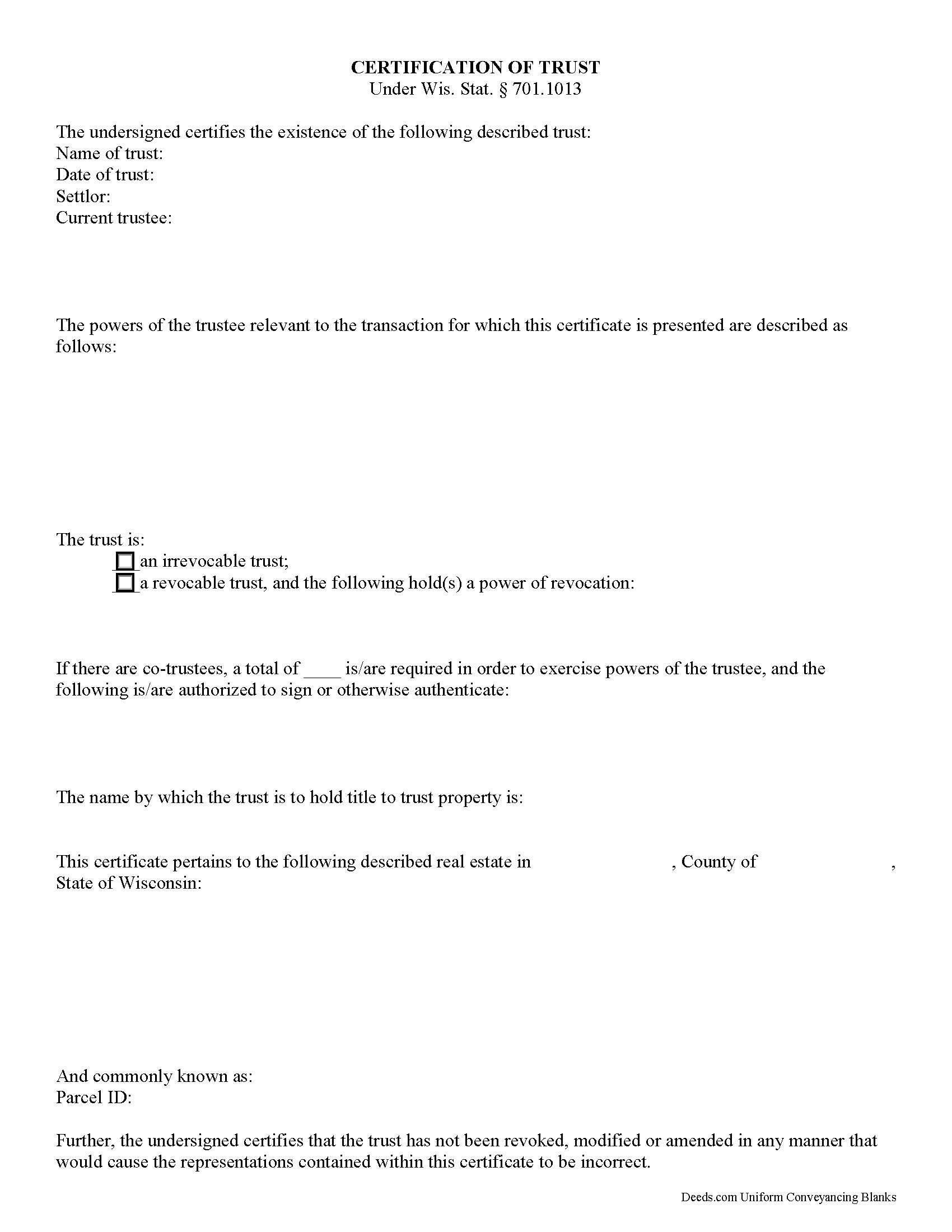
Walworth County Certificate of Trust Form
Fill in the blank form formatted to comply with all recording and content requirements.
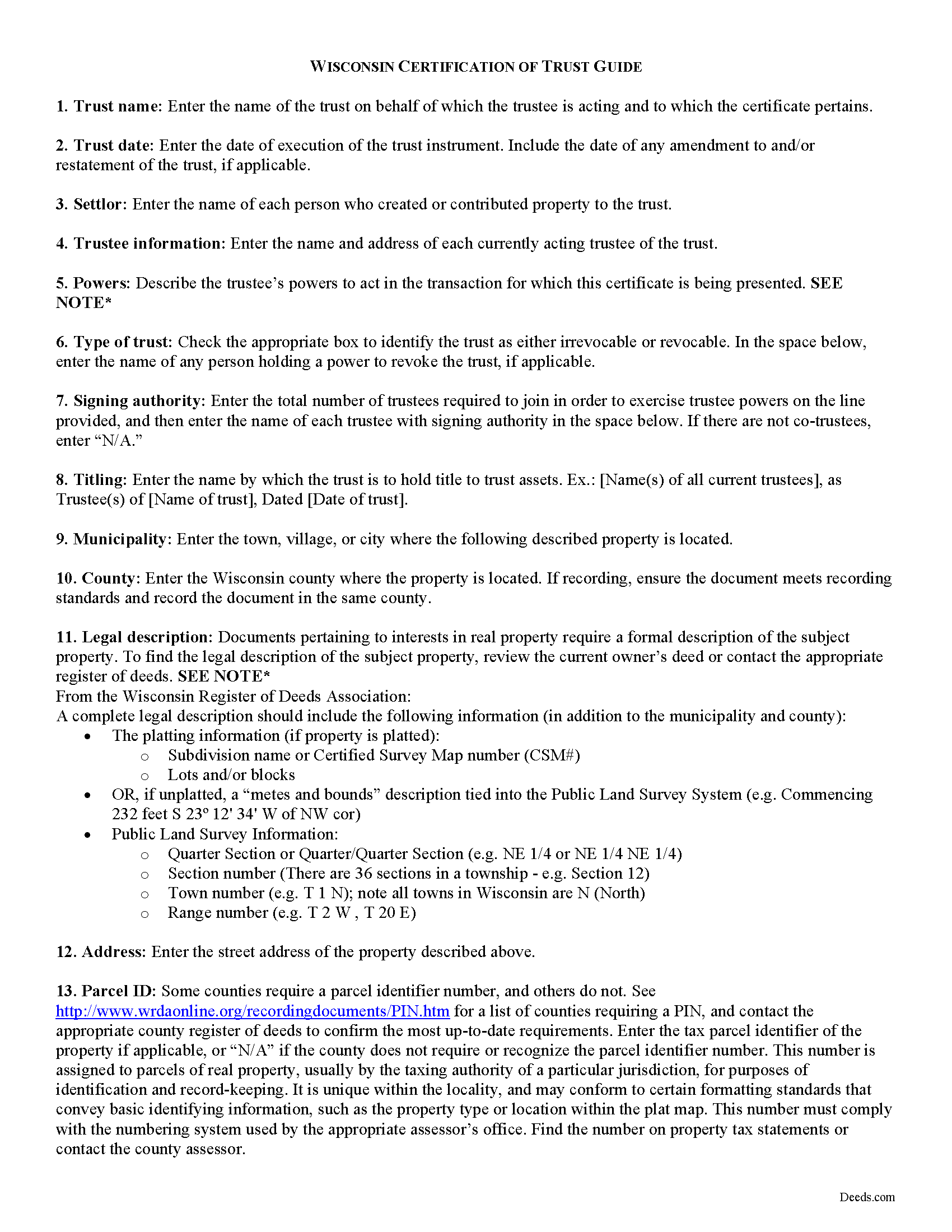
Walworth County Certificate of Trust Guide
Line by line guide explaining every blank on the form.
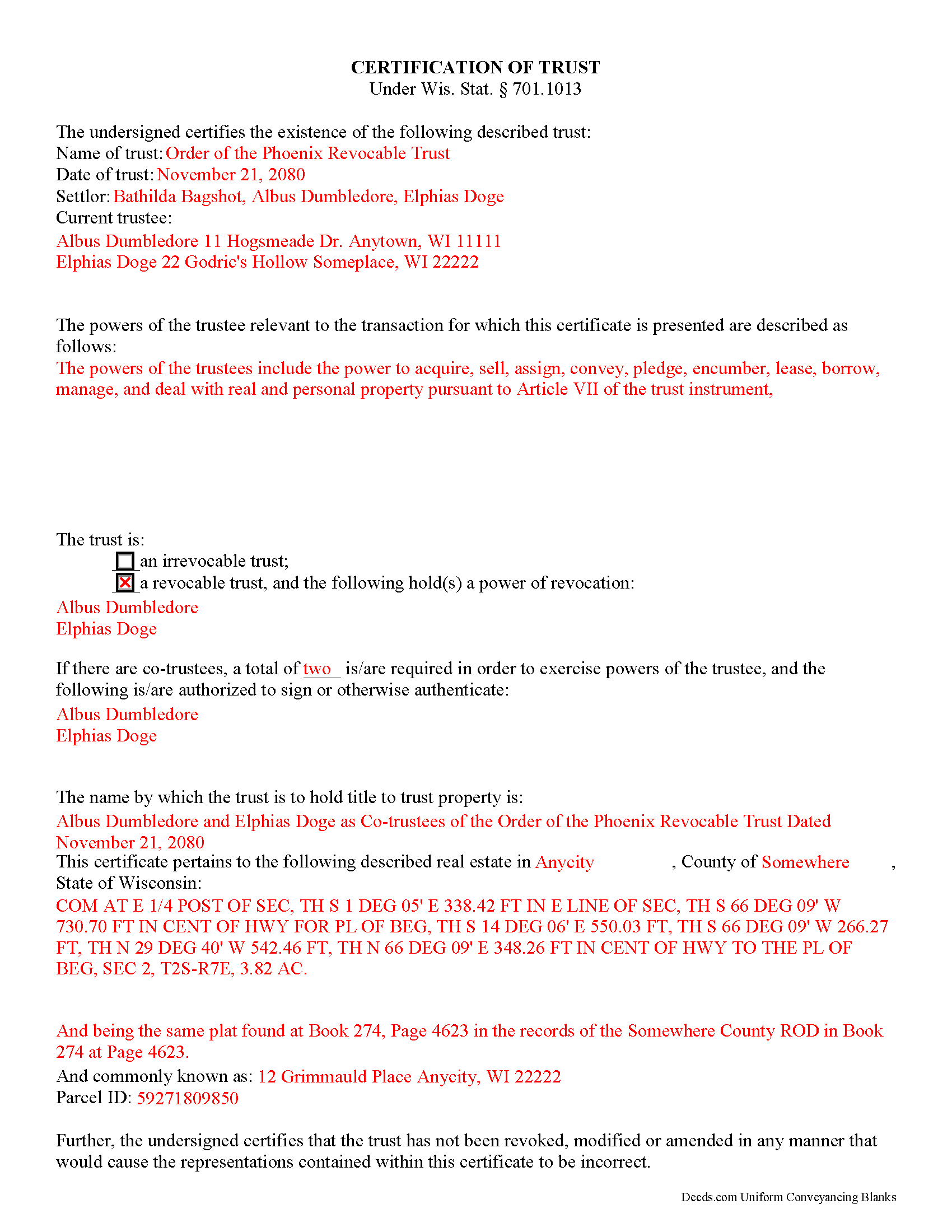
Walworth County Completed Example of the Certificate of Trust Document
Example of a properly completed form for reference.
All 3 documents above included • One-time purchase • No recurring fees
Immediate Download • Secure Checkout
Additional Wisconsin and Walworth County documents included at no extra charge:
Where to Record Your Documents
Walworth County Register of Deeds
Elkhorn, Wisconsin 53121
Hours: Monday - Friday 8:00 am - 5:00 pm
Phone: (262) 741-4233
Recording Tips for Walworth County:
- Bring your driver's license or state-issued photo ID
- Ensure all signatures are in blue or black ink
- Request a receipt showing your recording numbers
- Ask about accepted payment methods when you call ahead
- Ask for certified copies if you need them for other transactions
Cities and Jurisdictions in Walworth County
Properties in any of these areas use Walworth County forms:
- Darien
- Delavan
- East Troy
- Elkhorn
- Fontana
- Genoa City
- Honey Creek
- Lake Geneva
- Lyons
- Pell Lake
- Sharon
- Springfield
- Walworth
- Whitewater
- Williams Bay
- Zenda
Hours, fees, requirements, and more for Walworth County
How do I get my forms?
Forms are available for immediate download after payment. The Walworth County forms will be in your account ready to download to your computer. An account is created for you during checkout if you don't have one. Forms are NOT emailed.
Are these forms guaranteed to be recordable in Walworth County?
Yes. Our form blanks are guaranteed to meet or exceed the applicable formatting requirements used for recording in Walworth County, including margin requirements, font requirements, and other layout standards. This guarantee applies to formatting, not to the legal sufficiency of information entered by the user or the suitability of a form for a particular transaction.
Can I reuse these forms?
Yes. You can reuse the forms for your personal use. For example, if you have multiple properties in Walworth County you only need to order once.
What do I need to use these forms?
The forms are PDFs that you fill out on your computer. The free Adobe Acrobat Reader is recommended, and most PDF apps also work. You do NOT enter your property information online - you download the blank forms and complete them privately on your own computer.
Are there any recurring fees?
No. This is a one-time purchase. Nothing to cancel, no memberships, no recurring fees.
How much does it cost to record in Walworth County?
Recording fees in Walworth County vary. Contact the recorder's office at (262) 741-4233 for current fees.
Questions answered? Let's get started!
The certificate of trust is an unrecorded document executed by a trustee and presented to a party doing business with the trustee (such as a financial institution). The document is codified as part of the Wisconsin Trust Code at Wis. Stat. 701.1013.
In a trust arrangement, a settlor transfers assets another person who, as trustee, manages them for the benefit of the trust beneficiary. In lieu of presenting the entire trust instrument, which generally goes unrecorded in order to protect the settlor's estate plans, the certificate is an abstract containing only the information required of the trustee in order to conduct the business at hand. The document certifies that the trust exists and that the trustee has the authority to act in the pending transaction on behalf of the trust.
The certificate includes a statement that the trust exists and contains the name and date of the trust; the names of the settlor and all currently acting trustees; an inventory of the relevant powers of the trustee; and the name by which the trust vests title to property. The form also identifies anyone who holds a power to revoke the trust, and, when there are co-trustees, stipulates the authority of the trustees to authenticate trust documents. Additionally, the certificate requires a statement that the trust has not been modified, amended, or revoked so as to invalidate the facts presented.
In most cases, the certificate is not recorded. It may sometimes accompany a conveyance of real property out of the trust (a trustee's deed), verifying that the trustee has the authority to convey real property and confirming that the property is subject to the trust by providing the legal description of the property, as found in the trust agreement or conveyancing instrument into trust.
Statements made in the certificate may be relied on as fact; Wis. Stat. 701.1013 provides protection for persons relying in good faith on the information presented in the certificate. In addition to the certificate, the trustee may furnish excerpts from the trust instrument designating the trustee and establishing the trustee's power to act in the business at hand. Recipients of a certificate requesting that the trustee furnish the entire trust instrument, however, are open to liability.
The certificate may be signed by any trustee in the presence of a notary public. If the document is submitted for recording, it must conform to standards for recording established at Wis. Stat. 59.43(2m).
Consult a lawyer with questions regarding trusts and certifications of trust in Wisconsin, as each situation is unique.
(Wisconsin COT Package includes form, guidelines, and completed example)
Important: Your property must be located in Walworth County to use these forms. Documents should be recorded at the county recording office listed above.
This Certificate of Trust meets all recording requirements specific to Walworth County.
Our Promise
The documents you receive here are guaranteed to meet or exceed the applicable Walworth County recording format requirements. If there is a rejection caused by our formatting, we will correct the issue or refund your payment. This guarantee applies to document formatting only and does not extend to information entered by the user, the selection of the form, or the legal effect of the completed document.
Save Time and Money
Get your Walworth County Certificate of Trust form done right the first time with Deeds.com Uniform Conveyancing Blanks. At Deeds.com, we understand that your time and money are valuable resources, and we don't want you to face a penalty fee or rejection imposed by a county recorder for submitting nonstandard documents. We constantly review and update our forms to meet rapidly changing state and county recording requirements for roughly 3,500 counties and local jurisdictions.
4.8 out of 5 - ( 4,837 Reviews )
Katherin K. 4 out of 5 stars
Helpful, but some of the blanks aren't large enough, particularly when the grantor is an affiant under a small estate affidavit, and that's the reason for $0 consideration.
Thanks, Katherin — we appreciate the helpful feedback. We’re reviewing the blank sizing and ways to better support small estate affidavit situations, including explanations for $0 consideration.
ALYSSA J. 1 out of 5 stars
I was unable to end up going through with the deed process on my own as it was out of my realm. I suspect if I knew what I was actually doing when completing a deed, it would of been sufficient. I ended up having to go through an attorney to complete the deed.
Glad to hear you sought the assistance of a legal professional familiar with your specific situation, we always recommend that to anyone who is not completely sure of what they are doing. Have a wonderful day.
Kwaku A. 5 out of 5 stars
Excellent service ! Came through in the clutch! Easy to use and understand ! Exceptional service ! 10/10
Thank you!
Julie S. 5 out of 5 stars
I am really impressed by this website. Not only is it affordable, but they give a detailed description, instructions, and an example to follow. Also there are additional forms included. And it's State, even county, specific. They do not require a subscription either as you can just order what you want. Thank you!
We appreciate your business and value your feedback. Thank you. Have a wonderful day!
Ming Z. 5 out of 5 stars
Definitely 5 Stars !
Thank you!
Linda W. 5 out of 5 stars
Fast service. From the time I sent my Quit Claim Deed to deeds.com, and six hours later my deed was recorded. It was painless, great convenience.
Thank you!
David S. 5 out of 5 stars
All Star Support and less than a one day turnaround. Outstanding service. Thank you !
We appreciate your business and value your feedback. Thank you. Have a wonderful day!
LEVELL H. 5 out of 5 stars
I was very pleased with the ease in use of the forms. I suggest making sure the sample copy is totally aligned with the exact same parts. I was a little confused about the portion "Subject to.." It was easy to make corrections, additions, etc because the page remained open, and I didn't have to re=open the forms continuously.
Thank you!
Dean L. 3 out of 5 stars
The template isn't that easy to work with, with you have to type out large amounts of text. Also copy and paste doesn't seem to work. Furthermore, the code listed on the guide is out of date. However, the DQC is decent in that it has all the required fields you need.
Thank you for your feedback. We really appreciate it. Have a great day!
Ebony L. 5 out of 5 stars
Very pleased with deeds.com. I highly recommend them to anyone, from clueless beginners like myself to the more advanced. Thank you for simplifying this process.
Thank you for your feedback. We really appreciate it. Have a great day!
NANETTE G. 5 out of 5 stars
I was so Happy to find a website that had deeds for property, reasonable price, helpful directions for diy flling out the deed info, no surprise hidden fees at checkout...what a relief. Saved hundreds because I can do it myself! Great service here!!
Thank you for your feedback. We really appreciate it. Have a great day!
Cindy J. 5 out of 5 stars
I'm stuck in Florida due to family business and needed to file documents in Virginia for other family business. Deeds.com made it easy and efficient and cost effective. I'm so grateful for this service!
Thank you!
Joanne H. 5 out of 5 stars
easy to download and use. this document. thank you
Thank you!
Peter V. 5 out of 5 stars
Great set of forms. Downloaded in a min and Used immediately. Good sample as it easy to read And fill out yours. Overall good experience
We appreciate your business and value your feedback. Thank you. Have a wonderful day!
John K. 5 out of 5 stars
The website was very easy to work. The documents were just what I needed and everything that my state and county required.
We appreciate your business and value your feedback. Thank you. Have a wonderful day!