Door County Quitclaim Deed (Individual Grantor) Form
Last validated October 6, 2026 by our Forms Development TeamFormatted for recording in Door County, for property anywhere in the county: rural and unincorporated areas as well as Baileys Harbor, Brussels, Egg Harbor, Ellison Bay, Ephraim, Fish Creek, Forestville, Maplewood and 3 more.
- 3 documents included
- Immediate PDF download
- Formatting guarantee
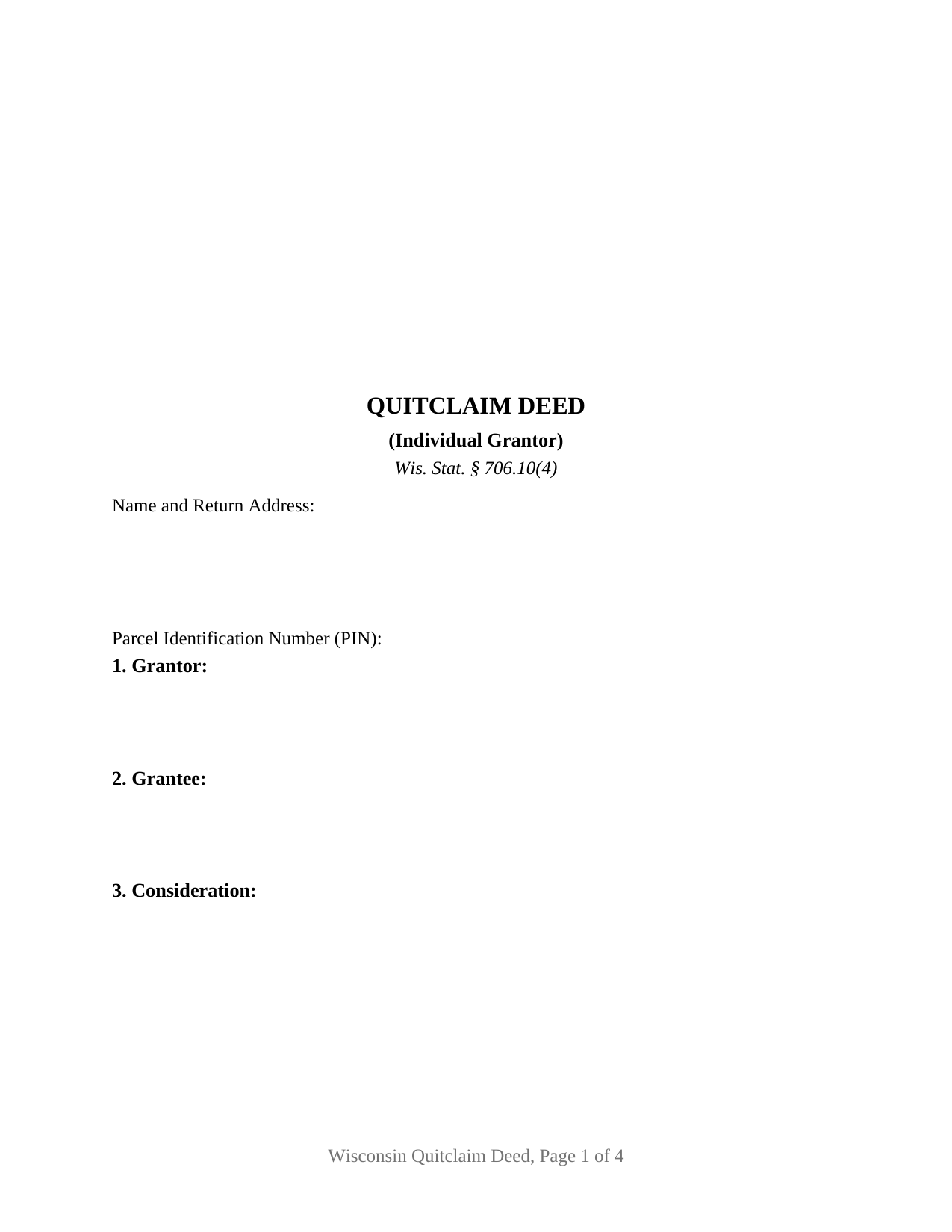
Door County Quitclaim Deed (Individual Grantor) Form
Fill in the blank Quitclaim Deed (Individual Grantor) form formatted to comply with all Wisconsin recording and content requirements.
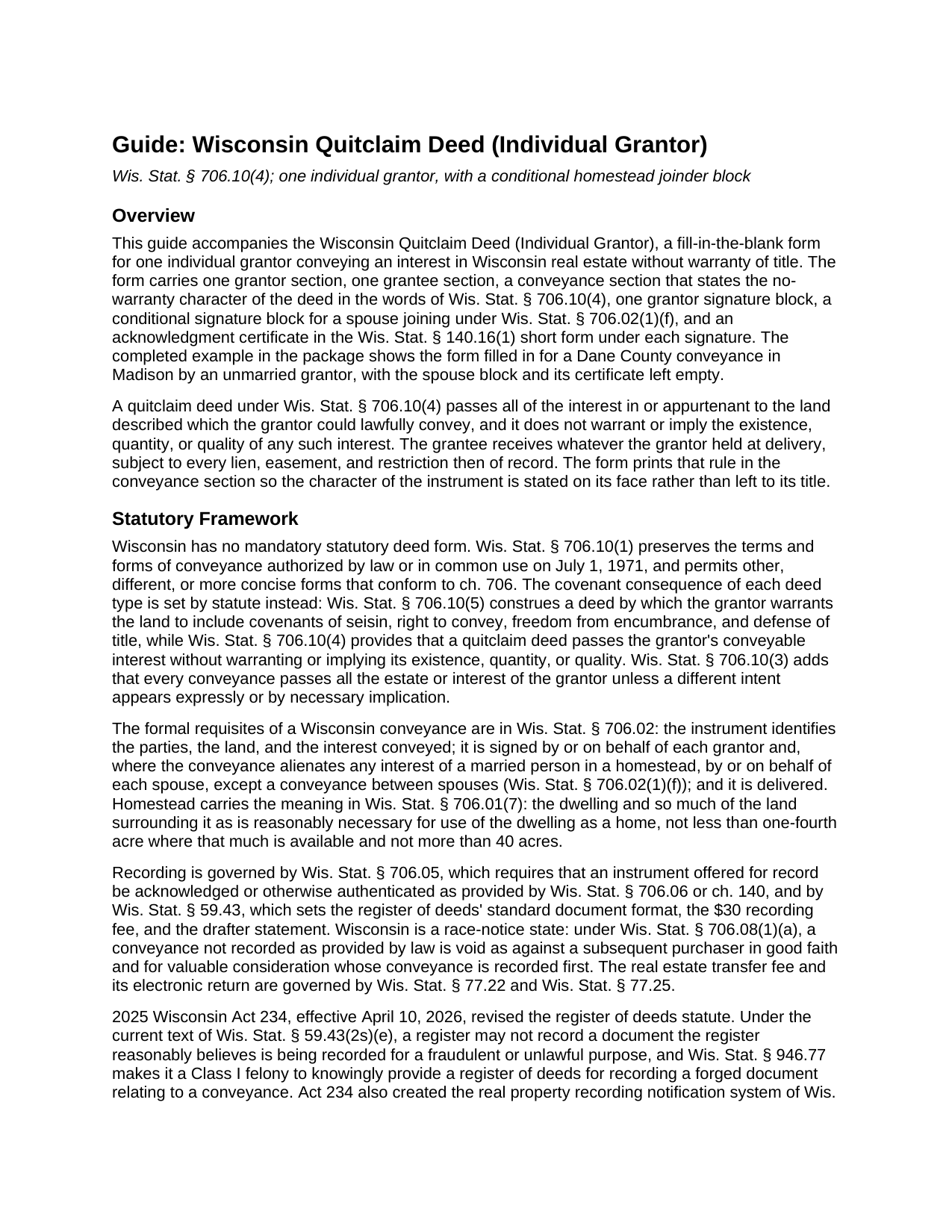
Door County Quitclaim Deed (Individual Grantor) Guide
Line by line guide explaining every blank on the Quitclaim Deed (Individual Grantor) form.
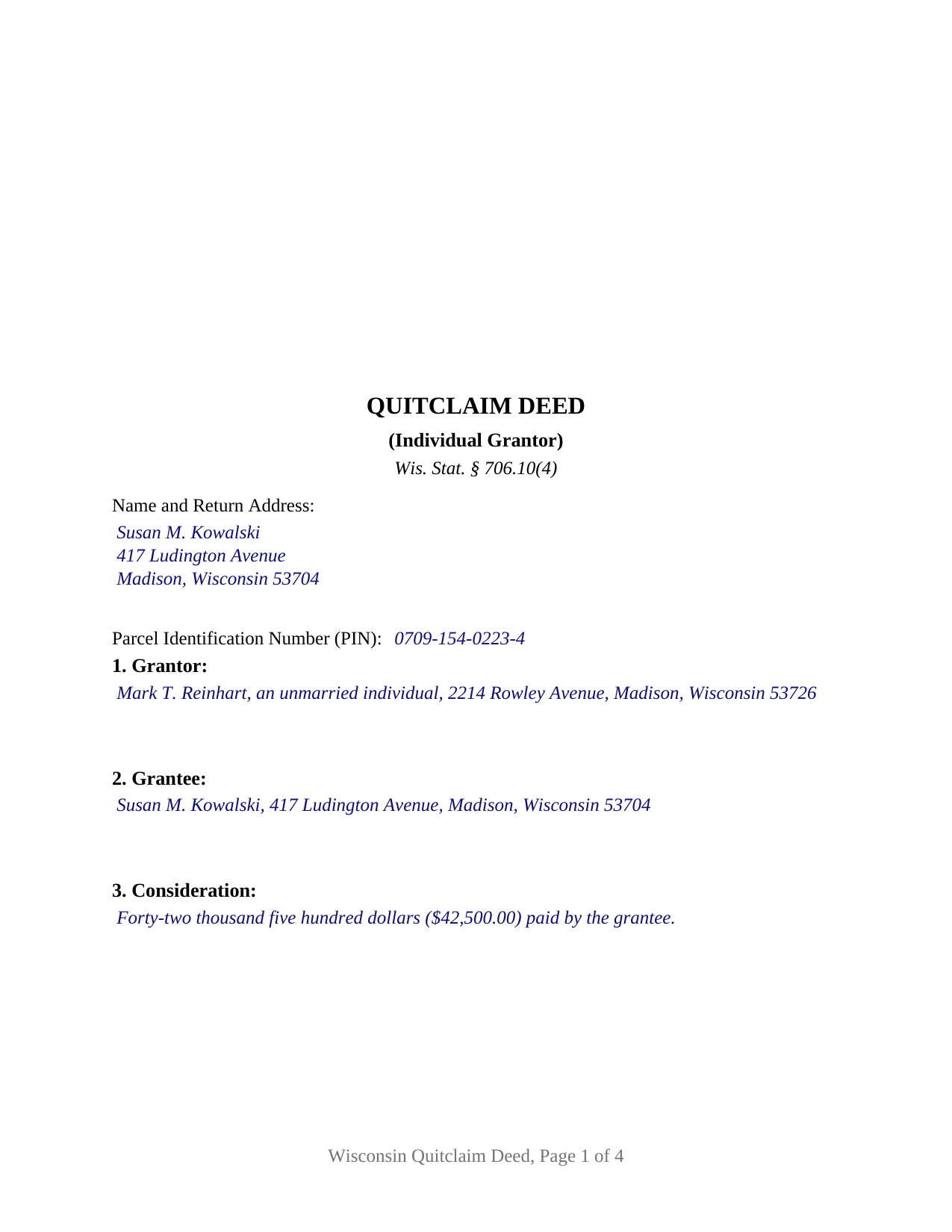
Door County Completed Example of the Quitclaim Deed (Individual Grantor) Document
Example of a properly completed Wisconsin Quitclaim Deed (Individual Grantor) document for reference.
All 3 documents above included • One-time purchase • No recurring fees
Immediate Download • Secure Checkout
Additional Wisconsin and Door County documents included at no extra charge:
Where to Record Your Documents
Door County Register
Sturgeon Bay, Wisconsin 54235
Hours: Monday - Friday 8:00am - 4:30pm
Phone: (920) 746-2270
Recording Tips for Door County:
- Bring your driver's license or state-issued photo ID
- Ensure all signatures are in blue or black ink
- Avoid the last business day of the month when possible
- Both spouses typically need to sign if property is jointly owned
- Bring extra funds - fees can vary by document type and page count
Cities and Jurisdictions in Door County
Properties in any of these areas use Door County forms:
- Baileys Harbor
- Brussels
- Egg Harbor
- Ellison Bay
- Ephraim
- Fish Creek
- Forestville
- Maplewood
- Sister Bay
- Sturgeon Bay
- Washington Island
Hours, fees, requirements, and more for Door County
How do I get my forms?
Forms are available for immediate download after payment. The Door County forms will be in your account ready to download to your computer. An account is created for you during checkout if you don't have one. Forms are NOT emailed.
Are these forms guaranteed to be recordable in Door County?
Yes. Our form blanks are guaranteed to meet or exceed the applicable formatting requirements used for recording in Door County, including margin requirements, font requirements, and other layout standards. This guarantee applies to formatting, not to the legal sufficiency of information entered by the user or the suitability of a form for a particular transaction.
Can I reuse these forms?
Yes. You can reuse the forms for your personal use. For example, if you have multiple properties in Door County you only need to order once.
What do I need to use these forms?
The forms are PDFs that you fill out on your computer. The free Adobe Acrobat Reader is recommended, and most PDF apps also work. You do NOT enter your property information online - you download the blank forms and complete them privately on your own computer.
Are there any recurring fees?
No. This is a one-time purchase. Nothing to cancel, no memberships, no recurring fees.
How much does it cost to record in Door County?
Recording fees in Door County vary. Contact the recorder's office at (920) 746-2270 for current fees.
Questions answered? Let's get started!
This Wisconsin quitclaim deed is drawn for one grantor, and it leaves that grantor's marital status to the grantor's own words. Section 1 takes a single name with whatever status follows it, Section 8 states in deed text that the grantor is one individual conveying in the grantor's own right, and a second signature block waits beneath the grantor's for one case: a married grantor conveying a homestead. On every other fill that block and its certificate stay empty.
A joinder block the deed switches on by its own terms
Under Wis. Stat. § 706.02(1)(f), a conveyance alienating any interest of a married person in a homestead, as § 706.01(7) defines it, is invalid unless signed or joined in by each spouse, a conveyance directly between spouses excepted. Section 8 prints that condition as part of the conveyance: if the Property includes the homestead of a married grantor, the grantor's spouse joins in or consents by signing below. The block labeled SPOUSE OF GRANTOR (IF JOINING) carries its own Wis. Stat. § 140.16(1) certificate, so a joining spouse may acknowledge on a different day or before a different notarial officer. An unmarried grantor, or a married grantor conveying land that is not the homestead, signs alone, as the completed example does.
Marital property in the background, title form in the foreground
Wis. Stat. § 766.31(3) gives each Wisconsin spouse a present undivided one-half interest in marital property, yet management and control follows the form of title under § 766.51: a spouse acts alone as to marital property held in that spouse's name alone, and § 766.51(8) keeps the homestead signature rule standing on its own. The single-signature pattern of this deed belongs to the interest an individual may convey alone; the conditional block belongs to the rule that reaches a spouse the record never names.
What the grantee takes
Wis. Stat. § 706.10(4) supplies the covenant arithmetic. A quitclaim deed passes all of the interest in or appurtenant to the land described which the grantor could lawfully convey, and it does not warrant or imply the existence, quantity, or quality of any such interest. The grantee stands where the grantor stood at delivery, liens and easements of record included, and Section 6 lists those matters as information only, under a printed sentence that the listing creates no covenant or warranty. Searched for as a quitclaim deed or a quit claim deed, the form appears in Wisconsin records where warranty covenants have no work to do: a sole owner selling to a buyer who takes title as it stands, a parent conveying a lot to an adult child, an owner passing an undivided interest to a co-owner.
The exemption line and the family schedule
The transfer fee of Wis. Stat. § 77.22(1) falls on the grantor at 30 cents for each $100 of value, and the electronic transfer return accompanies every conveyance offered for recording under § 706.05(12). Section 7 is where an exempt conveyance names its § 77.25 subsection, a recording condition under § 77.25(8m). A conveyance between parent and child for no consideration beyond assumed debt falls under § 77.25(8), which 2025 Wisconsin Act 38, effective November 1, 2025, extended to grandparents and grandchildren. A sale for a price, like the example's, pays the fee and writes None.
A record that reports back to the owner
2025 Wisconsin Act 234 reached the recording counter on April 10, 2026. Wis. Stat. § 59.43(2s)(e) now bars the register of deeds from recording a document reasonably believed to be recorded for a fraudulent or unlawful purpose, § 946.77 makes knowingly presenting a forged conveyance document for recording a Class I felony, and § 59.43(13) has a county that retains transfer fee moneys run a notification system that alerts a subscribed owner after recording activity on the owner's property or name. The page follows the standard document format of § 59.43(2m): the empty three inch square top right on page one, the document name within the top six inches, first page return information, a parcel number line, and the § 59.43(5)(a) drafting statement. The recording fee is $30 per document under § 59.43(2)(ag)1.
The download holds three files: the deed as a fillable PDF, a completed example filled in for a Dane County conveyance in Madison by an unmarried grantor, and a plain language guide to every blank, the signing and notarization rules, and recording. The materials describe Wisconsin law in general terms for information and are not legal advice.
Important: Your property must be located in Door County to use these forms. Documents should be recorded at the county recording office listed above.
This Quitclaim Deed (Individual Grantor) meets all recording requirements specific to Door County.
Our Promise
The documents you receive here are guaranteed to meet or exceed the applicable Door County recording format requirements. If there is a rejection caused by our formatting, we will correct the issue or refund your payment. This guarantee applies to document formatting only and does not extend to information entered by the user, the selection of the form, or the legal effect of the completed document.
Save Time and Money
Get your Door County Quitclaim Deed (Individual Grantor) form done right the first time with Deeds.com Uniform Conveyancing Blanks. At Deeds.com, we understand that your time and money are valuable resources, and we don't want you to face a penalty fee or rejection imposed by a county recorder for submitting nonstandard documents. We constantly review and update our forms to meet rapidly changing state and county recording requirements for roughly 3,500 counties and local jurisdictions.
4.8 out of 5 - ( 4,844 Reviews )
John C. 5 out of 5 stars
These forms are easy to use and a lot cheaper than going to an attorney. I highly recommend Deeds.com
We appreciate your business and value your feedback. Thank you. Have a wonderful day!
Justin C. 5 out of 5 stars
I was a first-time customer to Deeds.com and was very pleased with my ability to navigate the site and find just what I needed in a very short time. Great value for the price.
Thank you for your feedback. We really appreciate it. Have a great day!
Paul D. 5 out of 5 stars
Easy to use! The forms were perfect and everything was explained well! Will use again!
We appreciate your business and value your feedback. Thank you. Have a wonderful day!
Beverly D. 5 out of 5 stars
Deeds.com was a great experience in helping me get some important documents recorded.I would recommend them to anyone wanting documents recorded in a timely manner.
We appreciate your business and value your feedback. Thank you. Have a wonderful day!
Tonya B. 5 out of 5 stars
Easy and fast. I will definitely use this service again.
Thank you for your feedback. We really appreciate it. Have a great day!
Vanessa G. 5 out of 5 stars
Quick, painless, and they communicated with me during the entire process. I will certainly be suing them again.
We are delighted to have been of service. Thank you for the positive review!
Vickie K. 5 out of 5 stars
Easy to download, forms look to be pretty easy to use. Thank you!
We appreciate your business and value your feedback. Thank you. Have a wonderful day!
yaakov f. 5 out of 5 stars
you are awesome never had such a great expriance will be back with other transfers you the best
Great to hear Yaakov! Hope you have a great day!
Catherine B. 5 out of 5 stars
Was looking for information and forms relating to a trust my parents created, but what I purchased seems geared toward trusts containing real estate only, which is not what I needed. Clearly I missed something prior to purchasing something I can not use. Perhaps additional clarification for us without any experience is this area would be helpful.
Thank you for your feedback. We really appreciate it. Have a great day!
THOMAS C. 5 out of 5 stars
Very fast service
We appreciate your business and value your feedback. Thank you. Have a wonderful day!
Johnnie W. 5 out of 5 stars
Five stars for quick retrieval/no hassle of forms. Will review them again once I have completed the forms and they have been accepted.
Thank you for your feedback. We really appreciate it. Have a great day!
Sheryl L. 5 out of 5 stars
EZ to use program....was able to print all forms ordered. I expect to go back to to use recording ability. Instructions are easily followed...would be nice to have confirmation included but they are available to purchase. Hope for successful recording of TOD affidavit. Pretty good value...attorney quoted well over the price I paid for package.
We appreciate your business and value your feedback. Thank you. Have a wonderful day!
JoAnn L. 5 out of 5 stars
The process was easy, and efficient. There was a person available to help if needed. Very pleased, would use this again.
Thank you!
MARIZON M. 5 out of 5 stars
This site/service is amazing! The response is almost real-time and the fees are super reasonable. I will be using this again in the future should I need to file any other documents with the county and will also recommend it to others! Thank you!
Thank you for your feedback. We really appreciate it. Have a great day!
Brad T. 5 out of 5 stars
I didn't spend a lot of time there but seems to be a good site with a valuable service.
Thank you!