Marathon County Quitclaim Deed (Individual Grantor) Form
Last validated October 6, 2026 by our Forms Development TeamFormatted for recording in Marathon County, for property anywhere in the county: rural and unincorporated areas as well as Aniwa, Athens, Brokaw, Edgar, Eland, Elderon, Galloway, Hatley and 9 more.
- 3 documents included
- Immediate PDF download
- Formatting guarantee
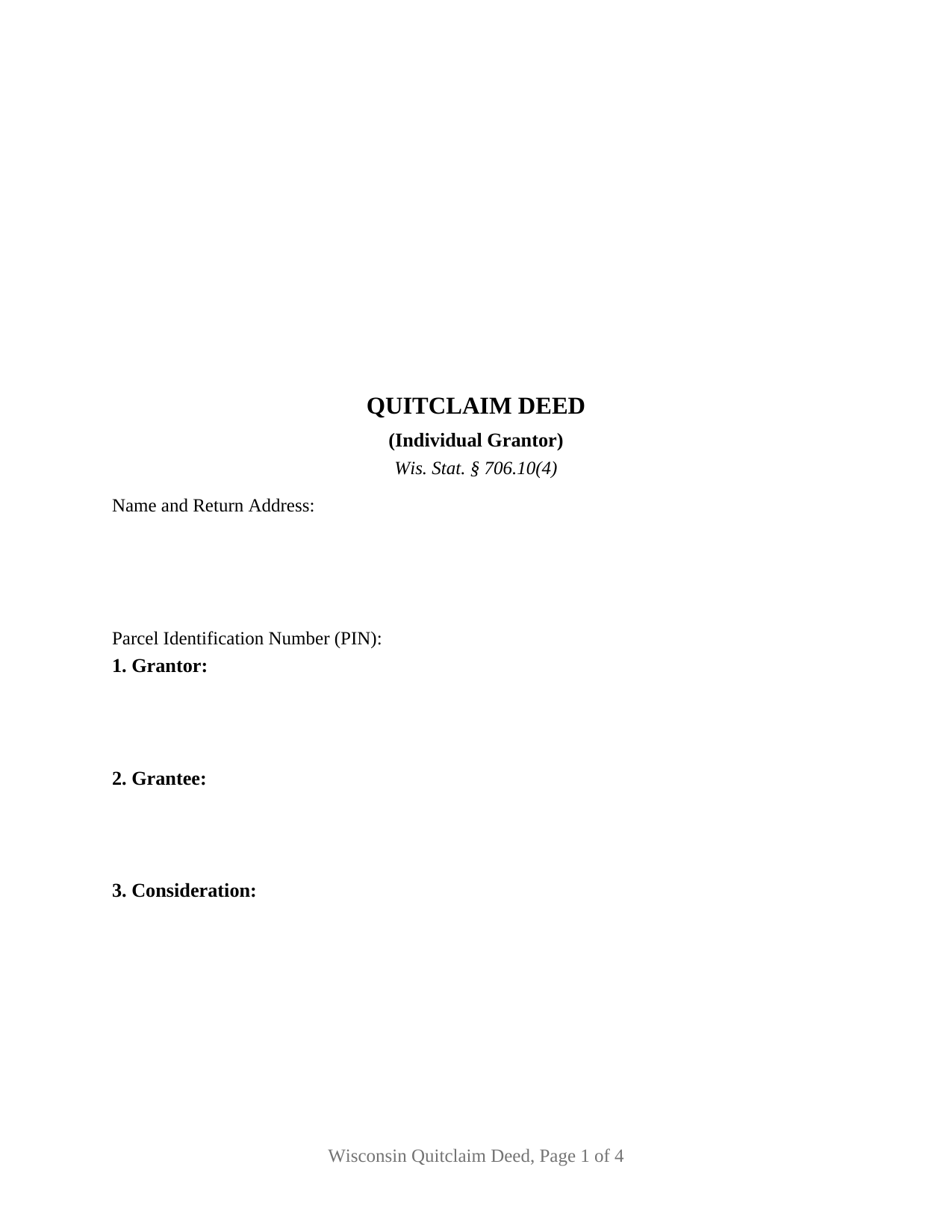
Marathon County Quitclaim Deed (Individual Grantor) Form
Fill in the blank Quitclaim Deed (Individual Grantor) form formatted to comply with all Wisconsin recording and content requirements.
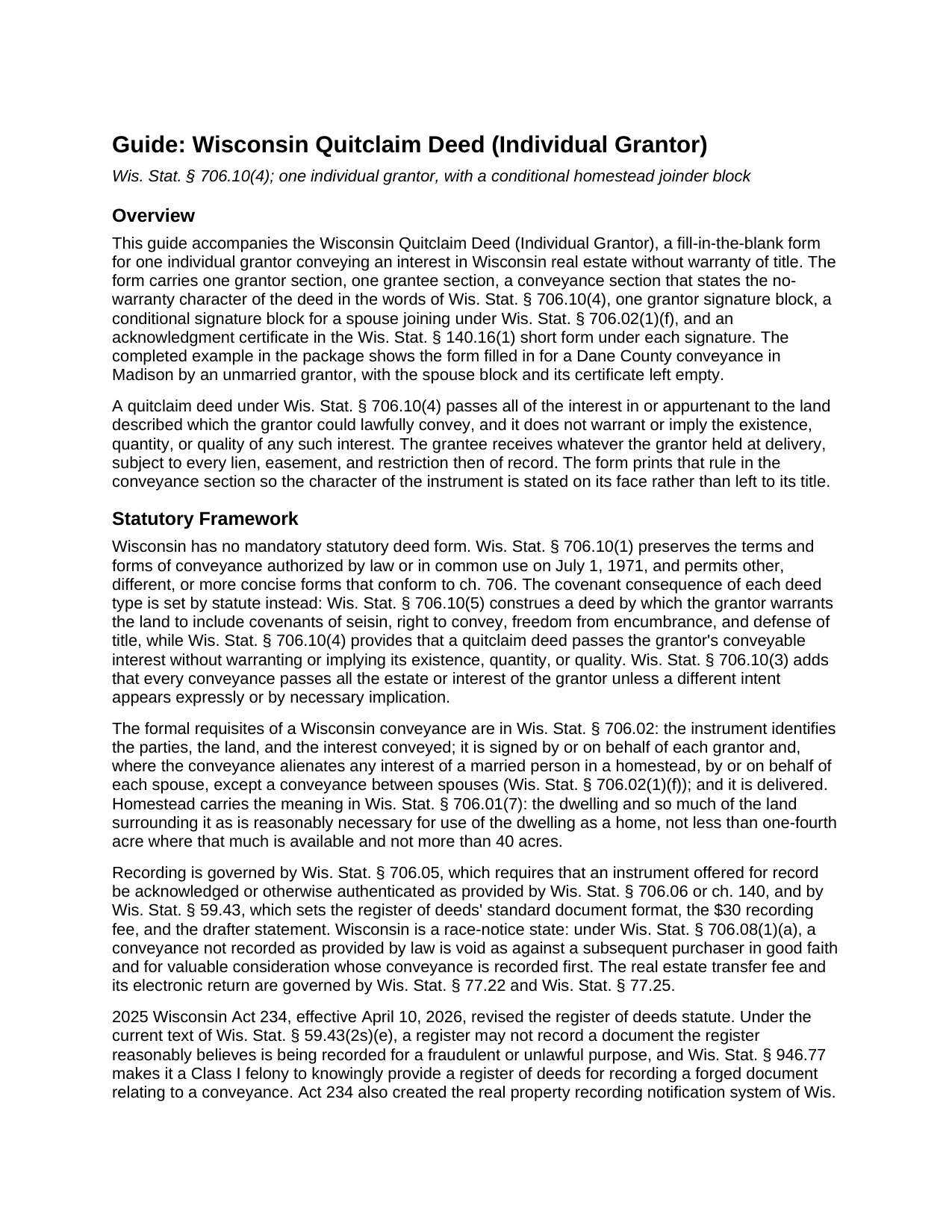
Marathon County Quitclaim Deed (Individual Grantor) Guide
Line by line guide explaining every blank on the Quitclaim Deed (Individual Grantor) form.
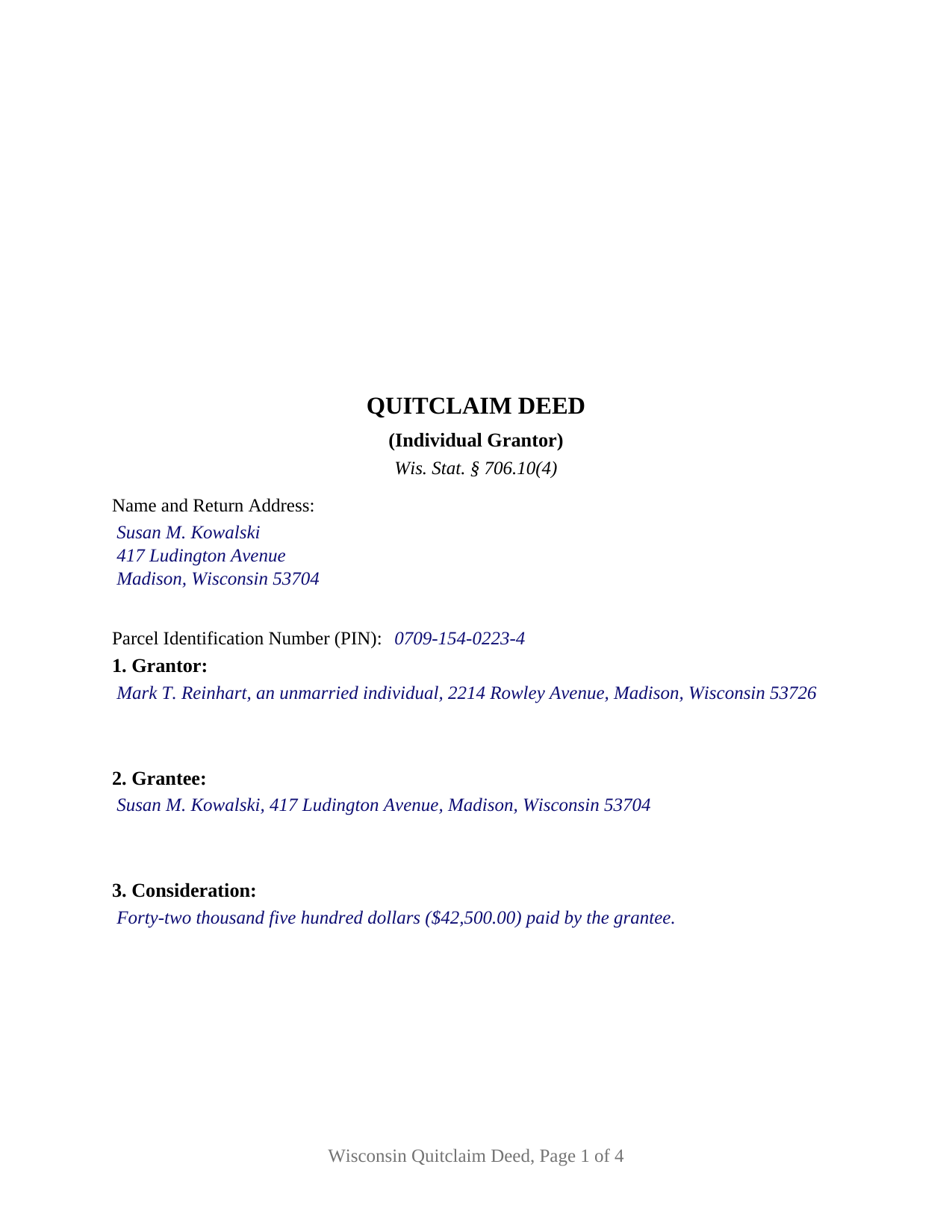
Marathon County Completed Example of the Quitclaim Deed (Individual Grantor) Document
Example of a properly completed Wisconsin Quitclaim Deed (Individual Grantor) document for reference.
All 3 documents above included • One-time purchase • No recurring fees
Immediate Download • Secure Checkout
Additional Wisconsin and Marathon County documents included at no extra charge:
Where to Record Your Documents
Marathon County RoD
Wausau, Wisconsin 54403
Hours: Monday - Friday 8:00am to 4:30pm (After 4:15 p.m. the record can be picked up or mailed the following business day)
Phone: 715-261-1470
Recording Tips for Marathon County:
- Bring your driver's license or state-issued photo ID
- Ensure all signatures are in blue or black ink
- Leave recording info boxes blank - the office fills these
- Make copies of your documents before recording - keep originals safe
- Recorded documents become public record - avoid including SSNs
Cities and Jurisdictions in Marathon County
Properties in any of these areas use Marathon County forms:
- Aniwa
- Athens
- Brokaw
- Edgar
- Eland
- Elderon
- Galloway
- Hatley
- Marathon
- Mosinee
- Ringle
- Rothschild
- Schofield
- Spencer
- Stratford
- Unity
- Wausau
Hours, fees, requirements, and more for Marathon County
How do I get my forms?
Forms are available for immediate download after payment. The Marathon County forms will be in your account ready to download to your computer. An account is created for you during checkout if you don't have one. Forms are NOT emailed.
Are these forms guaranteed to be recordable in Marathon County?
Yes. Our form blanks are guaranteed to meet or exceed the applicable formatting requirements used for recording in Marathon County, including margin requirements, font requirements, and other layout standards. This guarantee applies to formatting, not to the legal sufficiency of information entered by the user or the suitability of a form for a particular transaction.
Can I reuse these forms?
Yes. You can reuse the forms for your personal use. For example, if you have multiple properties in Marathon County you only need to order once.
What do I need to use these forms?
The forms are PDFs that you fill out on your computer. The free Adobe Acrobat Reader is recommended, and most PDF apps also work. You do NOT enter your property information online - you download the blank forms and complete them privately on your own computer.
Are there any recurring fees?
No. This is a one-time purchase. Nothing to cancel, no memberships, no recurring fees.
How much does it cost to record in Marathon County?
Recording fees in Marathon County vary. Contact the recorder's office at 715-261-1470 for current fees.
Questions answered? Let's get started!
This Wisconsin quitclaim deed is drawn for one grantor, and it leaves that grantor's marital status to the grantor's own words. Section 1 takes a single name with whatever status follows it, Section 8 states in deed text that the grantor is one individual conveying in the grantor's own right, and a second signature block waits beneath the grantor's for one case: a married grantor conveying a homestead. On every other fill that block and its certificate stay empty.
A joinder block the deed switches on by its own terms
Under Wis. Stat. § 706.02(1)(f), a conveyance alienating any interest of a married person in a homestead, as § 706.01(7) defines it, is invalid unless signed or joined in by each spouse, a conveyance directly between spouses excepted. Section 8 prints that condition as part of the conveyance: if the Property includes the homestead of a married grantor, the grantor's spouse joins in or consents by signing below. The block labeled SPOUSE OF GRANTOR (IF JOINING) carries its own Wis. Stat. § 140.16(1) certificate, so a joining spouse may acknowledge on a different day or before a different notarial officer. An unmarried grantor, or a married grantor conveying land that is not the homestead, signs alone, as the completed example does.
Marital property in the background, title form in the foreground
Wis. Stat. § 766.31(3) gives each Wisconsin spouse a present undivided one-half interest in marital property, yet management and control follows the form of title under § 766.51: a spouse acts alone as to marital property held in that spouse's name alone, and § 766.51(8) keeps the homestead signature rule standing on its own. The single-signature pattern of this deed belongs to the interest an individual may convey alone; the conditional block belongs to the rule that reaches a spouse the record never names.
What the grantee takes
Wis. Stat. § 706.10(4) supplies the covenant arithmetic. A quitclaim deed passes all of the interest in or appurtenant to the land described which the grantor could lawfully convey, and it does not warrant or imply the existence, quantity, or quality of any such interest. The grantee stands where the grantor stood at delivery, liens and easements of record included, and Section 6 lists those matters as information only, under a printed sentence that the listing creates no covenant or warranty. Searched for as a quitclaim deed or a quit claim deed, the form appears in Wisconsin records where warranty covenants have no work to do: a sole owner selling to a buyer who takes title as it stands, a parent conveying a lot to an adult child, an owner passing an undivided interest to a co-owner.
The exemption line and the family schedule
The transfer fee of Wis. Stat. § 77.22(1) falls on the grantor at 30 cents for each $100 of value, and the electronic transfer return accompanies every conveyance offered for recording under § 706.05(12). Section 7 is where an exempt conveyance names its § 77.25 subsection, a recording condition under § 77.25(8m). A conveyance between parent and child for no consideration beyond assumed debt falls under § 77.25(8), which 2025 Wisconsin Act 38, effective November 1, 2025, extended to grandparents and grandchildren. A sale for a price, like the example's, pays the fee and writes None.
A record that reports back to the owner
2025 Wisconsin Act 234 reached the recording counter on April 10, 2026. Wis. Stat. § 59.43(2s)(e) now bars the register of deeds from recording a document reasonably believed to be recorded for a fraudulent or unlawful purpose, § 946.77 makes knowingly presenting a forged conveyance document for recording a Class I felony, and § 59.43(13) has a county that retains transfer fee moneys run a notification system that alerts a subscribed owner after recording activity on the owner's property or name. The page follows the standard document format of § 59.43(2m): the empty three inch square top right on page one, the document name within the top six inches, first page return information, a parcel number line, and the § 59.43(5)(a) drafting statement. The recording fee is $30 per document under § 59.43(2)(ag)1.
The download holds three files: the deed as a fillable PDF, a completed example filled in for a Dane County conveyance in Madison by an unmarried grantor, and a plain language guide to every blank, the signing and notarization rules, and recording. The materials describe Wisconsin law in general terms for information and are not legal advice.
Important: Your property must be located in Marathon County to use these forms. Documents should be recorded at the county recording office listed above.
This Quitclaim Deed (Individual Grantor) meets all recording requirements specific to Marathon County.
Our Promise
The documents you receive here are guaranteed to meet or exceed the applicable Marathon County recording format requirements. If there is a rejection caused by our formatting, we will correct the issue or refund your payment. This guarantee applies to document formatting only and does not extend to information entered by the user, the selection of the form, or the legal effect of the completed document.
Save Time and Money
Get your Marathon County Quitclaim Deed (Individual Grantor) form done right the first time with Deeds.com Uniform Conveyancing Blanks. At Deeds.com, we understand that your time and money are valuable resources, and we don't want you to face a penalty fee or rejection imposed by a county recorder for submitting nonstandard documents. We constantly review and update our forms to meet rapidly changing state and county recording requirements for roughly 3,500 counties and local jurisdictions.
4.8 out of 5 - ( 4,867 Reviews )
Samantha S. 5 out of 5 stars
I really appreciated Deeds.com. It was quick and easy to use. Saved me substantial time completing my deed recording.
Thank you for your feedback. We really appreciate it. Have a great day!
Lloyd S. 5 out of 5 stars
What a great website. It does Pasco County PROUD !!
Thank you!
L. Candace H. 5 out of 5 stars
So far it's been good & informative. I have not chosen forms for download but I like the site. Thanks
Thank you!
Marilyn G. 5 out of 5 stars
Easy to follow instructions
Thank you for your feedback. We really appreciate it. Have a great day!
Ethan N. 5 out of 5 stars
Quick, responsive service always!! Preferred way to record documents. Thanks Deeds.com!!
Thank you!
Gary F. 5 out of 5 stars
5 star review. Was able to order and download what I wanted in just a few minutes without any glitches.
Thank you for your feedback. We really appreciate it. Have a great day!
Peter F. 5 out of 5 stars
It was outstanding, seriously, I had 3 e mail correspondences asking for information and providing feedback within 2 hours and was ready for submission at that point. I paid the invoice online and by the end of the day I had electronic verification that Registry of Deeds had processed my documents. That work is good stuff ! Pete
Glad we could be of assistance Peter, thank you for the kinds words. Have an amazing day!
Joni F. 5 out of 5 stars
It was easy to navigate and I found my information without any trouble.
Thank you!
Therese L. 5 out of 5 stars
Good instructions and example
Thank you!
Joanne H. 5 out of 5 stars
easy to download and use. this document. thank you
Thank you!
Thomas D. 2 out of 5 stars
The documents themselves are fine and the information provided with them is helpful. I find the actual processing of the documents, however, to be difficult particularly once the document has been saved. First, I note that the box for the date only allows entry of the last 2 digits of the year. Unfortunately, my download only allows me to enter one of the 2 digits required. When I delete it repeatedly, it eventually allows both digits to be entered but puts them in extremely small text and in superscrypt. I have not found a solution to this problem and am not sure the deed can even be recorded with this problem. Another problem is that if you try to revise the document after you have saved it the curser goes to the end of the line after each key entry. This means that there basically is no way to efficiently save the document for reworking later since you will have to delete everything you have entered in the text box unless you only need to make a single keystroke change or are willing to replace the curser after each entry. Try that with a long property description! Please note that I am using a Mac to prepare my documents and perhaps this is part of an "incompatibility problem". However, I didn't see a disclaimer regarding Mac use and so would expect the documents to perform correctly. Overall, I give the program a "2 star" rating because I am experiencing significant difficulties in entering dates in the documents even before saving them and because saving your work for later revision appears to be basically unworkable.
Thank you for your feedback Thomas, we appreciate you being specific about the issues you encountered. Adobe and Mac have a fairly long history of issues working together.
Steven G. 5 out of 5 stars
Easy to navigate and easy purchase.
Helen B. 5 out of 5 stars
Very Good!
Thank you!
James S. 4 out of 5 stars
It worked great. But it turns out I didn't need it.
Thank you!
Timothy K. 5 out of 5 stars
Excellent service. Fast turnaround within one day. Reasonable pricing for services.
Thank you!