Oconto County Quitclaim Deed (Married Grantor with Non-Owner Spouse Joinder) Form
Last validated October 6, 2026 by our Forms Development TeamFormatted for recording in Oconto County, for property anywhere in the county: rural and unincorporated areas as well as Abrams, Gillett, Lakewood, Lena, Little Suamico, Mountain, Oconto, Oconto Falls and 3 more.
- 3 documents included
- Immediate PDF download
- Formatting guarantee
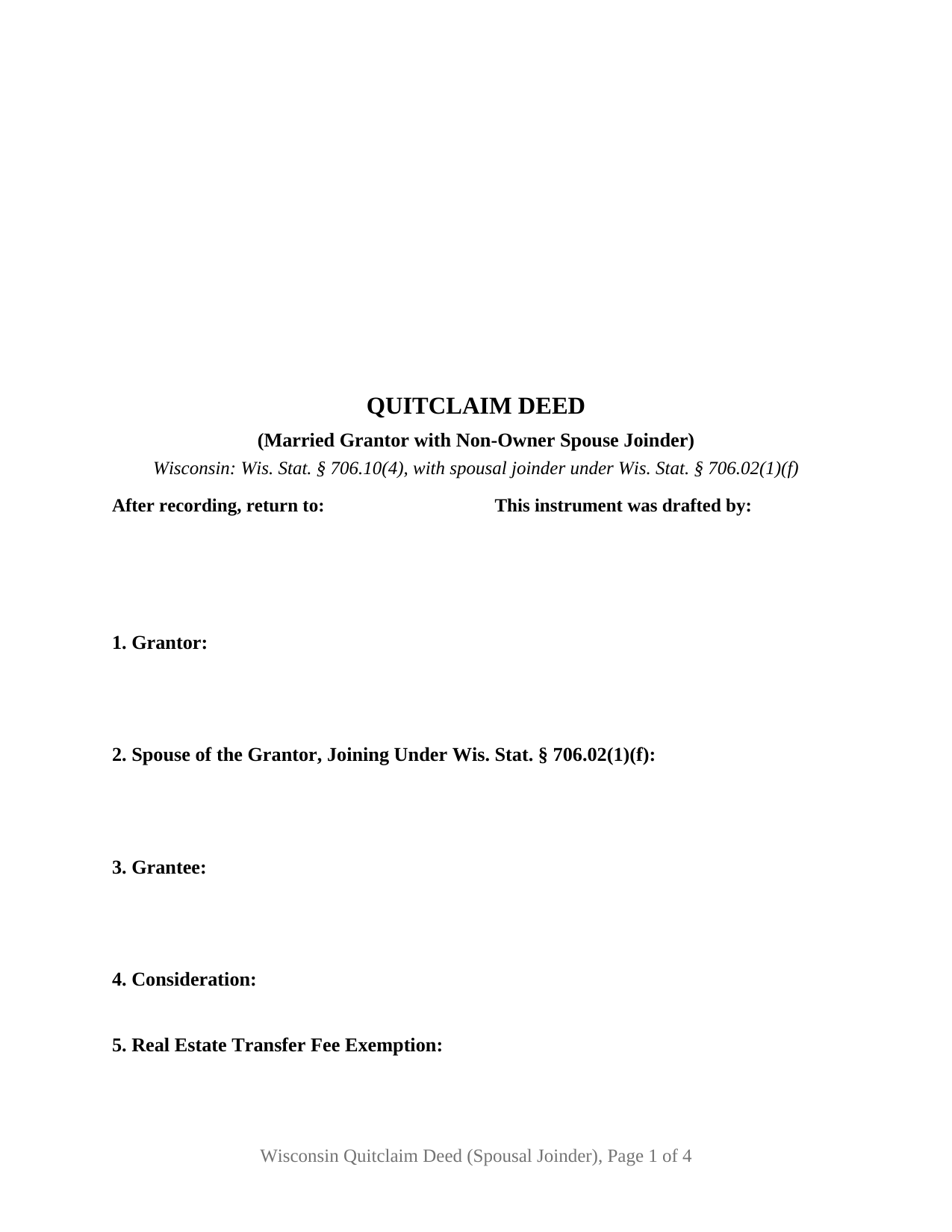
Oconto County Quitclaim Deed (Married Grantor with Non-Owner Spouse Joinder) Form
Fill in the blank Quitclaim Deed (Married Grantor with Non-Owner Spouse Joinder) form formatted to comply with all Wisconsin recording and content requirements.
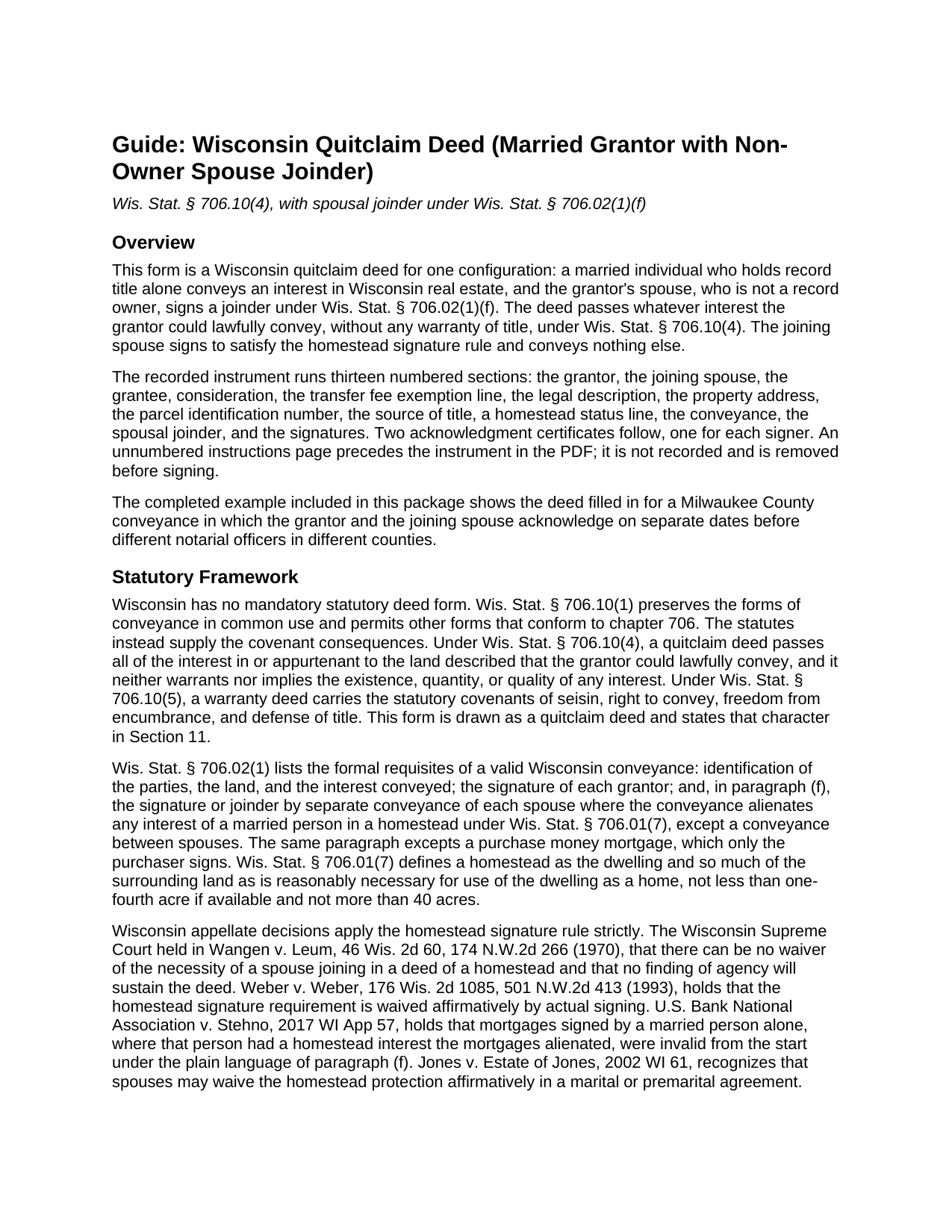
Oconto County Quitclaim Deed (Married Grantor with Non-Owner Spouse Joinder) Guide
Line by line guide explaining every blank on the Quitclaim Deed (Married Grantor with Non-Owner Spouse Joinder) form.
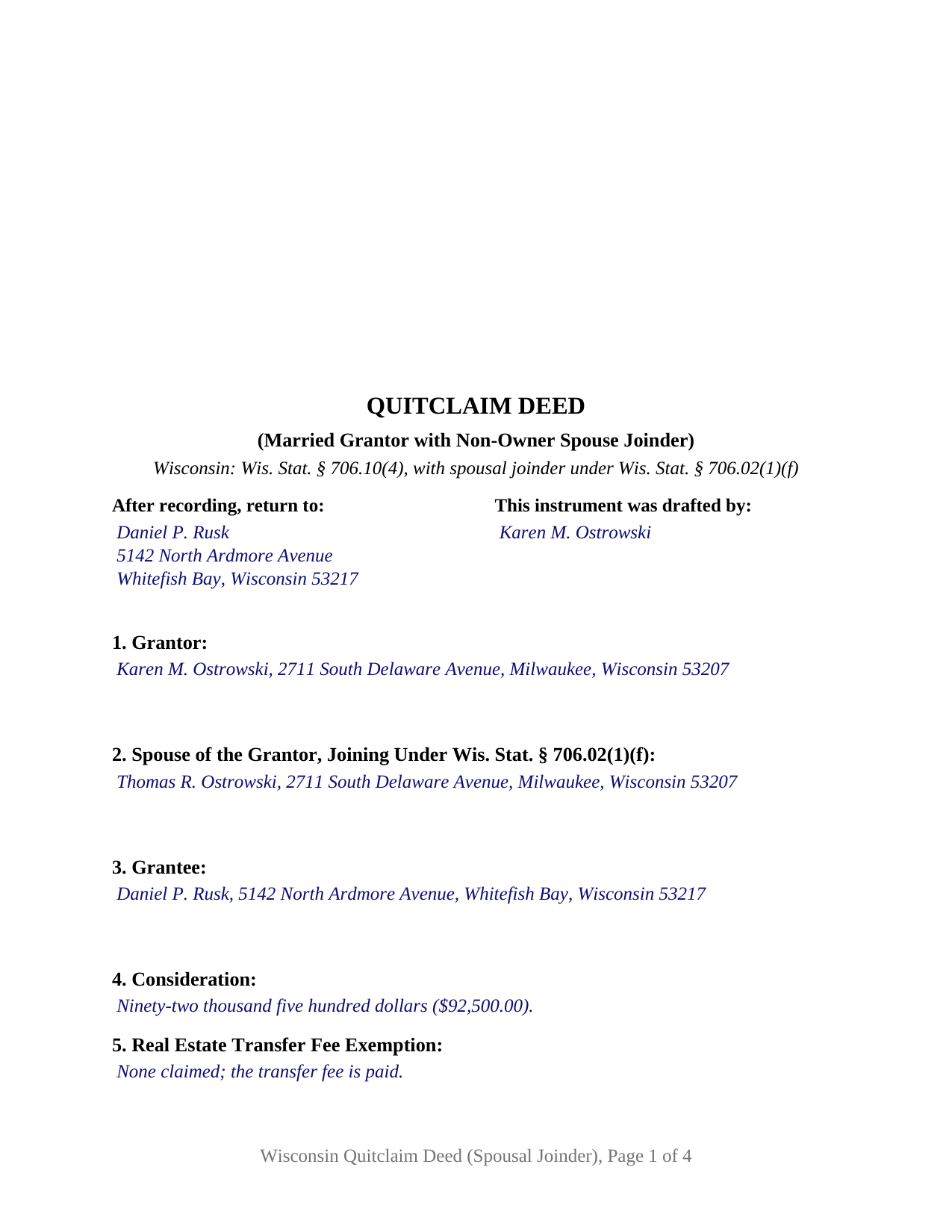
Oconto County Completed Example of the Quitclaim Deed (Married Grantor with Non-Owner Spouse Joinder) Document
Example of a properly completed Wisconsin Quitclaim Deed (Married Grantor with Non-Owner Spouse Joinder) document for reference.
All 3 documents above included • One-time purchase • No recurring fees
Immediate Download • Secure Checkout
Additional Wisconsin and Oconto County documents included at no extra charge:
Where to Record Your Documents
Oconto County Register of Deeds
Oconto, Wisconsin 54153
Hours: Monday - Friday 8:00 am - 4:00 pm
Phone: 920-834-7113
Recording Tips for Oconto County:
- Bring your driver's license or state-issued photo ID
- Ensure all signatures are in blue or black ink
- Documents must be on 8.5 x 11 inch white paper
- Double-check legal descriptions match your existing deed
- Verify all names are spelled correctly before recording
Cities and Jurisdictions in Oconto County
Properties in any of these areas use Oconto County forms:
- Abrams
- Gillett
- Lakewood
- Lena
- Little Suamico
- Mountain
- Oconto
- Oconto Falls
- Sobieski
- Suring
- Townsend
Hours, fees, requirements, and more for Oconto County
How do I get my forms?
Forms are available for immediate download after payment. The Oconto County forms will be in your account ready to download to your computer. An account is created for you during checkout if you don't have one. Forms are NOT emailed.
Are these forms guaranteed to be recordable in Oconto County?
Yes. Our form blanks are guaranteed to meet or exceed the applicable formatting requirements used for recording in Oconto County, including margin requirements, font requirements, and other layout standards. This guarantee applies to formatting, not to the legal sufficiency of information entered by the user or the suitability of a form for a particular transaction.
Can I reuse these forms?
Yes. You can reuse the forms for your personal use. For example, if you have multiple properties in Oconto County you only need to order once.
What do I need to use these forms?
The forms are PDFs that you fill out on your computer. The free Adobe Acrobat Reader is recommended, and most PDF apps also work. You do NOT enter your property information online - you download the blank forms and complete them privately on your own computer.
Are there any recurring fees?
No. This is a one-time purchase. Nothing to cancel, no memberships, no recurring fees.
How much does it cost to record in Oconto County?
Recording fees in Oconto County vary. Contact the recorder's office at 920-834-7113 for current fees.
Questions answered? Let's get started!
One signature on this deed conveys nothing, and the deed is invalid without it. That is the shape of this Wisconsin quitclaim deed: a married individual who holds record title conveys the property, and a spouse who is not a record owner signs a joinder block underneath. Wis. Stat. § 706.10(4) supplies the conveyance; Wis. Stat. § 706.02(1)(f) is the reason for the second signature.
A rule that follows the dwelling, not the vesting deed
Wisconsin conditions the validity of a conveyance alienating a married person's homestead interest on the signature or joinder of each spouse, excepting conveyances directly between spouses and asking only the purchaser to sign a purchase money mortgage. Homestead carries a measured meaning: the dwelling plus the surrounding land reasonably necessary to use it as a home, never under one-fourth acre where that much is available and never over 40 acres. Wis. Stat. § 706.01(7). Because the test looks to the dwelling rather than to the chain of title, it catches the spouse whose name appears nowhere in the record.
State appellate law leaves little slack in it. Wangen v. Leum holds that the necessity of a spouse joining in a deed of a homestead admits no waiver and that no finding of agency saves the deed. Weber v. Weber holds that the protection is surrendered affirmatively, by actual signing. U.S. Bank National Association v. Stehno treats mortgages executed by a lone married signer with a homestead interest as invalid from the start. A quitclaim deed carries no warranty to fall back on, so an invalid conveyance leaves the grantee nothing to enforce.
What the joinder block states, and what it withholds
Section 12 puts the joinder in the instrument's own words. The spouse named in Section 2 joins in the conveyance under Wis. Stat. § 706.02(1)(f) and releases any interest in the property as a homestead, and that spouse conveys no other interest, makes no warranty, and takes no interest under the deed. The withholding clause does real work in the record: a bare second signature can otherwise read years later as a grant by a person who never held title, or as a covenant from a signer who never made one.
Around it sit a grantor section, a separate section naming the joining spouse, a homestead status line, two signature blocks, and a Wis. Stat. § 140.16(1) short form certificate under each signature, so the signers may appear before different notarial officers on different days. Wisconsin also allows the joinder to arrive as a separate recorded conveyance; this instrument keeps both signatures on one document. The configuration is not built for two record owners, for spouses who both appear on the vesting deed, for an unmarried sole owner, or for a signer acting under a power of attorney or as a trustee.
Marital property beside the homestead rule
Two chapters meet here without merging. Wis. Stat. § 766.51 ties management and control of titled real estate to the form of title, so an owner named alone on the vesting deed acts alone as to that titled interest, while § 766.51(8) keeps the homestead signature rule standing separately and § 766.53 adds a two-spouse requirement for gifts of marital property to third persons above the statutory threshold. Collecting the untitled spouse's signature is how one instrument answers a rule the title form does not reach.
Recording money and recording format
Every register of deeds charges $30 per document under Wis. Stat. § 59.43(2)(ag)1, page count aside. The transfer fee sits on the grantor at 30 cents for each $100 of value under Wis. Stat. § 77.22(1), collected as the instrument crosses the counter with the receipt from the electronic transfer return the state requires. Section 5 of the form is the labeled line where an exempt conveyance names its Wis. Stat. § 77.25 subsection, which the same § 77.22(1) makes a condition of recording. Format follows § 59.43(2m): the blank three inch square in the upper right of page one, the document name near the top, first page return information, the drafter statement, and a parcel number line for counties using one.
What the purchase includes
The package holds the fillable deed, a completed example set in Milwaukee County where the grantor and the joining spouse acknowledge on separate dates in separate counties, and a plain language guide taking each blank in turn, with the execution rules and the recording package. These materials describe Wisconsin law generally, for information only, and are not legal advice.
Important: Your property must be located in Oconto County to use these forms. Documents should be recorded at the county recording office listed above.
This Quitclaim Deed (Married Grantor with Non-Owner Spouse Joinder) meets all recording requirements specific to Oconto County.
Our Promise
The documents you receive here are guaranteed to meet or exceed the applicable Oconto County recording format requirements. If there is a rejection caused by our formatting, we will correct the issue or refund your payment. This guarantee applies to document formatting only and does not extend to information entered by the user, the selection of the form, or the legal effect of the completed document.
Save Time and Money
Get your Oconto County Quitclaim Deed (Married Grantor with Non-Owner Spouse Joinder) form done right the first time with Deeds.com Uniform Conveyancing Blanks. At Deeds.com, we understand that your time and money are valuable resources, and we don't want you to face a penalty fee or rejection imposed by a county recorder for submitting nonstandard documents. We constantly review and update our forms to meet rapidly changing state and county recording requirements for roughly 3,500 counties and local jurisdictions.
4.8 out of 5 - ( 4,828 Reviews )
Ed C. 5 out of 5 stars
I purchased the DIY quitclaim deed forms for Florida and couldn’t be happier. The forms were clear, professional, and easy to follow. I had everything filled out and recorded without a single issue. Worth every penny — the site is great, and the forms are exactly what I needed. Highly recommend!
Thanks so much, Ed! We’re thrilled to hear that the Florida quitclaim deed forms worked perfectly for you and that the recording process went smoothly. We appreciate your trust and recommendation!
Dee S. 5 out of 5 stars
Great service and so quick at responding!
We are motivated by your feedback to continue delivering excellence. Thank you!
Carol T. 5 out of 5 stars
Very east process. Good job!
Thank you for your feedback. We really appreciate it. Have a great day!
Carl T. 5 out of 5 stars
Awesome! Quick service and well worth the very minimal fee for the convenience of being able to quickly record my mothers will without having to leave the house. Also, our court is currently closed due to Covid. So happy to have found Deeds.com
We appreciate your business and value your feedback. Thank you. Have a wonderful day!
Christine S. 5 out of 5 stars
One stop shopping for your Deed needs. Downloaded the forms and filled them out with ease following the step by step instructions. Saved me hundreds of dollars for not having to hire an attorney to do the exact same thing.
Thank you for your feedback. We really appreciate it. Have a great day!
Joseph B. 5 out of 5 stars
All very good
Thank you!
JANET D. 5 out of 5 stars
was good choice for me but did not realize notary had to witness all 3 signatures at the same luckily had extra copy to be signed in her presence
Thank you!
CEDRIC D. 3 out of 5 stars
need more instructions for each form
Thank you for your feedback. We really appreciate it. Have a great day!
Penny S. 5 out of 5 stars
Was very simple to use and the email communication was very efficient. Appreciated getting my document recorded in a timely manner. Thank you deeds.com
We appreciate your business and value your feedback. Thank you. Have a wonderful day!
Paul S. 5 out of 5 stars
Very satisfactory
Thank you!
DELORES D. 5 out of 5 stars
SO EASY. love that there is an example to follow and instructions.
Thank you!
Anthony L. 5 out of 5 stars
I recently needed an affidavit of death. The form and help tools made it easy to fill out and file. the Recorder accepted this form . Which made the experience painless and easy . All things considered..
We appreciate your business and value your feedback. Thank you. Have a wonderful day!
Derrell S. 5 out of 5 stars
I like the simplicity of your site and the reasonable charge for your services but for some reason you were unable to fulfill my order. Would appreciate knowing why. Derrell Sweem
Thank you for your feedback. We really appreciate it. Have a great day!
Arthur M. 5 out of 5 stars
Efficient and easy to use. Thanks.
Thank you!
marshall w. 5 out of 5 stars
was not ready to pay for much needed forms but very important
Thank you for your feedback. We really appreciate it. Have a great day!