Grant County Quitclaim Deed (Two Grantors) Form
Last validated October 6, 2026 by our Forms Development TeamFormatted for recording in Grant County, for property anywhere in the county: rural and unincorporated areas as well as Bagley, Beetown, Bloomington, Blue River, Boscobel, Cassville, Cuba City, Dickeyville and 15 more.
- 3 documents included
- Immediate PDF download
- Formatting guarantee
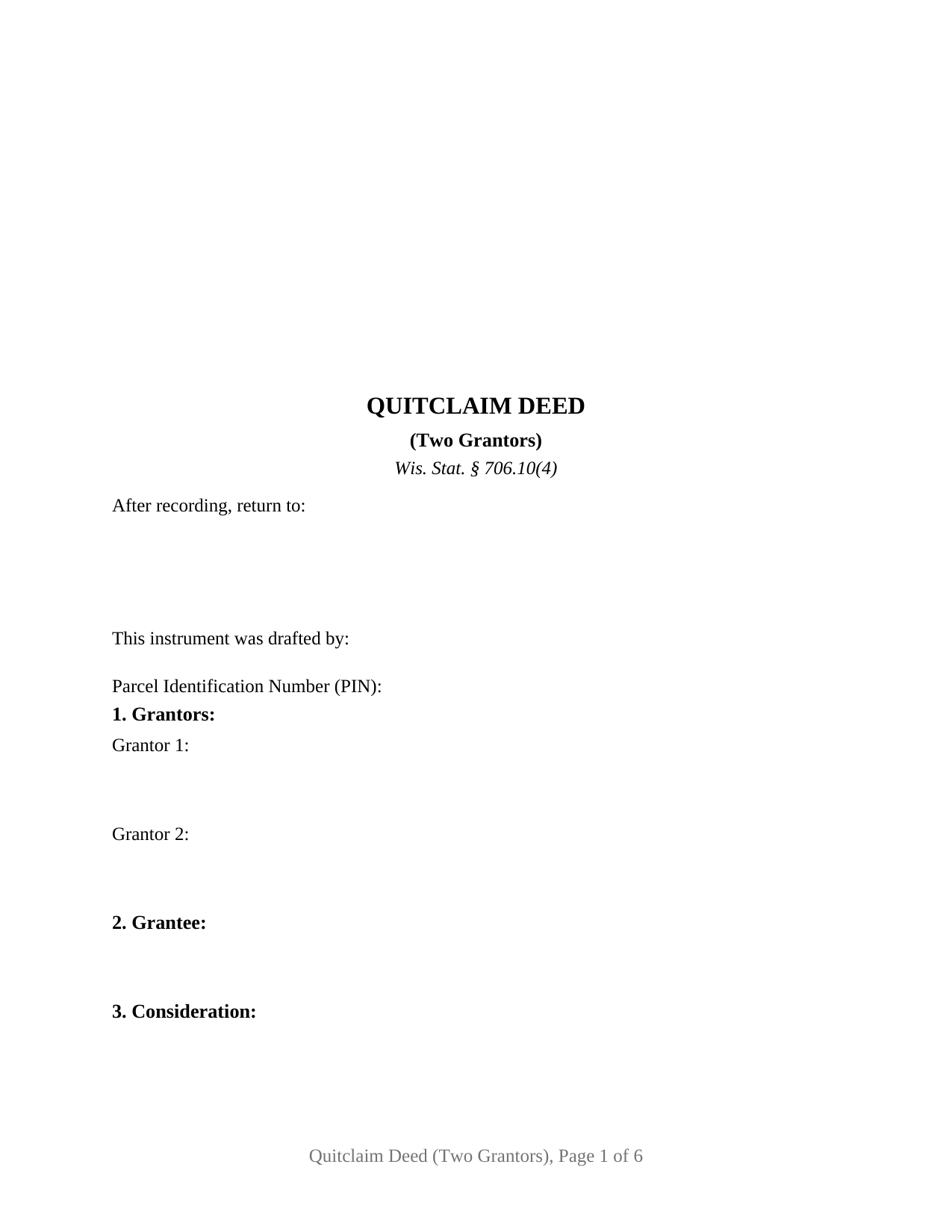
Grant County Quitclaim Deed (Two Grantors) Form
Fill in the blank Quitclaim Deed (Two Grantors) form formatted to comply with all Wisconsin recording and content requirements.
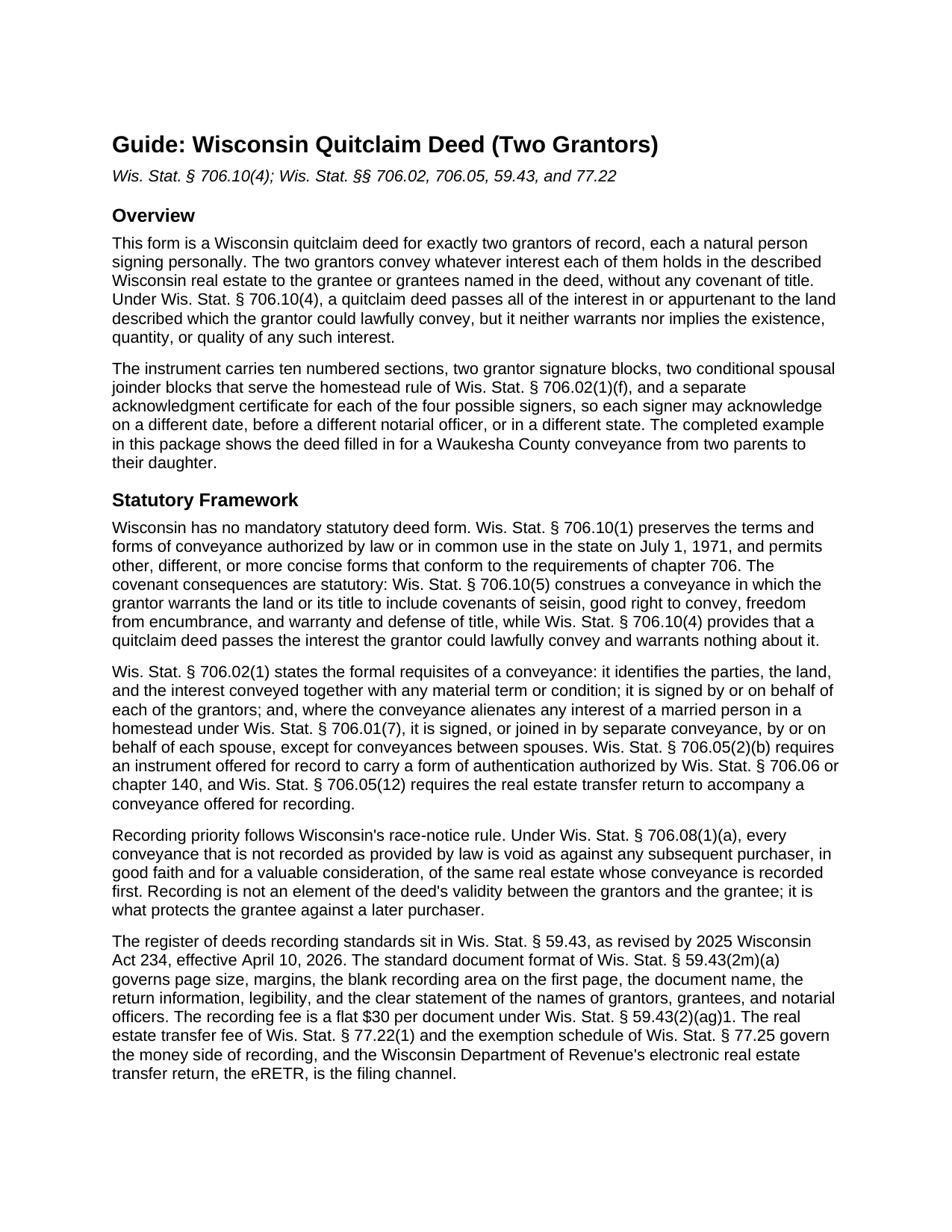
Grant County Quitclaim Deed (Two Grantors) Guide
Line by line guide explaining every blank on the Quitclaim Deed (Two Grantors) form.
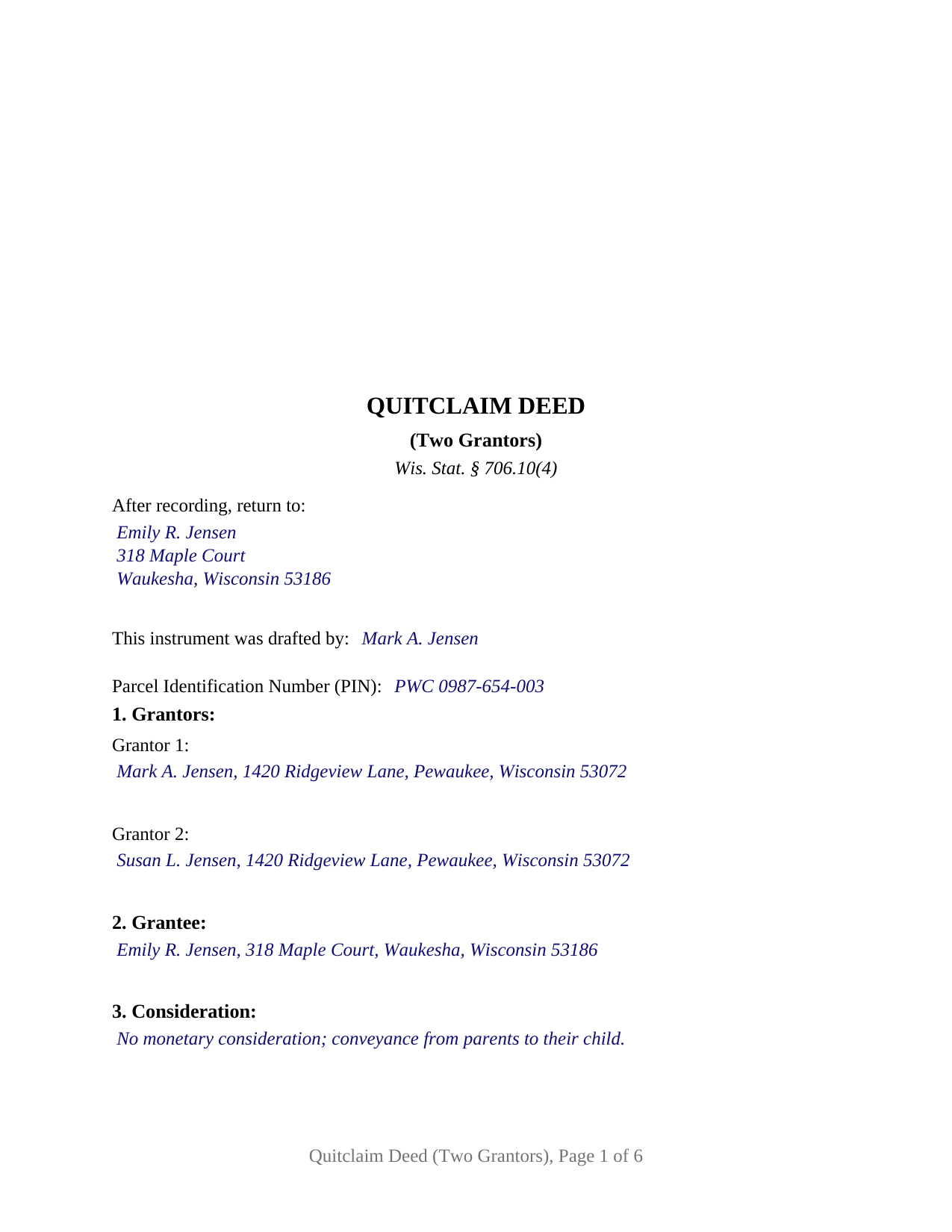
Grant County Completed Example of the Quitclaim Deed (Two Grantors) Document
Example of a properly completed Wisconsin Quitclaim Deed (Two Grantors) document for reference.
All 3 documents above included • One-time purchase • No recurring fees
Immediate Download • Secure Checkout
Additional Wisconsin and Grant County documents included at no extra charge:
Where to Record Your Documents
Grant County Register of Deeds
Lancaster, Wisconsin 53813
Hours: Monday - Friday 8:00am - 4:30pm
Phone: (608) 723-2727
Recording Tips for Grant County:
- Bring your driver's license or state-issued photo ID
- Ensure all signatures are in blue or black ink
- White-out or correction fluid may cause rejection
- Ask about their eRecording option for future transactions
- Avoid the last business day of the month when possible
Cities and Jurisdictions in Grant County
Properties in any of these areas use Grant County forms:
- Bagley
- Beetown
- Bloomington
- Blue River
- Boscobel
- Cassville
- Cuba City
- Dickeyville
- Fennimore
- Glen Haven
- Hazel Green
- Kieler
- Lancaster
- Livingston
- Montfort
- Mount Hope
- Muscoda
- Patch Grove
- Platteville
- Potosi
- Sinsinawa
- Stitzer
- Woodman
Hours, fees, requirements, and more for Grant County
How do I get my forms?
Forms are available for immediate download after payment. The Grant County forms will be in your account ready to download to your computer. An account is created for you during checkout if you don't have one. Forms are NOT emailed.
Are these forms guaranteed to be recordable in Grant County?
Yes. Our form blanks are guaranteed to meet or exceed the applicable formatting requirements used for recording in Grant County, including margin requirements, font requirements, and other layout standards. This guarantee applies to formatting, not to the legal sufficiency of information entered by the user or the suitability of a form for a particular transaction.
Can I reuse these forms?
Yes. You can reuse the forms for your personal use. For example, if you have multiple properties in Grant County you only need to order once.
What do I need to use these forms?
The forms are PDFs that you fill out on your computer. The free Adobe Acrobat Reader is recommended, and most PDF apps also work. You do NOT enter your property information online - you download the blank forms and complete them privately on your own computer.
Are there any recurring fees?
No. This is a one-time purchase. Nothing to cancel, no memberships, no recurring fees.
How much does it cost to record in Grant County?
Recording fees in Grant County vary. Contact the recorder's office at (608) 723-2727 for current fees.
Questions answered? Let's get started!
A Wisconsin quitclaim deed configured for two grantors puts both record owners into one instrument: two grantor blocks, two personal signature lines, and an acknowledgment certificate for each signer, so one recorded document moves both interests to the grantee at the same time. This form prepares that two grantor conveyance of Wisconsin real estate, each owner passing whatever interest that owner holds, without warranty.
Two grantors, one recorded conveyance
The form recites exactly two grantors of record, each an individual signing personally. Two heirs passing inherited fractional interests to a single relative, co-owners consolidating scattered interests after an estate settles, and two unmarried co-owners who bought a parcel together and now part with it together present the pattern this deed recites. The grantee side stays flexible: a single grantee takes the interest the two grantors held, and two or more grantees may state a recognized Wisconsin co-ownership form, such as joint tenancy or survivorship marital property, following their names in the grantee section.
The deed is not set up as a sole owner conveyance, an entity or trustee deed, or an instrument for three or more grantors; each of those carries a different execution pattern than the two personal signatures here. Below the grantor signatures sit two conditional spousal joinder blocks, one for each grantor, tied to the homestead signature rule described below; a block that does not apply remains blank.
A conveyance without warranty
Wis. Stat. § 706.10(4) supplies the quitclaim effect: each grantor's lawful interest passes to the grantee, and the deed neither warrants nor implies that any interest exists. Customers reach the instrument under both spellings, quitclaim deed and quit claim deed, and Wisconsin treats them as the same instrument.
Priority runs on recording order. Under the race notice rule of Wis. Stat. § 706.08(1)(a), a conveyance left unrecorded loses to a later good faith purchase for value that reaches the record first, so a two grantor deed ordinarily travels to the register of deeds promptly after the second signature.
Two joinder blocks and four certificates
Two grantors can be married to two different people, and that is what makes this deed's execution section longer than its signature count suggests. Wis. Stat. § 706.02(1)(f) makes a conveyance alienating a married person's homestead interest invalid without each spouse's signature or joinder, apart from conveyances directly between spouses, and it asks that question of each grantor separately. So below the two grantor signature blocks sit two conditional joinder blocks, one matched to each grantor, and the operative section confines a joining spouse's signature to the homestead interest, with no other grant or covenant. A dedicated acknowledgment certificate in the Wis. Stat. § 140.16(1) short form sits under each of the four possible signatures, so four people may appear before four different notarial officers on four different days. A block whose grantor is unmarried, or whose grantor's spouse is the other grantor, stays blank, as does its certificate.
Wisconsin's marital property system under ch. 766 sits behind that arrangement: each spouse holds a present undivided one half interest in marital property, and Wis. Stat. § 766.51(8) keeps the homestead signature rule standing apart from that chapter's title based management rules.
The recording package in Wisconsin
Recording carries a flat $30 charge for the deed itself, set statewide by Wis. Stat. § 59.43(2)(ag)1, and a real estate transfer fee that falls on the grantors at 30 cents per $100 of value through the state's electronic transfer return, the eRETR. A qualifying family conveyance for no consideration claims its exemption on the deed's face by subsection reference to Wis. Stat. § 77.25, on the labeled line the form provides; nearly every exempt conveyance still files the return, since Wis. Stat. § 77.255 excuses only two narrow exemption classes from the eRETR itself.
The document is drawn to the standard format of Wis. Stat. § 59.43(2m), with the blank three inch square recording area at the first page's upper right corner, return information and the drafter statement on the first page, and a parcel number line for counties that require one.
What the purchase delivers
The download delivers the two grantor quitclaim deed as a fillable PDF, a completed example filled in for a Waukesha County transfer from two parents to their daughter, and a plain language guide to each blank, the signing and notarization rules, and the recording steps. The materials describe Wisconsin statutes in general terms; they are informational only and are not legal advice.
Important: Your property must be located in Grant County to use these forms. Documents should be recorded at the county recording office listed above.
This Quitclaim Deed (Two Grantors) meets all recording requirements specific to Grant County.
Our Promise
The documents you receive here are guaranteed to meet or exceed the applicable Grant County recording format requirements. If there is a rejection caused by our formatting, we will correct the issue or refund your payment. This guarantee applies to document formatting only and does not extend to information entered by the user, the selection of the form, or the legal effect of the completed document.
Save Time and Money
Get your Grant County Quitclaim Deed (Two Grantors) form done right the first time with Deeds.com Uniform Conveyancing Blanks. At Deeds.com, we understand that your time and money are valuable resources, and we don't want you to face a penalty fee or rejection imposed by a county recorder for submitting nonstandard documents. We constantly review and update our forms to meet rapidly changing state and county recording requirements for roughly 3,500 counties and local jurisdictions.
4.8 out of 5 - ( 4,828 Reviews )
Terri S. 5 out of 5 stars
Form was easy to complete, price was reasonable and everything worked out just fine. Would absolutely use this service again if needed, Thank you :)
Thank you for your feedback. We really appreciate it. Have a great day!
Cindy N. 5 out of 5 stars
Our home was in only my husband’s name and as we are getting older, it was time to add my name to the Deed to avoid potential issues in the future. Our experience with Deeds.com was wonderful. The website is user friendly, instructions written in layman’s terms, straightforward and easy to follow. Very reasonably priced. I highly recommend using Deeds.com.
Thank you for the kind words Cindy. We appreciate you. Have an amazing day!
Nancy C. 5 out of 5 stars
Amazing every that you need right at your fingertips. Extremely easy to navigate and very informative. I would highly recommend this site!!!
We appreciate your business and value your feedback. Thank you. Have a wonderful day!
Joel M. 5 out of 5 stars
Very easy and efficient. The team was quick to respond when I had questions and made it very simple.
We are delighted to have been of service. Thank you for the positive review!
Trina F. 5 out of 5 stars
Easy to purchase. Everything you need to get the job done!
Thank you!
Heleena C. 5 out of 5 stars
The free additional forms that came with the form I ordered were invaluable as well. Worth every penny!
We appreciate your business and value your feedback. Thank you. Have a wonderful day!
John M. 5 out of 5 stars
I ordered my gift deed forms one evening, filled them out the next day, and registered them with the register of deeds the next morning. Boom. Done! Easy peasy, no lawyer expense!
Thank you!
linda l. 4 out of 5 stars
I was very impressed with the Mineral Deed form, especially with the instructions to fill it out AND a copy of a completed for to compare against. This definitely saved me money for an attorney. The one thing I don't understand, though, is why I could not save the completed Deed to my hard drive. I did have to change a few things after the fact and I had to re-type the entire page to make the corrections. If not for this, I would definitely rate the forms and instructions as a 5 star.
Thank you for your feedback. We really appreciate it. Have a great day!
Karen B. 5 out of 5 stars
Easy to download and fill out forms needed. Highly recommend them instead of paying for Attorney to do.
We truly value your business and appreciate your review.
STANLEY K. 5 out of 5 stars
I AM DELIGHTED TO BE PARTY TO DEEDS.COM. THE PROCESS IS DOWN-TO-EARTH AND VERY USER FRIENDLY. I MUST SAY THAT JUST THE SAVINGS IN TRAVEL TIME AND MONEY IS IN ITSELF VERY REFRESHING. THIS ON LINE PROCESS IS SO CONVENIENT FOR MY OVERALL EFFORT AND OF COURSE FOR OUR CLIENTS AS WELL. I GOT BACKED UP IN RECORDING WHEN THE VIRUS BEGAN RAGING AND PERSONAL VISITS TO LAND RECORDS BECAME A THING OF THE PAST.I FOUND THE SITE WITH A SUGGESTION FROM DC LAND RECORDS' ASSISTANT BY PHONE. I ONLY WISH I'D KNOWN ABOUT THIS AWESOME SERVICE BEFORE 2020. HATS OFF TO DEEDS.COM!
Thank you for your feedback. We really appreciate it. Have a great day!
A. S. 3 out of 5 stars
First, I am glad that you gave a blank copy, an example copy, and a 'guide'. It made it much easier to do. Overall I was very happy with your products and organization... however, things got pretty confusing and I have a pretty 'serious' law background in Real Estate and Civil law. With that said, I spent about 10+ hours getting my work done, using the Deed of Trust and Promissory note from you and there were a few problems: First, it would be FANTASTIC if you actually aligned your guide to actually match the Deed or Promissory Note. What I mean is that if the Deed says 'section (E)' then your guide shouldn't be 'randomly' numbered as 1,2,3, for advice/instructions, but should EXACTLY match 'section (E)'. Some places you have to 'hunt' for what you are looking for, and if you did it based on my suggestion, you wouldn't need to 'hunt' and it would avoid confusion. 2nd: This one really 'hurt'... you had something called the 'Deed of Trust Master Form' yet you had basically no information on what it was or how to use it. The only information you had was a small section at the top of the 'Short Form Deed of Trust Guide'. Holy Cow, was that 'section' super confusing. I still don't know if I did it correctly, but your guide says only put a return address on it and leave the rest of the 16 or so page Deed of Trust beneath it blank... and then include your 'Deed of Trust' (I had to assume the short form deed that I had just created) as part of it. I had to assume that I had to print off the entire 17 page or so title page and blank deed. I also had to assume that the promissory note was supposed to be EXHIBIT A or B on the Short Form Deed. It would be great if someone would take a serious look at that short section in your 'Short Form Deed of Trust Guide' and realize that those of us using your products are seriously turning this into a county clerk to file and that most of us, probably already have a property that has an existing Deed... or at least can find one in the county records if necessary... and make sure that you make a distinction between the Deed for the property that already exists, versus the Deed of Trust and Promissory note that we are trying to file. Thanks.
Thank you for your feedback. We'll have staff review the document for clarity. Have a great day!
Eddie S. 5 out of 5 stars
love the site very helpful and easy.
We appreciate your business and value your feedback. Thank you. Have a wonderful day!
Joyce S. 5 out of 5 stars
The site was very easy to understand and to download the required documents I need to prepare a release. Response of the documents ready for my use was very efficient.
We appreciate your business and value your feedback. Thank you. Have a wonderful day!
DARRYL B. 5 out of 5 stars
Professional and convenient.
Thank you for your feedback. We really appreciate it. Have a great day!
Vertina B. 5 out of 5 stars
The website is well established and easy to use. I got everything I was supposed to get. I had no problem downloading the forms. All of the forms printed well.
We appreciate your business and value your feedback. Thank you. Have a wonderful day!