Dodge County Quitclaim Deed Form
Last validated October 6, 2026 by our Forms Development TeamFormatted for recording in Dodge County, for property anywhere in the county: rural and unincorporated areas as well as Ashippun, Beaver Dam, Brownsville, Burnett, Clyman, Fox Lake, Horicon, Hustisford and 14 more.
- 3 documents included
- Immediate PDF download
- Formatting guarantee
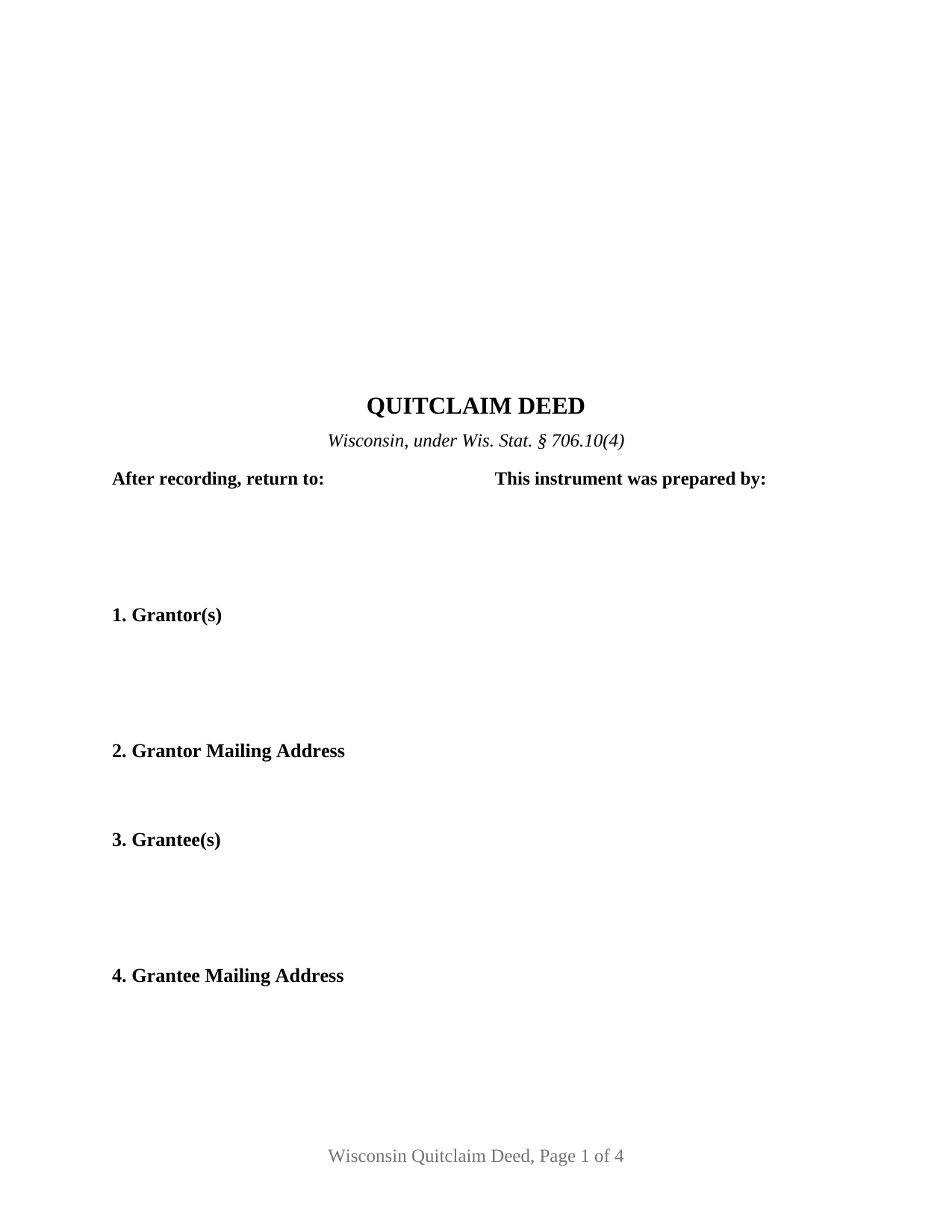
Dodge County Quitclaim Deed Form
Fill in the blank Quitclaim Deed form formatted to comply with all Wisconsin recording and content requirements.
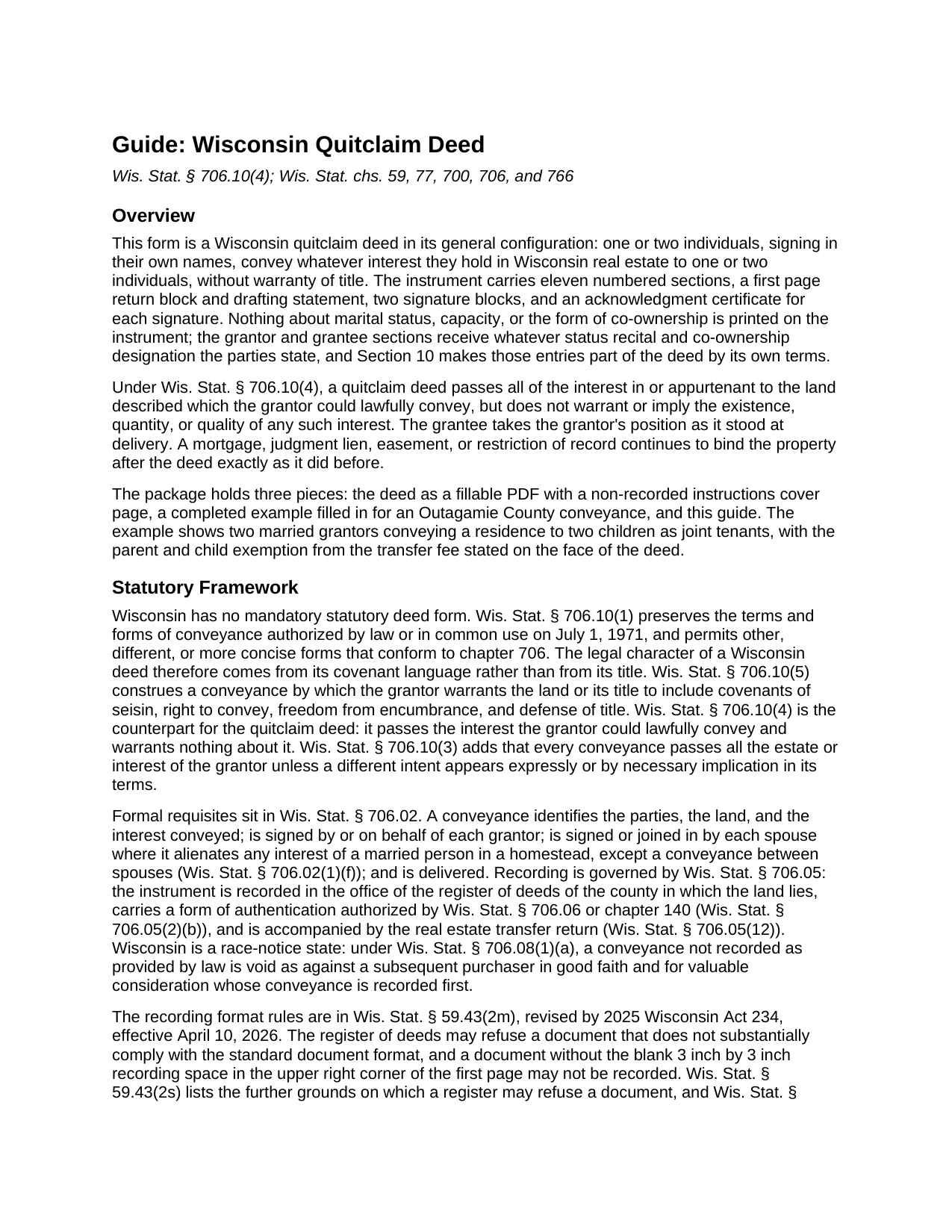
Dodge County Quitclaim Deed Guide
Line by line guide explaining every blank on the Quitclaim Deed form.
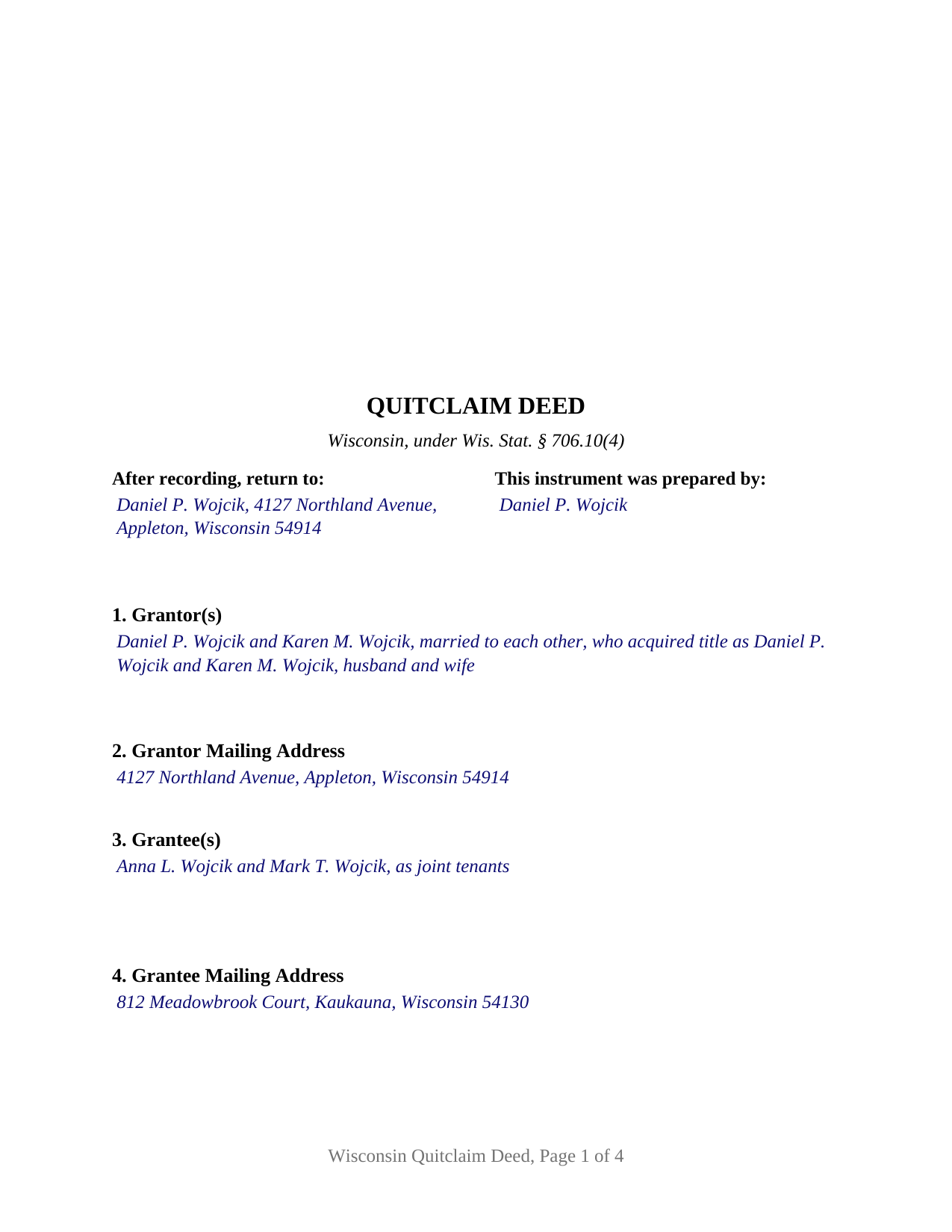
Dodge County Completed Example of the Quitclaim Deed Document
Example of a properly completed Wisconsin Quitclaim Deed document for reference.
All 3 documents above included • One-time purchase • No recurring fees
Immediate Download • Secure Checkout
Additional Wisconsin and Dodge County documents included at no extra charge:
Where to Record Your Documents
County of Dodge: County Clerk
Juneau, Wisconsin 53039-1391
Hours: Monday - Friday 8:00am - 4:30pm
Phone: (920) 386-3720
Recording Tips for Dodge County:
- Bring your driver's license or state-issued photo ID
- Ensure all signatures are in blue or black ink
- Request a receipt showing your recording numbers
- Ask about accepted payment methods when you call ahead
- Ask for certified copies if you need them for other transactions
Cities and Jurisdictions in Dodge County
Properties in any of these areas use Dodge County forms:
- Ashippun
- Beaver Dam
- Brownsville
- Burnett
- Clyman
- Fox Lake
- Horicon
- Hustisford
- Iron Ridge
- Juneau
- Lebanon
- Lomira
- Lowell
- Mayville
- Neosho
- Randolph
- Reeseville
- Rubicon
- Theresa
- Watertown
- Waupun
- Woodland
Hours, fees, requirements, and more for Dodge County
How do I get my forms?
Forms are available for immediate download after payment. The Dodge County forms will be in your account ready to download to your computer. An account is created for you during checkout if you don't have one. Forms are NOT emailed.
Are these forms guaranteed to be recordable in Dodge County?
Yes. Our form blanks are guaranteed to meet or exceed the applicable formatting requirements used for recording in Dodge County, including margin requirements, font requirements, and other layout standards. This guarantee applies to formatting, not to the legal sufficiency of information entered by the user or the suitability of a form for a particular transaction.
Can I reuse these forms?
Yes. You can reuse the forms for your personal use. For example, if you have multiple properties in Dodge County you only need to order once.
What do I need to use these forms?
The forms are PDFs that you fill out on your computer. The free Adobe Acrobat Reader is recommended, and most PDF apps also work. You do NOT enter your property information online - you download the blank forms and complete them privately on your own computer.
Are there any recurring fees?
No. This is a one-time purchase. Nothing to cancel, no memberships, no recurring fees.
How much does it cost to record in Dodge County?
Recording fees in Dodge County vary. Contact the recorder's office at (920) 386-3720 for current fees.
Questions answered? Let's get started!
Wisconsin never adopted a statutory deed form. Wis. Stat. § 706.10(1) keeps the terms and forms of conveyance that were authorized by law or in common use here on July 1, 1971, and in the same breath permits other, different, or more concise forms conforming to ch. 706. No Wisconsin statute tells a deed what to look like. What the statutes supply instead is the covenant arithmetic, and that is where one Wisconsin deed parts company with another.
A deed defined by what it leaves out
Two adjacent subsections do the sorting. Wis. Stat. § 706.10(5) loads a warranty deed with covenants of seisin, right to convey, freedom from encumbrance, and defense of title. Wis. Stat. § 706.10(4) does the reverse for the instrument prepared here. A quitclaim deed carries across whatever interest in the land, or appurtenant to it, the grantor was lawfully able to convey, and it makes no warranty and implies none about whether that interest exists, how large it is, or how sound. The grantee takes the grantor's position exactly as it stood at delivery, so a mortgage, judgment, easement, or restriction of record rides through untouched. Section 10 states that character in the instrument's own words rather than leaving it to the document's title, which is why Wisconsin records carry the instrument under both spellings, quitclaim deed and quit claim deed, with no difference in effect.
Blanks that carry the parties' own words
This is the general configuration, and its design decision is restraint: no marital status, capacity, or co-ownership language is printed on the instrument. Section 1 takes one or two grantor names with whatever status those parties write after them, Section 3 takes one or two grantee names with whatever co-ownership designation the grantees write, and Section 10 makes both entries part of the deed by its own terms. Four count patterns fit that shape: one name to one, one to two, two to one, and two to two. The signature section holds a block for each grantor with an acknowledgment certificate under each, in the Wis. Stat. § 140.16(1) short form wording, so two signers may appear before different notarial officers on different days; on a single-signer fill the second block and its certificate stay empty. That second block is also where a spouse signing under Wis. Stat. § 706.02(1)(f) lands. The form is not drawn for a corporation, a limited liability company, a partnership, a trustee, or an agent under a power of attorney, each of which signs through a different execution pattern, and not for three or more owners on either side.
An exemption stated, not decided, at the counter
Wisconsin puts the transfer fee on the grantor at 30 cents for each $100 of value under Wis. Stat. § 77.22(1), and the same subsection settles who judges a claim of exemption. A conveyance owing nothing names its exempting subsection of Wis. Stat. § 77.25 on the instrument's own face, and the register of deeds is given no duty to weigh either the value reported or the exemption claimed. Section 6 is that labeled line. Review comes afterward from the Department of Revenue, which under Wis. Stat. § 77.26(8) may assess $25 or 25 percent of the additional fee, whichever is greater.
Refusal rather than a surcharge
Many states price a nonconforming page. Wisconsin declines it. The recording fee is one flat number, $30 per document regardless of page count, under Wis. Stat. § 59.43(2)(ag)1, and the grounds for turning a document away are listed in Wis. Stat. § 59.43(2s), from a missing current legal description to correction fluid on the page. A document lacking the three inch by three inch blank square in the upper right of page one may not be recorded at all. This form answers that standard: the square left empty, the document name high on page one, first page return information, a parcel number line for counties that use one, and the drafting statement of Wis. Stat. § 59.43(5)(a). Once a document is accepted and properly indexed, Wis. Stat. § 59.43(6)(b) treats it as recorded even if a format failure surfaces later.
The download holds the Wisconsin quitclaim deed as a fillable PDF, a completed example filled in for an Outagamie County conveyance in Appleton, and a plain language guide covering every blank, the execution rules, and recording. These materials describe Wisconsin law in general terms for information and are not legal advice.
Important: Your property must be located in Dodge County to use these forms. Documents should be recorded at the county recording office listed above.
This Quitclaim Deed meets all recording requirements specific to Dodge County.
Our Promise
The documents you receive here are guaranteed to meet or exceed the applicable Dodge County recording format requirements. If there is a rejection caused by our formatting, we will correct the issue or refund your payment. This guarantee applies to document formatting only and does not extend to information entered by the user, the selection of the form, or the legal effect of the completed document.
Save Time and Money
Get your Dodge County Quitclaim Deed form done right the first time with Deeds.com Uniform Conveyancing Blanks. At Deeds.com, we understand that your time and money are valuable resources, and we don't want you to face a penalty fee or rejection imposed by a county recorder for submitting nonstandard documents. We constantly review and update our forms to meet rapidly changing state and county recording requirements for roughly 3,500 counties and local jurisdictions.
4.8 out of 5 - ( 4,828 Reviews )
David B. 5 out of 5 stars
I found the information very helpful. Had problems producing a professional looking document due to the limited active fields on the PDF form. Finally I just typed it.
Thank you!
John S. 1 out of 5 stars
You dont really know what your buying until after you spend the money. Cant use any of them
Thank you for your feedback. Best practice is to know what you need before purchasing. Buying legal documents should not be a exploratory endeavor. Your order has been canceled. We do hope that you find something more suitable to your needs elsewhere.
CEDRIC D. 3 out of 5 stars
need more instructions for each form
Thank you for your feedback. We really appreciate it. Have a great day!
DONNA F. 5 out of 5 stars
very easy and fast thank you would recommend
We appreciate your business and value your feedback. Thank you. Have a wonderful day!
Anna L W. 5 out of 5 stars
Was insecure about being able to access the information but pleasantly found that the site was easy to use. Seems that I can use it repeatedly to go back and reprint the forms once I paid.
We appreciate your business and value your feedback. Thank you. Have a wonderful day!
RHONDA G. 4 out of 5 stars
Was driven to this site by the county website. It took a bit of work having to create an account, etc. The example was useful; however the example only showed both parties in the same county, nor did the instructions mention anything about differing counties. This caused an oversight on my part.
Your insights are invaluable to us and help us strive for better service. Thank you for taking the time to share your thoughts.
Laura L. 5 out of 5 stars
The website looks good and probably like it is easy to use, but I needed a deed in lieu and couldn't fine one.
Thank you for your feedback. We really appreciate it. Have a great day!
John Z. 5 out of 5 stars
This was an easy to use program. Easy payment. documents are on my desktop ready to fill out. I will have to update after my property transfer. Zuna
We appreciate your business and value your feedback. Thank you. Have a wonderful day!
Dennis T. 5 out of 5 stars
I liked the service very much. The form I ordered wasn't provided by the local government agency and I couldn't find it on the internet. I liked that the form came with easy to follow, line by line, instructions and a sample. I also appreciated that I wasn't forced to take on a trial membership to keep me on the hook. I would definitely use this service again in the future!
Thank you for your feedback. We really appreciate it. Have a great day!
Angie K. 4 out of 5 stars
Thank You!
Thank you Angie.
Thomas K. 5 out of 5 stars
I never did this before and I found the service easy however confusing about the process and expectations. I had a trust prepared and needed to record our home deed to the trust. Now that I am almost finished waiting for the Maricopa county record the deed it seems so easy.
Thank you!
CHERYL G. 5 out of 5 stars
After my county rejected a deed from another company, I researched better and purchased my Lady Bird Deed from Deeds.com. Very simple, received everything immediately. Printed out sample and guide sheets and filled out my deed. Very thorough and easy to understand. All the additional forms were awesome. And the best part is, my county recorded my deed this morning! WooHoo! Very happy customer! Thank you!
Glad to hear! Thanks for taking the time to leave your review. We appreciate you. Have a great day.
Sylvia L. 5 out of 5 stars
Very easy...found what I was looking for
We appreciate your business and value your feedback. Thank you. Have a wonderful day!
Gail W. 5 out of 5 stars
Easy to use!!
Thank you!
Robert D. 5 out of 5 stars
I was trying to register a financial statement (non real estate document). There was no link or statement on the home page to indicate that this could be done. All I had to do was to create an account, name and then upload the document. It took me over a day and several phone calls to the local deed recording office to try to figure this out. A simple link or statement to this effect would have saved me a lot of time
Thank you for your feedback. We really appreciate it. Have a great day!