Racine County Transfer on Death to Beneficiary Form
Last validated October 23, 2026 by our Forms Development TeamFormatted for recording in Racine County, for property anywhere in the county: rural and unincorporated areas as well as Burlington, Caledonia, Franksville, Kansasville, Racine, Rochester, Sturtevant, Union Grove and 1 more.
- 3 documents included
- Immediate PDF download
- Formatting guarantee
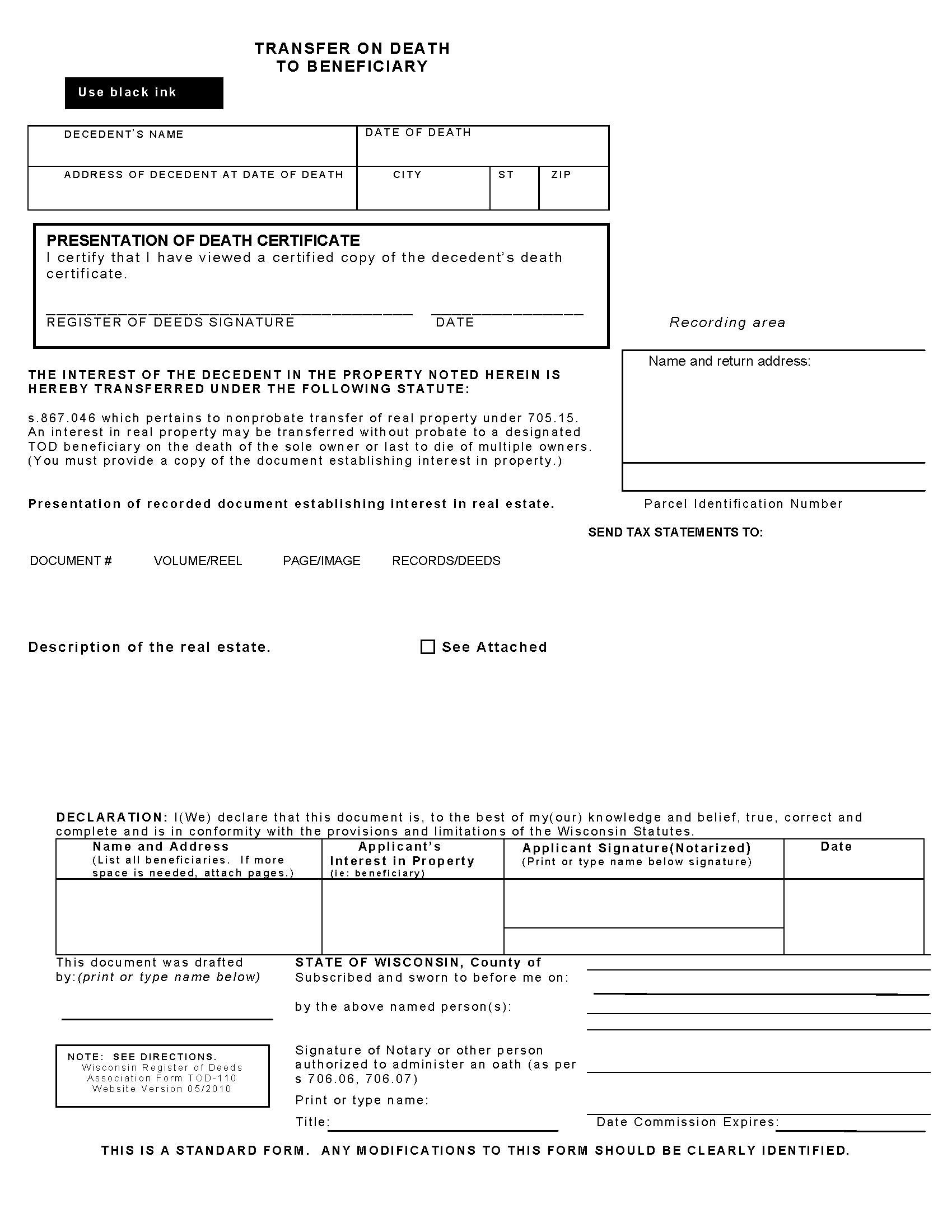
Racine County Transfer on Death to Beneficiary Form
Fill in the blank form formatted to comply with all recording and content requirements.
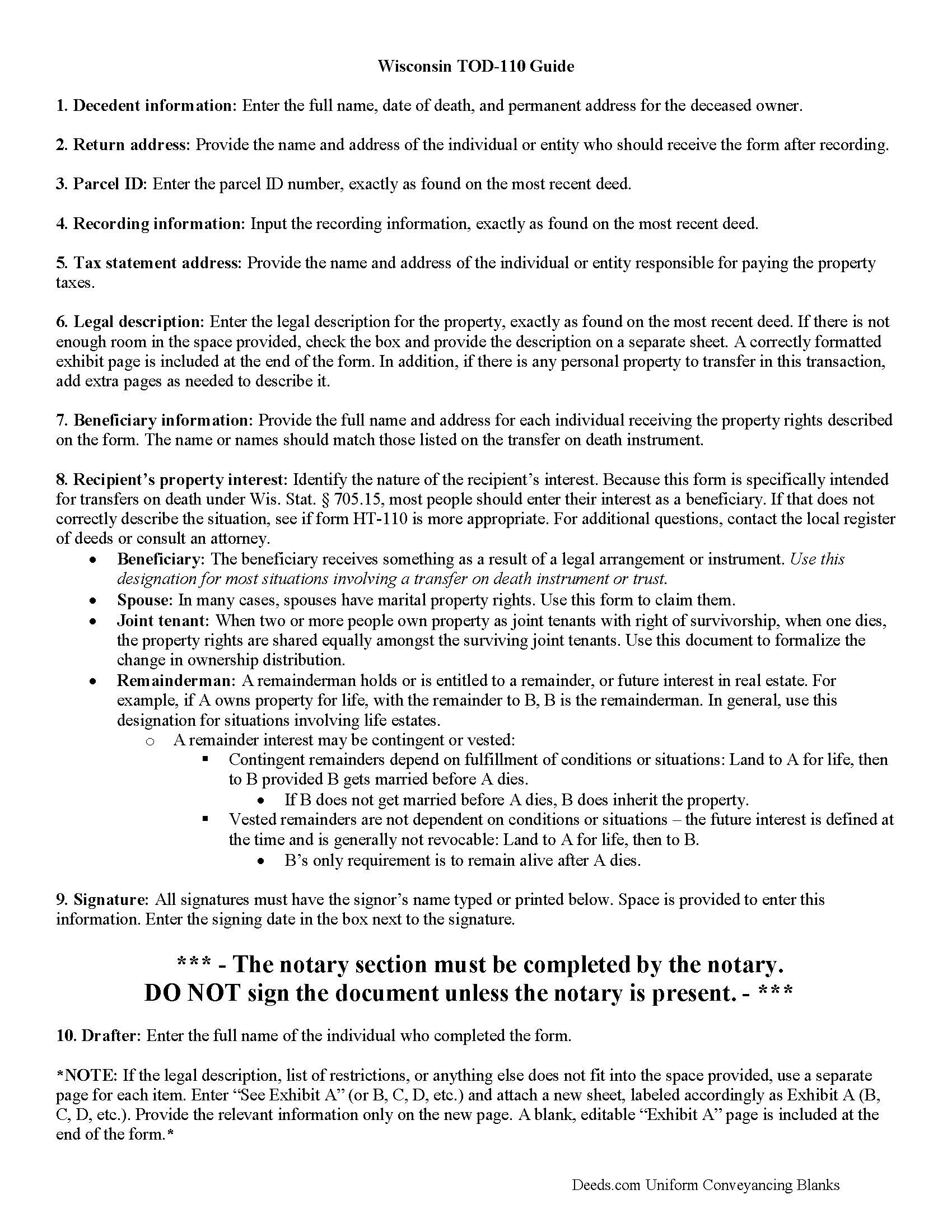
Racine County Transfer on Death to Beneficiary Guide
Line by line guide explaining every blank on the form.
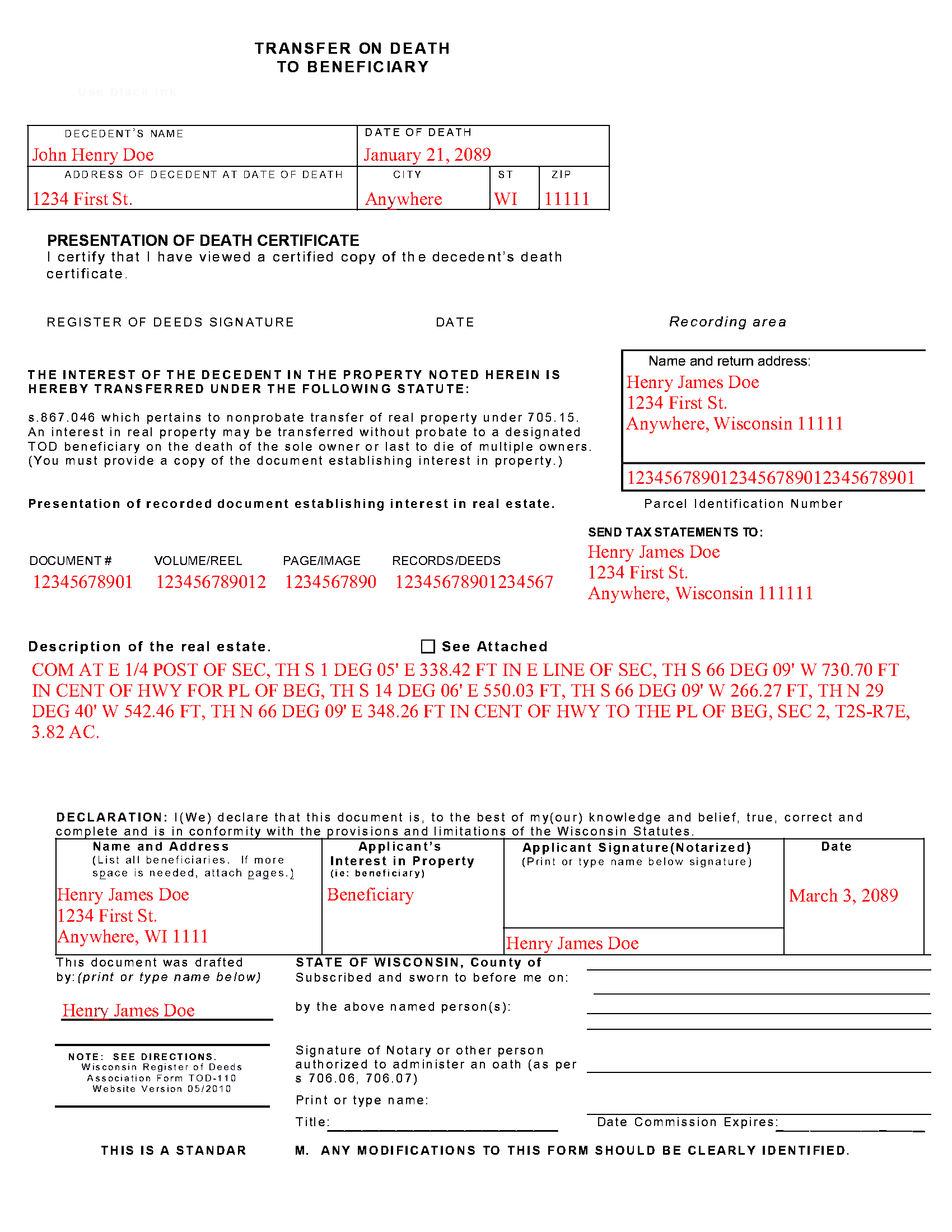
Racine County Completed Example of the Transfer on Death to Beneficiary Document
Example of a properly completed form for reference.
All 3 documents above included • One-time purchase • No recurring fees
Immediate Download • Secure Checkout
Additional Wisconsin and Racine County documents included at no extra charge:
Where to Record Your Documents
Racine County Register of Deeds
Racine, Wisconsin 53403
Hours: Monday - Friday 8:00 am - 5:00 pm
Phone: (262) 636-3208
Burlington Office
Burlington, Wisconsin 53105
Hours:
Phone: Document drop off only
Recording Tips for Racine County:
- Bring your driver's license or state-issued photo ID
- Ensure all signatures are in blue or black ink
- Avoid the last business day of the month when possible
- Both spouses typically need to sign if property is jointly owned
- Bring extra funds - fees can vary by document type and page count
Cities and Jurisdictions in Racine County
Properties in any of these areas use Racine County forms:
- Burlington
- Caledonia
- Franksville
- Kansasville
- Racine
- Rochester
- Sturtevant
- Union Grove
- Waterford
Hours, fees, requirements, and more for Racine County
How do I get my forms?
Forms are available for immediate download after payment. The Racine County forms will be in your account ready to download to your computer. An account is created for you during checkout if you don't have one. Forms are NOT emailed.
Are these forms guaranteed to be recordable in Racine County?
Yes. Our form blanks are guaranteed to meet or exceed the applicable formatting requirements used for recording in Racine County, including margin requirements, font requirements, and other layout standards. This guarantee applies to formatting, not to the legal sufficiency of information entered by the user or the suitability of a form for a particular transaction.
Can I reuse these forms?
Yes. You can reuse the forms for your personal use. For example, if you have multiple properties in Racine County you only need to order once.
What do I need to use these forms?
The forms are PDFs that you fill out on your computer. The free Adobe Acrobat Reader is recommended, and most PDF apps also work. You do NOT enter your property information online - you download the blank forms and complete them privately on your own computer.
Are there any recurring fees?
No. This is a one-time purchase. Nothing to cancel, no memberships, no recurring fees.
How much does it cost to record in Racine County?
Recording fees in Racine County vary. Contact the recorder's office at (262) 636-3208 for current fees.
Questions answered? Let's get started!
Transfer to Beneficiary -- TOD-110
Completing the Change of Property Rights from a Wisconsin Transfer on Death Deed
When a grantor/owner of real estate under a Wisconsin transfer on death deed dies, the named beneficiary or beneficiaries gain the rights to the property by function of law. Even though this transfer is, in theory, automatic, the best way to ensure accurate and up-to-date ownership records is to file a completed and notarized transfer on death to beneficiary form TOD-110 with the register of deeds for the county where the land is located. By recording this document, the new owner formalizes the transfer and provides public notice of the new status.
(Wisconsin TOD to Beneficiary Package includes form, guidelines, and completed example)
Important: Your property must be located in Racine County to use these forms. Documents should be recorded at the county recording office listed above.
This Transfer on Death to Beneficiary meets all recording requirements specific to Racine County.
Our Promise
The documents you receive here are guaranteed to meet or exceed the applicable Racine County recording format requirements. If there is a rejection caused by our formatting, we will correct the issue or refund your payment. This guarantee applies to document formatting only and does not extend to information entered by the user, the selection of the form, or the legal effect of the completed document.
Save Time and Money
Get your Racine County Transfer on Death to Beneficiary form done right the first time with Deeds.com Uniform Conveyancing Blanks. At Deeds.com, we understand that your time and money are valuable resources, and we don't want you to face a penalty fee or rejection imposed by a county recorder for submitting nonstandard documents. We constantly review and update our forms to meet rapidly changing state and county recording requirements for roughly 3,500 counties and local jurisdictions.
4.8 out of 5 - ( 4,857 Reviews )
Barbara Y. 5 out of 5 stars
I found your instructions and sample for completing a quit-claim deed in Arizona to be simple and easy to follow with one exception. The website to use in order to determine the code for the reason for exemption of fees was incorrect, as a result of which I had to contact the County Recorder to obtain that information.
Thank you for your feedback. We really appreciate it. Have a great day!
Aaron H. 5 out of 5 stars
Excellent service! Easy to use interface and quick response post-recording.
Thank you for your feedback. We really appreciate it. Have a great day!
WILLIAM M. 5 out of 5 stars
After a long search this site is the best all inclusive service. Contacting Customer Service received an timely reply. Highly recommened.
We appreciate your business and value your feedback. Thank you. Have a wonderful day!
Roberta U. 5 out of 5 stars
Thanks for the quick reply Will use in future. Thanksgivings
Thank you!
james B. 5 out of 5 stars
Downloaded quickly and saved to hard drive easily. I then opened in Adobe Acrobat Reader DC then was able to enter and save data in appropriate blanks. Yes, worth $22.
We appreciate your business and value your feedback. Thank you. Have a wonderful day!
Michael S. 5 out of 5 stars
So far so good! Easy site to navigate for old farts like me
We appreciate your business and value your feedback. Thank you. Have a wonderful day!
Barbara S. 5 out of 5 stars
Thanks for this service. I believe it will be all I need. Will know for sure within a week
We appreciate your business and value your feedback. Thank you. Have a wonderful day!
Mark G. 5 out of 5 stars
I would recommend this product for little effort needed to complete any action you might require.
We appreciate your business and value your feedback. Thank you. Have a wonderful day!
Rich R. 5 out of 5 stars
Forms are always a prob but this was best experience locating a needed form I’ve had. So easy. Latest forms. Really appreciate the intuitive site. Thnx much!!
We appreciate your comments and your trust in us. Thank you.
mary s. 3 out of 5 stars
It would help if pages of a document indicated 1 of 3 etc. When I downloaded the TOD guide I got a 4th page though it only showed 3 on the screen.
Thank you for your feedback. We really appreciate it. Have a great day!
Dorothy O. 5 out of 5 stars
This would be a great form but I couldn’t tell what size the font was. Also, I didn’t know how to save it so I will have to type it all over again. I’m sure I did it incorrectly.
Your feedback is a crucial part of our dedication to ongoing improvement. Thank you for your insightful comments.
michael b. 5 out of 5 stars
Your web site is very user friendly and easy to navigate I was very pleased with the experience
Thank you!
Jordan L. 5 out of 5 stars
Quick and easy. Lets do it again!
Thank you!
Tim T. 3 out of 5 stars
Although I am sure that the Quit Claim form was acceptable for my county, I felt that it was not formatted in the manor that I have seen while viewing the other deeds recorded. So that forms that I received were not useful to me.
Thank you for your feedback. We really appreciate it. Have a great day!
harry S. 4 out of 5 stars
Just created account. Very easily done. have not recorded anything yet. Hope to do so soon.
Thank you for your feedback. We really appreciate it. Have a great day!