Sauk County Transfer on Death to Beneficiary Form
Last validated September 29, 2026 by our Forms Development TeamFormatted for recording in Sauk County, for property anywhere in the county: rural and unincorporated areas as well as Baraboo, Hillpoint, La Valle, Lake Delton, Lime Ridge, Loganville, Merrimac, North Freedom and 6 more.
- 3 documents included
- Immediate PDF download
- Formatting guarantee
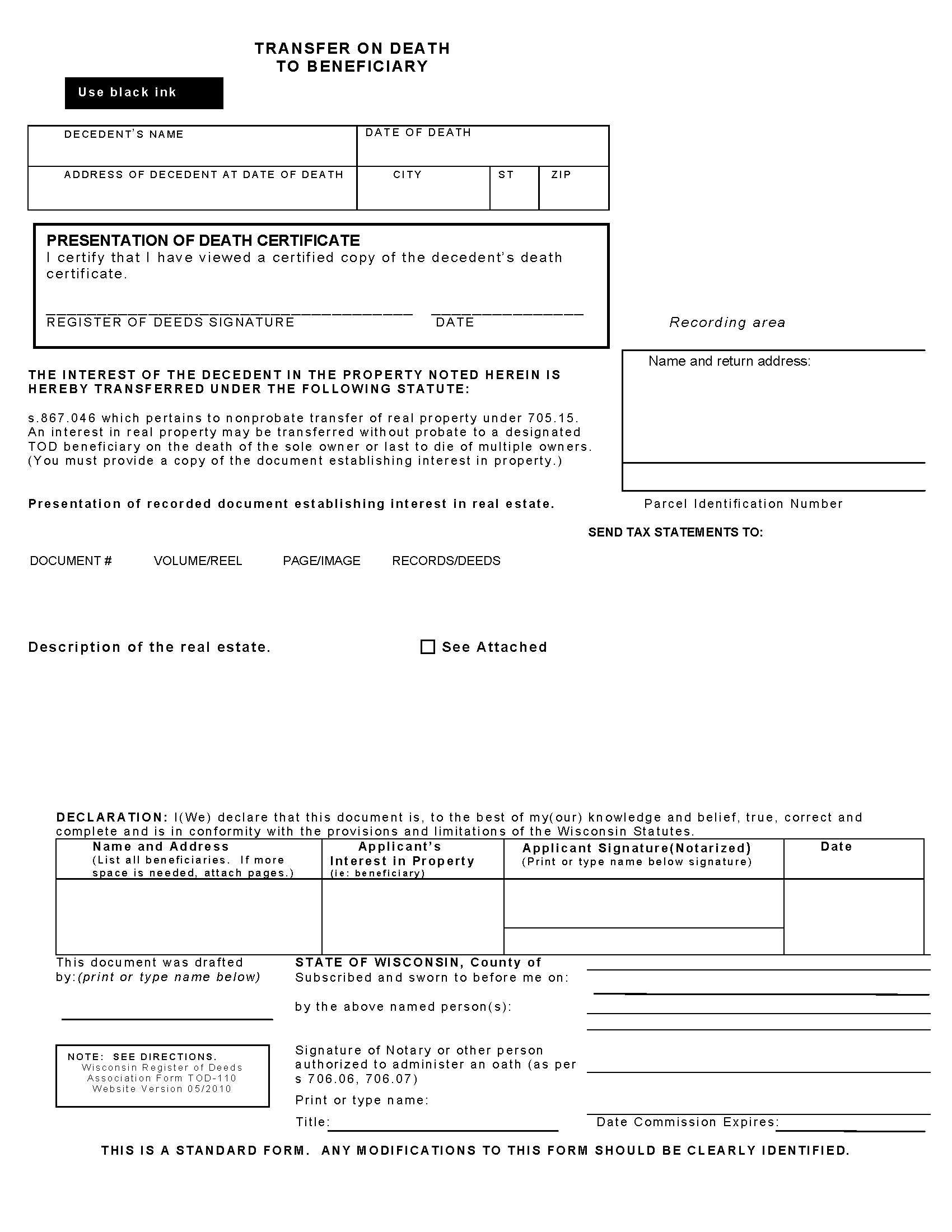
Sauk County Transfer on Death to Beneficiary Form
Fill in the blank form formatted to comply with all recording and content requirements.
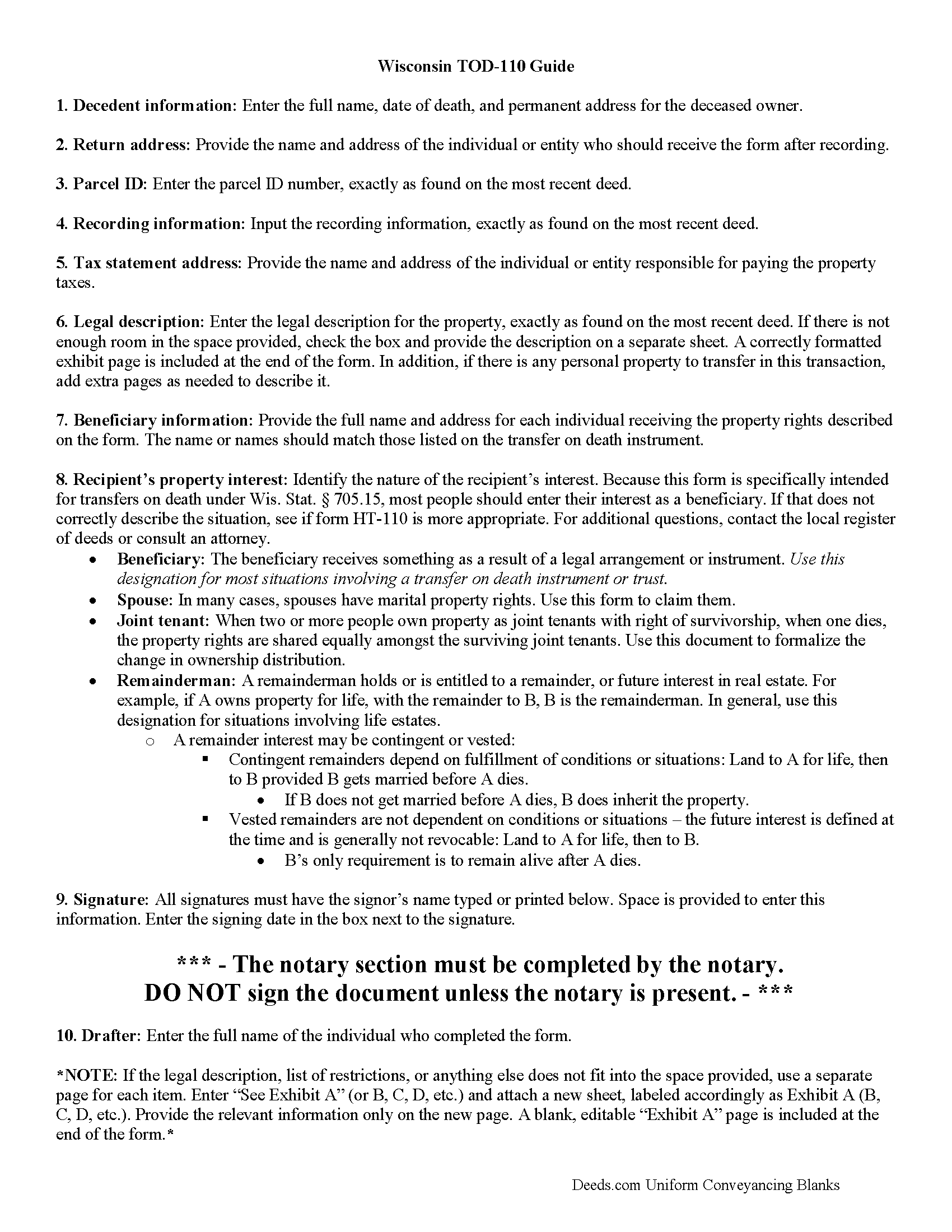
Sauk County Transfer on Death to Beneficiary Guide
Line by line guide explaining every blank on the form.
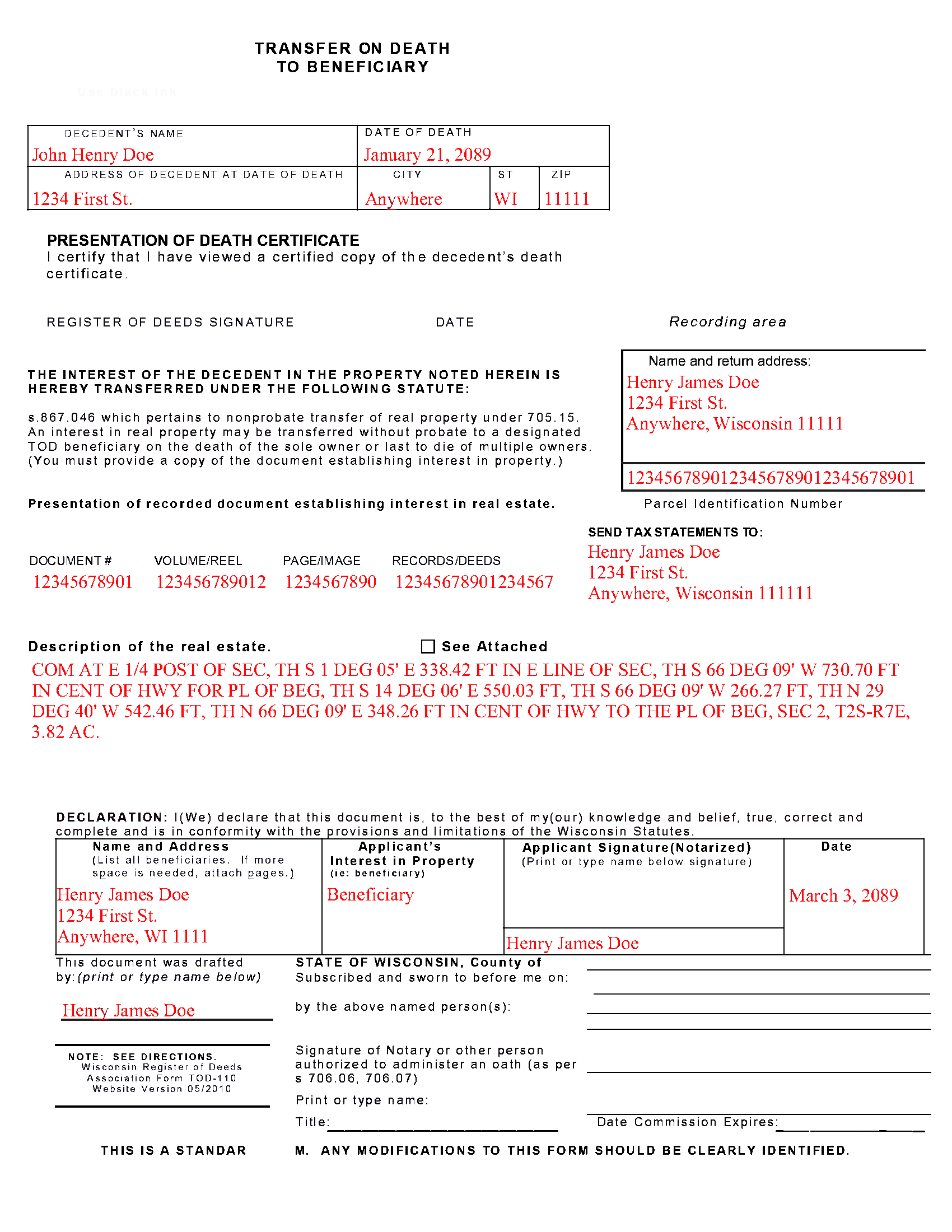
Sauk County Completed Example of the Transfer on Death to Beneficiary Document
Example of a properly completed form for reference.
All 3 documents above included • One-time purchase • No recurring fees
Immediate Download • Secure Checkout
Additional Wisconsin and Sauk County documents included at no extra charge:
Where to Record Your Documents
Sauk County Register of Deeds
Baraboo, Wisconsin 53913
Hours: 8:00am to 4:30pm M-F / Recording until 4:00pm
Phone: (608) 355-3288
Recording Tips for Sauk County:
- Bring your driver's license or state-issued photo ID
- Ensure all signatures are in blue or black ink
- Documents must be on 8.5 x 11 inch white paper
- Double-check legal descriptions match your existing deed
- Verify all names are spelled correctly before recording
Cities and Jurisdictions in Sauk County
Properties in any of these areas use Sauk County forms:
- Baraboo
- Hillpoint
- La Valle
- Lake Delton
- Lime Ridge
- Loganville
- Merrimac
- North Freedom
- Plain
- Prairie Du Sac
- Reedsburg
- Rock Springs
- Sauk City
- Spring Green
Hours, fees, requirements, and more for Sauk County
How do I get my forms?
Forms are available for immediate download after payment. The Sauk County forms will be in your account ready to download to your computer. An account is created for you during checkout if you don't have one. Forms are NOT emailed.
Are these forms guaranteed to be recordable in Sauk County?
Yes. Our form blanks are guaranteed to meet or exceed the applicable formatting requirements used for recording in Sauk County, including margin requirements, font requirements, and other layout standards. This guarantee applies to formatting, not to the legal sufficiency of information entered by the user or the suitability of a form for a particular transaction.
Can I reuse these forms?
Yes. You can reuse the forms for your personal use. For example, if you have multiple properties in Sauk County you only need to order once.
What do I need to use these forms?
The forms are PDFs that you fill out on your computer. The free Adobe Acrobat Reader is recommended, and most PDF apps also work. You do NOT enter your property information online - you download the blank forms and complete them privately on your own computer.
Are there any recurring fees?
No. This is a one-time purchase. Nothing to cancel, no memberships, no recurring fees.
How much does it cost to record in Sauk County?
Recording fees in Sauk County vary. Contact the recorder's office at (608) 355-3288 for current fees.
Questions answered? Let's get started!
Transfer to Beneficiary -- TOD-110
Completing the Change of Property Rights from a Wisconsin Transfer on Death Deed
When a grantor/owner of real estate under a Wisconsin transfer on death deed dies, the named beneficiary or beneficiaries gain the rights to the property by function of law. Even though this transfer is, in theory, automatic, the best way to ensure accurate and up-to-date ownership records is to file a completed and notarized transfer on death to beneficiary form TOD-110 with the register of deeds for the county where the land is located. By recording this document, the new owner formalizes the transfer and provides public notice of the new status.
(Wisconsin TOD to Beneficiary Package includes form, guidelines, and completed example)
Important: Your property must be located in Sauk County to use these forms. Documents should be recorded at the county recording office listed above.
This Transfer on Death to Beneficiary meets all recording requirements specific to Sauk County.
Our Promise
The documents you receive here are guaranteed to meet or exceed the applicable Sauk County recording format requirements. If there is a rejection caused by our formatting, we will correct the issue or refund your payment. This guarantee applies to document formatting only and does not extend to information entered by the user, the selection of the form, or the legal effect of the completed document.
Save Time and Money
Get your Sauk County Transfer on Death to Beneficiary form done right the first time with Deeds.com Uniform Conveyancing Blanks. At Deeds.com, we understand that your time and money are valuable resources, and we don't want you to face a penalty fee or rejection imposed by a county recorder for submitting nonstandard documents. We constantly review and update our forms to meet rapidly changing state and county recording requirements for roughly 3,500 counties and local jurisdictions.
4.8 out of 5 - ( 4,825 Reviews )
Ben C. 5 out of 5 stars
Easy and Quick,Thanks
Thank you for your feedback. We really appreciate it. Have a great day!
Ismael T. 5 out of 5 stars
I was surprised and how quickly you guys process documents and helped on a mistake I had. Thank so much. I will definitely keep using Deeds.com
Thank you!
Gale W. 5 out of 5 stars
Haven't filled them out yet, but extremely pleased with the beneficiary deed forms, including the instructions and a completed sample. 5-stars.
Thank you, Gale! Glad to hear you’re happy with the beneficiary deed package. We appreciate your feedback and wish you the best as you complete your forms.
Kelin F. 5 out of 5 stars
Prompt, accurate and professional response. Thank you. Kelin F.
Thank you, Kelin! We appreciate your kind words and are glad we could help. Let us know if you ever need anything else!
James C. 5 out of 5 stars
Satisfactory. I was confused and somwhat lost on what to do and what I was getting.
Thank you!
Jimmy P. 5 out of 5 stars
They sent me everything I would need to do this. Easy purchase -Easy download. Great!! I'll be back here for all my document needs.
We appreciate your business and value your feedback. Thank you. Have a wonderful day!
Laura L. 5 out of 5 stars
Used a form from this service. Best part about these forms is that they don't let you get in trouble by removing or changing things that should not be changed. It's easy to look at something and think why is this margin so big, why is this field so small and want to change it only to find out it is incredibly important. That's why they are the deed document pros.
Thank you for the thoughtful review! We're so glad to hear you found our forms reliable and well-structured. It’s true—what might look like an odd margin or a small field is often there for a very specific legal or recording reason. We’ve seen how small changes can lead to big headaches, which is why we design our documents to be both user-friendly and compliant with strict recording standards. We really appreciate you recognizing the care that goes into each one. Thanks again for choosing us!
Robert A. 5 out of 5 stars
First timer with Deeds.com - excellent experience. I am a lawyer and do not record often. Did not have to pay membership- fast and easy upload of documents- fast response - fast recording time from county recorder- very legible documents- very reasonable price. I give 6 stars out of 5!
We appreciate your business and value your feedback. Thank you. Have a wonderful day!
Cyrus A. 5 out of 5 stars
Easy site to work with.
We are grateful for your feedback and looking forward to serving you again. Thank you!
Terralynn J. 5 out of 5 stars
I was very pleased to find ONLINE, Deed Revision Document(s) and their explanation. I ordered these document Forms, downloaded them and Printed them. Now, I will be able to fill them out in the privacy of my home. Instructions were also included, how to file this new Deed, after I complete it and have it Notarized. This has saved me time and emotional stress following the death of my husband. THANK YOU.
We appreciate your business and value your feedback. Thank you. Have a wonderful day!
Jennifer A. 5 out of 5 stars
All I needed to do was changed from my previously married name to my now maiden name and a Quit Claim Deed was all I needed. I loved that they offered a sample along with very detailed directions. Great site! Thank you!
We appreciate your business and value your feedback. Thank you. Have a wonderful day!
Denise S. 5 out of 5 stars
Took all the guesswork out of what we were trying to accomplish, and gave us peace of mind that we would have the correct documents.
We appreciate your business and value your feedback. Thank you. Have a wonderful day!
MANUEL O. 5 out of 5 stars
great service Loved!
Thank you!
Kathrine v. 5 out of 5 stars
i like this service! so convenient! 10 out of the 10
We appreciate your business and value your feedback. Thank you. Have a wonderful day!
Andrew T. 5 out of 5 stars
The process was incredibly simple from start to finish. Someone from the team even sent a message to double check part of my document was filled out correctly. Will be bringing my business here in the future!
It was a pleasure serving you. Thank you for the positive feedback!