Calhoun County Gift Deed Form
Last validated October 21, 2026 by our Forms Development TeamFormatted for recording in Calhoun County, for property anywhere in the county: rural and unincorporated areas as well as Alexandria, Anniston, Bynum, Choccolocco, De Armanville, Eastaboga, Jacksonville, Ohatchee and 4 more.
- 3 documents included
- Immediate PDF download
- Formatting guarantee
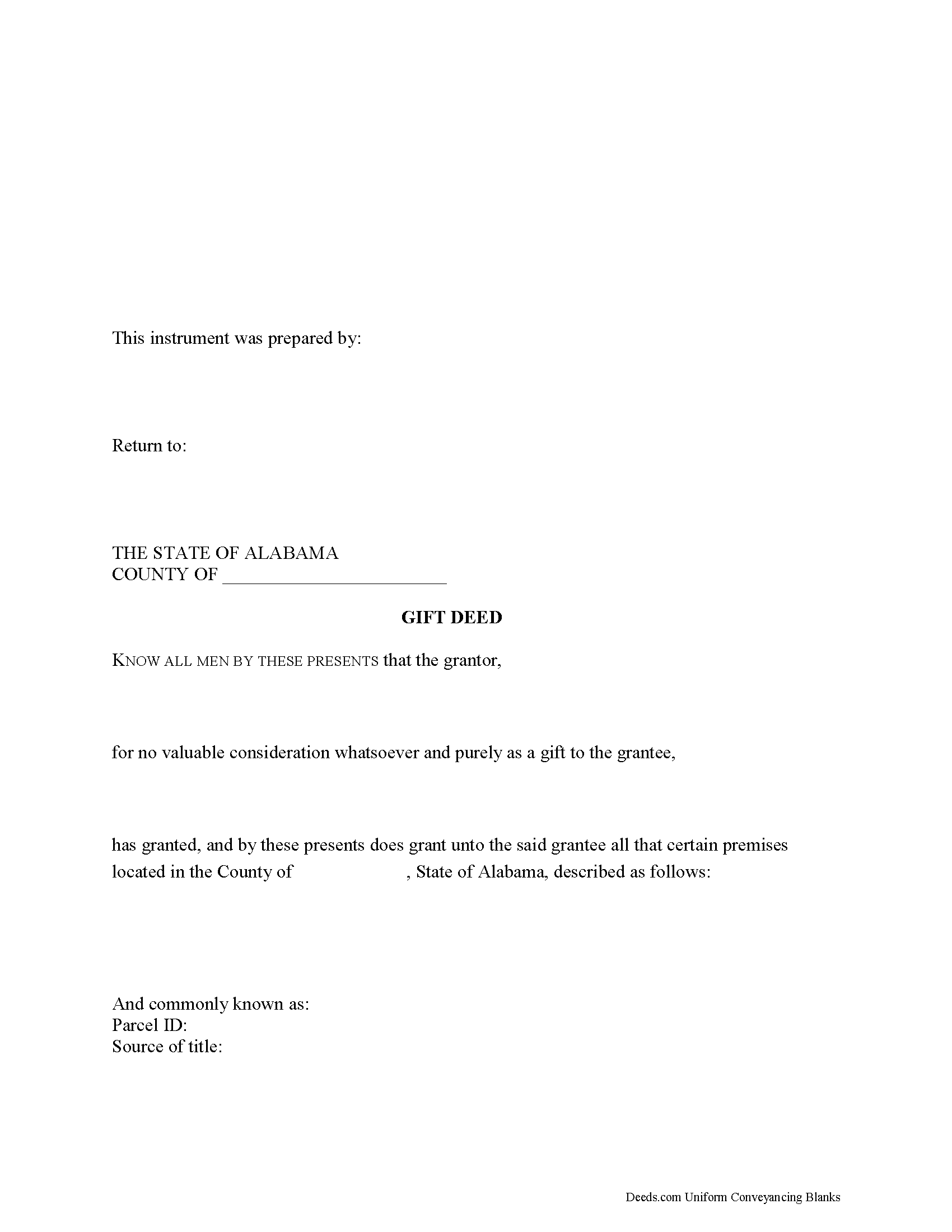
Calhoun County Gift Deed Form
Fill in the blank form formatted to comply with all recording and content requirements.
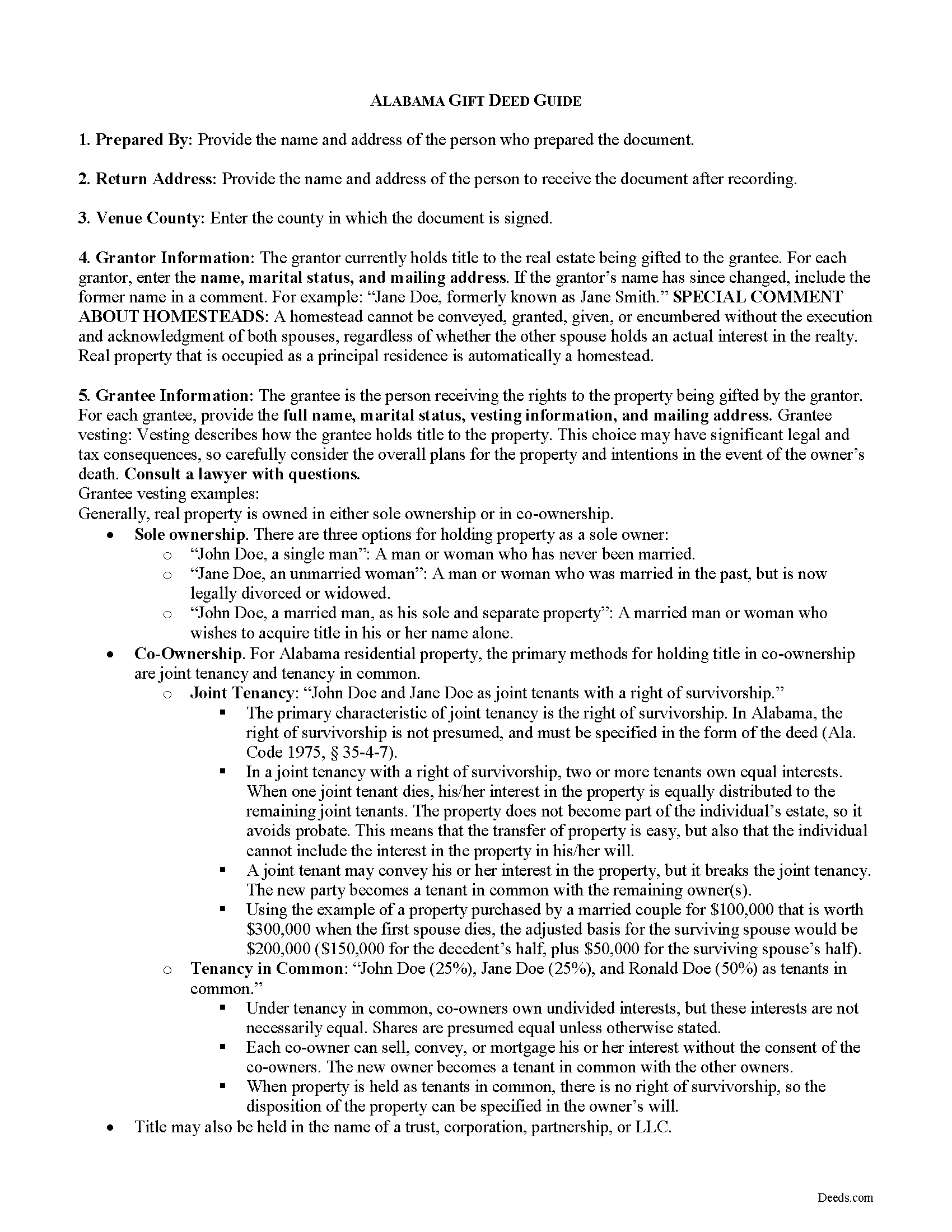
Calhoun County Gift Deed Guide
Line by line guide explaining every blank on the form.
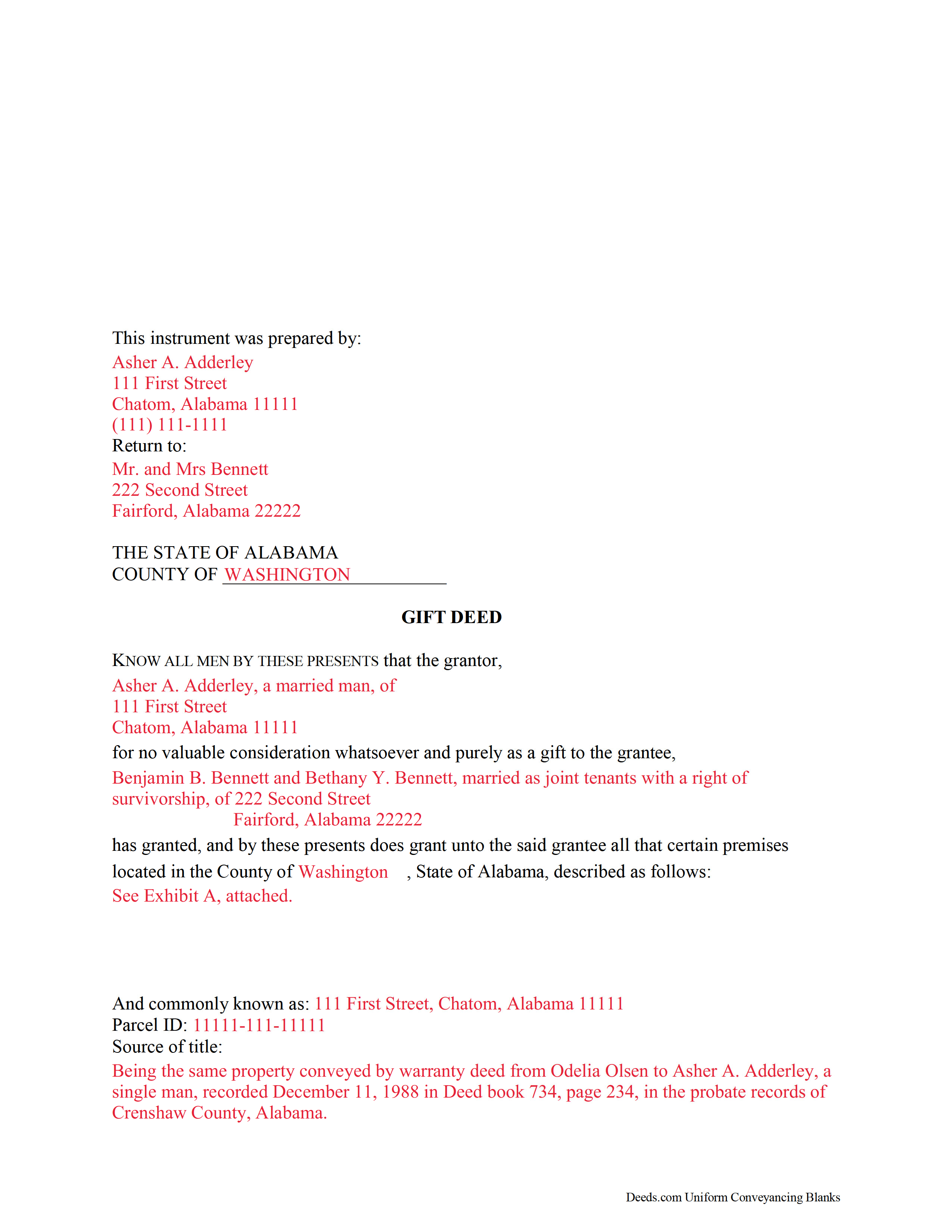
Calhoun County Completed Example of the Gift Deed Document
Example of a properly completed form for reference.
All 3 documents above included • One-time purchase • No recurring fees
Immediate Download • Secure Checkout
Additional Alabama and Calhoun County documents included at no extra charge:
Where to Record Your Documents
Judge of Probate: Recording Div.
Anniston, Alabama 36201
Hours: 8:00 to 4:30 M-F
Phone: (256) 241-2825
Recording Tips for Calhoun County:
- Bring your driver's license or state-issued photo ID
- Ensure all signatures are in blue or black ink
- Leave recording info boxes blank - the office fills these
- Make copies of your documents before recording - keep originals safe
- Recorded documents become public record - avoid including SSNs
Cities and Jurisdictions in Calhoun County
Properties in any of these areas use Calhoun County forms:
- Alexandria
- Anniston
- Bynum
- Choccolocco
- De Armanville
- Eastaboga
- Jacksonville
- Ohatchee
- Oxford
- Piedmont
- Weaver
- Wellington
Hours, fees, requirements, and more for Calhoun County
How do I get my forms?
Forms are available for immediate download after payment. The Calhoun County forms will be in your account ready to download to your computer. An account is created for you during checkout if you don't have one. Forms are NOT emailed.
Are these forms guaranteed to be recordable in Calhoun County?
Yes. Our form blanks are guaranteed to meet or exceed the applicable formatting requirements used for recording in Calhoun County, including margin requirements, font requirements, and other layout standards. This guarantee applies to formatting, not to the legal sufficiency of information entered by the user or the suitability of a form for a particular transaction.
Can I reuse these forms?
Yes. You can reuse the forms for your personal use. For example, if you have multiple properties in Calhoun County you only need to order once.
What do I need to use these forms?
The forms are PDFs that you fill out on your computer. The free Adobe Acrobat Reader is recommended, and most PDF apps also work. You do NOT enter your property information online - you download the blank forms and complete them privately on your own computer.
Are there any recurring fees?
No. This is a one-time purchase. Nothing to cancel, no memberships, no recurring fees.
How much does it cost to record in Calhoun County?
Recording fees in Calhoun County vary. Contact the recorder's office at (256) 241-2825 for current fees.
Questions answered? Let's get started!
An Alabama gift deed transfers real property from one party to another with no exchange of consideration — no money, no services, nothing of value in return. The transfer happens during the grantor's lifetime, which distinguishes it from a testamentary transfer through a will. Gift deeds are most commonly used to transfer property between family members, to move real estate into a trust, or to make a charitable donation of real property.
Because the absence of consideration is the defining characteristic of a gift deed, the language used in the deed matters more than in most other transfers. A deed that implies consideration was expected — even indirectly — can be challenged and potentially voided.
No-consideration language is essential
The deed must explicitly state that no consideration is expected or required. Any reference to consideration, even nominal language like "for one dollar and other valuable consideration," creates ambiguity that makes the deed contestable. Our forms use language specifically drafted for Alabama gift deeds to eliminate this risk.
What the deed must contain
A lawful Alabama gift deed includes:
- Grantor information — full legal name and marital status
- Grantee information — full legal name, marital status, vesting, and mailing address
- Legal description — a complete description of the property; if the description references a recorded plat, the plat should be attached or the deed should identify the plat book and office where it can be found (Ala. Code § 35-4-74)
- Source of title — a reference to the prior deed or recorded instrument through which the grantor acquired the property, establishing a clear chain of title
- Any restrictions — easements, covenants, or other encumbrances affecting the property
Vesting and the right of survivorship
Vesting describes how the grantee holds title. For Alabama property transferred to two or more people, this is a decision with long-term consequences.
Tenancy in common is the default in Alabama. Each owner holds a separate, divisible interest that can be sold, mortgaged, or passed through their estate independently.
Joint tenancy with right of survivorship means that when one owner dies, their interest passes automatically to the surviving owner — outside of probate. However, in Alabama the right of survivorship is not presumed and must be expressly stated in the deed (Ala. Code § 35-4-7). A deed that simply names two grantees without specifying survivorship creates a tenancy in common by default. If survivorship is the intent, the deed must say so explicitly.
Signatures and witnesses
The grantor must sign and acknowledge the deed in the presence of two credible witnesses. One of the two witnesses may be the notary (Ala. Code § 35-4-65). The grantee's signature is not required on a gift deed.
Recording with the Probate Judge
Like all Alabama real estate instruments, the gift deed must be recorded in the Probate Judge's office in the county where the property is located. Alabama is one of the few states that records deeds through the Probate Judge rather than a county recorder. Contact the Probate Judge's office in the relevant county to confirm accepted forms of payment before recording.
Recording promptly after execution protects the grantee. Under Alabama's recording statutes, a later instrument that is recorded first can take priority over an earlier unrecorded transfer.
County-specific forms included
Each Alabama county has its own recording standards, and the Probate Judge's office can reject documents that don't meet local requirements. Our forms are prepared and validated for each Alabama county. Your download includes the gift deed form, a completed example for reference, a line-by-line guide, and the Alabama supplemental documents required at recording. Select your county from the list to get the forms for your specific jurisdiction.
Important: Your property must be located in Calhoun County to use these forms. Documents should be recorded at the county recording office listed above.
This Gift Deed meets all recording requirements specific to Calhoun County.
Our Promise
The documents you receive here are guaranteed to meet or exceed the applicable Calhoun County recording format requirements. If there is a rejection caused by our formatting, we will correct the issue or refund your payment. This guarantee applies to document formatting only and does not extend to information entered by the user, the selection of the form, or the legal effect of the completed document.
Save Time and Money
Get your Calhoun County Gift Deed form done right the first time with Deeds.com Uniform Conveyancing Blanks. At Deeds.com, we understand that your time and money are valuable resources, and we don't want you to face a penalty fee or rejection imposed by a county recorder for submitting nonstandard documents. We constantly review and update our forms to meet rapidly changing state and county recording requirements for roughly 3,500 counties and local jurisdictions.
4.8 out of 5 - ( 4,839 Reviews )
Scott W. 5 out of 5 stars
Wow! That was easy! I was expecting a more difficult process. Upload your docs and wait for a response. Which was minutes later. I would give it 6 stars.
Thank you for your kind words Scott, glad we could help.
Helen L. 5 out of 5 stars
The website was easy to navigate but only needed one form. The guide was helpful also. Cost want high but contains many documents that I didn't need but may someday. Could not save form after completed but printed copies that needed to be court filed.
We appreciate your business and value your feedback. Thank you. Have a wonderful day!
Lindsey W. 3 out of 5 stars
The service was great but after I did all my work and uploaded the documents they canceled my stuff because the county they had on the list doesnt take/or have set up e-recording yet. It was a bit disappointing because thats the only reason I was on here is because it brought me here from that countys sight.
Thank you for your feedback, sorry we were not able to provide the service for you. Hope you have a great day.
Patricia R. 3 out of 5 stars
Very quick to respond with the obvious answers. I asked what form to use when adding my daughter to deed. Answer: talk to an attorney duh.
Thank you!
Jerri S. 5 out of 5 stars
Very helpful. Print out go to court house spent less then 15 minutes there and done! Thanks will use again.
Thank you Jerri, we appreciate your feedback.
JAMES M. 5 out of 5 stars
The forms are just what I needed! Easy to navigate.
We appreciate your business and value your feedback. Thank you. Have a wonderful day!
Eleanor W. 5 out of 5 stars
Easy to find the form I needed. And the instructions helpful on how to fill out the form.
We appreciate your business and value your feedback. Thank you. Have a wonderful day!
Duncan M. 2 out of 5 stars
Forms are fine, but the inability to download a completed form is not. Nor is the ability to convert to another format. Everytime I went to download, the form erased. I didn't have a printer available, so everything I did was to waste.
Thank you for your feedback Duncan. The blank forms should be downloaded first and then completed on your computer.
Teresa R. 5 out of 5 stars
FANTASTIC. Sometimes we think know something, glad I found out I was wrong before it was too late.
Thank you!
Melinda P. 5 out of 5 stars
I received my documents immediately! Thats was a huge relief!
We appreciate your business and value your feedback. Thank you. Have a wonderful day!
Kevin B. 4 out of 5 stars
It looks like it can be a huge time saver. I did a deed and appeared very professional.
Thank you for your feedback. We really appreciate it. Have a great day!
JAMES S. 5 out of 5 stars
Saved me 1-2 hours' time dictating. Will use again.
Thank you!
Edward M. 5 out of 5 stars
Thank you very much Very satisfied
Thank you for your feedback. We really appreciate it. Have a great day!
Joy R. 5 out of 5 stars
Easy and efficient way to get a deed copy.
Thank you!
Kurt P. 5 out of 5 stars
I like the basics. The one thing I would recommend changing would be, something that tells me I have actually have submitted my package, or that I can leave at any time without needing to click on a "Submit" button.
Thank you for your feedback. We really appreciate it. Have a great day!