Coosa County Special Warranty Deed Form
Last validated September 9, 2026 by our Forms Development TeamFormatted for recording in Coosa County, for property anywhere in the county: rural and unincorporated areas as well as Equality, Goodwater, Kellyton, Rockford, Weogufka.
- 3 documents included
- Immediate PDF download
- Formatting guarantee
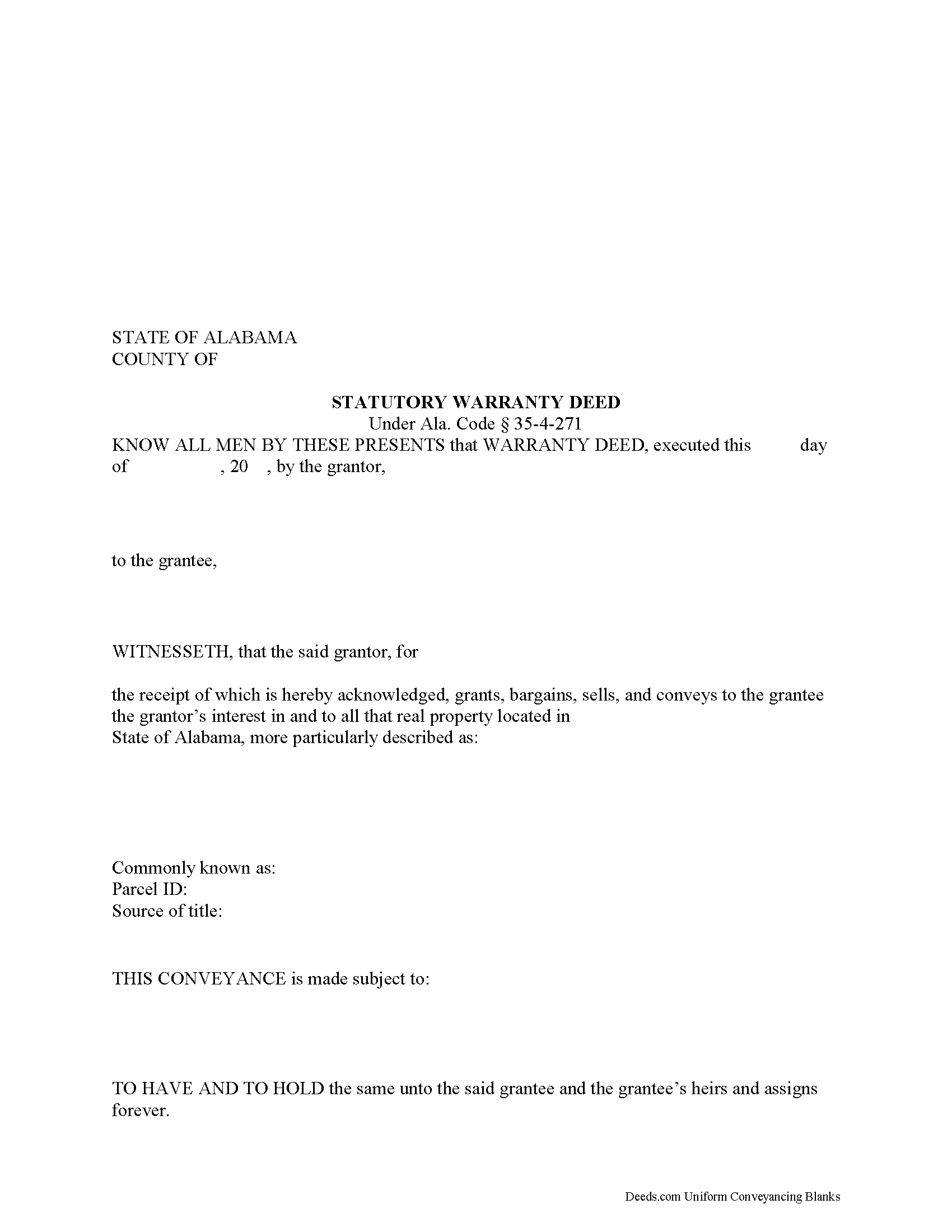
Coosa County Special Warranty Deed Form
Fill in the blank form formatted to comply with all recording and content requirements.
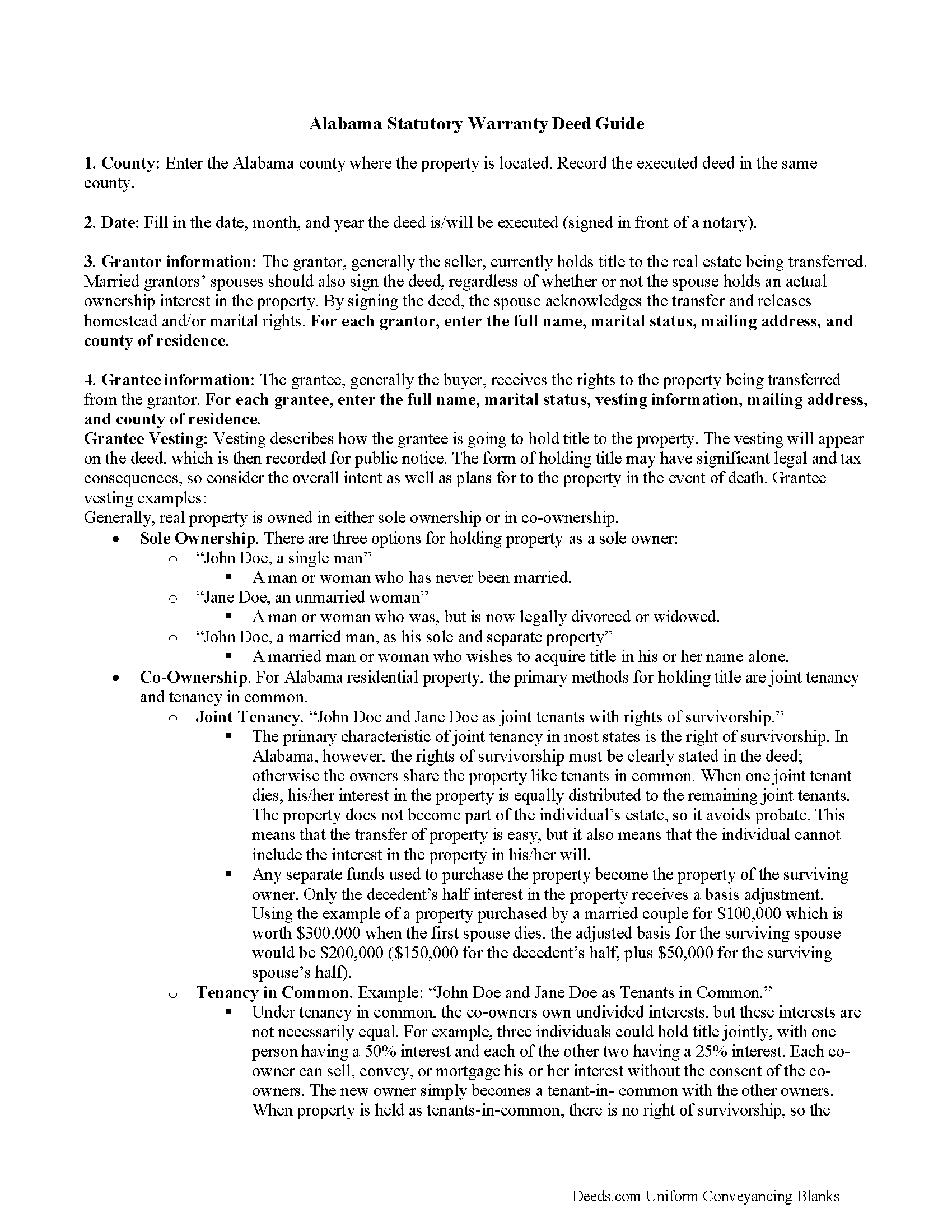
Coosa County Special Warranty Deed Guide
Line by line guide explaining every blank on the form.
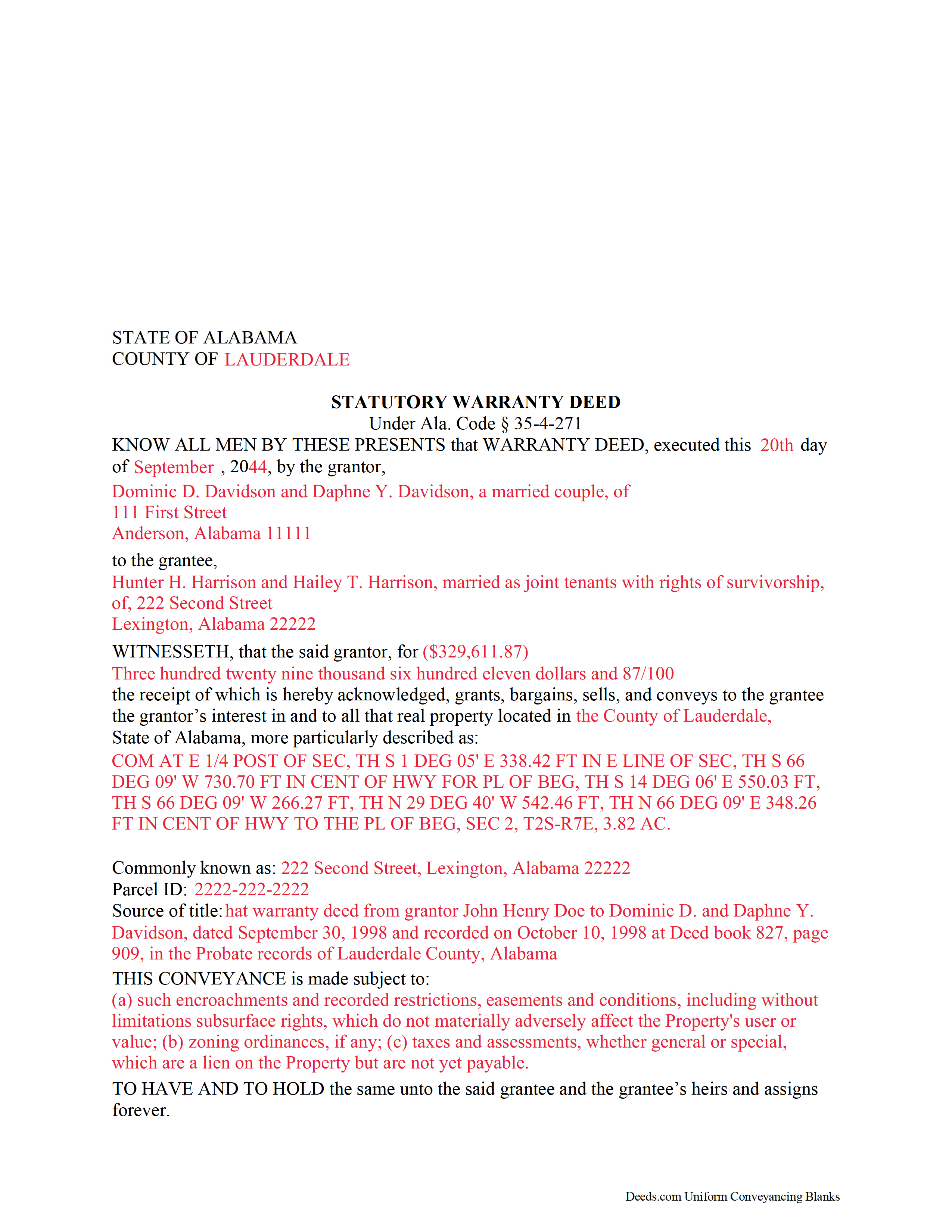
Coosa County Completed Example of the Special Warranty Deed Document
Example of a properly completed form for reference.
All 3 documents above included • One-time purchase • No recurring fees
Immediate Download • Secure Checkout
Additional Alabama and Coosa County documents included at no extra charge:
Where to Record Your Documents
Coosa County Probate Office
Rockford, Alabama 35136
Hours: 8:30 to 4:30 M-F
Phone: (256) 377-4919
Recording Tips for Coosa County:
- Bring your driver's license or state-issued photo ID
- Ensure all signatures are in blue or black ink
- Ask if they accept credit cards - many offices are cash/check only
- Check that your notary's commission hasn't expired
- Documents must be on 8.5 x 11 inch white paper
Cities and Jurisdictions in Coosa County
Properties in any of these areas use Coosa County forms:
- Equality
- Goodwater
- Kellyton
- Rockford
- Weogufka
Hours, fees, requirements, and more for Coosa County
How do I get my forms?
Forms are available for immediate download after payment. The Coosa County forms will be in your account ready to download to your computer. An account is created for you during checkout if you don't have one. Forms are NOT emailed.
Are these forms guaranteed to be recordable in Coosa County?
Yes. Our form blanks are guaranteed to meet or exceed the applicable formatting requirements used for recording in Coosa County, including margin requirements, font requirements, and other layout standards. This guarantee applies to formatting, not to the legal sufficiency of information entered by the user or the suitability of a form for a particular transaction.
Can I reuse these forms?
Yes. You can reuse the forms for your personal use. For example, if you have multiple properties in Coosa County you only need to order once.
What do I need to use these forms?
The forms are PDFs that you fill out on your computer. The free Adobe Acrobat Reader is recommended, and most PDF apps also work. You do NOT enter your property information online - you download the blank forms and complete them privately on your own computer.
Are there any recurring fees?
No. This is a one-time purchase. Nothing to cancel, no memberships, no recurring fees.
How much does it cost to record in Coosa County?
Recording fees in Coosa County vary. Contact the recorder's office at (256) 377-4919 for current fees.
Questions answered? Let's get started!
An Alabama Special Warranty Deed is often used when the grantor is willing to stand behind title problems that arose only during that grantor's period of ownership, not defects from earlier owners. In Alabama, that limited warranty matters because the deed still has to satisfy the state's own recording and execution rules, including probate-office recording, marital-status recitals, and other county-level filing expectations that can affect whether the deed is accepted and how clearly the title chain reads later.
When an Alabama Special Warranty Deed is commonly used
An Alabama Special Warranty Deed transfers whatever title the grantor holds to the grantee and includes a limited promise to defend the title only against claims arising by, through, or under the grantor, but not against older defects in the chain. In Alabama practice, this deed is commonly seen in commercial transfers, transfers by entities, fiduciary conveyances, and other situations where a full general warranty is not being given but the conveyance is still intended to include more protection than a quitclaim-style transfer.
Alabama statutory requirements for a valid deed
Alabama requires conveyances of land to be in writing and signed at the end by the grantor or the grantor's authorized agent, and the deed must be properly executed to be recordable (Ala. Code 35-4-20). A recordable Alabama Special Warranty Deed should clearly identify the grantor and grantee, state the consideration, include a sufficient legal description, and contain language showing that the grantor is conveying the property with a special warranty rather than a full general warranty.
Because this is Alabama, the deed should also reflect state-specific information that title examiners and probate recording offices expect to see, including the grantor's marital status and complete property identification. If the property lies in a platted subdivision, the deed should include the plat reference or the book and page where the plat is recorded when that information is needed to describe the land accurately (Ala. Code 35-4-74).
Execution requirements in Alabama
Alabama does not follow the same signing pattern used in every state. A grantor who signs an Alabama deed must have the signature attested by at least one witness, unless the deed is properly acknowledged before an authorized officer, and a proper acknowledgment can satisfy the witness requirement for recording purposes (Ala. Code 35-4-20, 35-4-22, 35-4-23). If the grantor signs by mark because the grantor cannot write, two witnesses are required under Alabama's execution statute (Ala. Code 35-4-20).
In practical terms, most Alabama deeds are signed before a notary with a recordable acknowledgment. That acknowledgment should follow Alabama's statutory form closely enough to avoid recording problems (Ala. Code 35-4-29). If more than one person is conveying title, each grantor whose interest is being transferred should execute the deed.
Alabama-specific traps that cause recording or title problems
- Marital-status recital: Alabama specifically requires a recitation of the grantor's or vendor's marital status in a recorded conveyance. Leaving that out can create avoidable title questions later, even if the probate office records the instrument (Ala. Code 35-4-73).
- Homestead spousal assent: If the property is homestead property, a married owner's conveyance is not valid without the voluntary signature and assent of the spouse, shown by the spouse's acknowledgment as required by statute (Ala. Code 6-10-3).
- Survivorship is not automatic: Alabama does not presume survivorship just because two grantees take title together. If the intent is to create a survivorship estate, the deed needs express survivorship language; otherwise, the co-owners generally take without that feature (Ala. Code 35-4-7).
- Plat references and legal descriptions: A street address alone is not enough. If the property is in a recorded subdivision or on a recorded plat, the deed should use the full legal description and any necessary plat book reference so the land can be identified from the record (Ala. Code 35-4-74).
- Limited warranty language: The wording should make clear that the warranty is limited to the grantor's period of ownership. Using language that sounds like a general warranty can create a mismatch between the intended deed type and the promises actually made in the instrument.
- Deed tax and value reporting: Alabama deed recording usually involves deed tax based on value, together with value reporting that the probate office uses at recording. If the transfer is exempt, the exemption should be stated correctly instead of leaving the tax section ambiguous (Ala. Code 40-22-1).
- Preparer and return information: Even when not framed as a statewide deed-validity element, probate offices commonly expect the instrument to show who prepared it and where the recorded deed should be returned. Omitting that information can slow intake or create avoidable clerk questions.
Recording an Alabama Special Warranty Deed
An Alabama Special Warranty Deed should be recorded in the office of the judge of probate in the county where the real property is located. Recording places the conveyance in the public land records and helps protect the grantee against later purchasers, mortgagees, and judgment creditors without notice (Ala. Code 35-4-50, 35-4-90).
Prompt recording matters in Alabama because an unrecorded conveyance can lose priority to a later party who takes without notice and records first. At recording, the probate office will also address the applicable recording fees, deed tax, and required value reporting, which is commonly handled through Alabama's real estate sales validation process when applicable (Ala. Code 40-22-1).
Vesting and ownership language under Alabama law
The grantee section of an Alabama Special Warranty Deed should match the way title is intended to be held after the transfer. Alabama law does not automatically attach a right of survivorship when two or more people receive title together, so survivorship intent should be stated expressly in the deed if that is how title is meant to vest (Ala. Code 35-4-7). Careful vesting language is especially important in Alabama because the recorded deed often becomes the starting point for later title review, refinancing, and probate-related questions.
What is included in the download package
The Alabama Special Warranty Deed package includes the form, step-by-step instructions, and a completed example. The materials are prepared by Deeds.com's forms development team for county-specific use in Alabama so the package is easier to complete, sign, and take to the appropriate probate office for recording.
Important: Your property must be located in Coosa County to use these forms. Documents should be recorded at the county recording office listed above.
This Special Warranty Deed meets all recording requirements specific to Coosa County.
Our Promise
The documents you receive here are guaranteed to meet or exceed the applicable Coosa County recording format requirements. If there is a rejection caused by our formatting, we will correct the issue or refund your payment. This guarantee applies to document formatting only and does not extend to information entered by the user, the selection of the form, or the legal effect of the completed document.
Save Time and Money
Get your Coosa County Special Warranty Deed form done right the first time with Deeds.com Uniform Conveyancing Blanks. At Deeds.com, we understand that your time and money are valuable resources, and we don't want you to face a penalty fee or rejection imposed by a county recorder for submitting nonstandard documents. We constantly review and update our forms to meet rapidly changing state and county recording requirements for roughly 3,500 counties and local jurisdictions.
4.8 out of 5 - ( 4,818 Reviews )
Paul A. 5 out of 5 stars
Your service is awesome!
Thank you!
Richard A. 5 out of 5 stars
Great product. It would be better if the document files were not embedded within other files. It made downloading a little confusing. The titles of the forms did not match exactly word for word, which required a lot of back and forth to make sure I had downloaded the proper document. What would be great is if once you download a document, the hyperlink changed color, or somehow denoted the document had been downloaded. Just a suggestion. You have my email address if you have questions. STILL! Five stars for you guys. I would not let that hiccup dissuade me from buying any form package from you guys. Thanks!
Thank you for your feedback. We really appreciate it. Have a great day!
Petre A. 5 out of 5 stars
Easy @ useful
Thank you!
Michael R. 5 out of 5 stars
Very simple to use and everything included
Thank you for your feedback. We really appreciate it. Have a great day!
Meg R. 5 out of 5 stars
Good system fairly easy to use
Thank you!
victor h. 5 out of 5 stars
Easy to use and just what I was looking for
Thank you!
Cynthia G. 5 out of 5 stars
Thank you for this service, very helpful
We appreciate your business and value your feedback. Thank you. Have a wonderful day!
Brenda E. 5 out of 5 stars
This is a great tool to use. It makes recording documents so easy and convenient. The website is very user-friendly. The only suggestion I would have is if the website could email me directly when I have a message so I don't have to keep checking back to see if my document is ready.
Thank you for your feedback. We really appreciate it. Have a great day!
Cherif T. 5 out of 5 stars
I wish every state offered such an easy and economical download of these forms. You were reasonable in price, I received one of every form you offered along with instructions, and it made my day so easy. Why pay a lawyer a fortune for these simple (almost) everyday forms when you can do it all for less than $20. Thank you for being reasonable, well organized, and available for common use! Cherif T.
Thank you!
JESSICA B. 5 out of 5 stars
easy to move through the site and create an account.
Thank you!
Debra H. 5 out of 5 stars
I find this site easy to use and every form I may need. Now to figure out how to fill in on line. :)
Thank you for your feedback Debra. Be sure to download the forms and fill them out on your computer, they should not be filled out "online". Have a great day.
Debbie G. 5 out of 5 stars
Easy to use, I would recommend deeds.com. I would recommend visiting your county recorder before having document notarized. They will review document and make sure everything you need is on the deed, before having notarized.
Thank you Debbie. Have a fantastic day!
Frank C. 5 out of 5 stars
It was easy
Thank you Frank.
GISELLE G. 5 out of 5 stars
Quick and easy. I will definitely use this services again.
Thank you!
ROBERT D. 5 out of 5 stars
VERY HAPPY WITH YOUR SERVICE !
We appreciate your business and value your feedback. Thank you. Have a wonderful day!