Bethel Borough Substitution of Trustee Form
Last validated October 7, 2026 by our Forms Development TeamFormatted for recording in Bethel Borough, for property anywhere in the borough or census area: rural and unincorporated areas as well as Akiachak, Akiak, Aniak, Bethel, Chefornak, Crooked Creek, Eek, Goodnews Bay and 19 more.
- 3 documents included
- Immediate PDF download
- Formatting guarantee
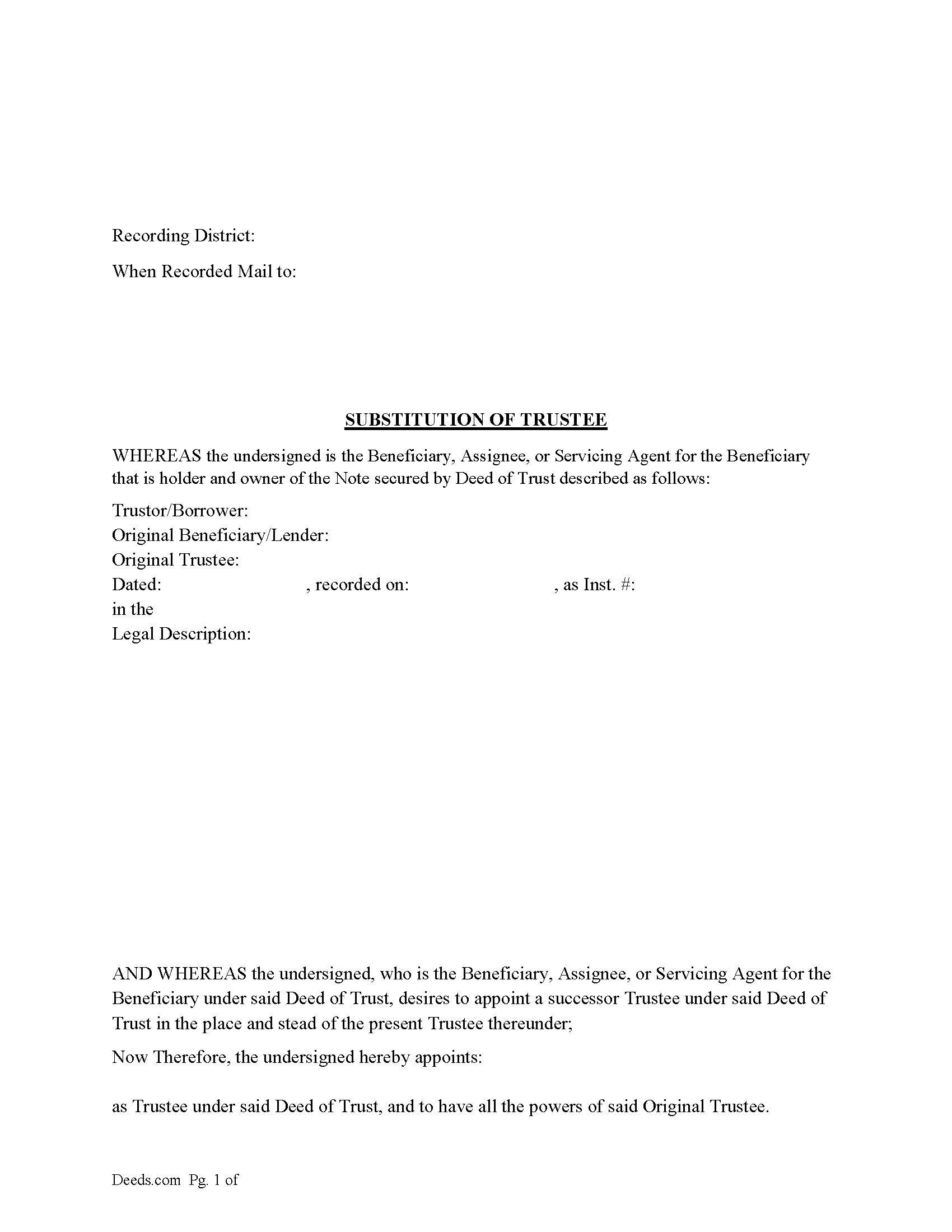
Bethel Borough Substitution of Trustee Form
Fill in the blank form formatted to comply with all recording and content requirements.
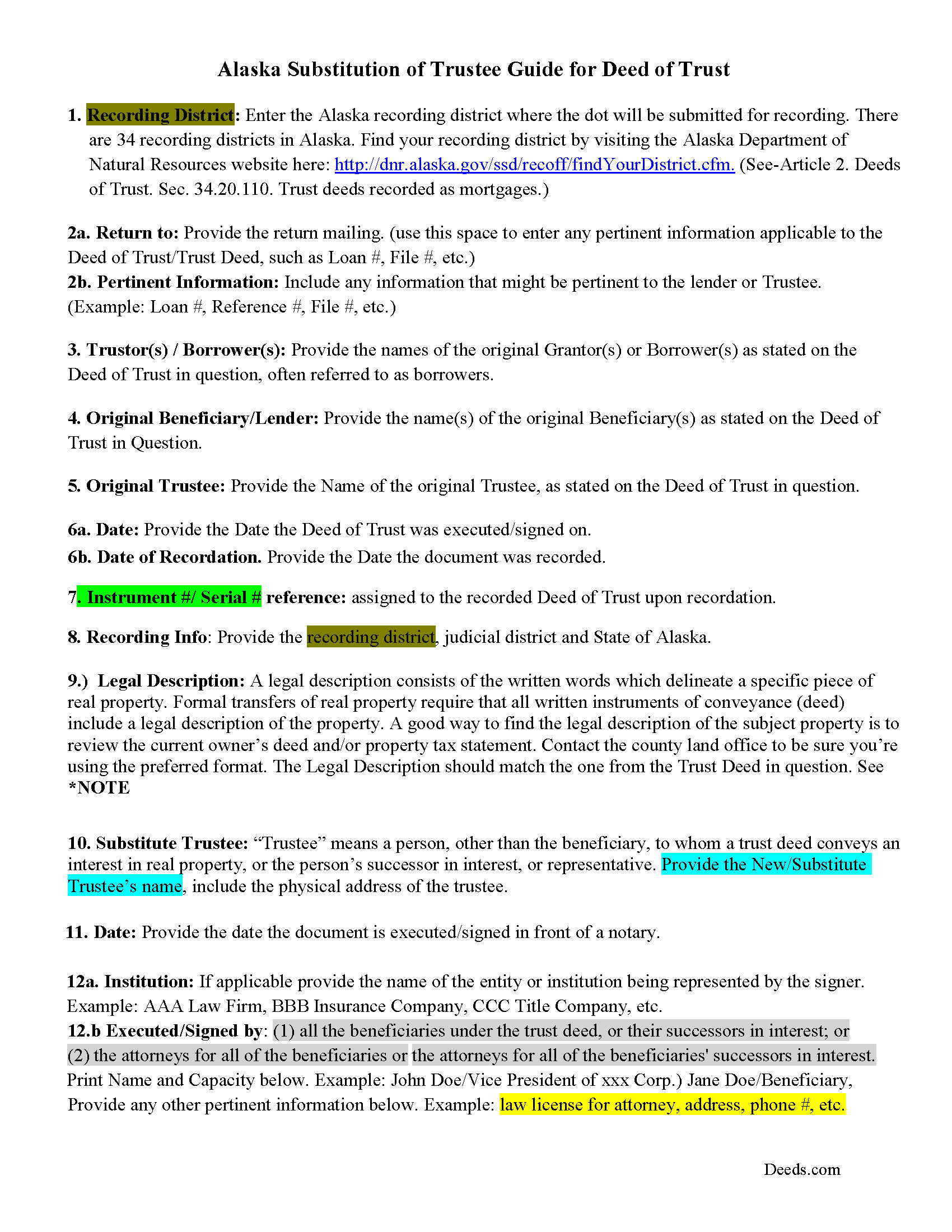
Bethel Borough Substitution of Trustee Guide
Line by line guide explaining every blank on the Substitution of Trustee form.
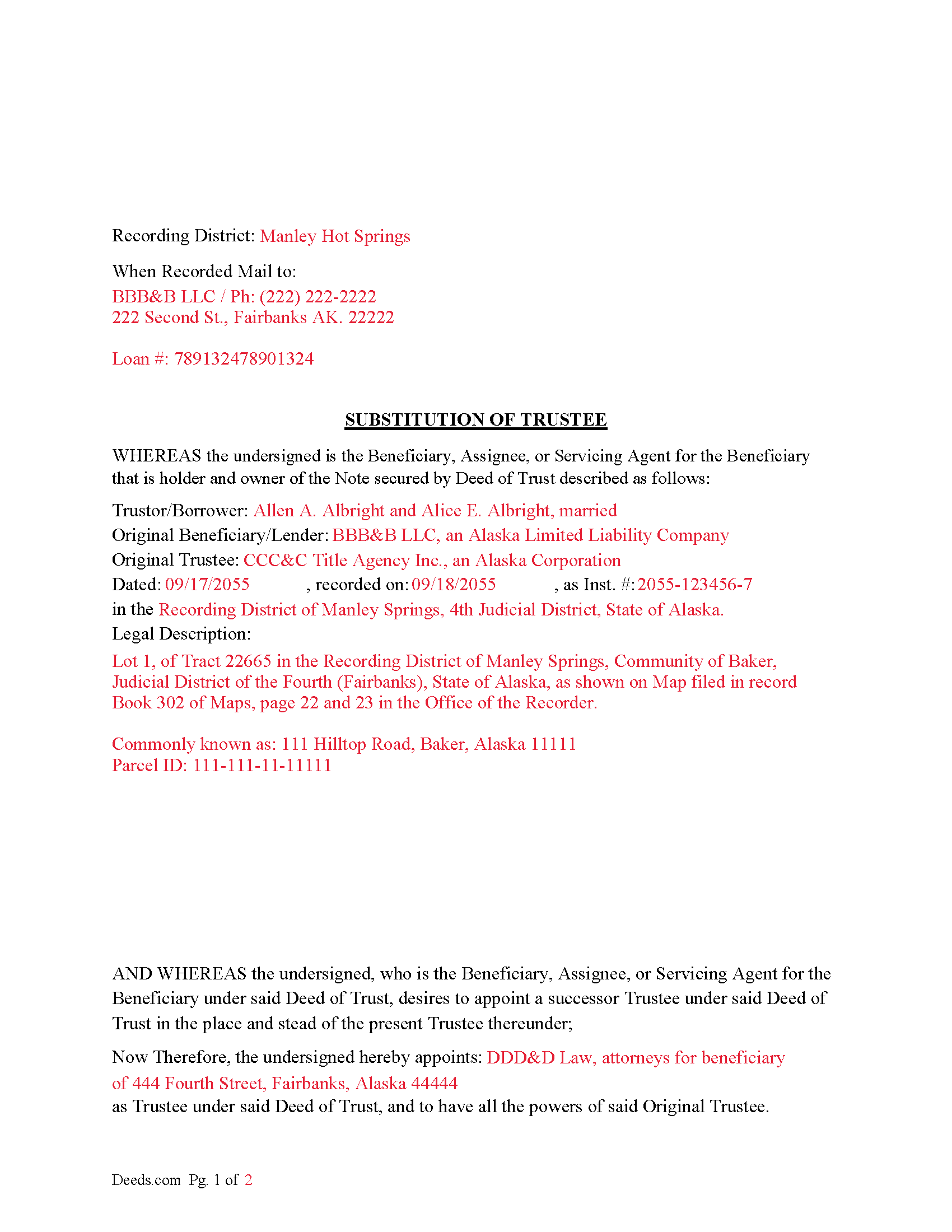
Bethel Borough Completed Example of a Substitution of Trustee Document
Example of a properly completed form for reference.
All 3 documents above included • One-time purchase • No recurring fees
Immediate Download • Secure Checkout
Additional Alaska and Bethel Borough documents included at no extra charge:
Where to Record Your Documents
Fairbanks Office
Fairbanks, Alaska 99701-6206
Hours: 8:00am to 3:30pm M-F / Research from 7:30am
Phone: (907) 452-2951 or 452-2298
Recording Tips for Bethel Borough:
- Bring your driver's license or state-issued photo ID
- Ensure all signatures are in blue or black ink
- Ask if they accept credit cards - many offices are cash/check only
- Check that your notary's commission hasn't expired
- Documents must be on 8.5 x 11 inch white paper
Cities and Jurisdictions in Bethel Borough
Properties in any of these areas use Bethel Borough forms:
- Akiachak
- Akiak
- Aniak
- Bethel
- Chefornak
- Crooked Creek
- Eek
- Goodnews Bay
- Kalskag
- Kasigluk
- Kipnuk
- Kongiganak
- Kwethluk
- Kwigillingok
- Lower Kalskag
- Mekoryuk
- Napakiak
- Nightmute
- Nunapitchuk
- Platinum
- Quinhagak
- Red Devil
- Sleetmute
- Toksook Bay
- Tuluksak
- Tuntutuliak
- Tununak
Hours, fees, requirements, and more for Bethel Borough
How do I get my forms?
Forms are available for immediate download after payment. The Bethel Borough forms will be in your account ready to download to your computer. An account is created for you during checkout if you don't have one. Forms are NOT emailed.
Are these forms guaranteed to be recordable in Bethel Borough?
Yes. Our form blanks are guaranteed to meet or exceed the applicable formatting requirements used for recording in Bethel Borough, including margin requirements, font requirements, and other layout standards. This guarantee applies to formatting, not to the legal sufficiency of information entered by the user or the suitability of a form for a particular transaction.
Can I reuse these forms?
Yes. You can reuse the forms for your personal use. For example, if you have multiple properties in Bethel Borough you only need to order once.
What do I need to use these forms?
The forms are PDFs that you fill out on your computer. The free Adobe Acrobat Reader is recommended, and most PDF apps also work. You do NOT enter your property information online - you download the blank forms and complete them privately on your own computer.
Are there any recurring fees?
No. This is a one-time purchase. Nothing to cancel, no memberships, no recurring fees.
How much does it cost to record in Bethel Borough?
Recording fees in Bethel Borough vary. Contact the recorder's office at (907) 452-2951 or 452-2298 for current fees.
Questions answered? Let's get started!
Use this form to substitute a trustee in a previously recorded Deed of Trust, typically executed to perform a foreclosure or when the current trustee can't or won't act.
((b) The substitution must contain
(1) the date of execution of the trust deed;
(2) the names of the trustee, trustor, and beneficiary, and, if the substitution is executed by the attorney for the beneficiary or successor in interest to the beneficiary, the name, address, and Alaska Bar Association identification number of the attorney;
(3) the book and page where the trust deed is recorded or the serial number assigned to the trust deed by the recorder;
(4) the name of the new trustee; and
(5) an acknowledgment signed and acknowledged by the trustee named in the trust deed of a receipt of a copy of the substitution, or an affidavit of service of a copy of it.
(c) From the time the substitution is filed for record, the new trustee succeeds to all the powers, duties, authority, and title of the trustee named in the deed of trust.
(d) When a title insurance company authorized to do business by a certificate of authority granted under AS 21.66 has been purchased by, merged into, or consolidated with, or has transferred all or substantially all of its business assets to, another authorized title insurance company, the surviving or successor company, by operation of law, succeeds to the duties of the predecessor company granted to that predecessor as trustee in any trust deed described in (a) of this section.) (Alaska Sec. 34.20.120.)
This form contains an "Affidavit of Service of Substitution of Trustee" clause/paragraph as described in AK Sec. 34.20.120(5) above.
For use in Alaska only.
Important: Your property must be located in Bethel Borough to use these forms. Documents should be recorded at the borough or census area recording office listed above.
This Substitution of Trustee meets all recording requirements specific to Bethel Borough.
Our Promise
The documents you receive here are guaranteed to meet or exceed the applicable Bethel Borough recording format requirements. If there is a rejection caused by our formatting, we will correct the issue or refund your payment. This guarantee applies to document formatting only and does not extend to information entered by the user, the selection of the form, or the legal effect of the completed document.
Save Time and Money
Get your Bethel Borough Substitution of Trustee form done right the first time with Deeds.com Uniform Conveyancing Blanks. At Deeds.com, we understand that your time and money are valuable resources, and we don't want you to face a penalty fee or rejection imposed by a county recorder for submitting nonstandard documents. We constantly review and update our forms to meet rapidly changing state and county recording requirements for roughly 3,500 counties and local jurisdictions.
4.8 out of 5 - ( 4,819 Reviews )
Bonnie C. 5 out of 5 stars
Easy and convenient. Was nice to have just a one time charge without a so-called anual fee/membership. Will use again if needed. May update review after "all is said and done."
Thank you!
Brends I. 5 out of 5 stars
I had a problem because I was using a phone, so had to get my daughter to request again in her name so it went to her computer..but eventually got it printed
Thank you for your kind words and for choosing us.
Donna M. 5 out of 5 stars
Very easy to use, found the forms I needed right away. Downloaded and paid for within minutes! Excellent!
Thank you!
Lora N. 5 out of 5 stars
Excellent, easy to use! Awesome system. Loved it.
Thank you!
Joseph D. 5 out of 5 stars
Easy to use and a quick turnaround Deed was recorded and retuned within 24 hours
We are grateful for your engagement and feedback, which help us to serve you better. Thank you for being an integral part of our community.
Janet J. 5 out of 5 stars
These forms were very easy to both download and print, as well as fill out on the site and then print. The instructions are clear and concise. We have not yet been to the County to file them, but we are expecting no issues.
We appreciate your business and value your feedback. Thank you. Have a wonderful day!
Judy A S. 5 out of 5 stars
Great do it yourself forms (I used the Quitclaim deed). If you think you're going to need a lot of hand holding you might consider hiring an attorney. The guide and general information provided by deeds.com will help if you have some idea of what you are doing and you are willing to research a little. Your mileage may vary but for me, this was a very efficient and economical way to get my quitclaim deed done.
Thank you for your feedback. We really appreciate it. Have a great day!
Karen M. 5 out of 5 stars
Great way to get the forms you need. Quick, easy and affordable
Thank you!
Charles C. 5 out of 5 stars
I found this site to be very easy to use . I found and printed what I needed in just a few minutes after getting on the sit . Good work setting up this site . Thank you .
Thank you!
Michael W. 5 out of 5 stars
Easy to use and fast
Thank you!
JOHN P. 5 out of 5 stars
I thought your service would comply with my request quicker.
Looks like it took 4 minutes to complete your order, sorry it took so long.
Bryan R. 5 out of 5 stars
Deeds.com was very helpful and user friendly! Their team has been very prompt to respond to my emails. I highly recommend Deeds.com to fulfill deed recording needs!
Thanks so much, Bryan! We appreciate the kind words and your recommendation.
Cindy B. 5 out of 5 stars
super easy and clean looking
Thank you for your support — it means a great deal to us.
Julie S. 5 out of 5 stars
My county clerks office referred me to this website and I am so glad she did. This site is very easy to use, they do NOT try to sell you other things you don't need (or want) nor do they make you sign up for anything. Pick what you need and whalaa - there for you in seconds. Thank you so much - will use again should the need arise. JS
Thank you for your feedback. We really appreciate it. Have a great day!
Dreama R. 5 out of 5 stars
Awesome! I had to correct a quit claim deed and the form on your site made it very easy. Thank you
We appreciate your business and value your feedback. Thank you. Have a wonderful day!