Ketchikan Gateway Borough Substitution of Trustee Form
Last validated October 7, 2026 by our Forms Development TeamFormatted for recording in Ketchikan Gateway Borough, for property anywhere in the borough or census area: rural and unincorporated areas as well as Ketchikan, Ward Cove.
- 3 documents included
- Immediate PDF download
- Formatting guarantee
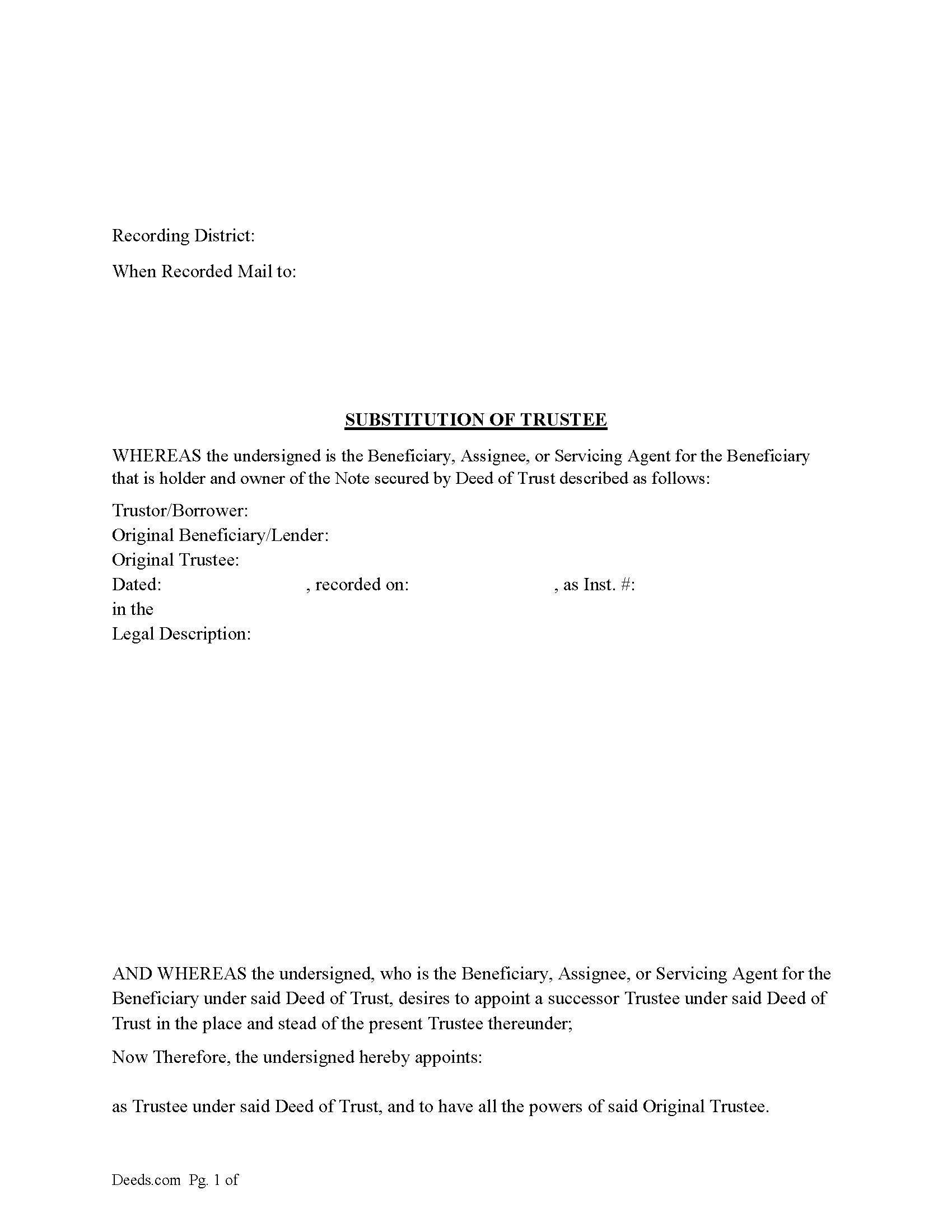
Ketchikan Gateway Borough Substitution of Trustee Form
Fill in the blank form formatted to comply with all recording and content requirements.
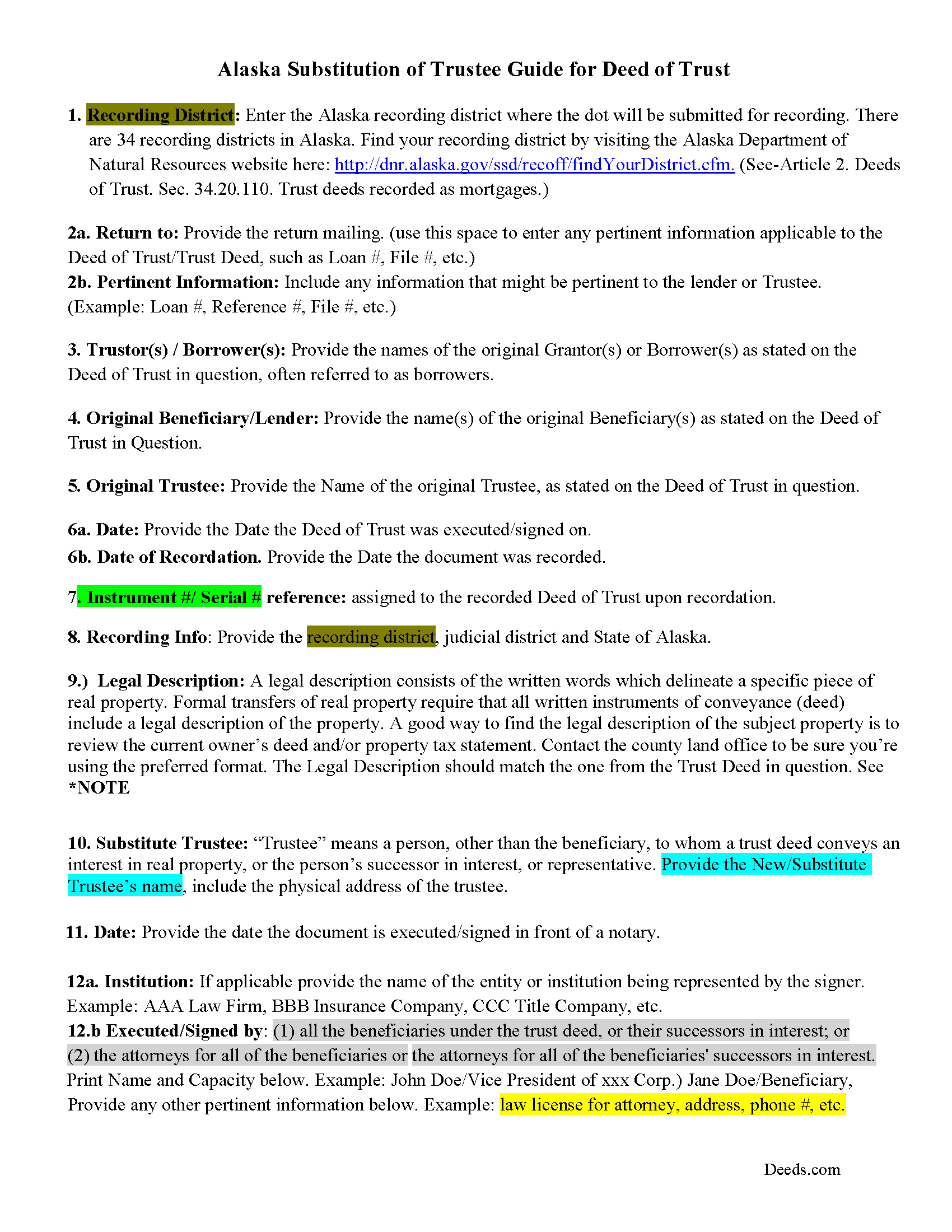
Ketchikan Gateway Borough Substitution of Trustee Guide
Line by line guide explaining every blank on the Substitution of Trustee form.
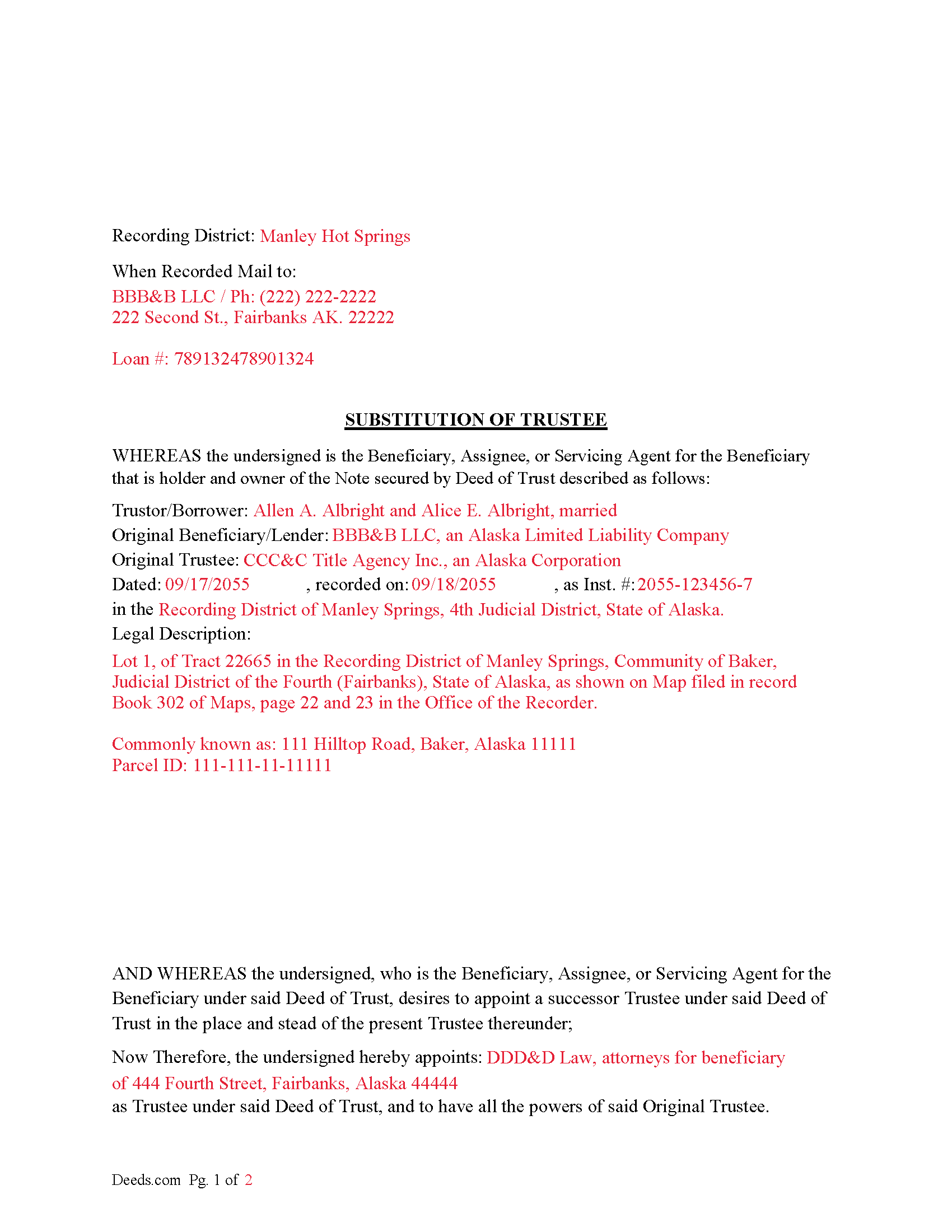
Ketchikan Gateway Borough Completed Example of a Substitution of Trustee Document
Example of a properly completed form for reference.
All 3 documents above included • One-time purchase • No recurring fees
Immediate Download • Secure Checkout
Additional Alaska and Ketchikan Gateway Borough documents included at no extra charge:
Where to Record Your Documents
Juneau Office (for Ketchikan District)
Juneau, Alaska 99801 / 99811-1013
Hours: 8:00 to 12:00 and 1:00 to 3:30 M-F
Phone: (907) 465-2514
Recording Tips for Ketchikan Gateway Borough:
- Bring your driver's license or state-issued photo ID
- Ensure all signatures are in blue or black ink
- Ask for certified copies if you need them for other transactions
- Ask if they accept credit cards - many offices are cash/check only
- Check that your notary's commission hasn't expired
Cities and Jurisdictions in Ketchikan Gateway Borough
Properties in any of these areas use Ketchikan Gateway Borough forms:
- Ketchikan
- Ward Cove
Hours, fees, requirements, and more for Ketchikan Gateway Borough
How do I get my forms?
Forms are available for immediate download after payment. The Ketchikan Gateway Borough forms will be in your account ready to download to your computer. An account is created for you during checkout if you don't have one. Forms are NOT emailed.
Are these forms guaranteed to be recordable in Ketchikan Gateway Borough?
Yes. Our form blanks are guaranteed to meet or exceed the applicable formatting requirements used for recording in Ketchikan Gateway Borough, including margin requirements, font requirements, and other layout standards. This guarantee applies to formatting, not to the legal sufficiency of information entered by the user or the suitability of a form for a particular transaction.
Can I reuse these forms?
Yes. You can reuse the forms for your personal use. For example, if you have multiple properties in Ketchikan Gateway Borough you only need to order once.
What do I need to use these forms?
The forms are PDFs that you fill out on your computer. The free Adobe Acrobat Reader is recommended, and most PDF apps also work. You do NOT enter your property information online - you download the blank forms and complete them privately on your own computer.
Are there any recurring fees?
No. This is a one-time purchase. Nothing to cancel, no memberships, no recurring fees.
How much does it cost to record in Ketchikan Gateway Borough?
Recording fees in Ketchikan Gateway Borough vary. Contact the recorder's office at (907) 465-2514 for current fees.
Questions answered? Let's get started!
Use this form to substitute a trustee in a previously recorded Deed of Trust, typically executed to perform a foreclosure or when the current trustee can't or won't act.
((b) The substitution must contain
(1) the date of execution of the trust deed;
(2) the names of the trustee, trustor, and beneficiary, and, if the substitution is executed by the attorney for the beneficiary or successor in interest to the beneficiary, the name, address, and Alaska Bar Association identification number of the attorney;
(3) the book and page where the trust deed is recorded or the serial number assigned to the trust deed by the recorder;
(4) the name of the new trustee; and
(5) an acknowledgment signed and acknowledged by the trustee named in the trust deed of a receipt of a copy of the substitution, or an affidavit of service of a copy of it.
(c) From the time the substitution is filed for record, the new trustee succeeds to all the powers, duties, authority, and title of the trustee named in the deed of trust.
(d) When a title insurance company authorized to do business by a certificate of authority granted under AS 21.66 has been purchased by, merged into, or consolidated with, or has transferred all or substantially all of its business assets to, another authorized title insurance company, the surviving or successor company, by operation of law, succeeds to the duties of the predecessor company granted to that predecessor as trustee in any trust deed described in (a) of this section.) (Alaska Sec. 34.20.120.)
This form contains an "Affidavit of Service of Substitution of Trustee" clause/paragraph as described in AK Sec. 34.20.120(5) above.
For use in Alaska only.
Important: Your property must be located in Ketchikan Gateway Borough to use these forms. Documents should be recorded at the borough or census area recording office listed above.
This Substitution of Trustee meets all recording requirements specific to Ketchikan Gateway Borough.
Our Promise
The documents you receive here are guaranteed to meet or exceed the applicable Ketchikan Gateway Borough recording format requirements. If there is a rejection caused by our formatting, we will correct the issue or refund your payment. This guarantee applies to document formatting only and does not extend to information entered by the user, the selection of the form, or the legal effect of the completed document.
Save Time and Money
Get your Ketchikan Gateway Borough Substitution of Trustee form done right the first time with Deeds.com Uniform Conveyancing Blanks. At Deeds.com, we understand that your time and money are valuable resources, and we don't want you to face a penalty fee or rejection imposed by a county recorder for submitting nonstandard documents. We constantly review and update our forms to meet rapidly changing state and county recording requirements for roughly 3,500 counties and local jurisdictions.
4.8 out of 5 - ( 4,858 Reviews )
ELOISA F. 5 out of 5 stars
Once I had everything right;the recording was fast and easy. I was updated at every juncture and apprised of my mistakes in order to fix and record my deed. To improve service: I think that several different examples and scenarios would have helped. If you have different names from your children; birth certificates and marriage certificates are a requirement in Clark County, NV. If you want to add anyone to the deed in a Quit Claim Deed; you have to add yourself as a grantee even if you are the grantor along with the other grantees.
Thank you for your feedback. We really appreciate it. Have a great day!
LAWRENCE S. 5 out of 5 stars
I am mostly satisfied with my Deeds.Com experience. Not sure if you can do anything about this, but since it is fairly common, I thought the Quit Claim Form would have a section specifically for adding spouse to a deed.
Thank you for your feedback. We really appreciate it. Have a great day!
Robert L. 1 out of 5 stars
I did not use your service. $19 to upload a document to our local tax accessor office is a bit high. I drove the document to the office myself.
Thank you for your feedback Robert. Glad to hear that you got your document recorded. Sorry to hear that your time, fuel, and wear on your vehicle are valued at less than $19. Have a wonderful day.
Sidney L. 3 out of 5 stars
Not a fan. Filling in the WI RE transfer return was simple enough. However, it downloaded as a DOR file and I can't find a program to open it. So, I have no way to print the form to complete the process.
Thank you for your feedback. We really appreciate it. Have a great day!
Anne H. 5 out of 5 stars
After some initial general confusion -- (we sold a small piece of land privately and therefore do not typically prepare such documentation (!)) -- we were able to purchase and download all forms from Deeds.com and understand how to complete it/them. The help is all there, we just needed to read and study it - the "Example" helped alot. We were able to complete the Document per your online form(s) and then take it to be signed/notarized - and take the completed paper document to the Registry -- and it is now all registered and we are All Set. Took the morning (only). THANK YOU. A wonderful tool!!
We appreciate your business and value your feedback. Thank you. Have a wonderful day!
Joan H. 5 out of 5 stars
I am happy I can record this this way.
Thank you!
Elbert M. 5 out of 5 stars
I found The blank documents easy to use and the instructions informative and simple to follow. Thanks
Thank you for your feedback. We really appreciate it. Have a great day!
Hans S. 5 out of 5 stars
This is my first time using this service so having not yet filed the documents I purchased, I will say that I am impressed at how comprehensive the instructions are that accompany the document I purchased.
We appreciate your business and value your feedback. Thank you. Have a wonderful day!
Gloria J. 5 out of 5 stars
I needed a Missouri Notice of Intent to Sell without a named designated buyer. Mo Statutes require notice be notarized and filed 45 days before any closing to protect buyer from liens. You do not have that document. We are flipping a house so it must be filed. Our lawyer was on vacation. Cannot find one anywhere on net. Finally got a template from our title company.
Thank you for your feedback Gloria.
Evelyn T. 5 out of 5 stars
Easy to follow; user friendly.
We appreciate your business and value your feedback. Thank you. Have a wonderful day!
Annette H. 5 out of 5 stars
Deeds.com has done a wonderful job! They are quick to get back to me either with the Deed or reason why there is no Deed. You have saved me so much time using your services that I hope to keep using them for years to come! Thank you!
Thank you!
Earle T. 5 out of 5 stars
This is an excellent service. And very easy to use.
We appreciate your business and value your feedback. Thank you. Have a wonderful day!
Flordeliza R. 5 out of 5 stars
Once I was able to get my scanner working and provide good quality scans, the turnaround was quick and my documents were recorded and returned to me the same day with the Recorder's Stamp for download. Deeds.com staff was able to guide me to make sure my package was complete. Thank you!
We appreciate your business and value your feedback. Thank you. Have a wonderful day!
Joan H. 5 out of 5 stars
Your service was fine but as a newly widowed senior, I wish your price was lower.
Thank you for your feedback. We really appreciate it. Have a great day!
Steven N. 5 out of 5 stars
I was introduced to Deeds.com from my title company. I wanted the title company to do a courtesy recording for me and they suggested Deeds.com. Best suggestion in a while. The interface to use the website was seemlessly easy. The communication with the service staff was thorough and prompt. After the initial verification process (which the photo app was a little tricky), everything was easy. Will use them again.
Your feedback is greatly appreciated. Thank you for taking the time to share your experience!