Calhoun County Certificate of Trust Form
Last validated October 5, 2026 by our Forms Development TeamFormatted for recording in Calhoun County, for property anywhere in the county: rural and unincorporated areas as well as Hampton, Harrell, Thornton.
- 3 documents included
- Immediate PDF download
- Formatting guarantee
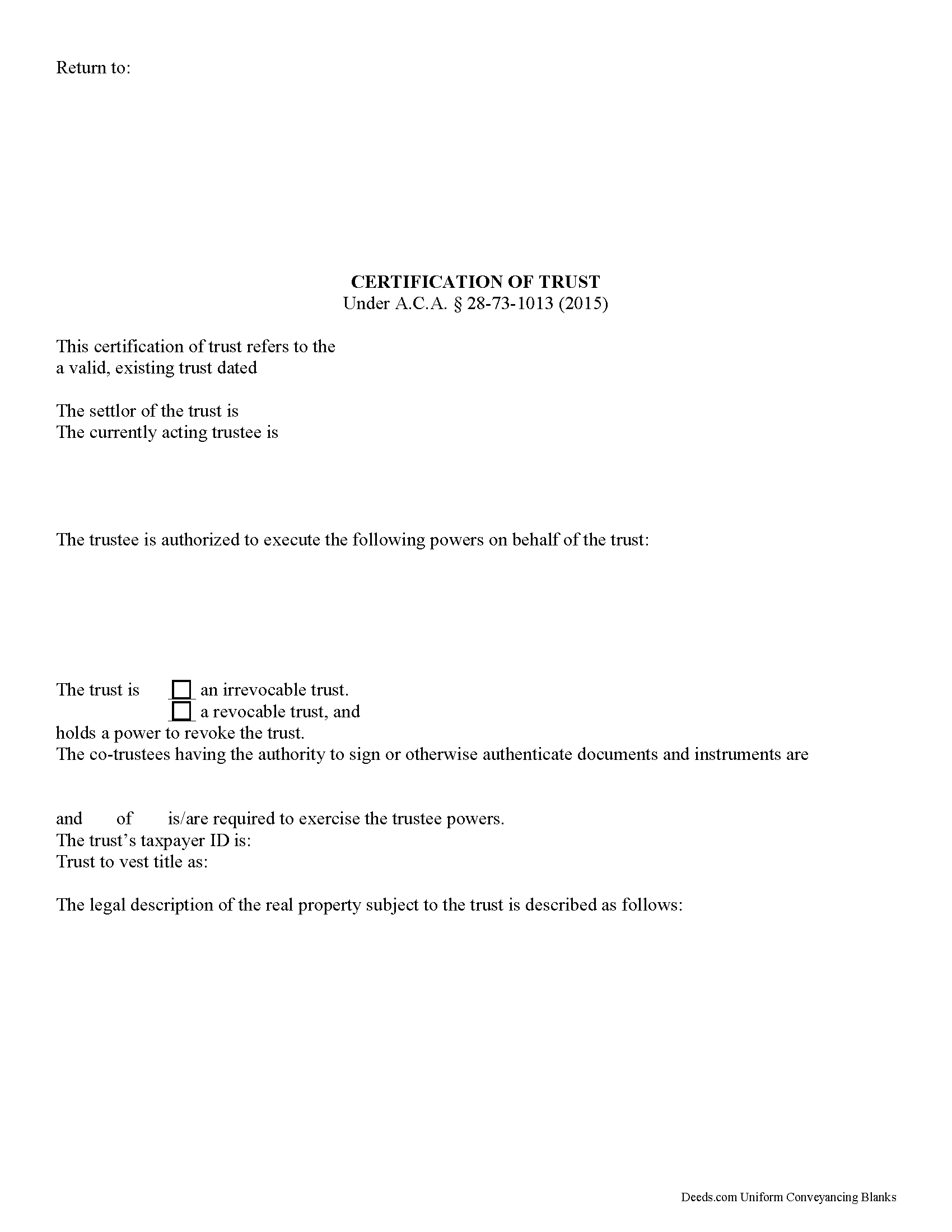
Calhoun County Certificate of Trust Form
Fill in the blank form formatted to comply with all recording and content requirements.
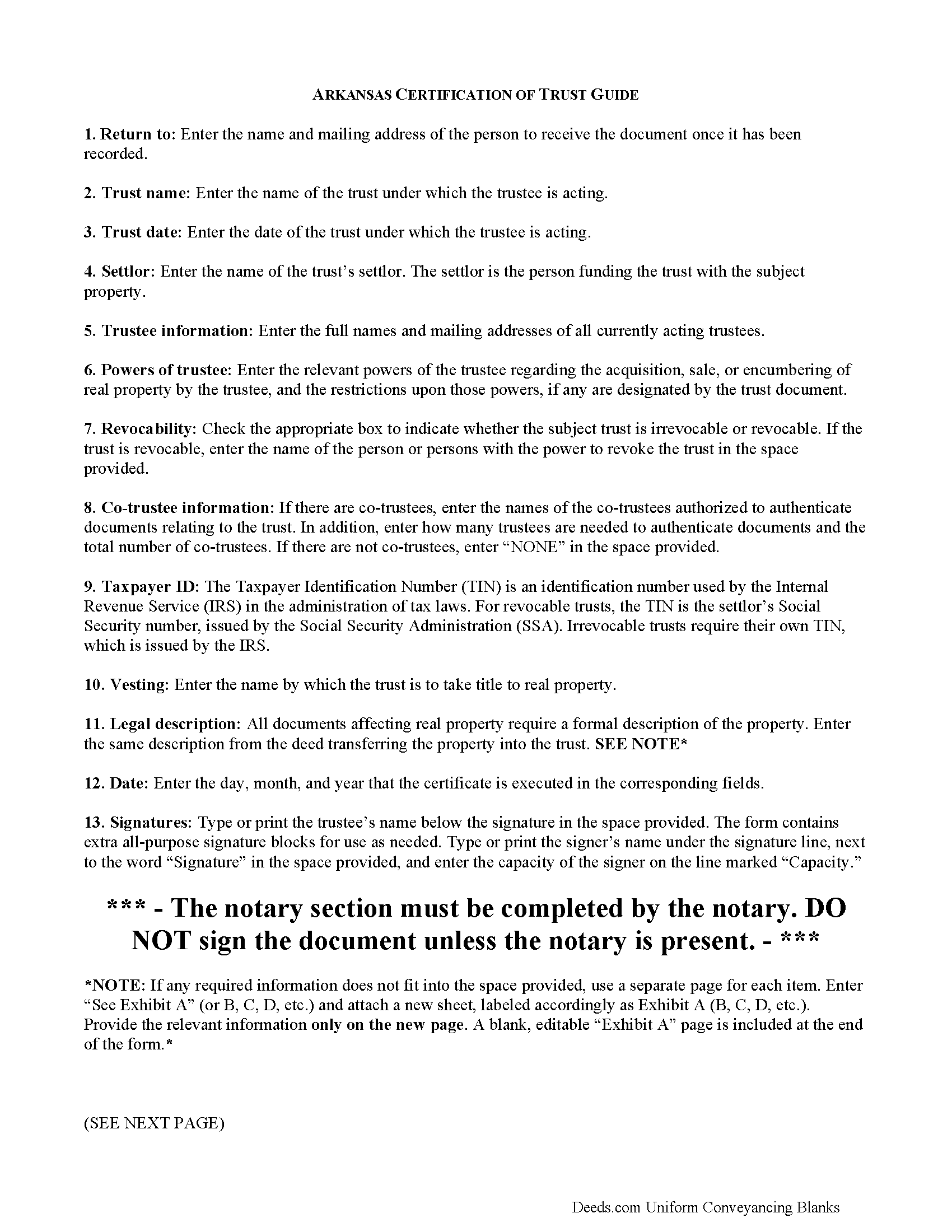
Calhoun County Certificate of Trust Guide
Line by line guide explaining every blank on the form.
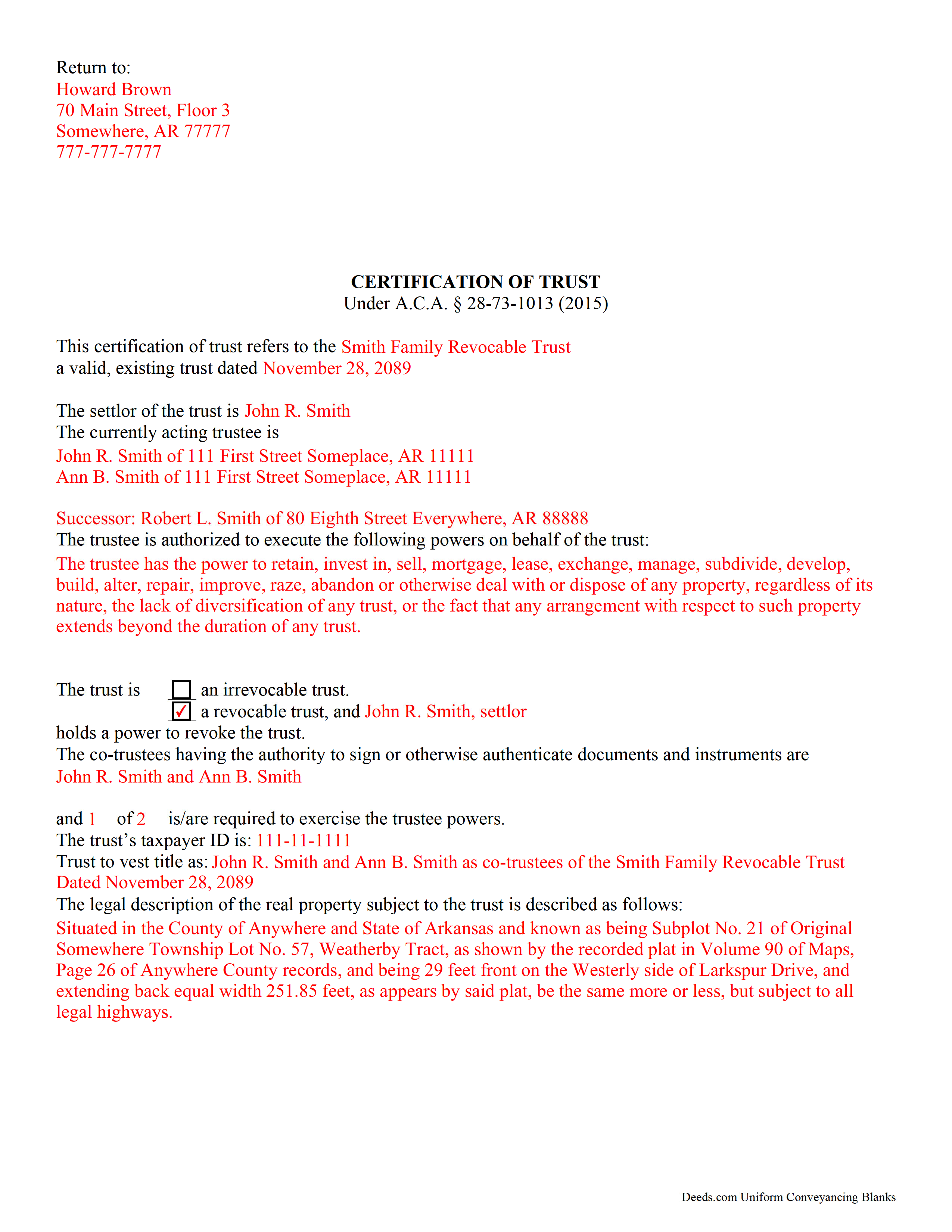
Calhoun County Completed Example of the Certificate of Trust Document
Example of a properly completed form for reference.
All 3 documents above included • One-time purchase • No recurring fees
Immediate Download • Secure Checkout
Additional Arkansas and Calhoun County documents included at no extra charge:
Where to Record Your Documents
Circuit and County Clerk
Hampton, Arkansas 71744
Hours: 8:00am to 4:30pm M-F
Phone: (870) 798-2517
Recording Tips for Calhoun County:
- Bring your driver's license or state-issued photo ID
- Ensure all signatures are in blue or black ink
- Double-check legal descriptions match your existing deed
- Verify all names are spelled correctly before recording
- White-out or correction fluid may cause rejection
Cities and Jurisdictions in Calhoun County
Properties in any of these areas use Calhoun County forms:
- Hampton
- Harrell
- Thornton
Hours, fees, requirements, and more for Calhoun County
How do I get my forms?
Forms are available for immediate download after payment. The Calhoun County forms will be in your account ready to download to your computer. An account is created for you during checkout if you don't have one. Forms are NOT emailed.
Are these forms guaranteed to be recordable in Calhoun County?
Yes. Our form blanks are guaranteed to meet or exceed the applicable formatting requirements used for recording in Calhoun County, including margin requirements, font requirements, and other layout standards. This guarantee applies to formatting, not to the legal sufficiency of information entered by the user or the suitability of a form for a particular transaction.
Can I reuse these forms?
Yes. You can reuse the forms for your personal use. For example, if you have multiple properties in Calhoun County you only need to order once.
What do I need to use these forms?
The forms are PDFs that you fill out on your computer. The free Adobe Acrobat Reader is recommended, and most PDF apps also work. You do NOT enter your property information online - you download the blank forms and complete them privately on your own computer.
Are there any recurring fees?
No. This is a one-time purchase. Nothing to cancel, no memberships, no recurring fees.
How much does it cost to record in Calhoun County?
Recording fees in Calhoun County vary. Contact the recorder's office at (870) 798-2517 for current fees.
Questions answered? Let's get started!
Under A.C.A. 28-73-1013, a trustee can furnish a certification of trust in lieu of the trust instrument to prove his or her authority to act on behalf of an established trust.
The certification is an official document a recipient can rely upon, and assume without inquiry the existence of the facts contained within (28-73-1013(f)(1)). The document contains only information about the trust deemed relevant to the immediate transaction for which it is requested. The recipient has the right to request excerpts from the trust document containing the information presented in the certificate, but this opens the recipient to certain liabilities (e),(h).
The certification includes basic information such as the name, date, and type (revocable or irrevocable) of the subject trust, and verifies that the trust has not been revoked, modified, or amended in any manner that would cause the representations contained in the certification of trust to be incorrect (c). It discloses the identities of the trust's settlor and all acting trustees, but maintains the confidentiality of anyone having a beneficial interest in the trust. The powers of the trustee relevant to the conveyance of trust property are enumerated, as well as any requirements for authenticating documents in the case that there are multiple trustees. Finally, the certificate establishes the name by which a trust will vest title to real property.
As with all documents relating to real estate, the certification should contain a legal description of the subject property. This is the same legal description found on the deed conveying the property into the trust. The certification of trust is signed by any trustee in front of a notary public before it is recorded in the county in which the subject property is situated.
Each case is unique, so contact an attorney with any questions regarding certifications of trust or for complex situations.
(Arkansas Certificate of Trust Package includes form, guidelines, and completed example)
Important: Your property must be located in Calhoun County to use these forms. Documents should be recorded at the county recording office listed above.
This Certificate of Trust meets all recording requirements specific to Calhoun County.
Our Promise
The documents you receive here are guaranteed to meet or exceed the applicable Calhoun County recording format requirements. If there is a rejection caused by our formatting, we will correct the issue or refund your payment. This guarantee applies to document formatting only and does not extend to information entered by the user, the selection of the form, or the legal effect of the completed document.
Save Time and Money
Get your Calhoun County Certificate of Trust form done right the first time with Deeds.com Uniform Conveyancing Blanks. At Deeds.com, we understand that your time and money are valuable resources, and we don't want you to face a penalty fee or rejection imposed by a county recorder for submitting nonstandard documents. We constantly review and update our forms to meet rapidly changing state and county recording requirements for roughly 3,500 counties and local jurisdictions.
4.8 out of 5 - ( 4,828 Reviews )
Janet M. 5 out of 5 stars
Was fairly easy to complete but my situation wasn't covered so I had to make a call to get help. Will see if it gets filed successfully.
Thank you!
Daphne M. 5 out of 5 stars
As always I found Deeds.com to be excellent. Every item required on the forms I chose was explained completely. The fact that documents are available from so many states is amazing. Daphne M.
Thank you for your feedback. We really appreciate it. Have a great day!
Louise D. 5 out of 5 stars
It was easy to complete the form and I appreciated the sample form.
We appreciate your business and value your feedback. Thank you. Have a wonderful day!
DAVID E. 5 out of 5 stars
Very professional and knowledgeable. Great communication.
Your feedback is greatly appreciated. Thank you for taking the time to share your experience!
Jacqueline C. 3 out of 5 stars
Was relieved to see your site actually delivered what I paid for.
Thank you!
Carol S. 5 out of 5 stars
Needed a Quit Claim Deed and am so happy I went to Deeds.com. Completed my forms - they looked professional and had no problem submitting them to Assessor's office. PERFECT!
We appreciate your business and value your feedback. Thank you. Have a wonderful day!
Teresa H. 5 out of 5 stars
cost effective and quick!
Thank you!
Herbert L. 5 out of 5 stars
Creating my enhanced lifde estate deed was rather easy but I am not happy. After buying the 3 form package for about $29 and crating my legal form... was not happy with your disclaimer than you cannot guarantee the form will meet required legal standards. I was convinced you all knew what you're doing since the forms are supposedly specific to Polk county, Florida.
Herbert, thank you for your feedback.
Our deed forms are prepared to meet the statutory and recording requirements for the state listed, including common formatting and content requirements used by county recorders.
The disclaimer exists because we are not acting as your attorney and cannot evaluate each customer’s specific facts, property history, or intended use of the document. For that reason, we cannot guarantee that a document will meet every possible legal need or circumstance.
Many customers successfully prepare and record their deeds using these materials, but anyone needing legal advice about their particular situation should consult a licensed attorney.
Felix M. 5 out of 5 stars
Very useful. I'm a Miami attorney and needed an amended deed specific to Texas. Document and instructions were very good.
Your feedback is appreciated. Thank you for letting us know how we did.
Maureen F. 5 out of 5 stars
Forms were delivered quickly and were easily filled out. State specific!
Thank you!
David R. 5 out of 5 stars
Very straightfoward and simple process. The submission of my artifact was completed within a half hour. The best part for me was the coverage/service-area that it included my jurisdiction
We are delighted to have been of service. Thank you for the positive review!
nancy h. 5 out of 5 stars
Once I figured out what I wanted it was great!
Thank you Nancy.
Tonya B. 5 out of 5 stars
Easy process. Thanks for making this resource available.
We appreciate your business and value your feedback. Thank you. Have a wonderful day!
Betty J W. 5 out of 5 stars
Was Totally Amazed, it was so easy to follow the example and I am 75 years old. I took my paper work in and it passed with flying colors. Thank-You So much saved me $665.00. BJW
Thank you!
Kerrin S. 5 out of 5 stars
This was so efficient. Thank you for offering this service!
Thank you for your feedback. We really appreciate it. Have a great day!