Calhoun County Release of Mechanic Lien Form
Last validated October 9, 2026 by our Forms Development TeamFormatted for recording in Calhoun County, for property anywhere in the county: rural and unincorporated areas as well as Hampton, Harrell, Thornton.
- 3 documents included
- Immediate PDF download
- Formatting guarantee
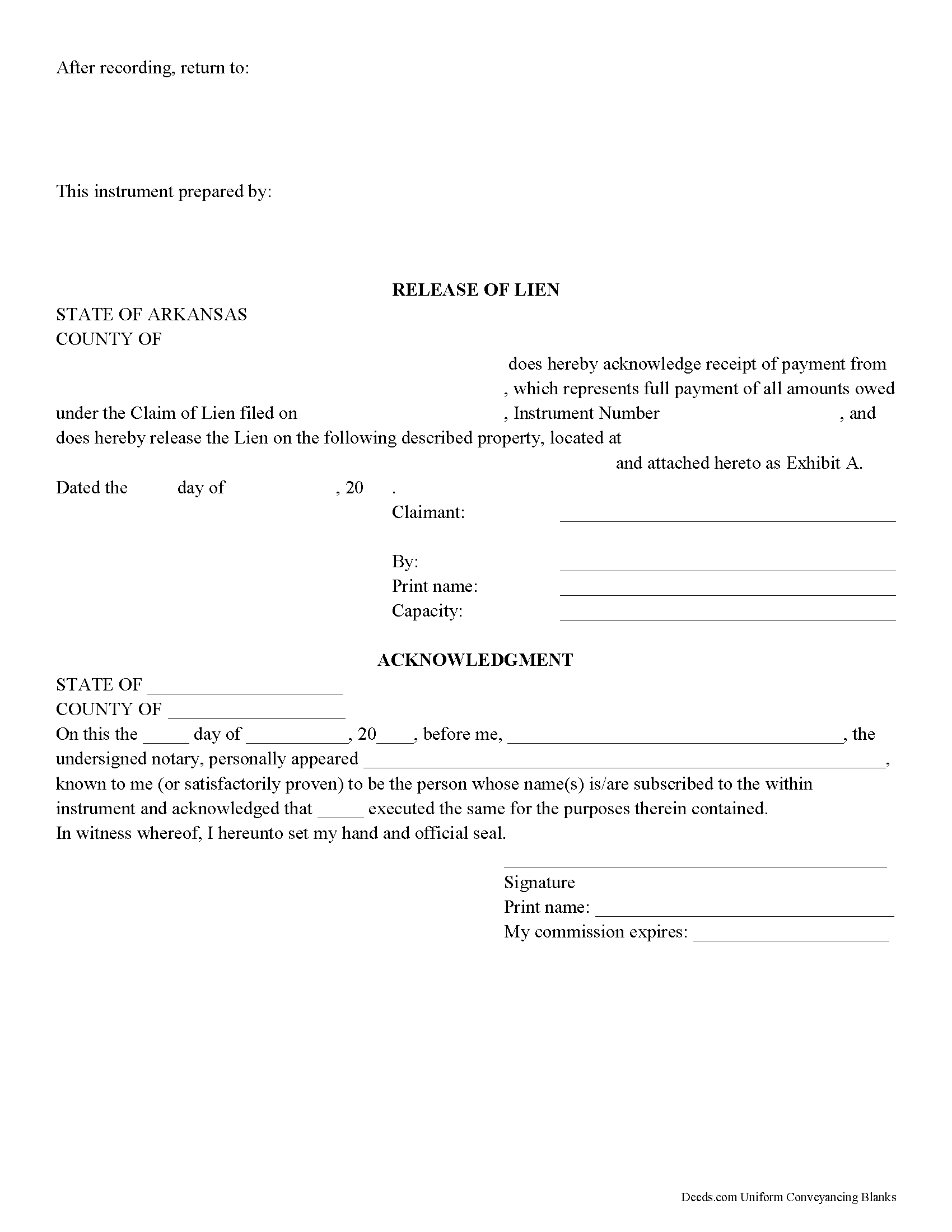
Calhoun County Release of Mechanic Lien Form
Fill in the blank Release of Mechanic Lien form formatted to comply with all Arkansas recording and content requirements.
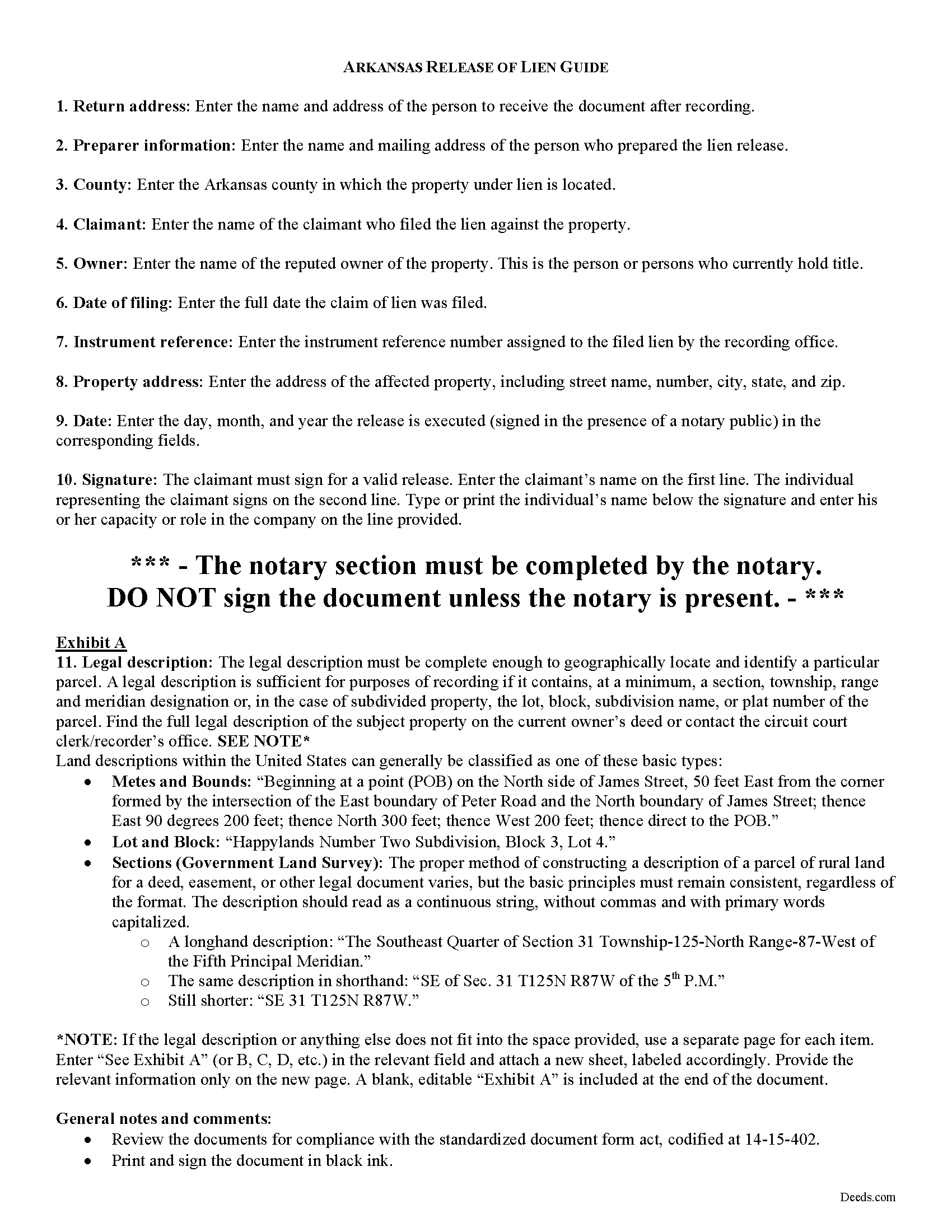
Calhoun County Release of Mechanic Lien Guide
Line by line guide explaining every blank on the form.
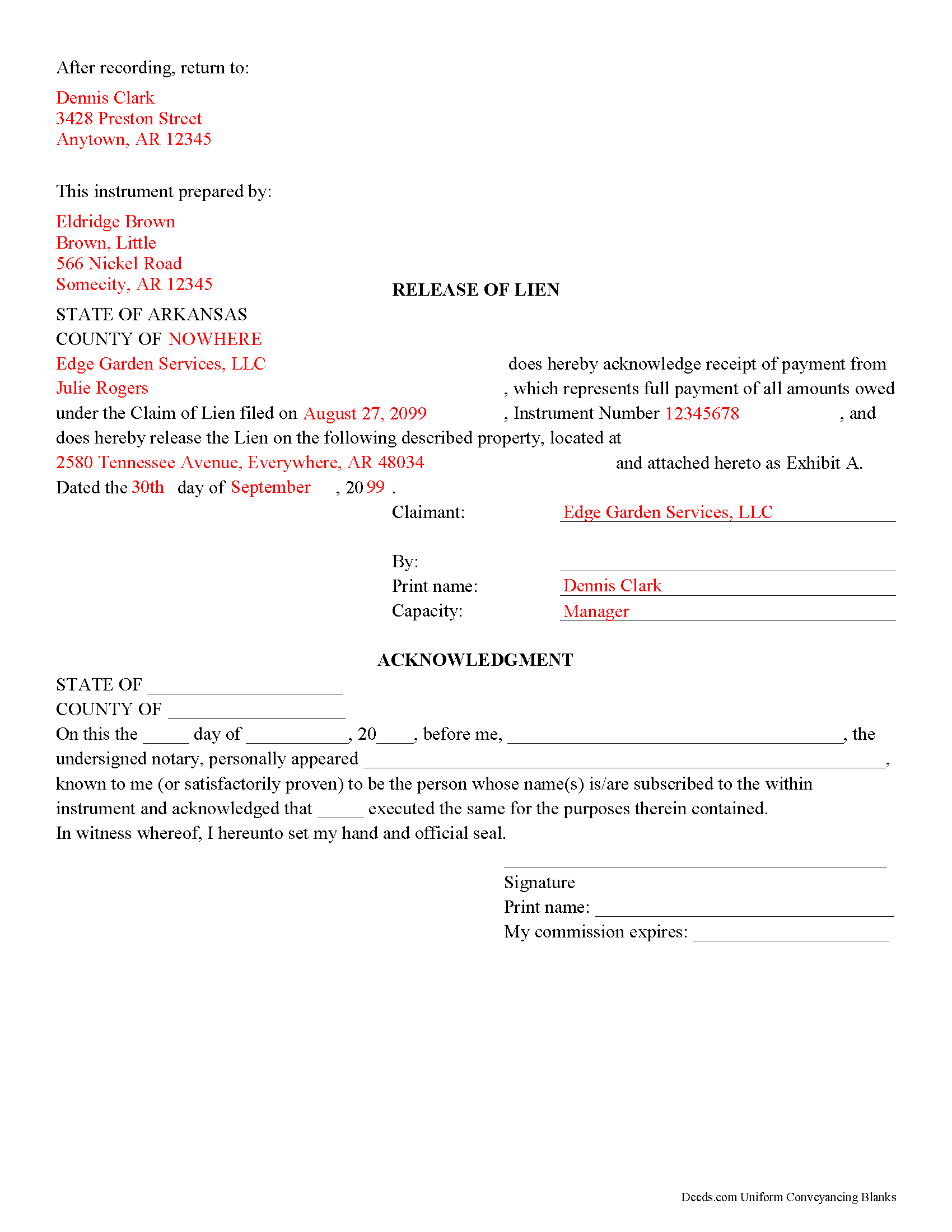
Calhoun County Completed Example of the Release of Mechanic Lien Document
Example of a properly completed form for reference.
All 3 documents above included • One-time purchase • No recurring fees
Immediate Download • Secure Checkout
Additional Arkansas and Calhoun County documents included at no extra charge:
Where to Record Your Documents
Circuit and County Clerk
Hampton, Arkansas 71744
Hours: 8:00am to 4:30pm M-F
Phone: (870) 798-2517
Recording Tips for Calhoun County:
- Bring your driver's license or state-issued photo ID
- Ensure all signatures are in blue or black ink
- Ask for certified copies if you need them for other transactions
- Ask if they accept credit cards - many offices are cash/check only
- Check that your notary's commission hasn't expired
Cities and Jurisdictions in Calhoun County
Properties in any of these areas use Calhoun County forms:
- Hampton
- Harrell
- Thornton
Hours, fees, requirements, and more for Calhoun County
How do I get my forms?
Forms are available for immediate download after payment. The Calhoun County forms will be in your account ready to download to your computer. An account is created for you during checkout if you don't have one. Forms are NOT emailed.
Are these forms guaranteed to be recordable in Calhoun County?
Yes. Our form blanks are guaranteed to meet or exceed the applicable formatting requirements used for recording in Calhoun County, including margin requirements, font requirements, and other layout standards. This guarantee applies to formatting, not to the legal sufficiency of information entered by the user or the suitability of a form for a particular transaction.
Can I reuse these forms?
Yes. You can reuse the forms for your personal use. For example, if you have multiple properties in Calhoun County you only need to order once.
What do I need to use these forms?
The forms are PDFs that you fill out on your computer. The free Adobe Acrobat Reader is recommended, and most PDF apps also work. You do NOT enter your property information online - you download the blank forms and complete them privately on your own computer.
Are there any recurring fees?
No. This is a one-time purchase. Nothing to cancel, no memberships, no recurring fees.
How much does it cost to record in Calhoun County?
Recording fees in Calhoun County vary. Contact the recorder's office at (870) 798-2517 for current fees.
Questions answered? Let's get started!
When debt secured by a mechanic's lien is paid by a property owner, the claimant is required to enter a satisfaction or release of lien in the office of the clerk of court within 10 days' receipt of payment pursuant to Ark. Code Sec. 18-44-131.
Arkansas does not have a statutory form for release of lien. Even so, entering a release into the public records provides an end point for the recorded lien. This helps to preserve a clear chain of title, which is important for future transactions involving the property.
The release of lien document should contain enough information to clear the encumbrance of the claim of lien from the property title. The release names the property owner and the claimant releasing the lien, and references the claim by instrument number and date of filing. Because the instrument affects real property, a legal description of the parcel is recommended so that the property may be identified correctly.
The lien claimant must sign the release in the presence of a notary public before recording the document in the circuit clerk's office where the property is located. Documents submitted for recording must meet Arkansas's standardized form, the requirements of which are located at Ark. Code Sec. 14-15-402.
Consult a licensed attorney with questions about releasing mechanic's liens, or for any other issues related to liens in Arkansas.
Important: Your property must be located in Calhoun County to use these forms. Documents should be recorded at the county recording office listed above.
This Release of Mechanic Lien meets all recording requirements specific to Calhoun County.
Our Promise
The documents you receive here are guaranteed to meet or exceed the applicable Calhoun County recording format requirements. If there is a rejection caused by our formatting, we will correct the issue or refund your payment. This guarantee applies to document formatting only and does not extend to information entered by the user, the selection of the form, or the legal effect of the completed document.
Save Time and Money
Get your Calhoun County Release of Mechanic Lien form done right the first time with Deeds.com Uniform Conveyancing Blanks. At Deeds.com, we understand that your time and money are valuable resources, and we don't want you to face a penalty fee or rejection imposed by a county recorder for submitting nonstandard documents. We constantly review and update our forms to meet rapidly changing state and county recording requirements for roughly 3,500 counties and local jurisdictions.
4.8 out of 5 - ( 4,828 Reviews )
Paul S. 5 out of 5 stars
Worked very well
Thank you!
HEATHER M. 5 out of 5 stars
The guide I needed was very easy to understand and the template was easy to complete. I had a property attorney review the deed before I had it registered and she was impressed. She said she couldn't have written it better herself! Definitely worth the money instead of paying high dollar attorney fees for a simple task.
Your feedback is greatly appreciated. Thank you for taking the time to share your experience!
Fedila A. 5 out of 5 stars
Thank you! I got the forms and saved them. Fast download and the price is given before ordering which is great. The only thing missing is the sample of the Cover Page. Thanks a lot!
We appreciate your business and value your feedback. Thank you. Have a wonderful day!
tim r. 5 out of 5 stars
easy sight and extra forms that I can use any time
We appreciate your business and value your feedback. Thank you. Have a wonderful day!
Shabaz W. 5 out of 5 stars
Very convenient
Thank you!
DONALD S. 5 out of 5 stars
Using the Administrators Deed, pay attention to "Exhibit A". The blank will allow you to type a full legal description BUT it will not save it. Use "Exhibit A" to type the legal description. The form was great and I filed it this morning with no problems.
Thank you for your feedback. We really appreciate it. Have a great day!
George R. 5 out of 5 stars
Your website worked but I am waiting for answers for two questions.
Thank you for your feedback. We really appreciate it. Have a great day!
Patricia C. 5 out of 5 stars
They had exactly what I was looking for. Easy to follow instructions and very helpful.
We appreciate your business and value your feedback. Thank you. Have a wonderful day!
Heidi J. 3 out of 5 stars
The form was useful, however the formatting is terrible once completed. A lot of white space with no option to remove extra spacing or to improve the overall formatting.
Thank you for your feedback, Heidi. We’re glad to hear the form itself was useful. We also understand your concern about the formatting and extra spacing once completed. Our forms are designed to meet strict county recording requirements, which can sometimes result in additional white space. That said, we’re always working to improve usability and presentation without compromising acceptance. Your input helps us identify where refinements are possible, and we’ll keep it in mind as we continue updating our templates.
Robbin J. 5 out of 5 stars
Really great website!! Easy to use!! Very helpful!!
Thank you!
Kayreen B. 5 out of 5 stars
Very happy with my experience with using Deeds.com! Especially easy to use with the sample page of what a form looks like filled out. saved a lot of money and it worked!
We appreciate your business and value your feedback. Thank you. Have a wonderful day!
Annie R. 5 out of 5 stars
Excellent service. Documents easy to understand and use.
We appreciate your business and value your feedback. Thank you. Have a wonderful day!
James R. 5 out of 5 stars
This site is a blessing in disguise-/>
Thank you!
Pam B. 4 out of 5 stars
This form really helped me out a lot could be a little more explanatory in some areas but all and all it works.
Thanks Pam, we appreciate your feedback.
Gloria B. 5 out of 5 stars
Super easy and efficient. One time charge for the form with no commitment to a recurring charge for monthly membership. *****
Thank you for your feedback. We really appreciate it. Have a great day!