Searcy County Quitclaim Deed (LLC Grantor) Form
Last validated October 16, 2026 by our Forms Development TeamFormatted for recording in Searcy County, for property anywhere in the county: rural and unincorporated areas as well as Gilbert, Harriet, Leslie, Marshall, Pindall, Saint Joe, Witts Springs.
- 3 documents included
- Immediate PDF download
- Formatting guarantee
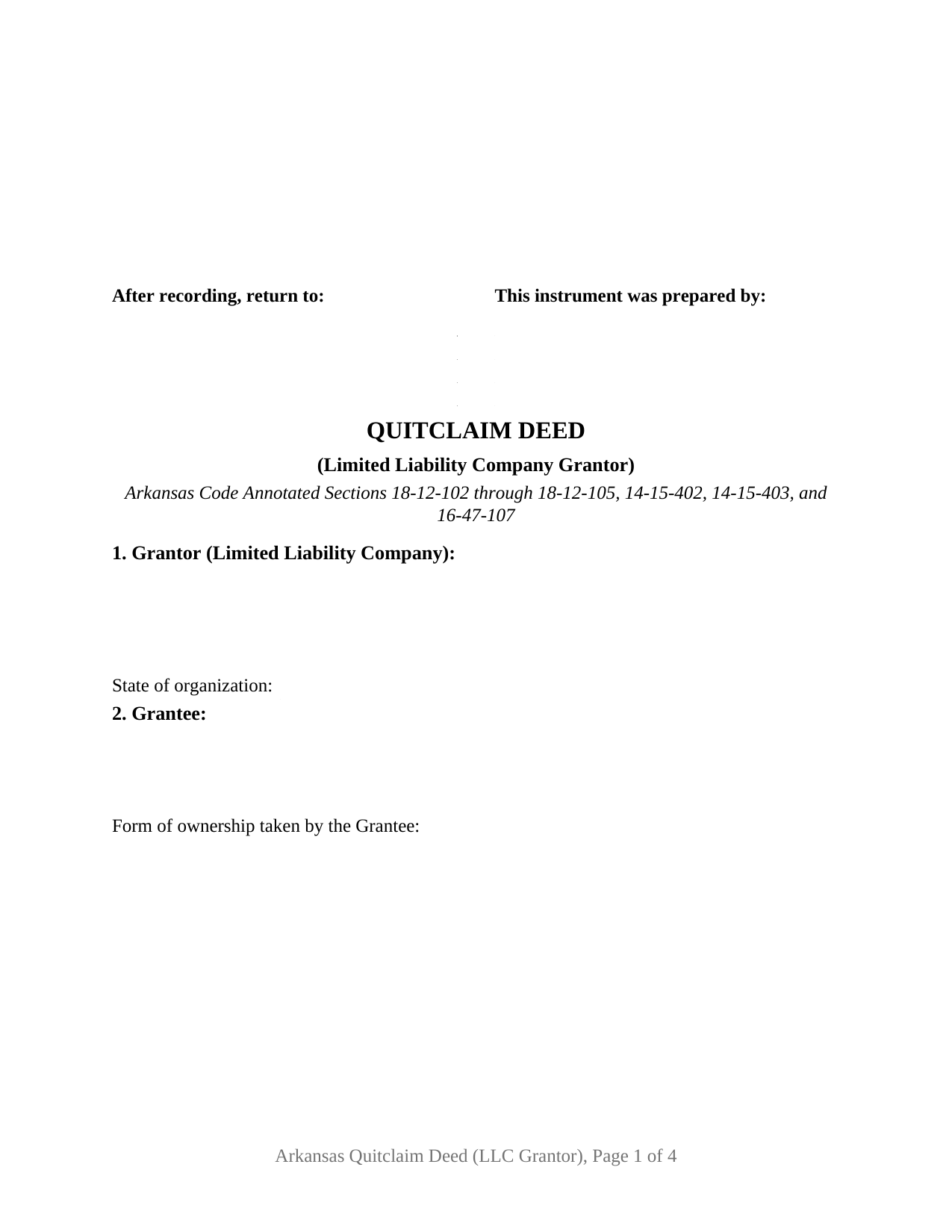
Searcy County Quitclaim Deed (LLC Grantor) Form
Fill in the blank Quitclaim Deed (LLC Grantor) form formatted to comply with all Arkansas recording and content requirements.
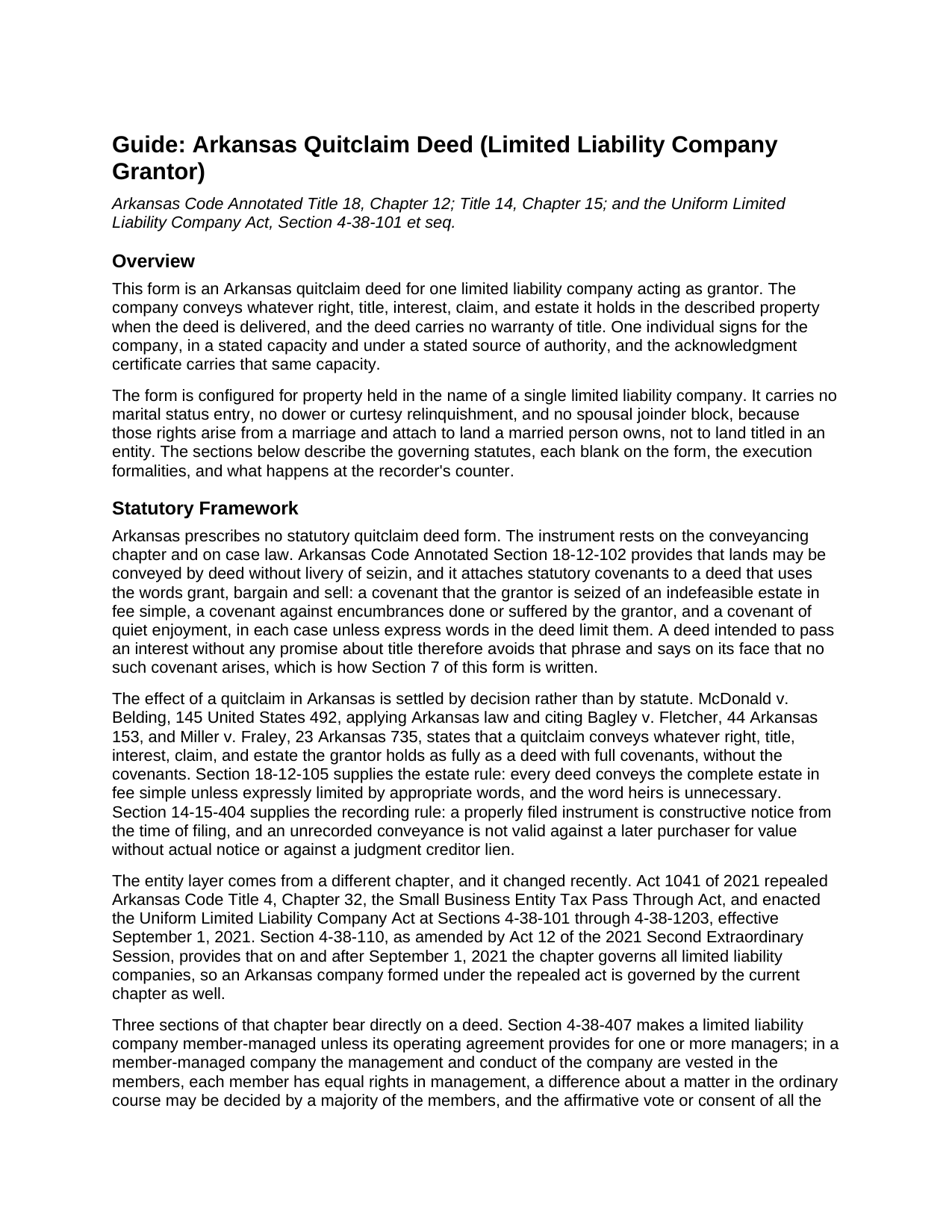
Searcy County Quitclaim Deed (LLC Grantor) Guide
Line by line guide explaining every blank on the Quitclaim Deed (LLC Grantor) form.
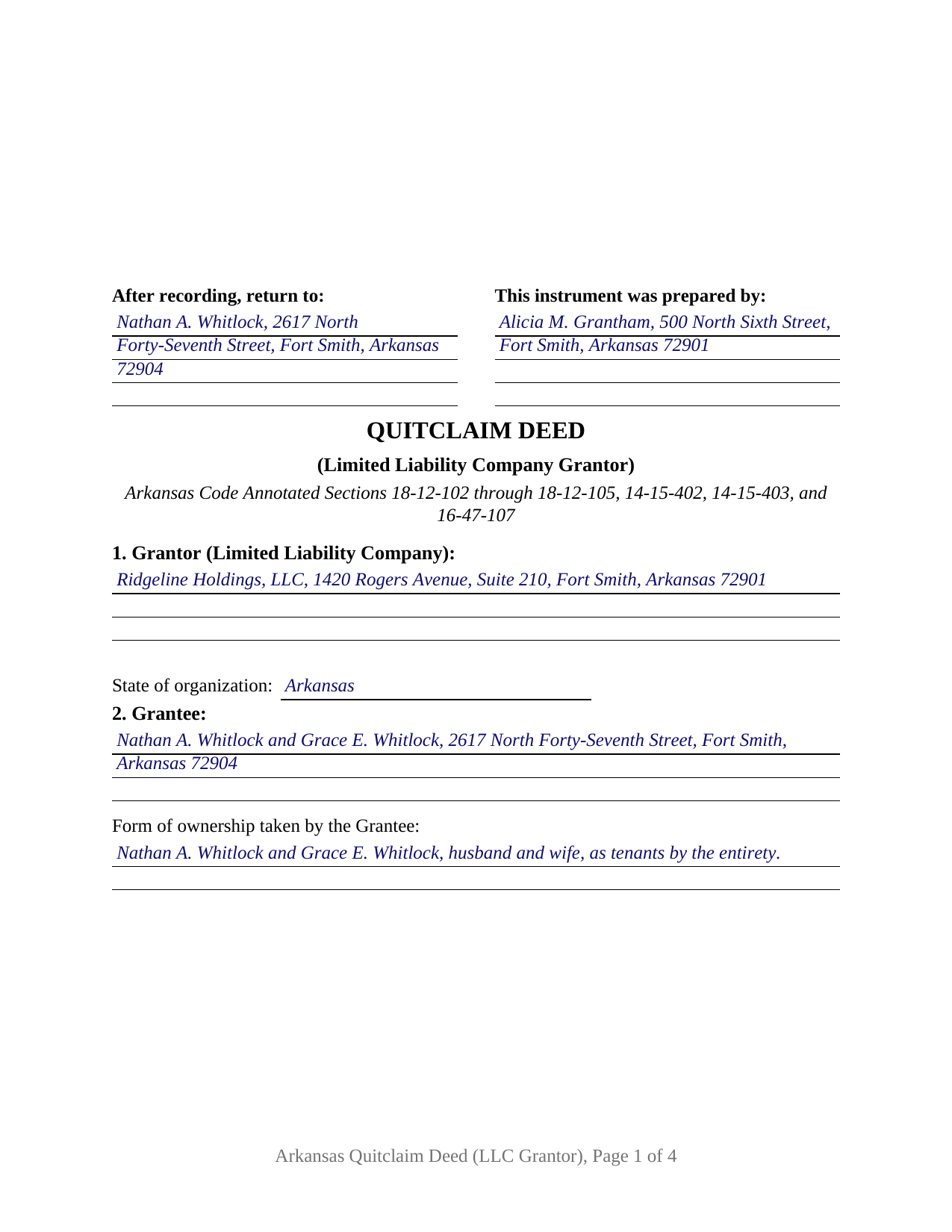
Searcy County Completed Example of the Quitclaim Deed (LLC Grantor) Document
Example of a properly completed Arkansas Quitclaim Deed (LLC Grantor) document for reference.
All 3 documents above included • One-time purchase • No recurring fees
Immediate Download • Secure Checkout
Additional Arkansas and Searcy County documents included at no extra charge:
Where to Record Your Documents
Searcy County Circuit and County Clerk
Marshall, Arkansas 72650
Hours: 8:00am to 4:30pm M-F
Phone: (870) 448-3807
Recording Tips for Searcy County:
- Bring your driver's license or state-issued photo ID
- Ensure all signatures are in blue or black ink
- Make copies of your documents before recording - keep originals safe
- Recorded documents become public record - avoid including SSNs
- Recording fees may differ from what's posted online - verify current rates
Cities and Jurisdictions in Searcy County
Properties in any of these areas use Searcy County forms:
- Gilbert
- Harriet
- Leslie
- Marshall
- Pindall
- Saint Joe
- Witts Springs
Hours, fees, requirements, and more for Searcy County
How do I get my forms?
Forms are available for immediate download after payment. The Searcy County forms will be in your account ready to download to your computer. An account is created for you during checkout if you don't have one. Forms are NOT emailed.
Are these forms guaranteed to be recordable in Searcy County?
Yes. Our form blanks are guaranteed to meet or exceed the applicable formatting requirements used for recording in Searcy County, including margin requirements, font requirements, and other layout standards. This guarantee applies to formatting, not to the legal sufficiency of information entered by the user or the suitability of a form for a particular transaction.
Can I reuse these forms?
Yes. You can reuse the forms for your personal use. For example, if you have multiple properties in Searcy County you only need to order once.
What do I need to use these forms?
The forms are PDFs that you fill out on your computer. The free Adobe Acrobat Reader is recommended, and most PDF apps also work. You do NOT enter your property information online - you download the blank forms and complete them privately on your own computer.
Are there any recurring fees?
No. This is a one-time purchase. Nothing to cancel, no memberships, no recurring fees.
How much does it cost to record in Searcy County?
Recording fees in Searcy County vary. Contact the recorder's office at (870) 448-3807 for current fees.
Questions answered? Let's get started!
Title held in a company's name changes the question at signing. An Arkansas deed by an individual raises marital rights; a deed by a limited liability company raises authority: which human being may sign, in what capacity, and under what grant of power. This quitclaim deed is configured for one limited liability company as grantor, collects those three things, and moves whatever interest the company holds to the grantee without warranty of title.
Why a member's signature stopped proving itself
Arkansas replaced its LLC statute in 2021. Act 1041 repealed the Small Business Entity Tax Pass Through Act and enacted the Uniform Limited Liability Company Act at Arkansas Code Annotated Section 4-38-101 and following, and Section 4-38-110 makes that chapter govern every Arkansas limited liability company, whenever formed. One sentence reaches every conveyance: under Section 4-38-301 a member is not an agent of the company solely by reason of being a member. The automatic signing power the repealed act gave members is gone: authority traces to the operating agreement, to a member or manager action taken under it, or to general agency law. Section 4-38-407 holds the defaults, unanimous member consent among them for an act outside the ordinary course.
Capacity and authority on the face of the record
Section 6 is this variant's center: the individual signing, the capacity held with the company, and the source of the authority relied on, whether the operating agreement, a consent adopted under it, or a statement of authority filed under Section 4-38-302. The capacity travels with the printed name and appears again in the certificate, which matters because Section 18-12-202 measures a certificate by whether it identifies the person and the capacity in which that person acted. Section 4-38-302 also offers a way to put authority into the land records rather than a recital: a statement granting power to transfer real property held in the company's name, recorded in certified copy in the county records, is conclusive for a person giving value in reliance on it without knowledge to the contrary. That statement is recorded separately and is not part of this package.
An entity grantor, so no marital blanks
Dower, curtesy, and homestead attach to land a married person owns. Sections 28-11-301 and 28-11-307 endow a surviving spouse in lands the other spouse was seized of during the marriage, and Section 18-12-403 denies validity to an instrument affecting a married person's homestead without spousal joinder. No spouse holds those rights in a company's title, so the form carries no marital status entry and no joinder signature. Patterns presenting this configuration recur: a holding company deeding a rental parcel back to the member who contributed it, a company releasing whatever interest it may hold in an adjoining strip clouding a neighbor's sale, and a company passing real property out before dissolution. A deed by two companies, and a deed by an individual owner, sit outside these blocks.
The phrase this deed keeps out
Section 18-12-102 reads covenants of seisin, freedom from encumbrances, and quiet enjoyment into a deed built on the words grant, bargain and sell, unless express words limit them. This instrument conveys by remise, release, and forever quitclaim, and Section 7 adds that no statutory covenant arises and that the signer gives no personal covenant.
An acknowledgment written for entities
Arkansas has a certificate written for this signer. Section 16-47-107(a) covers instruments affecting Arkansas real estate executed by limited liability companies and other legal entities, the person appearing stating the capacity held and the authority to execute in the entity's name, and the certificate here carries that substance. Two disinterested witnesses subscribe under Section 18-12-104. Section 8 prints the statutory stamp certification for the grantee or the grantee's agent, and the guide walks the affidavit route and the Section 26-60-102 exemption list, where transfers made in the organization or reorganization of a business entity appear. Act 752 of 2025 reaches the individual signing on behalf of the grantor, so the identification a counter or mail filing has carried since August 5, 2025 belongs to the signer named in Section 6.
What the download delivers
The package holds this deed as a fillable PDF, a completed example worked through a Sebastian County conveyance out of a family holding company, and a plain language guide to the blanks, the authority and execution formalities, and the recording steps. Searches that land here include LLC quit claim deed and quick claim deed from a company. The materials are informational and are not legal advice.
Important: Your property must be located in Searcy County to use these forms. Documents should be recorded at the county recording office listed above.
This Quitclaim Deed (LLC Grantor) meets all recording requirements specific to Searcy County.
Our Promise
The documents you receive here are guaranteed to meet or exceed the applicable Searcy County recording format requirements. If there is a rejection caused by our formatting, we will correct the issue or refund your payment. This guarantee applies to document formatting only and does not extend to information entered by the user, the selection of the form, or the legal effect of the completed document.
Save Time and Money
Get your Searcy County Quitclaim Deed (LLC Grantor) form done right the first time with Deeds.com Uniform Conveyancing Blanks. At Deeds.com, we understand that your time and money are valuable resources, and we don't want you to face a penalty fee or rejection imposed by a county recorder for submitting nonstandard documents. We constantly review and update our forms to meet rapidly changing state and county recording requirements for roughly 3,500 counties and local jurisdictions.
4.8 out of 5 - ( 4,829 Reviews )
Joseph B. 1 out of 5 stars
Multiple attempts to straight answers to very simple straight forward questions about why my submission is not being accepted have gone unanswered. It's been two days and no answer that solves my problem.
Sorry we were unable to assist you Joseph. We do hope that you find something more suitable to your needs elsewhere. Have a wonderful day.
Angela B. 5 out of 5 stars
The site made everything very easy to understand and access. I was able to get everything I needed and the cost was reasonable.
We appreciate your business and value your feedback. Thank you. Have a wonderful day!
Joseph R. 5 out of 5 stars
Wonderful service! Things changed for me on my side and the company saw this and closed my account with ease.
Thank you!
Steven B. 5 out of 5 stars
Easy peazy to find the right forms and they come with instructions and a sample.
Your feedback is appreciated. Thank you for letting us know how we did.
MIMI T. 5 out of 5 stars
Absolutely the best ever!!!
Thank you!
Martin E. 5 out of 5 stars
documents and guidance need to properly comply with court
Thank you!
Isaac T. 5 out of 5 stars
Had no problem getting my forms. It was quick,easy, and reasonable priced. Will use again if needed
We appreciate your business and value your feedback. Thank you. Have a wonderful day!
Sun H. 5 out of 5 stars
It was great working with deeds.com. I needed to record quickclaim deed and the staff was very responsive and communicative throughout the process where I needed to modify the documents repeated. Thank you for making the recording much easy by setting up the e-recording service!
Your feedback is greatly appreciated. Thank you for taking the time to share your experience!
Karen M. 5 out of 5 stars
Nicely Done - Blank Deeds, Guidelines, examples, etc. Thank you as a former paralegal, I am impressed.
We appreciate your business and value your feedback. Thank you. Have a wonderful day!
mary c. 5 out of 5 stars
Really good product, included guide to filling out forms. Totally pleased with that part. Customer service however was terrible. Did not hear back after I sent two emails. The site signed me up but after I was accepted they would not allow me to download a form, with the notation my account was closed. Had to use another email. Had problems with that. Finally got off of site and went to a login site that allowed me to download the forms. If you can get past setting up your account, it is fantastic site. Nice price compared to alternatives. Also I recieved two validation codes. Have no idea why they were sent.
Thank you!
Raymond M. 5 out of 5 stars
It would be really nice if you had an example of the document full size that can be examined/read before having to pay. I was gambling that it was the exact document that I needed when I paid my fee. Fortunately, it was, and I commend you for that.
Thank you for your feedback. We really appreciate it. Have a great day!
Bridgit L. 5 out of 5 stars
I must admit I was a bit hesitant to record a document online, but I am impressed by how quickly the process took from the initial sign-on, uploading and recording! I will definitely use your services again.
We appreciate your business and value your feedback. Thank you. Have a wonderful day!
Melody P. 5 out of 5 stars
Great service as always, thanks!
Thank you for your feedback. We really appreciate it. Have a great day!
Philippe B. 1 out of 5 stars
I purchased a Quit Claim Deed package a couple weeks ago. The included guide unfortunately didn't answer all the questions about my specific case of how to fill it out, so I sent them a couple questions on Sept 8. It's now the 23rd, and still no reply. The form is a useless waste of money if I don't know how to fill it out in a legally-accurate way.
We certainly do not want you to waste your money Philippe, to that end your order and payment has been canceled. We do hope that you seek the advice of a legal professional familiar with your specific situation. It should go without saying but just to be clear, our do it yourself forms do not include legal representation for $19. Have a wonderful day.
Cecil S. 5 out of 5 stars
Fast service done well
We appreciate your business and value your feedback. Thank you. Have a wonderful day!