Howard County Quitclaim Deed (Trustee Grantor) Form
Last validated October 2, 2026 by our Forms Development TeamFormatted for recording in Howard County, for property anywhere in the county: rural and unincorporated areas as well as Dierks, Mineral Springs, Nashville, Saratoga, Umpire.
- 3 documents included
- Immediate PDF download
- Formatting guarantee
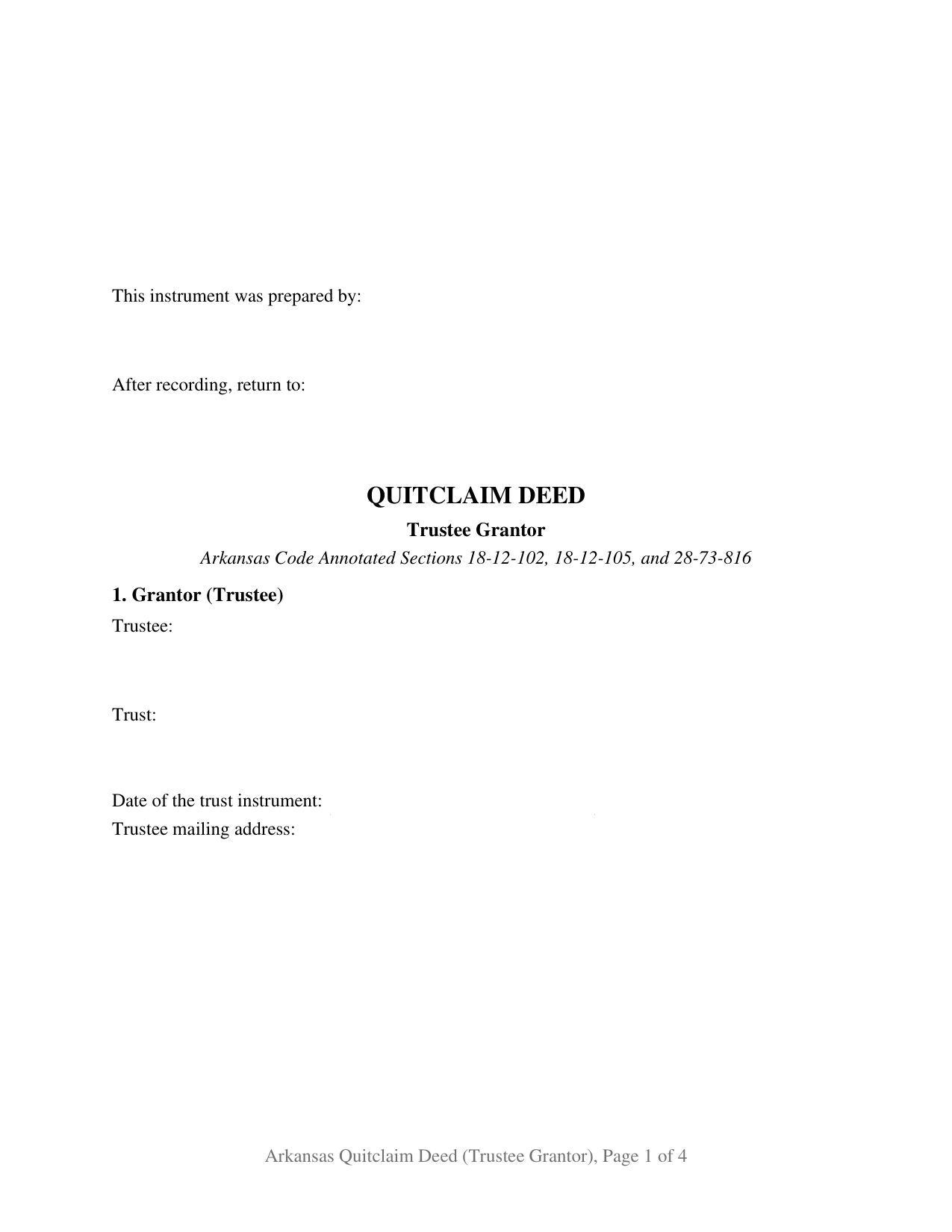
Howard County Quitclaim Deed (Trustee Grantor) Form
Fill in the blank Quitclaim Deed (Trustee Grantor) form formatted to comply with all Arkansas recording and content requirements.
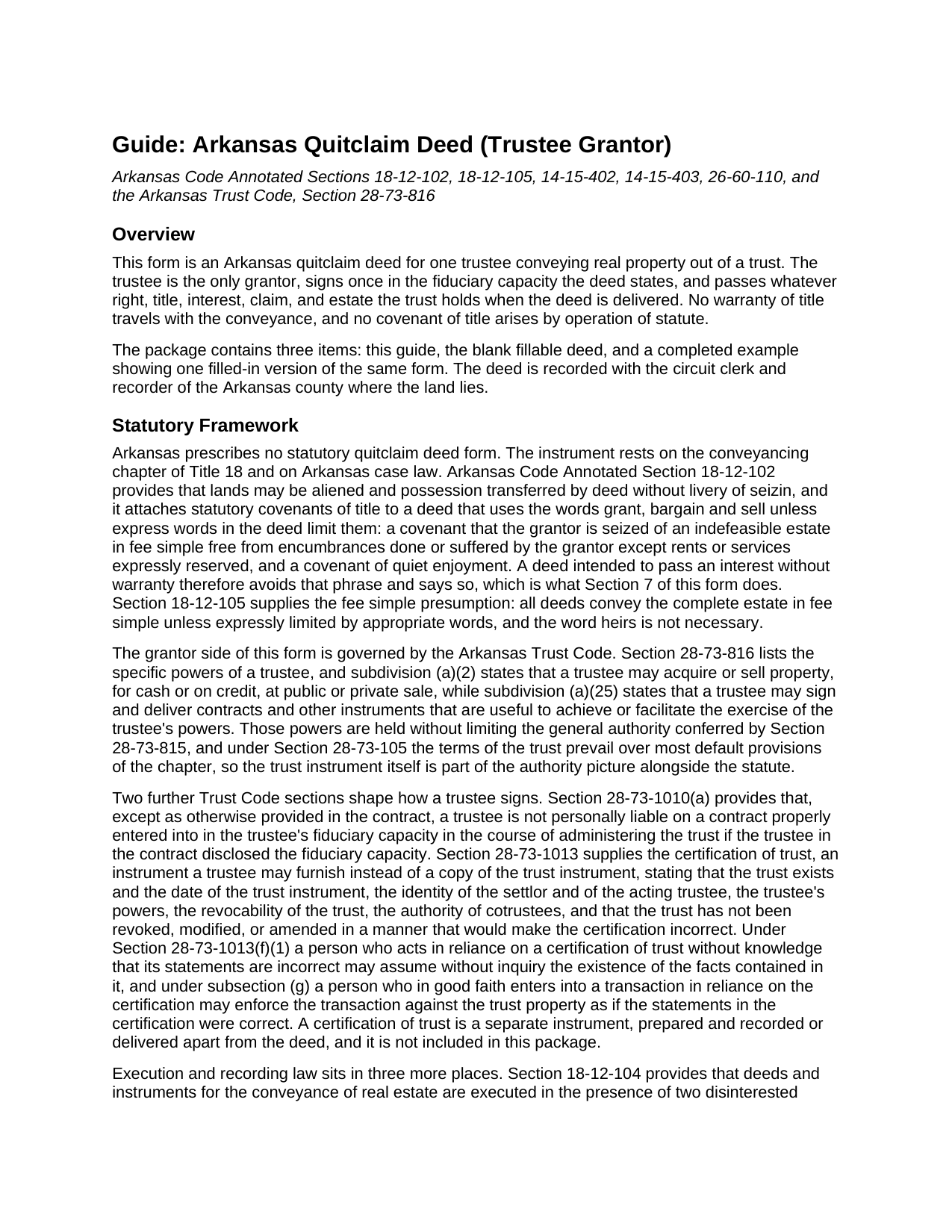
Howard County Quitclaim Deed (Trustee Grantor) Guide
Line by line guide explaining every blank on the Quitclaim Deed (Trustee Grantor) form.
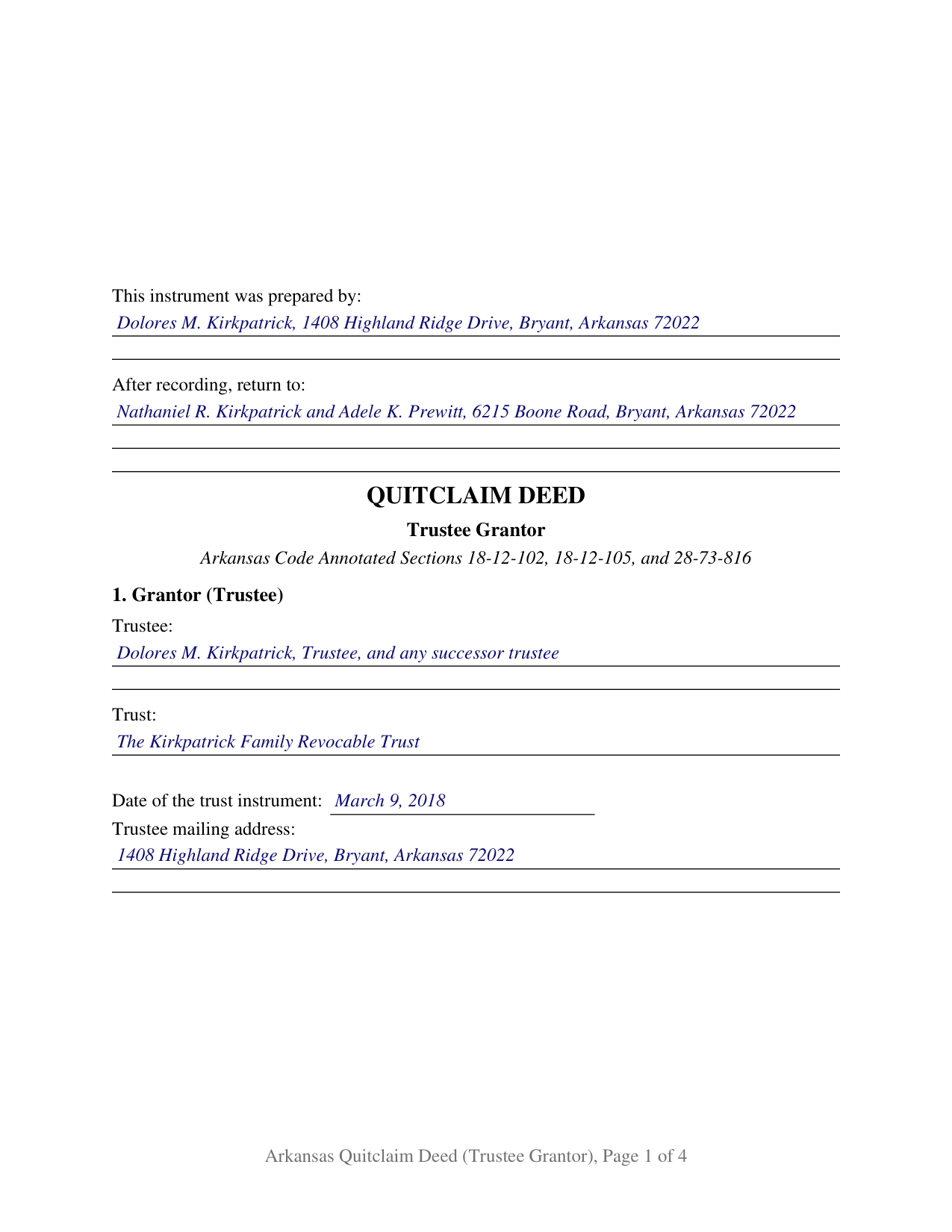
Howard County Completed Example of the Quitclaim Deed (Trustee Grantor) Document
Example of a properly completed Arkansas Quitclaim Deed (Trustee Grantor) document for reference.
All 3 documents above included • One-time purchase • No recurring fees
Immediate Download • Secure Checkout
Additional Arkansas and Howard County documents included at no extra charge:
Where to Record Your Documents
Howard County Circuit Clerk
Nashville, Arkansas 71852
Hours: 8:00am to 4:30pm M-F
Phone: (870) 845-7506
Recording Tips for Howard County:
- Bring your driver's license or state-issued photo ID
- Ensure all signatures are in blue or black ink
- Recorded documents become public record - avoid including SSNs
- Recording fees may differ from what's posted online - verify current rates
- Request a receipt showing your recording numbers
Cities and Jurisdictions in Howard County
Properties in any of these areas use Howard County forms:
- Dierks
- Mineral Springs
- Nashville
- Saratoga
- Umpire
Hours, fees, requirements, and more for Howard County
How do I get my forms?
Forms are available for immediate download after payment. The Howard County forms will be in your account ready to download to your computer. An account is created for you during checkout if you don't have one. Forms are NOT emailed.
Are these forms guaranteed to be recordable in Howard County?
Yes. Our form blanks are guaranteed to meet or exceed the applicable formatting requirements used for recording in Howard County, including margin requirements, font requirements, and other layout standards. This guarantee applies to formatting, not to the legal sufficiency of information entered by the user or the suitability of a form for a particular transaction.
Can I reuse these forms?
Yes. You can reuse the forms for your personal use. For example, if you have multiple properties in Howard County you only need to order once.
What do I need to use these forms?
The forms are PDFs that you fill out on your computer. The free Adobe Acrobat Reader is recommended, and most PDF apps also work. You do NOT enter your property information online - you download the blank forms and complete them privately on your own computer.
Are there any recurring fees?
No. This is a one-time purchase. Nothing to cancel, no memberships, no recurring fees.
How much does it cost to record in Howard County?
Recording fees in Howard County vary. Contact the recorder's office at (870) 845-7506 for current fees.
Questions answered? Let's get started!
Arkansas attaches a consequence to the way a trustee signs. Section 28-73-1010(a) of the Arkansas Trust Code shields a trustee from personal liability on a contract properly entered into in a fiduciary capacity the trustee disclosed in the contract, and this quitclaim deed is built around that disclosure: a single trustee is the grantor, the operative language states that the Grantor acts solely as trustee of the named trust and not individually, and the notary certificate carries the same capacity.
Where a trustee's authority to convey comes from
Two sources speak at once. Arkansas Code Annotated Section 28-73-816 lists the specific powers of a trustee, among them the power to acquire or sell property at public or private sale and to sign and deliver instruments useful to the exercise of those powers. The trust instrument is the second, because Section 28-73-105 gives a trust's terms priority over most default provisions of the chapter. Evidence of it travels apart from the deed: Section 28-73-1013 lets a trustee furnish a certification of trust instead of the trust instrument, and subsection (g) lets a good faith recipient enforce the transaction against the trust property as though its statements were correct. That certification is its own document, prepared separately.
A conveyance out of a trust with nothing promised
Section 18-12-102 reads three covenants into an Arkansas deed built on the phrase grant, bargain and sell, unless express words cut them off: seisin of an indefeasible fee simple, freedom from encumbrances the grantor made or suffered, and quiet enjoyment. An instrument that promises nothing keeps away from that phrase and says so on its face. This one operates by remise, release, and forever quitclaim, and its conveyance section states that no statutory covenant arises. Whatever the trust holds at delivery is what moves, with mortgages, delinquent taxes, easements, and severed minerals riding along untouched.
Who signs, and what the certificate has to say
The trustee signs once, and the printed name line carries the name with the capacity. Two disinterested witnesses subscribe under Section 18-12-104. Then comes the certificate, where Arkansas leaves a small gap. Section 16-47-107 supplies acknowledgment forms for instruments executed by individuals, by attorneys in fact, and and by corporations, business trusts, partnerships, and other legal entities; none is captioned for the trustee of a private family trust. Section 18-12-202 supplies the governing measure instead: a form is sufficient where it identifies the place of acknowledgment, the person and the capacity in which that person acted, and states that execution was acknowledged. The certificate printed here is written to that measure.
No marital blocks on this deed
Deeds by Arkansas individuals carry marital freight. Dower and curtesy under Sections 28-11-301 and 28-11-307 reach lands a deceased spouse was seized of during the marriage, and Section 18-12-403 voids an instrument affecting a married person's homestead where the spouse does not join. The owner whose interest this deed passes is a trust rather than a married person, so the form carries no marital status entry and no joinder block. Configurations presenting this pattern include a trustee distributing trust real property to beneficiaries as an administration closes, a settlor taking a parcel back out of a revocable trust, and a trustee releasing whatever interest a trust may hold so that a later examiner finds a recorded release. A deed executed by cotrustees falls outside these blocks.
What the recorder looks for
The first page opens with the preparer statement of Section 14-15-403 and follows Section 14-15-402, with two and one half inches clear at the top right for the file mark and the same reserve at the foot of the last page. Transfer tax reaches consideration above one hundred dollars at $3.30 per $1,000, and the deed prints the Section 26-60-110 certification for the grantee or the grantee's agent; a distribution that prices nothing has nothing to certify, and Section 26-60-107 furnishes the affidavit route. Act 752 of 2025 reaches the grantor named in the deed or the individual signing on behalf of the grantor, which here is the trustee.
What the purchase includes
The download holds the Arkansas quitclaim deed in its trustee grantor configuration as a fillable PDF, a completed example worked through a Saline County distribution out of a family trust, and a plain language guide to the blanks and the recording steps. Searches that land here include quit claim deed from a trust and quick claim deed by a trustee. The materials are informational and are not legal advice.
Important: Your property must be located in Howard County to use these forms. Documents should be recorded at the county recording office listed above.
This Quitclaim Deed (Trustee Grantor) meets all recording requirements specific to Howard County.
Our Promise
The documents you receive here are guaranteed to meet or exceed the applicable Howard County recording format requirements. If there is a rejection caused by our formatting, we will correct the issue or refund your payment. This guarantee applies to document formatting only and does not extend to information entered by the user, the selection of the form, or the legal effect of the completed document.
Save Time and Money
Get your Howard County Quitclaim Deed (Trustee Grantor) form done right the first time with Deeds.com Uniform Conveyancing Blanks. At Deeds.com, we understand that your time and money are valuable resources, and we don't want you to face a penalty fee or rejection imposed by a county recorder for submitting nonstandard documents. We constantly review and update our forms to meet rapidly changing state and county recording requirements for roughly 3,500 counties and local jurisdictions.
4.8 out of 5 - ( 4,828 Reviews )
Guy G. 5 out of 5 stars
Deeds.com was easy to use and their easement deed was exactly what I was looking for. I knew I didn't need to spend hundreds of dollars talking to an attorney.
We appreciate your business and value your feedback. Thank you. Have a wonderful day!
Linda I. 5 out of 5 stars
So far so good. It was reasonably easy to download and complete the form using information found in my closing paperwork. I haven't yet had my form notarized but plan to do so this week and submit the packet to my county auditor.
Thank you for your feedback. We really appreciate it. Have a great day!
Janet J. 5 out of 5 stars
The download process was quick and efficient. Here's hoping the printing process will be as easy. Appreciate this access to forms so much.
Thank you for your feedback. We really appreciate it. Have a great day!
Kimberly G. 3 out of 5 stars
It would be helpful if there were a specific example of putting a deed into a trust. Also, the limitation of characters on the description of the property was not enough.
Thank you for your feedback. We really appreciate it. Have a great day!
Madline J. 5 out of 5 stars
amazing job!!
Thank you!
Kendrick S. 5 out of 5 stars
Really solid system for determining what may prevent your documents from being accepted. I love the comments section allowing for fluid communication. I only wish there were automated emails for all those communications and once documents were accepted, but I did receive a couple personally-generated emails regarding the progress instructing me to check the site.
Thank you for your feedback. We really appreciate it. Have a great day!
Todd W. 2 out of 5 stars
Communication is hard. The reps need to be empowered and encouraged to call the customers when necessary. They encourage 300 dpi resolution and under 2 MB PDF file, which is not even possible with our scanner. They made a vague comment about a legal description looking abbreviated but did not explain. They refused to call me. They said the county said "Image is light please darken", but the image looked fine to me. Maybe not their fault, but they refused to help work with the county on that for me. I followed their suggestion though and re-scanned at 300 dpi, but they misunderstood me and did not re-submit it right away. Over 48 hours later, it's still not recorded yet. I hope it will be today.
Thank you for your feedback Todd.
brian o. 5 out of 5 stars
I was needing some forms from another state. I am a lawyer but don't have ready access to out of state forms. I was impressed with how thorough the intake process was. Very nice that I could download the form in Word so that I could adjust a few things. Very fine service. I recommend.
Thank you!
Lindsey W. 3 out of 5 stars
The service was great but after I did all my work and uploaded the documents they canceled my stuff because the county they had on the list doesnt take/or have set up e-recording yet. It was a bit disappointing because thats the only reason I was on here is because it brought me here from that countys sight.
Thank you for your feedback, sorry we were not able to provide the service for you. Hope you have a great day.
Georgana T. 3 out of 5 stars
Not clear information on ownership, which is what I wanted.
Sorry to hear that we were unable to find the information you need Georgana. Your account has been credited. Have a wonderful day.
ALAN C. 5 out of 5 stars
Everything was as advertised, and easily downloaded.
We appreciate your business and value your feedback. Thank you. Have a wonderful day!
James A. 5 out of 5 stars
Thanks for you help to get me out of a quick problem. Downloads were great. I recommend this service for the arcane situations of legal angst.
We appreciate your business and value your feedback. Thank you. Have a wonderful day!
Clarence H. 5 out of 5 stars
Deeds.com had exactly the forms I needed! One of the easiest sites to navigate. Well worth the money, and I didn't have to fill out the form first in order to get it delivered. Free isn't always best! Thanks Deeds.com for a flawless transaction!
Clarence, thank you for the great review. We’re glad you found the forms you needed, had an easy time navigating the site, and were happy with the transaction. We appreciate your business.
Eileen B. 5 out of 5 stars
Great form needs more instructions however but aside from that is perfect solution for my needs.
We appreciate your business and value your feedback. Thank you. Have a wonderful day!
Leslie Y. 5 out of 5 stars
I had my doubts going in but was pleasantly surprised at the thoroughness of the documents and information provided. Will use again.
We appreciate your business and value your feedback. Thank you. Have a wonderful day!