San Luis Obispo County Administrator Deed Form
Last validated October 21, 2026 by our Forms Development TeamFormatted for recording in San Luis Obispo County, for property anywhere in the county: rural and unincorporated areas as well as Arroyo Grande, Atascadero, Avila Beach, Cambria, Cayucos, Creston, Grover Beach, Harmony and 12 more.
- 3 documents included
- Immediate PDF download
- Formatting guarantee
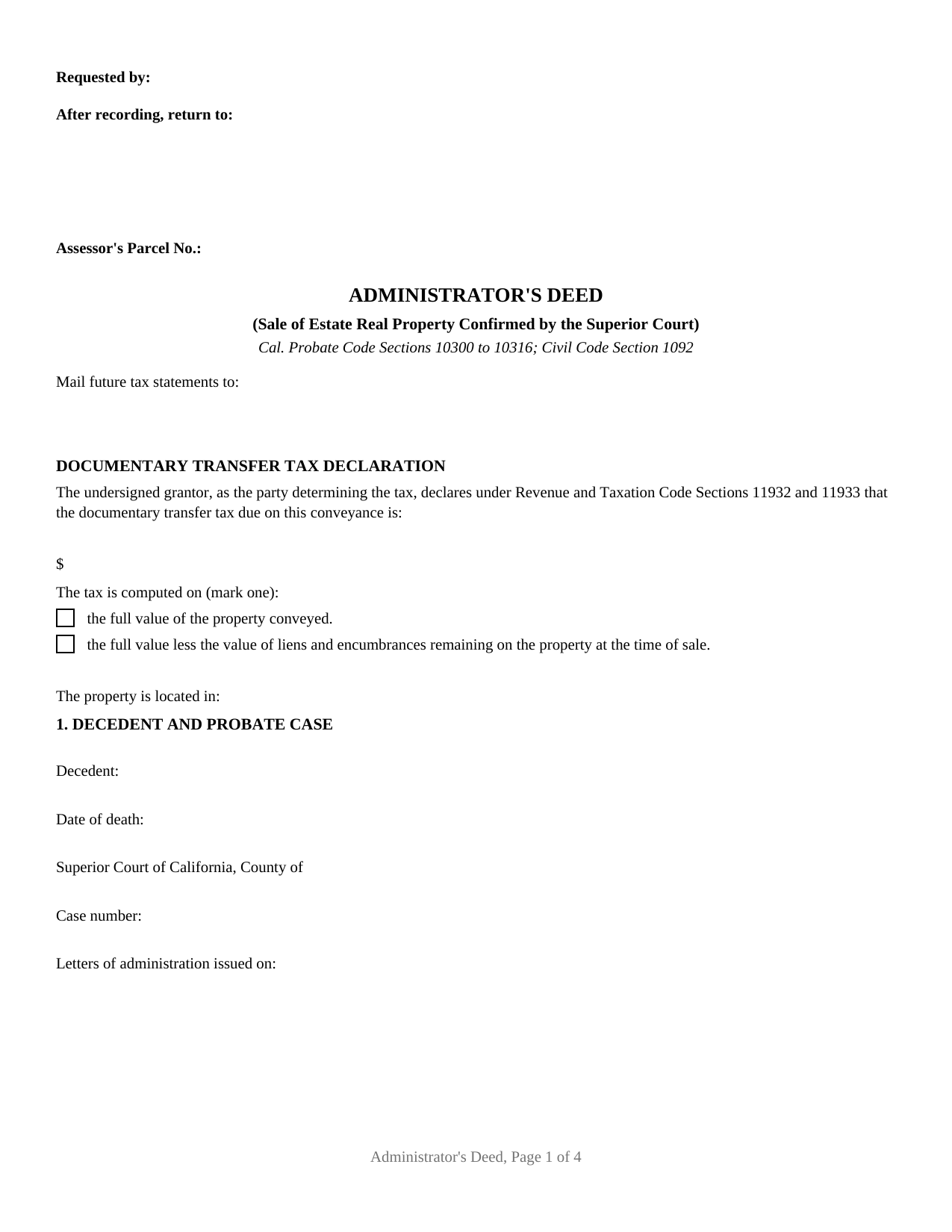
San Luis Obispo County Administrator Deed Form
Fill in the blank Administrator Deed form formatted to comply with all California recording and content requirements.
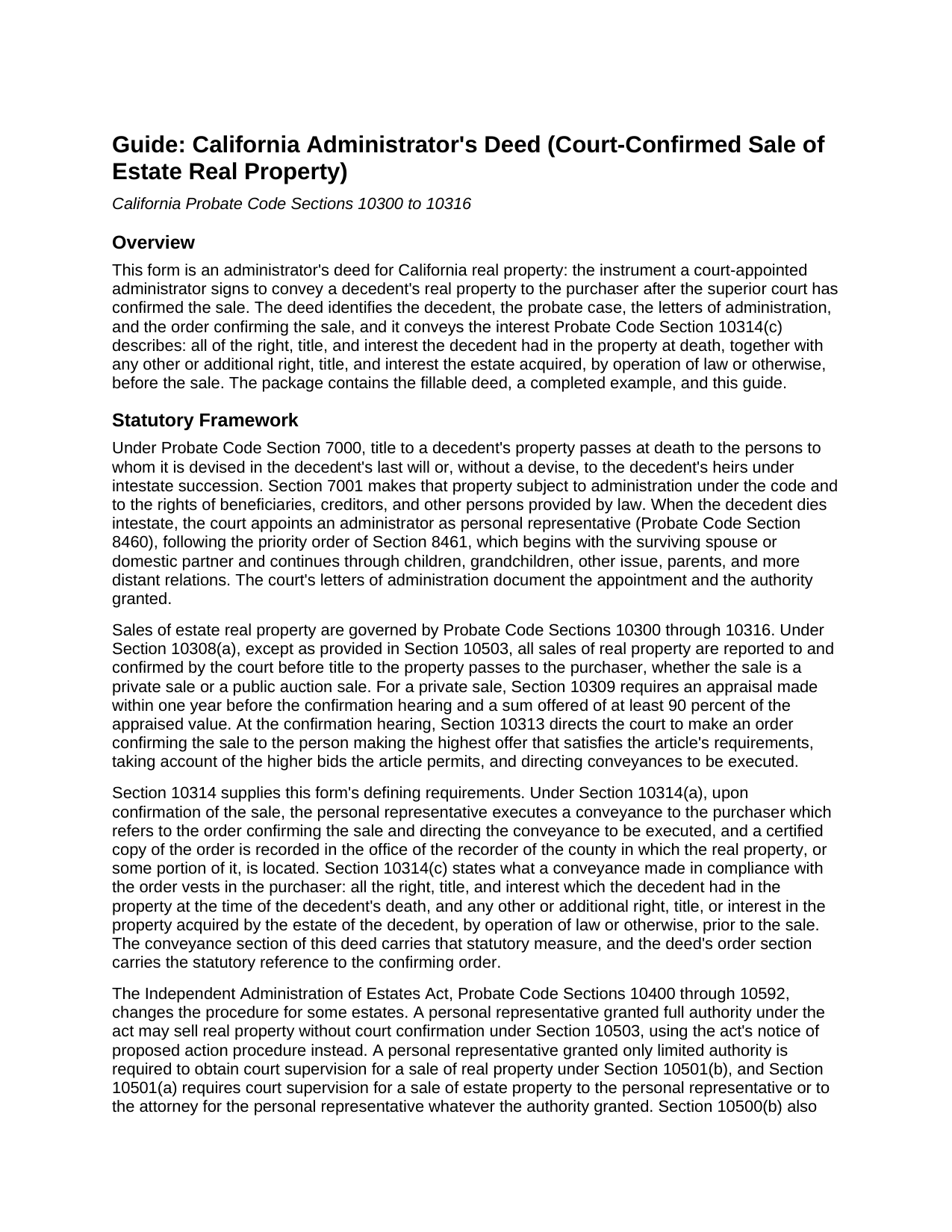
San Luis Obispo County Administrator Deed Guide
Line by line guide explaining every blank on the Administrator Deed form.
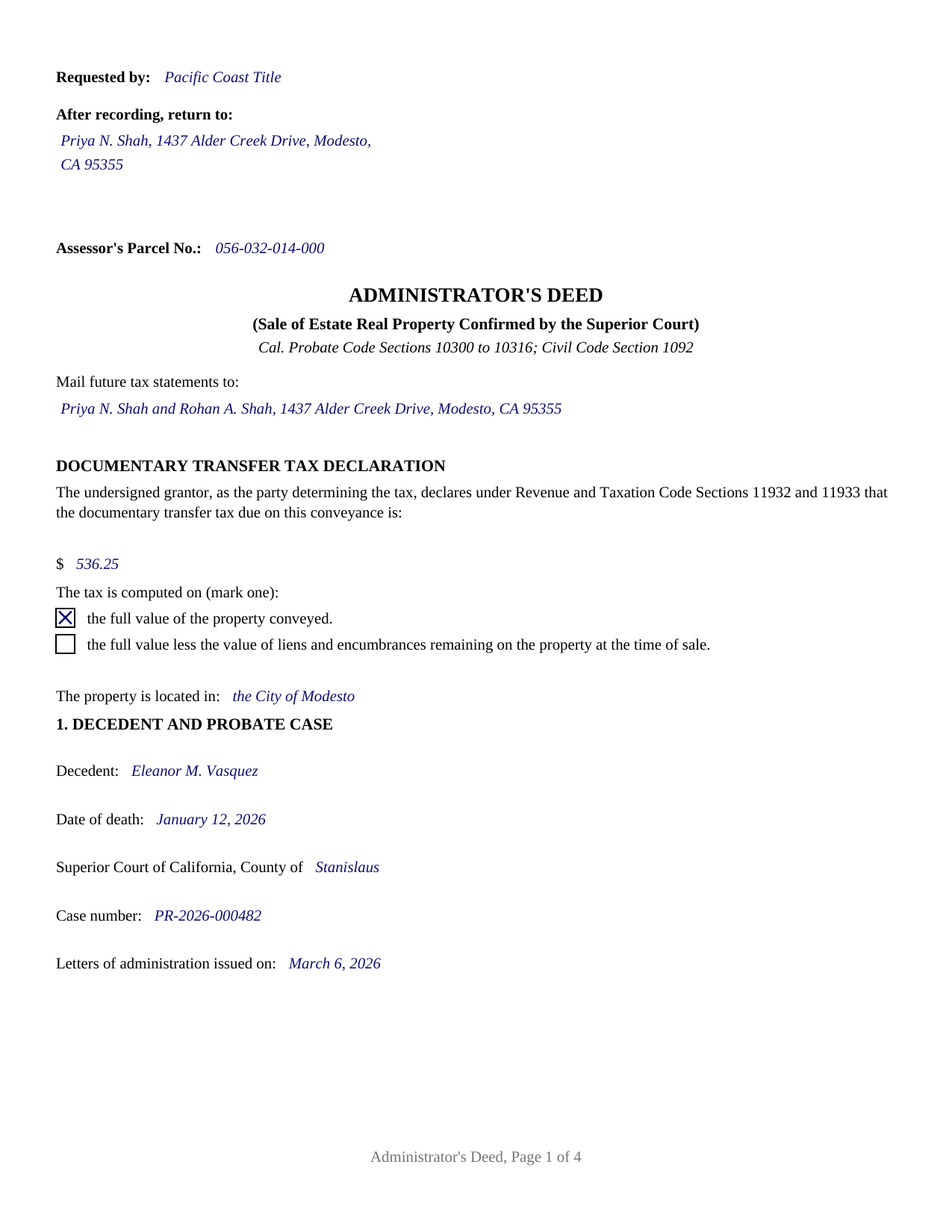
San Luis Obispo County Completed Example of the Administrator Deed Document
Example of a properly completed California Administrator Deed document for reference.
All 3 documents above included • One-time purchase • No recurring fees
Immediate Download • Secure Checkout
Additional California and San Luis Obispo County documents included at no extra charge:
Where to Record Your Documents
San Luis Obispo Office
San Luis Obispo, California 93408-1003
Hours: Monday through Friday 8:00am to 5:00pm
Phone: (805) 781-5080
Atascadero Office
Atascadero, California 93422
Hours: Monday through Friday 7:30am to 4:00pm
Phone: (805) 461-6041
Recording Tips for San Luis Obispo County:
- Bring your driver's license or state-issued photo ID
- Ensure all signatures are in blue or black ink
- Recording fees may differ from what's posted online - verify current rates
- Request a receipt showing your recording numbers
- Ask about accepted payment methods when you call ahead
Cities and Jurisdictions in San Luis Obispo County
Properties in any of these areas use San Luis Obispo County forms:
- Arroyo Grande
- Atascadero
- Avila Beach
- Cambria
- Cayucos
- Creston
- Grover Beach
- Harmony
- Los Osos
- Morro Bay
- Nipomo
- Oceano
- Paso Robles
- Pismo Beach
- San Luis Obispo
- San Miguel
- San Simeon
- Santa Margarita
- Shandon
- Templeton
Hours, fees, requirements, and more for San Luis Obispo County
How do I get my forms?
Forms are available for immediate download after payment. The San Luis Obispo County forms will be in your account ready to download to your computer. An account is created for you during checkout if you don't have one. Forms are NOT emailed.
Are these forms guaranteed to be recordable in San Luis Obispo County?
Yes. Our form blanks are guaranteed to meet or exceed the applicable formatting requirements used for recording in San Luis Obispo County, including margin requirements, font requirements, and other layout standards. This guarantee applies to formatting, not to the legal sufficiency of information entered by the user or the suitability of a form for a particular transaction.
Can I reuse these forms?
Yes. You can reuse the forms for your personal use. For example, if you have multiple properties in San Luis Obispo County you only need to order once.
What do I need to use these forms?
The forms are PDFs that you fill out on your computer. The free Adobe Acrobat Reader is recommended, and most PDF apps also work. You do NOT enter your property information online - you download the blank forms and complete them privately on your own computer.
Are there any recurring fees?
No. This is a one-time purchase. Nothing to cancel, no memberships, no recurring fees.
How much does it cost to record in San Luis Obispo County?
Recording fees in San Luis Obispo County vary. Contact the recorder's office at (805) 781-5080 for current fees.
Questions answered? Let's get started!
A California administrator's deed is the conveyance that closes a court-confirmed probate sale. When a person dies without a will, the superior court appoints an administrator to manage the estate, and the administrator's sale of estate real property ordinarily returns to the courtroom: under Probate Code Section 10308, the sale is reported to and confirmed by the court before title passes to the purchaser. This fillable administrator's deed is the instrument executed after that confirmation, prepared to California recording standards.
A deed that waits for the order
Court confirmation is what separates a probate sale from an ordinary sale. For a private sale, Probate Code Section 10309 requires an appraisal within one year before the confirmation hearing and an offer of at least 90 percent of the appraised value. At the hearing, the court weighs any higher bids the statute permits, then makes an order confirming the sale to the highest qualifying offer and directing a conveyance to be executed (Section 10313). Section 10314 puts the deed itself under statutory instruction: the personal representative executes a conveyance to the purchaser which refers to the order confirming the sale, and a certified copy of the order is recorded in the county where the property lies. The form's order section carries that statutory reference, with the probate case identified by court, county, and case number.
What the conveyance carries
The conveyance section tracks Probate Code Section 10314(c). Acting solely as administrator of the estate and not individually, the administrator grants the purchaser all of the right, title, and interest the decedent had in the property at death, together with any other or additional interest the estate acquired, by operation of law or otherwise, before the sale. Around that operative sentence, the instrument identifies the decedent and the date of death, the letters of administration, the date the confirming order was entered, the confirmed sale price, and the property by county, legal description, and street address. The grantee entry is free form: one or more purchasers, with any vesting designation California recognizes entered after the names, and the guide describes the recognized forms of ownership with their statutes.
Built for the recording counter
California recording law shapes the page. The top 2.5 inches of the first page stay clear for the recorder, with the requester, the return address, and the assessor's parcel number in the left portion of that space (Government Code Section 27361.6). The first page shows the name and address for future tax statements, a requirement Government Code Section 27321.5 attaches to every deed conveying fee title. A confirmed estate sale for value is ordinarily subject to documentary transfer tax, so the face of the deed carries the declaration of the amount due and how it was computed (Revenue and Taxation Code Sections 11932 and 11933), and the tax is paid when the deed records. The administrator's execution is acknowledged before a notarial officer, whose certificate carries the boxed notice and the wording California law prescribes (Civil Code Section 1189). Buyers and title companies sometimes search for this instrument as a probate deed, an estate deed, or a personal representative deed of sale; in a court-supervised California administration it is the administrator's deed, and its distinguishing mark is the order it refers to.
The purchase delivers this administrator's deed as a fillable PDF, a completed example showing a court-confirmed Stanislaus County sale, and a guide that walks the form section by section, from the transfer tax declaration through the acknowledgment certificate. Statutory process documents the sale involves, such as the petition for confirmation and the certified copy of the order confirming sale, are prepared through the court or its clerk separately and are not included in this package. The materials are informational only and are not legal advice.
Important: Your property must be located in San Luis Obispo County to use these forms. Documents should be recorded at the county recording office listed above.
This Administrator Deed meets all recording requirements specific to San Luis Obispo County.
Our Promise
The documents you receive here are guaranteed to meet or exceed the applicable San Luis Obispo County recording format requirements. If there is a rejection caused by our formatting, we will correct the issue or refund your payment. This guarantee applies to document formatting only and does not extend to information entered by the user, the selection of the form, or the legal effect of the completed document.
Save Time and Money
Get your San Luis Obispo County Administrator Deed form done right the first time with Deeds.com Uniform Conveyancing Blanks. At Deeds.com, we understand that your time and money are valuable resources, and we don't want you to face a penalty fee or rejection imposed by a county recorder for submitting nonstandard documents. We constantly review and update our forms to meet rapidly changing state and county recording requirements for roughly 3,500 counties and local jurisdictions.
4.8 out of 5 - ( 4,837 Reviews )
Elizabeth C. 5 out of 5 stars
Very happy, thank you!
We appreciate your business and value your feedback. Thank you. Have a wonderful day!
Stefan L. 5 out of 5 stars
Great templates and very efficient
We appreciate your business and value your feedback. Thank you. Have a wonderful day!
Marilyn L. 5 out of 5 stars
Good!!
Thank you!
Donna O. 5 out of 5 stars
Quick and easy to use. I was able to download the Transfer on Death Deed form to my computer so that I can read through and fill them out at a later time. That made it convenient and "no pressure". The complimentary guide and completed example that came with the form was also very helpful.
We appreciate your business and value your feedback. Thank you. Have a wonderful day!
Kecia L. 5 out of 5 stars
Great place to find much needed documents. A huge thanks!
We appreciate your business and value your feedback. Thank you. Have a wonderful day!
Djala C. 5 out of 5 stars
my experience was excellent.
Thank you!
Dina O. 5 out of 5 stars
easy to use and efficient i like that they give you an example to compare your work to
We are motivated by your feedback to continue delivering excellence. Thank you!
Sun H. 5 out of 5 stars
It was great working with deeds.com. I needed to record quickclaim deed and the staff was very responsive and communicative throughout the process where I needed to modify the documents repeated. Thank you for making the recording much easy by setting up the e-recording service!
Your feedback is greatly appreciated. Thank you for taking the time to share your experience!
Claude F. 5 out of 5 stars
quick and easy to use, thank you
Thank you!
Anabel H. 5 out of 5 stars
Everything went smoothly, quickly and efficiently.
We appreciate your business and value your feedback. Thank you. Have a wonderful day!
Gerald C. 2 out of 5 stars
Pros, quick purchase and document availability including instructions and examples. Cons, For the cert. of trust, the form would not accept the length of our trust name with no way to get around. The pdf file printing did not meet the requirements for 2.5" top margin and .5" other margins as well as the 10pt font size as the form information was shrunk down even when normal printing.
Thank you for your feedback. We really appreciate it. Have a great day!
Terrance S. 5 out of 5 stars
I'd say 5 stars. Thank you.
Thank you!
John Z. 5 out of 5 stars
This was an easy to use program. Easy payment. documents are on my desktop ready to fill out. I will have to update after my property transfer. Zuna
We appreciate your business and value your feedback. Thank you. Have a wonderful day!
Kathleen T. 5 out of 5 stars
Perfect in every way, the guide was a big help in a few areas that I had questions on. Overall the average person should have no issues with the forms.
We appreciate your business and value your feedback. Thank you. Have a wonderful day!
Thomas S. 5 out of 5 stars
Very nice.
Thank you!