Colusa County Affidavit of Surviving Spouse Form
Last validated September 7, 2026 by our Forms Development TeamFormatted for recording in Colusa County, for property anywhere in the county: rural and unincorporated areas as well as Arbuckle, Colusa, Grimes, Maxwell, Princeton, Stonyford, Williams.
- 3 documents included
- Immediate PDF download
- Formatting guarantee
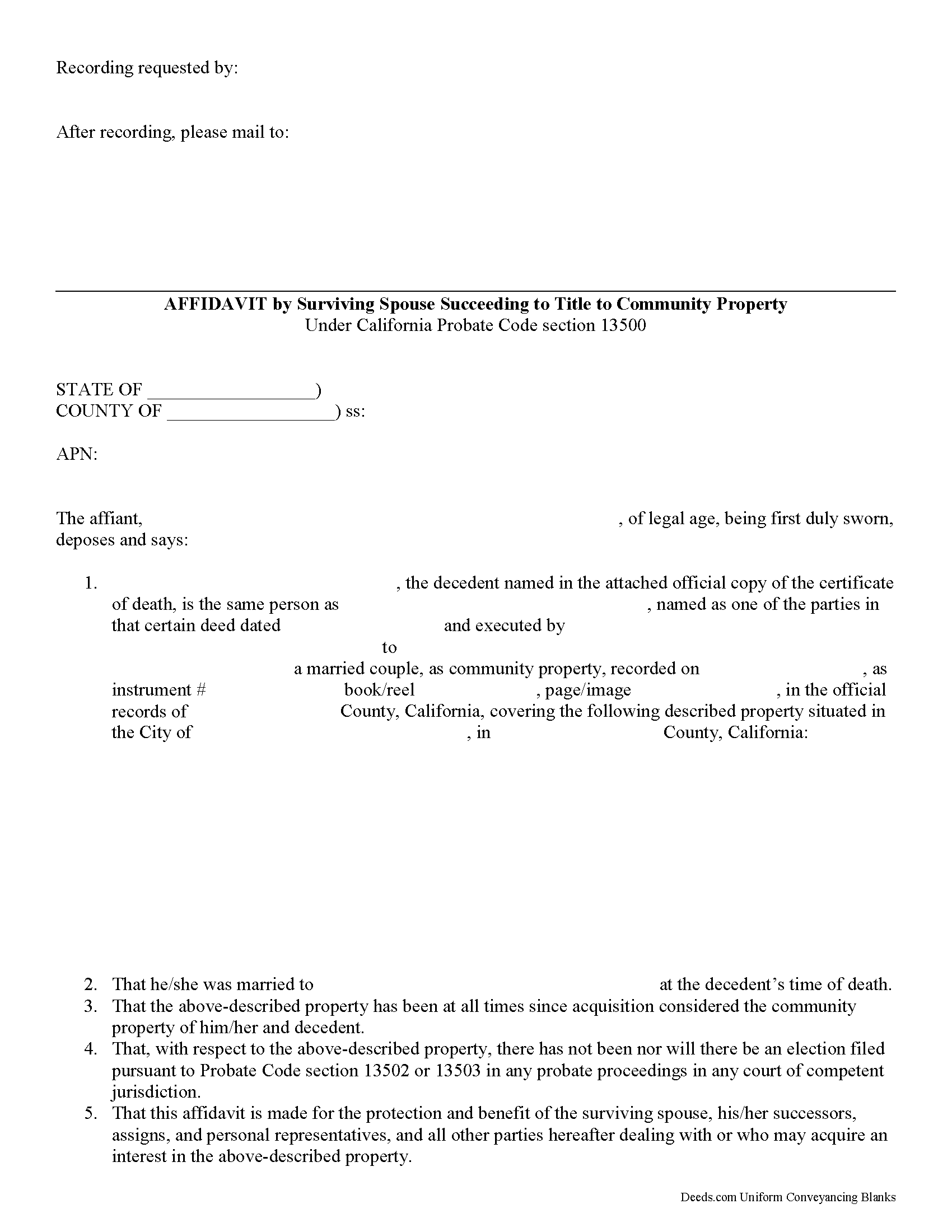
Colusa County Affidavit of Surviving Spouse Form
Fill in the blank form formatted to comply with all recording and content requirements.
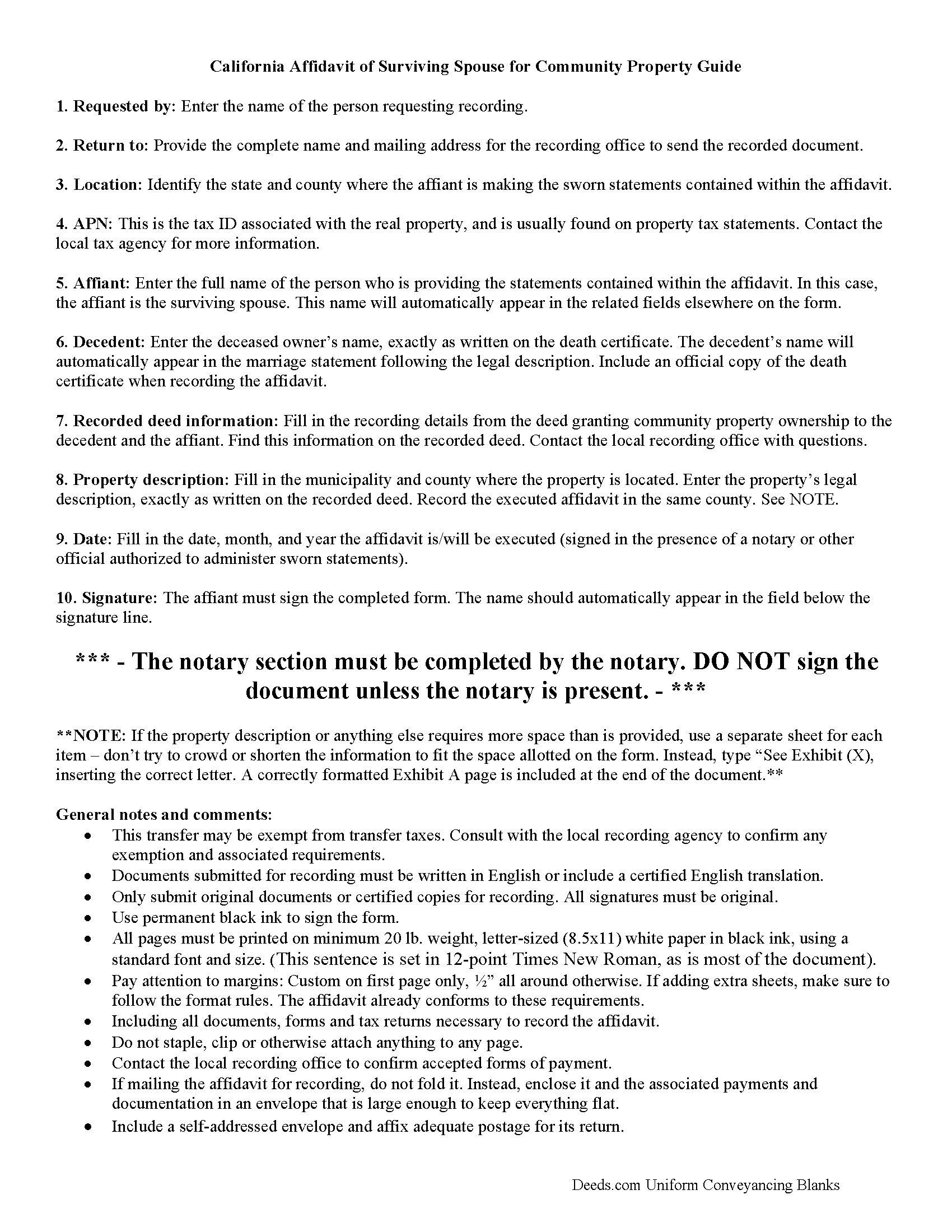
Colusa County Affidavit of Surviving Spouse Guide
Line by line guide explaining every blank on the form.
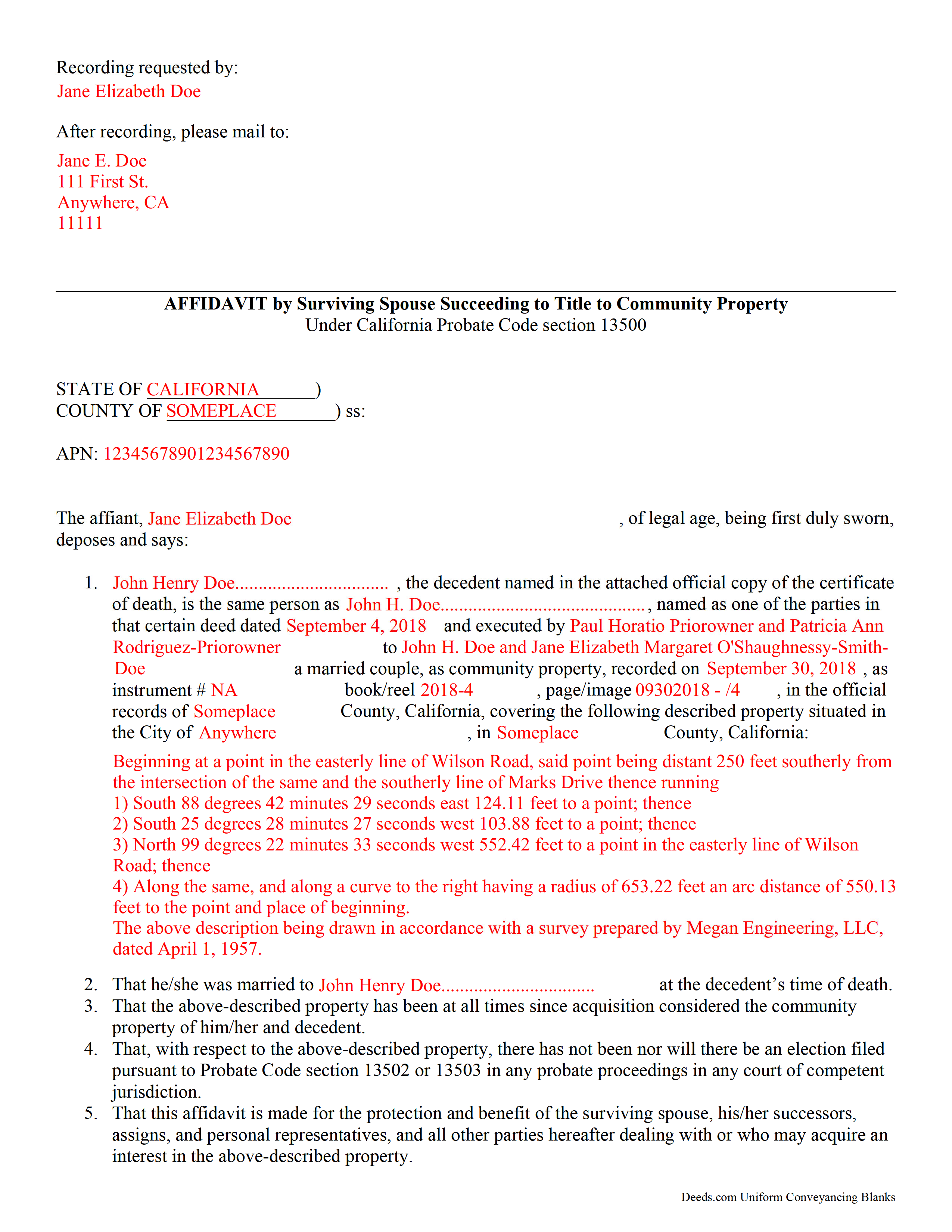
Colusa County Completed Example of the Affidavit of Surviving Spouse Document
Example of a properly completed form for reference.
All 3 documents above included • One-time purchase • No recurring fees
Immediate Download • Secure Checkout
Additional California and Colusa County documents included at no extra charge:
Where to Record Your Documents
Colusa County Clerk & Recorder
Colusa, California 95932
Hours: 8:30 - 4:00 Monday to Friday
Phone: 530-458-0500
Recording Tips for Colusa County:
- Bring your driver's license or state-issued photo ID
- Ensure all signatures are in blue or black ink
- Leave recording info boxes blank - the office fills these
- Make copies of your documents before recording - keep originals safe
- Recorded documents become public record - avoid including SSNs
Cities and Jurisdictions in Colusa County
Properties in any of these areas use Colusa County forms:
- Arbuckle
- Colusa
- Grimes
- Maxwell
- Princeton
- Stonyford
- Williams
Hours, fees, requirements, and more for Colusa County
How do I get my forms?
Forms are available for immediate download after payment. The Colusa County forms will be in your account ready to download to your computer. An account is created for you during checkout if you don't have one. Forms are NOT emailed.
Are these forms guaranteed to be recordable in Colusa County?
Yes. Our form blanks are guaranteed to meet or exceed the applicable formatting requirements used for recording in Colusa County, including margin requirements, font requirements, and other layout standards. This guarantee applies to formatting, not to the legal sufficiency of information entered by the user or the suitability of a form for a particular transaction.
Can I reuse these forms?
Yes. You can reuse the forms for your personal use. For example, if you have multiple properties in Colusa County you only need to order once.
What do I need to use these forms?
The forms are PDFs that you fill out on your computer. The free Adobe Acrobat Reader is recommended, and most PDF apps also work. You do NOT enter your property information online - you download the blank forms and complete them privately on your own computer.
Are there any recurring fees?
No. This is a one-time purchase. Nothing to cancel, no memberships, no recurring fees.
How much does it cost to record in Colusa County?
Recording fees in Colusa County vary. Contact the recorder's office at 530-458-0500 for current fees.
Questions answered? Let's get started!
Transferring California Community Property to the Surviving Spouse
Section 100(a) of the California Probate Code states that when a married person dies, one-half of the couple's community property belongs to the surviving spouse and the other half stays in the decedent's name, ostensibly for probate distribution. For transfers occurring after July 1, 2001, California property owners gained the option to hold title as community property with the right of survivorship. By vesting this way, the remaining spouse acquires the deceased spouse's portion of the shared property without the need for probate (Cal Civ Code 682.1(a)).
The surviving spouse files an affidavit (a statement of facts, made under oath), along with an official copy of the death certificate, at the recording office for the county where the property is located. The content may vary depending on the circumstances, but it generally contains the names of both spouses, a formal legal description of the shared real estate, and the recording information for the deed transferring ownership to the couple, confirming their intention to hold title as community property. Note that the right of survivorship is not automatic with community property -- it must be written on the face of the deed. To alleviate any questions about the survivorship status, consider including an official copy of the recorded deed.
The affidavit should also confirm, among other things, that the co-owners were married when the decedent died, that there are no probate actions related to the property, and that the surviving spouse is submitting the affidavit to ensure clear title. A clear title is important because it makes future transactions involving the real estate less complicated.
Each case is unique, so contact an attorney with specific questions or for complex situations.
(California Affidavit of Surviving Spouse Package includes form, guidelines, and completed example)
Important: Your property must be located in Colusa County to use these forms. Documents should be recorded at the county recording office listed above.
This Affidavit of Surviving Spouse meets all recording requirements specific to Colusa County.
Our Promise
The documents you receive here are guaranteed to meet or exceed the applicable Colusa County recording format requirements. If there is a rejection caused by our formatting, we will correct the issue or refund your payment. This guarantee applies to document formatting only and does not extend to information entered by the user, the selection of the form, or the legal effect of the completed document.
Save Time and Money
Get your Colusa County Affidavit of Surviving Spouse form done right the first time with Deeds.com Uniform Conveyancing Blanks. At Deeds.com, we understand that your time and money are valuable resources, and we don't want you to face a penalty fee or rejection imposed by a county recorder for submitting nonstandard documents. We constantly review and update our forms to meet rapidly changing state and county recording requirements for roughly 3,500 counties and local jurisdictions.
4.8 out of 5 - ( 4,820 Reviews )
CEDRIC D. 3 out of 5 stars
need more instructions for each form
Thank you for your feedback. We really appreciate it. Have a great day!
BAHMAN B. 5 out of 5 stars
Very good experience.
Thank you!
Thomas G. 5 out of 5 stars
A few parts are confusing'.Like sending Tax statements to WHO ?/ The rest is simple I hope.Have not tried to record yet
Thank you!
Jason James H. 5 out of 5 stars
Th forms were correct, exactly what I needed.
Thanks Jason, we appreciate the feedback.
Denise G. 5 out of 5 stars
It would be helpful if an email was sent to notify you of any additional invoices needed, documents were accepted and/or recorded. It is not always convenient to check your website on a daily basis to determine the status of the requesting recordings.
Thank you for your feedback. We really appreciate it. Have a great day!
Randy F. 5 out of 5 stars
SO FAR SO GOOD, DOC'S DOWNLOADED WITHOUT A PROBLEM
Thank you!
Tracy B. 5 out of 5 stars
I was happy with the way this worked and the quick responses. Unfortunately, my documents could not be pulled. I will use this service again in the future.
Thank you for your feedback. We really appreciate it. Have a great day!
Ken B. 5 out of 5 stars
Instructions were easy to follow
Thank you!
Nancy G L. 5 out of 5 stars
Using your site was simple, and the forms downloaded as expected.
Thank you!
Gary O. 5 out of 5 stars
Easy to use,makes things easier,Thanks! Great Idea!
We appreciate your business and value your feedback. Thank you. Have a wonderful day!
Dennis B. 5 out of 5 stars
It was easy to download the necessary "Death of Joint Tenant" forms. These easy to use interactive forms are made to comply with the laws specific to your state.
Thank you!
Helen M. 5 out of 5 stars
All forms were exactly what I needed. Thank you Immediate, smoothly downloaded and printed.
We appreciate your business and value your feedback. Thank you. Have a wonderful day!
Gregory N. 5 out of 5 stars
Good information guiding through filling out the product. Would like form to be more flexible in terms of spacing, but otherwise excellent.
Thank you for your feedback. We really appreciate it. Have a great day!
Donna J. 3 out of 5 stars
Doesn't have samples pertaining to me. Still searching for correct wording forGRANTORS (plural) so its legally written.
Thank you for your feedback. We really appreciate it. Have a great day!
Kecia L. 5 out of 5 stars
Great place to find much needed documents. A huge thanks!
We appreciate your business and value your feedback. Thank you. Have a wonderful day!