Riverside County Certificate of Trust Form
Last validated October 15, 2026 by our Forms Development TeamFormatted for recording in Riverside County, for property anywhere in the county: rural and unincorporated areas as well as Aguanga, Anza, Banning, Beaumont, Blythe, Cabazon, Calimesa, Cathedral City and 34 more.
- 3 documents included
- Immediate PDF download
- Formatting guarantee
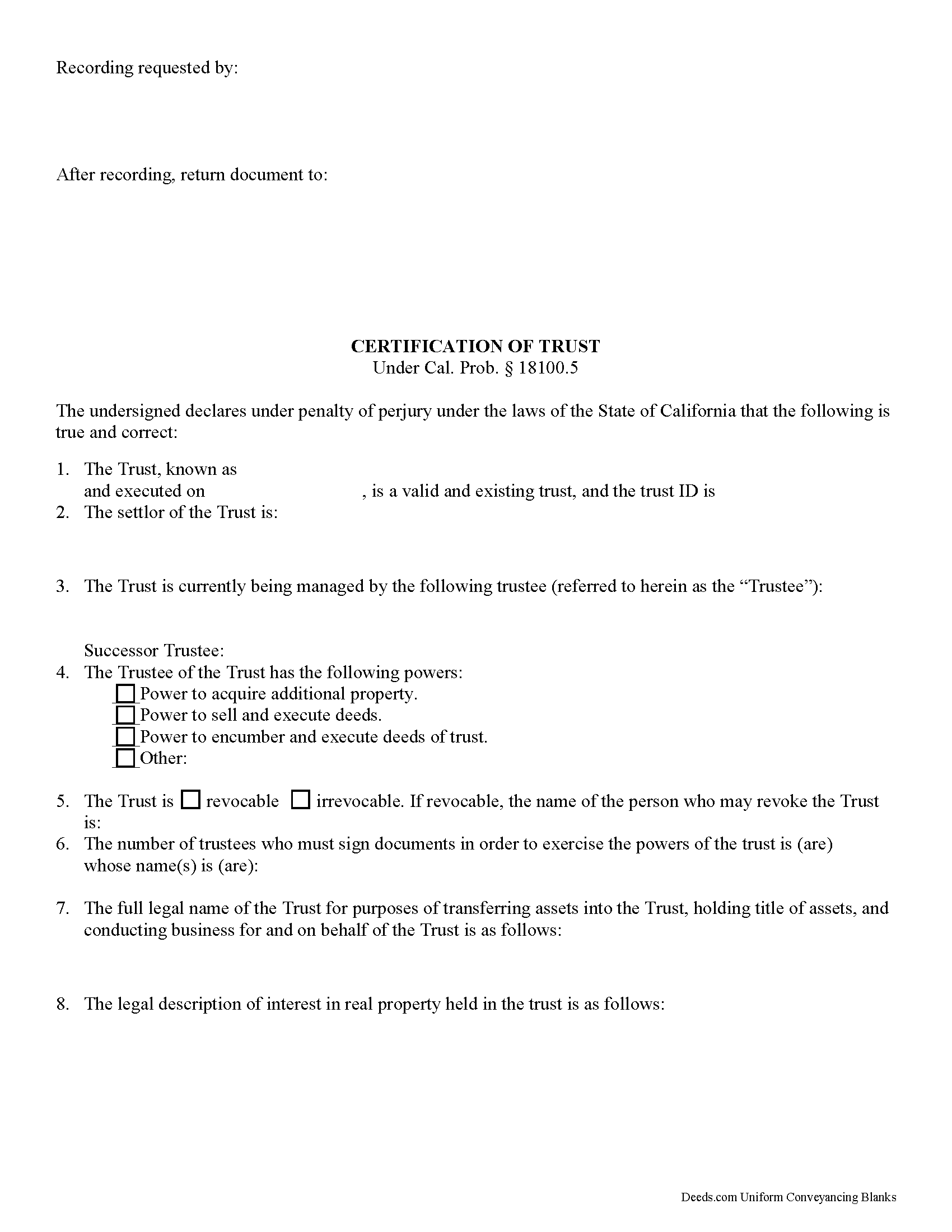
Riverside County Certificate of Trust Form
Fill in the blank form formatted to comply with all recording and content requirements.
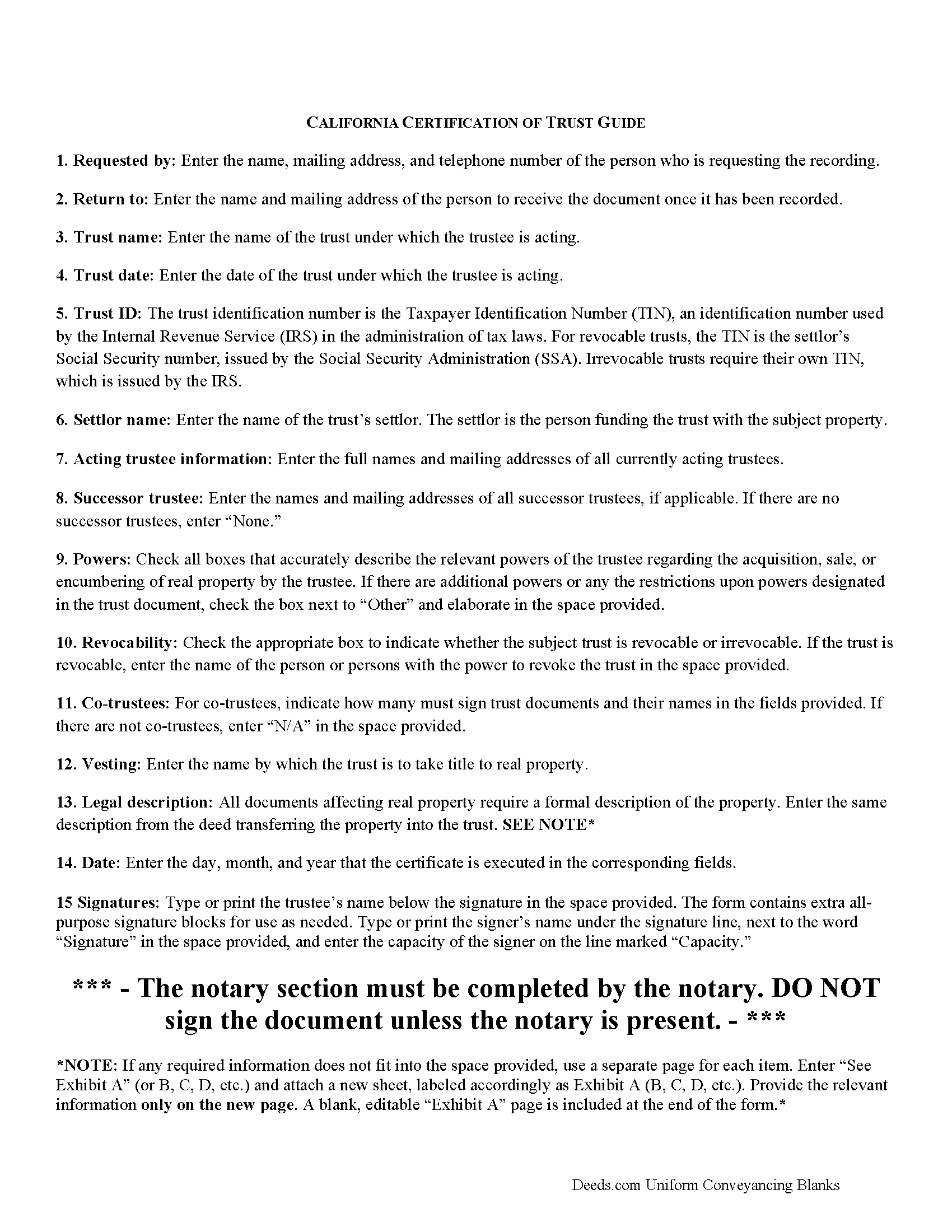
Riverside County Certificate of Trust Guide
Line by line guide explaining every blank on the form.
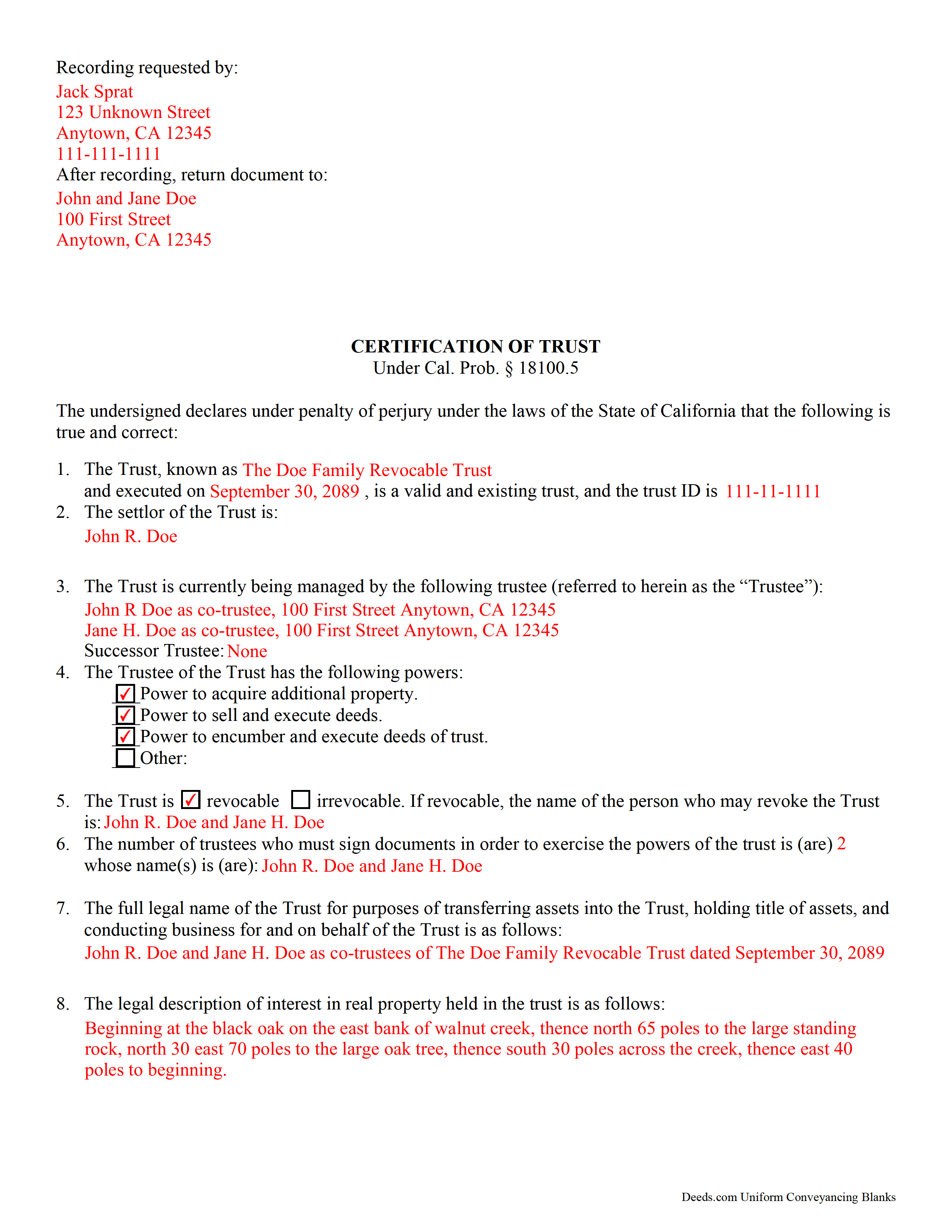
Riverside County Completed Example of the Certificate of Trust Document
Example of a properly completed form for reference.
All 3 documents above included • One-time purchase • No recurring fees
Immediate Download • Secure Checkout
Additional California and Riverside County documents included at no extra charge:
Where to Record Your Documents
County Administrative Center
Riverside, California 92501 / 92502-0751
Hours: Monday through Friday 8:00 am to 5:00 pm
Phone: (951) 486-7000 or (800) 696-9144 from within county
Gateway Office
Riverside, California 92507
Hours: Monday through Friday 8:00 am to 5:00 pm
Phone: (951) 486-7000 or (800) 696-9144
Hemet Office
Hemet, California 92543-1496
Hours: Monday through Friday 8:00 to 12:00 & 1:00 to 4:30
Phone: (951) 486-7000 or (800) 696-9144 from within county
Palm Desert Office
Palm Desert, California 92211
Hours: Monday through Friday 8:00 to 5:00 Phone / Counter & Recording until 4:30
Phone: (760) 863-8732 or (800) 696-9144
Temecula Office
Temecula, California 92591-6027
Hours: Monday through Friday 8:00 am to 4:30 pm
Phone: (951) 486-7000 or (800) 696-9144
Blythe Office
Blythe, California 92225
Hours: Recorder Services: First Wednesday of the month 10:00 to 12:00 & 1:00 to 3:00
Phone: (760) 921-5050 or (800) 696-9144
Recording Tips for Riverside County:
- Bring your driver's license or state-issued photo ID
- Ensure all signatures are in blue or black ink
- White-out or correction fluid may cause rejection
- Ask about their eRecording option for future transactions
- Avoid the last business day of the month when possible
Cities and Jurisdictions in Riverside County
Properties in any of these areas use Riverside County forms:
- Aguanga
- Anza
- Banning
- Beaumont
- Blythe
- Cabazon
- Calimesa
- Cathedral City
- Coachella
- Corona
- Desert Center
- Desert Hot Springs
- Hemet
- Homeland
- Idyllwild
- Indian Wells
- Indio
- La Quinta
- Lake Elsinore
- March Air Reserve Base
- Mecca
- Menifee
- Mira Loma
- Moreno Valley
- Mountain Center
- Murrieta
- Norco
- North Palm Springs
- Nuevo
- Palm Desert
- Palm Springs
- Perris
- Rancho Mirage
- Riverside
- San Jacinto
- Sun City
- Temecula
- Thermal
- Thousand Palms
- Whitewater
- Wildomar
- Winchester
Hours, fees, requirements, and more for Riverside County
How do I get my forms?
Forms are available for immediate download after payment. The Riverside County forms will be in your account ready to download to your computer. An account is created for you during checkout if you don't have one. Forms are NOT emailed.
Are these forms guaranteed to be recordable in Riverside County?
Yes. Our form blanks are guaranteed to meet or exceed the applicable formatting requirements used for recording in Riverside County, including margin requirements, font requirements, and other layout standards. This guarantee applies to formatting, not to the legal sufficiency of information entered by the user or the suitability of a form for a particular transaction.
Can I reuse these forms?
Yes. You can reuse the forms for your personal use. For example, if you have multiple properties in Riverside County you only need to order once.
What do I need to use these forms?
The forms are PDFs that you fill out on your computer. The free Adobe Acrobat Reader is recommended, and most PDF apps also work. You do NOT enter your property information online - you download the blank forms and complete them privately on your own computer.
Are there any recurring fees?
No. This is a one-time purchase. Nothing to cancel, no memberships, no recurring fees.
How much does it cost to record in Riverside County?
Recording fees in Riverside County vary. Contact the recorder's office at (951) 486-7000 or (800) 696-9144 from within county for current fees.
Questions answered? Let's get started!
California Certification of Trust
In California, the certification of trust is governed by Probate Code Section 18100.5.
A certificate of trust is used by an acting trustee or trustees of a trust to prove to financial institutions or other third parties that he/she/they has/have the authority to act on behalf of the trust. The certificate is used in lieu of the full trust document to keep nonessential information about the trust, such as the identities of trust beneficiaries, confidential.
The certificate verifies the existence of the trust and presents the pertinent details of the trust, such as the settlor, the trustee, the powers granted to the trustee, and, in the case that there are co-trustees, the number and identity of persons required to sign legal documents dealing with the trust. The certificate also specifies how the trust will vest title to real property.
Like all documents affecting real estate, the certification requires a legal description of the real property subject to the trust. In California, the certification also must include the trust's taxpayer ID, a number that is either the SSN of the settlor (in the case of revocable trusts) or an EIN assigned by the IRS (in the case of irrevocable trusts).
Trust law can quickly become complicated, and each case is unique, so contact a lawyer with any questions that arise.
(California Certificate of Trust Package includes form, guidelines, and completed example)
Important: Your property must be located in Riverside County to use these forms. Documents should be recorded at the county recording office listed above.
This Certificate of Trust meets all recording requirements specific to Riverside County.
Our Promise
The documents you receive here are guaranteed to meet or exceed the applicable Riverside County recording format requirements. If there is a rejection caused by our formatting, we will correct the issue or refund your payment. This guarantee applies to document formatting only and does not extend to information entered by the user, the selection of the form, or the legal effect of the completed document.
Save Time and Money
Get your Riverside County Certificate of Trust form done right the first time with Deeds.com Uniform Conveyancing Blanks. At Deeds.com, we understand that your time and money are valuable resources, and we don't want you to face a penalty fee or rejection imposed by a county recorder for submitting nonstandard documents. We constantly review and update our forms to meet rapidly changing state and county recording requirements for roughly 3,500 counties and local jurisdictions.
4.8 out of 5 - ( 4,828 Reviews )
Sylvia L. 5 out of 5 stars
Very easy...found what I was looking for
We appreciate your business and value your feedback. Thank you. Have a wonderful day!
Ronald S. 5 out of 5 stars
got what i wanted
Thank you for your feedback. We really appreciate it. Have a great day!
Rose H. 5 out of 5 stars
I am so glad I found this resource! As the Executor of a family members estate I wanted to save money by bypassing a lawyer as it seemed pretty straight forward to tranfer a Life Estate to the remainderman. (I had original deeds). But talking with 3 different states and 4 different counties - none of which seemed to need the same documents, I was almost ready to dump this in a lawyer's lap. This resource makes it simple!
We appreciate your business and value your feedback. Thank you. Have a wonderful day!
Gladys B. 5 out of 5 stars
Good and fast service. Thank you.
Thank you for your feedback. We really appreciate it. Have a great day!
Eddy O. 5 out of 5 stars
Your site was very helpful.
Thank you for your feedback. We really appreciate it. Have a great day!
Pamela W. 5 out of 5 stars
This was so easy! Doing it this way saved me a bundle. I used the example form to make sure mine was correct. I would highly recommend this to anyone.
Thanks Pamela. We're glad the completed example was helpful.
Thomas M. 5 out of 5 stars
Thomas hopefully these are the correct forms I need wish me luck
Thank you!
Robert C. 5 out of 5 stars
I hope I have the right form. My deed should be for a mfg home.
Thank you for your feedback. We really appreciate it. Have a great day!
DEBBY G. 5 out of 5 stars
I was so confused on how to complete the form. But I followed the instructions and used the example and got it done.
Thank you for your feedback. We really appreciate it. Have a great day!
John F. 5 out of 5 stars
Excellent service, very reliable.
Thank you for your feedback. We really appreciate it. Have a great day!
Dianna B. 5 out of 5 stars
Amazingly easy! I absolutely love it because it is so efficient and I only have to pay for when I use it. I use to have to drive to the recorders office or to a Kiosk station. The turn-around time was really quick as well.
Thank you!
Fritz C. 5 out of 5 stars
Quick and complete info
Thank you!
Brenda R. 5 out of 5 stars
Excellent!! Site VERY easy/simple to navigate.
Happy we could assist. Thank you for sharing your experience.
Marsha D. 5 out of 5 stars
Outstanding product and so easy to use! Highly recommend this product. We successfully used the Virginia deeds. Thank you.
Thank you!
GEORGE Q. 5 out of 5 stars
Assistance from the associate was good. He told me what I needed to hear and took the time to look up deeds that I was looking for. Though the deed was not available he gave me recommendation on my future calls to ask. Great personality and very helpful.
Thank you for your feedback. We really appreciate it. Have a great day!