Humboldt County Deed Corrective Affidavit Form
Last validated September 11, 2026 by our Forms Development TeamFormatted for recording in Humboldt County, for property anywhere in the county: rural and unincorporated areas as well as Alderpoint, Arcata, Bayside, Blocksburg, Blue Lake, Bridgeville, Carlotta, Cutten and 27 more.
- 3 documents included
- Immediate PDF download
- Formatting guarantee
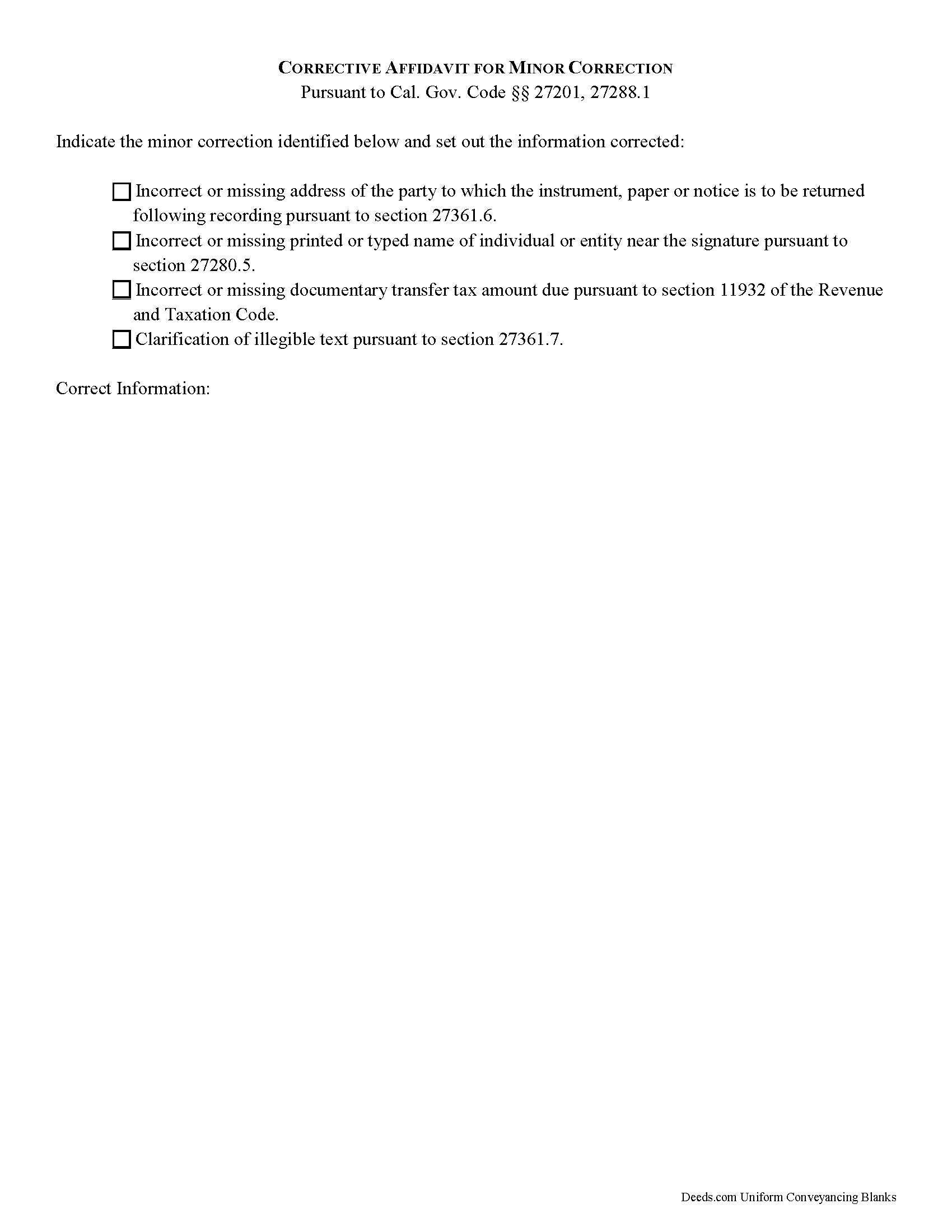
Humboldt County Deed Corrective Affidavit Form
Fill in the blank Deed Corrective Affidavit form formatted to comply with all California recording and content requirements.
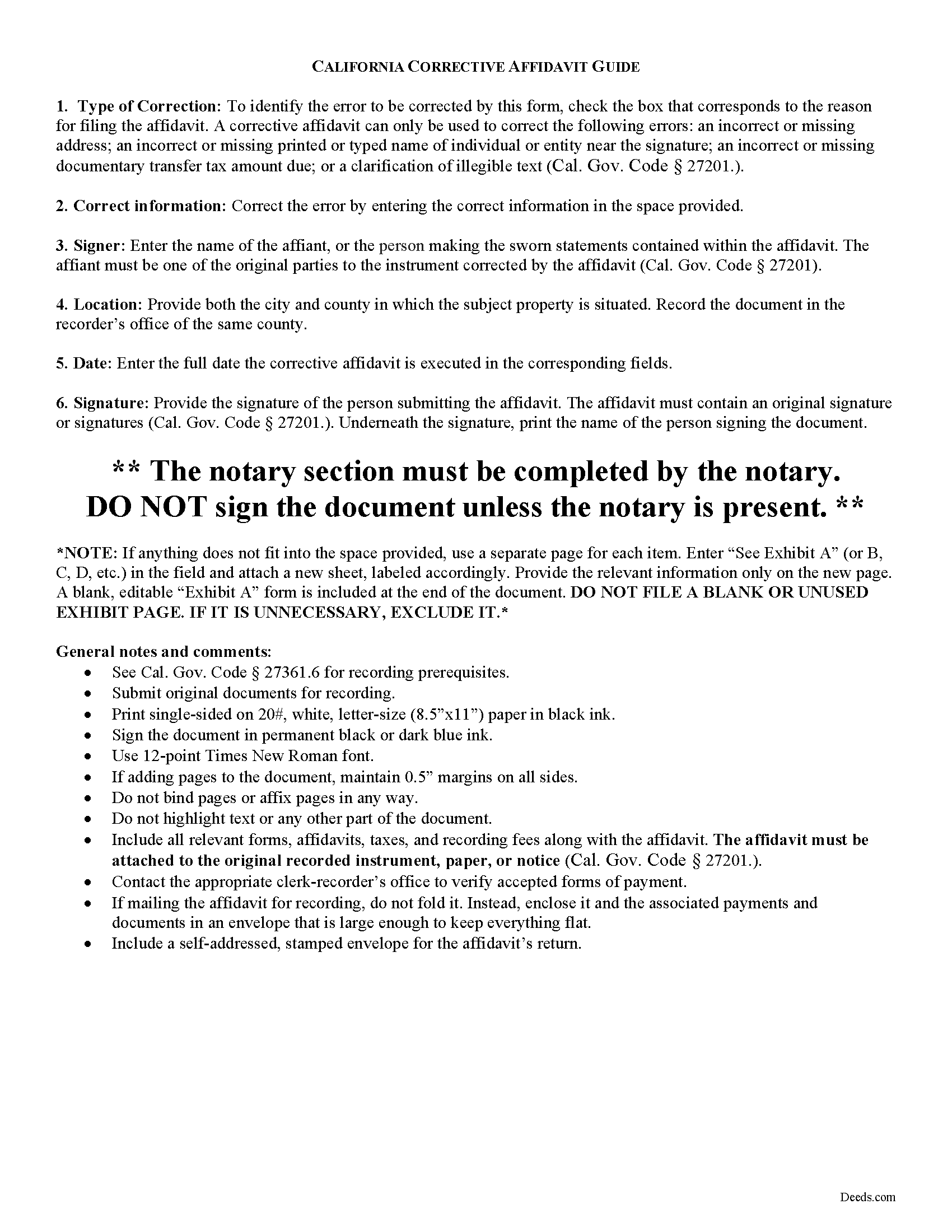
Humboldt County Corrective Affidavit Guide
Line by line guide explaining every blank on the form.
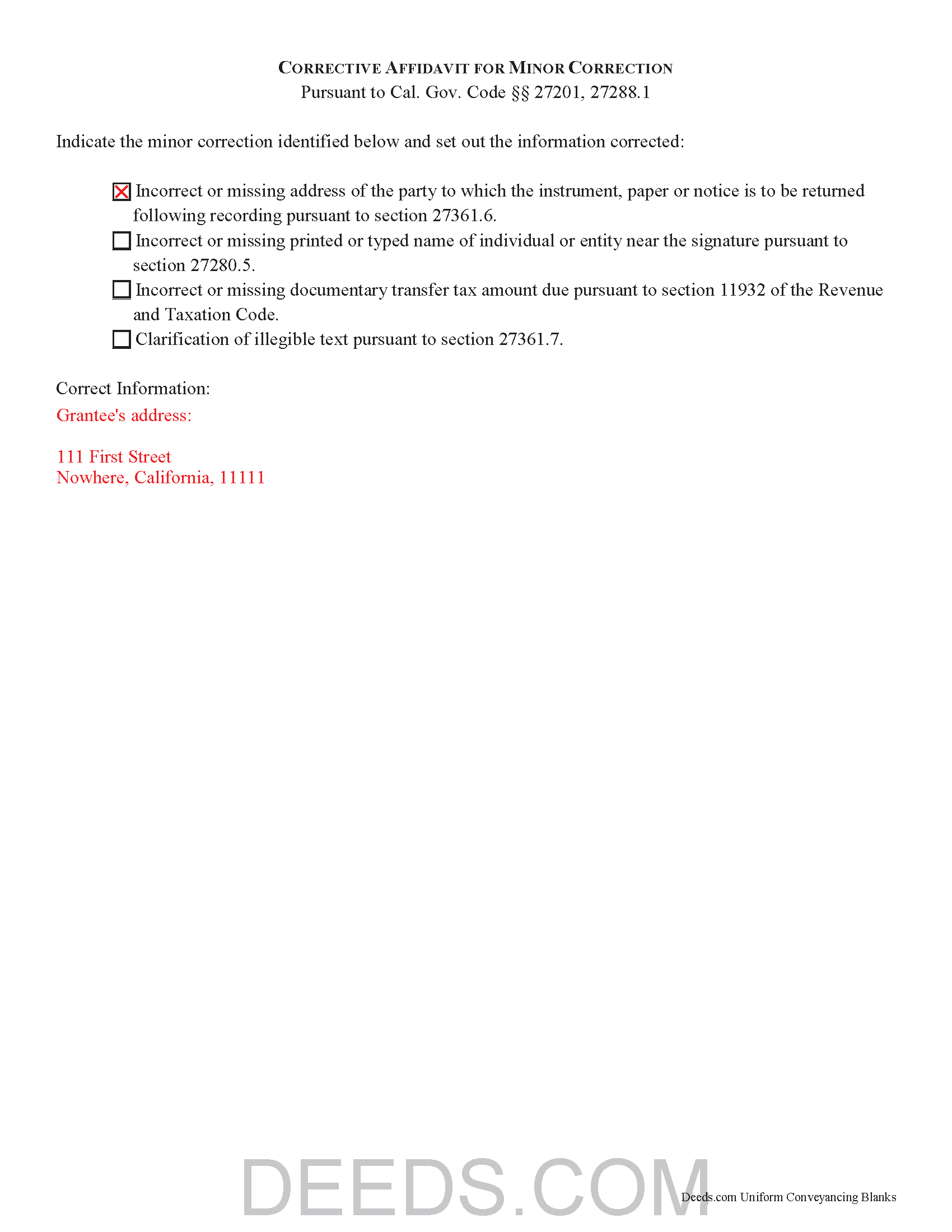
Humboldt County Completed Example of the Deed Corrective Affidavit Document
Example of a properly completed California Deed Corrective Affidavit document for reference.
All 3 documents above included • One-time purchase • No recurring fees
Immediate Download • Secure Checkout
Additional California and Humboldt County documents included at no extra charge:
Where to Record Your Documents
Humboldt County Clerk-Recorder
Eureka, California 95501
Hours: 8:30am to 5:00pm
Phone: (707) 445-7593 or (888) 486-2732
Recording Tips for Humboldt County:
- Bring your driver's license or state-issued photo ID
- Ensure all signatures are in blue or black ink
- Ask if they accept credit cards - many offices are cash/check only
- Check that your notary's commission hasn't expired
- Documents must be on 8.5 x 11 inch white paper
Cities and Jurisdictions in Humboldt County
Properties in any of these areas use Humboldt County forms:
- Alderpoint
- Arcata
- Bayside
- Blocksburg
- Blue Lake
- Bridgeville
- Carlotta
- Cutten
- Eureka
- Ferndale
- Fields Landing
- Fortuna
- Garberville
- Honeydew
- Hoopa
- Hydesville
- Kneeland
- Korbel
- Loleta
- Mckinleyville
- Miranda
- Myers Flat
- Orick
- Orleans
- Petrolia
- Phillipsville
- Redcrest
- Redway
- Rio Dell
- Samoa
- Scotia
- Trinidad
- Weott
- Whitethorn
- Willow Creek
Hours, fees, requirements, and more for Humboldt County
How do I get my forms?
Forms are available for immediate download after payment. The Humboldt County forms will be in your account ready to download to your computer. An account is created for you during checkout if you don't have one. Forms are NOT emailed.
Are these forms guaranteed to be recordable in Humboldt County?
Yes. Our form blanks are guaranteed to meet or exceed the applicable formatting requirements used for recording in Humboldt County, including margin requirements, font requirements, and other layout standards. This guarantee applies to formatting, not to the legal sufficiency of information entered by the user or the suitability of a form for a particular transaction.
Can I reuse these forms?
Yes. You can reuse the forms for your personal use. For example, if you have multiple properties in Humboldt County you only need to order once.
What do I need to use these forms?
The forms are PDFs that you fill out on your computer. The free Adobe Acrobat Reader is recommended, and most PDF apps also work. You do NOT enter your property information online - you download the blank forms and complete them privately on your own computer.
Are there any recurring fees?
No. This is a one-time purchase. Nothing to cancel, no memberships, no recurring fees.
How much does it cost to record in Humboldt County?
Recording fees in Humboldt County vary. Contact the recorder's office at (707) 445-7593 or (888) 486-2732 for current fees.
Questions answered? Let's get started!
Corrective Affidavits in California
Typically, any rerecorded document must be resigned and acknowledged as a new document. However, an erroneous document will not be recorded as a new document if it is presented with a corrective affidavit (Cal. Gov. Code 27201.). A corrective affidavit is a statutory device under Cal. Gov. Code 27201, used to correct a minor error in a document that has been recorded at an earlier date.
Minor errors are those that, when corrected, cause no actual change in the substance of the document. Section 27201 of the Government Code states that a corrective affidavit can only be used to correct the following: an incorrect or missing return address; a clarification of illegible text; an incorrect or missing printed or typed name near the signature; or an incorrect or missing documentary transfer tax amount due.
More extensive corrections to recorded documents typically require a new deed. Adding or removing a grantee, for example, or making material changes to the legal description, may all require a new document of conveyance. When in doubt about the appropriate vehicle to address the error, consult with a lawyer.
A correction deed is exempt from transfer tax because no transfer is being made, and no consideration is exchanged (Cal. Rev. and Tax. Code 11911). Some counties demand a documentary transfer tax affidavit stating the reason for the exemption, to be filed in addition to the other documents being recorded, so check the county recorder's website to confirm any local requirements.
For the correction to be valid, the affidavit must be attached to the original recorded document with a cover sheet complying with Cal. Gov. Code 27361.6, stating the reason for rerecording on the cover sheet, by the person who submitted the original document for recording (Cal. Gov. Code 27201.).
The affidavit itself must include the information corrected, be certified by the party submitting the affidavit under penalty of perjury, and be acknowledged pursuant to Cal. Gov. Code 27287. The affidavit can be acknowledged by any one of the officials listed in Cal. Civ. Code 1181. Finally, the form must meet all state and local standards for recorded documents. Submit the completed affidavit, along with any necessary supporting materials, to the local recording office to correct and update the public data.
This article is provided for informational purposes only and is not a substitute for legal advice. Contact an attorney with questions about corrective affidavits, or for any other issues related to real property in California.
(California Correction Deed Package includes form, guidelines, and completed example)
Important: Your property must be located in Humboldt County to use these forms. Documents should be recorded at the county recording office listed above.
This Deed Corrective Affidavit meets all recording requirements specific to Humboldt County.
Our Promise
The documents you receive here are guaranteed to meet or exceed the applicable Humboldt County recording format requirements. If there is a rejection caused by our formatting, we will correct the issue or refund your payment. This guarantee applies to document formatting only and does not extend to information entered by the user, the selection of the form, or the legal effect of the completed document.
Save Time and Money
Get your Humboldt County Deed Corrective Affidavit form done right the first time with Deeds.com Uniform Conveyancing Blanks. At Deeds.com, we understand that your time and money are valuable resources, and we don't want you to face a penalty fee or rejection imposed by a county recorder for submitting nonstandard documents. We constantly review and update our forms to meet rapidly changing state and county recording requirements for roughly 3,500 counties and local jurisdictions.
4.8 out of 5 - ( 4,818 Reviews )
Juanita G. 5 out of 5 stars
This was so easy to use, quick turnaround and I will continue to use this service. Thank you!
Thanks you Juanita for taking the time to leave your feedback. We really appreciate it. Have a fantastic day!
Doris S. 5 out of 5 stars
Pleased with efficiency and expediency of website. Added value is the respective county requirements for Florida. I needed a quitclaim deed between family members. Highly recommended. We hope to record signed and executed document next week in Florida. Thank you.
We appreciate your business and value your feedback. Thank you. Have a wonderful day!
Michael L. G. 5 out of 5 stars
Thank you, Deed.com provided the needed forms to change county and state information after the passing of my father, saved me a trip to law office, especially after the lawyers would not return my calls, so I would recommend you check Deed.com for information, saved my family money for lawyer fees, would use Deed.com again. Mike
Thank you for your feedback. We really appreciate it. Have a great day!
Jennie P. 5 out of 5 stars
Thank you for the information you sent.
Thank you!
JOHN R. 5 out of 5 stars
This is an Outstanding Website for easy access in expediting my property investment needs. Thank you for this much needed online service.
Thank you!
Michael L. 5 out of 5 stars
Thumbs up. Very pleased with service. Easy process.
Thank you!
Robert H. 5 out of 5 stars
Easy to use and understand. I am glad to have found this resource.
Your appreciative words mean the world to us. Thank you and we look forward to serving you again!
Jonathon K. 5 out of 5 stars
Recording deeds from the comfort of my office has never been simpler thanks to Deeds.com. The service is affordable, fast, and extremely user friendly. I highly recommend anyone who needs a deed recorded in the state of Florida to look into this website, it has made my job much easier.
We appreciate your business and value your feedback. Thank you. Have a wonderful day!
Chad R. 5 out of 5 stars
a refreshing web based legal form site Thanks I will recommend to friend
Thank you!
janitza g. 5 out of 5 stars
It was easy!!! The example for completing a quickclaim deed form was very helpful!!
Thank you!
Kurt P. 5 out of 5 stars
I like the basics. The one thing I would recommend changing would be, something that tells me I have actually have submitted my package, or that I can leave at any time without needing to click on a "Submit" button.
Thank you for your feedback. We really appreciate it. Have a great day!
Jerry B. 5 out of 5 stars
Easy to use and fully comprehensive.
Thank you for your feedback Jerry, we appreciate you.
Tracey M. 5 out of 5 stars
Using Deeds.com was unbelievably quick and easy to file a deed restriction with our local county office. From uploading the initial file to deeds.com, to having a fully recorded document was right on one hour - and all from the comfort of my home. I found your service was easy to use and your staff were very quick in responding to my filing. I will definitely use and recommend deeds.com in the future.
Thank you for your feedback. We really appreciate it. Have a great day!
Michelle N. 5 out of 5 stars
I was very pleased with the service I received. I sent a Quit Claim deed to be filed and received a response the next morning that it was complete.
Thank you for your feedback. We really appreciate it. Have a great day!
Jearsel W. 5 out of 5 stars
I was surprised how helpful the completed example was. It was nice to see what the form should look like when it is filled out. Great job!
That's wonderful to hear Jearsel, thanks for your feedback. Have an awesome day.