Humboldt County Executor Deed Form
Last validated October 12, 2026 by our Forms Development TeamFormatted for recording in Humboldt County, for property anywhere in the county: rural and unincorporated areas as well as Alderpoint, Arcata, Bayside, Blocksburg, Blue Lake, Bridgeville, Carlotta, Cutten and 27 more.
- 3 documents included
- Immediate PDF download
- Formatting guarantee
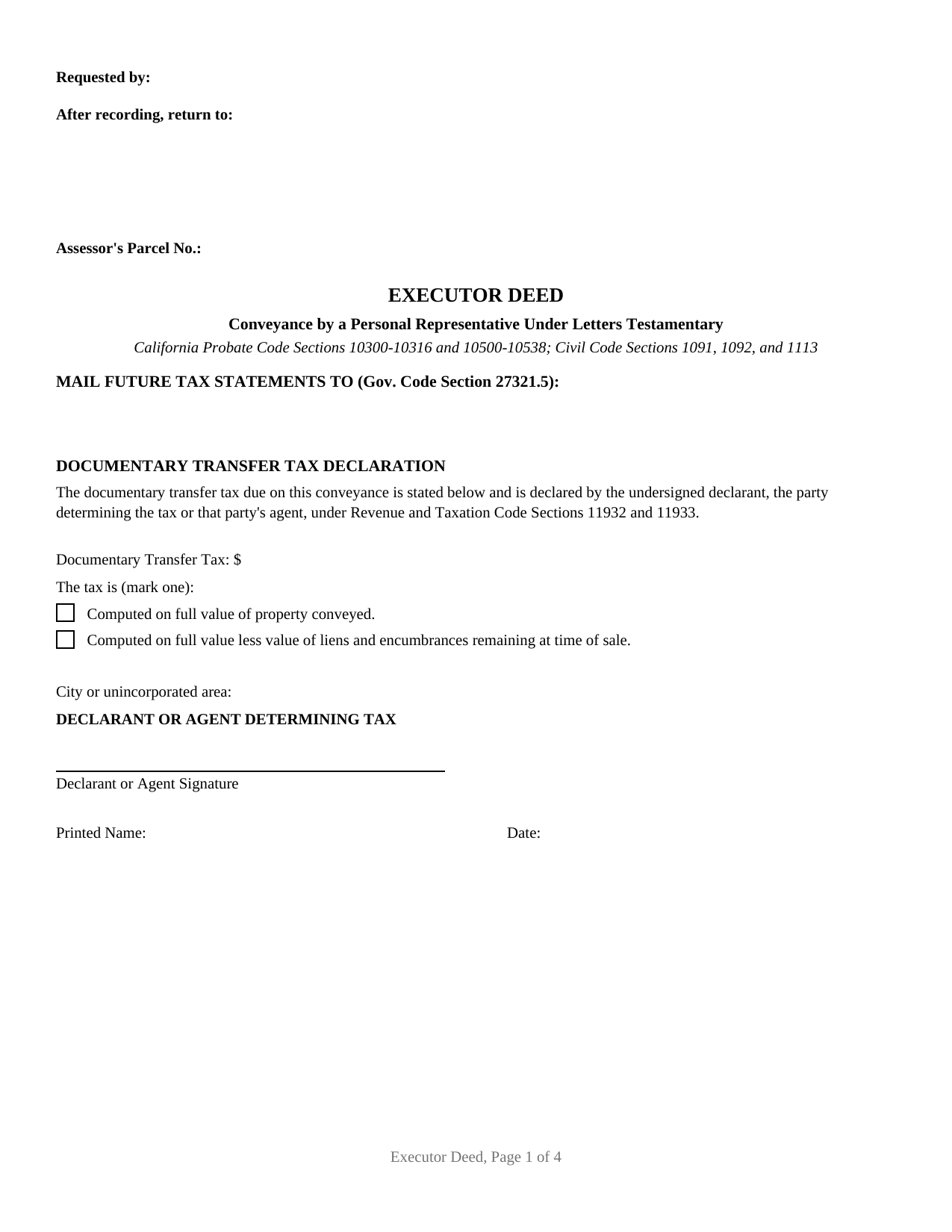
Humboldt County Executor Deed Form
Fill in the blank Executor Deed form formatted to comply with all California recording and content requirements.
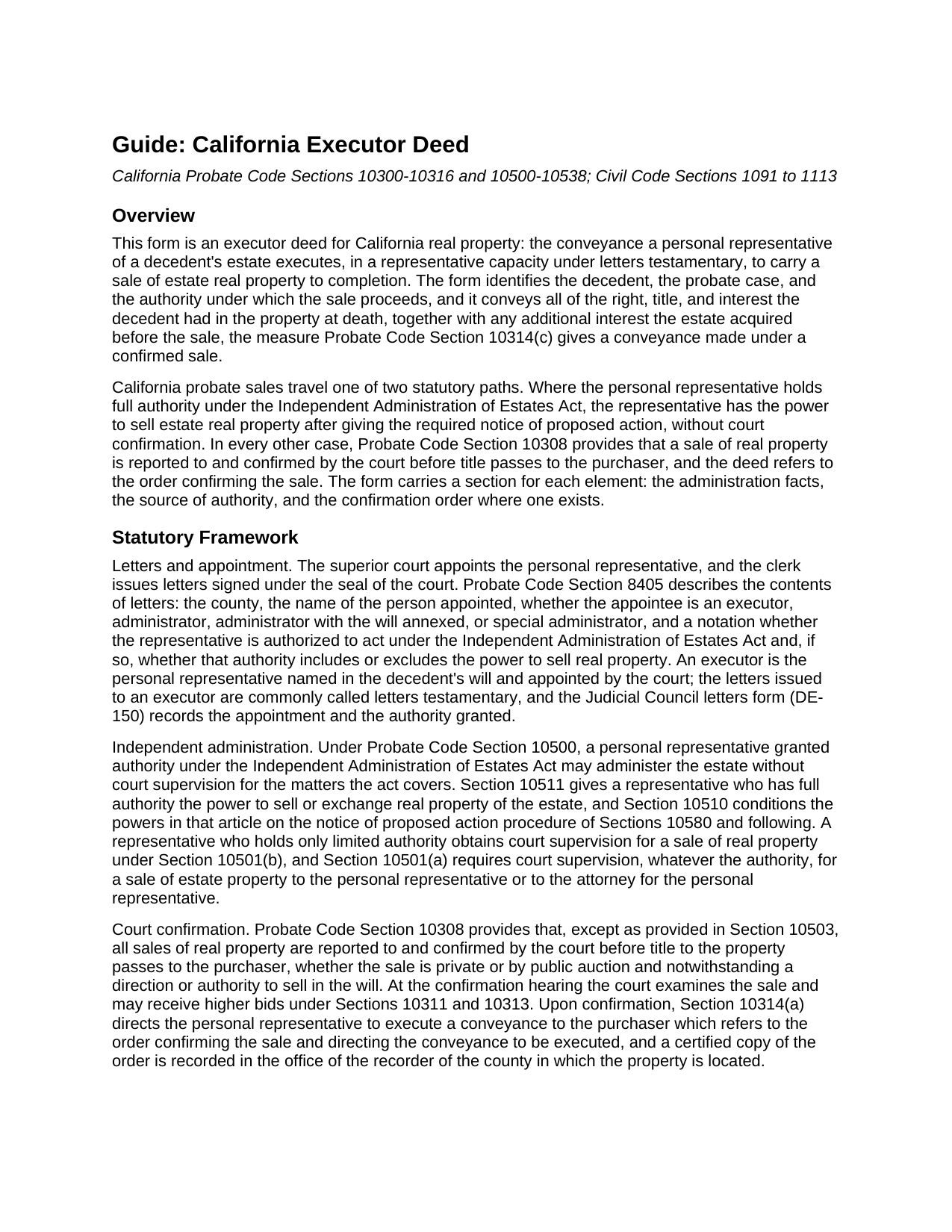
Humboldt County Executor Deed Guide
Line by line guide explaining every blank on the Executor Deed form.
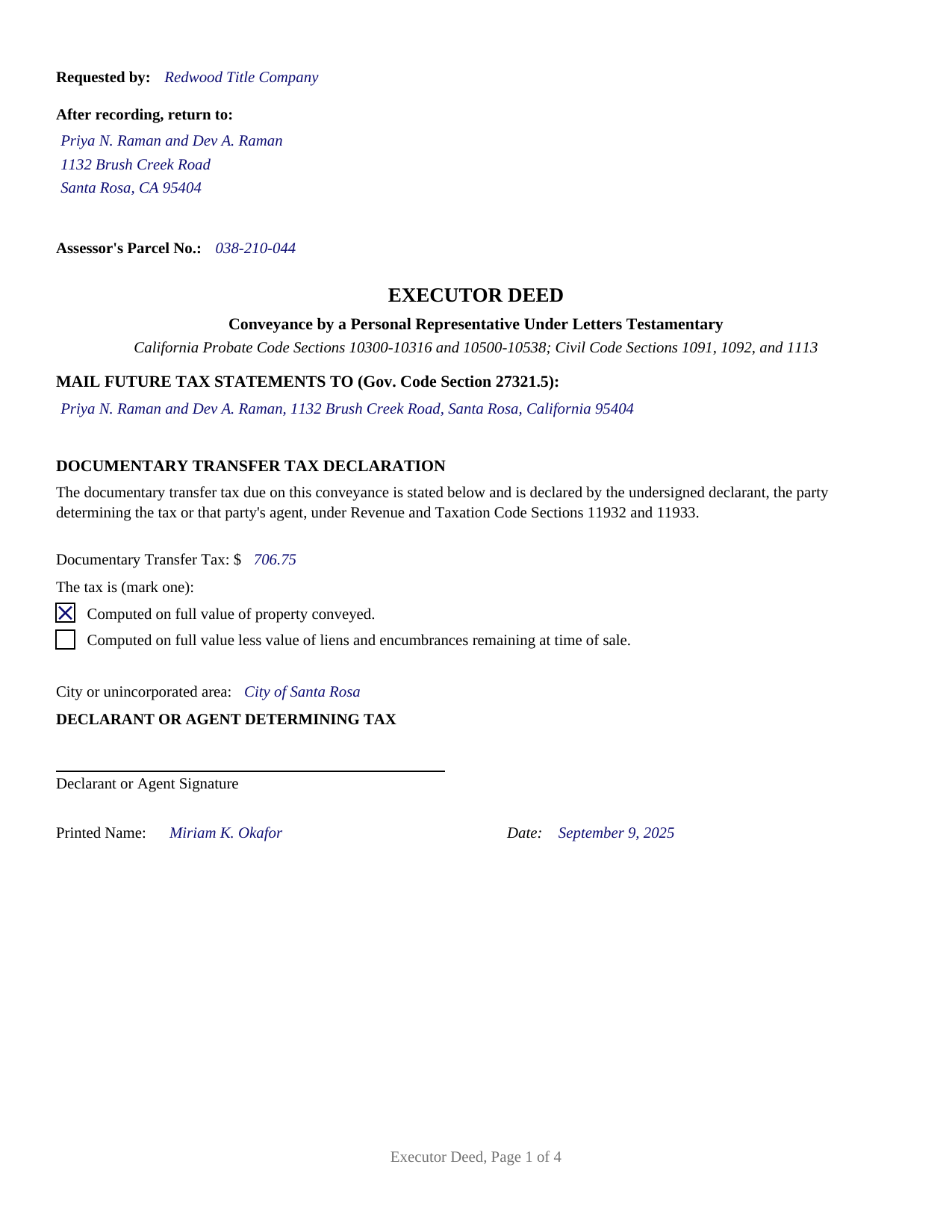
Humboldt County Completed Example of the Executor Deed Document
Example of a properly completed California Executor Deed document for reference.
All 3 documents above included • One-time purchase • No recurring fees
Immediate Download • Secure Checkout
Additional California and Humboldt County documents included at no extra charge:
Where to Record Your Documents
Humboldt County Clerk-Recorder
Eureka, California 95501
Hours: 8:30am to 5:00pm
Phone: (707) 445-7593 or (888) 486-2732
Recording Tips for Humboldt County:
- Bring your driver's license or state-issued photo ID
- Ensure all signatures are in blue or black ink
- Avoid the last business day of the month when possible
- Both spouses typically need to sign if property is jointly owned
- Bring extra funds - fees can vary by document type and page count
Cities and Jurisdictions in Humboldt County
Properties in any of these areas use Humboldt County forms:
- Alderpoint
- Arcata
- Bayside
- Blocksburg
- Blue Lake
- Bridgeville
- Carlotta
- Cutten
- Eureka
- Ferndale
- Fields Landing
- Fortuna
- Garberville
- Honeydew
- Hoopa
- Hydesville
- Kneeland
- Korbel
- Loleta
- Mckinleyville
- Miranda
- Myers Flat
- Orick
- Orleans
- Petrolia
- Phillipsville
- Redcrest
- Redway
- Rio Dell
- Samoa
- Scotia
- Trinidad
- Weott
- Whitethorn
- Willow Creek
Hours, fees, requirements, and more for Humboldt County
How do I get my forms?
Forms are available for immediate download after payment. The Humboldt County forms will be in your account ready to download to your computer. An account is created for you during checkout if you don't have one. Forms are NOT emailed.
Are these forms guaranteed to be recordable in Humboldt County?
Yes. Our form blanks are guaranteed to meet or exceed the applicable formatting requirements used for recording in Humboldt County, including margin requirements, font requirements, and other layout standards. This guarantee applies to formatting, not to the legal sufficiency of information entered by the user or the suitability of a form for a particular transaction.
Can I reuse these forms?
Yes. You can reuse the forms for your personal use. For example, if you have multiple properties in Humboldt County you only need to order once.
What do I need to use these forms?
The forms are PDFs that you fill out on your computer. The free Adobe Acrobat Reader is recommended, and most PDF apps also work. You do NOT enter your property information online - you download the blank forms and complete them privately on your own computer.
Are there any recurring fees?
No. This is a one-time purchase. Nothing to cancel, no memberships, no recurring fees.
How much does it cost to record in Humboldt County?
Recording fees in Humboldt County vary. Contact the recorder's office at (707) 445-7593 or (888) 486-2732 for current fees.
Questions answered? Let's get started!
A California executor deed is the conveyance that moves real property out of a probate estate: the personal representative named in the decedent's will, holding letters testamentary from the superior court, signs a deed transferring the estate's interest to the purchaser. This fillable form, also searched as an executor's deed, personal representative deed, or probate deed, prepares that conveyance under the California Probate Code.
Authority that comes from the probate file
Unlike an ordinary grant deed between living owners, an executor deed draws its force from the probate case. The letters the court clerk issues under Probate Code Section 8405 name the executor and state whether the appointment carries authority under the Independent Administration of Estates Act, and whether that authority includes the power to sell real property. A representative with full authority may sell estate real property after giving the notice of proposed action the act requires, without a confirmation hearing. In every other case, Probate Code Section 10308 has the sale reported to and confirmed by the court before title passes, at a hearing where higher bids may be received. The form is built around those facts: the decedent, the superior court and case number, the date letters testamentary issued, the authority for the sale, and, for a confirmed sale, the order confirming the sale, which Probate Code Section 10314 has the deed refer to on its face; a certified copy of the order, obtained from the court file separately from this package, is recorded in the county where the property lies.
A conveyance measured by the estate's title
The granting clause tracks Probate Code Section 10314(c): the deed conveys all of the right, title, and interest the decedent had in the property at death, together with any additional interest the estate acquired before the sale. The word grants does the operative work under Civil Code Section 1092, and the deed then expressly restrains the two covenants Civil Code Section 1113 would imply from that word, so the executor makes no personal covenant and the estate gives no warranty of title. That posture is what distinguishes a fiduciary conveyance: the purchaser's protection comes from the probate procedure, from the confirmation order where there is one, and from the title insurance issued for the sale, not from promises by the fiduciary who signs.
Built for California recording counters
The first page carries what California recording offices look for: the requester line, the return address block, and the assessor parcel number in the reserved recording space under Government Code Section 27361.6, a title immediately below that space, the name and address for future tax statements under Government Code Section 27321.5, and the documentary transfer tax declaration under Revenue and Taxation Code Sections 11932 and 11933, with the amount, the computation statement, the city or unincorporated area, and the declarant's signature line. A probate sale for consideration is a taxable sale of realty, so the declaration matters here in a way it does not on gift deeds. The guide walks through the county recorder's fee layers, the preliminary change of ownership report the transferee files with the deed (a state assessor form prepared separately and not included in this package), and the acknowledgment before a notary that Government Code Section 27287 makes the gateway to recording. The notary certificate printed on the form is the California statutory certificate with its boxed notice, completed by the officer for the executor's representative-capacity acknowledgment.
One estate, one signer, both sale paths
The form recites a single grantor signing in a fiduciary role: an executor serving under letters testamentary. The recitals do not describe an administrator serving under letters of administration, a trustee conveying trust property, or a beneficiary claiming under a transfer on death deed; those transfers follow different instruments. Within that scope the deed serves either statutory sale path, and the guide shows the entries for each.
The download delivers this executor deed as a fillable PDF, a completed example showing a realistic Sonoma County confirmed sale from case number to recording references, and a section by section guide to completing, signing, and recording the deed. The materials describe California law in general terms and are not legal advice; an attorney can apply these statutes to a particular estate.
Important: Your property must be located in Humboldt County to use these forms. Documents should be recorded at the county recording office listed above.
This Executor Deed meets all recording requirements specific to Humboldt County.
Our Promise
The documents you receive here are guaranteed to meet or exceed the applicable Humboldt County recording format requirements. If there is a rejection caused by our formatting, we will correct the issue or refund your payment. This guarantee applies to document formatting only and does not extend to information entered by the user, the selection of the form, or the legal effect of the completed document.
Save Time and Money
Get your Humboldt County Executor Deed form done right the first time with Deeds.com Uniform Conveyancing Blanks. At Deeds.com, we understand that your time and money are valuable resources, and we don't want you to face a penalty fee or rejection imposed by a county recorder for submitting nonstandard documents. We constantly review and update our forms to meet rapidly changing state and county recording requirements for roughly 3,500 counties and local jurisdictions.
4.8 out of 5 - ( 4,837 Reviews )
Niranjan C. 5 out of 5 stars
Whole process was very easy and quick. Forms were easy to fill, examples were quite appropriate. Recommended.
Thank you!
Amy S. 5 out of 5 stars
Fast and easy access.
Thank you!
Barbara G. 5 out of 5 stars
I got what I needed very quickly. Thank you.
Thank you!
Greg F. 5 out of 5 stars
Sorry that this a little late. I'm VERY HAPPY with everything. The deeds paperwork was just what I was looking for. It was very to fill out, it was different than n the folks used years ago. I called the county clerk, and they were very helpful. Thank you for the paperwork it was easy to use and understand.
Thank you for your feedback. We really appreciate it. Have a great day!
LISA B. 5 out of 5 stars
GOT WHAT I NEEDED FORMS WORKED FINE.
Thank you!
Pamela D K. 5 out of 5 stars
very helpful. Was unable to find what I needed, but did everything they could to help. Will try them again in the future, if need be.
Thank you for your feedback. We really appreciate it. Have a great day!
Anne-Marie B. 5 out of 5 stars
This was the first time I have ever e-recorded a document. The process was smooth and simple. I loved being informed at each step along the way. I am glad I chose deeds.com and plan to use them in the future for all my electronic recording of legal documents.
Thank you!
Byron M. 5 out of 5 stars
Prompt service... provide thorough explanation of what is needed to complete the recording.
Thank you for your feedback. We really appreciate it. Have a great day!
Edward L. 5 out of 5 stars
Excellent web site with just the right documents. Filled a very important need in less tha 2 minutes time.
We appreciate your business and value your feedback. Thank you. Have a wonderful day!
Jaime H. 5 out of 5 stars
quick and easy
Thank you!
Jan K. 5 out of 5 stars
Very simple and easy, quick!
Thank you for your feedback. We really appreciate it. Have a great day!
Mary K. 5 out of 5 stars
Fantastic way to record any deed! Done in less than a few hours, right to your inbox. Very small fee compared to driving to office or waiting for the mail.
Thank you for your feedback. We really appreciate it. Have a great day!
Margarette S. 5 out of 5 stars
I found your website easy to use and very informative.
Thank you for your feedback. We really appreciate it. Have a great day!
Gjnana D. 5 out of 5 stars
These guidelines and form helped me lot in preparing quit deed to add my spouse's name in tittle property
Thank you for your feedback. We really appreciate it. Have a great day!
Brenda R. 5 out of 5 stars
This site was a great help to us. It was worth the money to get it right!
We appreciate your business and value your feedback. Thank you. Have a wonderful day!