Sutter County Easement Deed Form
Last validated October 13, 2026 by our Forms Development TeamFormatted for recording in Sutter County, for property anywhere in the county: rural and unincorporated areas as well as Live Oak, Meridian, Nicolaus, Pleasant Grove, Rio Oso, Robbins, Sutter, Yuba City.
- 4 documents included
- Immediate PDF download
- Formatting guarantee
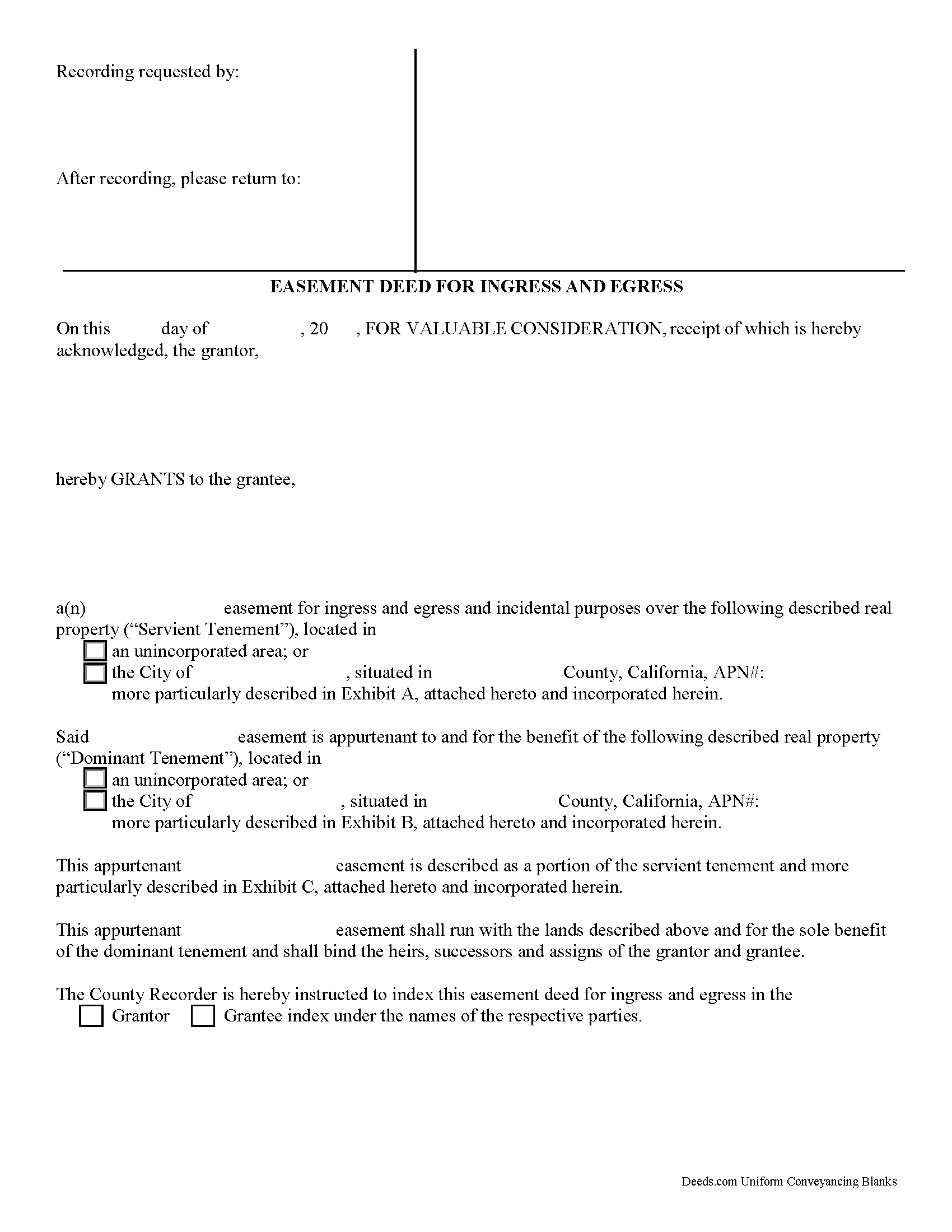
Sutter County Easement Deed Form
Fill in the blank form formatted to comply with all recording and content requirements.
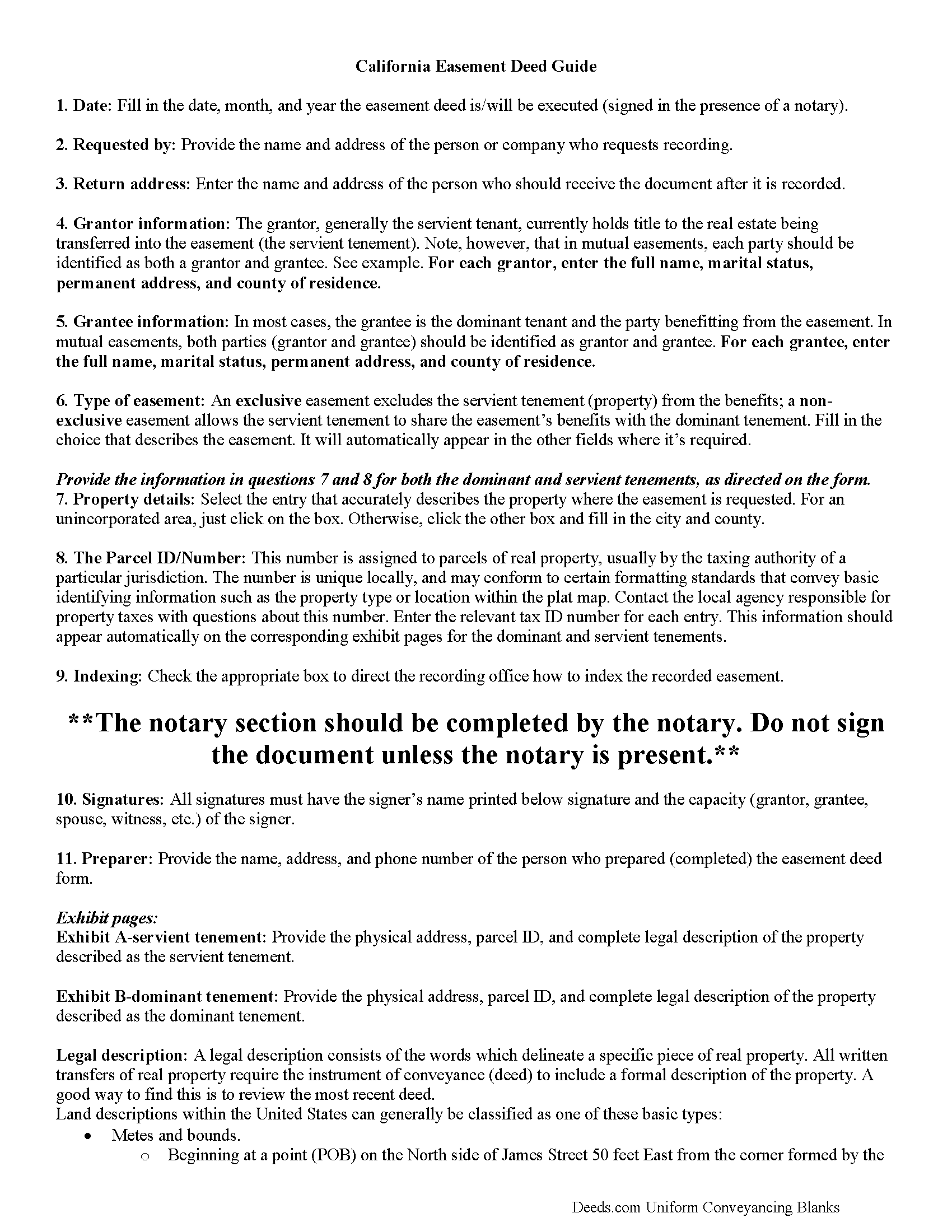
Sutter County Easement Deed Guide
Line by line guide explaining every blank on the form.
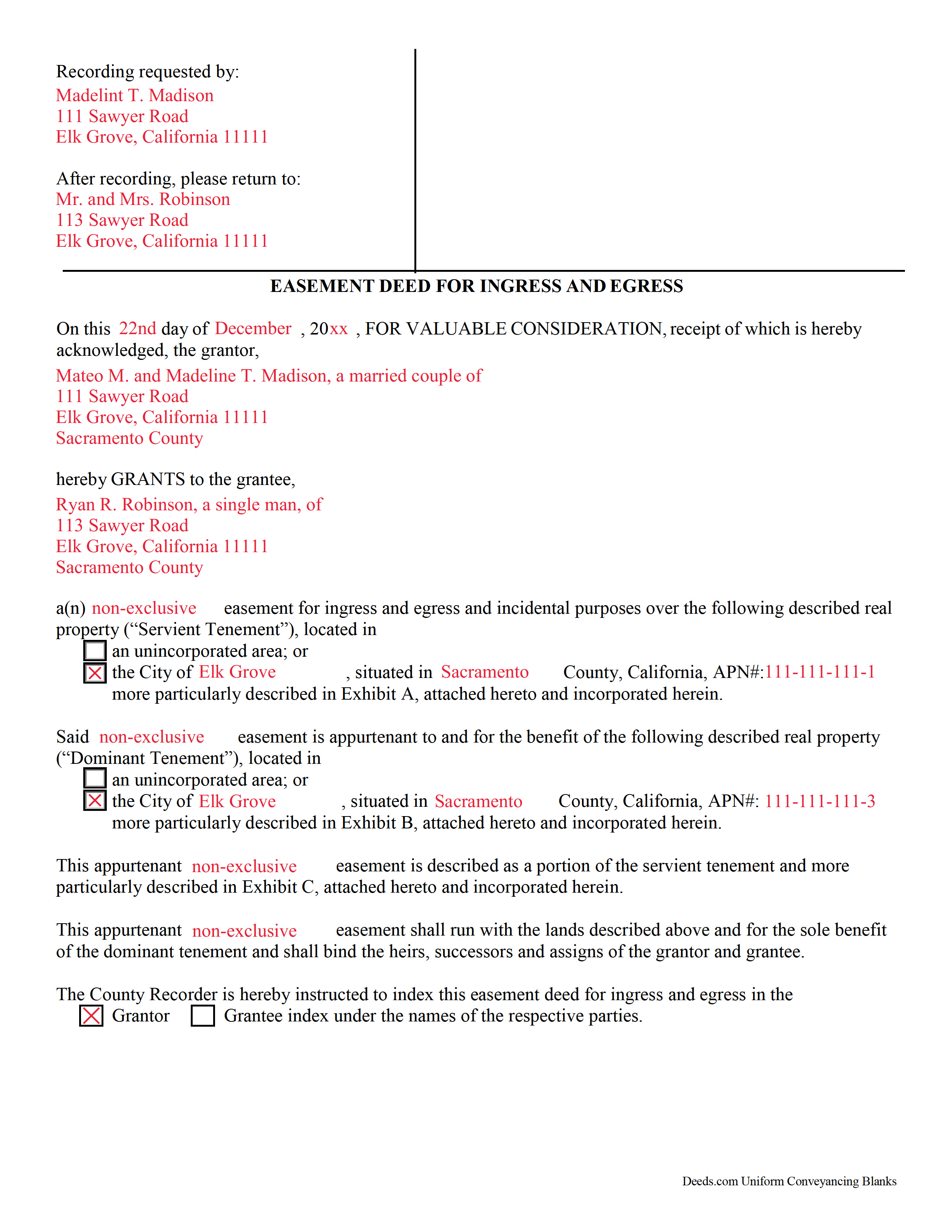
Sutter County Completed Example of the Easement Deed Document
Example of a properly completed form for reference.
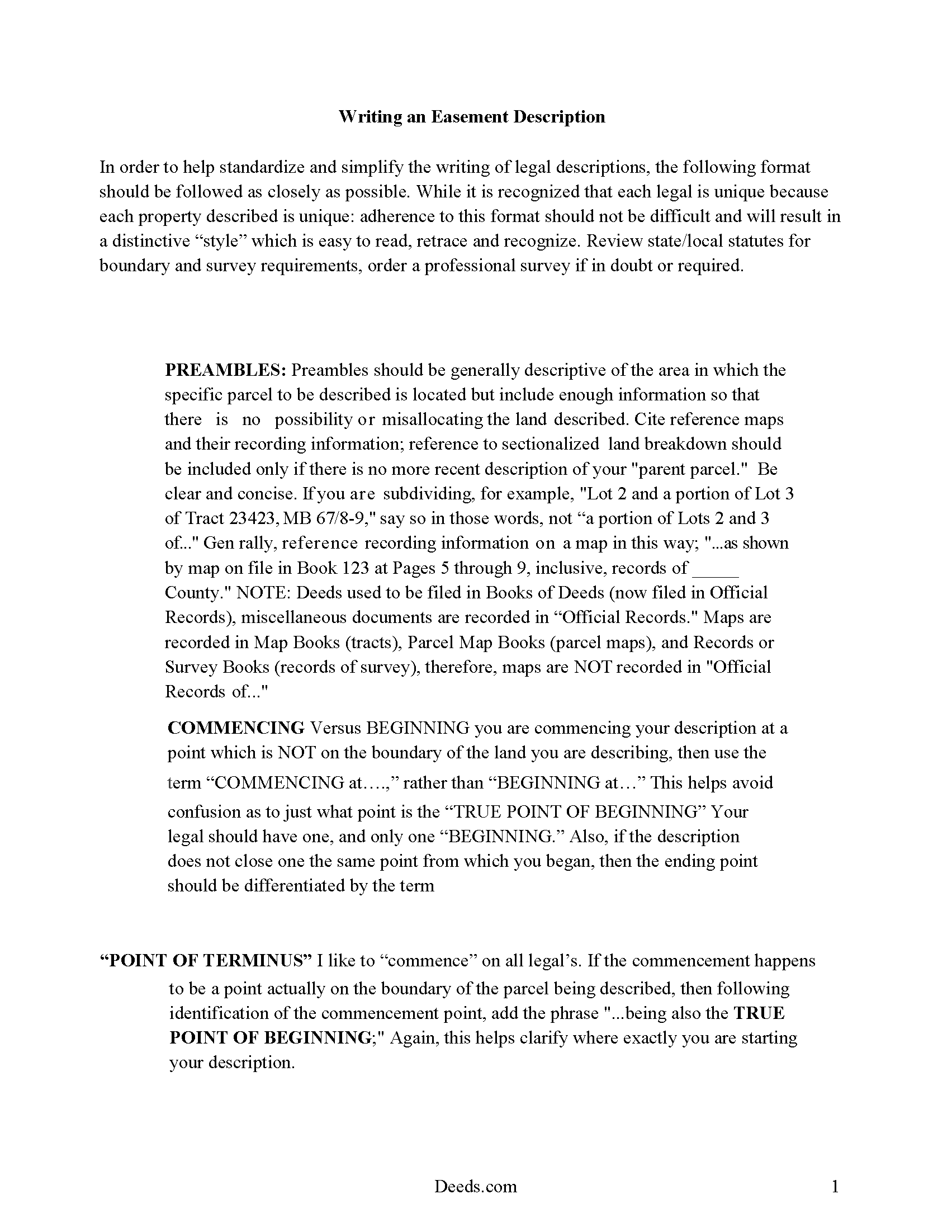
Sutter County Easement Deed Description
A Description of the Easement will be required, apply this guide to write an acceptable description of an easement/right of way, which gives access, to and from - point A to point B.
All 4 documents above included • One-time purchase • No recurring fees
Immediate Download • Secure Checkout
Additional California and Sutter County documents included at no extra charge:
Where to Record Your Documents
Sutter County Clerk - Recorder
Yuba City, California 95991
Hours: 8:00 a.m. to 5:00 p.m.
Phone: (530) 822-7134
Recording Tips for Sutter County:
- Bring your driver's license or state-issued photo ID
- Ensure all signatures are in blue or black ink
- Verify all names are spelled correctly before recording
- White-out or correction fluid may cause rejection
- Ask about their eRecording option for future transactions
Cities and Jurisdictions in Sutter County
Properties in any of these areas use Sutter County forms:
- Live Oak
- Meridian
- Nicolaus
- Pleasant Grove
- Rio Oso
- Robbins
- Sutter
- Yuba City
Hours, fees, requirements, and more for Sutter County
How do I get my forms?
Forms are available for immediate download after payment. The Sutter County forms will be in your account ready to download to your computer. An account is created for you during checkout if you don't have one. Forms are NOT emailed.
Are these forms guaranteed to be recordable in Sutter County?
Yes. Our form blanks are guaranteed to meet or exceed the applicable formatting requirements used for recording in Sutter County, including margin requirements, font requirements, and other layout standards. This guarantee applies to formatting, not to the legal sufficiency of information entered by the user or the suitability of a form for a particular transaction.
Can I reuse these forms?
Yes. You can reuse the forms for your personal use. For example, if you have multiple properties in Sutter County you only need to order once.
What do I need to use these forms?
The forms are PDFs that you fill out on your computer. The free Adobe Acrobat Reader is recommended, and most PDF apps also work. You do NOT enter your property information online - you download the blank forms and complete them privately on your own computer.
Are there any recurring fees?
No. This is a one-time purchase. Nothing to cancel, no memberships, no recurring fees.
How much does it cost to record in Sutter County?
Recording fees in Sutter County vary. Contact the recorder's office at (530) 822-7134 for current fees.
Questions answered? Let's get started!
An easement is a non-possessory interest in another person's property that gives someone the right to use another person's property for a specific purpose. An easement can be acquired in many different ways: by an express grant, by prescription, by necessity, by implication, and by condemnation. Easements can be conveyed by deed, will, or contracts.
A transfer of real property in California will pass all the easements attached to the property and creates in favor thereof an easement to use other real property of the person whose estate is transferred in the same manner and to the same extent as such property was obviously and permanently used by the person whose estate is transferred, for the benefit thereof, at the time when the transfer was agreed upon or completed (CIV 1104).
Section 801 of the Civil Code of the California laws lists a number of land burdens, or servitudes upon land, which may be attached to other land as incidents or appurtenances as easements. A servitude (the land upon which a burden or servitude is laid) can only be created by someone who has a vested interest in the servient estate (CIV 804). Additionally, a conservation easement can be created for the purposes of preserving the natural, scenic, historical, or open-space condition of a specific piece of land (CIV 815.1).
The party granting the easement must sign the easement deed and have his or her signature acknowledged before submitting the document to the county recorder. A California all-purpose acknowledgement is required (CIV 1188). The officer taking acknowledgements must have a certificate endorsed on or attached to the easement.
As interests in real property, easement deeds are subject to the recording laws in California and are entitled to be recorded in the office of the county clerk in the county where the property is located (CIV 1169). Once an easement deed has been recorded, it serves as constructive notice of the contents to subsequent purchasers and mortgagees (CIV 1213). Every conveyance of real property is void as against any subsequent purchaser or mortgagee of the same real property, or part thereof, in good faith and for a valuable consideration, whose conveyance is first duly recorded, and as against any judgment affecting the title, unless the conveyance shall have been duly recorded prior to the record of notice of action (CIV 1214). An unrecorded easement deed is valid as between the parties to it and those who have notice of it (CIV 1217).
(California Easement Deed Package includes form, guidelines, and completed example)
Important: Your property must be located in Sutter County to use these forms. Documents should be recorded at the county recording office listed above.
This Easement Deed meets all recording requirements specific to Sutter County.
Our Promise
The documents you receive here are guaranteed to meet or exceed the applicable Sutter County recording format requirements. If there is a rejection caused by our formatting, we will correct the issue or refund your payment. This guarantee applies to document formatting only and does not extend to information entered by the user, the selection of the form, or the legal effect of the completed document.
Save Time and Money
Get your Sutter County Easement Deed form done right the first time with Deeds.com Uniform Conveyancing Blanks. At Deeds.com, we understand that your time and money are valuable resources, and we don't want you to face a penalty fee or rejection imposed by a county recorder for submitting nonstandard documents. We constantly review and update our forms to meet rapidly changing state and county recording requirements for roughly 3,500 counties and local jurisdictions.
4.8 out of 5 - ( 4,828 Reviews )
ROBERT W. 5 out of 5 stars
Very good service .I recommend it if you need your documentation on a weekend or when offices are closed.Very fast service
We appreciate your business and value your feedback. Thank you. Have a wonderful day!
Peter L. 3 out of 5 stars
Waiting for response to questions about TOD deed. Language doesn't accommodate more than one Grantor and user cannot edit language.
Peter, thank you for your feedback. We're sorry our form didn't meet your needs. We've issued a full refund for your order. Please note that our forms are designed for common transfer scenarios, and we're unable to provide legal advice or guidance on how to complete them. If your situation involves multiple grantors or other complexities, we'd recommend consulting with a local real estate attorney who can ensure your deed is properly drafted for your specific circumstances. We wish you the best.
Kevin E. 5 out of 5 stars
Great app works very well thank you very much
Thank you!
Stanley C. 5 out of 5 stars
Amazingly simple, easy to download and use. Excellent service, Thank You
Thank you!
Dana P. 5 out of 5 stars
Thank you for making a difficult time a little easier. The forms are easy to download and complete and the Guide is very helpful.
Thank you for your feedback. We really appreciate it. Have a great day!
HELENA M. 5 out of 5 stars
Quick, super easy and very reasonable charge!!
Thank you for your feedback. We really appreciate it. Have a great day!
Felicia T. 5 out of 5 stars
Great service with all the added resources on the form I requested. Question: How long do the forms stay available on my account?
Thanks for the feedback Felicia. Our goal is to keep the documents available in your account indefinitely. It's a good idea to download the documents and store them yourself just in case.
Lindsey W. 3 out of 5 stars
The service was great but after I did all my work and uploaded the documents they canceled my stuff because the county they had on the list doesnt take/or have set up e-recording yet. It was a bit disappointing because thats the only reason I was on here is because it brought me here from that countys sight.
Thank you for your feedback, sorry we were not able to provide the service for you. Hope you have a great day.
Elizabeth B. 5 out of 5 stars
Very efficient
Thank you!
Jenni R. 5 out of 5 stars
Dry convenient and had just the form I needed and included directions, filled out sample form and other resources. Will recommend and use again if needed.
Thank you for your feedback. We really appreciate it. Have a great day!
Paul R. A. 5 out of 5 stars
Great and prompt service. Thank you for your assistance. Paul R. Ashe, Esq.
Thank you!
Philip S. 5 out of 5 stars
This was our first time using Deeds.Com. We were tremendously impressed. The website works well, but the customer service really makes this organization special. The prompt, professional and knowledgeable responses to inquiries and recording issues was refreshing.
We appreciate your business and value your feedback. Thank you. Have a wonderful day!
Glenn W. 5 out of 5 stars
I love this tool and it is easy to work with. The interface is straight forward and notifications are consistently accurate.
Thank you for your feedback. We really appreciate it. Have a great day!
PETER C. 5 out of 5 stars
The process was quick and simple to follow. Very efficient way to document Deeds.
Thank you!
Kathryn P. 4 out of 5 stars
Somewhat easy to traverse.
Thank you!