Sutter County Transfer on Death Revocation Form
Last validated October 23, 2026 by our Forms Development TeamFormatted for recording in Sutter County, for property anywhere in the county: rural and unincorporated areas as well as Live Oak, Meridian, Nicolaus, Pleasant Grove, Rio Oso, Robbins, Sutter, Yuba City.
- 3 documents included
- Immediate PDF download
- Formatting guarantee
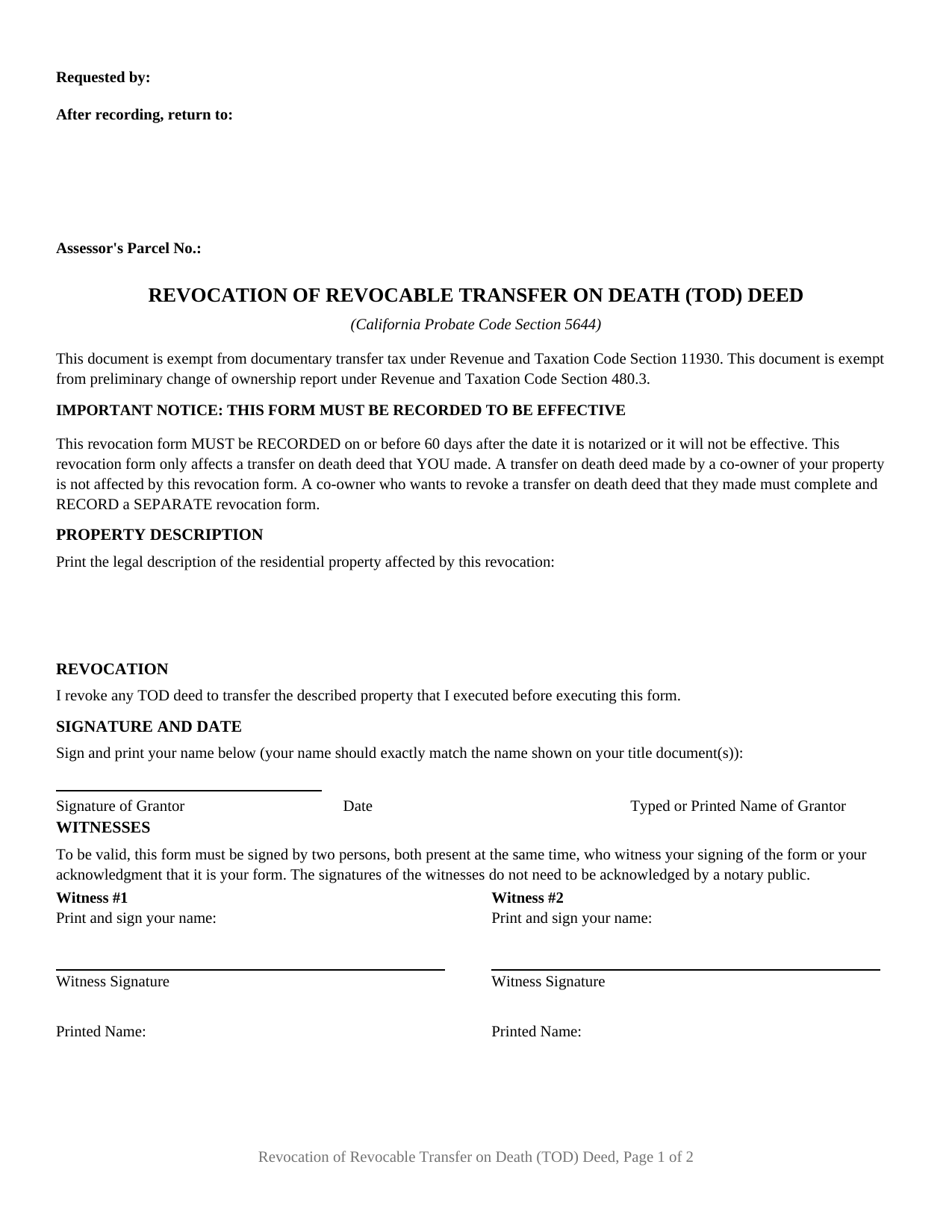
Sutter County Transfer on Death Revocation Form
Fill in the blank Transfer on Death Revocation form formatted to comply with all California recording and content requirements.
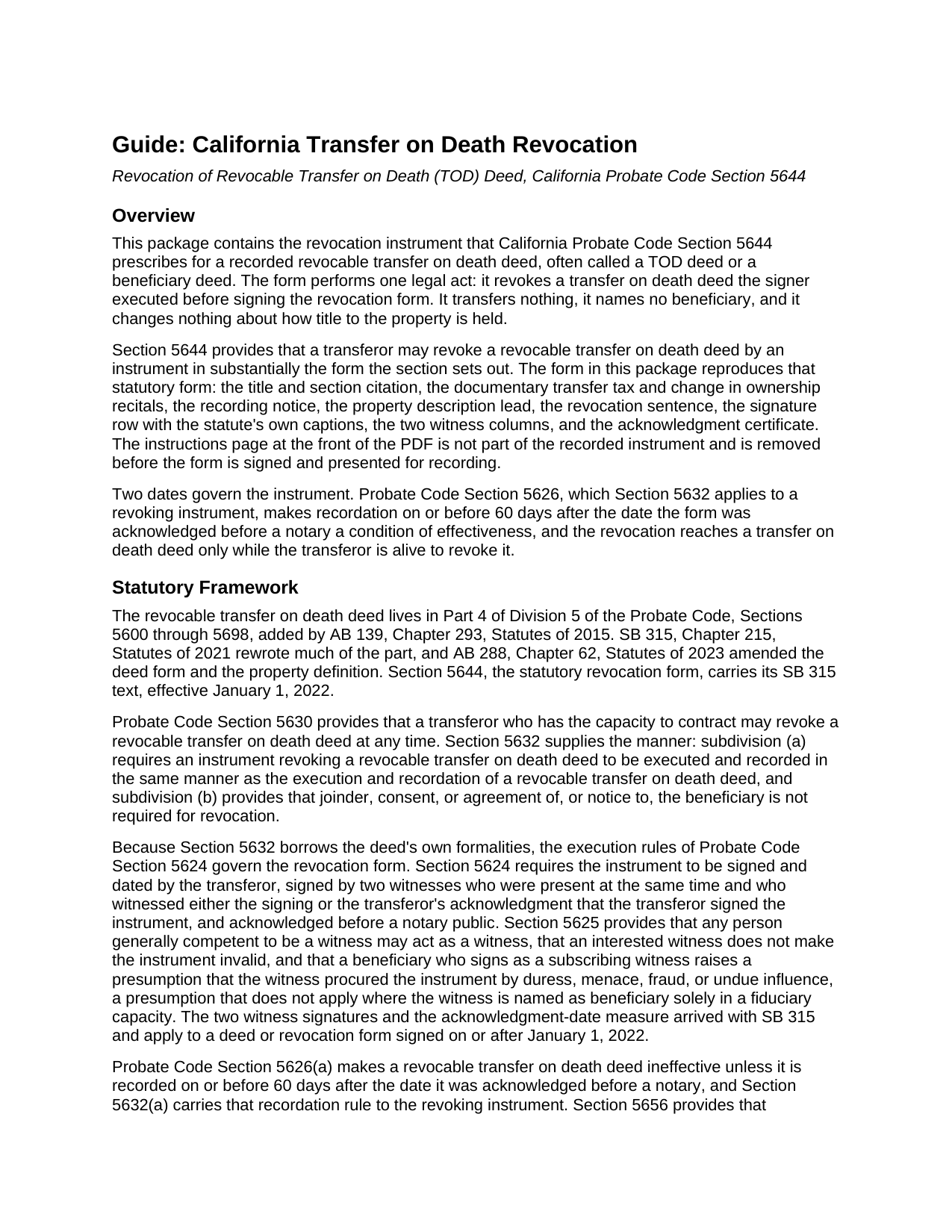
Sutter County Transfer on Death Revocation Guide
Line by line guide explaining every blank on the Transfer on Death Revocation form.
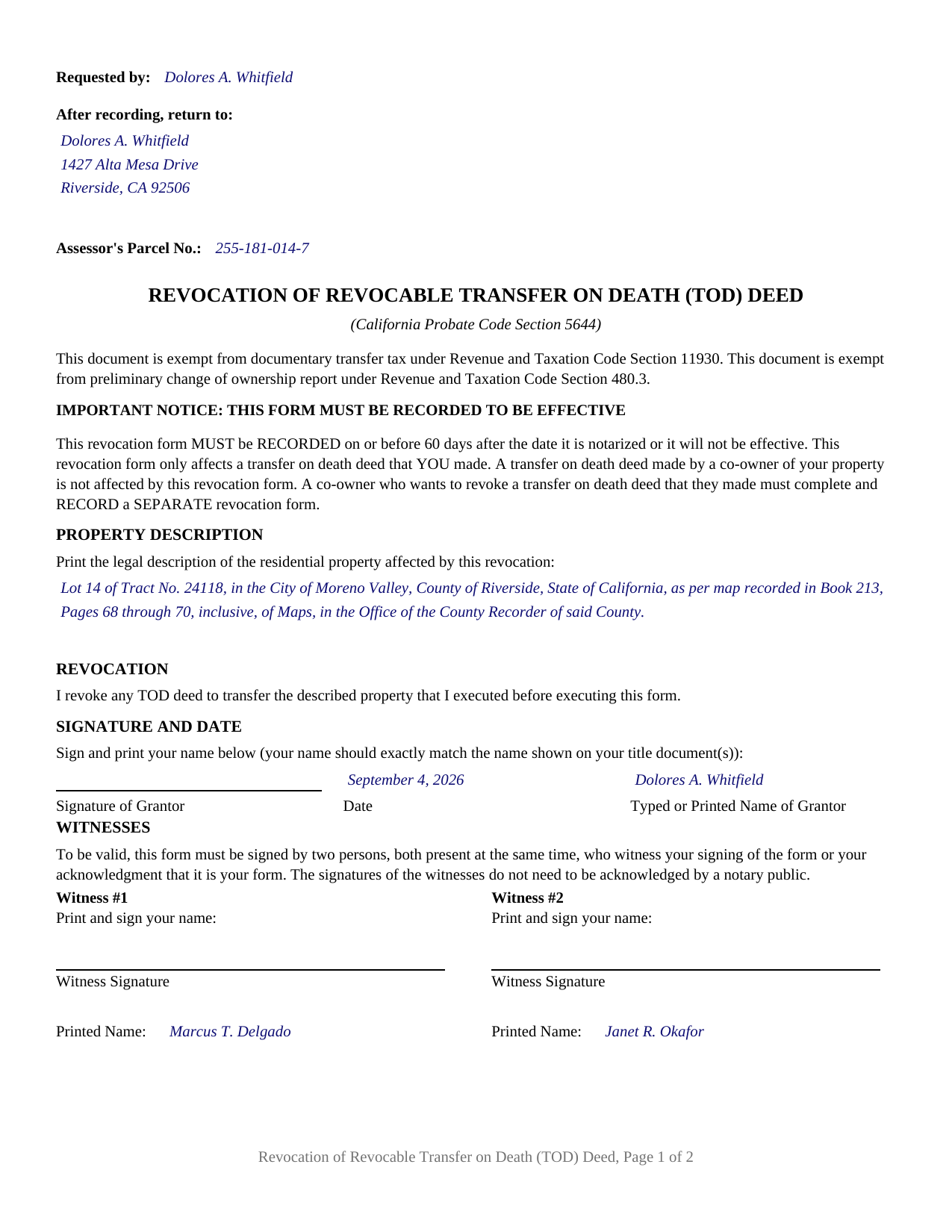
Sutter County Completed Example of the Transfer on Death Revocation Document
Example of a properly completed California Transfer on Death Revocation document for reference.
All 3 documents above included • One-time purchase • No recurring fees
Immediate Download • Secure Checkout
Additional California and Sutter County documents included at no extra charge:
Where to Record Your Documents
Sutter County Clerk - Recorder
Yuba City, California 95991
Hours: 8:00 a.m. to 5:00 p.m.
Phone: (530) 822-7134
Recording Tips for Sutter County:
- Bring your driver's license or state-issued photo ID
- Ensure all signatures are in blue or black ink
- Bring extra funds - fees can vary by document type and page count
- Check margin requirements - usually 1-2 inches at top
- Leave recording info boxes blank - the office fills these
Cities and Jurisdictions in Sutter County
Properties in any of these areas use Sutter County forms:
- Live Oak
- Meridian
- Nicolaus
- Pleasant Grove
- Rio Oso
- Robbins
- Sutter
- Yuba City
Hours, fees, requirements, and more for Sutter County
How do I get my forms?
Forms are available for immediate download after payment. The Sutter County forms will be in your account ready to download to your computer. An account is created for you during checkout if you don't have one. Forms are NOT emailed.
Are these forms guaranteed to be recordable in Sutter County?
Yes. Our form blanks are guaranteed to meet or exceed the applicable formatting requirements used for recording in Sutter County, including margin requirements, font requirements, and other layout standards. This guarantee applies to formatting, not to the legal sufficiency of information entered by the user or the suitability of a form for a particular transaction.
Can I reuse these forms?
Yes. You can reuse the forms for your personal use. For example, if you have multiple properties in Sutter County you only need to order once.
What do I need to use these forms?
The forms are PDFs that you fill out on your computer. The free Adobe Acrobat Reader is recommended, and most PDF apps also work. You do NOT enter your property information online - you download the blank forms and complete them privately on your own computer.
Are there any recurring fees?
No. This is a one-time purchase. Nothing to cancel, no memberships, no recurring fees.
How much does it cost to record in Sutter County?
Recording fees in Sutter County vary. Contact the recorder's office at (530) 822-7134 for current fees.
Questions answered? Let's get started!
A recorded California transfer on death deed does not expire, and it cannot be undone by a will. It sits in the county records and waits. The instrument that stops it is the Revocation of Revocable Transfer on Death (TOD) Deed, and the Legislature wrote the form: Probate Code Section 5644 provides that a transferor may revoke a revocable transfer on death deed by an instrument in substantially the form the section prints. This package prepares that California form, for a TOD deed, sometimes called a beneficiary deed, already recorded against residential property.
A form the statute prints, not a form drafted around it
Section 5644 is a form statute, so the page belongs to the statute. The title and citation line, the recitals that the document is exempt from documentary transfer tax under Revenue and Taxation Code Section 11930 and from the preliminary change of ownership report under Section 480.3, the recording notice, the property description lead, the revocation sentence, the captioned signature row, the witness columns, and the notary certificate all come from Section 5644. The revocation sentence is the operative line: I revoke any TOD deed to transfer the described property that I executed before executing this form. One sentence, and it reaches every transfer on death deed the signer executed before signing the revocation, not only the latest one.
Sixty days, counted from the notarization
Probate Code Section 5632 says the revoking instrument is executed and recorded in the same manner as the deed it revokes, which imports Section 5626: recordation falls on or before 60 days after the date the instrument was acknowledged before a notary. That clock, measured from the notarization rather than from the signing, arrived with SB 315, Chapter 215, Statutes of 2021, for instruments signed on or after January 1, 2022. A revocation form that is signed, witnessed, and notarized but left in a drawer accomplishes nothing, because Section 5644 works through the record, and the power to revoke ends at the transferor's death.
One signer, two witnesses, one certificate
The form carries one signature row under the statute's captions, Signature of Grantor, Date, and Typed or Printed Name of Grantor, and one acknowledgment certificate for that signer. Below it sit two witness columns. Probate Code Section 5624 requires two persons, both present at the same time, who witness either the signing or the signer's acknowledgment of it, and the statutory sentence on the form states that the witness signatures are not notarized. Section 5625 adds that a beneficiary who signs as a witness raises a statutory presumption of duress, menace, fraud, or undue influence. Section 5632 leaves the beneficiary out of the process altogether: joinder, consent, agreement, and notice are not required.
What the revocation reaches, and what it leaves alone
The statutory notice on the face of the form marks the boundary: it affects only a transfer on death deed made by the person who signs it. Where two co-owners each recorded a deed, each records a separate revocation form. Title itself does not move. The revocation transfers nothing, names no beneficiary, and leaves liens, easements, leases, and the form of vesting as they stood. Property held at death in joint tenancy or as community property with right of survivorship is governed by the right of survivorship under Probate Code Section 5664, whatever a transfer on death deed says.
Recording, with no tax declaration attached
The completed instrument is recorded with the county recorder where the property sits. Probate Code Section 5656 provides that execution, recordation, and revocation of a transfer on death deed are not a change in ownership and call for no documentary transfer tax, no tax declaration, and no preliminary change of ownership report, which is why the form prints exemption recitals rather than a tax line. Recording fees under Government Code Sections 27361 and 27388.1 still apply, and format rules govern the page: 2.5 inches reserved at the top of the first page, a title indexed from that page, and legible printed names beside every signature.
The package includes the fillable form, a completed example built on a Riverside County fact pattern, and a guide that walks the statutory form block by block with its citations. It is a form package and general information, not legal advice; a California attorney can address a specific title, family, or estate.
Important: Your property must be located in Sutter County to use these forms. Documents should be recorded at the county recording office listed above.
This Transfer on Death Revocation meets all recording requirements specific to Sutter County.
Our Promise
The documents you receive here are guaranteed to meet or exceed the applicable Sutter County recording format requirements. If there is a rejection caused by our formatting, we will correct the issue or refund your payment. This guarantee applies to document formatting only and does not extend to information entered by the user, the selection of the form, or the legal effect of the completed document.
Save Time and Money
Get your Sutter County Transfer on Death Revocation form done right the first time with Deeds.com Uniform Conveyancing Blanks. At Deeds.com, we understand that your time and money are valuable resources, and we don't want you to face a penalty fee or rejection imposed by a county recorder for submitting nonstandard documents. We constantly review and update our forms to meet rapidly changing state and county recording requirements for roughly 3,500 counties and local jurisdictions.
4.8 out of 5 - ( 4,837 Reviews )
Andrea R. 5 out of 5 stars
I was pleasantly surprised as I didn't even know you can record a quit claim deed digitally. I am in the mortgage business so I will gladly refer all my clients to this website! Deeds.com was prompt and fast with the entire process. My document was recorded and completed in less than 24 hours! Thank you again!
We appreciate your business and value your feedback. Thank you. Have a wonderful day!
Timothy G. 5 out of 5 stars
Downloadable documents, instructions and a completed sample form were just what I needed. Very pleased and easy to use. Deeds.com will be my first stop for any future documents I may need. Thank you!
We appreciate your business and value your feedback. Thank you. Have a wonderful day!
Laurie B. 5 out of 5 stars
easy to use, good experience
Thank you!
Margaret C. 4 out of 5 stars
I recieved my document in a reasonable amount of time. I thought being a member i would be able to look up more than 1 document but it keeps asking me for more money. I requested help, asking if I need to pay for each document but have not yet been answered. I appreciate the fact I got 1 document I needed quickly.
Thank you!
Charles W. 5 out of 5 stars
in one of the reviews, the person said they wished that there was more room allowed for use in the grantor section. the reply was that they were sorry but there was only enough room for what was there considering margins, etc. that is not true. on the forms i downloaded there was plenty of extra room at the top of the page (about 2 inches) that was not being used.
Thank you!
Vertina B. 5 out of 5 stars
The website is well established and easy to use. I got everything I was supposed to get. I had no problem downloading the forms. All of the forms printed well.
We appreciate your business and value your feedback. Thank you. Have a wonderful day!
Donna S. 5 out of 5 stars
Very easy forms to fill out and convenient since my county does not carry these forms , great service .
Thank you for your feedback. We really appreciate it. Have a great day!
Susan Mary S. 5 out of 5 stars
Thank you for the thorough assortment of forms!
Thank you for your feedback. We really appreciate it. Have a great day!
Sammy K. 5 out of 5 stars
A very streamlined, easy-yo-follow process of recording documents during the COVID-19 era. There was no delay in reviewing and submitting the uploaded documents to the deed office in the jurisdiction. Thanks!
We appreciate your business and value your feedback. Thank you. Have a wonderful day!
Thomas H. 5 out of 5 stars
I received every form I requested, immediately upon payment. All forms were up to date and easy to edit as needed. I'll come back here for all my future needs of this nature.
We appreciate your business and value your feedback. Thank you. Have a wonderful day!
Janet J. 5 out of 5 stars
They quickly advised they could not record a death certificate for me.
Thank you!
Madline J. 5 out of 5 stars
amazing job!!
Thank you!
Larry T. 5 out of 5 stars
Ordered a 'Gift Deed' form The 'Example' form was most helpful. The actual form was very detailed, and seemed to 'cover all the bases'
We appreciate your business and value your feedback. Thank you. Have a wonderful day!
Michael L. G. 5 out of 5 stars
Thank you, Deed.com provided the needed forms to change county and state information after the passing of my father, saved me a trip to law office, especially after the lawyers would not return my calls, so I would recommend you check Deed.com for information, saved my family money for lawyer fees, would use Deed.com again. Mike
Thank you for your feedback. We really appreciate it. Have a great day!
Gary H. 5 out of 5 stars
The package was very helpful and very easy to use. I saved me a lot of time and eliminated attorneys being involved. I would highly recommend your forms.
It was a pleasure serving you. Thank you for the positive feedback!